
Slidario has MCP tools, so Claude, ChatGPT and other AI assistants can list your sliders, read their settings, and create product sliders for you. New sliders are saved as drafts, so nothing goes live until you check it. The MCP tools are free.
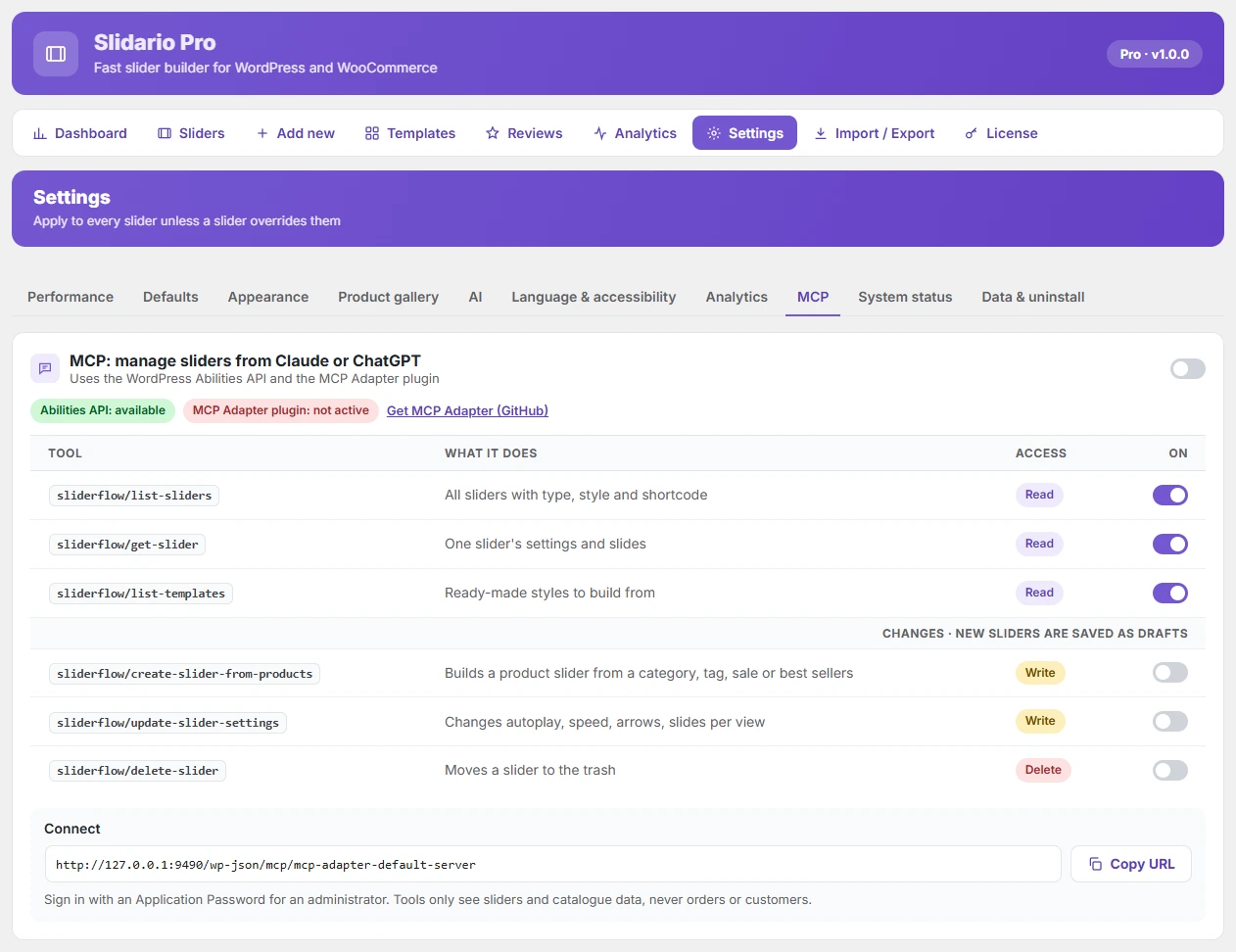
Set it up
- Make sure your site runs WordPress 6.9 or later (Abilities API) and install the MCP Adapter plugin. The MCP tab shows both as chips, with a link to get the adapter.
- Go to Slidario → Settings → MCP and turn on MCP: manage sliders from Claude or ChatGPT.
- Choose which tools are on. Only the read tools are on by default.
- Click Copy URL and add that address to your AI assistant as an MCP server. Sign in with an Application Password of an administrator.
| Tool | What it does | Access |
|---|---|---|
sliderflow/list-sliders | All sliders with type, style and shortcode | Read |
sliderflow/get-slider | One slider’s settings and slides | Read |
sliderflow/list-templates | Ready-made styles to build from | Read |
sliderflow/create-slider-from-products | Builds a product slider from a category, tag, sale or best sellers (saved as a draft) | Write |
sliderflow/update-slider-settings | Changes autoplay, speed, arrows, dots, loop, slides per view and heading (keeps a backup) | Write |
sliderflow/delete-slider | Moves a slider to the trash | Delete |
Example request: “Make a slider of our best-selling coats for the homepage.” The assistant answers with the new draft’s name and where to find it.
The tools only see sliders and catalogue data, never orders or customers.