
Ticker mode makes a logo, product or category slider scroll without stopping, like a news ticker. It is free in Slidario and is often used for a “brands we work with” logo strip or a row of new arrivals.
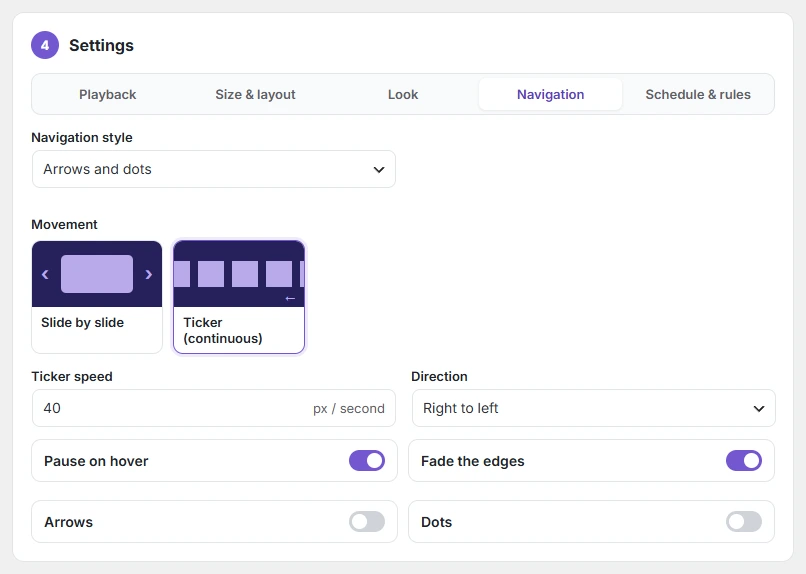
Turn on ticker mode
- Open a Logo, Products or Categories slider.
- In 4 Settings → Navigation, under Movement, choose Ticker (continuous).
- Set the options below and click Update.
| Option | What it does |
|---|---|
| Ticker speed | Pixels per second, 5–300. |
| Direction | Right to left or left to right. |
| Pause on hover | Stops while the mouse is over it, so shoppers can click. |
| Fade the edges | Soft fade on the left and right edges. |
A pause button is shown on tickers, and visitors who turned on “reduce motion” in their device settings see the logos standing still.
