
Location-Specific Review Configuration allows you to manage customer reviews based on store or warehouse location, ensuring more accurate feedback and region-specific experience insights. This feature is especially useful for products that may perform differently across locations due to supply variations, handling differences, or regional expectations.
How to Access Review Settings
- Go to Location Manage → Settings
- Open Location Wise Everything → Reviews
Here you will find the controls to manage location-based review behavior.
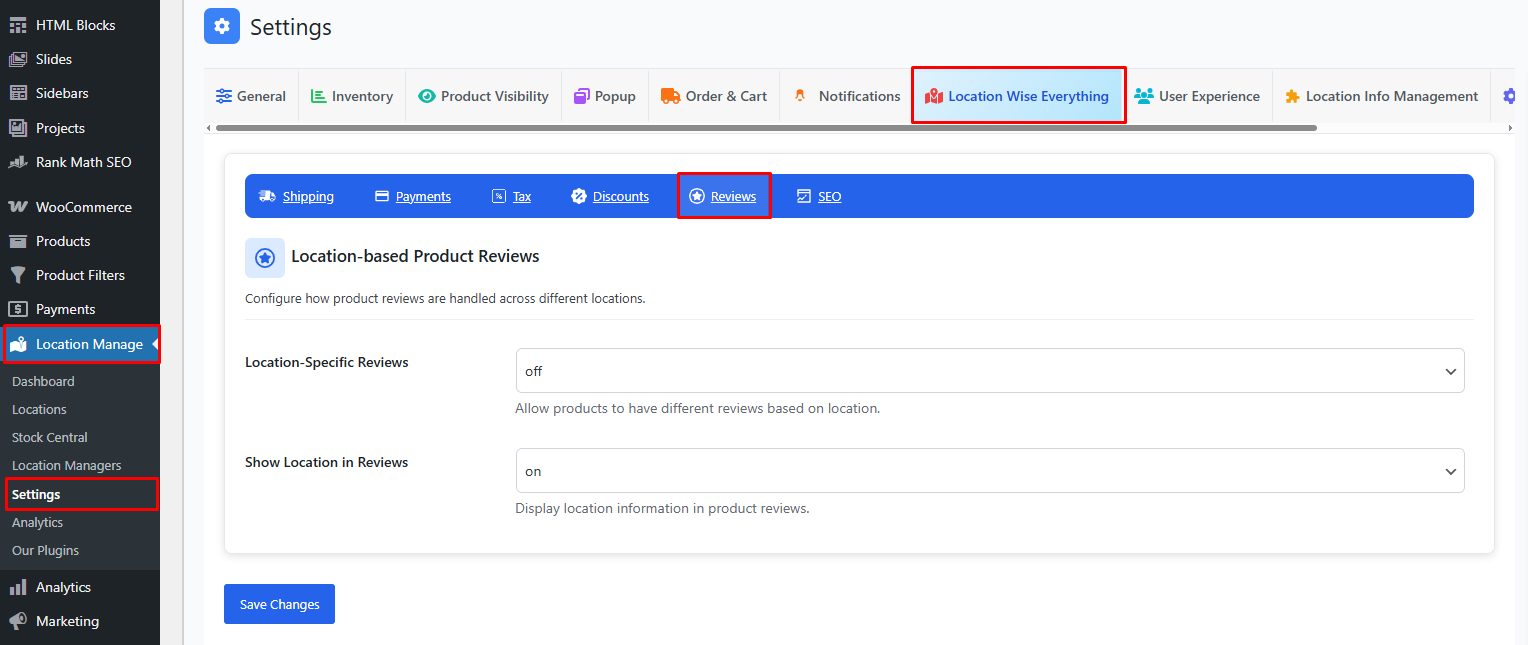
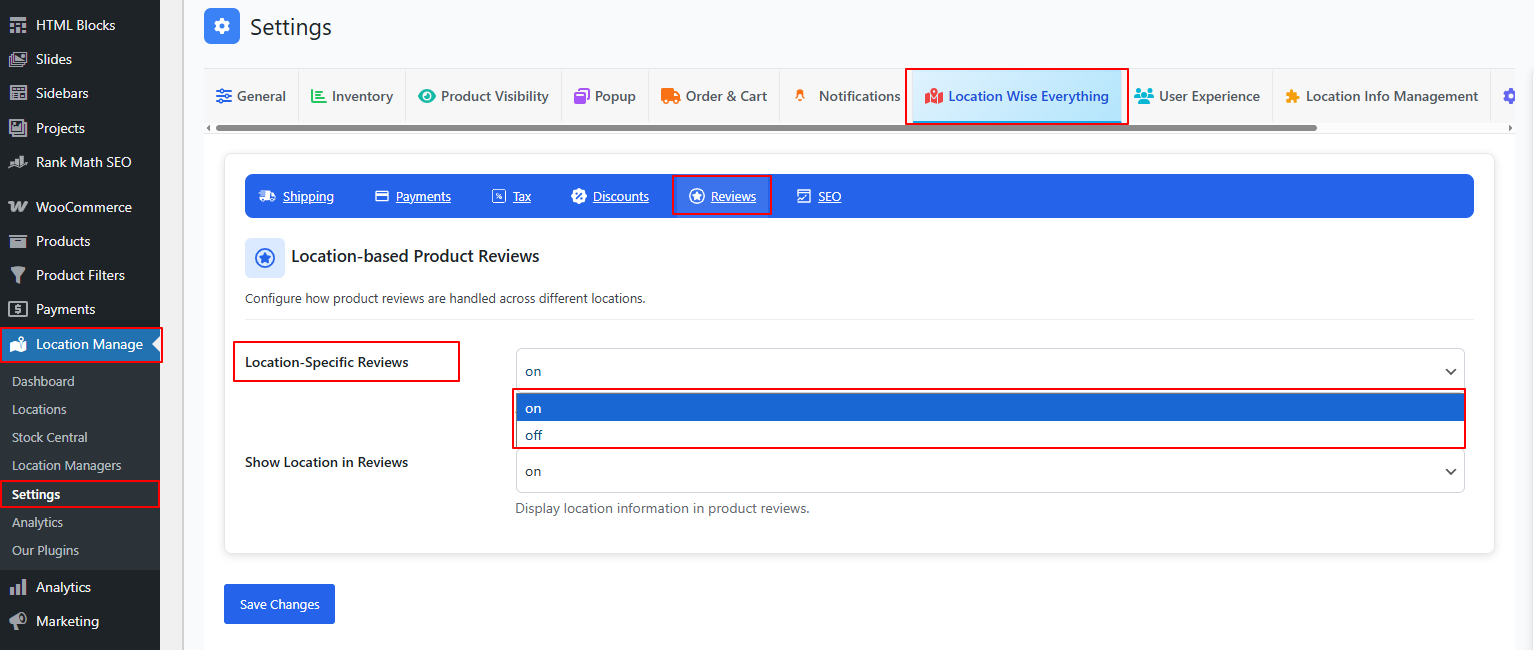
Location-Specific Reviews — ON/OFF
ON
- Each location maintains its own separate set of product reviews.
- Customers only see reviews submitted for the selected store/warehouse location.
- Prevents confusion when product quality varies due to:
- Different suppliers
- Warehouse handling
- Regional variations
- Seasonal or local conditions
OFF
- All reviews are global.
- Customers see the same reviews regardless of selected location.
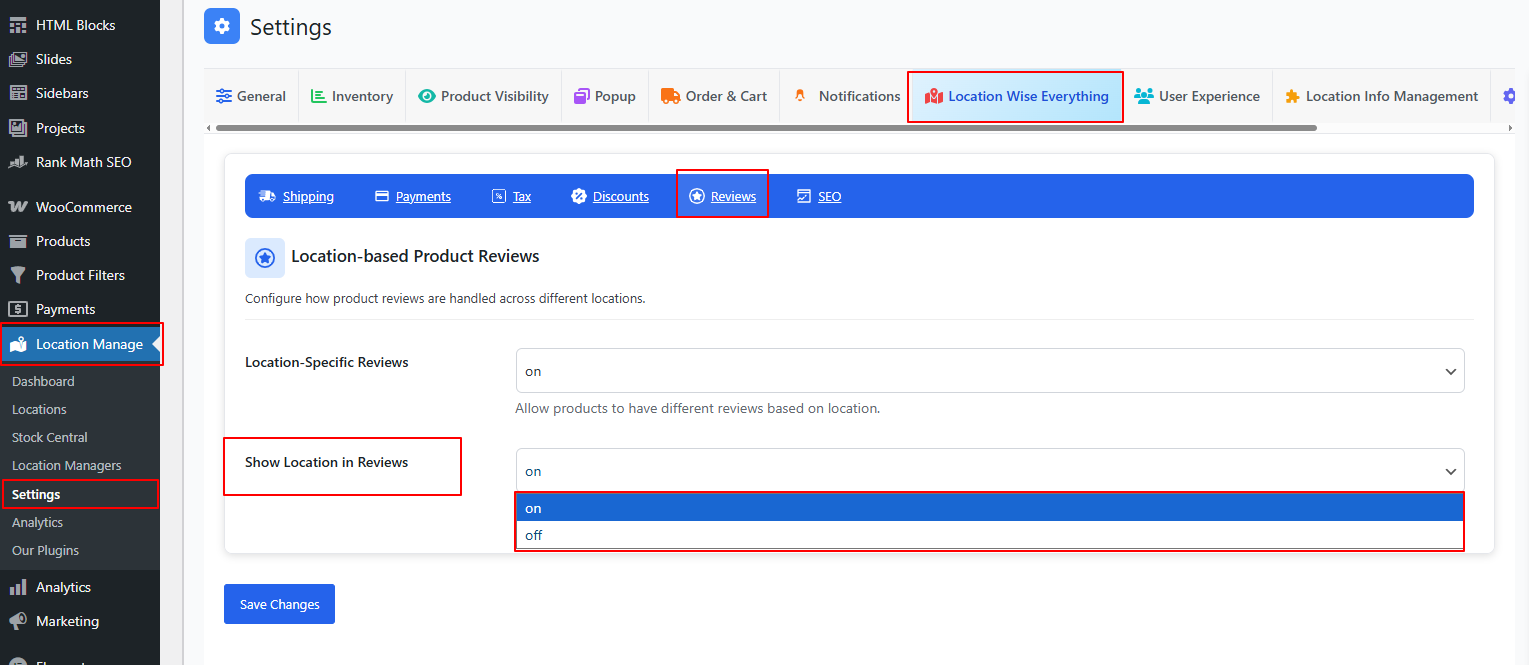
Show Location in Reviews — ON/OFF
ON
- Displays the reviewer’s selected location alongside their review.
- Helps customers understand where the review originated.
- Adds transparency for multi-regional businesses.
- Useful when product experience differs by warehouse.
Example display:
★★★★★
Great product! Fast delivery.
– John D. (Location: Los Angeles Warehouse)
OFF
- Location information is hidden.
- Reviews appear as standard WooCommerce reviews.
Why Use Location-Based Reviews?
✔ Improves customer trust
Customers can see feedback from their local region, which may reflect more relevant experiences.
✔ Helps isolate location-related issues
If one warehouse repeatedly gets worse reviews, you can take corrective action quickly.
✔ Offers more accurate product insights
Reviews tied to specific locations help analyze:
- Packaging consistency
- Delivery speed
- Local product variations
- Store or warehouse performance
✔ Useful for pickup locations
Customers want to know how others in their area experienced the pickup or local delivery process.
Best Practices
- Enable Location-Specific Reviews if product quality or handling varies by location
- Enable Show Location in Reviews for more transparency
- Encourage customers to leave location-tagged reviews at checkout or order completion
- Periodically review feedback per location to improve operations
- Keep global reviews enabled only if your stock and fulfillment are universally consistent
Location-Specific Review Configuration ensures your review system is accurate, transparent, and tailored to multi-location operations—providing customers with the most relevant information and helping store owners optimize performance across every region.