
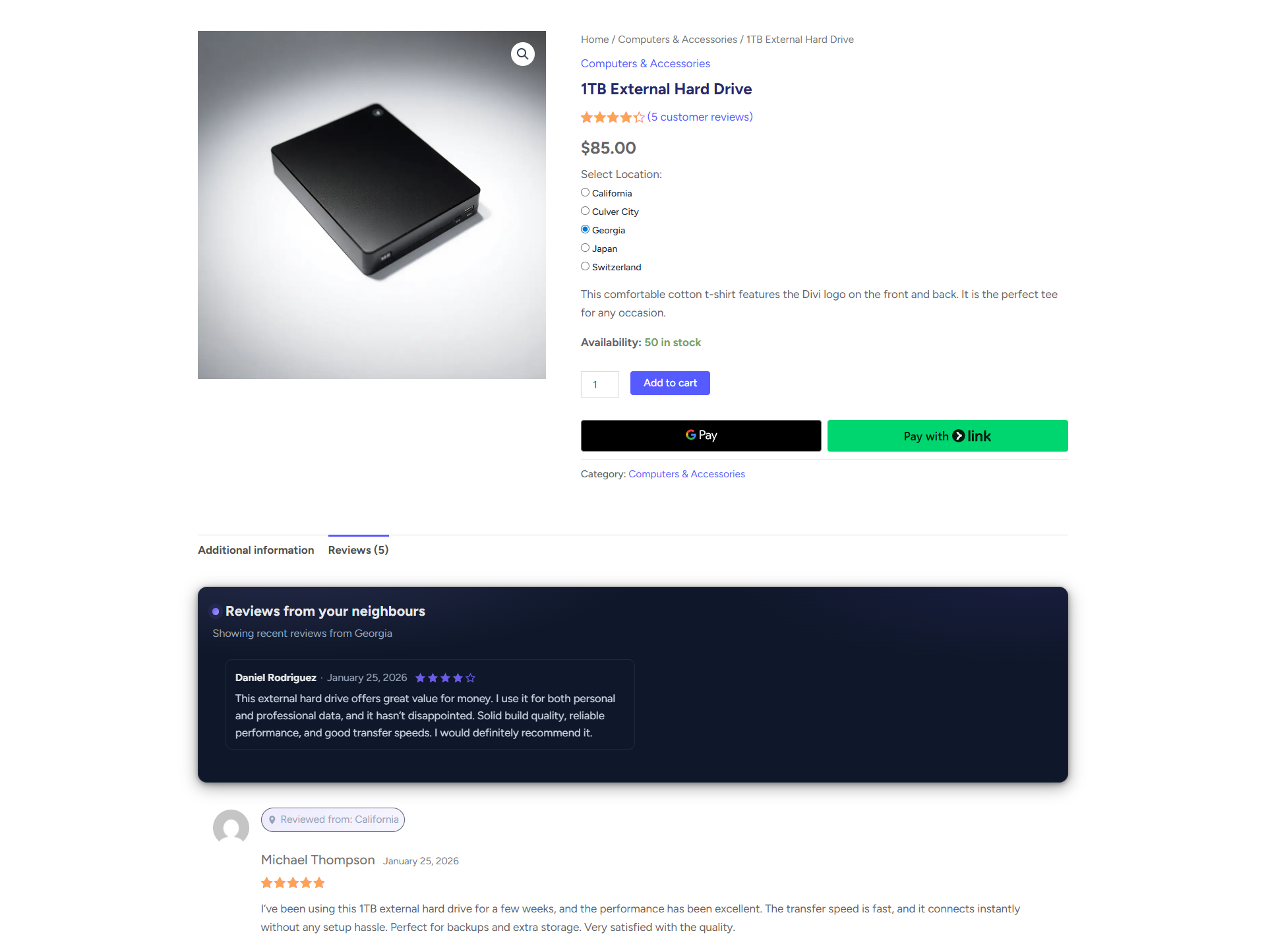
When Location-Specific Reviews are enabled, your WooCommerce store can display Nearby Reviews—a dynamic section that shows customer feedback from locations closest to the user’s selected store or warehouse.
This feature gives shoppers more relevant review data, especially when there are limited reviews for their exact location or when nearby regions share similar product/fulfillment experiences.
How to Enable Location Specific Nearby Reviews
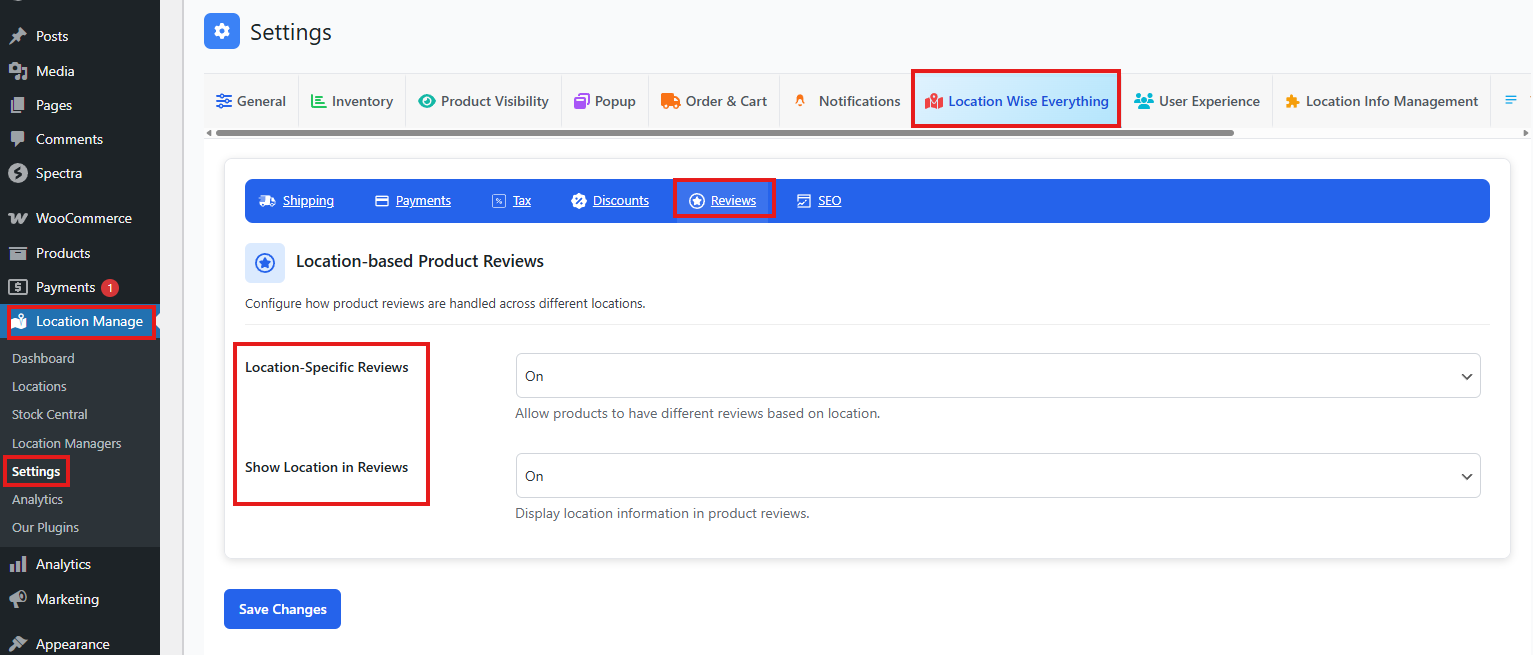
- From your WordPress dashboard, go to Location Manage > Settings > Location-wise Everything > Reviews.
- Enable Location-Specific Reviews. This allows products to have different reviews based on location.
- Enable Show Location in Reviews. This displays location information in product reviews.
- Click Save Changes.
How Nearby Reviews Work
Nearby Reviews appear automatically when:
- Location-Specific Reviews = ON
- The user is viewing a single product page
- The selected location has few or no reviews
- Other nearby or regional locations have available reviews
The system detects nearby locations based on:
- Store proximity
- Configured coordinates (latitude/longitude)
- Location hierarchy or geographic clusters
Where Nearby Reviews Appear
On the single product page, within the Reviews section:
- The usual product reviews appear for the selected location
- Above the main review list, a new block appears:
Nearby Reviews
(Reviews from locations close to your selected store)
These reviews come from the closest locations, not the entire store network.
Why Nearby Reviews Are Important
Gives customers more data
If a specific location has few reviews, nearby locations supplement them, increasing trust.
Offers regional relevance
Nearby locations often share:
- Similar delivery conditions
- Same shipping carriers
- Same product handling
- Similar customer expectations
Reduces negative perception
Users will not assume a product lacks reviews—there’s always data available.
Helps multi-location stores
Especially valuable for new stores or seasonal locations where reviews are limited.
Logic Behind Nearby Reviews (Simplified)
- Check selected location
- Find reviews for that location
- If below review threshold → fetch nearest locations
- Display nearby reviews in a dedicated block
- Keep main review list location-specific
This ensures both accurate local reviews and supportive regional context.
Example Display (Conceptual)
Nearby Reviews (from locations near your selected store)

★★★★★  Great quality!
– Sarah (Location: Brooklyn Center)

★★★★☆  Fast delivery and well packed.
– Kevin (Location: Queens Hub)
Below this block, the user sees reviews specific to the currently selected location.
Best Practices
- Make sure each location has correct latitude/longitude values
- Encourage reviews across all store locations
- Keep location-specific reviews turned on for multi-store setups
- Use “Show Location in Reviews” to add more clarity
With Location-Specific Nearby Reviews, your store provides richer, more relevant feedback to customers—boosting confidence and improving conversion, even when some locations have limited review data.