
Location-Based SEO Configuration enhances your store’s search engine optimization by adding location-specific information to product pages. This helps improve visibility in local search results and ensures search engines understand which location a product is associated with.
How to Access SEO Settings
- Go to Location Manage → Settings
- Open Location Wise Everything → SEO
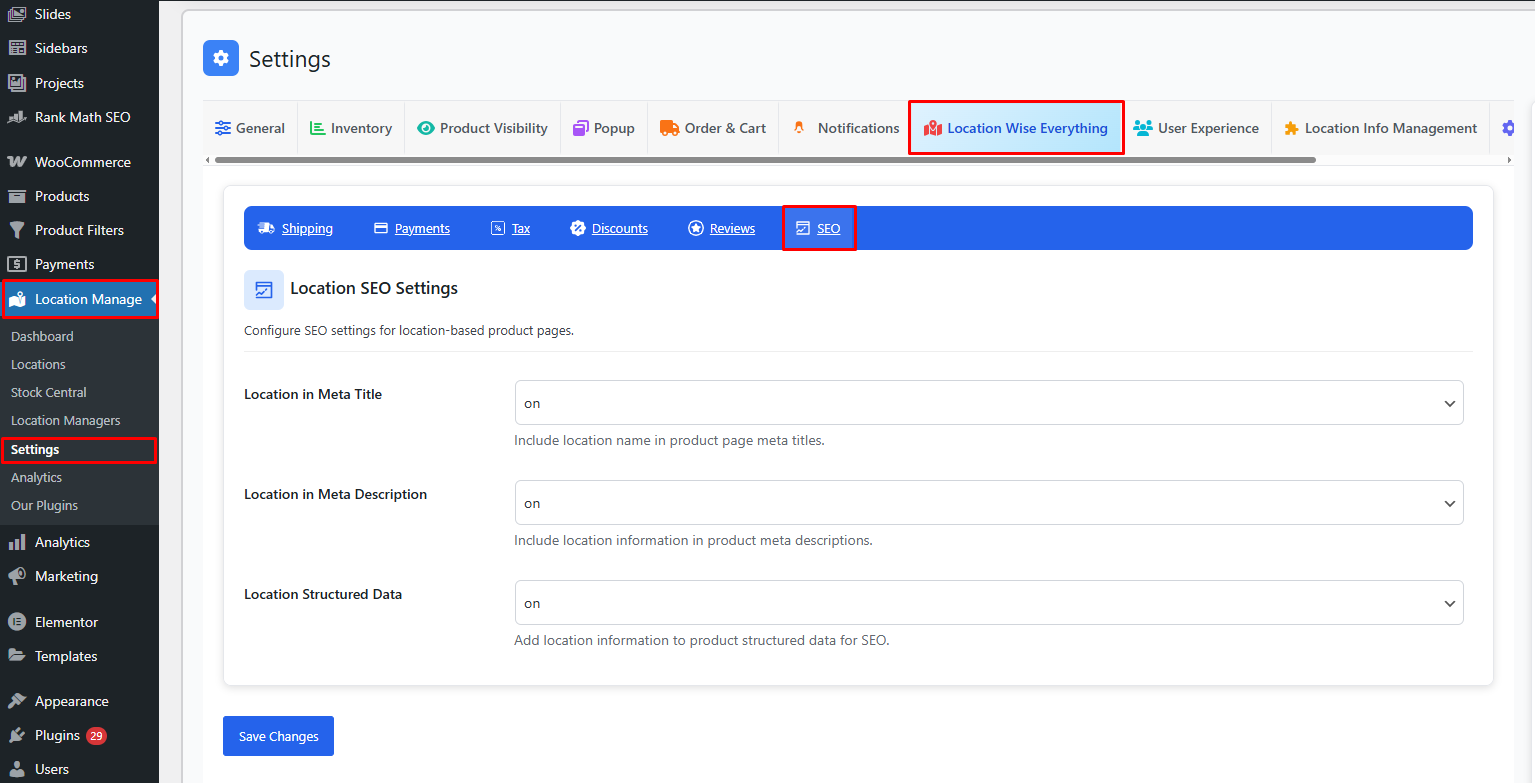
Here you will find options to control how product pages incorporate location metadata.
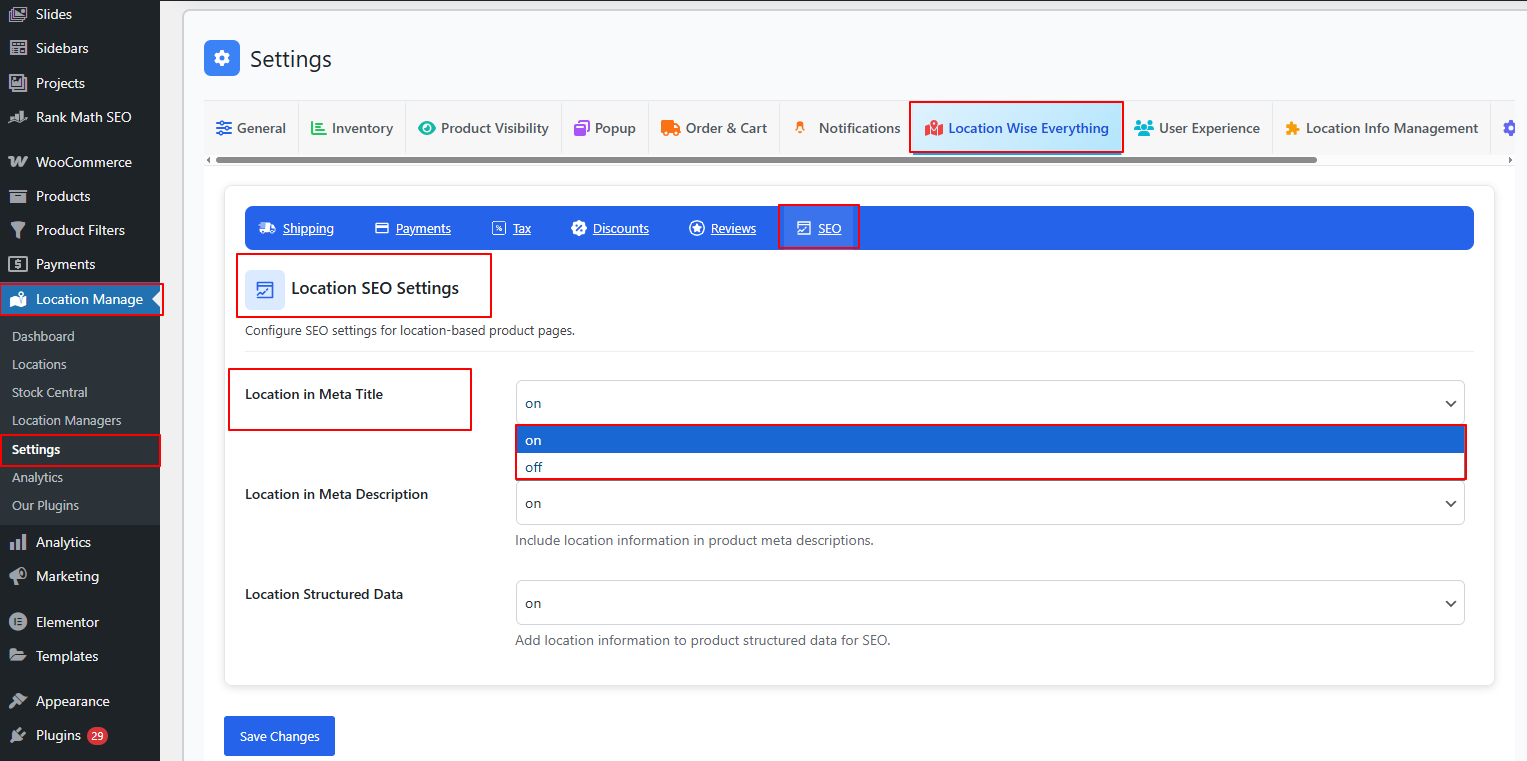
Location in Meta Title — ON/OFF
ON
- Automatically includes the selected store/warehouse location in the product page’s meta title.
- Improves ranking for location-based searches such as:
“Product Name in New York Store” “Buy Product Name Los Angeles Warehouse” - Useful for businesses with multiple physical locations or regional product visibility.
OFF
- Meta titles follow the default WooCommerce title format.
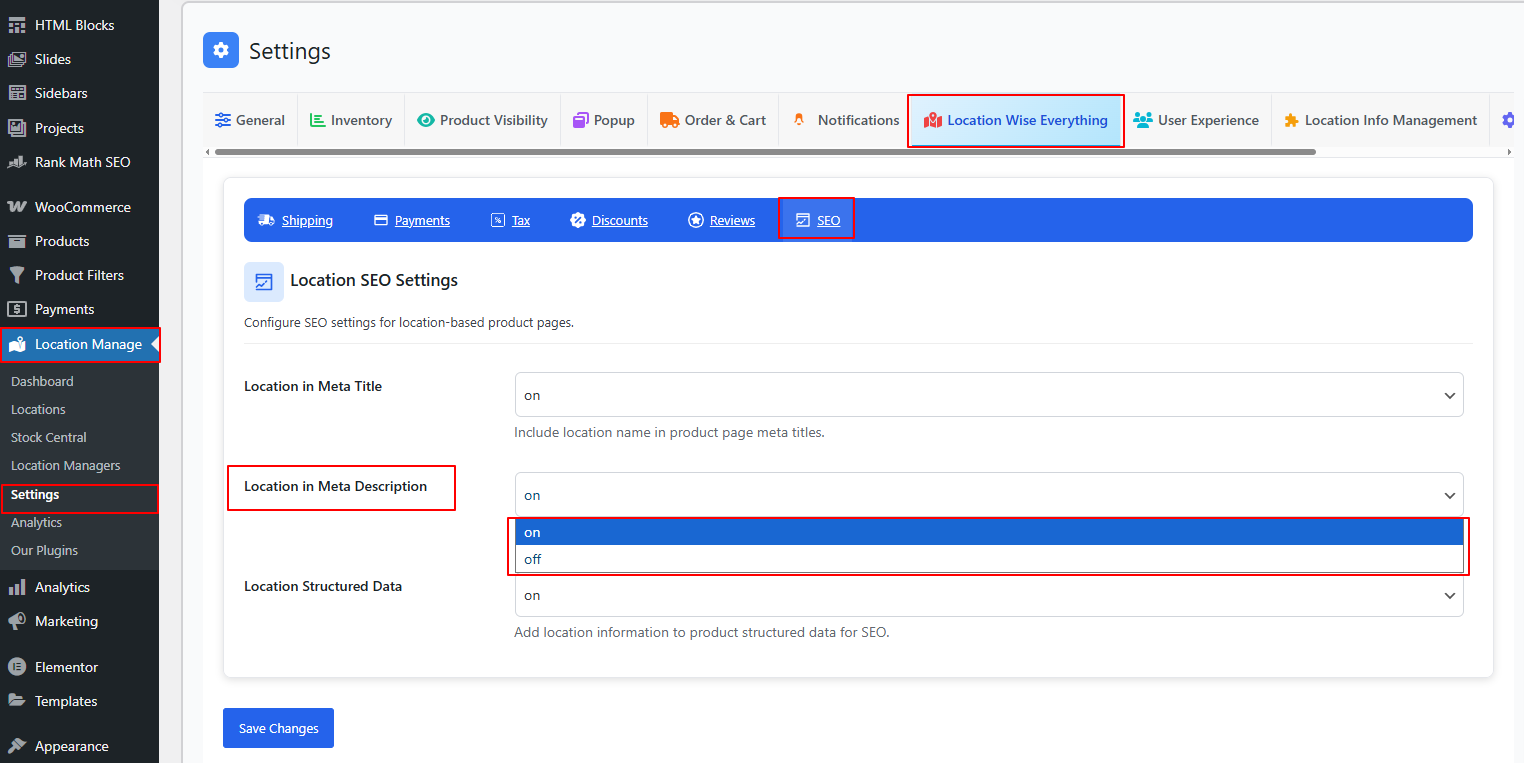
Location in Meta Description — ON/OFF
ON
- Appends or inserts location-specific information into the meta description.
- Helps search engines understand regional relevance.
- Attracts customers searching for location-based fulfillment or availability.
Example meta description (with location):
Buy Product Name available at our Chicago Warehouse. Fast local delivery and pickup options.
OFF
- Product meta descriptions remain global, without location context.
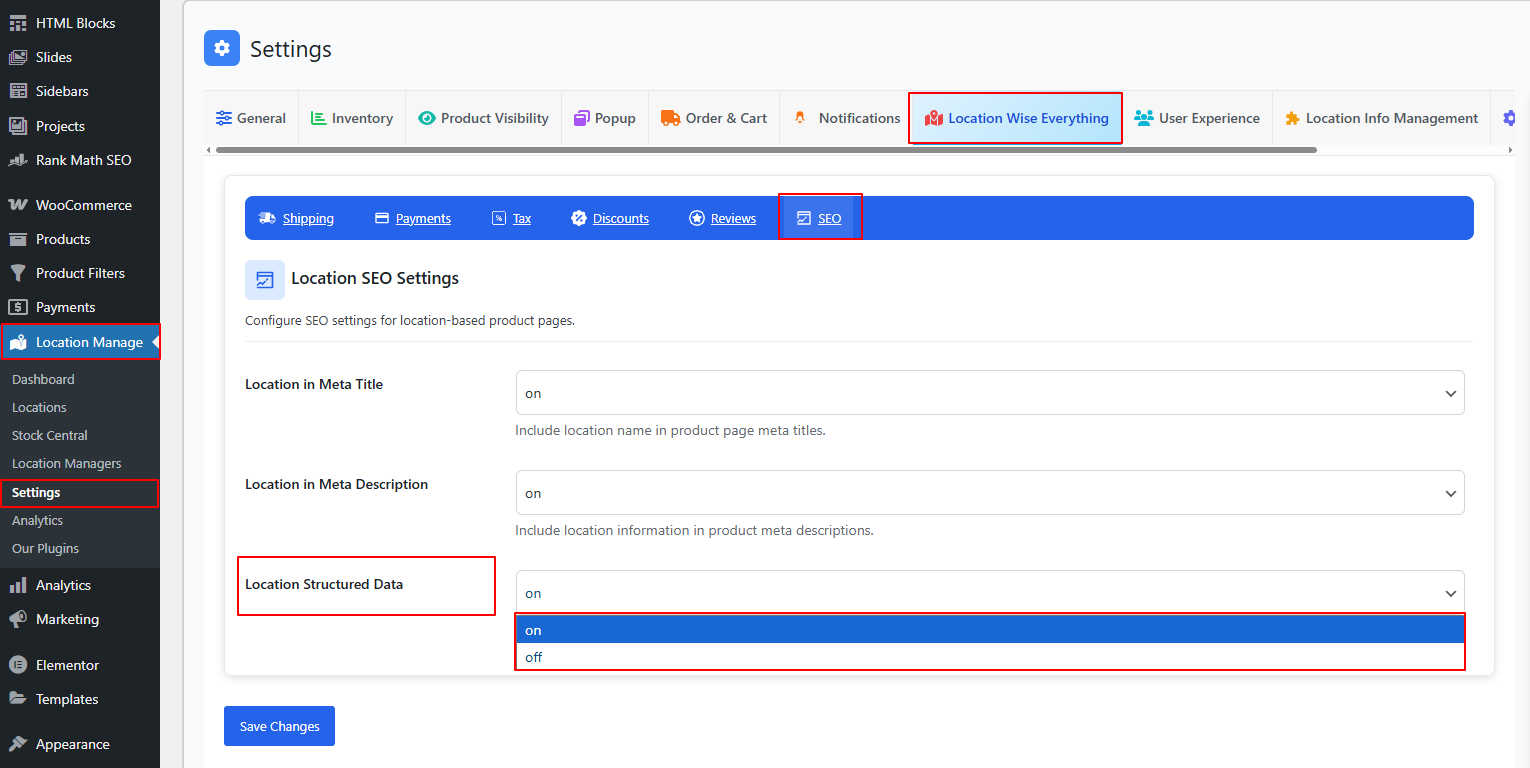
Location Structured Data — ON/OFF
ON
- Adds location-specific data to product schema markup (structured data).
- Helps Google and search engines understand:
- Product availability per location
- Store or warehouse details
- Local business attributes
- Pickup or shipping region relevance
- Improves rich search results such as:
- “Available near you” badges
- Local store availability in Google Search
- Enhanced product visibility in local packs
OFF
- Structured data remains unchanged without location references.
Why Use Location-Based SEO?
✔ Boosts local search rankings
Helps your products appear for queries tied to specific regions or cities.
✔ Improves click-through rates
Customers prefer listings that clearly mention their local store or shipping hub.
✔ Supports multi-location marketing
Allows each location to build its own search visibility and traffic.
✔ Enhances structured data for Google
Improves chances of rich snippets for inventory and store availability.
Best Practices
- Enable Location in Meta Title for strong regional keyword relevance
- Use Location in Meta Description if you offer regional pickup or delivery
- Keep Location Structured Data on to help Google interpret location-based availability
- Update each location’s name, address, and coordinates for accurate SEO data
- Test meta titles and descriptions using SEO tools to avoid duplication
With Location-Based SEO Configuration, your WooCommerce store becomes optimized for multi-location visibility—helping each store or warehouse rank independently, improving organic traffic, and enhancing customer reach through region-specific search targeting.