
The Location-Based Product Recommendations feature lets you display dynamic product suggestions based on the customer’s selected store or warehouse location—anywhere on your site using a shortcode.
This is ideal for:
- Showing locally popular products
- Highlighting bestsellers per location
- Creating location-specific landing pages
- Improving conversions through personalized merchandising
Shortcode for Location-Based Product Recommendations
Use the following shortcode anywhere in your site:
[mulopimfwc_location_recommendations limit="8" columns="4" title="Popular at {location}"]
This will automatically display the most relevant products based on the user’s current selected location.
Shortcode Parameters & Usage
You can customize the output using several parameters:
limit
Description: Number of recommended products to display
Example:
limit="8"
columns
Description: Number of product grid columns
Example:
columns="4"
title
Description: Section title
Supports the placeholder {location}, which auto-inserts the selected location name.
Example:
title="Popular at {location}"
show_title
Description: Controls whether to display the title
Options: yes | no
Example:
show_title="yes"
show_badge
Description: Show or hide “popular” or relevance badge
Options: yes | no
Example:
show_badge="yes"
orderby
Description: Sorting method for recommended products
Recommended value:
orderby="popularity"
Full Example Shortcode
Here’s a fully customized version:
[mulopimfwc_location_recommendations limit="8" columns="4" title="Popular at United States" show_title="yes" show_badge="yes"]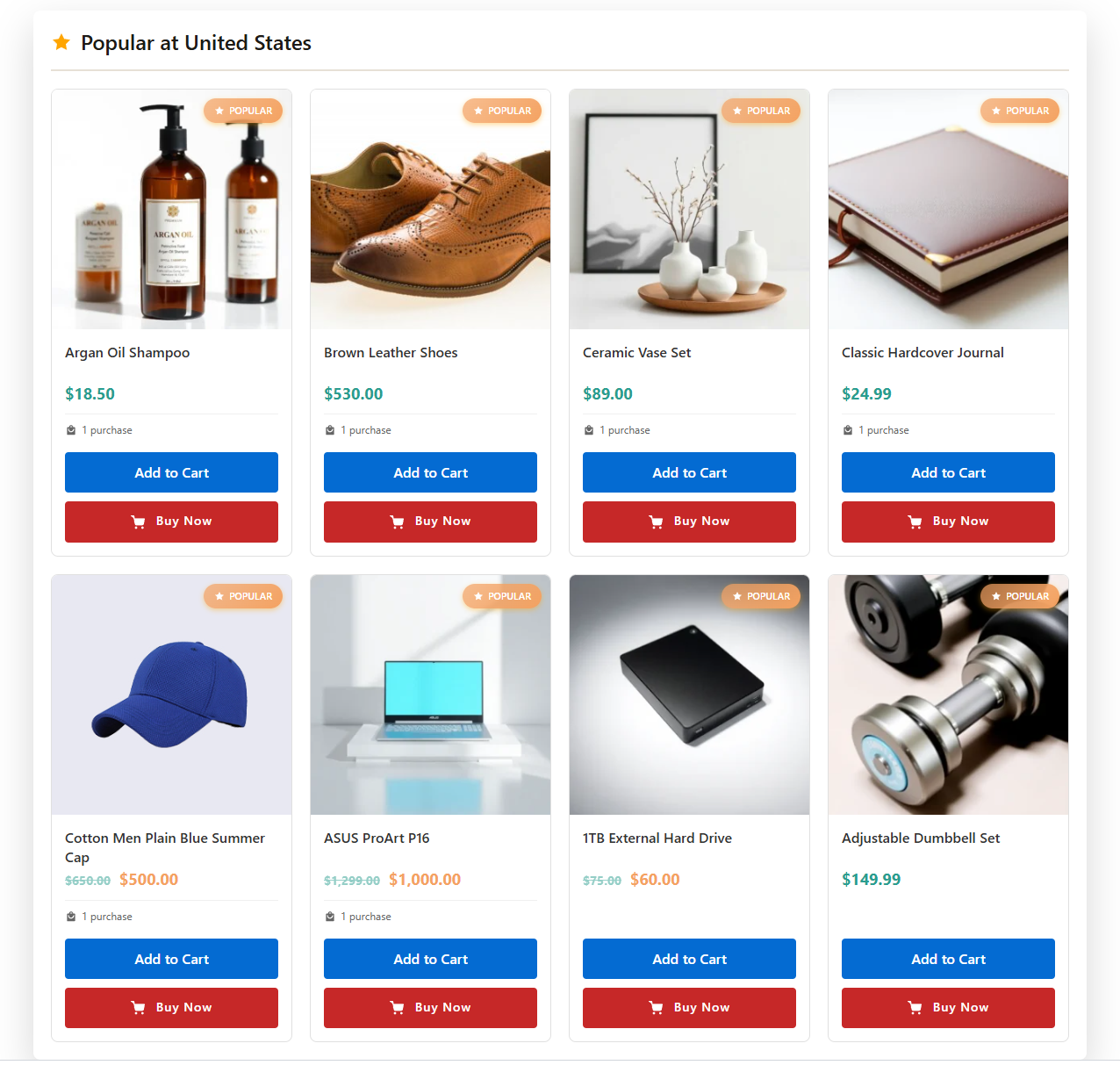
Where You Can Use the Shortcode
You can place the shortcode in:
- Pages (e.g., Landing pages, Store pages)
- Posts
- Widget areas
- Elementor/Divi text blocks
- Custom theme sections
- Product descriptions (optional)
- Location archive pages
How It Works on the Frontend
- The system reads the user’s active location selection
- It retrieves products assigned to that location
- It sorts them by popularity (or your chosen order)
- It dynamically updates recommendations when location changes
Best Practices
- Use
{location}placeholder for more personalized titles - Place recommendations near the top of product pages for better engagement
- Use popularity sorting for highest conversion impact
- Combine with location-based pricing and inventory for consistency
With the Location-Based Product Recommendations shortcode, you can deliver personalized product suggestions that increase customer engagement and sales—based entirely on each user’s chosen location.