
The Location Manager role allows you to delegate inventory and order operations per location while keeping full centralized control as a store owner. Each manager only sees and manages what they are permitted to—nothing more.
This documentation focuses specifically on inventory management by a location manager, the individual permissions, and where managers can manage data inside WordPress.
📘 Learn how to create a Location Manager, assign locations, and set permissions:
https://plugincy.com/documentations/location-manager-create-permission-location-assign/
What Is Inventory Management by Location Manager?
Inventory management by a location manager means:
- A manager can control stock and products only for assigned locations
- Access is strictly permission-based
- All actions are isolated to the manager’s assigned store(s)/warehouse(s)
This is ideal for:
- Store managers
- Warehouse managers
- Regional supervisors
Individual Permissions (Inventory-Focused)
When assigning a location manager, you can enable individual permissions. These permissions directly control what inventory-related actions the manager can perform.
Key Inventory & Product Permissions
✅ Manage Inventory
What it allows
- Update stock quantity per location
- Adjust inventory levels
- Manage location-based stock changes via Stock Central
📍 Where it appears
- Location Manage → Stock Central
- Product edit (location-based stock fields)
✅ View Products
What it allows
- View product listings assigned to their location(s)
- Read-only access (no editing)
📍 Menu access
- Products → All Products
- Products → Categories
- Products → Tags
✅ Manage Products
What it allows
- Edit products assigned to their location(s)
- Update:
- Location-based stock
- Location-based price
- Product details (as allowed)
📍 Menu access
- Products → All Products
- Products → Categories
- Products → Tags
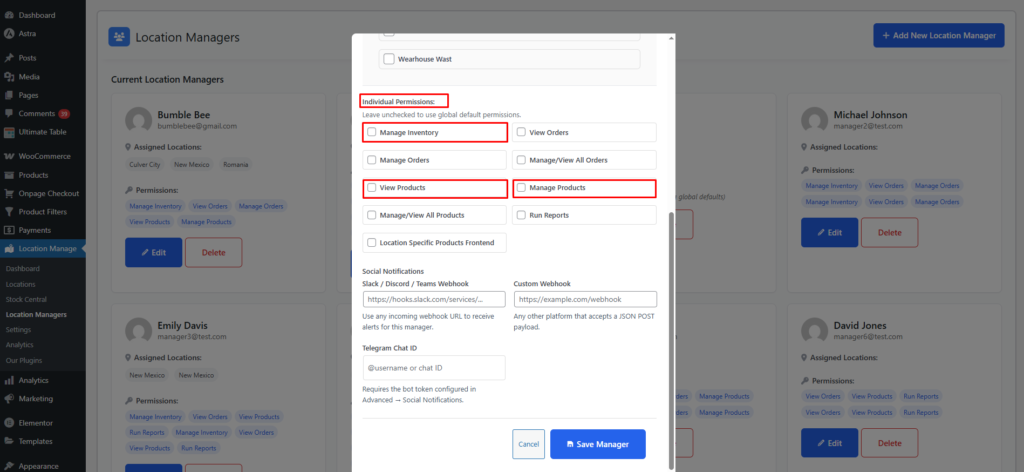
🔒 Manage / View All Products (Optional)
- If disabled → manager can only see location-assigned products
- If enabled → manager can view/manage all products
Order & Sales Permissions (Inventory-Related)
Inventory and orders are closely connected. These permissions affect how managers handle order-driven stock changes.
✅ View Orders
What it allows
- View orders placed for assigned locations
- Read-only access
📍 Menu access
- WooCommerce → Orders
✅ Manage Orders
What it allows
- Process orders
- Update order status
- Fulfill location-based orders
📍 Menu access
- WooCommerce → Orders
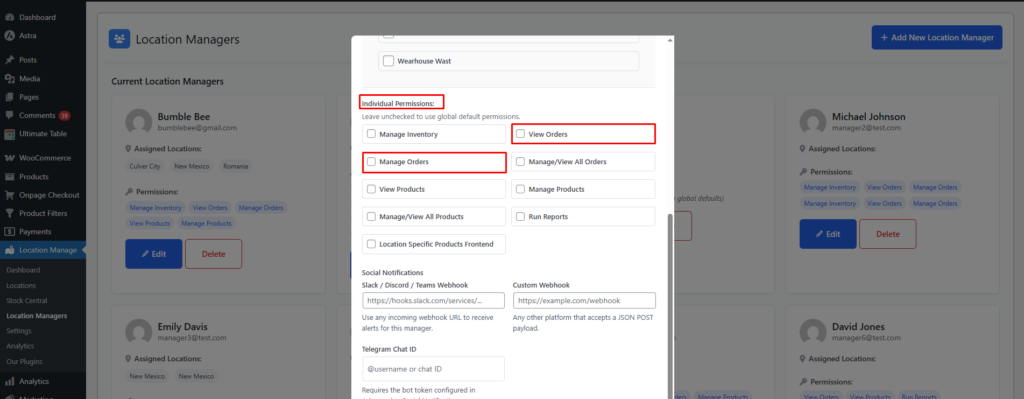
🔒 Manage / View All Orders (Optional)
- If disabled → manager sees only assigned-location orders
- If enabled → manager sees all store orders
Reporting & Dashboard Access
✅ Run Reports
What it allows
- View sales, stock, and performance reports for assigned locations
📍 Menu access
- Location Manage → Dashboard
- WooCommerce → Multi Location → Analytics
Managers can see:
- Stock levels
- Orders & revenue by location
- Profitability & aging (location-wise)
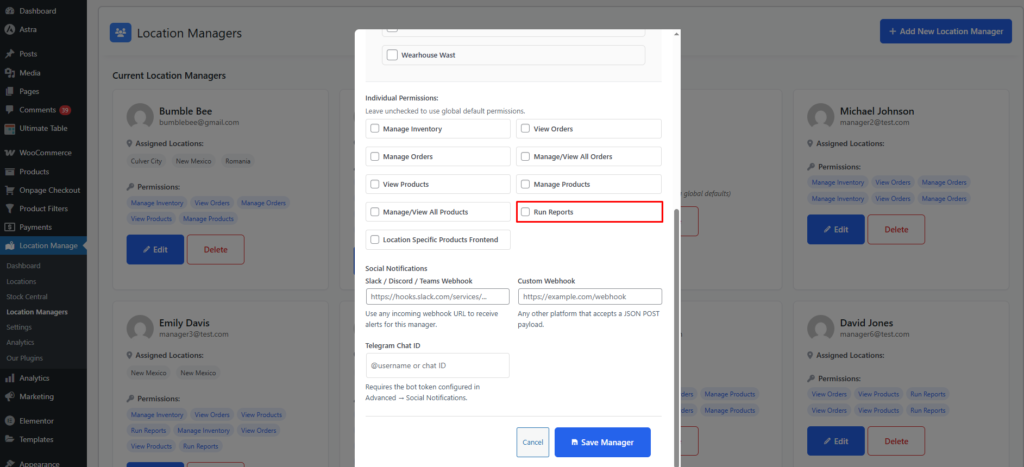
Location-Specific Frontend Visibility (Optional)
✅ Location Specific Products – Frontend
What it allows
- Manager only sees products of assigned locations on the frontend
- Useful for store-level testing and validation
Where a Location Manager Can Manage Inventory
Based on enabled permissions, a location manager may access:
📦 Product Management
- Products → All Products
- Products → Categories
- Products → Tags
(Limited to assigned locations unless “Manage/View All Products” is enabled)
📊 Inventory & Stock
- Location Manage → Stock Central
- Location-based stock updates
- Purchase price & quantity (if enabled)
📈 Dashboard & Reports
- Location Manage → Dashboard
- WooCommerce → Multi Location → Analytics
🧾 Orders & Sales
- WooCommerce → Orders
- WooCommerce → Coupons (if permitted)
Permission-Based Menu Visibility (Summary)
| Menu | Visible When Permission Enabled |
|---|---|
| Products → All Products | View Products / Manage Products |
| Categories & Tags | View / Manage Products |
| Location Manage → Stock Central | Manage Inventory |
| Location Manage → Dashboard | Run Reports |
| WooCommerce → Orders | View Orders / Manage Orders |
| WooCommerce → Coupons | If allowed by role |
| Analytics | Run Reports |
Benefits of Inventory Management by Location Manager
✔ Decentralized inventory control
✔ Strict access control per location
✔ No cross-location data leaks
✔ Faster stock updates at store level
✔ Scales perfectly for multi-store businesses
Summary
With Inventory Management by Location Manager, you can safely delegate daily stock and product operations to local teams—while keeping full control at the admin level.
Each manager:
- Manages only assigned locations
- Works within clearly defined permissions
- Uses Stock Central, Dashboard, and WooCommerce tools tailored to their role
This makes Multi Location Product & Inventory Management for WooCommerce ideal for growing, multi-store operations.