
This ensures transparency for customers and clarity for store admins when using Multi Location Product & Inventory Management for WooCommerce.
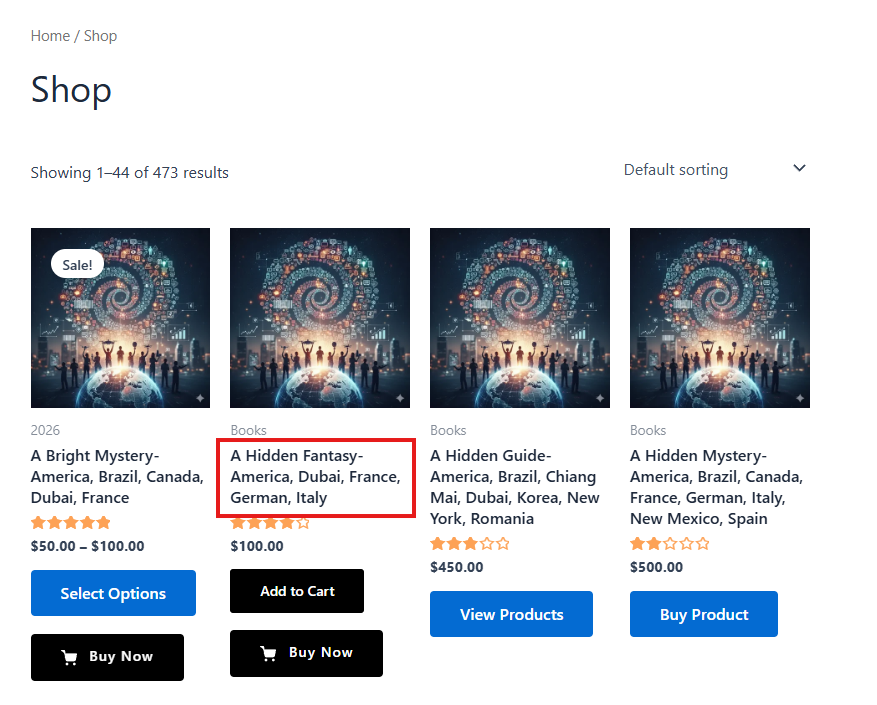
1️⃣ Display Location in Product Title
You can show the selected location directly with the product title on the single product page.
How it works
- When a user selects a location, the product title dynamically displays the location name.
- This helps customers clearly understand which store/location the product is coming from.
Example
Product Name – (Downtown Store)
2️⃣ Display Location in Cart
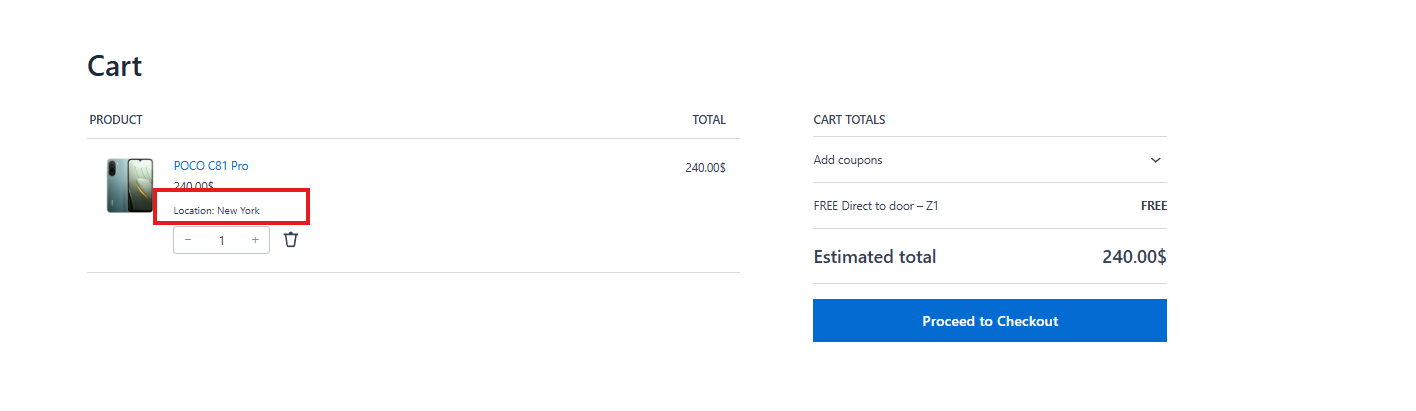
Once a product is added to the cart:
- Each cart item includes a metadata field:
Location: {location_name} - This is shown directly under the product name in the cart.
Benefits
- Customers can verify the selected store before checkout
- Prevents confusion in multi-location or pickup-based stores
- Ensures cart accuracy when location-based rules are enabled
3️⃣ Display Location in Admin Orders (WooCommerce)
Location information is fully available in the WooCommerce admin area.
A) Orders List Table (Admin)
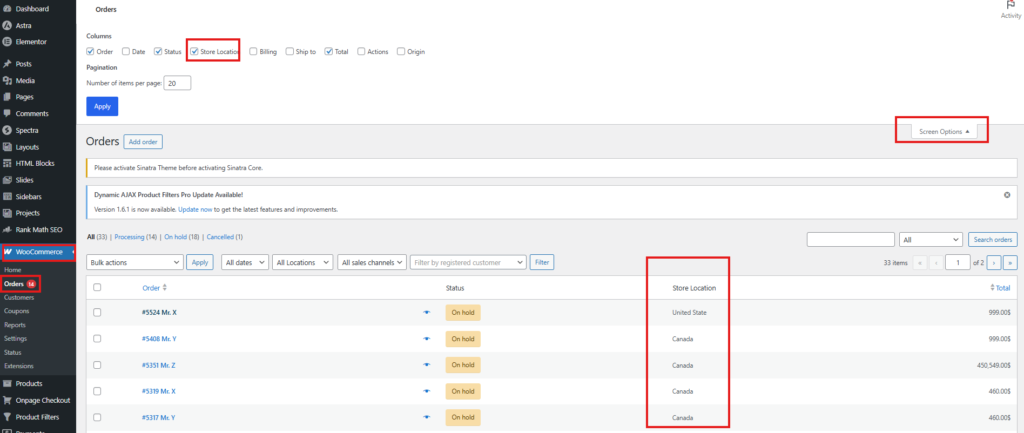
- A Store Location column is available in the WooCommerce orders table.
- This column shows the store/location associated with each order.
If the Location column is not visible:
- Go to WooCommerce → Orders
- Click Screen Options (top-right corner)
- Enable the Store Location column
- Save
B) Order Details Page (Admin)
Inside an individual order:
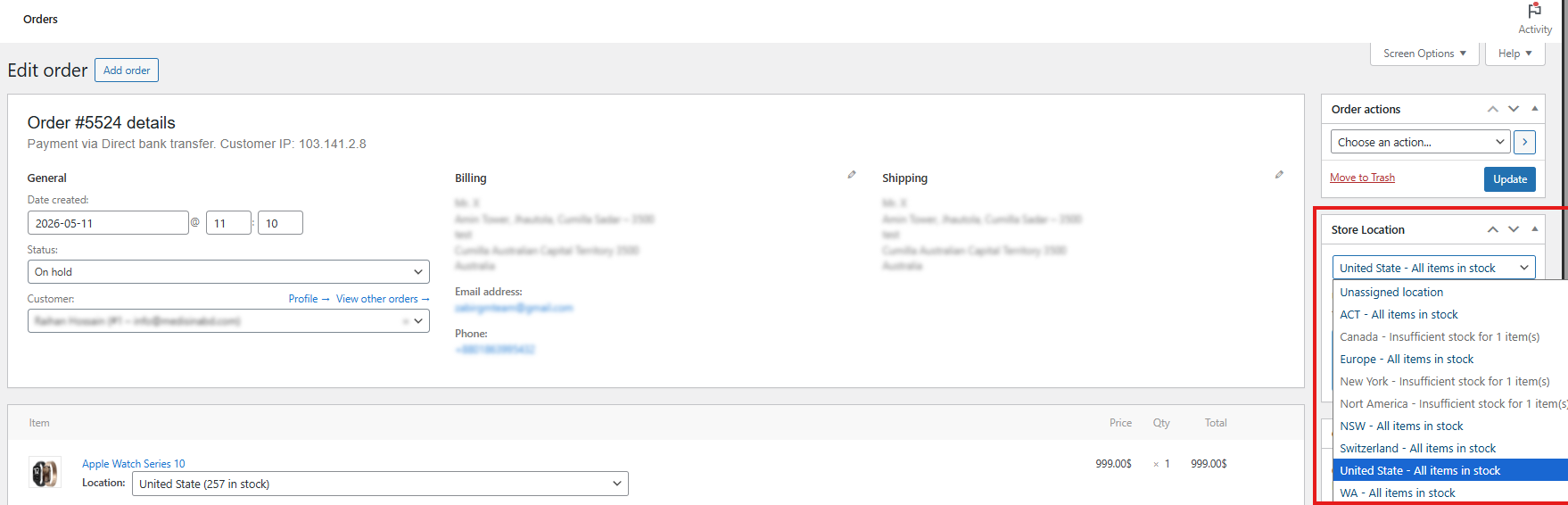
- Each product line item shows its location metadata
- A dedicated Location meta box displays:
- User-selected location
- Store location details (based on configuration)
This allows admins to:
- Quickly identify fulfillment location
- Manage location-based order processing
- Avoid manual checks or guesswork
Summary of Location Display Points
| Area | Location Shown |
|---|---|
| Product Title | ✅ Yes |
| Cart Page | ✅ Yes (item meta) |
| Checkout / Thank You Page | ✅ Yes |
| Admin Orders Table | ✅ Yes (column) |
| Admin Order Details | ✅ Yes (item meta + meta box) |
Why This Matters
- Improves customer clarity & trust
- Prevents fulfillment mistakes
- Simplifies order management for admins
- Essential for pickup, warehouse, and multi-store setups
With location displayed everywhere it matters, both customers and store managers always know which store is responsible for each product and order—from browsing to fulfillment. Get detailed info about displaying location from the “Display Location After Product Title” documentation.