
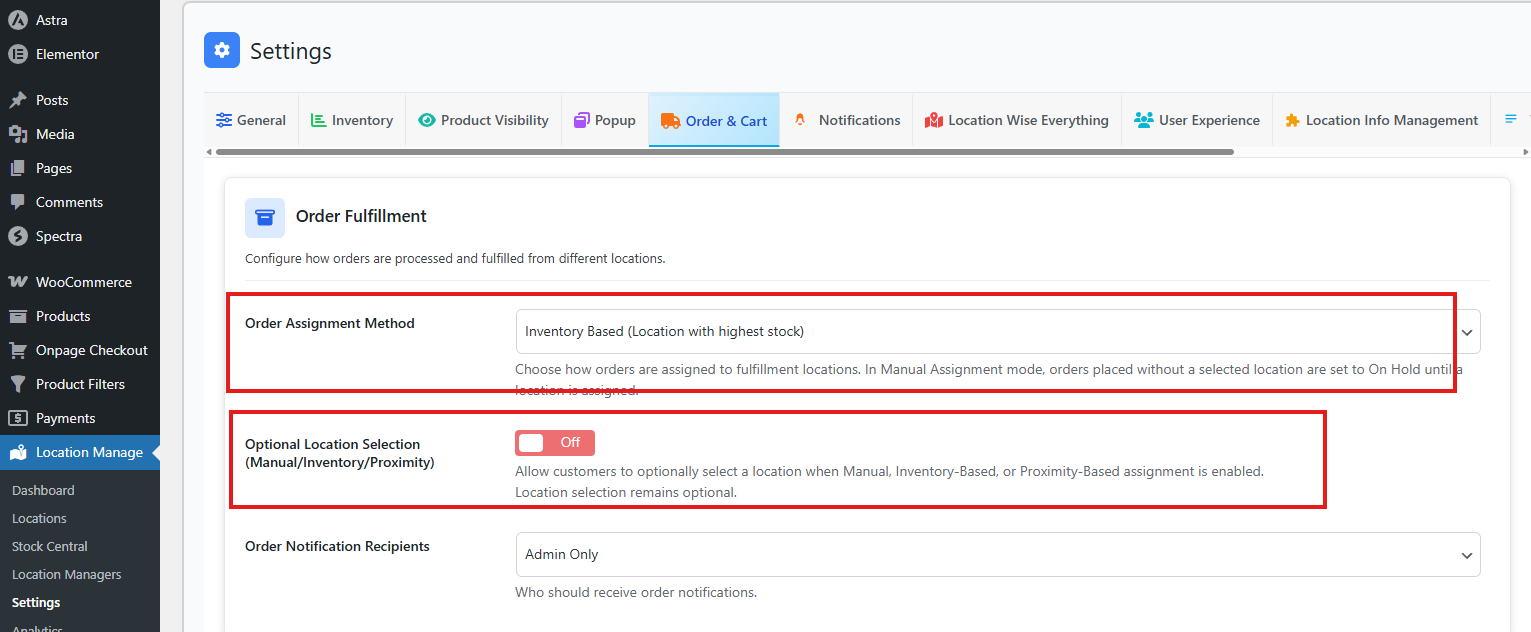
In this order assignment method, orders are automatically assigned to the location that has the highest available stock for the ordered products at the time of checkout.
How to Access
To configure this feature:
- Go to Location Manage → Settings → Order & Cart
- Find Order Fulfillment
- Then, from Order Assignment method, choose Inventory Based
How It Works:
- The system evaluates stock levels across all eligible locations.
- The location with the highest available inventory for the ordered items is selected.
- The order is automatically assigned to that location immediately after checkout.
- Inventory is deducted only from the assigned location.
- Order notifications are sent according to the configured notification recipients.
Key Behavior:
- Assignment happens automatically without customer involvement.
- Helps balance inventory usage across multiple locations.
- Prevents overloading a single location when others have sufficient stock.
Edge Cases:
- If multiple locations have equal stock, the system selects the first eligible location based on internal priority.
- If no location has sufficient stock, the order follows the configured fallback behavior (for example, On Hold or manual review).
Best For:
- Multi-warehouse operations
- Centralized inventory management
High-volume stores requiring automatic order routing