
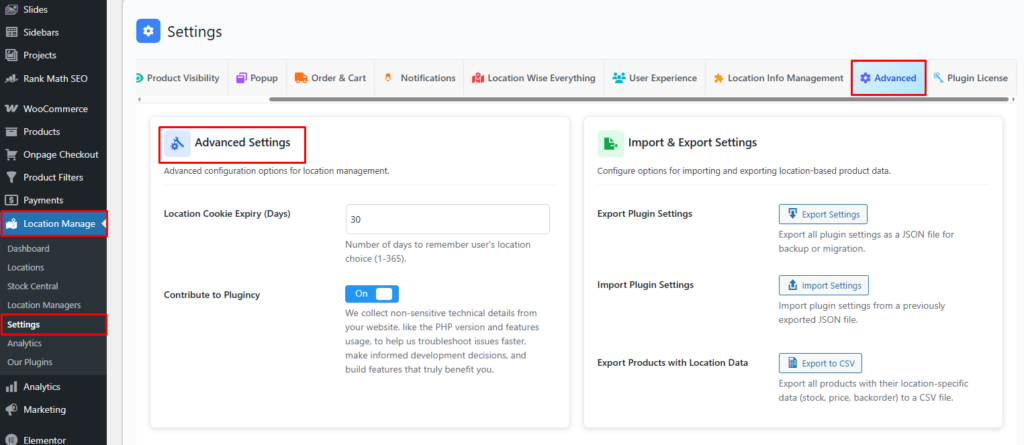
The Advanced Settings section provides advanced configuration options that help control location behavior and improve product development.
How to Access Advanced Settings
To configure this feature:
- Go to Location Manage →Settings →Advanced
- Find the Advanced Settings panel
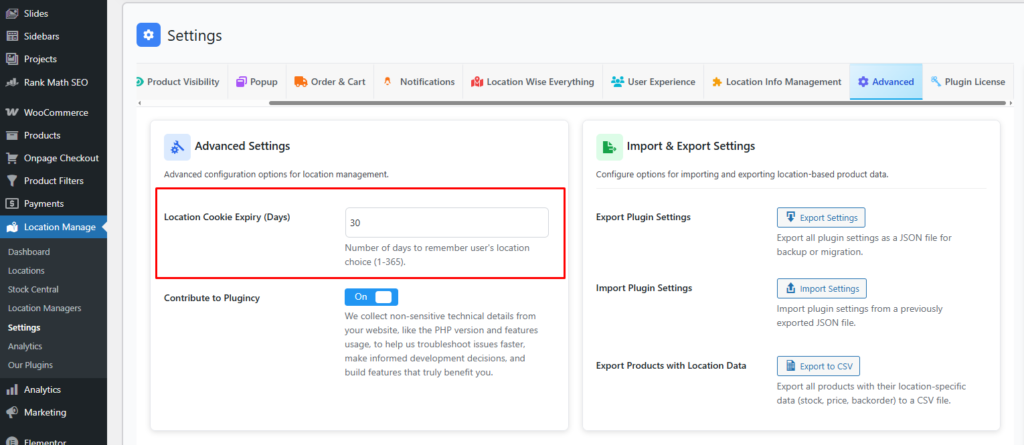
Location Cookie Expiry (Days)
Default: 30
Allowed Range: 1 – 365
Description:
Defines how long (in days) the system will remember a user’s selected location using browser cookies.
Behavior Details:
- The user’s location choice is stored in the browser.
- The location will be automatically selected on future visits until the cookie expires.
- Once expired, the user will be asked to select a location again.
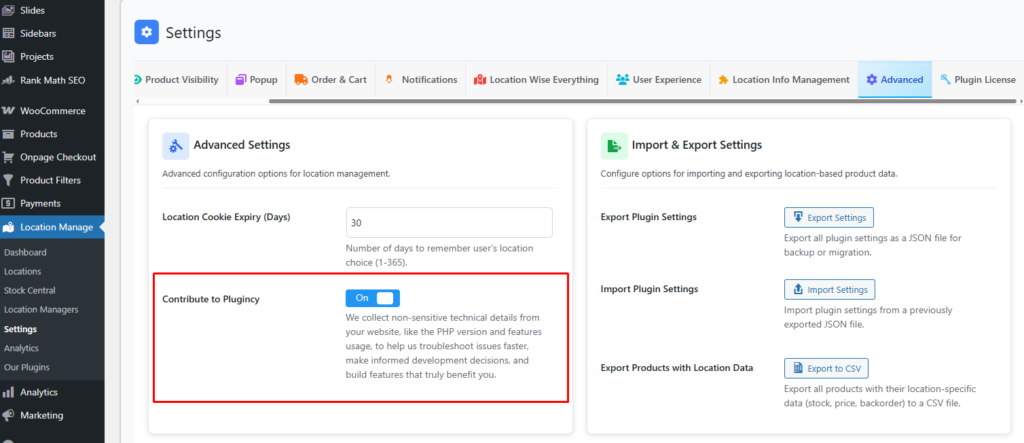
Contribute to Plugincy
Option: On / Off
Description:
When enabled, Plugincy collects non-sensitive technical information from your website, such as:
- PHP version
- Plugin and feature usage (no personal or customer data)
Purpose:
- Faster issue troubleshooting
- Better product decisions
- Development of features that benefit real user needs
Privacy Note:
No personal, customer, or sensitive data is collected.
Recommendation
- Keep Location Cookie Expiry between 15–60 days for optimal user experience.
- Enable Contribute to Plugincy to help improve plugin stability and future features.