
The API & Webhooks module enables seamless integration with external systems such as WMS (Warehouse Management Systems), POS, or ERP platforms. It allows secure, automated syncing of inventory, pricing, and location-based product data across multiple locations.
This integration supports bulk inventory sync, single product updates, CSV import/export, and real-time webhook updates.
How to Access API & Webhooks Settings
To configure this feature:
- Go to Location Manage →Settings →Advanced
- Find the API & Webhooks panel
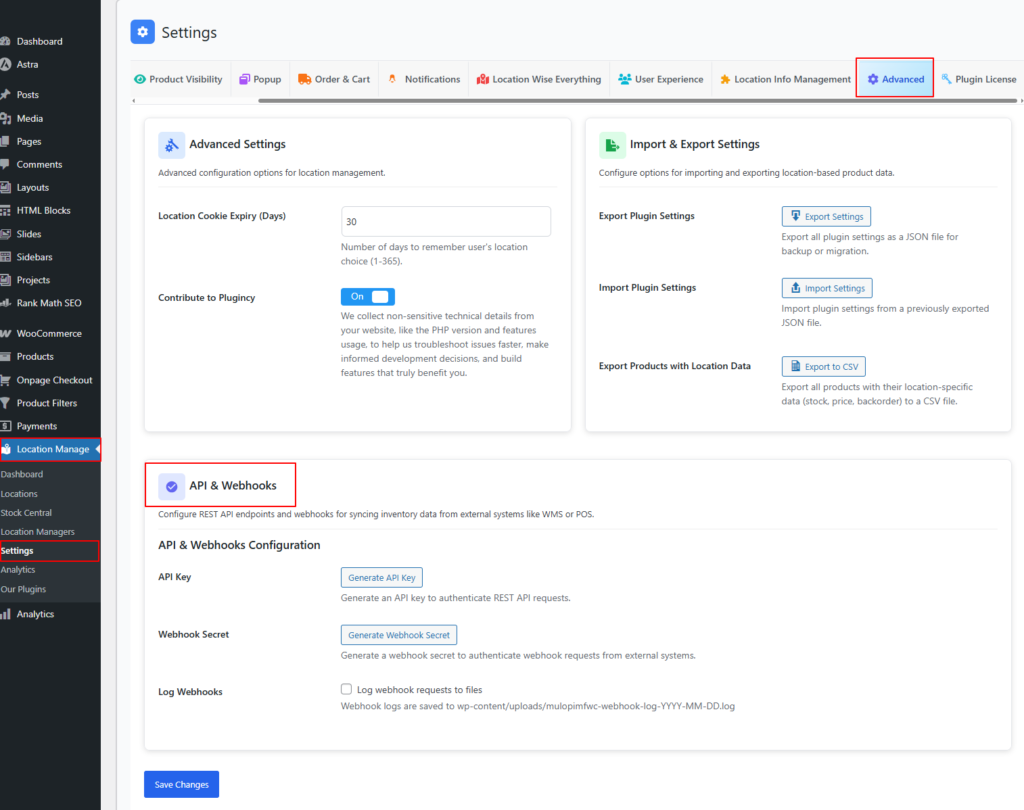
API & Webhooks Configuration
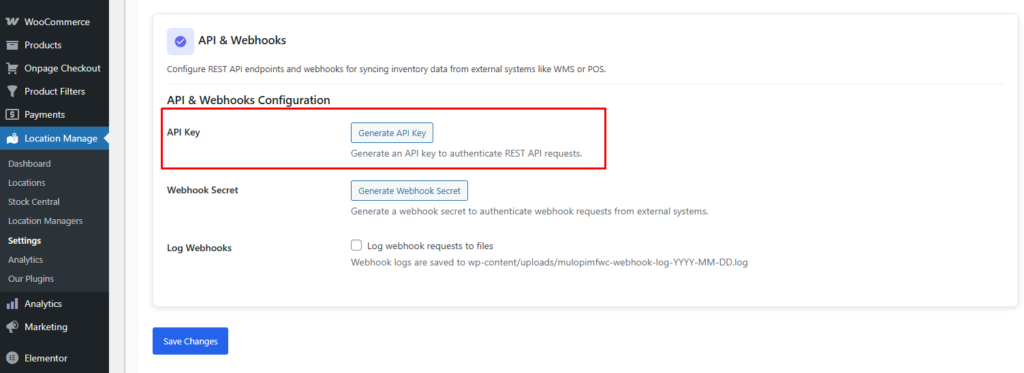
API Key
Action: Generate API Key
Generates a secure API key required to authenticate all REST API requests.
Usage:
- Must be included in the request header as
X-API-Key - Grants access to inventory, product, and location endpoints
Security Note:
API keys are shown only once. Store them securely.
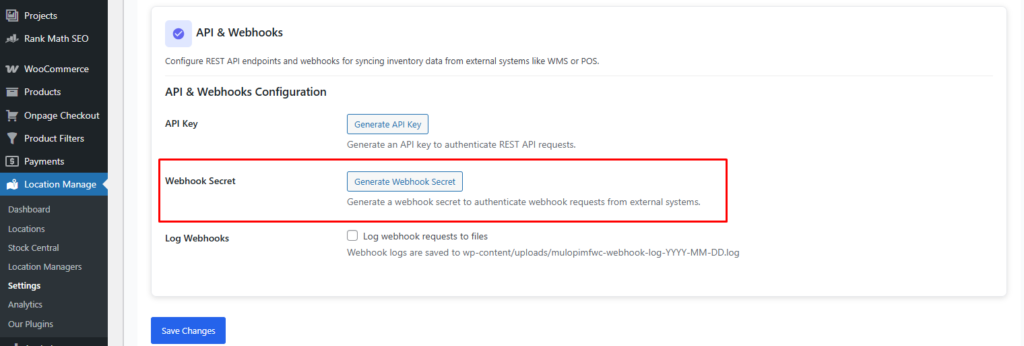
Webhook Secret
Action: Generate Webhook Secret
Generates a secret used to authenticate incoming webhook requests from external systems.
Usage:
- Must be included in webhook headers as
X-Webhook-Secret - Prevents unauthorized webhook calls
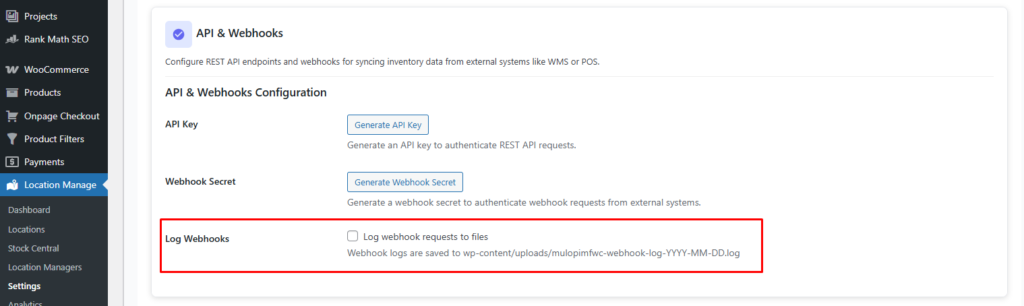
Log Webhooks
Option: Enable / Disable
Logs all webhook requests for debugging and monitoring.
Log File Location:
wp-content/uploads/mulopimfwc-webhook-log-YYYY-MM-DD.log
Recommendation:
Enable during development or troubleshooting. Disable in production if not required.
API & Webhook Integration: Bulk Inventory Sync
This guide covers how to integrate external systems using REST APIs and webhooks to automate inventory management across multiple locations.
Topics Covered
- REST API
- Webhooks
- WMS Integration
- POS Integration
- Bulk Sync
- CSV Import / Export
- Inventory Automation
- API Authentication