The Customer Location Insights feature helps you understand how customers interact with your store based on location—from browsing behavior to purchase trends. This data powers smarter recommendations and location-aware decisions.
Where to Configure
Go to:
WordPress Admin → Location Manage → Settings → User Experience → Location-based Customer Insights
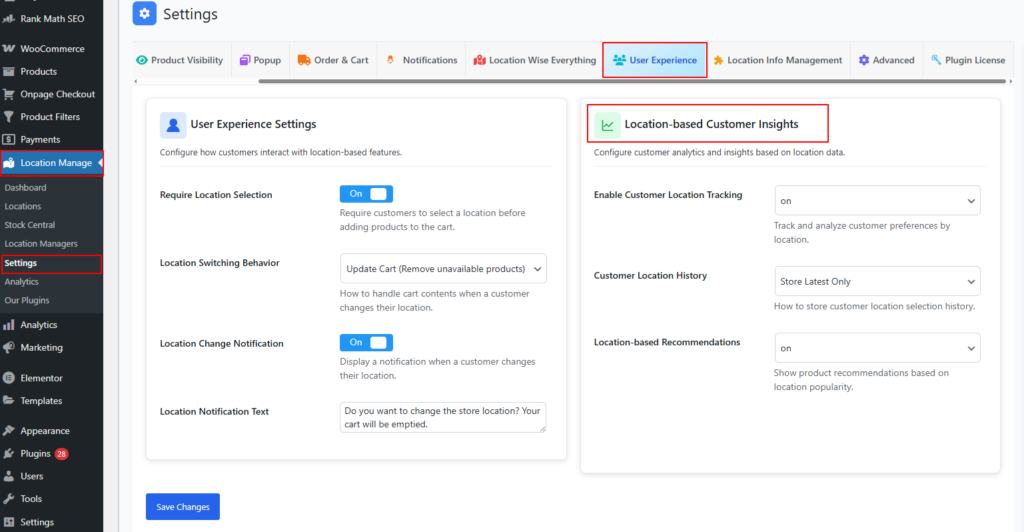
Location-Based Customer Insights Panel
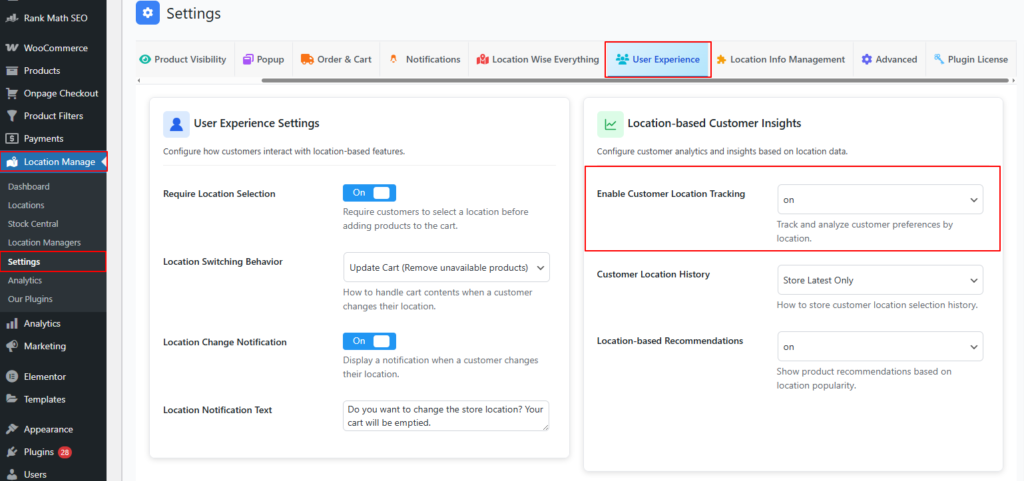
Enable Customer Location Tracking
On / Off
- Tracks customer-selected locations across sessions
- Used for analytics, reporting, and recommendations
- No personal data is exposed—only aggregated insights
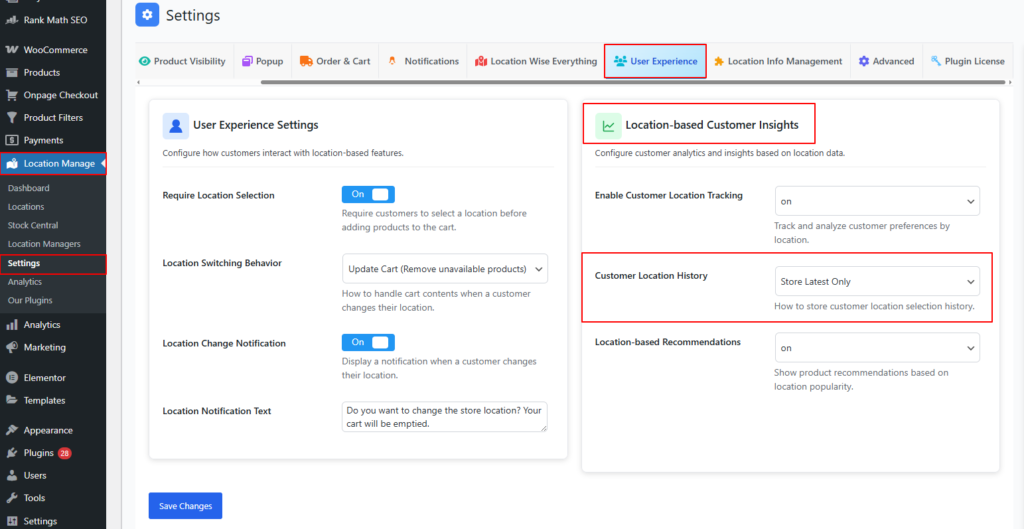
Customer Location History
Default: Store Latest Only
- Controls how customer location selections are stored
- Recommended to keep only the latest selection for performance and privacy
Location-Based Recommendations
On / Off
- Shows product recommendations based on location popularity
- Highlights best-performing products for the selected store/location
- Improves conversion with localized relevance

Analytics Dashboard
Where to Access
Go to:
WordPress Admin → Location Manage → Analytics
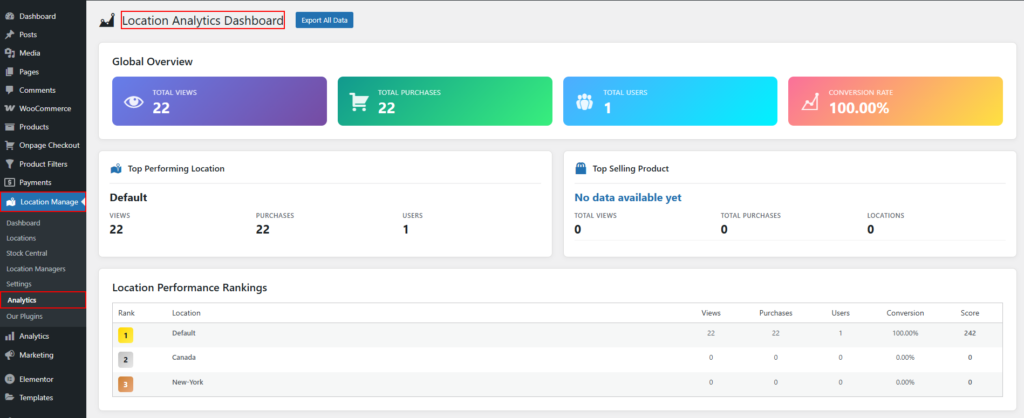
Export All Data
- Button: Export All Data
- Description: Downloads all available analytics data across all locations.
- Use Case: Offline reporting, audits, and advanced analysis.
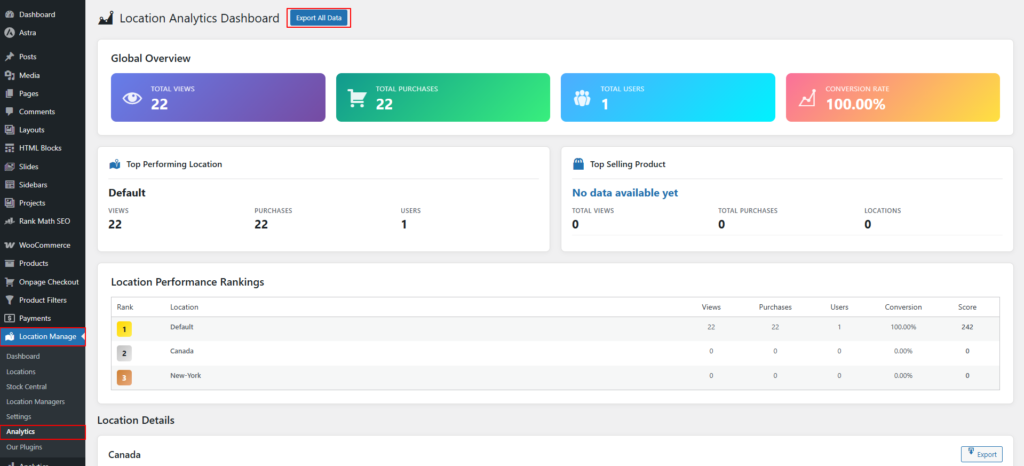
Global Overview Metrics
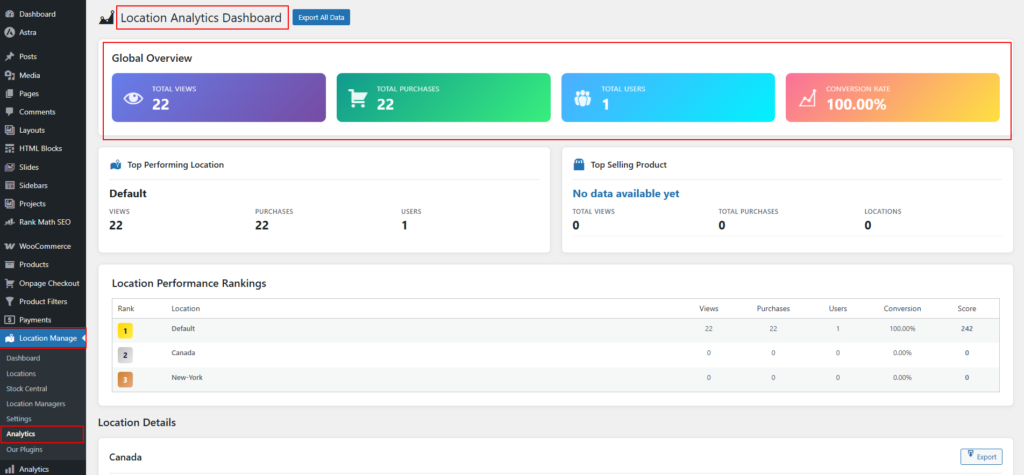
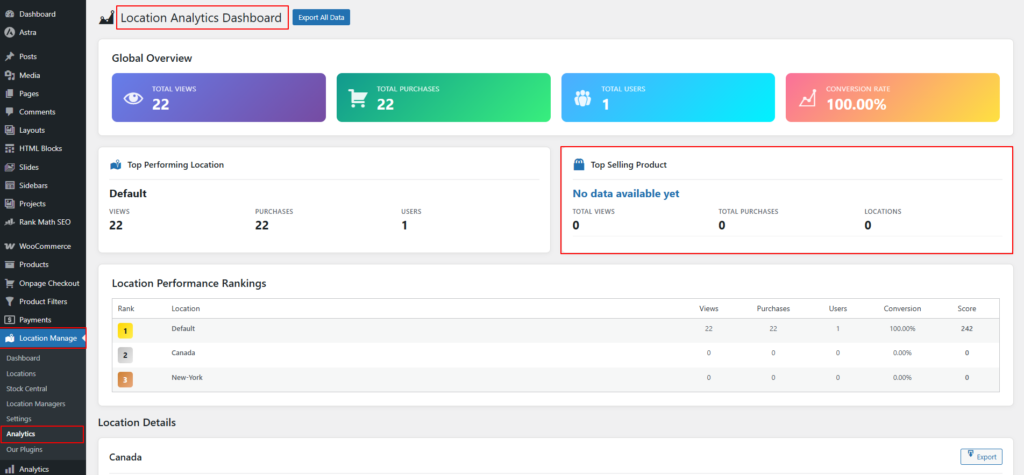
The Global Overview section shows aggregated performance data across all locations.
Total Views
- Total number of product or page views.
- Indicates overall customer interest.
Total Purchases
- Total completed purchases across all locations.
- Reflects total sales activity.
Total Users
- Number of unique users interacting with locations.
- Shows customer reach.
Conversion Rate
- Percentage of users who completed a purchase.
- Formula:
Total Purchases ÷ Total Users × 100 - Measures sales effectiveness.
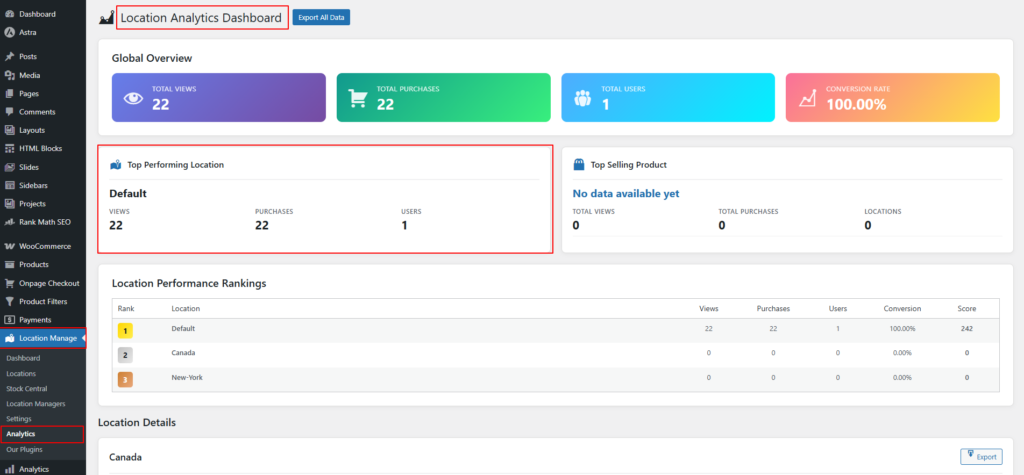
Top Performing Location
Displays the location with the strongest overall performance.
Metrics Included
- Location Name
- Views: Total views for the location
- Purchases: Completed purchases
- Users: Unique users
Purpose:
Quickly identify the highest-performing location.
Top Selling Product
Displays the best-performing product across all locations.
Metrics Included
- Product Name
- Total Views
- Total Purchases
- Locations: Number of locations where the product appears
Note:
If no product data exists, the system displays “No data available yet.”
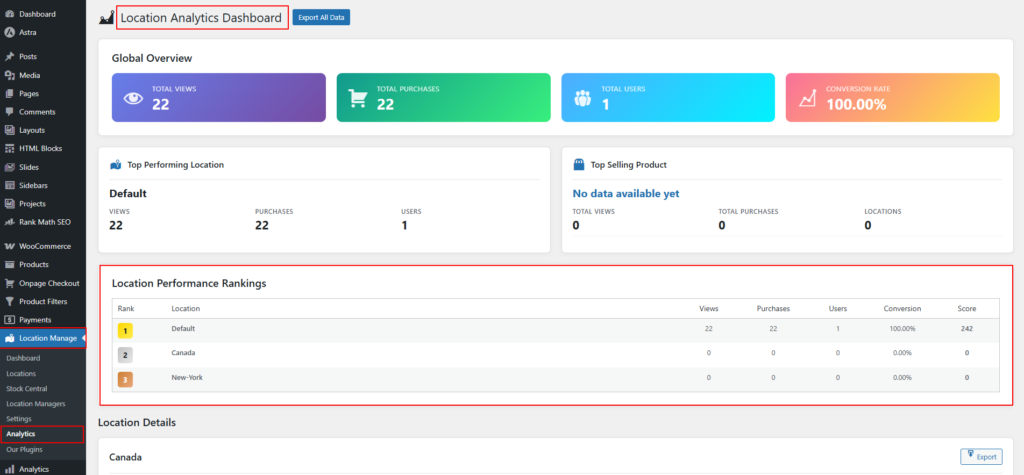
Location Performance Rankings
Ranks all locations based on performance.
Table Metrics Explained
| Metric | Description |
|---|---|
| Rank | Performance position |
| Location | Location name |
| Views | Total views |
| Purchases | Total purchases |
| Users | Unique users |
| Conversion | Location-specific conversion rate |
| Score | Combined performance score |
Performance Score
- Calculated using views, purchases, users, and conversion rate.
- Used for ranking locations.
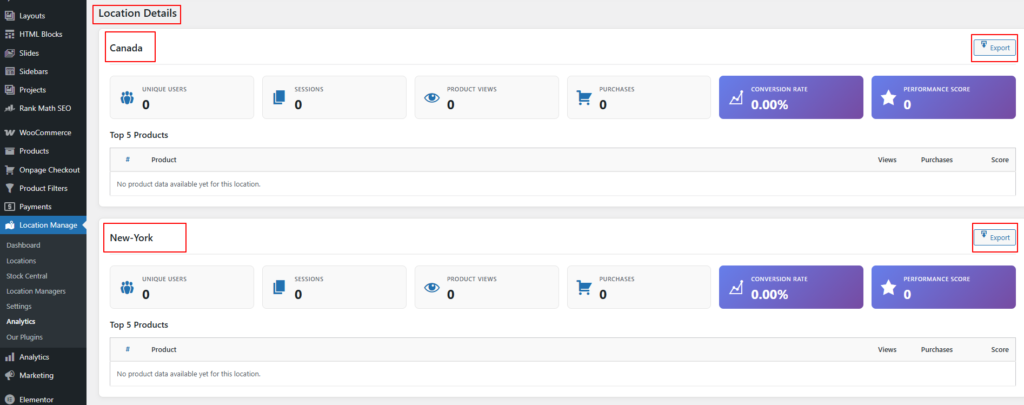
Location Details Section
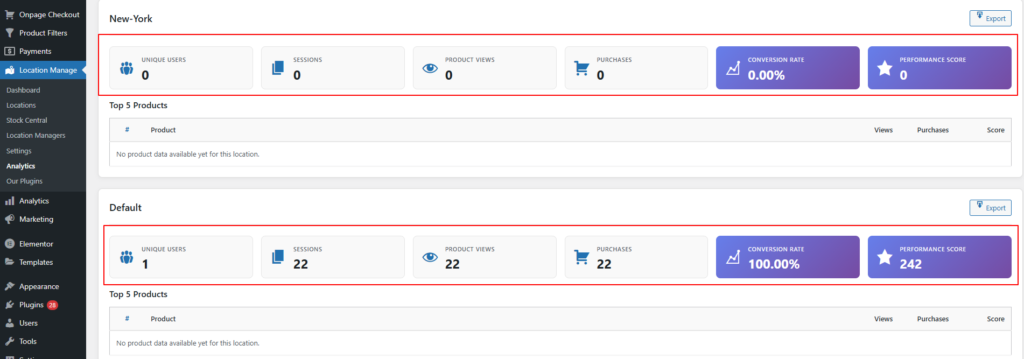
Each location has its own detailed analytics panel.
Available Metrics per Location
Unique Users
- Number of distinct users for the location.
Sessions
- Total browsing sessions initiated for this location.
Product Views
- Total product views within the location.
Purchases
- Completed purchases from this location.
Conversion Rate
- Percentage of users who made a purchase.
- Calculated per location.
Performance Score
- Overall effectiveness score for the location.
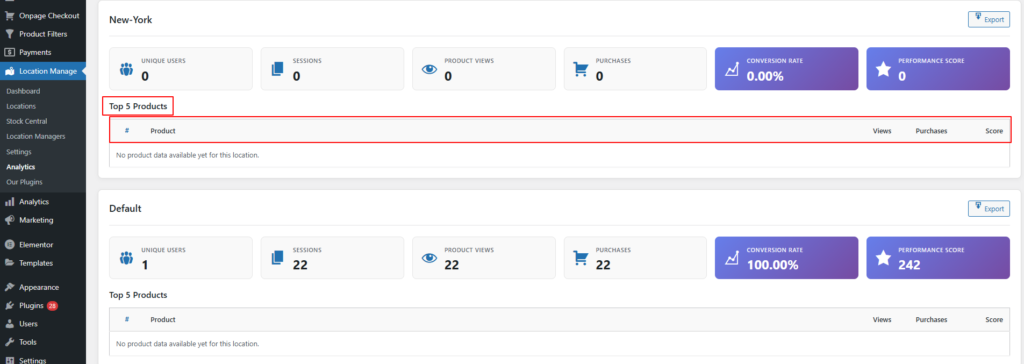
Top 5 Products (Per Location)
Displays the most viewed and purchased products for each location.
Table Columns
- Product Name
- Views
- Purchases
- Score
Location-Level Export
- Each location includes an Export button.
- Exports analytics data for that specific location only.