
Location-based reports give you a complete, data-driven view of your store performance per location, combining inventory, sales, revenue, investment, and customer behavior into actionable insights.
These reports are available through both the Dashboard Overview and the Analytics section.
Dashboard-Based Location Report
Access Dashboard Overview
Go to:
WordPress Admin → Location Manage → Dashboard
📘 Documentation:
https://plugincy.com/documentations/multi-location-product-inventory-management-for-woocommerce/dashboard/dashboard-overview/
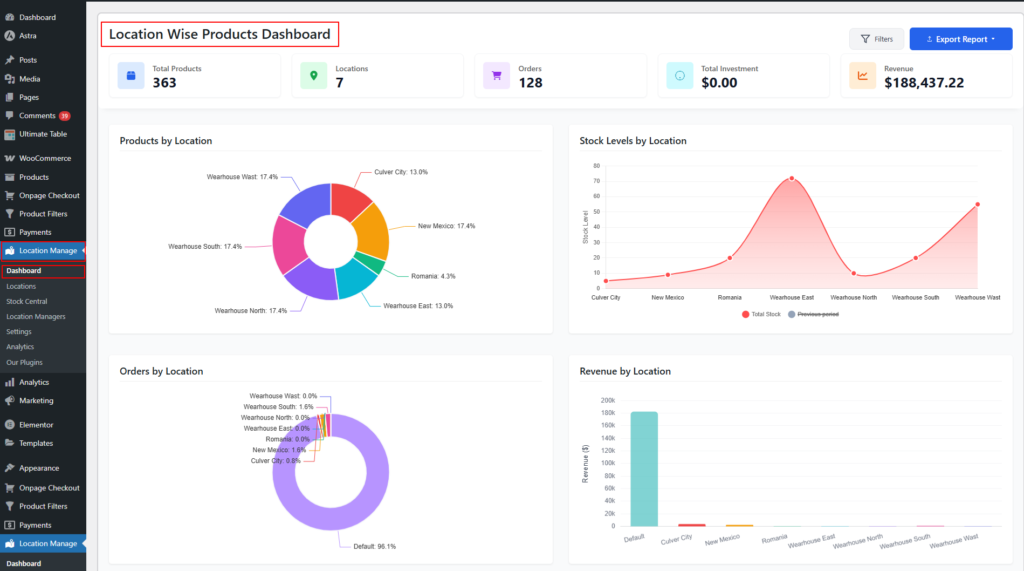
What the Dashboard Report Includes
The dashboard provides location-wise reporting with filters, charts, tables, and export options.
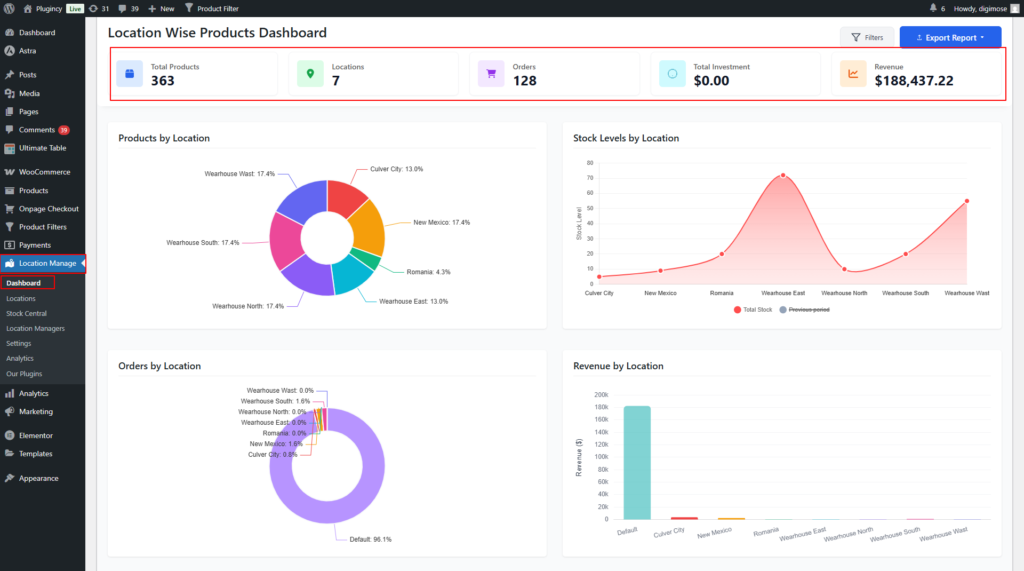
Key Metrics
- Total Products
- Total Locations
- Orders
- Total Investment
- Revenue
Visual Reports
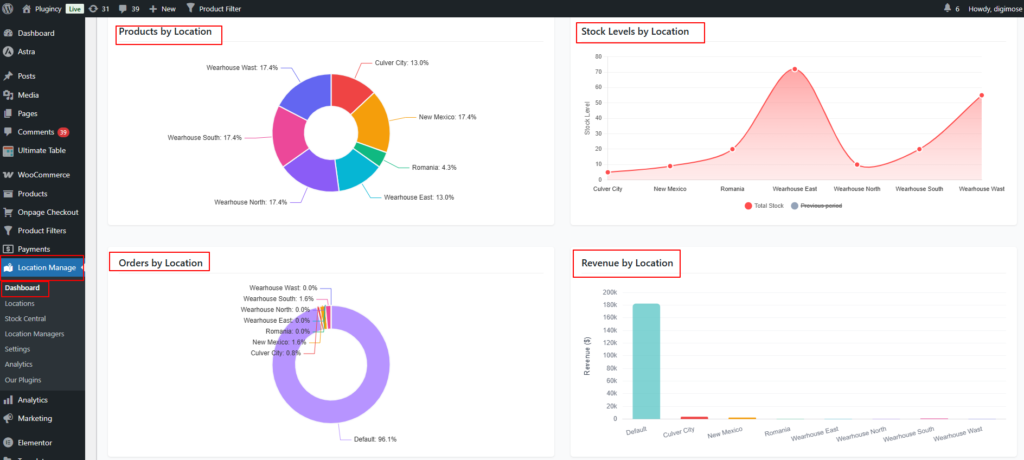
- Products by Location
- Stock Levels by Location
- Orders by Location
- Revenue by Location
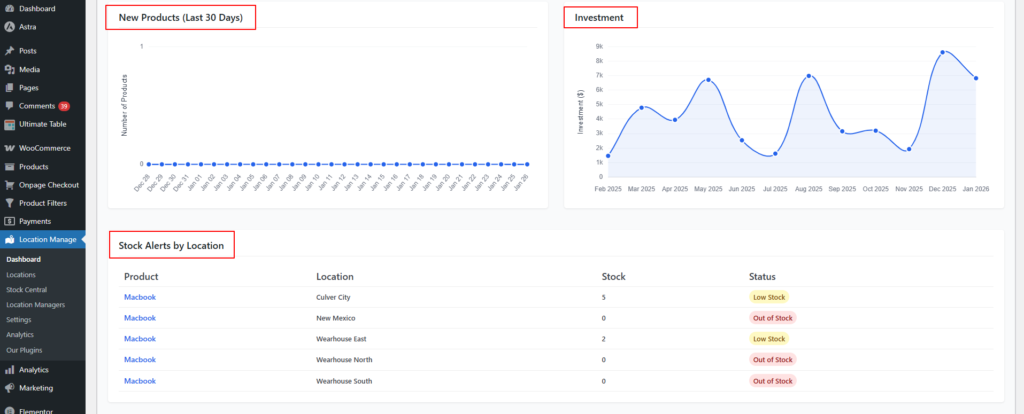
- New Products (Last 30 Days)
- Investment
- Stock Alerts by Location
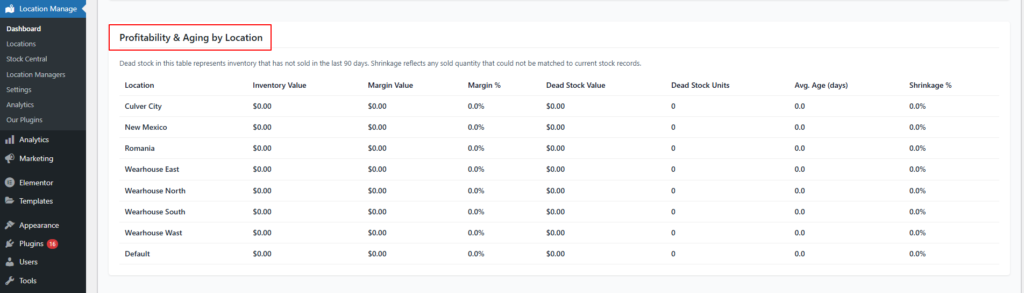
- Profitability & Aging by Location
Advanced Financial Insights
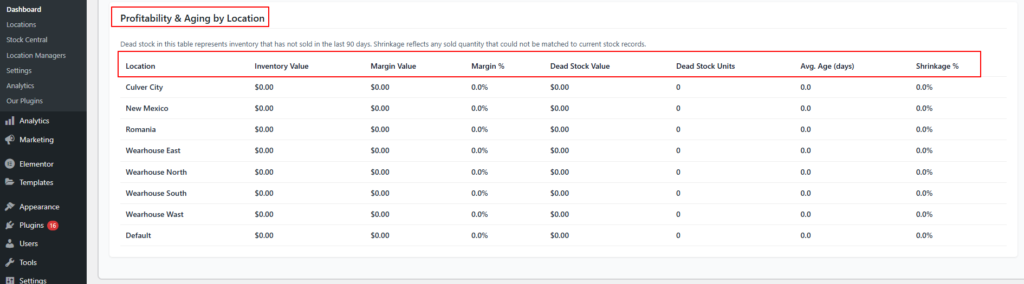
- Inventory Value
- Margin Value & Margin %
- Dead Stock (unsold for last 90 days)
- Inventory Aging
- Shrinkage %
Filters & Export
- Filter by:
- Date range
- Location
- Order status

- Export options:
- CSV (raw data)
- Excel (HTML) – visual, presentation-ready report

Analytics-Based Location Report
Access Analytics
Go to:
WooCommerce → Multi Location → Analytics
Analytics Focus
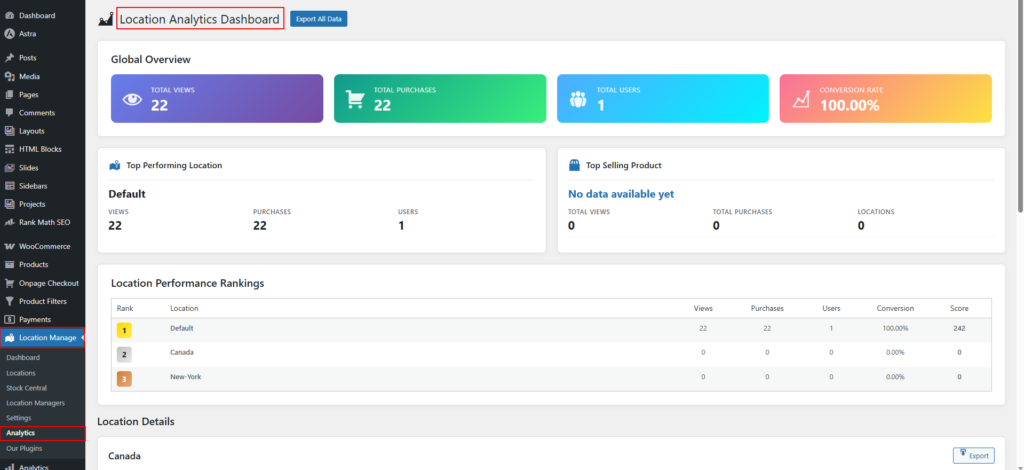
The Analytics section is designed for customer behavior and performance tracking per location.
Location-Wise Analytics Data
- Unique Users
- Total Sessions
- Product Views
- Total Purchases
- Top 5 Products by Popularity (per location)
How Dashboard & Analytics Work Together
| Dashboard Overview | Analytics |
|---|---|
| Inventory & stock | Customer behavior |
| Revenue & investment | Sessions & views |
| Profitability & aging | Product popularity |
| Exportable reports | Trend analysis |
Using both together gives you:
- Operational control (Dashboard)
- Strategic insights (Analytics)
Best Use Cases
- Multi-store performance comparison
- Location-wise sales & revenue analysis
- Inventory optimization per store
- Understanding regional customer demand
- Management reporting & forecasting
Summary
The Location-Based Report system centralizes inventory, financial, and customer analytics across all locations—helping you make smarter, faster, location-aware business decisions using both Dashboard Overview and WooCommerce Analytics.