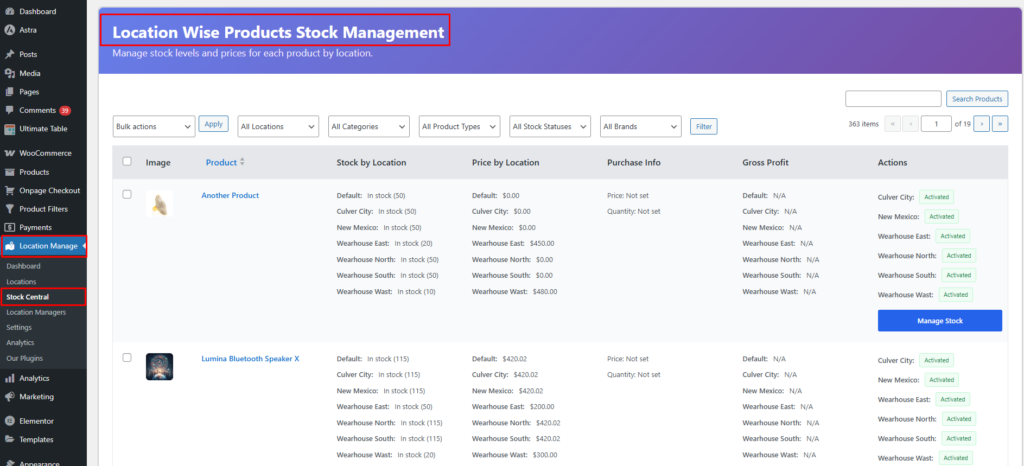
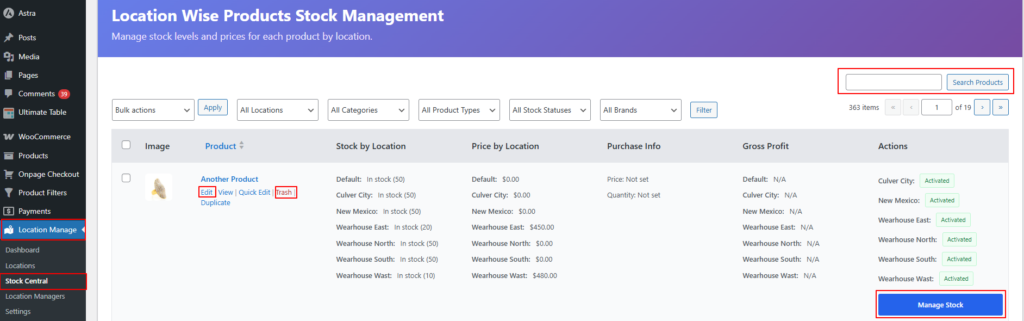
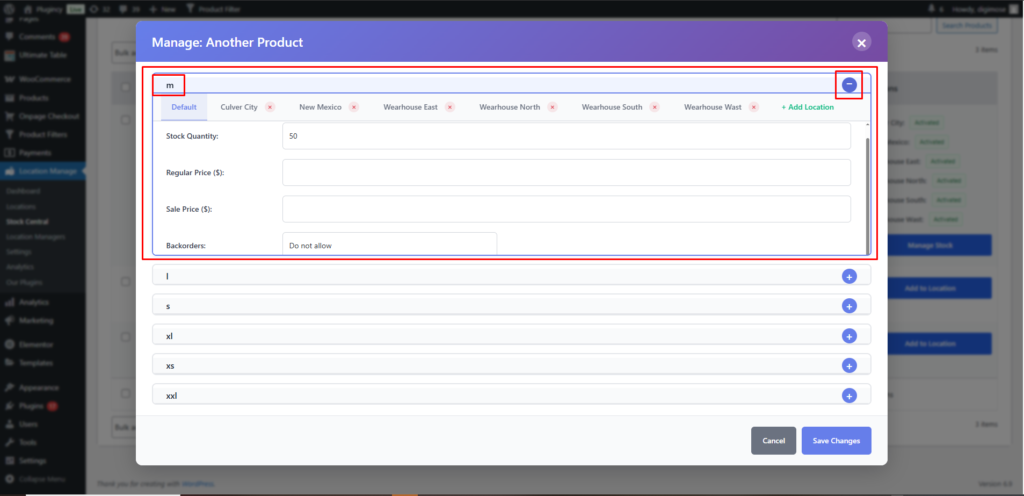
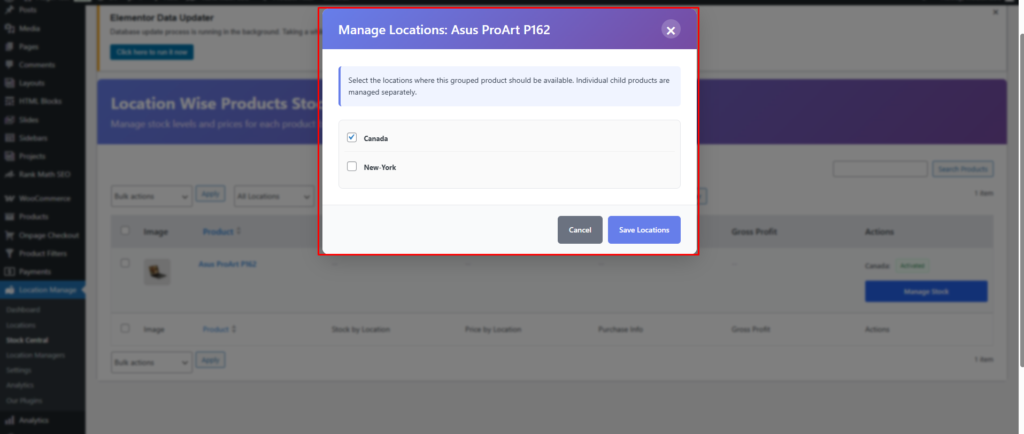
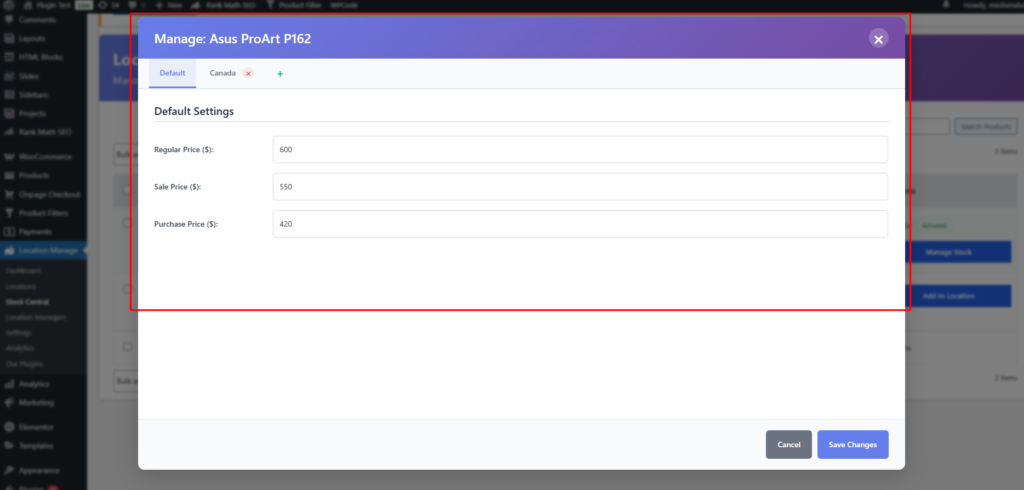
Stock Central provides a centralized interface to manage stock, pricing, backorders, and locations for all WooCommerce product types—without opening individual product edit pages. All key actions are handled via a single, smart popup modal that adapts to the product type and context.
Where to Find Stock Central
WordPress Admin → Multi Location Product & Inventory → Stock Central
Main Features
Product Search – Search by product name or SKU
Edit / Quick Edit – Update stock and pricing instantly
Delete / Trash – Remove product stock data (with confirmation)
Location Management – Assign, manage, or add locations
Important: Quick Edit, Manage Location, and Add Location all open the same popup modal. The button only changes the entry point—the UI and functionality are shared.
Stock Central Table Overview
Each product row provides:
Product name & type (Simple / Variable / Grouped / External)
SKU
Stock status
Assigned locations
Action buttons:
Quick Edit
Manage Location
Add Location
Delete
Popup Modal (Shared for All Actions)
The popup modal is context-aware and adjusts automatically based on:
Product type
Selected variation (if applicable)
Selected location
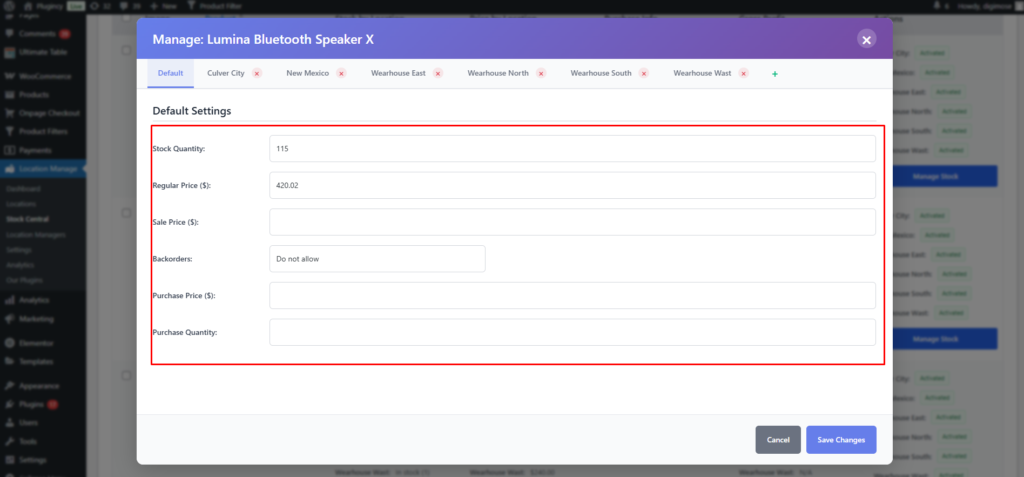
1. Default Settings (Global)
These settings apply globally and act as fallbacks when no location-specific values are defined.
Fields
Stock Quantity
Regular Price ($)
Sale Price ($)
Backorders
Do not allow
Purchase Price ($)
Purchase Quantity
Example
Stock Quantity: (empty / numeric)
Regular Price ($): 0.01
Sale Price ($): (empty / numeric)
Backorders: Do not allow
Purchase Price ($): (empty / numeric)
Purchase Quantity: (empty / numeric)
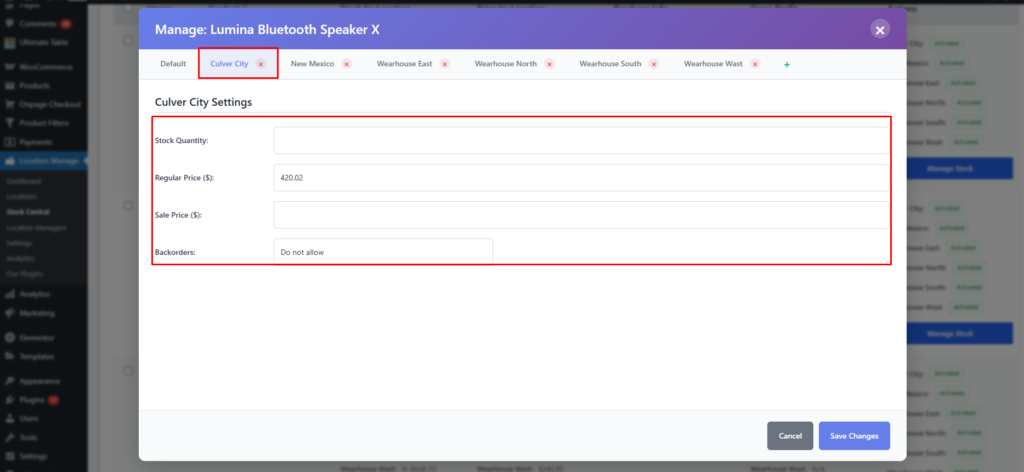
2. Location-Specific Settings
When a location is selected, a dedicated section appears:
{Location Name} – Settings
Stock Quantity
Regular Price ($)
Sale Price ($)
Backorders
Example
Stock Quantity: 4
Regular Price ($): 0.01
Sale Price ($): 28.85
Backorders: Do not allow
📌 Location values override Default Settings for that specific location.
Product Type Behavior
Simple Products
Full support for:
Global (Default) settings
Location-wise stock & pricing
Multiple locations can be managed individually.
Variable Products
For variable products, the modal becomes Variation + Location aware.