
Location-specific email configuration ensures that order emails, pickup notifications, and admin alerts automatically include correct store/warehouse information based on the location fulfilling the order. This includes unique templates, logos, and location-level details.
How to Access Location-Based Email Settings
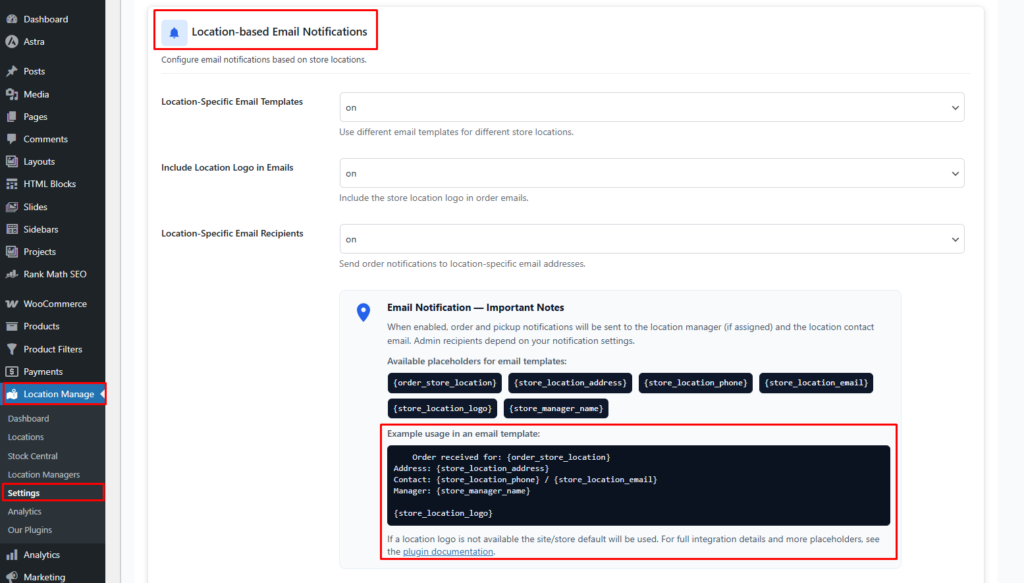
- Go to Location Manage → Settings
- Open Notifications
- Scroll down and find Location-based Email Notifications
Here you can enable and customize location-specific email controls.
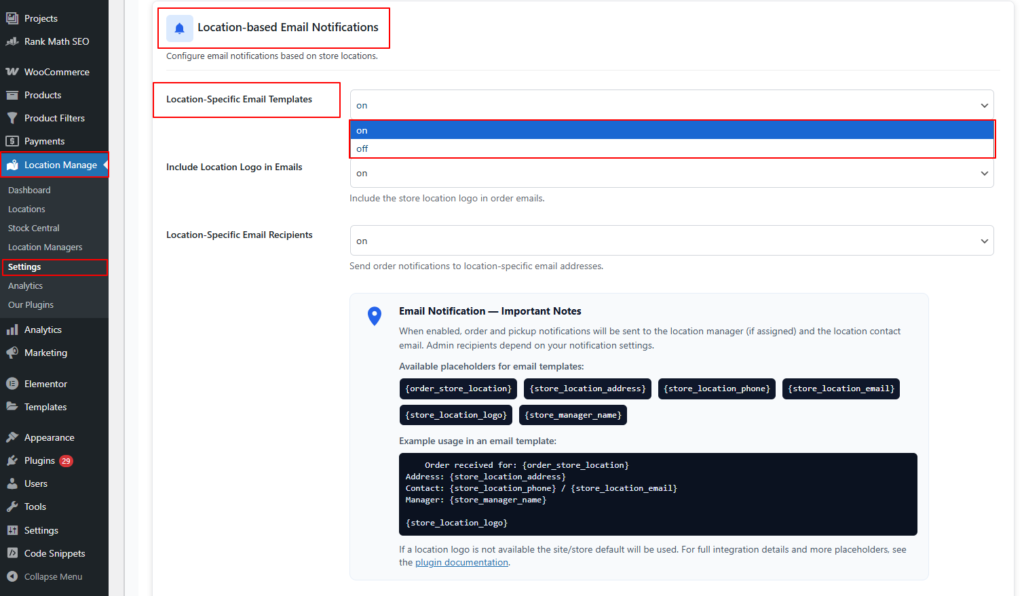
Location-Specific Email Templates — ON/OFF
ON
- Each location can use its own email template style and content.
- Useful for:
- Warehouse branding
- Store-specific instructions
- Pickup-only templates
OFF
- All email templates use the global WooCommerce default.
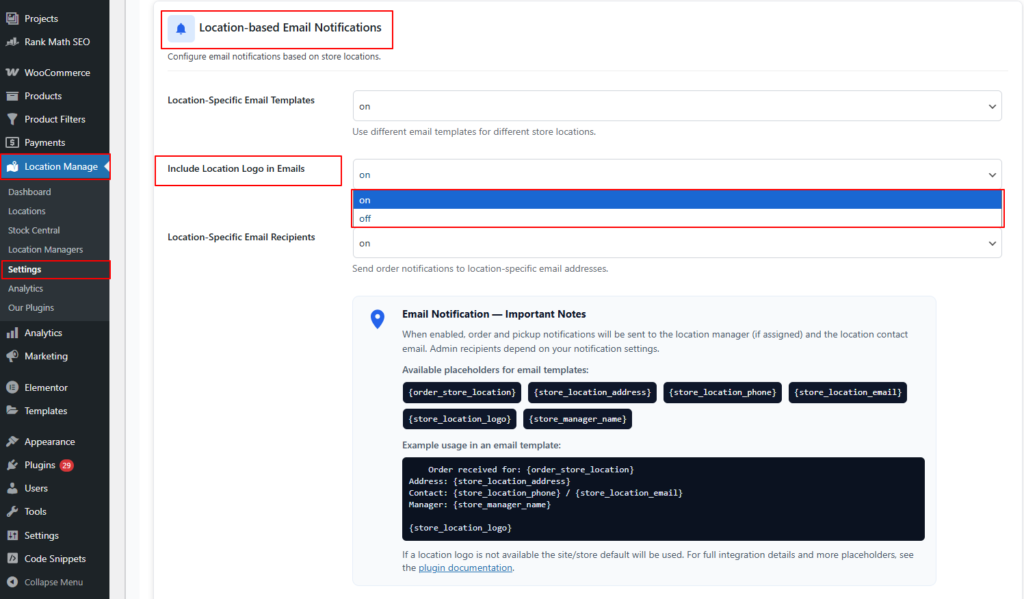
Include Location Logo in Emails — ON/OFF
ON
- Injects the location’s logo dynamically into order emails.
- If a location logo is missing, the system uses:
- The default site/store logo
OFF
- Email uses the default WooCommerce global header logo.
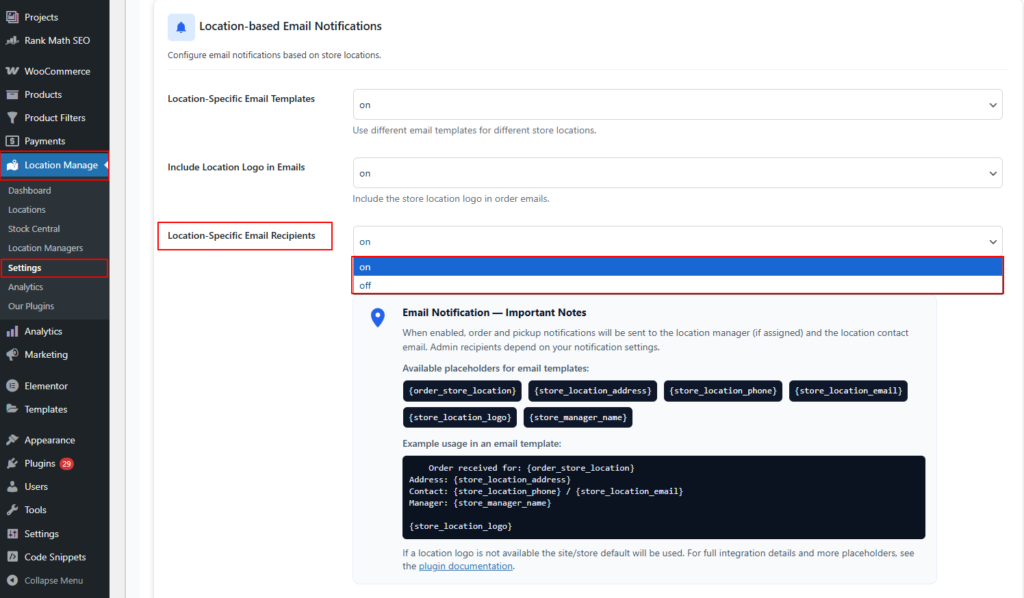
Location-Specific Email Recipients — ON/OFF
ON
- Sends internal order/fulfillment notifications to:
- Assigned location manager
- Location contact email
- Ensures correct staff receive order alerts instantly.
OFF
- All notifications follow the global WooCommerce admin recipient settings.
Important Notes About Notifications
When Location-specific emails are enabled:
- Order and pickup notifications go to the assigned location personnel
- Customers receive emails based on the selected store/warehouse
- Admin emails still follow WooCommerce email recipient settings unless overridden
- Placeholders dynamically insert location data into templates
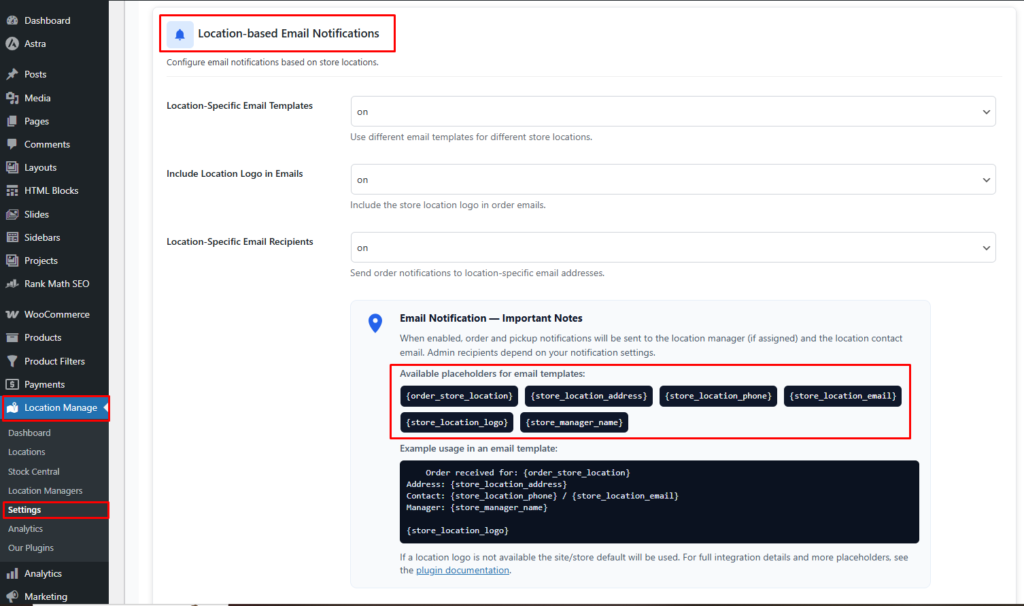
Available Email Template Placeholders
You can insert the following placeholders in WooCommerce email content:
| Placeholder | Description |
|---|---|
| {order_store_location} | Name of the location fulfilling the order |
| {store_location_address} | Full address of that location |
| {store_location_phone} | Phone number of the location |
| {store_location_email} | Contact email of the location |
| {store_location_logo} | Logo of the location (fallback to default) |
| {store_manager_name} | Assigned manager’s name |
Example Template Usage
Order received for: {order_store_location}
Address: {store_location_address}
Contact: {store_location_phone} / {store_location_email}
Manager: {store_manager_name}

{store_location_logo}
How to Add Location Data in WooCommerce Email Content
To include location-specific placeholders inside email content, follow the steps below:
Step-by-Step Guide to Edit Email Template Content
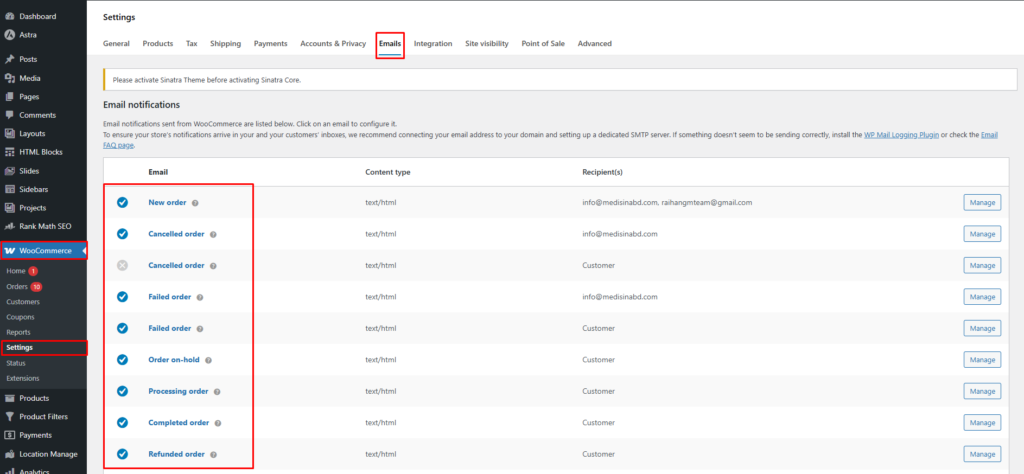
1️⃣ Go to WooCommerce Email Templates
- Go to WooCommerce → Settings → Emails
- Click on the email type you want to edit, such as:
- New Order
- Processing Order
- Completed Order
- Customer Invoice
- Ready for Pickup
- Refunded Order
2️⃣ Open the Email Content Editor
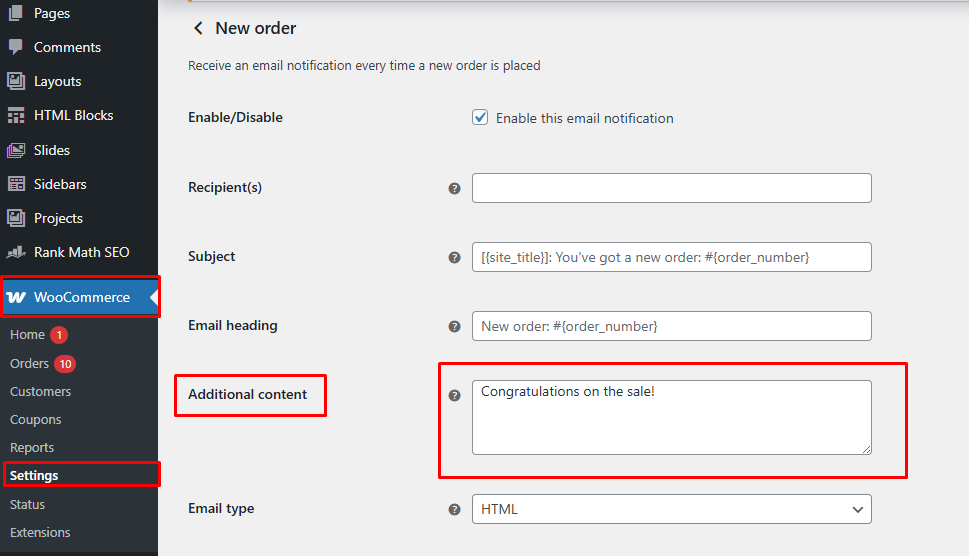
Inside the selected email notification:
- Scroll down to Additional Content or Email Body Content
- This is the area where you can paste location-based placeholders
3️⃣ Add Location Placeholders
Paste any of the placeholders such as:
Fulfilled by: {order_store_location}
Store Address: {store_location_address}
Phone: {store_location_phone}
Email: {store_location_email}
Manager: {store_manager_name}
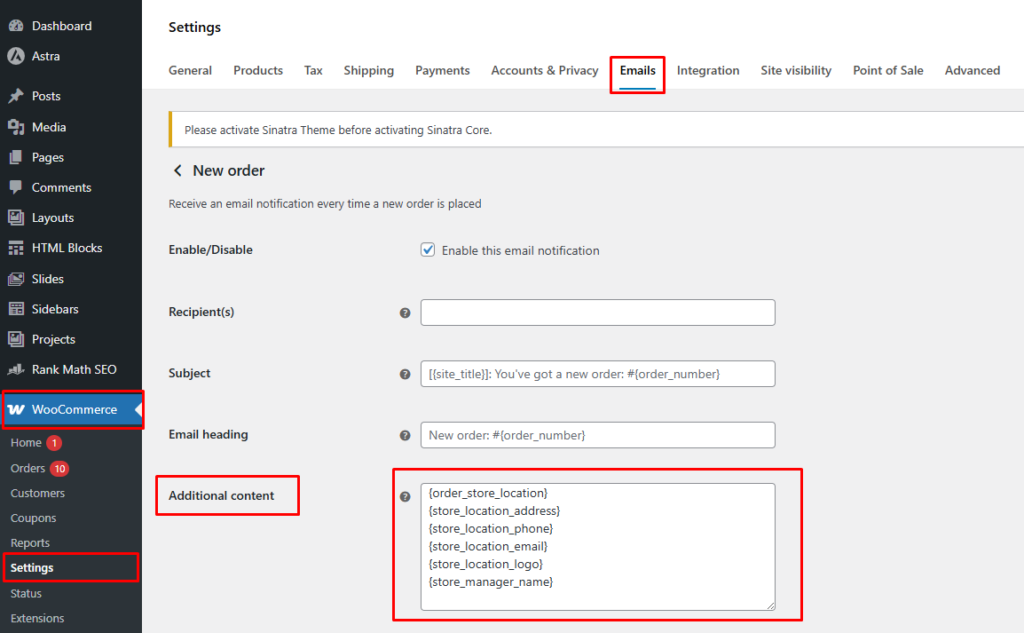
If you want the location logo to appear inside the email body:
{store_location_logo}
4️⃣ Save the Email Template
Click Save Changes.
Your WooCommerce emails will now dynamically display the correct location information based on order fulfillment.
Where You Can Use These Placeholders
You can use these placeholders in:
- WooCommerce > Settings > Emails > Additional Content field
- Custom email templates
- Email builders that support placeholders
- HTML email templates if you use overridden template files
Example HTML Insert (advanced users)
If editing template files in your theme:
<p>Order Fulfilled By: <?php echo '{order_store_location}'; ?></p>
<p>Contact: <?php echo '{store_location_phone}'; ?></p>
<p><img src="{store_location_logo}" alt="Location Logo"></p>
This allows full customization in overridden WooCommerce email templates.
Benefits of Location-Specific Email Information
- Ensures customers know exactly which store is fulfilling their order
- Directs customers to correct support contact
- Reduces pickup/delivery confusion
- Improves brand consistency
- Supports multi-location operations seamlessly