
The Text Management feature allows administrators to customize and replace default checkout-related texts displayed on the One Page Quick Checkout page.
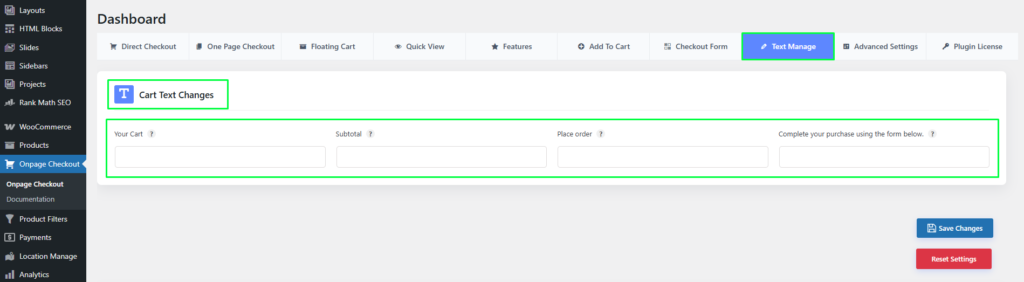
Cart Text Changes
This section provides input fields to modify commonly used checkout and cart labels.
Available Text Fields
- Your Cart
Change the heading text displayed for the cart section. - Subtotal
Customize the label used for the subtotal amount. - Place Order
Modify the text of the primary checkout action button. - Checkout Instruction Text
Update the helper text displayed above the checkout form (e.g., “Complete your purchase using the form below.”)
This enables better control over wording, localization, and branding without editing theme or plugin files.