
The Checkout Form Fields Management feature allows you to customize the fields displayed during the checkout process, ensuring a streamlined experience for your customers.
Step 1: Install the Plugin
Before managing the checkout form fields, ensure the plugin is installed. For detailed installation steps, please visit the Installation Guide Documentation Page.
Step 2: Navigate to Checkout Form Management
- Log in to your WordPress admin dashboard.
- Go to Onpage Checkout in the sidebar.
- Click on Checkout Form Manage.
Step 3: Manage Checkout Fields ( Pro Version )
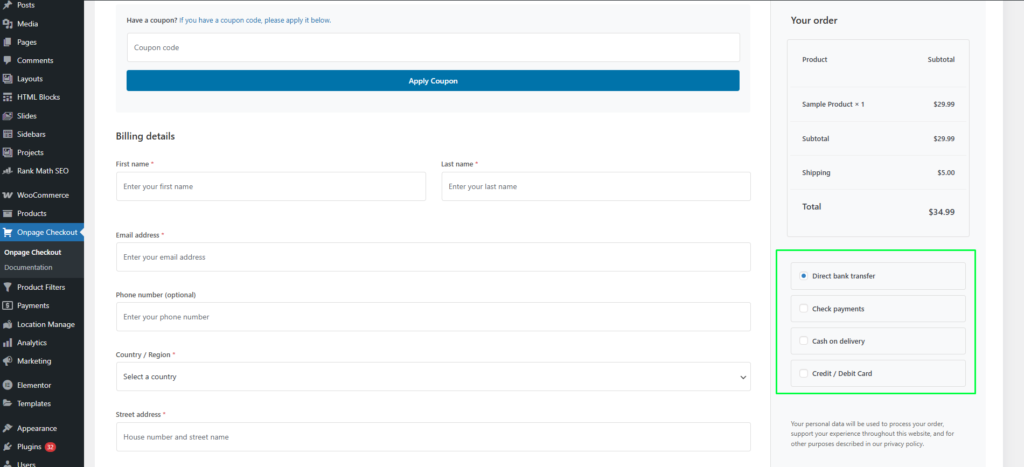
One Page Quick Checkout (Pro Version) simplifies the WooCommerce checkout process by displaying all required checkout sections on a single page. This reduces unnecessary steps, improves user experience, and helps increase conversion rates.
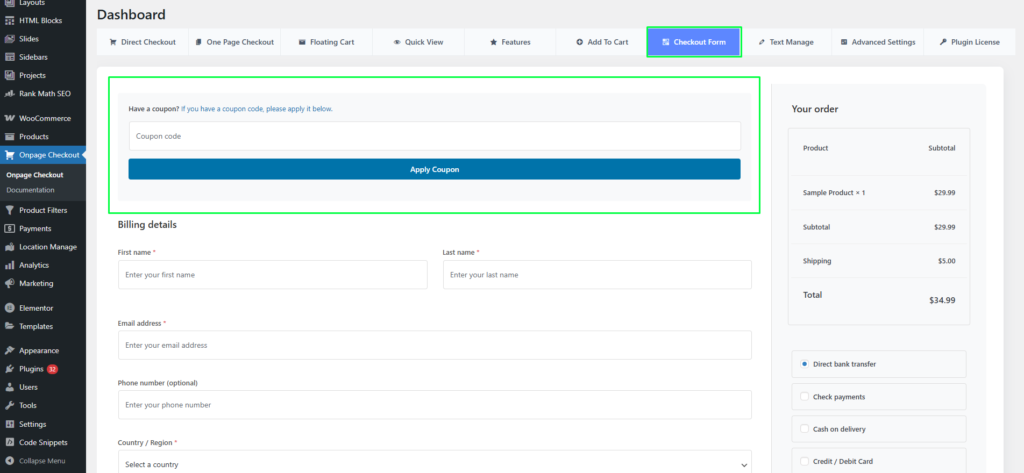
Coupon Code Section
The checkout page includes built-in coupon functionality, allowing customers to apply discount codes without leaving the page.
Features:
- “Have a coupon?” notice
- Coupon code input field
- Apply Coupon button with instant validation
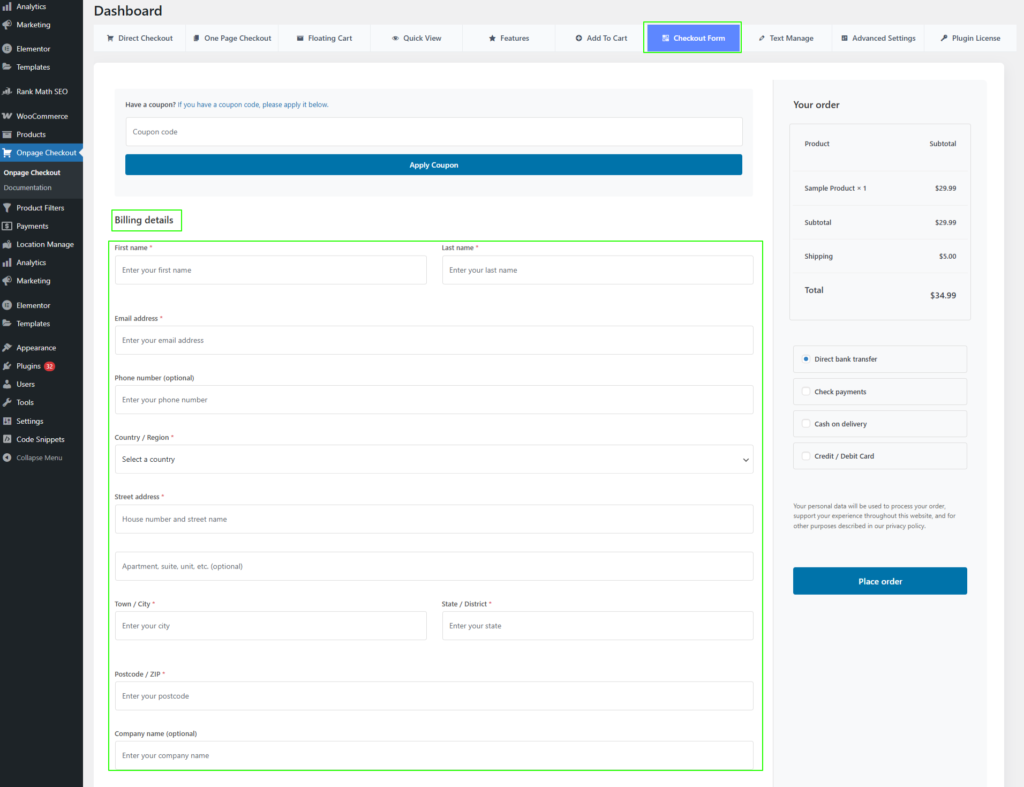
Billing Details Section
The billing form collects all necessary customer information required to complete an order.
Available Fields:
- First Name (required)
- Last Name (required)
- Email Address (required)
- Phone Number (optional)
- Company Name (optional)
- Country / Region (dropdown selector)
- Street Address (house number and street name)
- Apartment, Suite, Unit, etc. (optional)
- Town / City (required)
- State / District (required)
- Postcode / ZIP (required)
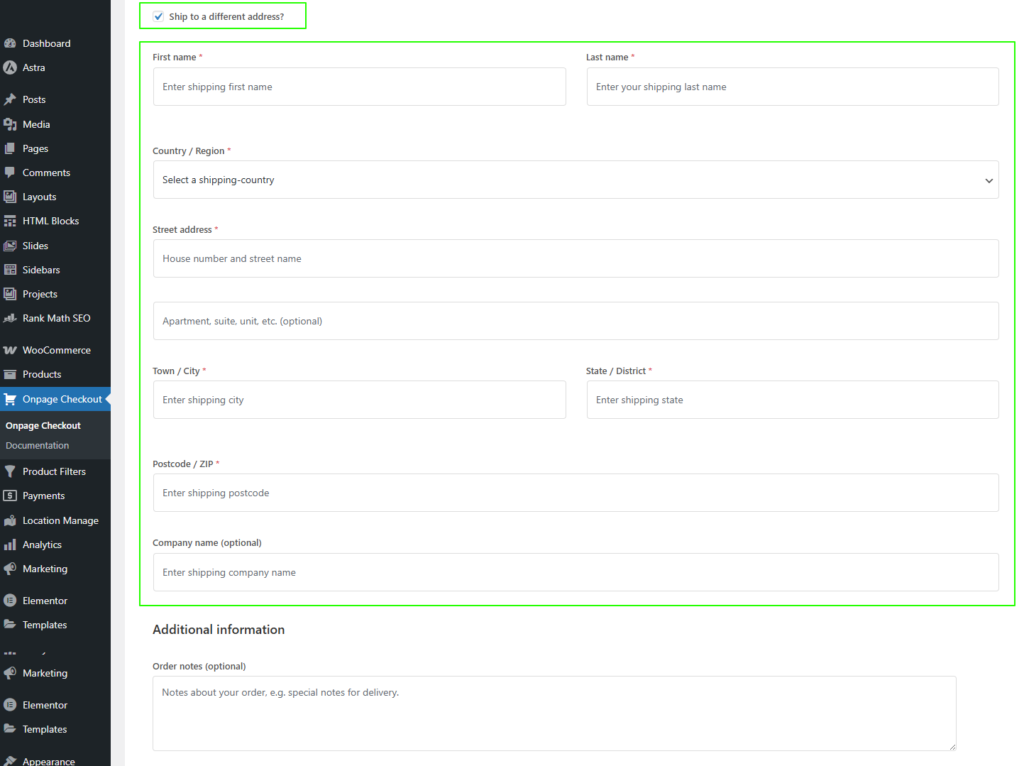
Shipping Address Options
Customers can choose to ship the order to a different address if required.
Features:
- “Ship to a different address?” toggle
- Displays additional shipping address fields when enabled
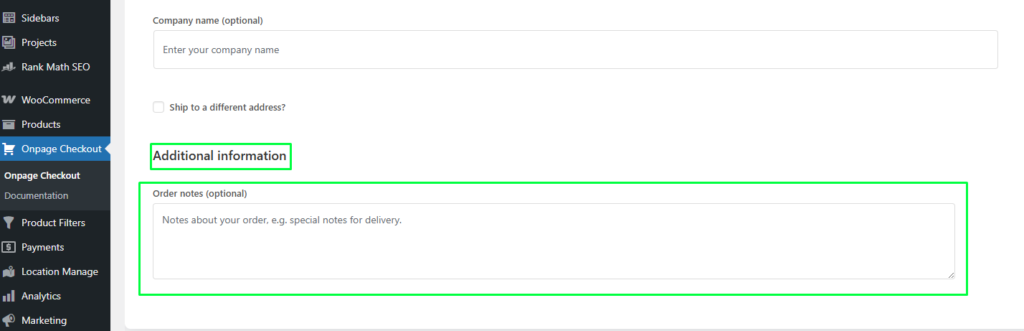
Additional Information
This section allows customers to provide extra instructions related to their order.
Order Summary Section
A real-time order summary is displayed on the checkout page to give customers a clear overview of their purchase.
Includes:
- Product name and quantity
- Subtotal
- Shipping cost
- Automatically calculated total amount
Payment Methods
The Pro version supports multiple payment gateways to ensure flexibility for customers.
Supported Methods:
- Direct Bank Transfer
- Check Payments
- Cash on Delivery
- Credit / Debit Card
Privacy & Data Usage
A privacy notice is displayed to inform customers about how their personal data will be used.
Order Placement
Customers can complete their purchase directly from the same page.
The One Page Quick Checkout (Pro Version) combines all essential WooCommerce checkout components into a single, optimized layout, providing a faster, cleaner, and more user-friendly checkout experience.