

Struggling to find the best free checkout plugin for WooCommerce that actually improves conversions? Many store owners face the same issue where customers add products to the cart but leave before completing the purchase. This usually happens because the default checkout process feels slow, complicated, or not optimized for modern buying behavior.
A well-optimized free WooCommerce checkout plugin can solve this by simplifying the checkout flow, reducing unnecessary steps, and improving the overall user experience. Whether you want a WooCommerce one page checkout plugin or a WooCommerce direct checkout plugin, the right solution can help you increase completed orders without extra cost.
Quick Answer
The best free checkout plugin for WooCommerce depends on your store’s goal. If you want higher conversions, use a one-page checkout plugin. If speed is your priority, a direct checkout plugin works best. For flexibility, choose a field editor plugin to customize checkout fields.
Top free options like One Page Quick Checkout, Direct Checkout, and Checkout Field Editor help simplify checkout, reduce cart abandonment, and improve user experience without requiring a paid upgrade.
Why You Need a Checkout Plugin for WooCommerce
Before choosing any plugin, it helps to understand the real problems inside the default checkout. Most WooCommerce stores lose sales at this stage due to friction, slow flow, or unnecessary complexity. Here are the key reasons why a checkout plugin becomes essential:
Improve Checkout Speed
The default WooCommerce checkout often includes multiple steps and page reloads, which slows down the buying process. A free WooCommerce checkout plugin can streamline this into a faster, smoother flow. Faster checkout directly reduces hesitation and keeps users engaged until payment is completed.
Reduce Cart Abandonment
Many users abandon their cart when the checkout feels long or confusing. Extra fields, multiple pages, and distractions create friction. Plugins like WooCommerce one page checkout plugin simplify everything into a single view, helping users complete purchases without interruption.
Enable Checkout Customization
Every store has different needs, but WooCommerce’s default checkout is limited. You may want to remove unnecessary fields, add custom inputs, or rearrange sections. A checkout plugin gives you full control to match your business model and customer expectations.
Improve Mobile Checkout Experience
A large portion of traffic comes from mobile devices, where long forms and slow pages perform poorly. Checkout plugins optimize layout, reduce scrolling, and improve usability for smaller screens, leading to better mobile conversions.
Support Faster Buying Decisions
Modern buyers prefer quick actions like “Buy Now” instead of going through multiple steps. A WooCommerce direct checkout plugin allows users to skip the cart and complete purchases instantly, which works especially well for impulse buying products.
Fix Common Checkout Issues
Many store owners search for checkout plugins when facing problems like slow checkout pages, broken layouts, or poor user experience. These plugins act as a quick and effective way to solve those issues without complex development work.
Most checkout problems come from friction and complexity. A good plugin removes these barriers and makes buying simple, which leads to more completed orders.
Types of WooCommerce Checkout Plugins
Now that you understand why a checkout plugin is important, the next step is knowing the different types available. Each type solves a specific problem, so choosing the right one depends on your goal.
One Page Checkout Plugins
These plugins combine cart, billing, shipping, and payment into a single page. Instead of moving through multiple steps, users can complete everything in one place. This reduces friction and improves conversion rates, especially for stores with simple products or fast decision-making buyers.
Direct Checkout Plugins
Direct checkout plugins skip the cart page completely and send users straight to checkout after clicking “Add to Cart” or “Buy Now.” This approach works best for stores that want to speed up the purchase process and reduce unnecessary clicks, making it ideal for impulse purchases.
Checkout Field Customization Plugins
These plugins give you full control over checkout fields. You can remove unnecessary fields, add custom inputs, or rearrange sections based on your business needs. This is useful for stores that require specific customer information or want a cleaner checkout layout.
Funnel-Based Checkout Plugins
Funnel-based plugins focus on increasing order value and conversions. They include features like upsells, order bumps, and optimized checkout flows. Instead of just completing a purchase, these plugins guide users through a structured buying journey to maximize revenue.
Popup and Slide Checkout Plugins
These plugins allow users to complete checkout in a popup or side panel without leaving the current page. This keeps users engaged and reduces distractions, which can improve the chances of completing a purchase.
Each checkout type solves a different problem. The best choice depends on whether your goal is speed, simplicity, customization, or higher order value.
Top 10 Best Free Checkout Plugin for WooCommerce
A smooth checkout helps shoppers complete orders without stress, and these free plugins improve that experience well. Each tool offers simple features that support faster actions and clear screens during busy moments. You can use them to improve flow and build trust without adding extra confusion. Here are some of the top free plugins for checkout for WooCommerce:
1. One Page Quick Checkout for WooCommerce
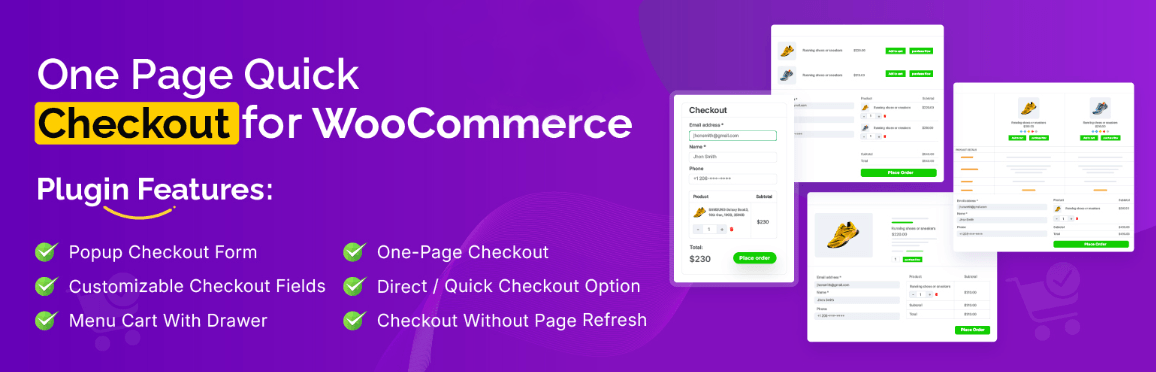
One Page Quick Checkout is a complete checkout solution that combines cart, checkout, and payment into a single page or popup, helping users complete purchases faster without switching pages.
Key Core Features
- One-page checkout with all steps in one screen
- Popup checkout without page reload
- Direct checkout from product and shop pages
- AJAX-based fast checkout experience
- Built-in checkout form editor and trust badges
Developer Name: Plugincy
Best For (Use Case)
Stores that want higher conversions with a fast, simplified checkout flow
2. Direct Checkout for WooCommerce
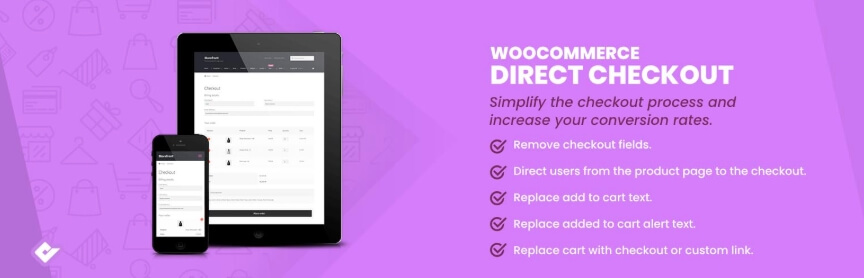
A speed-focused plugin that removes unnecessary steps by skipping the cart page and sending users directly to checkout.
Key Core Features
- Skip cart and redirect to checkout
- “Buy Now” button for instant purchase
- Faster checkout flow with fewer clicks
- Lightweight and easy setup
Developer Name: QuadLayers
Best For (Use Case)
Stores focused on quick purchases and reducing friction
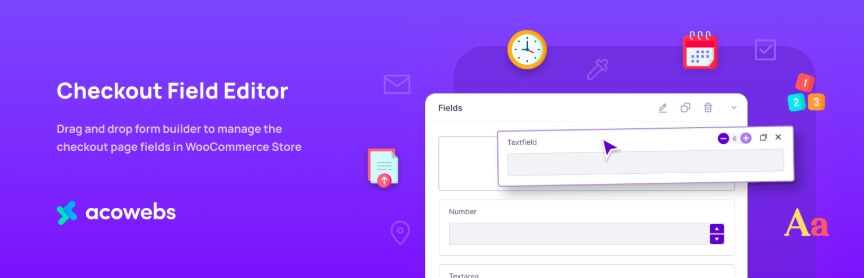
3. Checkout Field Editor for WooCommerce
A customization plugin that lets you control and modify checkout fields to match your business needs.
Key Core Features
- Add, remove, and edit checkout fields
- Drag-and-drop field arrangement
- Conditional logic and validation support
- Custom field types (text, dropdown, checkbox)
Developer Name: ThemeHigh
Best For (Use Case)
Stores that need custom checkout fields or data collection
4. Flexible Checkout Fields
A lightweight plugin designed to easily manage and customize WooCommerce checkout fields without complexity.
Key Core Features
- Edit, reorder, and hide fields
- Simple and beginner-friendly interface
- Works with most WooCommerce themes
- Fast and minimal performance impact
Developer Name: WP Desk
Best For (Use Case)
Small stores needing simple checkout customization
5. FunnelKit Funnel Builder
A conversion-focused plugin that turns your checkout into a sales funnel with upsells and optimized flows.
Key Core Features
- Funnel-based checkout pages
- Order bumps and upsells
- Pre-built high-converting templates
- Integration with page builders
Developer Name: FunnelKit
Best For (Use Case)
Stores aiming to increase average order value
6. PeachPay for WooCommerce
An express checkout solution that enables one-click checkout and faster payment processing.
Key Core Features
- One-click checkout experience
- Multi-device checkout support
- Fast payment flow
- Reduced checkout friction
Developer Name: PeachPay
Best For (Use Case)
Stores focused on fast and easy payments
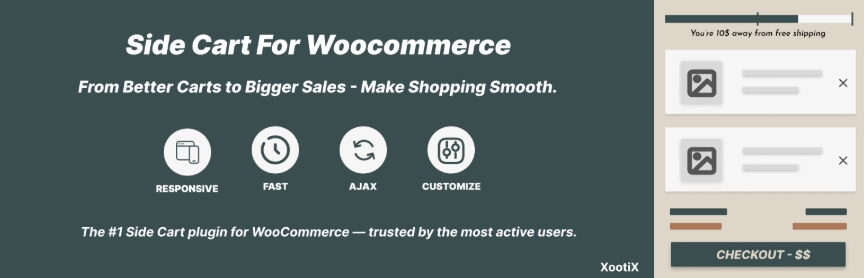
7. WooCommerce Side Cart
Adds a slide-out cart with quick checkout access, keeping users on the same page.
Key Core Features
- AJAX-based side cart
- Instant cart updates
- Quick checkout access
- Improved user experience
Developer Name: XootiX
Best For (Use Case)
Stores that want better cart interaction
8. Multi-Step Checkout for WooCommerce
Transforms checkout into multiple steps to make the process more organized and easier to follow.
Key Core Features
- Step-by-step checkout flow
- Clean and structured layout
- Reduced user confusion
- Better form organization
Developer Name: SilkyPress
Best For (Use Case)
Stores with complex checkout processes
9. Popup Checkout for WooCommerce
Allows customers to complete checkout inside a popup without leaving the product page.

Key Core Features
- Popup checkout window
- No page reload
- Faster purchase experience
- Keeps user focused
Developer Name: WPSHOP
Best For (Use Case)
Stores focused on instant checkout experience
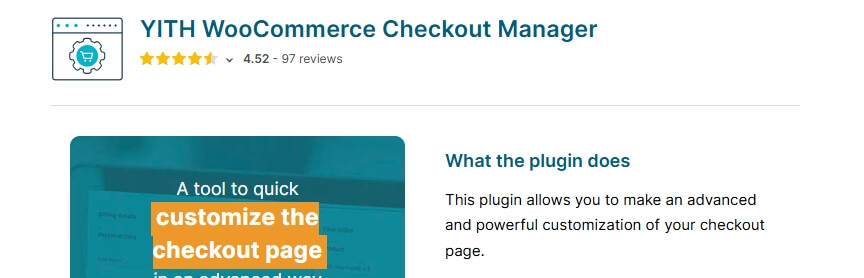
10. YITH WooCommerce Checkout Manager
A powerful plugin that provides advanced control over checkout fields and layout customization.
Key Core Features
- Advanced field editing
- Conditional logic support
- Flexible checkout layout
- Trusted and widely used solution
Developer Name: YITH
Best For (Use Case)
Stores needing advanced customization
Each plugin solves a different problem. Choose based on your goal like speed, customization, or conversion to get the best results.
WooCommerce Free Checkout Plugin Comparison (Features, Speed & Use Cases)
Now that you’ve seen the top plugins individually, this comparison will help you quickly understand which one fits your needs best.
| Plugin Name | Developer | Checkout Type | Key Feature | Best Use Case | Free Version Limitations |
| One Page Quick Checkout | Plugincy | One-page / Popup | All-in-one checkout flow | Conversion optimization | Advanced builder options in Pro |
| Direct Checkout | QuadLayers | Direct checkout | Skip cart page | Faster purchase flow | Limited customization |
| Checkout Field Editor | ThemeHigh | Default enhanced | Field customization | Custom checkout fields | Conditional logic limited |
| Flexible Checkout Fields | WP Desk | Default enhanced | Simple field control | Small stores | Advanced rules locked |
| FunnelKit | FunnelKit | Funnel-based | Upsells & order bumps | Revenue growth | Full funnel features paid |
| PeachPay | PeachPay | Express checkout | One-click checkout | Fast payments | Limited customization |
| Side Cart | XootiX | Slide cart | AJAX cart panel | UX improvement | Checkout features limited |
| Multi-Step Checkout | SilkyPress | Step-based | Structured flow | Complex checkout | Styling options limited |
| Popup Checkout | WPSHOP | Popup checkout | Instant checkout | Quick purchases | Limited design control |
| YITH Checkout Manager | YITH | Advanced customization | Conditional logic | Advanced control | Many features paid |
Key Takeaways
- If your goal is conversion → One Page Checkout plugins work best
- If your goal is speed → Direct Checkout is ideal
- If your goal is customization → Field Editor plugins are better
- If your goal is higher revenue → Funnel-based checkout wins
Use this table to match your store goal with the right plugin. The best plugin is the one that solves your specific checkout problem.
Which Plugin Should You Choose? (Decision Guide)
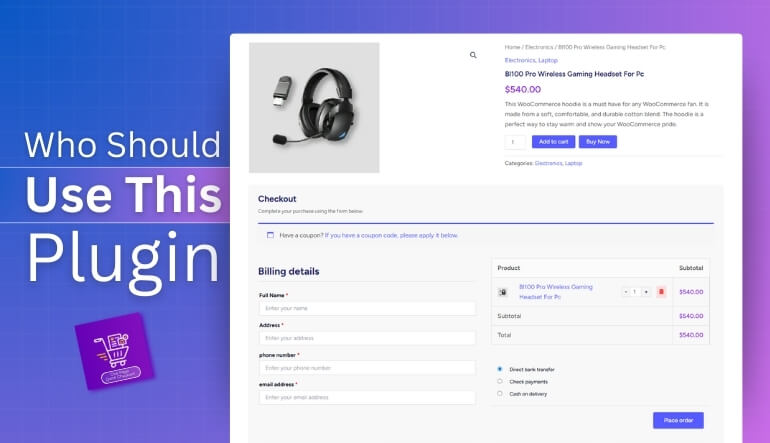
Now that you’ve compared the options, the next step is choosing the right plugin based on your store’s actual goal. Instead of focusing on features alone, match the plugin type with your business needs.
For Higher Conversions
If your main goal is to increase completed orders, a one-page checkout solution works best. It removes unnecessary steps and keeps everything in one view, making it easier for users to finish the purchase quickly.
Recommended: One Page Quick Checkout
For Faster Checkout Process
If speed is your priority, especially for impulse buying products, direct checkout is the best choice. It skips the cart page and reduces clicks, helping users complete purchases instantly.
Recommended: Direct Checkout
For Custom Checkout Fields
If you need to collect specific customer information or adjust the checkout layout, a field editor plugin gives you full control over the checkout form.
Recommended: Checkout Field Editor
For Increasing Order Value
If your goal is not just completing sales but increasing revenue per order, funnel-based checkout plugins help with upsells, order bumps, and optimized flows.
Recommended: FunnelKit
For Simple and Beginner Setup
If you run a small store and want something easy to manage without complexity, a lightweight checkout customization plugin is enough.
Recommended: Flexible Checkout Fields
Real Use Cases
To make the right choice, it helps to see how different types of stores actually use checkout plugins. Below are practical scenarios that show which plugin works best in real situations.
Small Stores (Low Product Range)
Small stores usually sell a limited number of products and need a simple, fast checkout. A one-page checkout helps reduce steps and makes buying easier for customers who already know what they want. This improves conversion without adding complexity.
Best fit: One Page Quick Checkout
Large Catalog Stores
Stores with hundreds or thousands of products need speed and efficiency. Customers often browse more and expect a quick buying process once they decide. Direct checkout helps reduce unnecessary steps and speeds up the purchase journey.
Best fit: Direct Checkout
Digital Product Stores
For digital products, customers expect instant access and a quick checkout. A fast, simplified flow without extra fields works best. Removing friction is critical to prevent drop-offs during payment.
Best fit: Direct Checkout or One Page Checkout
Mobile-Heavy Traffic Stores
If most of your traffic comes from mobile users, long forms and multiple pages can reduce conversions. A simplified, mobile-friendly checkout improves usability and keeps users engaged.
Best fit: One Page Checkout or Popup Checkout
Custom Order or Service-Based Stores
Stores that require additional customer details, such as service providers or B2B businesses, need flexible checkout fields. Customization ensures you collect the right information without affecting user experience.
Best fit: Checkout Field Editor
Growth-Focused Stores
Stores aiming to increase revenue per customer need more than just a checkout. Funnel-based plugins allow upsells, order bumps, and optimized flows to maximize each transaction.
Best fit: FunnelKit
The best plugin depends on how your store operates. Match your use case with the right solution to get better results from your checkout.
Common Mistakes When Choosing a Checkout Plugin
Before installing any plugin, it’s important to avoid common mistakes that can hurt your store performance. Many store owners choose the wrong solution not because of features, but because of poor decision-making.
Choosing Based Only on Features
Many plugins offer long feature lists, but not all are useful for your store. Installing a feature-heavy plugin without a clear goal can slow down your site and complicate the checkout experience instead of improving it.
Ignoring Speed and Performance
Checkout speed directly affects conversions. Some plugins add scripts or heavy layouts that slow down your site. If your checkout becomes slower after installing a plugin, it can increase cart abandonment instead of reducing it.
Using Multiple Checkout Plugins Together
Trying to combine multiple checkout plugins often creates conflicts. This can break the checkout flow, cause errors, or lead to inconsistent user experience. It’s always better to use one well-optimized solution.
Not Testing the Checkout Flow
Many store owners install a plugin but never test the full checkout process. Without testing, issues like broken payments, missing fields, or mobile layout problems can go unnoticed and affect real customers.
Ignoring Mobile Optimization
A plugin that works well on desktop may not perform properly on mobile devices. Since a large portion of users shop from mobile, ignoring this can lead to lost sales and poor user experience.
Choosing Without Clear Goals
Some users install plugins without knowing whether they need speed, customization, or conversion optimization. Without a clear goal, it becomes difficult to measure results or choose the right plugin.
Performance & Conversion Impact
After selecting a checkout plugin, the real question is how it impacts your store performance. Checkout optimization is not just about design. It directly affects conversion rate, speed, and overall user behavior.
Faster Checkout = Higher Conversion Rate
When users can complete a purchase quickly, they are more likely to finish the process. Reducing steps with a WooCommerce one page checkout plugin or WooCommerce direct checkout plugin removes friction and keeps users focused on completing the order.
Reduced Friction Lowers Cart Abandonment
Every extra click, field, or delay increases the chance of drop-off. A streamlined checkout flow simplifies decision-making and reduces hesitation, which leads to more completed transactions.
Improved Page Speed Boosts Engagement
Heavy checkout pages can slow down load time, especially on mobile devices. A lightweight free WooCommerce checkout plugin with optimized scripts ensures faster loading, keeping users engaged throughout the process.
Better Mobile Experience Increases Sales
Mobile users expect a clean and fast checkout. Simplified layouts, fewer fields, and optimized design improve usability, leading to higher mobile conversion rates.
Optimized Checkout Improves User Trust
A clean and professional checkout flow builds confidence. When users feel the process is smooth and secure, they are more likely to complete payment without hesitation.
Free vs Paid Checkout Plugins
At this stage, many store owners ask whether a free plugin is enough or if they should upgrade to a paid version. The answer depends on your store size, goals, and required features.
What Free Checkout Plugins Can Do
Free plugins are powerful enough for most small to medium stores. They can improve checkout speed, simplify the buying process, and provide basic customization options. Many also support features like one-page checkout or direct checkout, which are enough to increase conversions in most cases.
Limitations of Free Versions
While free plugins cover essential needs, they often have limitations. Advanced features like deep customization, funnel-based checkout, conditional logic, or design control are usually restricted. You may also face limits in flexibility as your store grows.
When You Should Upgrade to Paid
Upgrading makes sense when your store starts scaling or when you need more control over checkout behavior. If you want to add upsells, advanced field logic, or highly optimized checkout layouts, a premium version becomes a better option.
Cost vs Value Perspective
Free plugins help you start and test what works. Paid plugins help you optimize and scale. Instead of upgrading immediately, it’s better to first validate your checkout flow using a free solution and then invest when needed.
Decision Tip
- New or small store → Free plugin is enough
- Growing store → Consider upgrade
- High conversion focus → Premium features may help
Start with free tools to build your checkout foundation. Upgrade only when your store needs more advanced features or optimization.
Best Practices for Optimizing WooCommerce Checkout
After choosing the right plugin, the next step is optimizing your checkout for better results. These practical best practices help you improve user experience, reduce drop-offs, and increase conversions.
- Keep Checkout Simple: Remove unnecessary fields and keep only essential information. A shorter form makes it easier for users to complete the process quickly without feeling overwhelmed.
- Enable Guest Checkout: Forcing users to create an account can increase abandonment. Allow guest checkout so customers can complete purchases faster without extra steps.
- Use Quick Checkout Options: Adding features like quick checkout for WooCommerce or direct checkout reduces clicks and speeds up the buying process. This works especially well for mobile users and impulse purchases.
- Optimize for Mobile Users: Ensure your checkout layout is clean, responsive, and easy to use on smaller screens. Large input fields, simple design, and minimal scrolling improve mobile conversions.
- Add Trust Signals: Display secure payment icons, trust badges, and clear policies. These elements build confidence and help users feel safe when completing transactions.
- Reduce Distractions: Avoid unnecessary popups, banners, or links during checkout. Keeping users focused on payment increases the chances of completing the order.
- Protect Checkout From Spam: Use tools to protect checkout from spam users and fake orders. This keeps your checkout clean and prevents unnecessary disruptions in your order system.
- Fix Order Issues Quickly: If users face problems after payment, it can damage trust. Regularly monitor and improve order confirmation troubleshooting to ensure a smooth post-purchase experience.
A good checkout is not about adding more features. It is about removing friction and making the buying process as smooth as possible.
How to Set Up One Page Quick Checkout (Beginner-Friendly Guide)
Setting up One Page Quick Checkout for WooCommerce using Plugincy is simple, even if you are new to WordPress. You only need a few steps to install, activate, and configure the plugin. Once done, your store will have a faster and smoother checkout experience.
Installation (Free Version)
To get started, follow these steps inside your WordPress dashboard:
Step 1: Go to Plugin Section
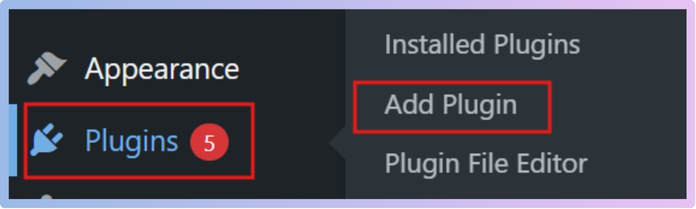
Log in to your WordPress admin panel. From the left menu, click on Plugins → Add New to open the plugin library.
Step 2: Search the Plugin
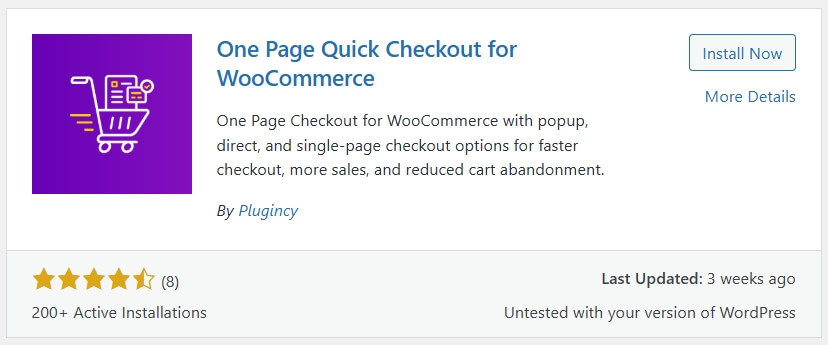
In the search bar, type: One Page Quick Checkout for WooCommerce. Wait a few seconds until the plugin appears in the results.
Step 3: Install the Plugin
Click the Install Now button next to the plugin. WordPress will automatically download and install it for you.
Step 4: Activate the Plugin
Once installation is complete, click Activate.
After activation, the plugin will be available in your dashboard settings.
Installation (PRO Version)
If you are using the PRO version of One Page Quick Checkout for WooCommerce by Plugincy, the setup process is still simple. You just need to upload the plugin manually and activate your license.
Step 1: Download the PRO Plugin
After purchase, download the plugin ZIP file from your email or account dashboard. Keep this file ready for upload.
Step 2: Upload the Plugin
- Go to WordPress Dashboard → Plugins → Add New
- Click on Upload Plugin
- Select the downloaded ZIP file
- Click Install Now

Step 3: Activate the Plugin
Once installation is complete, click Activate Plugin. The PRO version will now be active on your site.
Step 4: Enter License Key
- Go to the plugin settings page
- Find the License / Activation section
- Enter your license key
- Click Activate License
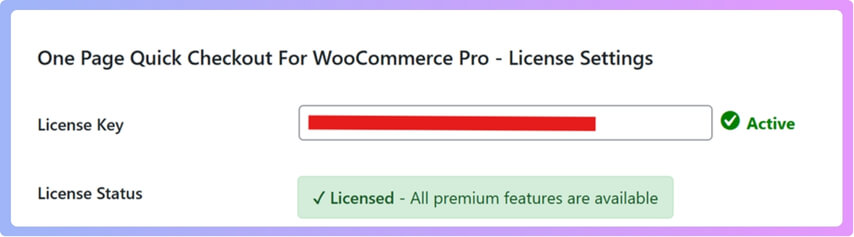
This step unlocks all PRO features inside your dashboard.
Step 5: Verify PRO Features
After activation, check if PRO options are available, such as:
- Advanced checkout layouts
- Popup checkout builder
- Extra customization controls
Always keep your license active to receive updates and support. Updates help maintain compatibility with WooCommerce and improve performance.
Initial Setup (Basic Configuration)
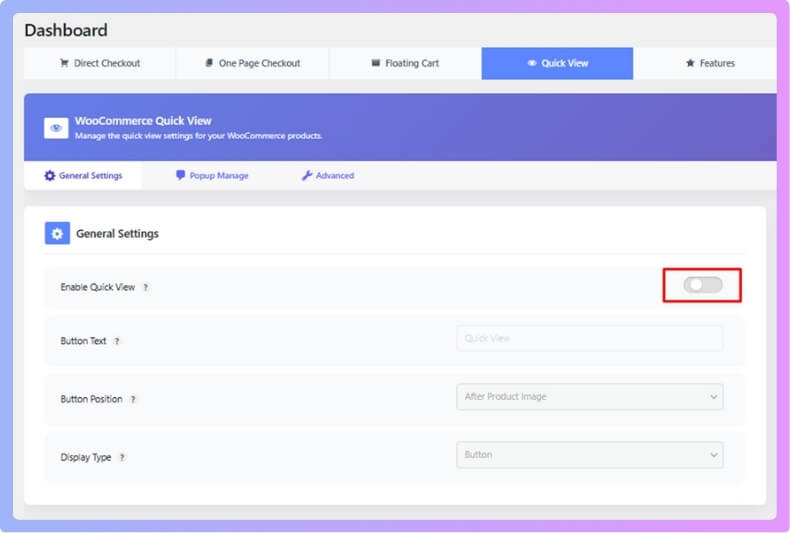
After activation, you can quickly enable core features:
Enable One Page Checkout
- Go to plugin settings
- Turn on One Page Checkout Mode
- This will combine cart + checkout into a single page
Enable Direct Checkout (Optional)
- Turn on Direct Checkout
- This allows users to skip the cart page
Enable Popup Checkout (Optional)
- Activate Popup Checkout
- Customers can complete purchases without leaving the page
Quick Testing (Important Step)
Before going live, test the checkout flow:
- Add a product to cart
- Click checkout or “Buy Now”
- Complete a test order
- Check mobile view as well
This ensures everything works smoothly for real customers. Start with one feature like one-page checkout. Avoid enabling everything at once. Test performance and user behavior before adding more options.
FAQ
To help users get quick answers and improve visibility in AI Overview and Featured Snippets, here are the most common questions related to this topic.
What is the best free checkout plugin for WooCommerce?
The best free checkout plugin for WooCommerce depends on your goal. For higher conversions, one-page checkout plugins work best. For speed, direct checkout plugins are ideal. For customization, checkout field editor plugins are a better choice.
Can I skip the cart page in WooCommerce?
Yes, you can skip the cart page using a WooCommerce direct checkout plugin. This allows users to go straight to checkout after clicking “Buy Now,” which reduces steps and improves conversion rate.
Are free checkout plugins enough for WooCommerce?
Free checkout plugins are enough for most small and medium stores. They provide essential features like faster checkout, field customization, and improved user experience. Advanced features may require a paid upgrade.
Which plugin is best for one-page checkout?
One-page checkout plugins are best for reducing friction and improving conversions. They allow users to complete the entire purchase process on a single page without switching between steps.
Do checkout plugins affect website speed?
Yes, some plugins can impact speed. Lightweight and well-optimized plugins improve performance, while heavy plugins may slow down your checkout. Always test performance after installation.
Is checkout optimization really important?
Yes, checkout optimization is one of the most important factors for increasing sales. Even small improvements in checkout flow can significantly boost conversion rates.
Final Thoughts
Choosing the best free checkout plugin for WooCommerce is not about picking the most feature-rich option. It is about selecting the right tool that solves your specific checkout problem. Whether you want faster checkout, better customization, or higher conversions, the right plugin can make a noticeable difference in your sales.
Start simple with a free WooCommerce checkout plugin and focus on improving speed, reducing friction, and creating a smooth buying experience. As your store grows, you can test different approaches like one-page checkout or direct checkout to see what works best for your audience.
The key is to continuously optimize your checkout based on real user behavior. Small improvements in the checkout process often lead to higher conversions and better customer satisfaction.
A smooth checkout turns visitors into customers. Focus on simplicity and speed to get the best results from your WooCommerce store.
