

WooCommerce helps many online stores sell products easily. It supports both digital and physical items for any business. Store owners can add features, manage items, and give customers a smooth shopping experience. It’s simple to use and easy to grow with. But many people wonder about the reasons why is one page quick checkout the best checkout plugin for WooCommerce.
It makes the checkout process faster by showing everything on one page. The cart updates instantly, and it works well on phones as well. Customers can check out with fewer steps, which means they finish orders quicker and leave less often.
Want to make your store faster and easier to use? Keep reading to see how this plugin helps. Learn how to set it up. Discover tips to get the best results.
Why is One Page Quick Checkout the Best Checkout Plugin for WooCommerce?
Many online stores lose sales because customers get tired of slow and confusing checkout pages. A long process makes people leave before completing their payment. That is why store owners look for a faster and cleaner way to help shoppers finish purchases. Here’s why one page quick checkout is the best checkout plugin for WooCommerce.
Fast Checkout Options
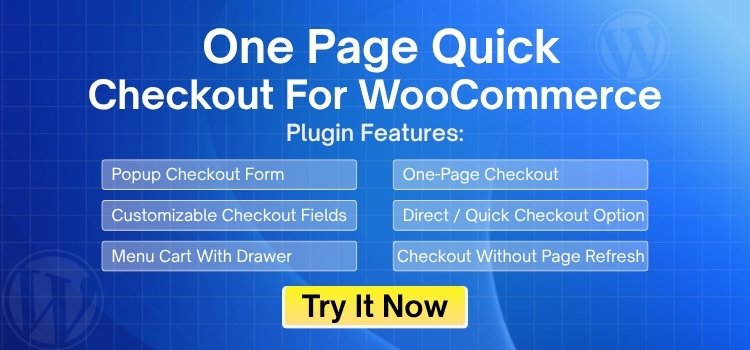
This plugin gives shoppers several quick ways to complete their order without wasting time. They can use pop-up checkout, which lets them pay instantly without leaving the product page. Some buyers can go straight from a product or category page to checkout using a direct button. AJAX updates keep everything smooth because the page doesn’t reload when someone changes a product or updates their cart. These fast checkout options feel natural and help customers finish their purchase with confidence.
Better Conversion Rates
A shorter checkout means fewer chances for people to change their minds. When everything sits on one page, the process feels simple, quick, and clear, which helps reduce cart abandonment. Popup checkout works great for shoppers making fast or last-minute buying decisions. Direct-to-checkout buttons also help catch impulse buyers before they get distracted and leave. With fewer steps, more customers reach the final payment section and complete the order.
Mobile Friendly Design
Many people shop on their phones, and slow or heavy checkout pages can make them quit halfway. This plugin reduces extra page loads, so even users on weak networks can pay without delays. The layout is clean, simple to tap, and fits well on small screens. Shoppers don’t need to create an account, which helps first-time buyers finish faster. This design keeps mobile users active and boosts the number of successful purchases.
Custom and Flexible
Store owners can adjust the checkout design to match their brand colors and style. They can edit or rearrange form fields, choose which fields are required, and add trust badges for extra confidence. It works with all product types, whether you’re selling simple, variable, digital, or grouped items. You can also change how the checkout looks to match your sales approach. This makes the whole flow feel more personal and trustworthy for buyers.
Smooth Shopping Experience
This plugin creates a clean, all-in-one space where shoppers can handle everything at once. They can add or remove items, enter coupon codes, check prices, and confirm details without jumping through several pages. One Page Quick Checkout for WooCommerce fits naturally into this smooth layout, making the whole process feel faster and more relaxing. With fewer steps and fewer clicks, customers stay focused and reach the final payment more easily.
Flexible Layout Styles
Every store has a different style, so having layout choices is a big advantage. You can choose table-style checkout, list-style checkout, sliders, or accordion layouts depending on your store type. These layouts help present information neatly and clearly. They also make the checkout easy to read, so shoppers don’t feel confused or lost. Choosing the right layout can even increase trust and reduce frustration during payment.
Easy to Use
This plugin is simple to install and doesn’t need any special skills to set up. Store owners can turn features on or off with a few clicks. It works well with most themes, payment gateways, and popular WooCommerce plugins. Everything loads quickly, and updates appear right away. This makes it easier for beginners and experienced users to build a faster checkout without hiring extra help or learning complex tools.
Comparison Table: One Page Quick Checkout vs Default WooCommerce Checkout
| Feature / Benefit | One Page Quick Checkout | Default WooCommerce Checkout |
| Checkout Steps | Everything happens on a single page with fewer clicks. | Multiple steps with more pages to load. |
| Speed | Very fast because it uses AJAX and does not reload the page. | Slower experience due to full page reloads. |
| Popup Checkout | Yes, checkout can open in a smooth popup window. | Not available without extra plugins. |
| Direct-to-Checkout Button | Customers can skip the cart and go straight to checkout. | Only goes through cart → checkout flow. |
| Mobile Experience | Optimized for mobile with fewer taps and no forced reloads. | Works on mobile but feels heavier and slower. |
| Cart Updates | Items, quantities, and prices update instantly without refreshing. | Every cart change reloads the entire page. |
| Customization | Easy to edit fields, hide steps, change layouts, and add trust badges. | Limited customization without coding. |
| Checkout Layout Styles | Offers multiple layout styles (table, list, slider, accordion). | Only one basic layout with no style options. |
| Guest Checkout | Smooth and fast guest checkout with no interruptions. | Guest checkout is available but feels slower. |
| Conversion Rates | Higher conversions because the process is simpler and quicker. | Lower conversions due to long steps and delays. |
| Best For | Fast sales, mobile users, impulse buyers, and stores wanting better conversions. | Basic stores that don’t need checkout improvements. |
How One Page Quick Checkout Improves Conversions and Reduces Cart Abandonment?
A fast checkout helps more customers finish their orders without leaving the store page early. A clear layout makes buyers feel relaxed while they move through each step. A short process also keeps them focused and reduces mistakes that slow everything down. Here are the ways it improves conversions and reduces cart abandonment:
Faster Checkout Flow
Quick checkout steps help shoppers complete orders without waiting for slow page loads or unnecessary actions. A shorter process keeps them focused on finishing the purchase without losing interest midway. Simple guidance boosts the chances of completing a full order.
Smooth Mobile Experience
Clean mobile layouts help customers move through each step comfortably, even on small screens. Faster pages reduce stress for users shopping on weak networks or older devices. This smoother flow encourages quick decisions and supports higher mobile conversions.
Direct Purchase Actions
Direct purchase buttons let customers skip extra steps and reach checkout instantly. Clear actions help impulse buyers place orders before distractions appear. A shorter path reduces frustration and makes the buying experience feel effortless.
Flexible Checkout Options
Flexible checkout design helps store owners shape the steps to match shoppers’ needs and simple buying habits. A clean setup makes it easier to integrate payment gateways with One Page Checkout in WooCommerce without slowing the process. A smooth structure also keeps buyers confident while they complete their order.
Instant Cart Updates
Instant updates help shoppers change product quantities or remove items with no page reload delays. A fast response makes them feel in control of the process and keeps them from feeling stuck. A clear update also prevents confusion and moves them closer to payment.
One Page Quick Checkout vs Other Popular Checkout Plugins
The official WooCommerce One Page Checkout plugin offers a solid one-page design, but it lacks the speed and flexibility that OPQC provides. OPQC includes pop-up checkout, AJAX updates, direct-to-checkout buttons, and faster mobile performance, which the official plugin does not cover well. OPQC also gives better customization options and smoother product updates without reloading the page. On top of that, OPQC’s pricing is more affordable for beginners compared to the official add-on. Here is a short comparison with other plugins.
OPQC vs CartFlows
CartFlows is popular for building custom checkout funnels, but it requires more setup time and extra steps. OPQC works instantly out of the box with a quick plug-and-play setup. While CartFlows focuses heavily on funnel building, OPQC focuses on fast, distraction-free checkout that loads quicker, especially on mobile devices. OPQC also offers popup checkout, direct checkout buttons, and instant AJAX updates, which make it faster for everyday customers. For stores that want speed over funnel design, OPQC becomes the better choice.
OPQC vs CheckoutWC
CheckoutWC is known for its modern, Shopify-like design, but it comes with a higher price and a more complex setup. OPQC gives similar modern checkout features with easier settings and fewer steps to configure. It also offers one-page checkout, side cart support, popup checkout, direct buttons, and flexible layouts without relying on heavy templates. OPQC loads faster on mobile and offers more value for stores wanting speed, simplicity, and affordability. Many users prefer OPQC because it delivers strong results without a steep learning curve.
Where OPQC Wins Overall
Across all these comparisons, One Page Quick Checkout leads in key areas that matter most:
- Speed: AJAX updates and no page reloads.
- Mobile UX: Smooth, simple, and fast on all screen sizes.
- Customization: Easy field editing, layouts, trust badges, and branding.
- Flexibility: Popup checkout, one-page checkout, and direct checkout links.
- Ease of Use: Quick setup with no complex funnel building.
- Pricing: More affordable while still offering strong features.
Why One Page Quick Checkout Outperforms Other Plugins on Mobile?
Many shoppers buy products on their phones, so a slow checkout can quickly push them away. A clean layout helps users finish orders without stress or confusion. A faster design also keeps buyers focused, which leads to more completed purchases and fewer dropped carts. Here is why one page quick checkout outperforms other plugins on mobile.
Smooth Touch Navigation
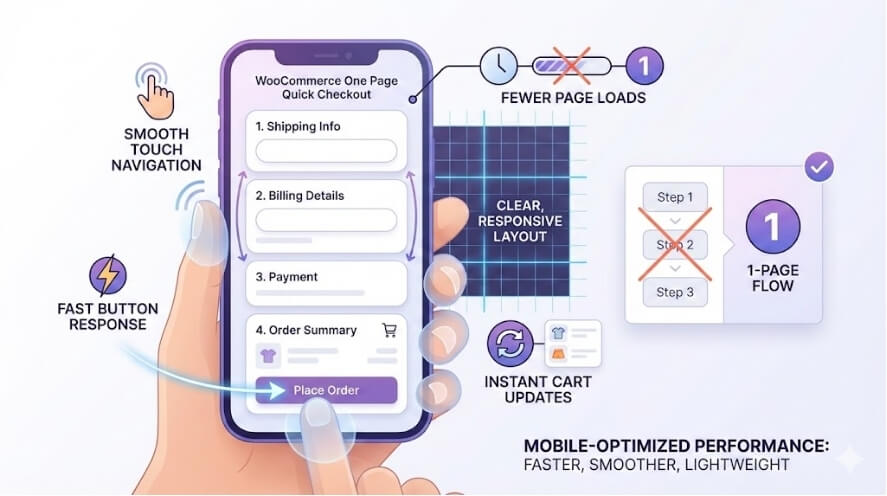
Touch navigation feels simple because each button responds quickly and clearly without strange delays or breaks. Shoppers move through steps easily since every tap gives a clean and sharp response instantly. This smooth feeling helps people stay relaxed while they finish their orders on small screens.
Fewer Page Loads
Mobile users enjoy fewer page loads because the process stays on one clear screen without confusing jumps. Each action feels quicker since the page does not reload or slow down at random moments. This steady speed helps shoppers complete orders without losing interest or getting frustrated.
Clear Mobile Layouts
Clean layouts make information easy to read without forcing shoppers to zoom or scroll too much. Each section sits in a neat place that guides users through a simple buying path. This ease helps people move faster and keeps them focused on finishing their purchase.
Fast Button Actions
Buttons respond fast and give shoppers instant feedback the moment they tap any action on the screen. These quick reactions help mobile users feel in control while moving through checkout steps. This clear flow keeps them comfortable and reduces mistakes caused by slow behavior.
Instant Cart Changes
Cart changes update instantly and help users adjust items without waiting through slow reload screens. Every update happens cleanly the moment they tap a quantity or remove a product. This speed keeps them active and willing to finish their payment without unnecessary delays.
Tips for Making Your WooCommerce Store Stand Out
A good store feels simple and easy to use for every shopper. Clear pages help people find what they want quickly. Small changes also make your store look better and help more buyers finish their orders. Here we’ve listed down some tips to help you make your WooCommerce store stand out:
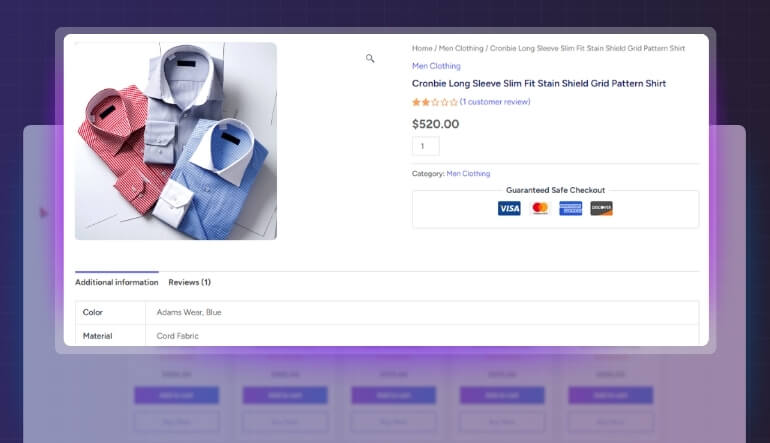
Clean Store Design
- A clean page helps people see products clearly without feeling confused by extra things appearing everywhere. A simple design also helps them stay longer because everything looks neat and very easy to follow.
- Good colors help shoppers understand what is important without thinking too much about small page details. Bright and soft colors also make the store feel friendly, which keeps visitors moving around easily.
- Clear titles help people know what each section shows without searching for hidden text or confusing labels anywhere. These titles also create a simple flow that guides shoppers across your store without slowing them down.
Fast Page Speed
- A fast site loads quickly, which helps shoppers move through pages without waiting during important buying moments. This speed also keeps them calm because they do not deal with random slowdowns on important steps.
- Quick loading makes users feel comfortable when checking products, even on older devices with weaker mobile networks. Fast pages also push them to continue browsing because nothing interrupts their simple shopping flow.
- Good speed helps people finish tasks quickly without losing focus on their item search or final purchase. It also keeps the store stable, which builds trust while shoppers explore different pages.
Clear Product Descriptions
- Short lines help shoppers understand product details fast without reading long blocks that feel tiring or confusing. Clear text also supports better choices because people know what they get before buying anything.
- Simple words help users compare products without needing extra time to understand meanings during browsing. These easy words also reduce pressure because shoppers understand each point without uncertainty.
- Clean writing helps customers read everything smoothly without missing important details that matter for quick decisions. Simple writing also creates a helpful tone that guides buyers through each product page.
Better Product Browsing
- Easy menus help people jump between product categories without losing time or feeling frustrated suddenly. This helps them explore more items because the path feels simple and clear from the start.
- Good navigation keeps shoppers comfortable when moving through the store, even when many items appear everywhere. This comfort helps them enjoy browsing and encourages longer visits.
- Simple browsing tools help users see items in groups that feel easy to scan at a glance. These tools also help them choose faster because everything sits in a clear space.
Quick Product Viewing
- Quick previews help shoppers check item details without loading new pages that disturb their smooth browsing flow. They also save time, so customers move forward with choices faster and more easily.
- Good viewing tools speed up decisions for shoppers who like fast access without many extra screen steps. These tools also help when you add quick view option for WooCommerce products to improve simple browsing.
- Easy preview layouts help customers understand product details quickly without heavy text slowing them down unexpectedly. Clear layouts also keep people focused on buying instead of feeling confused.
Simple Checkout Steps
- Short checkout paths help people finish their orders fast without extra steps that slow them down. These short paths also reduce stress because everything stays clear from start to finish.
- Easy checkout pages guide shoppers so they complete details without effort during their final steps. This helps reduce cart drops because the steps feel calm and smooth.
- Clear form fields help customers type information without confusion or mistakes appearing during the process. This clear setup keeps them confident and supports more completed orders.
Trust-Building Elements
- Trust badges help people feel safe when they enter payment details without thinking about security problems. These badges also help stores look honest, which builds stronger comfort.
- Customer reviews give new buyers helpful opinions that guide choices without complicated research needed anywhere. These reviews also feel natural, which makes people trust product quality more.
- Visible contact options help shoppers reach support fast without searching through difficult pages for help. This easy access builds trust and keeps visitors feeling secure.
FAQs About One Page Quick Checkout for WooCommerce
A smooth checkout helps shoppers finish their orders without confusion. One Page Quick Checkout makes this process simple for every store. These FAQs explain why many store owners prefer it over other checkout tools.
Is One Page Quick Checkout Good For Stores With Many Mobile Users?
Yes, it works very well for mobile users because it loads quickly, reduces extra steps, and keeps shoppers on one page. The clean layout helps people finish their purchase even on slow networks, which improves overall conversion rates for mobile-heavy stores.
Does One Page Quick Checkout Work Well With Different WooCommerce Themes?
Yes, the plugin works smoothly with most WooCommerce themes because it uses a simple structure that blends well with any design. This means store owners can switch themes or update layouts without breaking their checkout flow or losing customer trust.
Can One Page Quick Checkout Help Beginners Improve Their Store Checkout Faster?
Yes, beginners can improve checkout faster because the plugin is easy to set up, simple to adjust, and does not need any coding. Store owners get instant control over layout, fields, and buttons, which helps them create a better buying experience quickly.
Is One Page Quick Checkout Helpful For Stores With Digital Or Instant Products?
Yes, it helps digital product stores because buyers complete orders faster without complicated steps. Instant download or access products need simple checkout, and this plugin keeps everything quick and easy, so shoppers finish purchases without delays or distractions during the process.
Does One Page Quick Checkout Support Quick Cart Changes During Checkout?
Yes, shoppers can change quantities, remove items, or update their cart instantly without page reloads. This smoother flow keeps customers active and reduces frustration, giving them a better chance of completing their order instead of leaving the checkout halfway.
Concluding Thoughts
Shoppers like a checkout that is fast and simple. Long steps and slow pages make many people leave. That’s one reason why is One Page Quick Checkout the best checkout plugin for WooCommerce.
It shows everything on one page, works well on phones, and helps people buy without delay. The cart updates quickly, and there are fewer clicks to finish the order. Store owners can also change the layout and style to match their brand. This plugin is easy to set up and use. If you want more sales and fewer cart problems, this tool can really help.
