

Managing stock across different store locations can be challenging, and that’s where a multi-location inventory management plugin comes in. It allows WooCommerce store owners to track products, monitor availability, and manage orders for each location separately. But before choosing one, it’s important to know — how much does a multi-location inventory management premium plugin cost?
Generally, premium multi-location inventory management plugins range between $50 and $120 per year for basic versions, while advanced or enterprise-level options can go up to $200 to $500 per license per year. Some even provide lifetime deals or flexible pricing for large multi-site stores.
If you’re planning to improve how your WooCommerce store handles inventory, this guide will help you understand what affects the price, what’s included in each pricing tier, and how to choose the best plugin that fits both your business needs and budget.
How Much Does a Multi-location Inventory Management Premium Plugin Cost?
Premium multi-location inventory management plugins for WooCommerce tend to fall into a typical range of about US $70-$150 per year for basic functionality and US $300-US $500 per location per year for high-end or enterprise solutions. Below are the main licensing models and what each generally involves in terms of cost and usage.
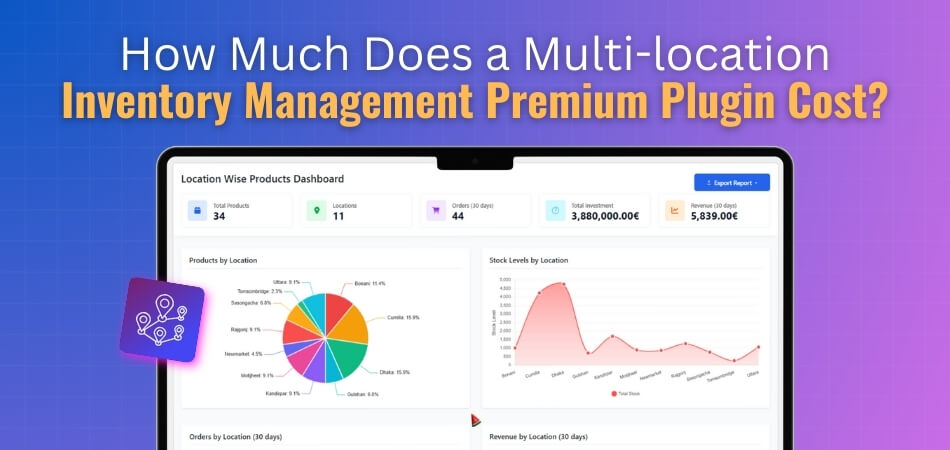
Monthly subscription
This model allows you to pay month-by-month for access to the full plugin features. It’s ideal if you want flexibility or expect to scale quickly. The monthly fee usually starts lower than annual pricing, but over time, the cost can add up, especially if you maintain it long-term or add more locations.
Annual subscription
With an annual license, you pay once a year for updates, support, and plugin access. Basic annual plans often start around US $79-US $129. A WooCommerce multi locations inventory management plugin typically falls under this model, offering a cost-effective balance between flexibility, features, and yearly maintenance.
Lifetime purchase
A one-time payment license grants permanent access (though support/updates may be limited). This option requires a higher upfront cost but can be more cost-effective in the long run. Ideal for stores confident in their setup and growth path and wishing to avoid recurring fees.
Single-site licence
This type of license covers use on one website or store. If you operate a single domain with multiple inventory locations tied to it, this license is usually sufficient. Pricing will be at the lower end of the range since you’re limited to one installation rather than multiple domains.
Multiple-site licence
If your business runs several WooCommerce stores or domains, you’ll need a license that covers multiple sites. This increases the cost because the plugin usage scope is broader. Expect annual pricing to reflect site-count and features included across each store installation.
What Factors Affect the Plugin’s Pricing?
Pricing for a multi-location inventory plugin isn’t random—it depends on several technical and business-related factors. Understanding these helps you decide which version fits your needs and budget before making a purchase. Here are the main elements that influence how much a plugin costs.
Number of Locations Supported
Plugins designed for a few locations are usually more affordable, while those supporting multiple warehouses or regional stores cost more. Each additional location means more database handling, syncing, and reporting, which raises development and licensing costs. Larger businesses managing dozens of sites should expect higher pricing tiers.
Feature Availability
The more features you need, the higher the cost. Basic versions handle stock counts, but advanced ones include automation, location-based pricing, route optimization, and order syncing. Premium editions often provide advanced analytics and dashboards that justify the added expense for businesses that want deeper control over inventory movement.
License Type
Most developers offer different license models, such as single-site, multi-site, or enterprise options. Single-site licenses are cheaper and fit small stores, while multi-site and enterprise licenses are priced higher due to broader access and extended support. Choosing the right license helps balance cost and functionality for your business.
Support and Updates
Regular updates ensure compatibility with the latest WooCommerce versions, and dedicated support helps resolve issues quickly. Premium licenses often include faster response times and priority fixes, which influence the price. Paying slightly more for ongoing support can save time and prevent operational disruptions in the long run.
Integration and Scalability
Some plugins connect with ERP, POS, or fulfillment tools. These integrations increase efficiency but also affect cost due to added development and maintenance complexity. Businesses planning to expand across regions or channels should choose scalable solutions that justify a higher price through flexibility and long-term performance.
Developer Reputation
Established developers with proven plugin reliability often charge more for their products. Their tools tend to include robust code, regular updates, and stronger customer support. Although newer developers may offer cheaper alternatives, paying for reliability from a trusted WooCommerce provider often ensures smoother performance and fewer compatibility issues.
Customization Options
Plugins that allow custom rules, automation, or location-specific workflows usually come at a higher cost. These tailored features help match complex operations like regional pricing or stock alerts, but require more resources to develop and maintain, making them suitable for larger businesses with specific needs.
Market Demand and Competition
Like any product, market trends influence pricing. Popular plugins with high ratings and frequent updates may cost more because they’re trusted by established WooCommerce stores. However, competition among similar tools keeps prices within a reasonable range, ensuring users can find both budget-friendly and premium-grade solutions easily.
How to Choose the Right Pricing Plan for a Multi-location Inventory Management Plugin?
Selecting the right pricing plan for your multi-location inventory management plugin ensures you get the best balance between cost, performance, and long-term value. Each plan caters to a different business size and complexity level. Here’s how to identify the most suitable plan for your WooCommerce store.
Understand Your Business Scale and Needs
Begin by evaluating how many locations, warehouses, or branches your business operates. Smaller stores often do well with basic plans that cover limited locations. However, if your network is growing or already extensive, opt for higher tiers that include multiple location syncing, centralized dashboards, and advanced inventory control tools.
Compare Feature Sets Across Plans
Each pricing tier includes different levels of functionality. Entry-level plans typically handle stock tracking, while mid or high-tier plans offer automation, reporting, and integration options. Always weigh the value of each feature — paying slightly more for automation or real-time updates can save significant time and reduce costly stock errors.
Assess License Duration and Renewal Options
Multi-location plugins come with monthly, annual, or lifetime licenses. Monthly subscriptions offer flexibility, while annual plans usually provide discounts. Lifetime plans are ideal for long-term businesses that want to avoid recurring payments. Consider your store’s stability — if you plan to scale steadily, an annual license often offers the best balance.
Match the Plan to Location Count
Ensure the plan you choose supports your current and potential future number of locations. Basic plans may limit the number of warehouses or regions managed. If you expect growth, select a plan with scalable options or easy upgrade paths. This prevents migration hassles and unexpected upgrade expenses later.
Check for Support and Update Coverage
A reliable support system is a crucial part of a good pricing plan. Premium plans often include faster customer service and guaranteed updates, keeping your plugin compatible with new WooCommerce releases. Consistent updates ensure stability and security, which are especially vital for stores handling large inventories across multiple locations.
Evaluate Integration and Compatibility Features
Integration capabilities are key when using tools like ERP, POS, or fulfillment systems. Lower-tier plans might lack this functionality, causing workflow gaps. Choose a plan that supports the integrations your business relies on. Even if it costs more, a fully integrated system will reduce manual work and operational bottlenecks.
Consider Scalability and Long-term Value
Look beyond immediate needs and think about where your business will be in a year or two. A scalable pricing plan allows seamless upgrades when you add new warehouses or sales channels. Spending slightly more on a scalable plan now helps maintain continuity and prevents technical or financial strain later.
Compare Total Value Instead of Just Price
Price alone doesn’t define value. A mid-tier plan that automates stock syncing and generates reports could save you far more in time and errors than a cheaper, basic one. Focus on overall return on investment; the best plan should enhance efficiency and deliver tangible business results.
Evaluating Value Before Choosing a Multi-location Inventory Management Plugin
Choosing a premium inventory management plugin isn’t only about finding the lowest price — it’s about what you gain in performance, reliability, and control. Evaluating value for money helps ensure the plugin truly benefits your business operations in the long run. Here’s how to assess whether it’s worth the investment.
Compare Features to Your Needs
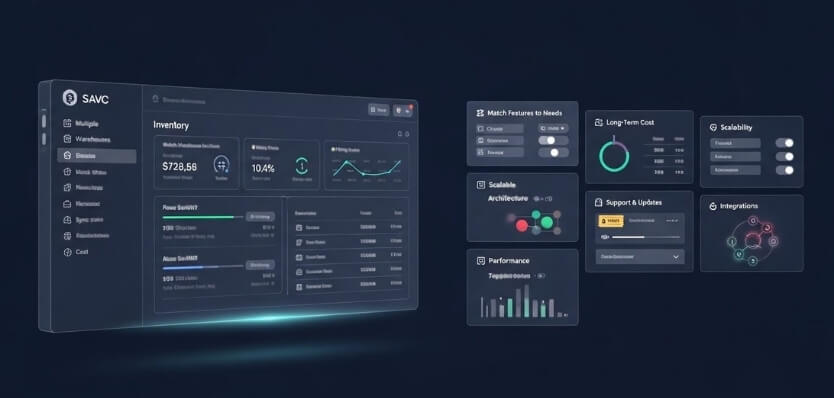
Before choosing multi-location inventory management plugin, focus on whether its features align with your actual requirements. Avoid paying for complex tools you won’t use. Look for key functions such as location-based inventory tracking, auto-syncing, and reporting dashboards that simplify your daily management tasks and support operational efficiency.
Check Long-Term Cost vs. Subscription Model
Review the total expense over time instead of just the upfront cost. Monthly or annual subscriptions can look affordable initially, but may accumulate significantly. A lifetime license might be more economical if your store setup is stable. Always evaluate multi-year cost projections before committing to any plan.
Consider Scalability for Business Growth
Plugins with scalable architecture cost more at first but save money later. If your store expands to new warehouses or regional branches, scalability eliminates the need for new tools or major upgrades. Paying more for flexibility now ensures smoother transitions and less disruption as your business grows.
Review Support and Update Policies
Ongoing updates and quick support are essential for uninterrupted operation. Plugins offering extended support plans or guaranteed response times typically have higher prices but deliver peace of mind. Reliable support prevents downtime and technical frustration, which can easily outweigh minor price differences between plugin options.
Evaluate Performance and Speed
Faster plugins improve workflow and customer experience. An optimized plugin handles large data efficiently and avoids slow page loads. Although high-performance tools may cost slightly more, they increase productivity and accuracy across your inventory management system, saving both time and money in the long term.
Look for Real User Reviews and Case Studies
Reading authentic user experiences gives a clearer picture of plugin quality. Case studies and testimonials reveal how the plugin performs under real business conditions. Prioritize plugins with consistent feedback about reliability, ease of use, and solid support rather than making decisions solely based on pricing.
Analyze Integration Capabilities
Plugins that integrate smoothly with ERP, POS, or analytics systems bring long-term value. Even if the initial price is higher, you’ll save time and effort by avoiding data mismatches or manual syncing. A plugin that fits seamlessly into your existing ecosystem can significantly boost overall efficiency.
Weigh Support Period Against Price
Some premium plans charge extra for continued updates or extended support after the first year. Assess whether ongoing assistance is necessary for your store. Paying slightly more for continuous support ensures compatibility with new WooCommerce versions and maintains performance as your business scales.
Practical Tips to Get the Best Results from Your Multi-location Inventory Management Plugin
Purchasing a multi-location inventory management plugin is only the first step toward smoother store operations. To truly benefit, you need a consistent setup and effective usage. These expert tips focus on improving multi location WooCommerce inventory efficiency so your system stays organized, accurate, and optimized across all warehouse and store locations.
- Set Up Each Location Individually: Configure every warehouse or store separately to track accurate stock levels and order routes. Dedicated settings prevent confusion and ensure faster, more reliable fulfillment.
- Keep Inventory Data Up to Date: Use automated sync or scheduled updates to maintain real-time accuracy. Updated data helps prevent overselling, backorders, and customer dissatisfaction.
- Use Reporting and Analytics Regularly: Review built-in reports to identify top-selling items, low-stock products, and sales patterns by location. Regular insights help guide smarter restocking and planning decisions.
- Integrate with ERP and POS Systems: Connect your plugin with ERP, POS, or other inventory tools for unified operations. Integration reduces manual entry and ensures smoother data flow across all platforms.
- Train Staff on Inventory Management: Teach your team how to update stock, process orders, and read reports within the plugin. Proper training minimizes mistakes and boosts overall efficiency.
- Monitor Plugin Updates and Compatibility: Check for updates regularly to stay compatible with the latest WooCommerce versions. Updated plugins perform better and reduce the chance of technical issues.
- Revisit and Adjust Settings Frequently: Review stock limits, alerts, and warehouse priorities as your business grows. Fine-tuning these settings keeps your inventory process aligned with changing needs.
- Back Up Before Making Major Changes: Always back up your site before updating or reconfiguring the plugin. A backup safeguards against data loss and helps you recover quickly if errors occur.
Conclusion
Managing inventory across multiple locations doesn’t have to be complicated when you have the right tools and pricing plan in place. A reliable multi-location inventory management plugin can help streamline operations, reduce human error, and maintain consistent product availability for your WooCommerce store.
Understanding how much does a multi-location inventory management premium plugin cost? It is just one part of making an informed decision. The real value lies in choosing a plugin that fits your store’s size, growth potential, and workflow. Whether you’re managing a few warehouses or a large retail network, investing in the right solution ensures long-term efficiency and business growth.
To get the best results, regularly update your system, review data insights, and train your team to use every feature effectively. A well-chosen plugin not only saves money but also improves inventory accuracy, helping your business stay competitive and customer-focused.
