

Managing stock across multiple warehouses or store locations can quickly become complex without the right system. Multi-Location Inventory Management Plugins help WooCommerce store owners track, control, and sync inventory across different locations from a single dashboard, making operations smoother and more accurate. This becomes essential as your business grows and handles more orders daily.
A powerful WooCommerce multi location inventory plugin not only tracks stock per location but also improves order fulfillment by assigning orders to the nearest or most available warehouse. Whether you run a small store or a large multi-warehouse setup, choosing the right plugin helps reduce errors, prevent overselling, and scale your operations with confidence.
What Are Multi-Location Inventory Management Plugins for WooCommerce?
Before choosing a plugin, it’s important to clearly understand what this system actually does and how it improves your store operations.
Multi-location inventory management plugins are tools that allow WooCommerce store owners to manage stock across multiple warehouses, stores, or fulfillment centers from a single dashboard. Instead of relying on one global stock value, these plugins track inventory separately for each location and update it in real time.
Key Functions:
- Track stock levels for each warehouse or store location independently, ensuring accurate inventory visibility across your entire operation
- Assign and fulfill orders from the nearest or most appropriate location based on stock availability or delivery rules
- Allow customers to select pickup or delivery location, improving user experience and reducing shipping complexity
- Sync inventory across multiple locations to prevent overselling and maintain consistent stock data
- Generate location-wise reports to help analyze performance and make better inventory decisions
This is exactly what enables businesses to manage inventory across multiple locations in WooCommerce efficiently.
Why WooCommerce Stores Need Multi-Location Inventory Management?
As your store grows, managing inventory from a single stock source quickly becomes inefficient. This section explains why upgrading to a WooCommerce multi warehouse inventory management system is not just helpful, but necessary for scaling operations smoothly.
Accurate Stock Control Across Locations
When you operate multiple warehouses or stores, relying on one global stock number creates confusion and errors. A multi-location system lets you track stock separately for each location, ensuring accurate availability and better control over your inventory at all times.
Faster and Smarter Order Fulfillment
Instead of shipping orders from a single warehouse, you can fulfill orders from the nearest or most suitable location. This reduces delivery time, lowers shipping costs, and improves overall customer satisfaction, especially for regional or international orders.
Prevent Overselling and Stock Conflicts
Without proper location-based tracking, multiple orders can accidentally reduce the same stock, leading to overselling. Multi-location plugins sync inventory in real time, helping you avoid stock conflicts and maintain consistency across all locations.
Support Local Pickup and Flexible Shipping
Modern customers expect options like local pickup or location-based delivery. Multi-location plugins allow customers to choose their preferred store or warehouse, improving convenience and creating a better shopping experience.
Scale Your WooCommerce Business Efficiently
As your product catalog and order volume grow, manual inventory management becomes impossible. A proper system helps you automate stock updates, manage multiple warehouses, and handle large-scale operations without breaking your workflow.
Multi-location inventory is not just a feature, it is a foundation for scaling WooCommerce stores efficiently while maintaining accuracy, speed, and customer satisfaction.
Key Features to Look For in WooCommerce Multi Locations Inventory Management Plugin
Before selecting any plugin, you need to understand which features actually matter. Not all tools offer real multi-location capabilities, so this section helps you identify what separates a basic plugin from a complete WooCommerce multi location inventory plugin.
- Per-Location Stock Management: A true multi-location system must allow you to assign and manage stock separately for each warehouse or store. This ensures accurate inventory tracking and prevents confusion caused by relying on a single global stock value.
- Order Routing by Location: One of the most important features is automatic order routing. The plugin should assign orders to the nearest or most suitable location based on stock availability, reducing delivery time and improving fulfillment efficiency.
- Real-Time Inventory Sync: Inventory should update instantly across all locations when an order is placed. Real-time synchronization helps prevent overselling and keeps stock data consistent across warehouses, especially during high traffic or bulk orders.
- Location-Based Shipping and Pickup: The ability to offer location-based shipping or local pickup is essential for improving customer experience. This feature allows users to choose where their order is fulfilled from, making delivery faster and more flexible.
- Stock Transfer Between Locations: As demand changes, you may need to move stock between warehouses. A good plugin should support easy stock transfers, helping you balance inventory levels and avoid stock shortages in specific locations.
- Role Management for Store Operators: If you manage multiple stores or teams, role-based access becomes important. This feature allows you to assign specific permissions to store managers, ensuring better control and security across operations.
- Advanced Reporting and Analytics: Detailed reports for each location help you track performance, identify trends, and make better inventory decisions. This is especially useful forbusinesses managing multiple warehouses or scaling operations.
Choosing the right features ensures your plugin can handle real multi-location challenges like routing, syncing, and reporting, not just basic stock tracking.
Default WooCommerce vs Multi-Location Inventory Systems
Before choosing any plugin, it’s important to understand the limitations of WooCommerce’s default inventory system. This comparison highlights why upgrading to a WooCommerce multi warehouse inventory management solution becomes necessary as your store grows.
Core Inventory Capability Comparison
| Feature | WooCommerce Default | Multi-Location Plugins |
| Stock tracking | Global only | Per location / warehouse |
| Fulfillment logic | Not supported | Location-based |
| Order routing | Not available | Automated |
| Multi-warehouse support | No | Yes |
| Overselling control | Limited | Strong |
| Reporting | Basic | Location-wise insights |
This clearly shows that default WooCommerce is not built to manage inventory across multiple locations WooCommerce stores require.
Top 10 Best Multi-Location Inventory Management Plugins for WooCommerce
When your WooCommerce store starts growing, keeping stock organized across different locations can get tricky. Luckily, there are tools made just for that. Here’s a quick look at the top 10 best multi-location inventory management plugins for WooCommerce that help you stay in control no matter how many places you store your products.
Core Features Head-to-Head Comparison
Before diving into advanced functionality, it’s important to compare the core capabilities that define a true WooCommerce multi location inventory plugin. These features determine whether a plugin can handle real multi-location operations or just basic stock tracking.
Core Feature Comparison Table
| Plugin | True Stock per Location | Location Switch (Cart / Checkout) | Auto Fallback to Other Location | Store Manager Roles | Location-Wise Stock Reports |
| Plugincy | Yes | Yes | Yes | Yes | Yes |
| Addify | Yes | Yes | Limited | Yes | Yes |
| weLaunch | Yes | Yes | Yes | Yes | Yes |
| Techspawn | Yes | Yes | Yes | Limited | Yes |
| Multiloca | Yes | Yes | Limited | No | Limited |
| ATUM* | Yes | Limited | No | Yes | Yes |
| Stock Locations | Yes | Yes | No | No | Limited |
Note: *ATUM requires the Multi-Inventory add-on for full functionality
Key Insights
- Plugincy and weLaunch offer the most complete feature set with automation and reporting
- Addify and Techspawn provide solid multi-location control but limited fallback automation
- Multiloca and Stock Locations are better suited for simpler setups with fewer automation needs
- ATUM is flexible but requires additional configuration and add-ons
Core features define whether a plugin can truly support multi-location operations. Always prioritize stock separation, routing logic, and reporting when evaluating your options.
Top Multi-Location Inventory Management Plugins for WooCommerce
Choosing the right plugin depends on how you manage stock, warehouses, and order fulfillment. Below are the best WooCommerce multi location inventory plugins, each with unique strengths for different types of stores.
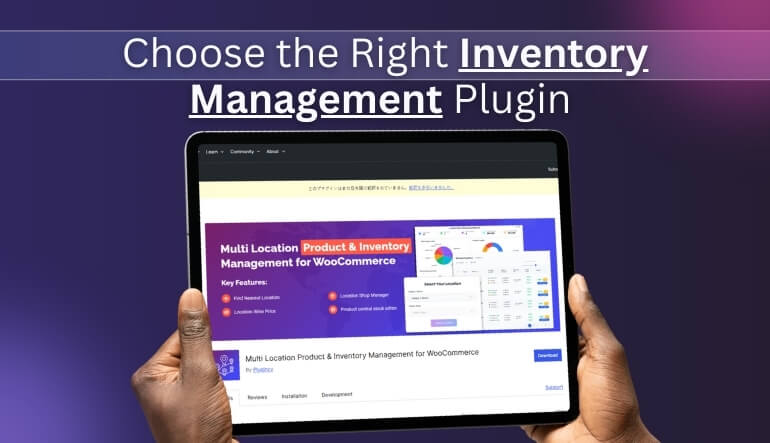
Multi Location Product & Inventory Management for WooCommerce (Plugincy)
- Developer: Plugincy
This plugin is built specifically for WooCommerce stores that need full control over inventory across multiple warehouses or store locations. It offers a complete system where stock, orders, and reporting are all managed at the location level without complexity.
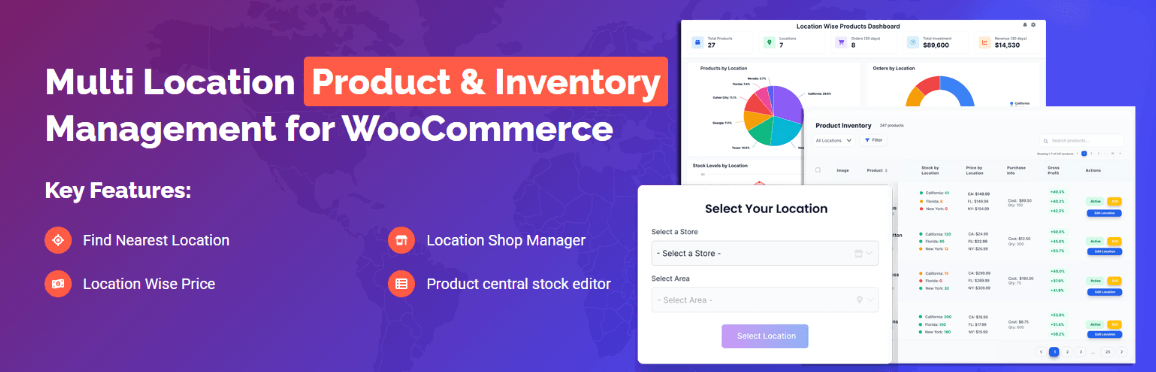
Key Features:
- Manage stock separately for each location with real-time updates
- Automatic order routing based on stock availability or nearest location
- Location-based pricing, shipping, and product visibility
- Built-in reporting with warehouse-level insights
- Supports large catalogs and high order volume efficiently
Best For:
Stores with multiple warehouses or growing operations that need automation and accurate stock control.
Multi Inventory Management for WooCommerce (Addify)
- Developer: Addify
Addify provides a structured way to manage inventory across multiple locations with flexible rules. It focuses on warehouse-level control and is ideal for stores that need organized inventory handling without complex automation.
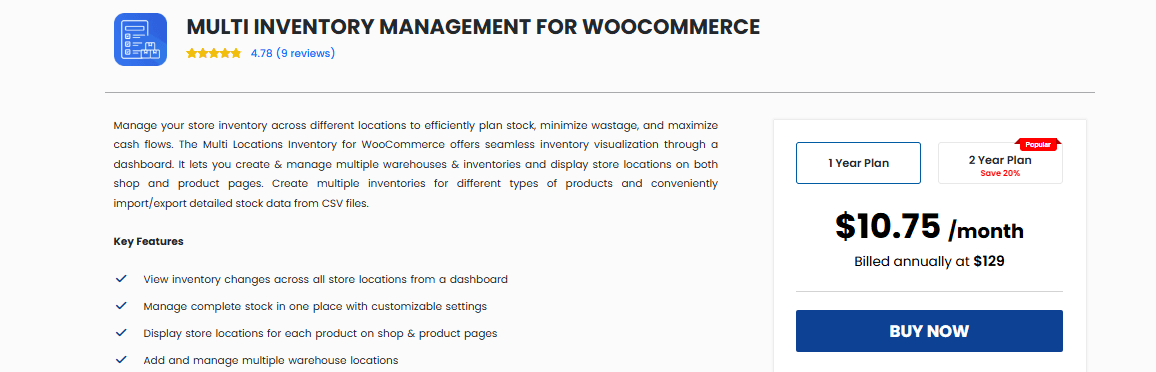
Key Features:
- Add multiple inventory locations per product
- Manage stock and availability per warehouse
- Bulk import/export for inventory management
- Flexible rules for inventory handling and stock updates
- Supports backorders and stock adjustments
Best For:
Stores that require structured warehouse management and controlled inventory rules.
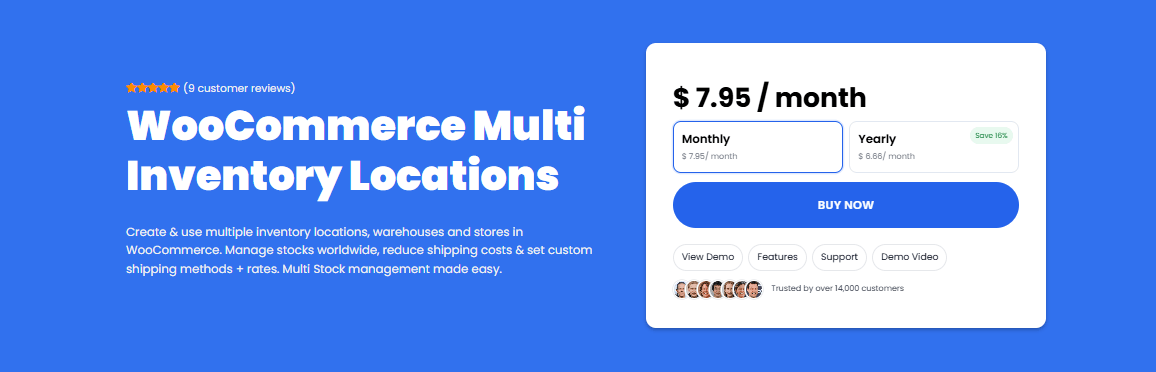
WooCommerce Multi Inventory (Multi Warehouse) – weLaunch
- Developer: weLaunch
This plugin is designed for stores handling large-scale inventory across multiple warehouses. It focuses on performance, scalability, and reliable stock handling, making it suitable for high-volume operations.
Key Features:
- Unlimited warehouse support with per-location stock
- Automatic order routing and fallback logic
- High-performance inventory sync for large catalogs
- Advanced stock control for complex operations
- Suitable for handling thousands of products
Best For:
Large WooCommerce stores with high product volume and multiple fulfillment centers.
WooCommerce Multi Locations Inventory (Techspawn)
- Developer: Techspawn Solutions
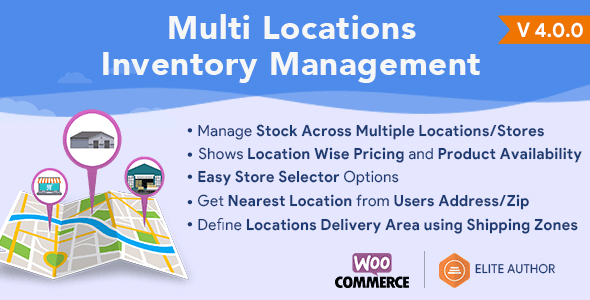
Techspawn offers a balanced solution for stores that need both flexibility and functionality. It allows you to manage inventory across multiple locations while maintaining control over pricing and availability.
Key Features:
- Manage multiple warehouses with separate stock tracking
- Location-based pricing and product availability
- Automatic or manual order assignment by location
- Supports regional distribution setups
- Easy-to-manage interface for store owners
Best For:
Retail businesses managing multiple stores or regional warehouses.
Multiloca – WooCommerce Multi Location Inventory
- Developer: Techspawn / CodeCanyon ecosystem
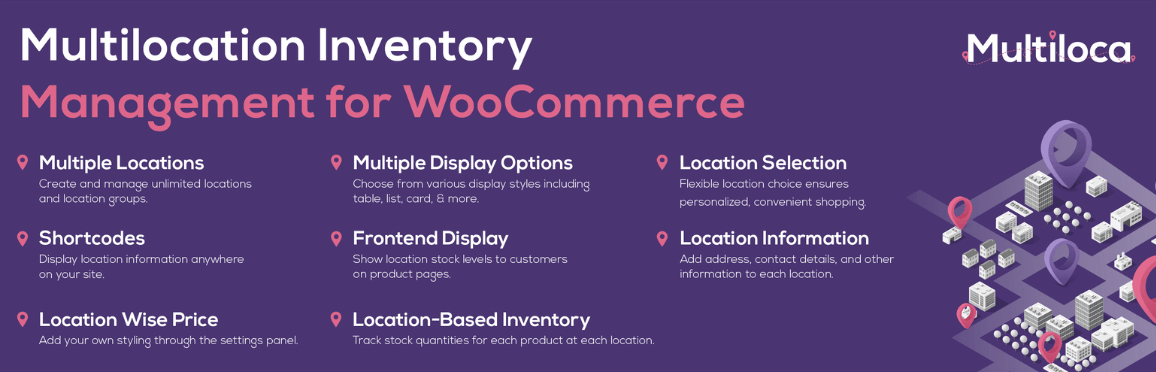
Multiloca is a simplified version of multi-location inventory management, offering essential features without heavy complexity. It is suitable for stores that need basic location-based stock control.
Key Features:
- Assign stock across multiple locations
- Allow customers to select preferred location
- Simple setup with minimal configuration
- Basic reporting and stock visibility
- Lightweight performance
Best For:
Small to mid-sized stores that need basic multi-location functionality without advanced automation.
ATUM Inventory Management for WooCommerce
- Developer: Stock Management Labs
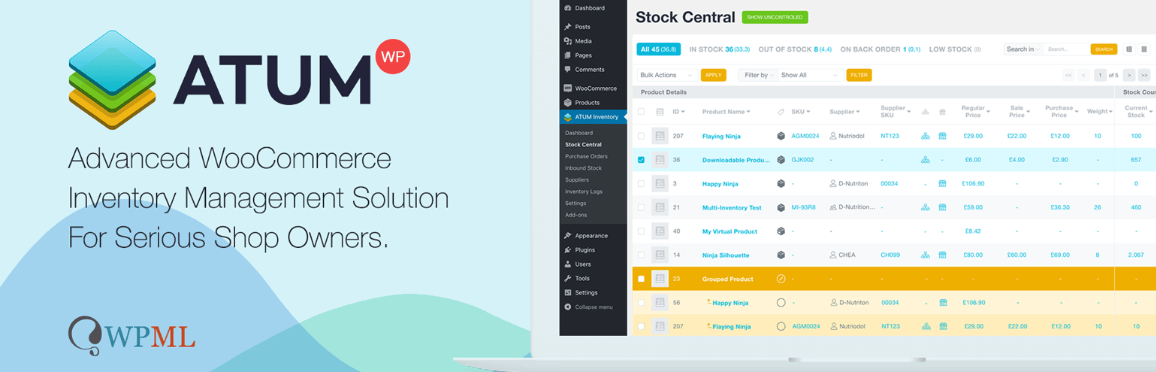
ATUM is a feature-rich inventory management system for WooCommerce stores that need deeper control over stock, suppliers, and reporting. While the core plugin focuses on centralized inventory tracking, it can be extended into a multi-location solution using its premium add-ons. This makes it suitable for growing businesses that need flexibility without switching platforms.
Key Features:
- Advanced inventory dashboard with detailed insights
- Multi-location support via add-on
- Supplier and purchase order management
- Stock tracking and reporting tools
- Flexible system for custom workflows
Best For:
Stores that need a flexible and customizable inventory system with advanced reporting.
Stock Locations for WooCommerce
- Developer: Fahad Mahmood
This is a lightweight plugin designed for basic multi-location inventory needs. It provides essential features for managing stock across different locations without complexity.

Key Features:
- Assign stock to multiple locations
- Allow location selection on product or cart
- Simple stock management interface
- Easy setup with minimal configuration
- Suitable for small operations
Best For:
Small WooCommerce stores or beginners starting with multi-location inventory.
Each plugin serves a different level of business need. Choosing the right one depends on whether you need basic location tracking, structured warehouse control, or full automation with advanced routing and reporting.
Advanced Inventory Control & Scalability Comparison
As your store grows, managing inventory across multiple locations becomes more complex. This section compares how each plugin handles deeper inventory control, including variation-level stock, stock transfers, and overall scalability. These capabilities are critical for stores aiming to implement WooCommerce multi warehouse inventory management at scale.
Inventory Control & Scalability Features
| Plugin | Variation-Level Location Stock | Low Stock Alerts | Backorders per Location | Stock Transfer Between Locations | Inventory Accuracy at Scale | Notes |
| Plugincy | Yes | Yes | Yes | Yes | High | Designed for large catalogs and automation |
| Addify | Yes | Yes | Yes | Limited | Medium | Structured warehouse control |
| weLaunch | Yes | Yes | Yes | Yes | High | Built for high-performance environments |
| Techspawn | Yes | Yes | Limited | Limited | Medium | Balanced for mid-size stores |
| Multiloca | Limited | Yes | No | No | Medium | Basic functionality only |
| ATUM* | Yes | Yes | Yes | Yes | High | Requires add-on for full support |
| Stock Locations | No | Limited | No | No | Low | Suitable for small setups |
Note: *ATUM requires the multi-inventory add-on for full multi-location functionality.
Key Insight
Advanced inventory control is what separates basic plugins from real multi-location systems.
- Plugincy / weLaunch → High scalability + automation
- Addify / Techspawn → Structured but partially limited
- ATUM → Powerful but requires setup
- Multiloca / Stock Locations → Entry-level solutions
For stores handling multiple warehouses or large product catalogs, features like stock transfer, variation-level tracking, and real-time accuracy are essential for maintaining reliable operations and preventing inventory issues.
Performance & Sync Reliability Comparison
Inventory synchronization plays a critical role in preventing stock errors and maintaining order accuracy across multiple locations. This section compares how each plugin handles real-time updates, system stability, and overselling risk.
Performance & Sync Comparison
| Plugin | Sync Type | Overselling Risk | Performance Stability | Notes |
| Plugincy | Real-time | Very Low | High | Optimized for high-volume stores |
| weLaunch | Real-time | Low | High | Strong for large catalogs |
| ATUM | Hook-based | Low | High | Stable but depends on setup |
| Addify | Partial | Medium | Medium | Needs manual optimization |
| Techspawn | Partial | Medium | Medium | Balanced performance |
| Multiloca | Manual | Medium | Medium | Basic sync logic |
| Stock Locations | Manual | High | Low | Limited for scaling |
Note: Real-time sync is essential to avoid stock mismatch across warehouses.
Order Routing & Fulfillment Logic Comparison
Order routing determines how efficiently orders are assigned to warehouses. This is one of the most important features for stores managing multiple locations.
Routing & Fulfillment Comparison
| Plugin | Auto Routing | Nearest Location Detection | Fallback Logic | Manual Override | Notes |
| Plugincy | Yes | Yes | Yes | Yes | Fully automated system |
| weLaunch | Yes | Yes | Yes | Yes | Geo-based routing supported |
| Techspawn | Yes | Yes | Limited | Yes | Suggests nearest location |
| Addify | Limited | No | No | Yes | Manual control focus |
| Multiloca | Limited | No | No | Yes | Basic routing |
| ATUM | No | No | No | Yes | Requires customization |
| Stock Locations | No | No | No | Yes | No automation |
Note: Plugins with routing reduce shipping time and improve fulfillment efficiency.
Pricing & Cost Value Comparison
Pricing should be evaluated based on long-term value, not just initial cost. This section compares pricing models and feature accessibility.
Pricing Comparison
| Plugin | Free Version | Paid Required for Multi-Location | Pricing Model | Cost Predictability | Notes |
| Plugincy | Yes | Yes | Annual | High | Full features in paid |
| Addify | No | Yes | Subscription | Medium | Feature-based pricing |
| weLaunch | No | Yes | One-time | High | No recurring cost |
| Techspawn | No | Yes | One-time | Medium | Depends on version |
| Multiloca | Yes | Yes | One-time | Medium | Limited free version |
| ATUM | Yes | Yes (add-on) | Add-on based | Medium | Modular pricing |
| Stock Locations | Yes | No | Free | High | Basic features only |
Note: Always check if multi-location features are locked behind paid plans.
Location-Based Reporting & Analytics Comparison
Reporting is essential for tracking inventory performance across locations. This section evaluates how well each plugin provides visibility and insights.
Reporting Comparison
| Plugin | Location Reports | Low Stock Alerts | Export Reports | Inventory Trends | Notes |
| Plugincy | Yes | Yes | Yes | Yes | Full analytics dashboard |
| weLaunch | Yes | Yes | Yes | Yes | Strong reporting system |
| Addify | Yes | Yes | Yes | Limited | Dashboard-based insights |
| Techspawn | Yes | Yes | Limited | Limited | Basic analytics |
| Multiloca | Limited | No | No | No | Minimal reporting |
| ATUM | Yes | Yes | Yes | Yes | Advanced reporting tools |
| Stock Locations | Limited | No | No | No | Entry-level visibility |
Note: Reporting helps optimize restocking and inventory planning decisions.
Use Case Recommendation Comparison
Not all plugins are built for the same type of store. This section helps match plugins with real-world business needs.
Best Plugin by Use Case
| Use Case | Best Plugin | Why It Fits |
| Small store (1–2 locations) | Multiloca | Simple setup with basic control |
| Beginner / free solution | Stock Locations | Easy and lightweight |
| Growing store (3–5 locations) | Plugincy (All-in-One) | Automation + reporting + full control |
| Warehouse-focused business | Addify | Structured inventory rules |
| Large catalog (10k–40k+) | Plugincy / weLaunch | High performance + scalability |
| Flexible custom workflows | ATUM | Advanced customization |
| Multi-store retail setup | Plugincy (All-in-One) | Pricing + routing + frontend control |
Why Plugincy = All-in-One Solution
According to official features:
- Manages stock, pricing, orders, and visibility per location
- Supports automatic order routing and fulfillment by location
- Includes reporting, analytics, and inventory tracking per warehouse
- Allows location-based pricing, tax, and payment control
- Works from one centralized WooCommerce dashboard
How to Choose the Right Multi-Location Inventory Plugin?
Choosing the right plugin depends on your store size, number of locations, and how much automation you need. Instead of focusing only on features, use the following points to match the plugin with your actual business needs.
- Consider Your Number of Locations: If you manage only 1–2 locations, a simple plugin is enough. But as you scale to multiple warehouses, you need a system that supports real-time sync, routing, and centralized control across all locations.
- Evaluate Automation vs Manual Control: Some plugins rely on manual stock handling, while others automate order routing, stock updates, and fallback logic. If you want to reduce manual work, choose an all-in-one solution with built-in automation.
- Check Order Routing Capability: Order routing is critical for multi-location stores. Make sure the plugin can assign orders to the nearest or most available warehouse to improve delivery speed and reduce operational complexity.
- Look at Scalability and Performance: If you plan to grow your catalog or handle high order volume, choose a plugin that performs well under load. Real-time sync and stable performance are essential for large stores.
- Review Pricing and Long-Term Value: Some plugins offer basic features for free but lock advanced functionality behind paid plans. Always compare what you get in the paid version and whether the cost remains predictable as you scale.
- Match Plugin with Your Use Case: Different plugins serve different needs. Some focus on simplicity, while others provide full warehouse automation. Choose based on your business type rather than just feature lists.
Quick Recommendation
Choosing the right plugin depends on your store size, complexity, and inventory workflow. The table below gives a quick overview to help you match your specific use case with the most suitable WooCommerce multi-location inventory solution.
| Use Case | Recommended Plugin |
| All-in-one solution | 🏆 Plugincy |
| Structured warehouse control | Addify |
| High-scale performance | weLaunch |
| Flexible system | ATUM |
| Beginner setup | Stock Locations |
The right plugin is not the one with the most features, but the one that fits your workflow, scale, and operational needs without adding unnecessary complexity.
Common Mistakes to Avoid When Choosing a Plugin
Many store owners choose the wrong plugin because they focus only on basic features. Avoiding these common mistakes can save time, money, and operational issues later.
- Choosing a Basic Inventory Plugin: Not all inventory plugins support multiple locations. Many only manage global stock, which is not suitable for multi-warehouse setups.
- Ignoring Order Routing Features: Without proper routing, orders will not be fulfilled efficiently. This leads to delays, higher shipping costs, and poor customer experience.
- Not Testing Real Scenarios: Always test how the plugin handles multiple locations, stock updates, and order processing. Some plugins look good in features but fail in real-world usage.
- Overlooking Performance and Sync: Slow or manual inventory sync can cause overselling and stock mismatches. Real-time or reliable sync is essential for accurate inventory management.
- Paying for Features You Don’t Need: Some advanced plugins offer many features that may not be necessary for small stores. Choose a plugin that matches your needs instead of overpaying.
- Ignoring Future Scalability: A plugin that works for a small store may not handle growth. Always consider future expansion when making your choice.
Avoiding these mistakes ensures you select a plugin that not only works today but continues to support your store as it grows and becomes more complex.
Frequently Asked Questions (FAQ)
This section answers common questions users search before choosing a plugin, helping improve visibility in featured snippets and AI results.
What is a multi-location inventory plugin in WooCommerce?
A multi-location inventory plugin allows you to manage stock across multiple warehouses or store locations within a single WooCommerce dashboard. It tracks inventory separately for each location and updates stock in real time to ensure accuracy.
Does WooCommerce support multiple warehouse inventory by default?
No, WooCommerce only supports global stock management by default. To manage inventory across multiple warehouses or stores, you need a dedicated WooCommerce multi location inventory plugin.
Which is the best multi-location inventory plugin for WooCommerce?
The best plugin depends on your needs. Plugincy is a strong all-in-one solution, Addify works well for structured warehouse setups, and weLaunch is suitable for large-scale operations with high product volume.
Can I manage inventory across multiple locations in WooCommerce?
Yes, with the right plugin, you can manage inventory across multiple locations, assign stock per warehouse, and automate order fulfillment based on stock availability or location.
Is there a free multi-location inventory plugin for WooCommerce?
Yes, some plugins like Stock Locations for WooCommerce offer basic multi-location features for free. However, advanced features such as automation and reporting are usually available in paid versions.
What features should I look for in a multi-location plugin?
You should look for per-location stock management, order routing, real-time inventory sync, reporting, and scalability. These features ensure accurate inventory control and efficient operations.
Final Thoughts & Recommendation
Choosing the right multi-location inventory management plugin is essential for running a smooth and scalable WooCommerce store. As your business grows, managing stock across multiple warehouses without the right system can lead to errors, delays, and lost sales.
If you want a complete solution that handles inventory, order routing, pricing, and reporting in one place, Plugincy stands out as the best all-in-one option. For structured warehouse control, Addify is a solid choice, while weLaunch works well for stores handling large catalogs and high order volumes. Beginners or small stores can start with lightweight options and upgrade as their needs grow.
The key is to choose a plugin that matches your current setup while also supporting future expansion. A well-chosen system not only improves inventory accuracy but also enhances customer experience and operational efficiency.
