

SureCart and WooCommerce are two leading eCommerce platforms that help you build and manage online stores. SureCart is known for its simplicity, speed, and built-in tools that make selling digital products effortless. WooCommerce, on the other hand, is a robust and highly customizable WordPress plugin designed for larger, more complex stores.
When comparing SureCart Vs WooCommerce, the main difference between SureCart and WooCommerce is ease of use. SureCart is simpler and faster for beginners. It has built-in tools and works well for digital stores. WooCommerce is more powerful and flexible, but harder to set up. It suits big stores and offers more customization with plugins.
In this blog, we’ll break down their pros, cons, and key features to help you decide which platform best fits your business. Let’s dive in!
SureCart Vs WooCommerce: What Are the Key Differences?
SureCart and WooCommerce are two popular eCommerce platforms built for WordPress users with different business needs. SureCart focuses on simplicity, cloud performance, and built-in tools for digital stores. WooCommerce, a long-standing open-source solution, offers greater flexibility and customization for complex shops. Both provide strong functionality, but their core goals cater to entirely different types of entrepreneurs.
| Aspect | SureCart | WooCommerce |
| Platform Type | Headless eCommerce plugin with SaaS elements focused on digital stores | Open-source WordPress plugin ideal for large and complex stores |
| UI/UX | Modern, intuitive dashboard with drag-and-drop editing; minimal clutter, perfect for beginners | WordPress-integrated UI with block-based editing; flexible, but it can feel overwhelming |
| Ease of Use | Extremely beginner-friendly; guided onboarding and built-in tools reduce setup time | Requires multiple extensions; the setup wizard helps, but still more complex |
| Speed | Headless architecture offloads work to the cloud, ensuring faster load times | Depends on hosting and optimization; it can slow down with heavy plugins |
| Customization | Limited but stable; focuses on essential elements and simple UI tweaks | Highly customizable; supports hooks, extensions, and deep developer control |
| Emails | Built-in transactional and recovery emails with templates ready to use | Basic emails by default; advanced automation needs paid extensions like AutomateWoo |
| Payments | Integrated with Stripe, PayPal, and others; supports subscriptions and one-click checkouts | Hundreds of gateways available via extensions; WooPayments adds Apple Pay and deposit options |
| Extra Features | Built-in subscriptions, order bumps, memberships, and abandoned cart recovery | Requires extensions for advanced features like bookings, multichannel sync, and marketplaces |
| Checkout | One-page customizable checkout with upsells and mobile optimization | Flexible but requires optimization; plugins needed for express or one-click options |
| Security | SaaS model with automatic updates, backups, and GDPR compliance | Self-managed security relies on SSL, updates, and WordPress best practices |
| Scalability | Cloud-based auto-scaling is suitable for small to mid-sized stores | Fully scalable for large stores with proper hosting and developer support |
| Ideal For | Solopreneurs, small teams, and digital product sellers | Established or growing businesses needing complex, highly customizable setups |
| WooCommerce Product Filters | Built-in product filtering is not required due to simplicity | Advanced WooCommerce product filters and sorting are available via extensions |
| Cost Structure | Freemium model; most features built-in, fewer add-ons needed | Free core, but extensions can add up; variable long-term costs |
UI/UX
SureCart features a modern, intuitive dashboard that’s easy to navigate, even for complete beginners starting out online. Its drag-and-drop builder helps create polished checkouts and pages without coding or bulky themes. The interface reduces clutter, letting users focus on what matters—selling products. While it’s ideal for simplicity, branding options are slightly limited compared to flexible systems.
WooCommerce’s UI is familiar to WordPress users but includes deeper menus and a more detailed setup experience overall. The block-based editor has improved usability, yet it may feel complex to newcomers. It’s highly customizable, giving store owners more design control. However, managing numerous extensions can make the dashboard feel heavy, especially for those new to online store management.
Ease of Use
SureCart stands out for its beginner-friendly onboarding and simple product setup within minutes of installation. Built-in tools reduce the need for multiple plugins, cutting setup time and technical headaches. It’s a dream for solopreneurs or small teams aiming to start selling fast. Its simplified admin panel ensures users focus on growth, not endless configurations.
WooCommerce provides a setup wizard but demands several extensions to reach full functionality, especially for advanced store types. While updates in 2025 improved block editing and guidance, beginners may still feel overwhelmed. Its versatility benefits experienced users who enjoy hands-on customization. However, plugin conflicts and manual tweaks can make maintenance more time-consuming than cloud-based alternatives like SureCart.
Speed
SureCart’s headless architecture offloads heavy processing to cloud servers, resulting in fast, responsive performance under all conditions. This design minimizes WordPress load, ensuring smooth customer experiences even during peak traffic hours. The built-in optimization offers consistent stability without manual tuning. It’s particularly well-suited for stores selling digital products or subscriptions that prioritize lightweight performance.
WooCommerce’s speed depends largely on hosting quality, caching, and optimization efforts made by the store owner. While strong hosting boosts results, extensive plugins and large inventories can slow it down significantly. Manual performance tuning is often necessary to maintain responsiveness. Despite that, optimized stores can still achieve excellent results with proper caching and minimal plugin overload.
Customization
SureCart provides solid customization options through blocks, themes, and API integrations for moderate flexibility. It focuses on essential eCommerce elements, reducing technical friction and keeping stores stable. Users can adjust layouts and workflows, but won’t access deep system-level control. Its SaaS-like reliability makes it easier to manage compared to highly extensible open-source setups.
WooCommerce excels in customization, offering thousands of extensions, hooks, and developer tools for advanced store creation. Its open-source nature allows full freedom to build tailored, feature-rich eCommerce systems. Business owners can easily add functions like advanced product filtering or shipping calculators. Features such as WooCommerce product filters highlight how flexible and personalized a WooCommerce store can become.

Emails
SureCart includes built-in email notifications for key actions like orders, recoveries, and subscription renewals. Templates are ready-to-use and easy to customize, saving time for non-developers. Integrations with Zapier and similar tools enhance automation potential. It’s designed to simplify communication without extra plugins or expensive add-ons, ideal for growing businesses.
WooCommerce’s core email functions cover essentials such as order confirmations and shipment updates. However, advanced automation or marketing sequences require paid extensions like AutomateWoo. Customization is possible but needs more setup and maintenance. While flexible, these add-ons increase long-term costs and complexity compared to SureCart’s built-in email solutions.
Payment
SureCart supports major gateways like Stripe and PayPal, making payments smooth and reliable for global customers. Its native setup includes one-click checkouts, recurring billing, and automatic tax handling. No additional fees on paid plans make it cost-efficient for consistent revenue models. These integrated tools ensure seamless transactions with minimal configuration.
WooCommerce integrates hundreds of payment gateways via extensions, including WooPayments for faster deposits and modern checkout experiences. Apple Pay and Google Pay boost conversion rates and customer convenience. The wide range of options gives sellers unmatched flexibility. However, managing gateway updates and possible fees requires ongoing attention from store owners.
Extra Features
SureCart’s all-in-one toolkit includes order bumps, subscriptions, abandoned cart recovery, memberships, and digital delivery. These built-ins reduce the need for extra plugins, cutting costs and compatibility risks. Its streamlined API supports integrations with over 20 popular tools, making automation easy. For smaller teams, it’s a complete, low-maintenance eCommerce solution right out of the box.
WooCommerce offers core functionality for free, but expands through 1,000+ extensions for advanced features. Store owners can add tools for bookings, marketplaces, or multi-channel selling. Its vast ecosystem supports complex needs for larger operations. Though powerful, this modular structure can increase costs and require technical expertise to maintain smooth performance.
Checkout
SureCart delivers a fast, frictionless checkout experience using customizable blocks for one-page designs. It supports upsells, order bumps, and secure payments all optimized for mobile users. The simplified process improves conversions by minimizing extra steps. Its architecture ensures consistency across devices and keeps checkout loading speeds quick.
WooCommerce provides strong checkout flexibility but requires additional plugins for one-click or express options. Customization can significantly enhance performance and customer satisfaction. Studies show streamlined checkouts can boost conversion rates by up to 35%. However, achieving that fluid experience often means configuring multiple extensions and optimizing design settings.
Security
SureCart’s SaaS-based structure ensures automatic updates, backups, and compliance with GDPR and global data laws. Its cloud infrastructure adds an extra layer of reliability and security. Users don’t need to manage patches or firewalls manually. For small to mid-sized merchants, this model offers peace of mind with minimal technical oversight.
WooCommerce, being self-hosted, requires users to handle updates, SSL certificates, and plugin security. While reliable, it relies heavily on proper maintenance and responsible management. Security plugins can strengthen protection but also add complexity. Experienced developers can create highly secure setups, though less technical users may find upkeep demanding.
Scalability
SureCart’s auto-scaling cloud system adapts easily to growing stores, handling spikes without slowing performance. It’s ideal for digital or subscription-based businesses aiming for predictable growth. However, large physical inventories might outgrow their current infrastructure limits. For most small and mid-level operations, scalability is handled automatically and effortlessly.
WooCommerce is extremely scalable, thriving in large-store environments with strong hosting and optimized configurations. Open-source flexibility allows advanced scaling through custom solutions and developer input. It can support thousands of orders monthly without restrictions. Although powerful, scalability depends on proactive resource management and consistent technical oversight.
When Should You Choose SureCart?
You should choose SureCart if you want a simple, modern, and lightweight eCommerce solution. It focuses on ease of use, speed, and built-in advanced selling features without requiring multiple plugins. It is especially ideal for:
- Digital Product Sellers and Creators: SureCart handles digital downloads securely with built-in delivery and license key generation.
- Coaches, Educators, and Online Course Creators: It integrates easily with popular LMS like LearnDash and supports memberships and subscriptions.
- Small Businesses and Solopreneurs: It’s straightforward setup and clean design cater well to users who want to launch quickly without complex technical setups.
- Subscription-Based Services and Membership Sites: SureCart supports native subscription tools and integrates with membership platforms.
- Stores Looking for a Fast, Lightweight Checkout: SureCart offers a fast, mobile-optimized slide-out cart and smooth checkout experience that can boost conversions by not slowing down the website.
- Businesses Wanting Predictable Pricing: Unlike WooCommerce, which often needs multiple paid extensions, SureCart provides many advanced features like order bumps, upsells, affiliate tools, and cart abandonment recovery included in the package.
- EU-Based Merchants: It includes full compliance features like VAT handling and invoice requirements.
- Those Needing Seamless Scalability: SureCart is platform-based with cloud-powered infrastructure, automatically handling traffic spikes without crashing.
Pros and Cons of Using SureCart
SureCart is a new and simple eCommerce tool that helps you sell online with ease. It’s built for beginners and small businesses who want to start fast without handling too many plugins. Below are some clear pros and cons to help you decide if it’s the right choice for your store:
| Pros | Cons |
| Free and flexible pricing | Limited payment gateways |
| Supports digital and physical products | No bulk editors for inventory and orders |
| Easy drag-and-drop customization | No native product listing or filters |
| Lightweight and fast performance | Limited integration with popular page builders |
| Built-in advanced sales tools | Pay-as-you-go extras can add costs |
| Headless backend for security and speed | Smaller plugin ecosystem |
Pros
- Free Plan and Flexible Pricing: Beginners can start without upfront fees, and pricing scales with usage.
- Support for Digital and Physical Products: You can sell downloads, subscriptions, and physical goods in one plugin.
- Simple Visual Editor: The drag-and-drop block editor makes customizing checkout pages and carts easy without coding.
- Multiple Payment Gateways: Supports popular payment options, including Stripe and PayPal.
- Lightweight and Fast: Designed to avoid bloating your site, resulting in fast load times and better user experience.
- Built-In Advanced Features: Includes order bumps, upsells, affiliate tracking, and cart abandonment recovery without needing extra paid extensions.
- Headless Architecture: Backend data is stored externally, reducing security risks and preventing plugin conflicts from slowing down your WordPress site.
- EU VAT Compliance: Features built-in handling for VAT and invoice requirements.
Cons
- Limited Payment Gateway Options: Not as many payment choices as WooCommerce.
- No Bulk Editors: Inventory and order management lack bulk editing tools, which can be tedious for larger stores.
- Product Page Limitations: Products need separate individual pages with no native product listing or filterable category pages, which can reduce usability for larger catalogs.
- Fewer Integration and Styling Options: It lacks full compatibility with popular visual page builders like Elementor and Beaver Builder. Advanced styling outside standard blocks requires custom CSS.
- Potential Extra Costs: Pay-as-you-go extras can add up depending on store scale and features.
- Lack of Large Marketplace Plugins: Smaller ecosystem compared to WooCommerce means fewer third-party plugins and integrations.
Migration steps From SureCart to WooCommerce
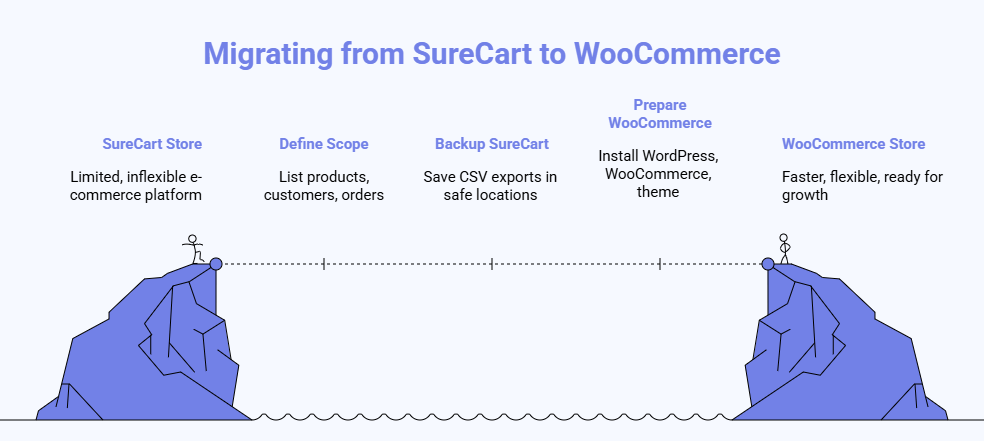
Moving from SureCart to WooCommerce can feel big, but a clear plan makes everything smoother. This guide walks you through every step, from backups to launch. Follow each section, check results often, and fix small issues early. You will finish with a faster, flexible store ready for growth and success.
Step 1: Define Scope and Goals
Write down what you will move and why this change matters. List products, categories, customers, orders, subscriptions, and downloads. Note any custom rules, coupons, or taxes that your store uses today. Set a timeline, assign owners, and mark success checkpoints.
Step 2: Back Up Your Surecart Store
Create a full backup of products, customers, orders, and related media. Save CSV exports and store copies in two safe locations. Keep credentials and API keys in a secure vault. Verify each file by spot-checking a few records.
Step 3: Prepare a WooCommerce Environment
Install WordPress and WooCommerce on a staging site with secure hosting. Choose a compatible theme that supports blocks and clean performance. Add only essential plugins for now to keep things light. Create admin accounts and enforce strong authentication.
Step 4: Export Data From Surecart
Download CSV files for products, customers, and orders from your SureCart dashboard. Include subscription details and downloadable files where available. Export coupon lists and tax rules if you use them. Keep a log of each export with timestamps.
Step 5: Map Data Fields Carefully
Open your CSVs and compare columns with WooCommerce import formats. Align product titles, SKUs, prices, stock, and categories. Match customer names, emails, addresses, and order line items. Document these mappings so your team can follow them.
Step 6: Run a Demo Migration
Import a small sample set into the staging store. Check product details, images, variations, and checkout flow. Review customer accounts and a few recent orders for accuracy. Adjust mappings and repeat until results look correct.
Step 7: Import Products Into WooCommerce
Use the built-in CSV importer for simple catalogs and variations. Split large catalogs into smaller batches to avoid timeouts. Confirm prices, stock levels, and categories after each batch. Rebuild product attributes and tags for clean navigation.
Step 8: Import Customers and Orders
Bring in customers next using the mapped fields you documented. Import recent orders and then older orders by date range. Confirm totals, taxes, and item quantities by sampling several orders. Ask teammates to review random records for confidence.
Step 9: Move Media and File Assets
Upload product images to the WordPress media library in organized folders. Link images to products and regenerate thumbnails if needed. Place digital files in secure directories and connect them to downloads. Test a sample purchase to confirm file delivery.
Step 10: Configure Payments, Taxes, and Shipping
Activate gateways like Stripe or PayPal and run test transactions. Set tax classes, rates, and automatic calculations as required. Define shipping zones, methods, and label printing if you need it. Confirm checkout totals match your previous store.
Step 11: Replace SureCart Features With Extensions
Identify features you used in SureCart, like subscriptions, bumps, and recoveries. Review reliable WooCommerce extensions and read an ECWID and WooCommerce comparison for a wider context without changing your plan. Install only what you need to launch smoothly. Configure each tool and test key flows.
Step 12: Test the Store End to End
Place test orders with different products, coupons, and shipping methods. Create, cancel, and refund orders to verify workflows. Check customer account creation, password resets, and email notifications. Ask a few non-technical users to try the checkout.
Step 13: Set Up Redirects and Seo Checks
Map old URLs to new paths and create 301 redirects. Verify redirects with a crawler and fix any missed links. Update sitemaps and submit them to search engines. Review meta titles, descriptions, and product schema.
Step 14: Take a Final Backup and Launch
Capture a fresh backup of the staging site and database. Point your domain to the new WooCommerce host. Clear caches and re-check SSL, payments, and taxes. Announce the switch and share helpful instructions with customers.
Step 15: Monitor, Support Customers, and Improve
Watch logs, error reports, and performance during the first week. Respond quickly to tickets about accounts, orders, or downloads. Tweak caching and plugins to keep the site fast. Plan follow-up improvements once things stabilize.
When Should You Choose SureCart?
You should choose WooCommerce if you want a powerful, flexible, and fully customizable eCommerce platform that gives you complete control over your store. It’s perfect for users who need advanced functionality, scalability, and access to thousands of integrations and extensions. WooCommerce is ideal for:
- Large or Complex Online Stores: WooCommerce supports extensive product catalogs, complex product variations, filterable categories, advanced shipping rules, and multi-location inventory management.
- Physical Product Sellers: WooCommerce has mature features and many specialized plugins for handling shipping, tax calculations, inventory, and order fulfillment.
- Customizable, Feature-Rich Stores: With thousands of plugins and themes, WooCommerce lets you add almost any functionality, including marketplaces, memberships, subscriptions, dynamic pricing, and detailed reporting.
- Developers and Advanced Users: WooCommerce is open-source and highly extensible, allowing deep customization through code, APIs, and third-party integrations.
- Sellers Wanting Full Control: Since everything is self-hosted on your WordPress site, you control your data, server, and customization, unlike hosted platforms.
- Stores Wanting Large Plugin Ecosystem: WooCommerce integrates with hundreds of official and third-party plugins that extend everything from marketing to SEO to checkout optimizations.
- Budget-Conscious Sellers: The core WooCommerce plugin is free; you can selectively pay for only essential add-ons.
Pros and Cons of Using WooCommerce
WooCommerce is one of the most popular tools for building online stores on WordPress. It helps people sell products easily, whether digital or physical. Let’s look at its main advantages and disadvantages to understand why so many businesses choose it.
| Pros | Cons |
| Highly flexible and customizable | Requires WordPress |
| Full control over data and hosting | Self-hosted requires maintenance and security |
| SEO friendly with clean URLs | Potentially high hidden costs for addons |
| Large community and plugin ecosystem | Performance can degrade without optimization |
| Scalable to large stores with suitable hosting | Steeper learning curve for beginners |
| Integration with numerous payment and marketing tools | Limited direct support without an enterprise plan |
Pros
- Flexibility and Customization: WooCommerce can sell any type of product (physical, digital, subscription) and be customized extensively using thousands of free and paid plugins and themes.
- Complete Control: As a self-hosted solution with open-source code, you control your data, hosting, and customization options.
- Wide Adoption and Community: It powers millions of online stores and has a large community of developers and users who provide support and plugin development.
- SEO Friendly: Built on WordPress, it inherits excellent SEO capabilities with clean URLs and compatibility with popular SEO plugins.
- Affordable core plugin: WooCommerce itself is free, allowing small businesses to start with low upfront costs.
- Scalable: With proper hosting and optimization, WooCommerce can handle large product catalogs and high traffic volumes.
- Integration: Easily integrates with payment gateways, shipping providers, marketing platforms, and CRM systems.
Cons
- WordPress Dependency: WooCommerce requires a WordPress site; it is not a standalone platform.
- Hosting and Maintenance Required: You must arrange hosting, security, backups, and updates yourself or hire developers.
- Hidden Costs: Premium themes, plugins, payment gateways, and developer services can add significant costs beyond the free core plugin.
- Performance Challenges: Large product catalogs and many installed plugins can slow down the store without proper optimization.
- Steep Learning Curve: Managing WooCommerce can be complex for beginners, requiring some technical knowledge to maintain and scale effectively.
- Limited Direct Support: Most support comes from community forums or paid enterprise plans; no direct customer service for free users.
- Occasional Compatibility Issues: Plugin conflicts and update errors can cause site breakage if not carefully managed.
Migration steps From WooCommerce to SureCart
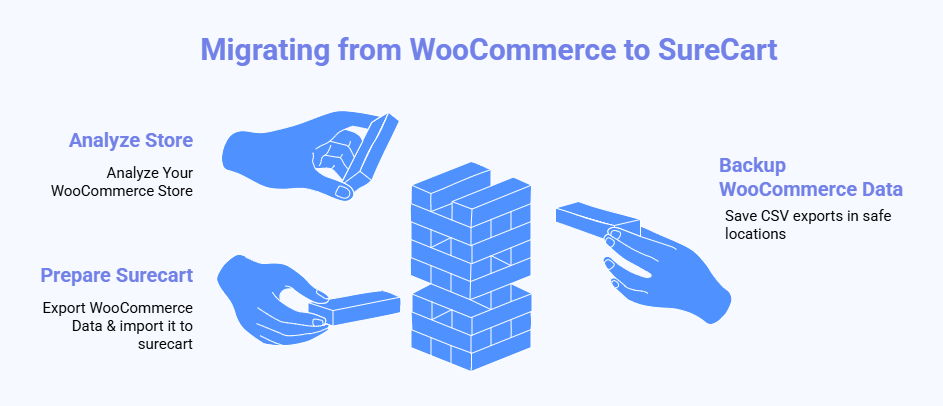
Switching from WooCommerce to SureCart can make your store simpler, faster, and easier to manage. This guide helps you move data safely without losing important details. You’ll learn how to export, import, test, and launch your new store easily. Follow each step carefully to ensure a smooth, worry-free transition.
Step 1: Analyze Your WooCommerce Store
Start by reviewing every part of your current store. List products, categories, customers, orders, subscriptions, and downloads you want to move. Note which plugins affect product pricing or checkout. This list helps you avoid missing critical information during the migration.
Step 2: Backup Your WooCommerce Data
Save copies of your product, order, and customer data as CSV files. Keep a separate backup of images and digital files too. Store these securely using cloud storage or an external drive. Double-check that each file opens correctly before you move forward.
Step 3: Set Up Your Surecart Environment
Install SureCart on your WordPress site and go through the setup wizard. Add store details like name, branding, and currency. Configure your basic payment settings to prepare for the imports. Make sure your theme looks clean and mobile-friendly before uploading data.
Step 4: Export WooCommerce Data
Use the export tool in WooCommerce to download products, customers, orders, and subscriptions. Separate files by type so you can track them easily. Keep CSVs organized and name them clearly to prevent confusion later. Review data fields so you know what to match during import.
Step 5: Import Customers to Surecart
Upload your customer CSV file using SureCart’s import feature. Check that names, emails, and purchase histories show correctly. Test logins to make sure returning buyers can still access their accounts. If any information seems missing, repeat the import with corrected fields.
Step 6: Import Product Catalog
Bring your products into SureCart through the product import tool. Include titles, prices, images, and descriptions for each item. Verify product visibility and confirm images appear correctly. Keep your product slugs the same to maintain SEO consistency.
Step 7: Transfer Orders and Subscriptions
Import your order and subscription files into SureCart. Confirm order totals, item details, and payment statuses look accurate. If you use subscriptions, connect Stripe to automatically import active plans. Take your time checking older orders to make sure they appear properly.
Step 8: Configure Payments and Checkout
Connect gateways like Stripe or PayPal and test a few transactions. Set tax rules, currency, and payment methods that fit your business. Consider reviewing WooCommerce high-risk payment gateways before finalizing your payment setup to choose safe, compliant options. Run test checkouts to confirm the payment process is correct.
Step 9: Adjust Branding and Notifications
Customize your store colors, logo, and checkout styling to match your brand. Update customer notifications like order confirmations and renewal reminders. Set email subjects and messages that sound friendly and helpful. Test emails to make sure they display properly on all devices.
Step 10: Sync WordPress User Accounts
Ensure that user accounts from WooCommerce connect smoothly with SureCart. Log in as a few test customers to confirm everything works. Check subscriptions and purchase histories to verify links remain accurate. If needed, adjust user permissions and re-sync accounts.
Step 11 : Test Full Store Functionality
Run a complete test of your SureCart store before going live. Add products to the cart, place test orders, and verify receipts. Try different payment methods and refund processes. Fix any broken links or missing data you find during testing.
Step 12: Backup and go live
Once everything looks perfect, take one final backup of your SureCart store. Point your domain to the new site and update DNS settings. Announce the migration to customers and provide clear login instructions. Keep the WooCommerce backup safe for reference later.
Frequently Asked Questions About SureCart Vs WooCommerce
Choosing between SureCart and WooCommerce can be confusing if you’re new to e-commerce. Both platforms offer great tools, but they suit different store types and user needs. Below are ten frequently asked questions to help you decide which fits your goals better.
Which Platform Is Better for Digital Product Sellers?
SureCart is ideal for digital product sellers since it includes built-in tools for downloads, subscriptions, and memberships. WooCommerce can also handle digital products, but often requires additional plugins, making SureCart a faster and simpler choice for this purpose.
Does SureCart Work Without WordPress?
No, SureCart works as a WordPress plugin, but it operates through a headless system that connects to the cloud. This means your store runs faster and smoothly while still letting you manage everything through the familiar WordPress dashboard.
Can I Use Both SureCart and WooCommerce Together?
Yes, you can technically install both on one WordPress site, but it’s not recommended. Running two eCommerce plugins may cause conflicts, slow performance, and confusion with product management. It’s best to choose one platform for consistent results.
Which One Is More Budget-Friendly in the Long Run?
SureCart offers more built-in features, reducing the need for multiple paid extensions. WooCommerce starts free, but can become costly due to premium plugins. For smaller stores, SureCart often ends up cheaper; larger stores may justify WooCommerce’s plugin costs.
How Do Updates and Maintenance Differ Between Them?
SureCart updates automatically through the cloud, meaning fewer manual tasks for store owners. WooCommerce requires regular plugin and theme updates, which can sometimes break features. SureCart’s SaaS-style system offers simpler maintenance and lower technical responsibility overall.
Which Platform Handles Large Product Inventories Better?
WooCommerce handles large catalogs more effectively because it’s open-source and highly customizable. You can fine-tune databases, hosting, and caching for performance. SureCart performs great for smaller and medium stores, but it isn’t built for massive, inventory-heavy setups yet.
Do Both Platforms Support Multi-Currency Stores?
Yes, both platforms support multi-currency operations, though in different ways. WooCommerce offers this through plugins and integrations, while SureCart includes built-in currency and tax support. This makes SureCart faster to configure for global customers from the start.
Can SureCart Handle Membership and Subscription Sites?
Absolutely, SureCart was designed with subscriptions and memberships in mind. It manages recurring payments, renewals, and member access directly from your dashboard. WooCommerce can do this too, but needs additional extensions, making SureCart the simpler solution here.
How Does Customer Support Compare Between the Platforms?
SureCart provides direct support through its dedicated team and quick in-dashboard help options. WooCommerce relies on community forums, documentation, and plugin developers. While WooCommerce has vast resources, SureCart’s direct assistance often feels faster and more personal.
Which Platform Is More Beginner-Friendly for Setup?
SureCart wins for beginners with its clean interface, guided setup, and all-in-one design. WooCommerce takes longer because of its extensions and configurations. SureCart’s approach helps first-time store owners launch faster without technical frustration or plugin overload.
Wrap Up
Choosing between SureCart and WooCommerce comes down to what kind of store you want to run. SureCart is simple, fast, and great for beginners who want to start selling quickly. WooCommerce is better for bigger stores that need more features and control.
When comparing SureCart Vs WooCommerce, both have strong points that fit different goals. SureCart works best for small shops and digital sellers, while WooCommerce helps larger businesses grow with more flexibility. Each platform can be powerful when used the right way. Think about your needs, test both options, and choose what feels easiest for you.
