
New
AI Slider Builder and shoppable stories
Slidario: AI Product Slider & Carousel for WooCommerce
Shoppers leave when they cannot see the right product fast. Slidario is a WooCommerce product slider and product carousel plugin that puts your best sellers, sale items, categories and reviews in fast, swipeable sliders on any page, styled to match your theme. Start free with 9 slider types, or use the AI product slider for WooCommerce: describe the slider in one line and AI builds it. Then see which slider brings clicks and sales.
✓ 9 slider types free
✓ Matches your theme
✓ Loads only where a slider is
● ● ● yourshop.com

Create a slider with AI · PRO
“Autumn sale on the homepage: best-selling coats under $200, show the discount”
✓ Type
Product slider
✓ Products
8 best sellers
✓ Badges
Sale %
✓ Saved as
Draft to review
What the Slidario WooCommerce Product Slider Does for Your Store
Four problems every WooCommerce store has, and how Slidario solves each one without code: products shoppers never see, slow and plain sliders, no idea what sells, and hours lost building them.
● ● ● yourshop.com › Shop by category

Why it matters
Why Your WooCommerce Store Needs a Product Slider
A shopper lands on your home page, sees six products and leaves. The other two hundred never had a chance. A product slider for WooCommerce fixes that: one row shows your best sellers, the next your sale items, the next your categories, each one a swipe away on a phone.
The right slider in the right place also lifts each order. Related products and recently viewed items on the product page, cross-sells on the cart page and a “Hurry, only 3 left” line on low-stock items all give shoppers a reason to add one more thing.
More products seen, more products sold.
Key Features of the Slidario Product Carousel Plugin
Ten slider types and the tools around them, so one plugin covers your whole store: products, categories, reviews, images, videos, posts, logos and before/after photos.
Who Is Slidario For?
Any WordPress site that wants to show more in less space, from a small shop to an agency running dozens of client stores.
How to Add a Product Slider in WooCommerce
Four steps and about five minutes. No code, and the slider takes your theme’s look on its own.
1
STEP 01
Install Slidario
Install it free from WordPress.org and open Slidario in your dashboard.
2
STEP 02
Pick a Template
Choose a product, category or review slider, or describe it and let Pro’s AI build it.
3
STEP 03
Choose Products and Style
Pick sale, best selling or hand-picked products and a style. The live preview updates as you go.
4
STEP 04
Place It and Watch It Work
Add the block, shortcode or page builder widget, or let Pro place it for you. Then see its clicks and sales.
WooCommerce product slider
A WooCommerce Product Carousel That Shows the Right Products
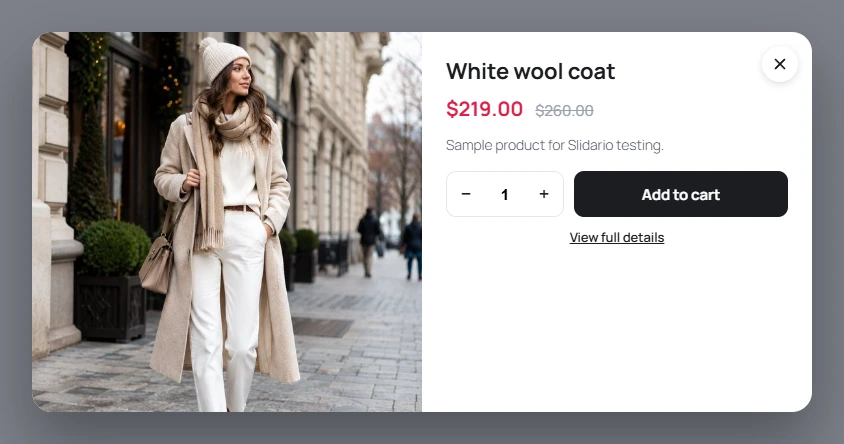
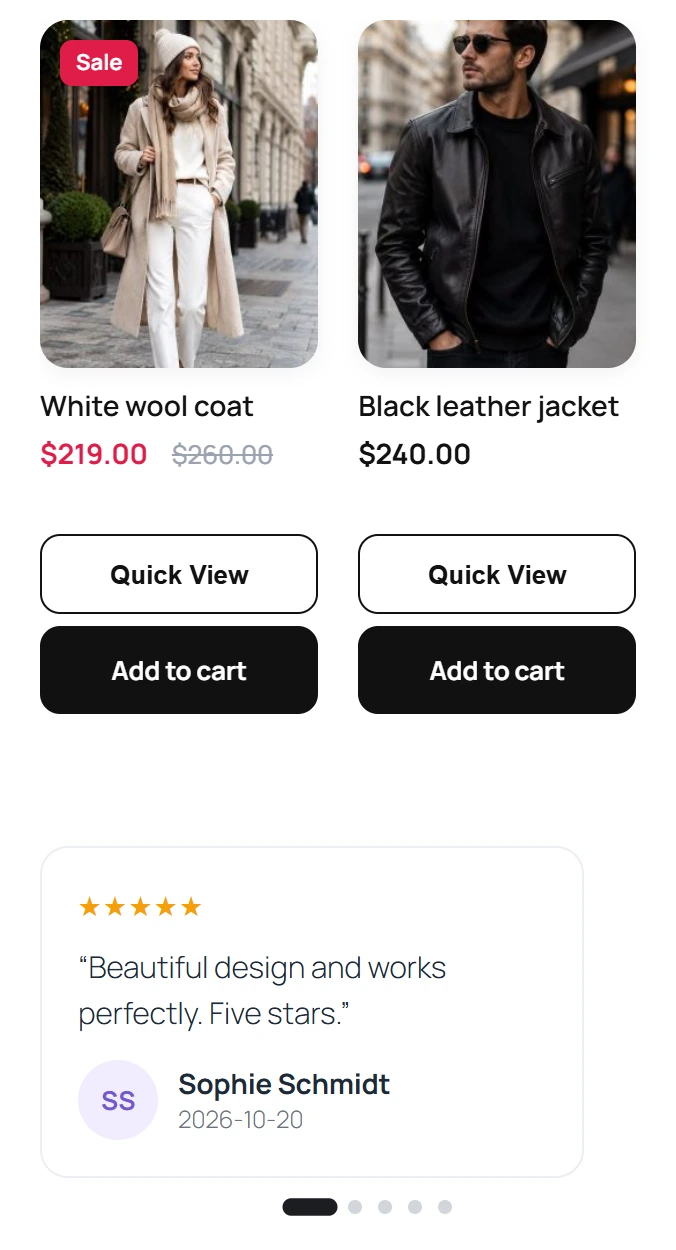
Choose which products shoppers see, and Slidario keeps the row up to date on its own: today’s sale items, this month’s best sellers, the newest arrivals, or a hand-picked set for a campaign. Each card shows the photo, price, sale badge and an Add to cart button that works without leaving the page.
● ● ● yourshop.com
● ● ● yoursite.com/wp-admin › Slidario › Builder
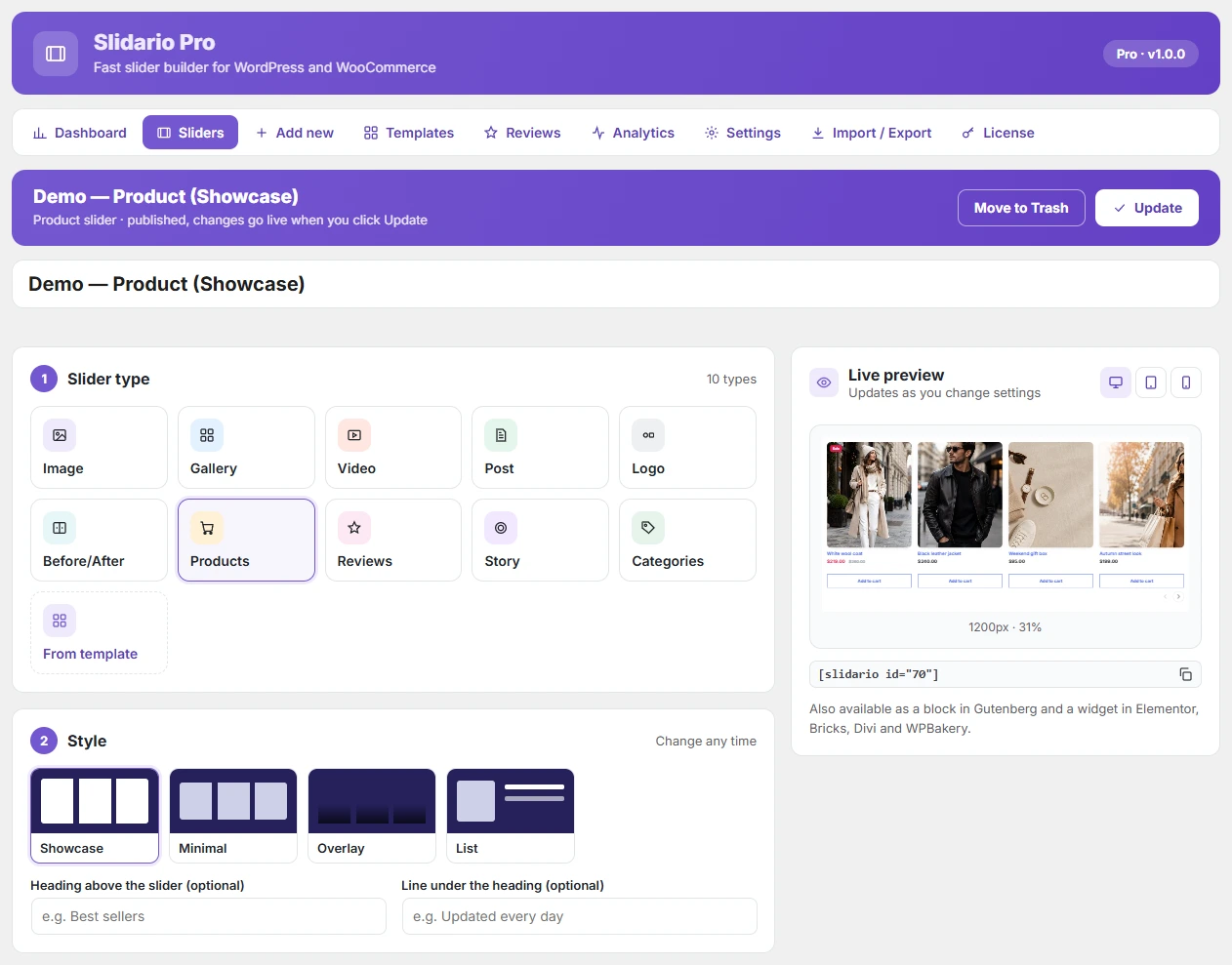
Builder and categories
Category Slider for WooCommerce, Built in a Visual Builder
Help shoppers find their way with a “shop by category” carousel: choose the categories or show all top-level ones, and each tile gets its photo and product count. Every slider is built in the same visual builder, with a live preview on desktop, tablet and phone, so you see the result before you publish.
Pro · shoppable stories
Shoppable Stories and Video for WooCommerce
Shoppers already know stories from Instagram. Put the same tap-through format on your store: a row of circles opens full-screen stories with photos or short videos, a product tag on the image and a card with the price and an Add button. Shoppers add to the cart without leaving the story.

● ● ● yoursite.com/wp-admin › Slidario › Add new

WooCommerce AI product slider
WooCommerce AI Product Slider: Describe It, AI Builds It
Type what you want in plain words, for example “Black Friday deals on the homepage, best sellers under $50, show the discount”. The AI picks the slider type, style and products from your store, writes the headline and shows you the plan. Nothing is published until you save it.
Pro · product pages
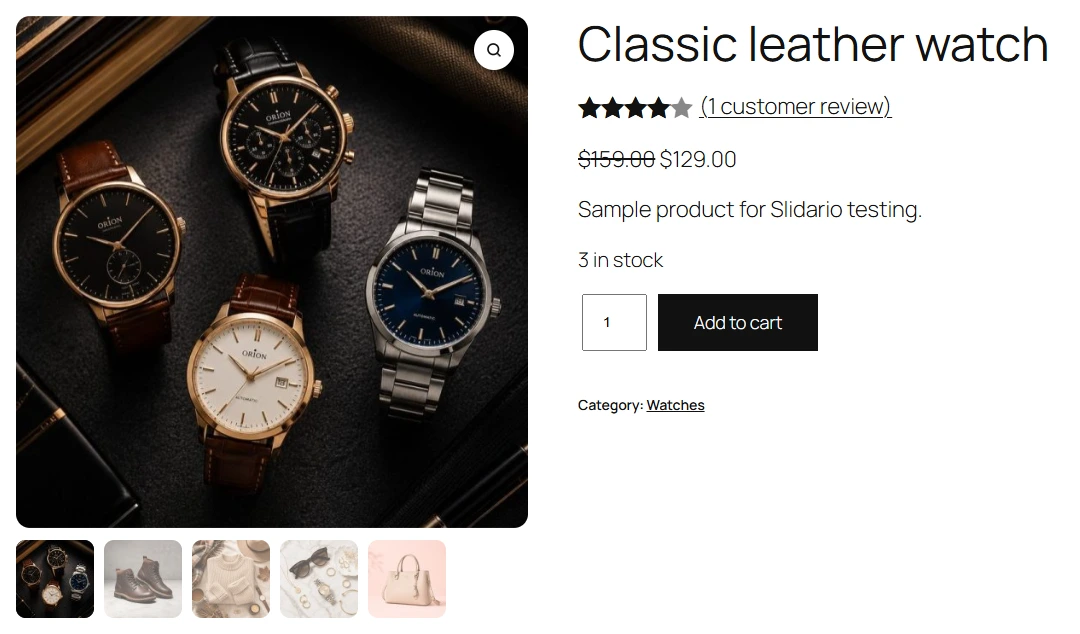
WooCommerce Product Gallery Slider With Zoom and Video
Your product page photos sell the product. Pro replaces the default gallery with a product gallery slider: thumbnails below or beside, zoom on hover, a full-screen lightbox, a product video and a different set of photos for each variation. And with auto-placement, sliders appear on product, shop and cart pages without adding a block to each one.
● ● ● yourshop.com › Classic leather watch
● ● ● yoursite.com/wp-admin › Slidario › Dashboard
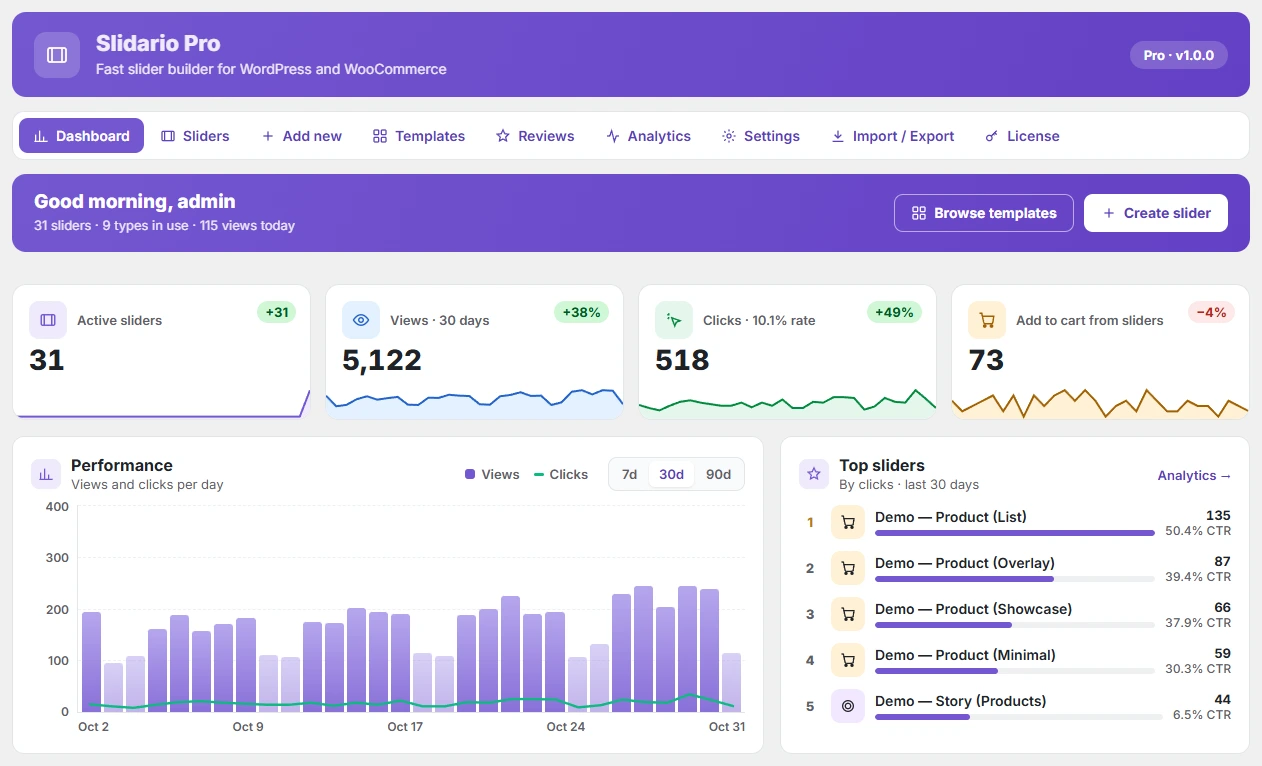
Analytics
See Which WooCommerce Slider Brings Clicks and Sales
Stop guessing which slider works. The dashboard shows views, clicks and add to cart for every slider, the products shoppers click most and what needs your attention, such as images without alt text. Counts are anonymous and stored on your own site, with no cookies.
Pro · A/B tests
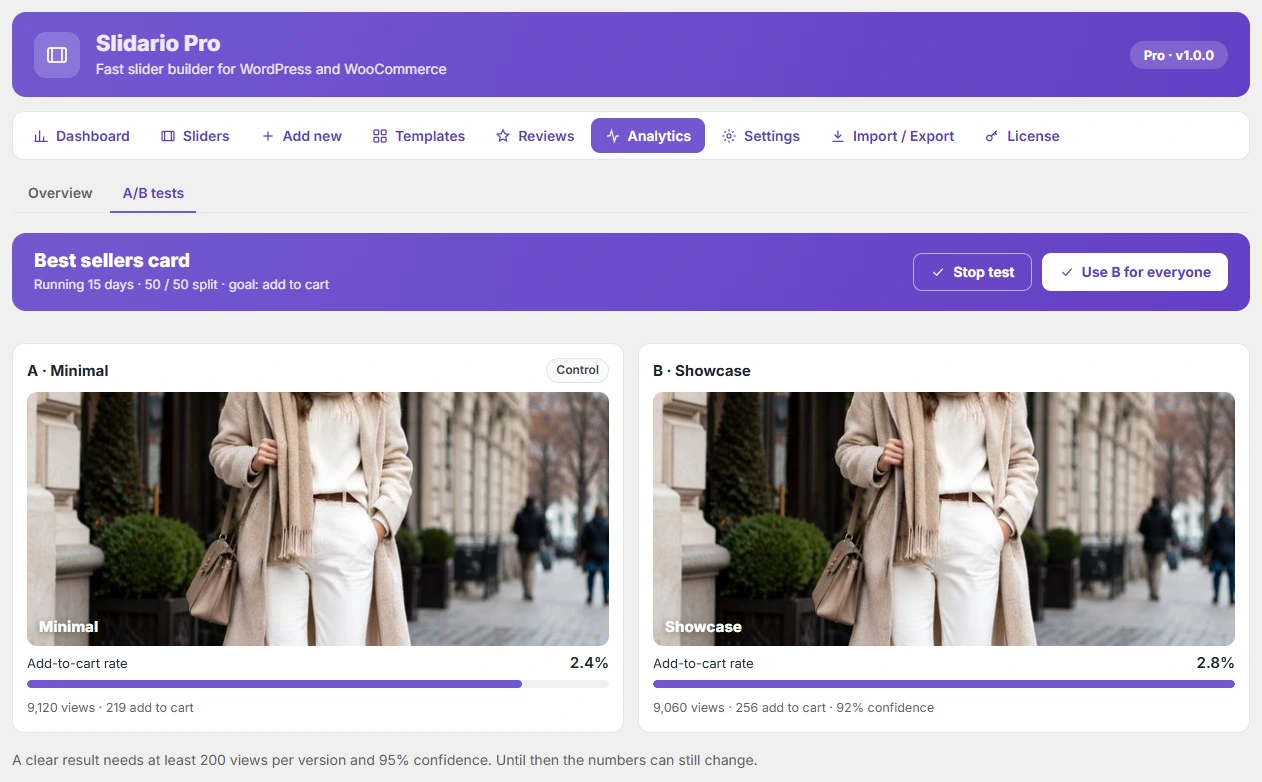
A/B Test Your Product Slider and Keep the Winner
Is the large-photo style or the clean card style better for your shoppers? Run both. Half your visitors see one, half the other, and Slidario counts which gets more add to cart. When the result is clear, one click uses the winner for everyone.
● ● ● yoursite.com/wp-admin › Slidario › A/B tests
Fast and on brand
A Fast WordPress Slider Plugin That Matches Your Theme
A slow page loses sales, and a slider that looks borrowed loses trust. Slidario loads its files only on pages that show a slider, lazy-loads images and loads videos only when played. It reads your theme’s colours, fonts and buttons, so the slider looks like part of your store from the first minute.
● Claude · connected to yourshop.com with MCP
Make a slider of our best-selling coats for the homepage.
✓ sliderflow/create-slider-from-products
Done. I created Best-selling coats with 8 products in the Showcase style. It is saved as a draft: open Slidario → Sliders to check it and publish.
MCP
MCP for WordPress: Manage Sliders From Claude or ChatGPT
Ask your AI assistant instead of clicking through settings. Through MCP, Claude or ChatGPT can list your sliders, read their settings and create a new product slider from a category or tag. New sliders are saved as drafts, so nothing goes live until you check it.
Free plugin
Start With the Free WooCommerce Product Slider Plugin
The free plugin is not a trial. All 9 slider types, two styles each, product sources, sale badges, quick view, templates, AI writing and analytics, with no limits on sliders or products and no time limit. Upgrade to Pro when you want stories, the AI builder, revenue, A/B tests and auto-placement.
Trusted WordPress Plugins for Growing Businesses
Built by Plugincy, the team behind WordPress plugins used by growing stores and agencies. Buy with a refund guarantee and real people behind the support.
Works With Your Theme and Page Builder
Use Slidario as a Gutenberg block, a shortcode or a widget in the page builder you already use. It needs WordPress 6.2+ and PHP 7.4+; product sliders need WooCommerce, and AI features need WordPress 7.0+ with an AI provider connected.
Slidario Pro Pricing
Every plan includes every Pro feature, updates and support, so you only choose how many sites you need. Pay yearly, or once for a lifetime license.
Single Site
For one store
$49
/ year
Every Pro feature
Most popular
Up to Three Sites
3 × $49 = $147
$89
/ year
$58 savings
Up to Five Sites
5 × $49 = $245
$119
/ year
$126 savings
Agency
For client sites
$199
/ year
Under $8 a site
Single Site
For one store
$149
one time
Every Pro feature
Most popular
Up to Three Sites
3 × $149 = $447
$269
one time
$178 savings
Up to Five Sites
5 × $149 = $745
$359
one time
$386 savings
Agency
For client sites
$599
one time
Under $24 a site
15-day money-back guarantee. Pro features need an active license; the free features keep working without one.
Slidario Free vs Pro
The free plugin covers every slider type a store needs, with no limits. Pro adds the tools that grow sales: stories, the AI builder, revenue, tests and automatic placement.
What you get
Pro
from $49 / year
Free
on WordPress.org
FREE AND PRO
Product, category, review, image, gallery, video, post, logo and before/after sliders
Styles per slider type
All (16 more)
2
Sale, best selling, top rated, trending, new, featured, related, upsell, cross-sell, hand-picked
Sale badges, sale countdown, low-stock line, quick view
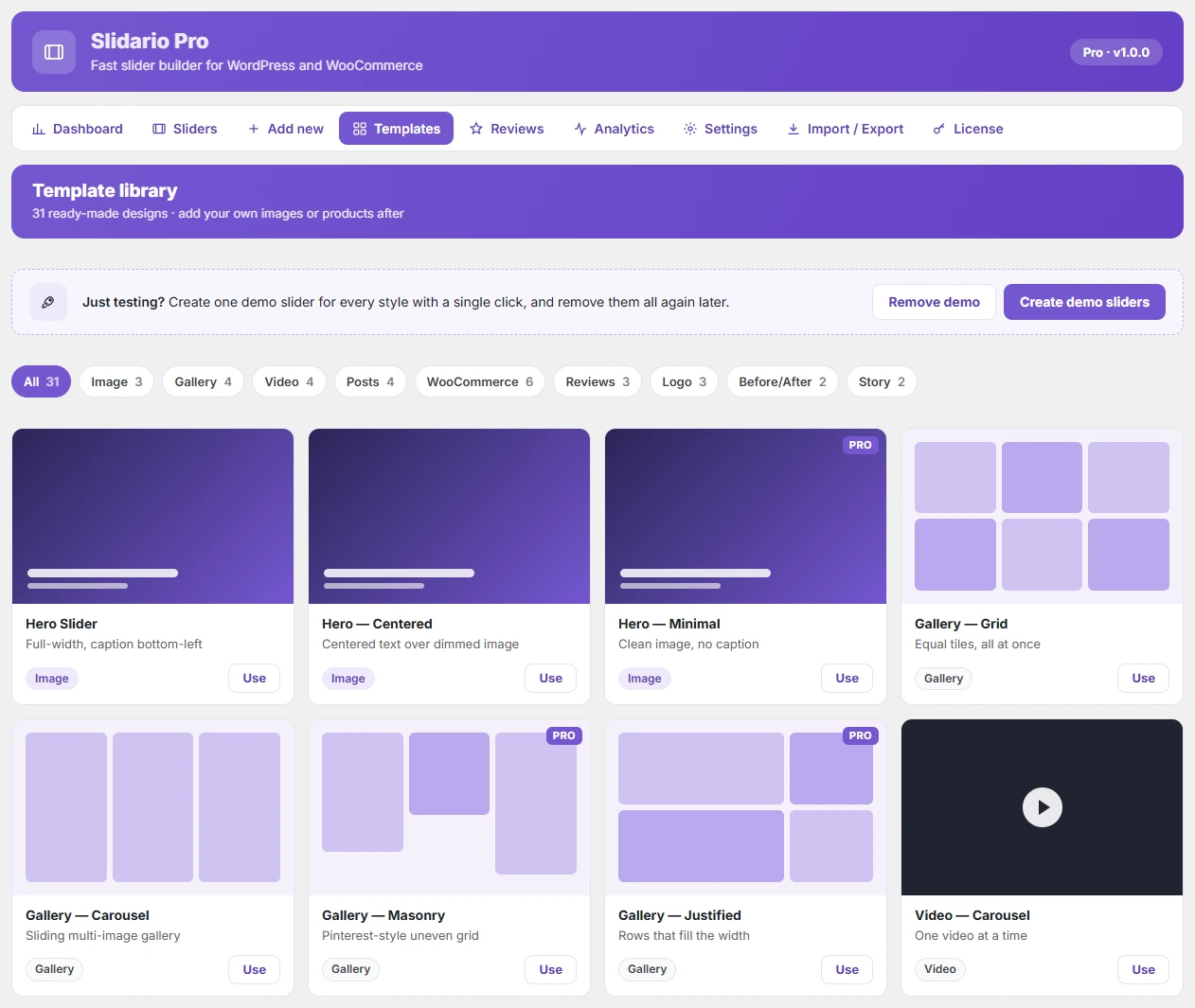
31 templates, demo content, import and export
AI headlines and image alt text
Views, clicks and add to cart per slider
Theme match, lazy loading, accessibility, schedule by date
Gutenberg, Elementor, Bricks, Divi, WPBakery, Breakdance, shortcode
MCP tools for Claude and ChatGPT
PRO ADDS
Recently viewed products
—
Shoppable stories with video, product tags and Add to cart
—
AI slider builder: one line in, a ready slider out
—
Product gallery slider with zoom, lightbox, video and variation photos
—
Orders and revenue per slider
—
A/B tests with a clear winner
—
Auto-placement on product, shop and cart pages
—
Display rules by device, page, dates and visitor
—
Every feature, explained: see the full Free vs Pro comparison on the pricing page
Questions About the Slidario WooCommerce Product Slider
Straight answers about adding a product slider to WooCommerce, what is free, and how the AI features work.
Show More Products, Sell More With Slidario
Start free with 9 slider types and no limits. Upgrade when you want shoppable stories, the AI slider builder, revenue per slider and A/B tests.
Didn’t find your answer? Read the documentation · Contact support, 24/7