
Direct Checkout & Buy Now Button for WooCommerce
Skip the cart and send shoppers straight to checkout. Add a one-click Buy Now button, take cash on delivery orders in a quick popup, keep a buy bar on every phone screen, and see exactly how many more orders it brings in.
What Direct Checkout & Buy Now Button Does for You
Four ways to take the order sooner, in one WooCommerce plugin. Each one removes a step between “I want this” and a paid order.
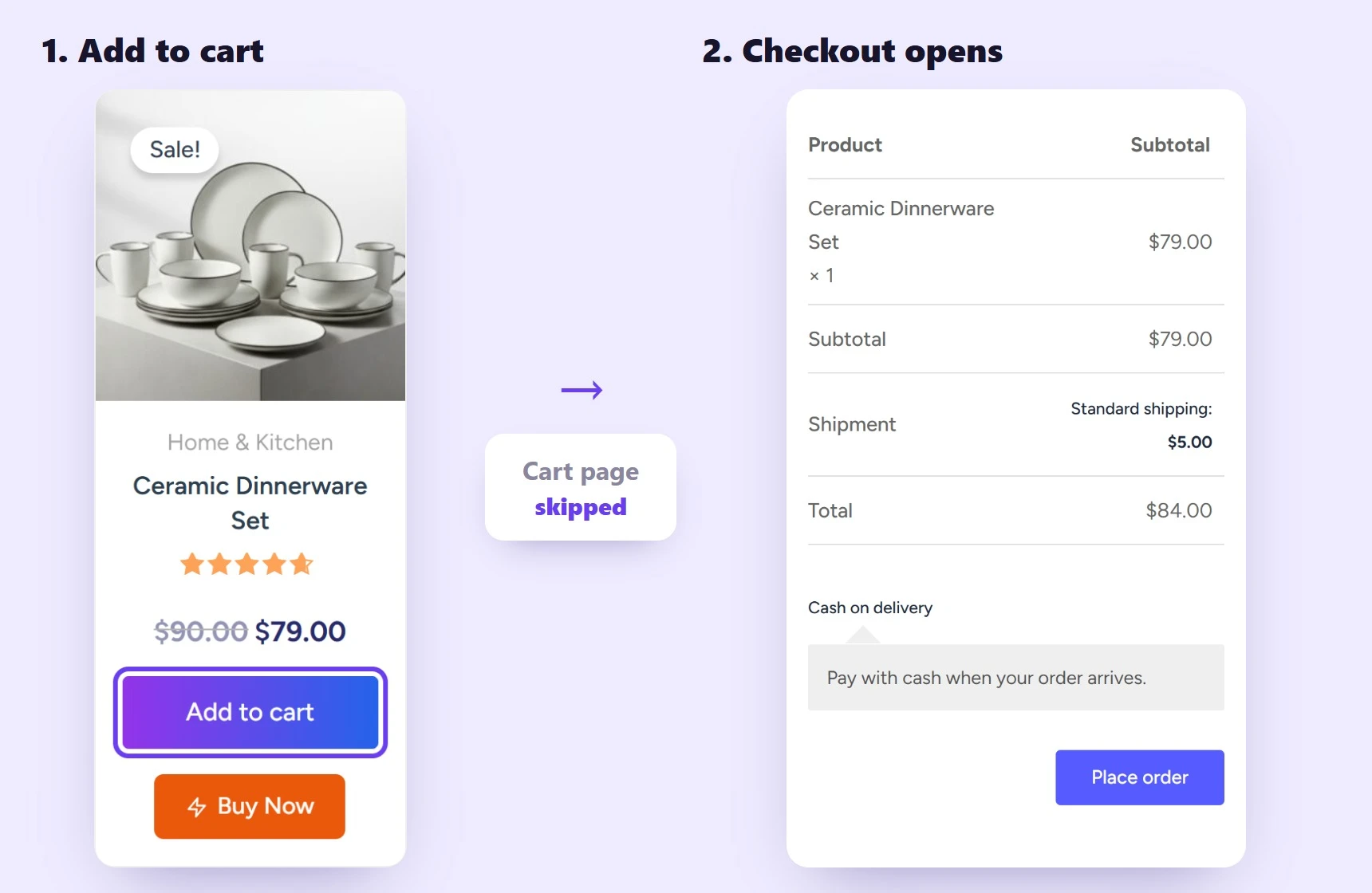
Skip the Cart Page
Add to Cart redirects straight to checkout, so shoppers never stop on a cart page and think twice.
View Demo →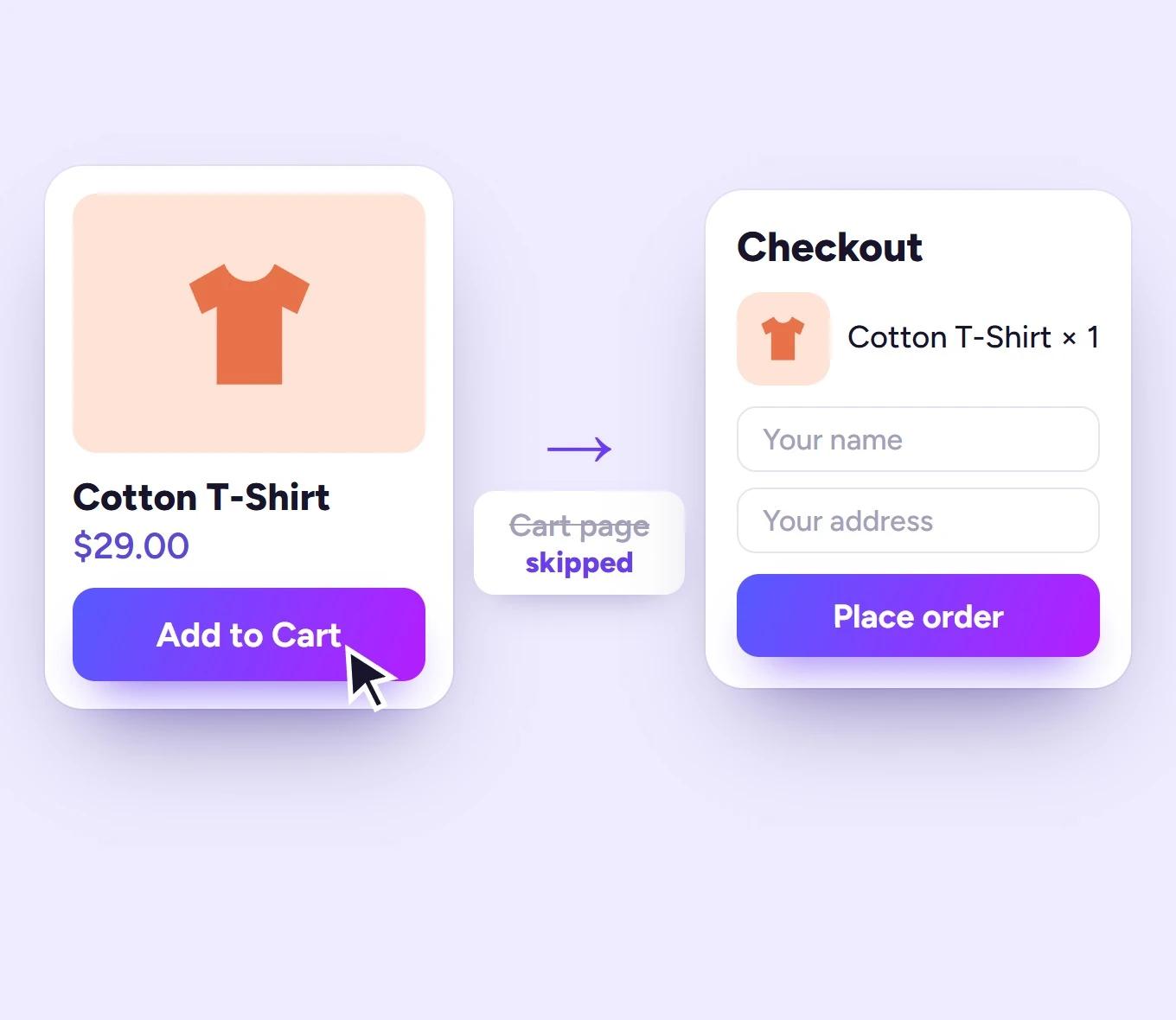
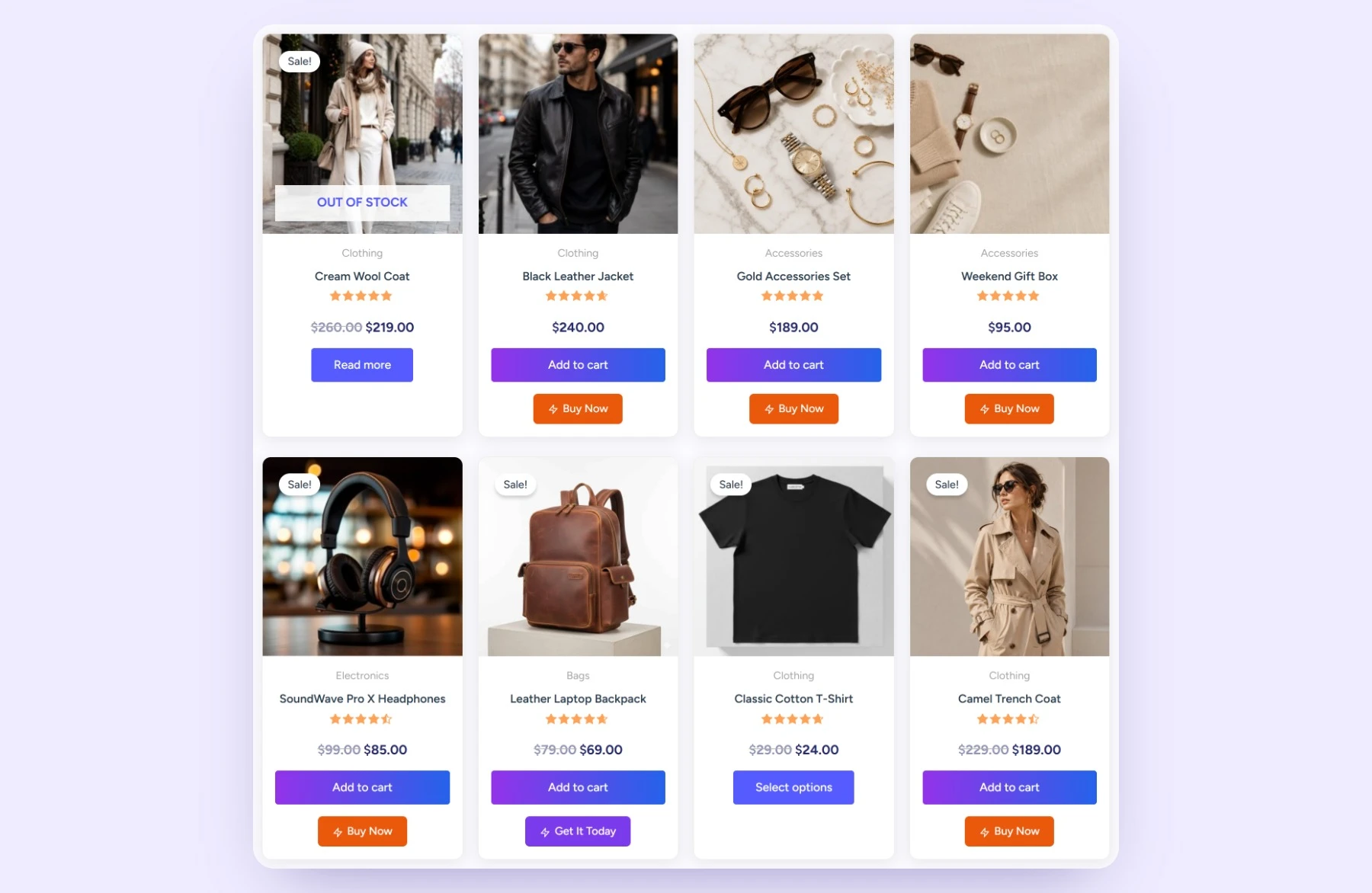
One-Click Buy Now
A second button beside Add to Cart that checks out that one product in a single step.
View Demo →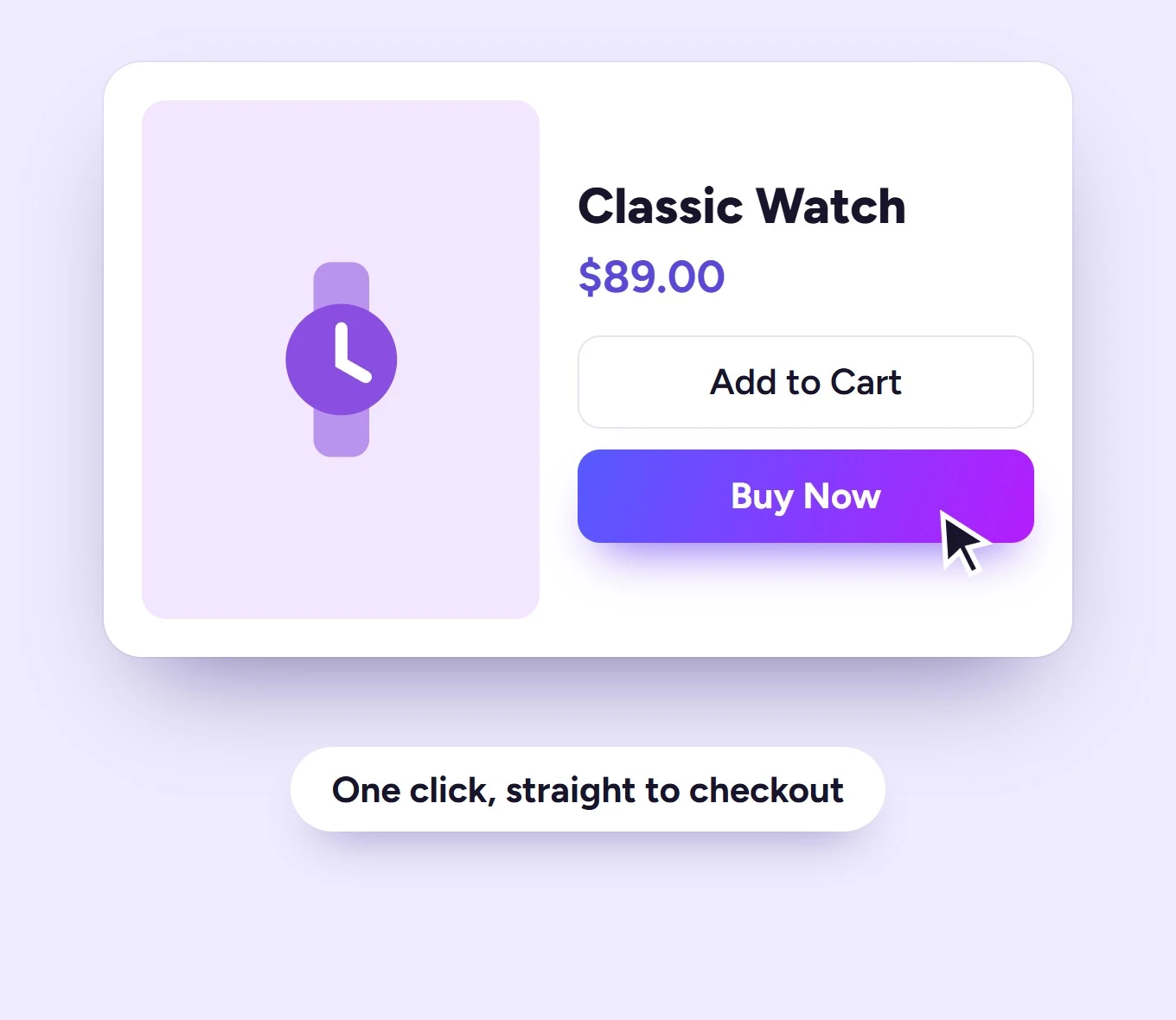
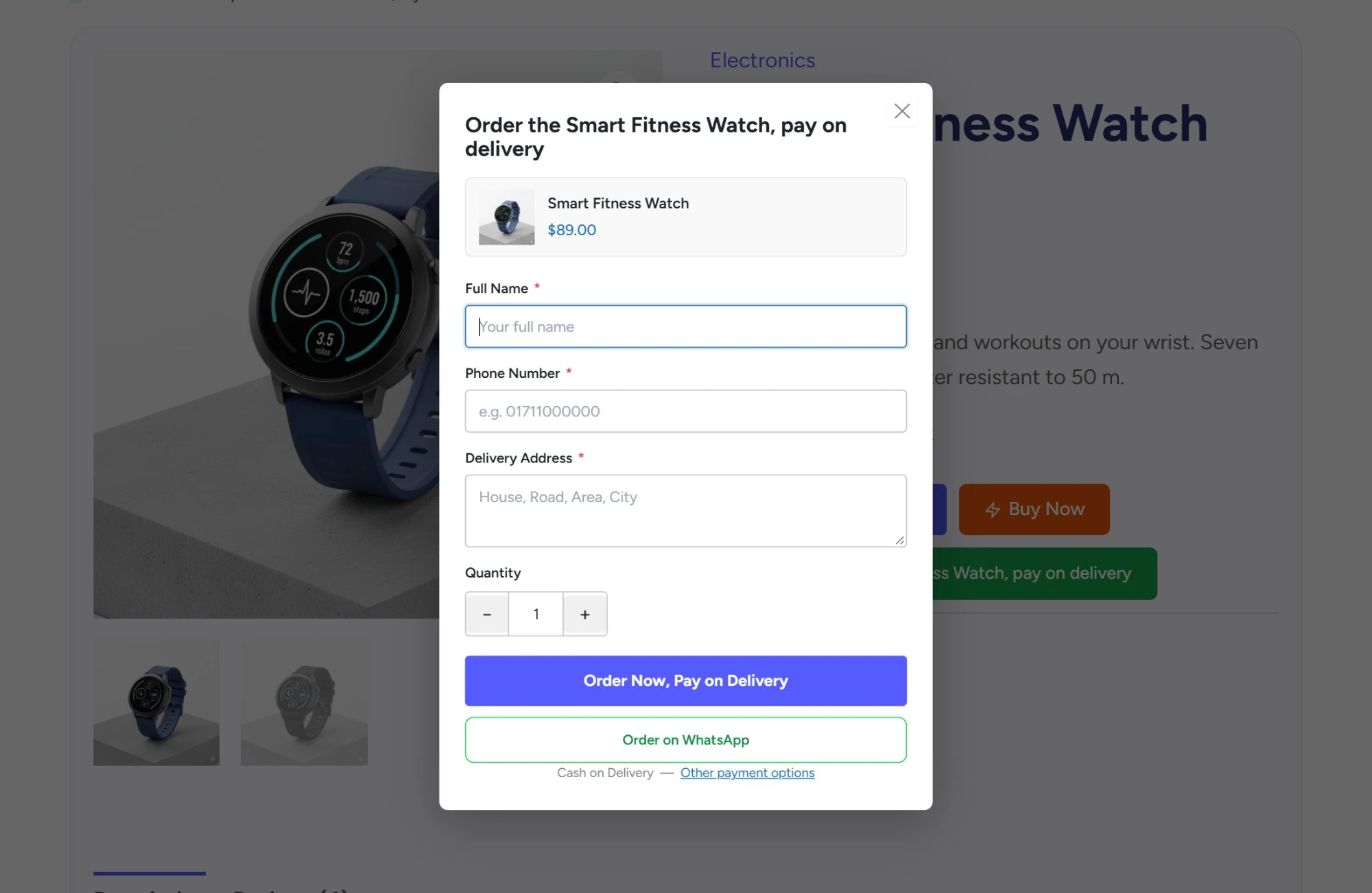
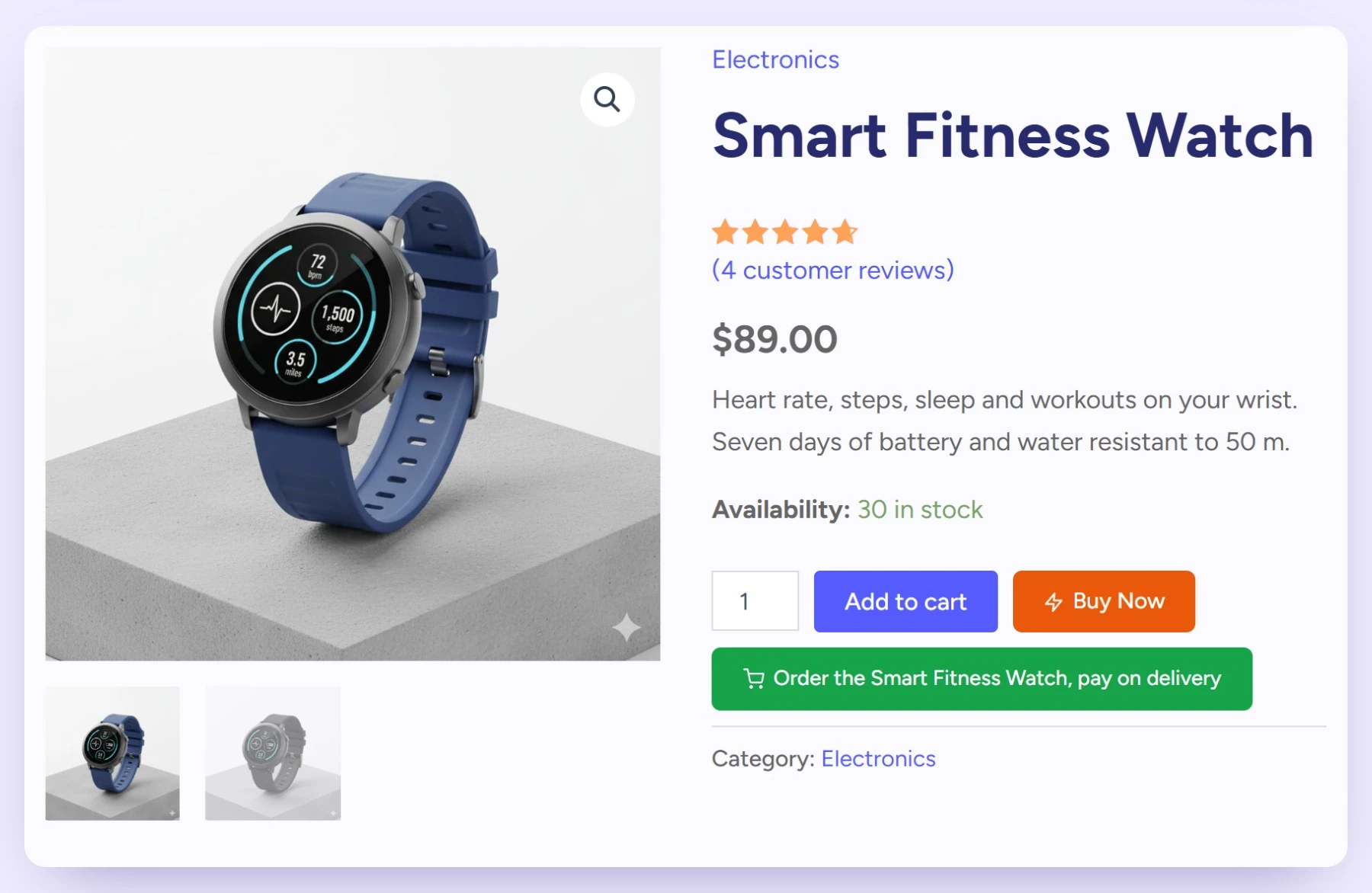
Cash on Delivery Popup
Name, phone and address in a short popup. The order is placed without the checkout page.
View Demo →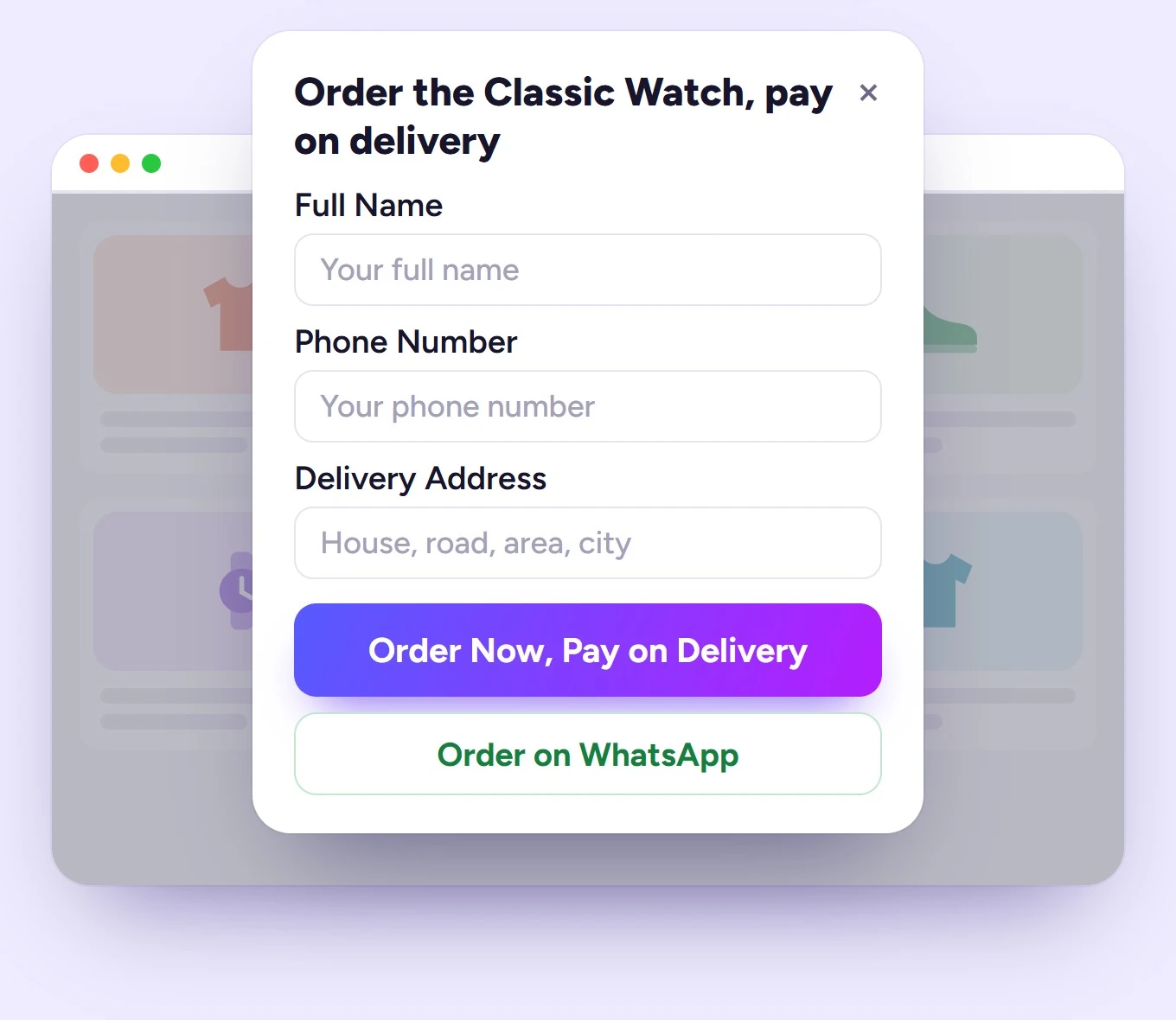
Sticky Mobile Buy Bar
The product, its price and Buy Now stay on screen while shoppers scroll on a phone.
View Demo →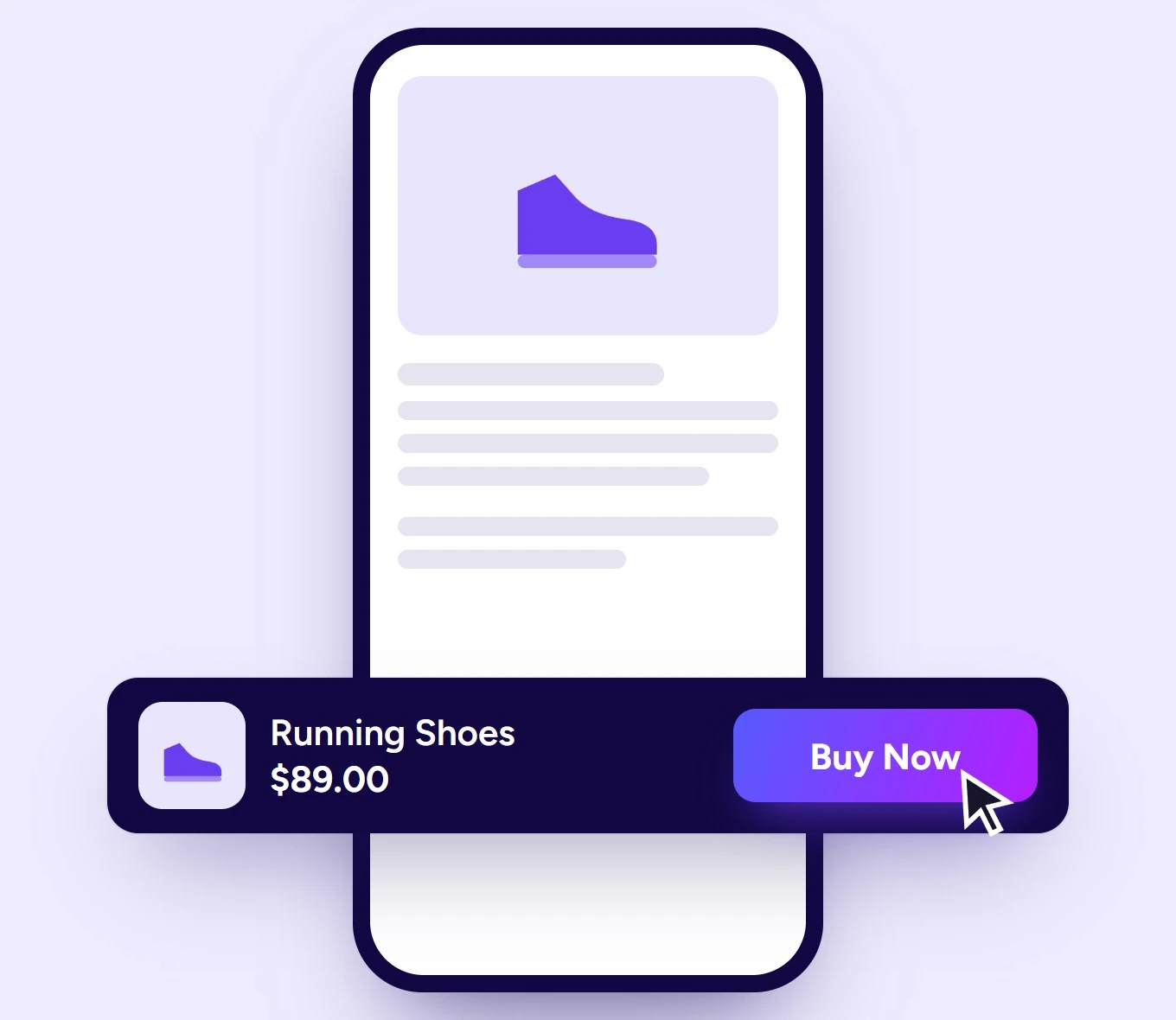
Why You Should Skip the Cart Page in WooCommerce
Every page between the product and the order is a place to leave. The cart page asks shoppers to make one more decision, and on a phone, many of them simply stop there.
Direct Checkout sends Add to Cart straight to checkout, or takes the whole order in a popup, so a shopper who wants to buy reaches the Place order button in one move.
Fewer steps, more orders. And the numbers to prove it.
Key Features of Direct Checkout for WooCommerce
Everything you need to shorten the path to checkout, with every option in the free plugin. Pro adds AI insights and full reports.
Add to Cart Redirect
Send Add to Cart to checkout, the cart, a page or any URL, from product and shop pages.
Rules You Control
All products, chosen products or categories, customer roles, exclusions and mobile only.
Buy Now Button
Before, after or instead of Add to Cart, with your text, colors, icon and a shortcode.
COD Quick Order
A short cash on delivery form that creates a real WooCommerce order, stock and emails included.
Order on WhatsApp
Shoppers send the product, quantity, total and their details to your WhatsApp number.
Sticky Buy Bar
Phones only or every device, top or bottom, and clear of cookie bars.
Checkout Field Editor
Hide, require or rename checkout fields, with a live preview of the form.
Conversion Analytics
Buy Now clicks, redirects, popup orders and your conversion rate. No Google Analytics.
Health Score
Your checkout setup scored, with what to change next and one-click fixes.
Front-End Self Test
Opens a product page like a visitor and confirms your theme shows every button.
AI Insights (Pro)
AI reads your numbers and tells you what to change, with your own API key.
Left in Cart (Pro)
Who left without ordering, with WhatsApp and call buttons to follow up.
From Add to Cart to the order, in fewer taps.
A one-click Buy Now button, a cash on delivery popup, a buy bar that stays on screen and a shorter checkout form: pick the ones your store needs and leave the rest off.
A WooCommerce Buy Now Button Beside Add to Cart
One click puts the product in the cart and opens checkout. Place it before, after or instead of Add to Cart, on product pages, shop and category pages, related products and upsells.
Picture a shopper who has already made up their mind. With Add to Cart alone, they still have to add the product, open the cart, look it over and click through to checkout. A WooCommerce buy now button takes them straight there. Unless you choose to replace it, Add to Cart stays right beside it for anyone who wants to keep browsing.
A Cash on Delivery Quick Order Popup for WooCommerce
The shopper types a name, phone and address, and a real WooCommerce order is created, with stock, shipping and order emails working as usual. No checkout page in between.
In many countries people would rather pay when the parcel arrives, and a full checkout page asks them for far more than a delivery needs. Three fields on a phone are a much smaller ask. You pack and ship the order like any other, and email and the full address only appear on the form if you want them.
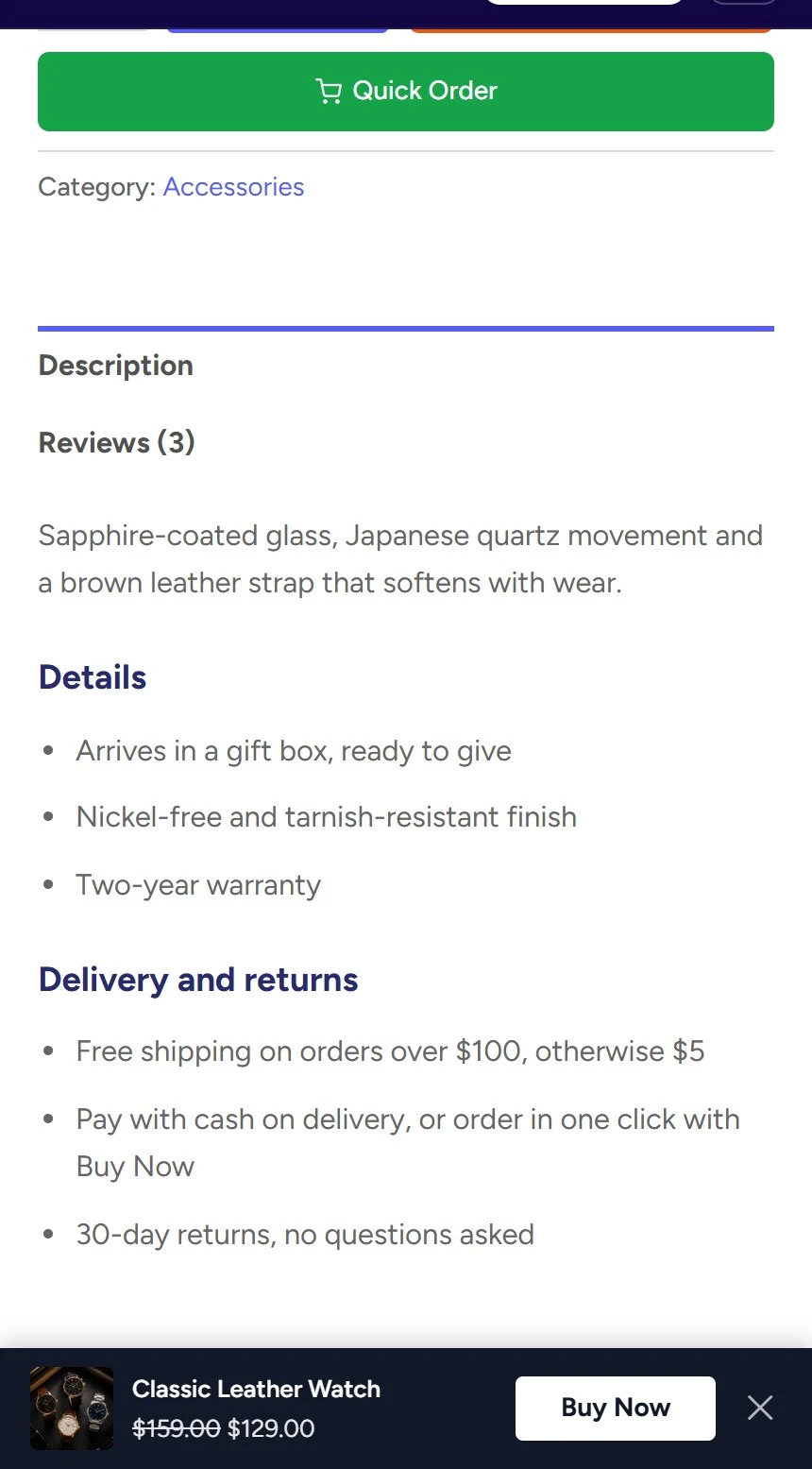
Keep Buy Now on Screen While Shoppers Scroll
On a phone, Add to Cart scrolls out of view halfway down a long product page. As soon as it does, a slim bar slides in with the product, its price and Buy Now, one tap away.
Long product pages do a good job of selling, with photos, details and reviews, and the further a shopper reads, the further away your button gets. Not everyone bothers to scroll back. With the bar on screen, they can buy right when they decide.
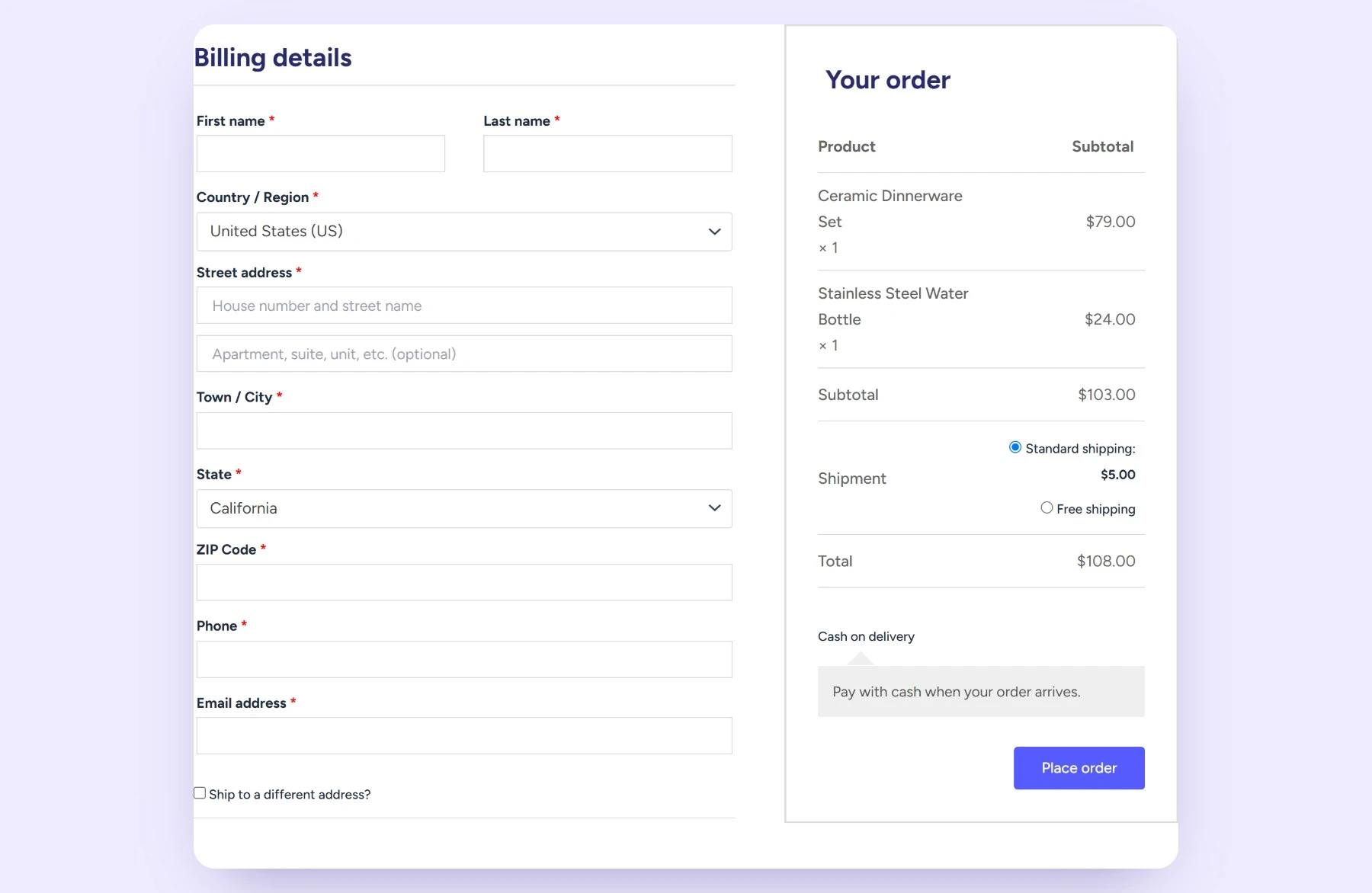
A Shorter WooCommerce Checkout Form
Hide the fields your store does not use, make phone required or email optional, and rename labels and placeholders. The live preview shows the form before you save.
Every field is one more thing to type on a small screen, and your store may not need all of them. If you only deliver inside one city, nobody needs a state or a company name on the form. Shoppers reach Place order sooner, and you still collect everything the delivery needs.
Who Is Direct Checkout For?
Any WooCommerce store where the cart page or a long checkout form costs orders.
Cash on Delivery Stores
Shops in Bangladesh, India, Pakistan, the Middle East and across Asia and Africa, where most orders are paid on delivery and a short form wins.
Mobile-First Shops
Fashion, beauty and gadget stores where most visits come from phones and every extra tap loses a buyer.
One-Product and Impulse Stores
Single-product brands, drops and gift shops where shoppers buy one item and want to pay now.
How to Start Using Direct Checkout
Live on your store in a few minutes, without touching code.
Add the Free Plugin
From Plugins → Add New on your WordPress site. WooCommerce must be active.
Run the One-Minute Wizard
Turn on Buy Now, the popup or the sticky bar, and set your button text.
Watch the Orders Come In
The Analytics tab shows clicks, orders and your conversion rate from day one.
See what works, then change it.
Direct Checkout counts what happens on your own store. Pro then shows where shoppers drop off and which change to make first.
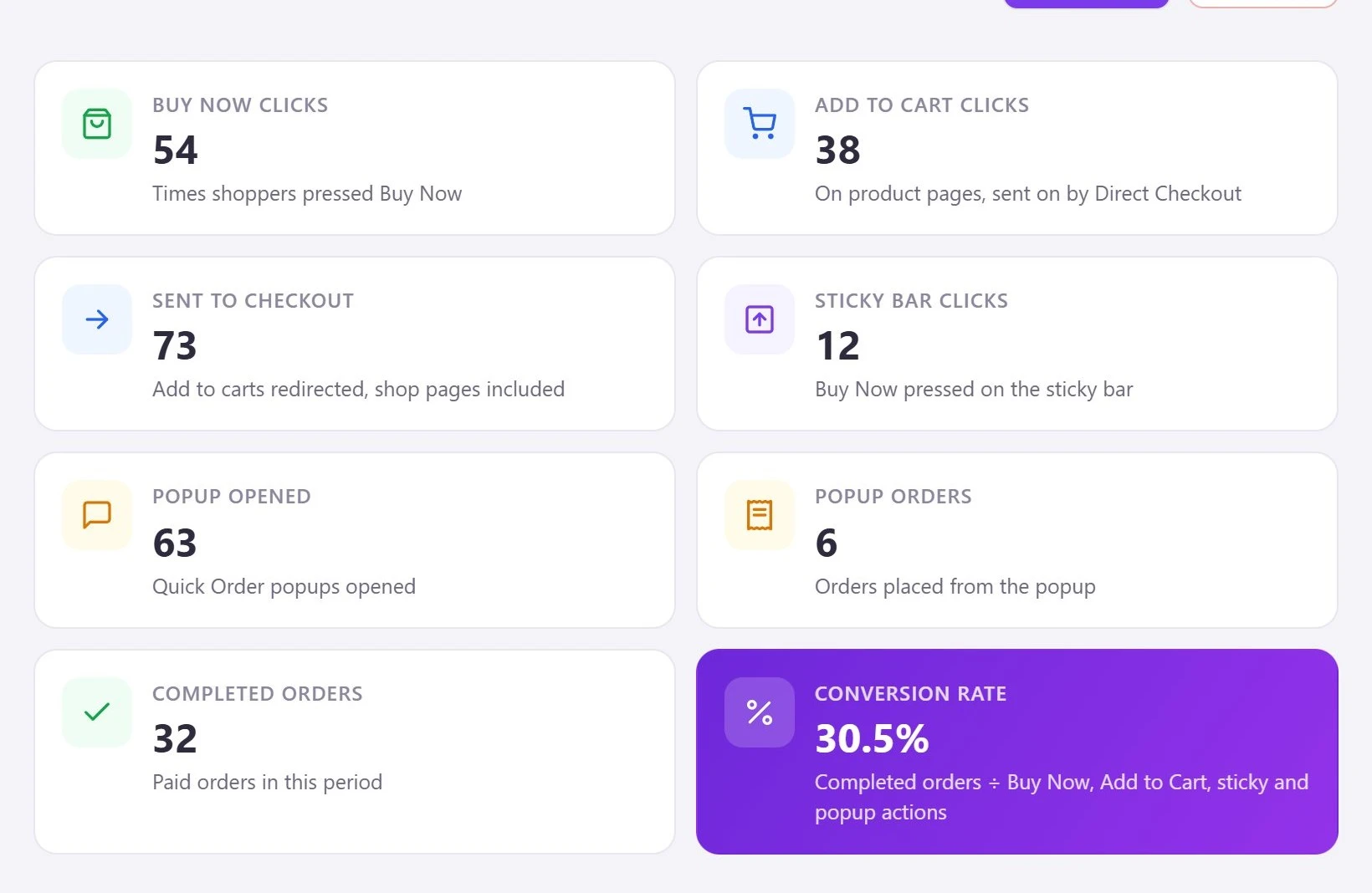
See Which Button Brings the Orders
Buy Now clicks, checkout redirects, sticky bar clicks, popup orders and completed orders, with your conversion rate, right in WordPress.
Most direct checkout plugins leave you guessing whether they helped. This one keeps the score inside WordPress, with no Google Analytics to set up. If the popup brings orders and hardly anyone clicks the sticky bar, you can see it and decide what to keep.
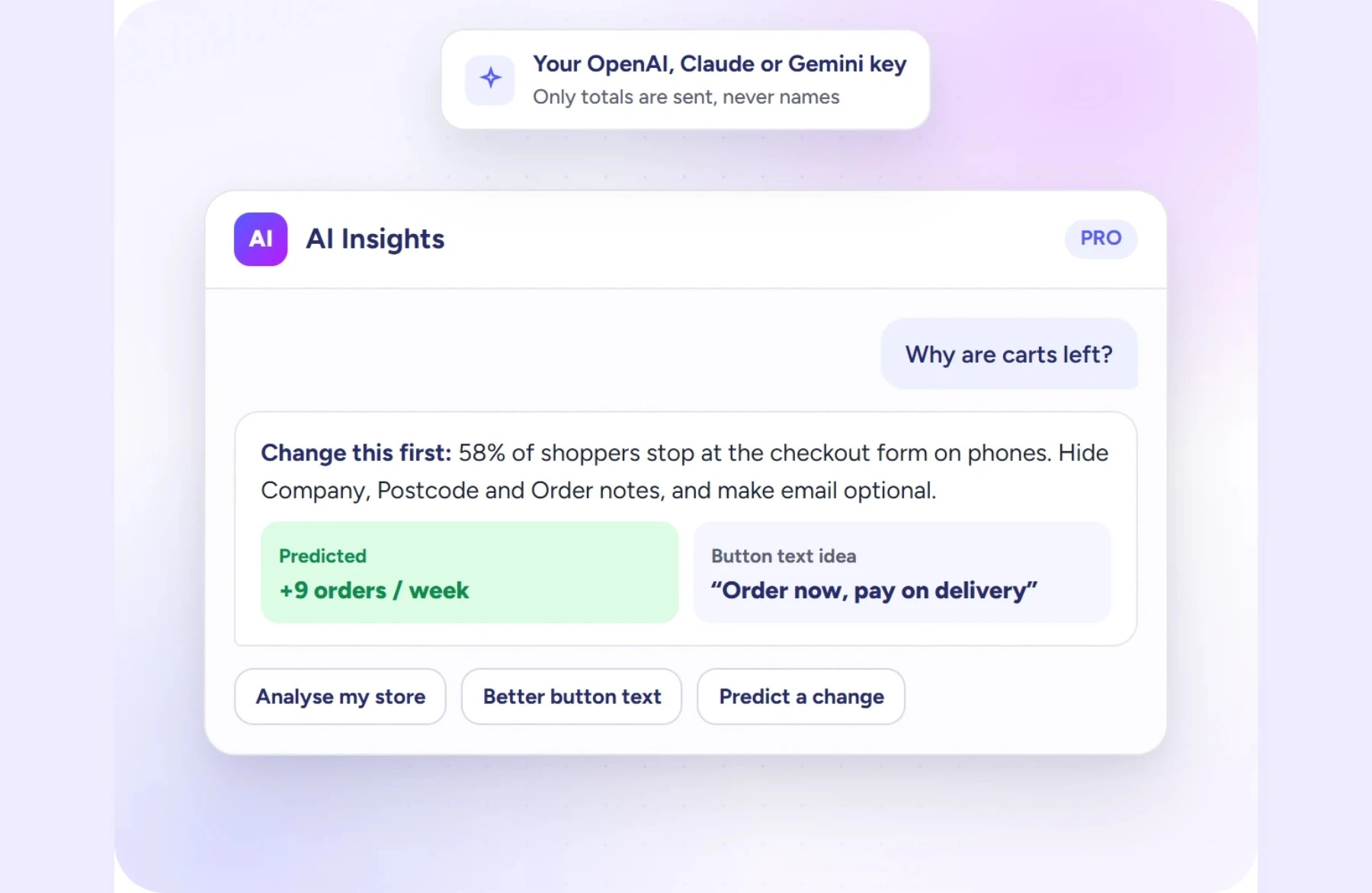
AI Tells You What to Change First
AI reads your checkout numbers and settings, tells you what to change first, suggests better button text, predicts what a change could bring and answers questions like “Why are carts left?”.
Numbers alone do not tell you what to do next. AI Insights does, in plain words, and it answers from your own figures when you ask a follow-up. It needs an API key that you create on the provider’s site. Without one, the rest of Pro still works.
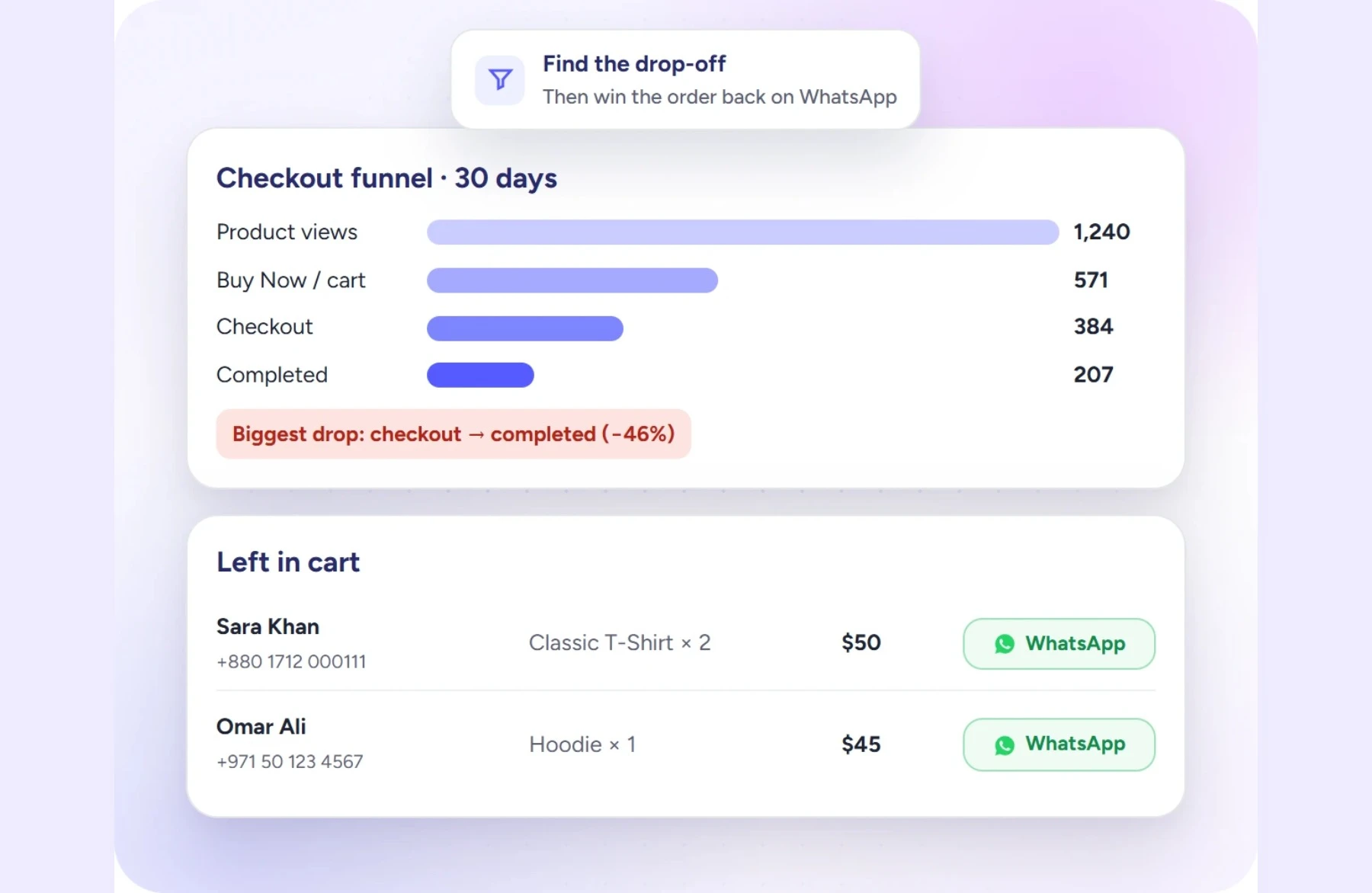
Checkout Funnel and Left in Cart, With WhatsApp Follow-Up
See where shoppers drop off between product page and order, and who left without buying, what they left and its value, with one-click WhatsApp and call buttons.
Your conversion rate tells you how many people buy, not where the rest stop. The funnel points out the biggest drop-off, and that tells you which step to work on first. Left in cart then shows you the shoppers behind those numbers, ready to follow up with when you have their number.
Trusted WordPress Plugins for Growing Businesses
Built by Plugincy, the team behind WooCommerce plugins used by growing stores and agencies. Buy with a refund guarantee and real people behind the support.
15-Day Money-Back
Try Pro on your own site. If it is not a fit within 15 days, ask for a full refund.
Secure Payment
Payments go through Stripe over an encrypted connection. Your card details never touch your site.
24/7 Customer Support
Ask the Plugincy team by support ticket or live chat, any time of day.
Updates With Your License
New features and fixes arrive in your WordPress dashboard for as long as your license runs.
Works With Your WooCommerce Theme
Tested with 30 free and commercial themes on product pages, shop pages and the sticky bar. The self test checks yours in one click. Block checkout and HPOS are supported, checkout pages are kept out of cache plugins, and safe mode rules the plugin out in one switch.
Free vs Pro: Compare Direct Checkout Versions
Every checkout feature, with all of its options, is in the free plugin. Pro adds AI insights and the full analytics reports.
| What you getEvery checkout feature is freePro adds AI insights and the full reports. | PROfrom $49 / yearGet Started | FREEon WordPress.orgGet Started |
|---|---|---|
| Free and Pro6 features | ||
| Direct checkout with rules per product, category and role | ✓ | ✓ |
| Buy Now button with every option and shortcode | ✓ | ✓ |
| Cash on delivery Quick Order popup and Order on WhatsApp | ✓ | ✓ |
| Sticky mobile buy bar | ✓ | ✓ |
| Checkout field editor with live preview | ✓ | ✓ |
| Analytics for the last 7 days, health score, self test, safe mode | ✓ | ✓ |
| Pro adds4 features | ||
| Checkout funnel, devices and top products, up to 90 days | ✓ | ✖ |
| Left in cart with WhatsApp follow-up and CSV export | ✓ | ✖ |
| AI insights: analysis, button text, revenue prediction and chat | ✓ | ✖ |
| Weekly AI audit and benchmarks | ✓ | ✖ |
Every feature, explained: see the full Free vs Pro comparison on the pricing page
Direct Checkout & Buy Now Button Pro Pricing
Every checkout feature is free. Pro adds AI insights and the full reports. Pay yearly, or once for a lifetime license.
Single Site
Normally $69
$49/ year
29% savings
- Use on 1 website
- AI insights and full reports
- 1 year of updates and support
Up to Three Sites
Normally $207
$89/ year
57% savings
- Use on up to 3 websites
- AI insights and full reports
- 1 year of updates and priority support
Up to Five Sites
Normally $345
$119/ year
66% savings
- Use on up to 5 websites
- AI insights and full reports
- 1 year of updates and priority support
Single Site
Normally $249
$119 one time
52% savings
- Use on 1 website
- AI insights and full reports
- Lifetime updates and support
Up to Three Sites
Normally $747
$249 one time
67% savings
- Use on up to 3 websites
- AI insights and full reports
- Lifetime updates and priority support
Up to Five Sites
Normally $1,245
$349 one time
72% savings
- Use on up to 5 websites
- AI insights and full reports
- Lifetime updates and priority support
15-day money-back guarantee. AI insights need your own AI API key, billed by the provider.
Questions About Direct Checkout & Buy Now Button
Straight answers about skipping the cart, the Buy Now button, cash on delivery orders and what Pro adds.
How do I skip the cart page and redirect Add to Cart to checkout?
Go to Direct Checkout → General and switch on Direct Checkout. Add to Cart then redirects to the checkout page. To send anyone who opens the cart page to checkout as well, switch on “Bypass the Cart Page” on the same tab.
Can I use direct checkout for some products only?
Yes. Apply it to products or categories you choose, or to chosen customer roles, exclude products and categories, limit it to phones, and give one product its own redirect URL. All of this is free.
Is there a Buy Now button shortcode?
Yes: [dcbnb_buy_now product_id=”123″] places a Buy Now button on any page, post or page builder text block. Add text=”Order Now”, qty=”2″ or class for your own CSS class.
How does the cash on delivery popup work?
It opens a short form (name, phone, address) on the product page and creates a normal WooCommerce order paid by Cash on Delivery, so stock, shipping and order emails work as usual. If Cash on Delivery is off, the Quick Order button is hidden and Buy Now goes to the regular checkout.
Can customers order on WhatsApp?
Yes, in the free plugin. Switch on the WhatsApp button in the Quick Order popup and enter your number. The shopper’s WhatsApp opens with the product, variation, quantity, total and their details filled in.
Will it work with my theme?
It has been tested with 30 themes, page builders like Elementor, Divi and Bricks, and popular cache plugins. The front-end self test on the Compatibility tab checks your theme in one click.
Does the AI need my own API key?
Yes. AI insights is a Pro feature that uses your own OpenAI, Claude or Gemini key, billed by the provider. Only totals and settings are sent, never shoppers’ details. Everything else in Pro works without a key.
Do I need Pro?
No. Every checkout feature is free, with all of its options and no time limit. Pro adds AI insights and the full reports: the checkout funnel and Left in cart.
Take the Order Sooner
Start free on WordPress.org. Add Pro when you want AI insights and the full reports.
Didn’t find your answer? Read the documentation · Contact support, 24/7