

Managing multi-location inventory in WooCommerce can feel a bit overwhelming at first. You may have stock in one store, none in another, and orders still coming in. It gets tricky to manage everything smoothly without a proper system. That’s why many store owners look for the best practices for multi-location inventory management in WooCommerce to avoid confusion and improve control.
To manage multi-location inventory in WooCommerce, use a plugin that supports real-time stock updates, automatic order routing, and central dashboard access. Set up each store or warehouse with its own details, assign products properly, and track low stock alerts. Also, link other sales channels for better syncing and use reports to plan stock movement across all locations.
Want to know more details about this topic? If yes, then keep reading this article—it has all the details you need on this topic.
Best Practices for Multi-Location Inventory Management in WooCommerce
Managing stock across different stores can get confusing fast. You might have one item available in one store but not another. With the right setup, you can fix this problem and keep track of everything in one place. Let’s go through some simple and useful ways to manage your multi-location inventory in WooCommerce.
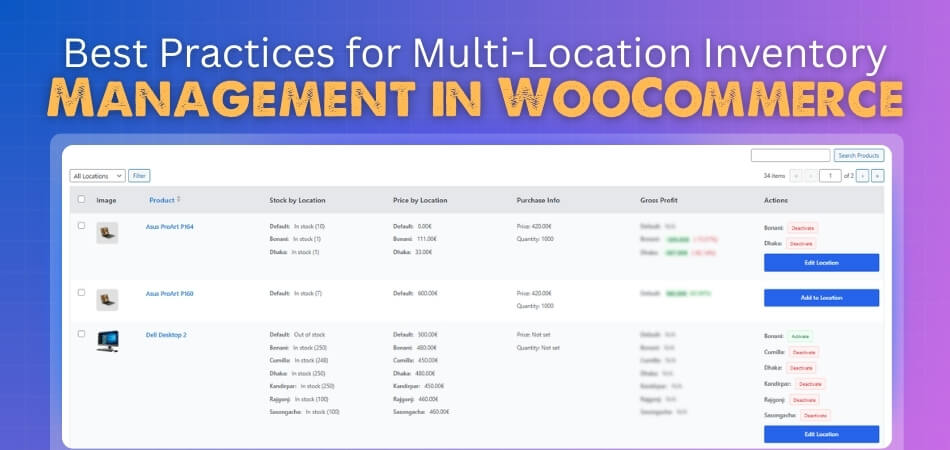
Use a Dedicated Plugin
Start by using a good multi location inventory management for WooCommerce plugin. It helps you track stock in real time and connects all your stores together. Look for features like automatic order routing, detailed reports, and real-time updates. A trusted plugin saves time and reduces the chances of mistakes during sales.
Centralize Your Inventory Data
Having all your stock data in one dashboard makes things much easier. Add every warehouse or branch with full details like name, address, and manager. This setup helps you view and compare stock levels quickly. You can also assign roles or permissions to staff so they can manage their location smoothly.
Maintain Real-time Accuracy
Keeping your stock synced in real time avoids overselling or running out of items. Every time a sale happens, the system should update the stock count instantly. You can set low-stock alerts and automatic reorder points for each store. This ensures products are always ready for customers without delays.
Optimize Order Fulfillment
Set rules that send orders to the nearest warehouse or store with stock available. This makes delivery faster and lowers shipping costs. You can also let buyers pick the closest store for pickup. Organize your warehouse shelves and use clear labels to help your team pack and ship faster with fewer errors.
Utilize Location-specific Features
Each store or warehouse can have its own price, payment option, or shipping rule. You can offer special discounts or delivery methods for certain regions. Adding a store locator or a map to your website helps customers find nearby stores easily. It also builds trust when buyers can see where items are coming from.
Leverage Reporting and Analytics
Reports are a great way to see what’s working best. You can check which items sell faster, where demand is high, and when to restock. This data helps plan future stock and avoid losses. Use sales analytics to improve performance and balance inventory between locations.
Train Your Team
A trained team is key to keeping the system running well. Teach your staff how to check stock, process orders, and handle stock transfers between locations. Make sure they know how to use the dashboard correctly. Good training prevents errors and keeps the workflow smooth every day.
Keep Sync Across Channels
If you also sell on other platforms like Amazon or eBay, connect them with WooCommerce. A synced system makes sure stock updates everywhere are at the same time. This prevents confusion and missed sales. Keeping everything connected helps your customers shop confidently, knowing stock levels are always right.
Why Multi-location Setup Matters for WooCommerce Stores?
It can be challenging to manage a business with numerous stores. You need a smart way to track your stock across all your locations. WooCommerce stores can do this with a multi-location setup. Let’s look at why this setup is so important and how it helps your business grow smoothly.
Better Stock Control
Having a multi-location setup keeps your stock organized in every store. You can easily check how much stock each location has. It also stops overselling by syncing data in real time. This means fewer stock errors and better control. You can plan your restocks on time without confusion.
Faster Order Fulfillment
When stock is spread out, orders can ship from the nearest location. This cuts delivery time and cost. It also helps you serve customers faster and with fewer delays. Orders are automatically routed to the right warehouse. A setup like this saves both time and effort for your staff.
Localized Customer Experience
Customers love getting items fast and locally. With multiple locations, you can offer nearby pickup or delivery options. You can also show stock levels for each location. This adds trust and comfort to the buying process. Local delivery options make your store stand out and feel more personal.
Easier Store Management
Managing everything from one dashboard makes life much easier. You can see all locations, stock, and sales in one place. This central control saves you time and reduces errors. Updates happen across all stores at once. It’s simple, quick, and helps your team stay on the same page.
Improved Sales Insights
Tracking sales from many stores helps you see what sells best. Reports show which items move faster in certain areas. You can use this data to plan restocks better. Analytics help you make smarter stock and marketing choices. This means less waste and more profit for your store.
Flexibility In Pricing
A multi-location setup allows you to set different prices by region. You can adjust costs based on taxes, shipping, or demand. This helps you stay fair and competitive in every area. Customers will also appreciate clear and accurate pricing. It’s an easy way to stay in control of your business strategy.
Scales With Your Business
As your store grows, your system should grow too. WooCommerce multi-location tools make adding new stores simple. You can manage ten stores as easily as two. This flexibility helps you expand without losing control. Growth becomes easy when your system is ready for it.
Is It Better to Divide or Centralize Inventory Control?
Effective inventory management can have a significant impact on a company’s operations. Some stores like to keep everything in one place, while others prefer splitting it across locations. Both options have their own benefits and limits. The table below will help you see which setup works better for your store.
| Aspect | Divided Inventory Control | Centralized Inventory Control |
| Stock Management | Each location manages its own stock levels. | One main system controls all stock. |
| Order Fulfillment | Orders are shipped from the nearest store. | All orders are processed from one center. |
| Cost Control | May have higher costs due to separate storage. | Lower costs since everything is in one place. |
| Flexibility | Easy to handle local needs and fast delivery. | Harder to adapt to regional demand changes. |
| Data Tracking | Each branch keeps its own reports and records. | Reports are centralized and easy to view. |
| Risk Factor | Issues at one site do not stop others. | A single failure can affect all orders. |
| Customer Experience | Quicker local delivery and better service. | May have slower delivery for distant areas. |
| Scalability | Easy to add new locations and manage stock locally. | Needs system upgrades to handle more locations. |
A divided system works best when you have many local stores. A centralized setup is great for saving costs and improving control. The right choice depends on your business size and customer reach. Think about what helps you serve customers faster and stay efficient.
Best Plugins to Manage Multi-Location Inventory Smoothly in WooCommerce
Without the right tools, managing stock in many stores can be difficult. Some plugins help by keeping everything in one place and easy to handle. They save time, prevent mistakes, and keep your store updated. Let’s look at some simple and helpful plugins that make multi-location inventory easy to manage.
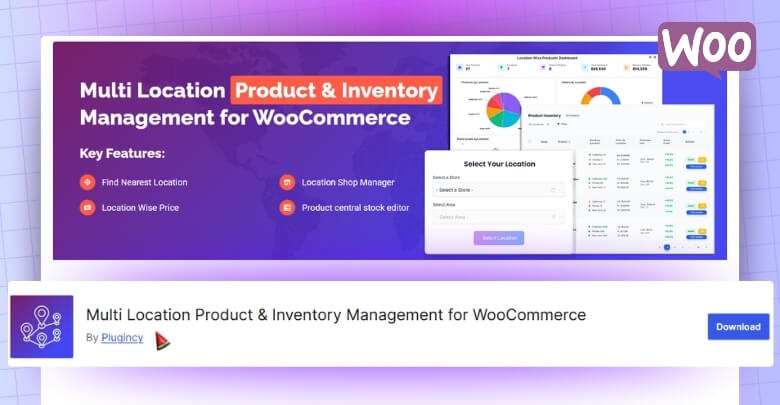
Multi Location Product & Inventory Management For WooCommerce
This plugin helps you control all your store locations from one dashboard. You can track stock, prices, and product availability for each location. It offers premium inventory management options that let customers pick their nearest store and see real-time stock. It also supports location-based pricing, low stock alerts, and order management. For improved control, the pro version includes features like team roles, geolocation, and reports.
ATUM Inventory Management For WooCommerce
ATUM gives you a clean dashboard to track stock, suppliers, and orders. It helps manage products and purchase orders in one place. You can use its reports to check performance and plan better. Though it doesn’t fully divide warehouse stock, extensions can add that. It’s great for store owners who want strong reporting tools.
Smart Manager For WooCommerce
Smart Manager makes editing stock easy with its spreadsheet-like layout. You can change prices, quantities, and SKUs in bulk. It’s perfect for stores with large product lists. It saves time by reducing the need to open every product page. It keeps your WooCommerce data neat, clear, and always updated.
WooCommerce Stock Manager
WooCommerce Stock Manager is simple and best for small or mid-sized stores. It lets you update stock, SKUs, and prices from one screen. You can import or export CSV files easily. It doesn’t need much setup or extra tools. It’s a good pick if you just need basic stock management.
Unicommerce WooCommerce Integration
Unicommerce connects WooCommerce to outside warehouses and shipping systems. It syncs stock across channels and ships orders from the nearest warehouse. It also tracks shipments in real time. This plugin fits big businesses handling many regions or marketplaces. It helps keep everything moving fast and smoothly.
When Should You Use the Multi Location Product and Inventory Management Plugin?
Operating multiple stores can be difficult without a proper system in place. Stock mistakes and late updates can slow down your business quickly. With this plugin, you can keep every store connected and easy to manage. Let’s see when it’s the right time to use it and how it can help your WooCommerce store.
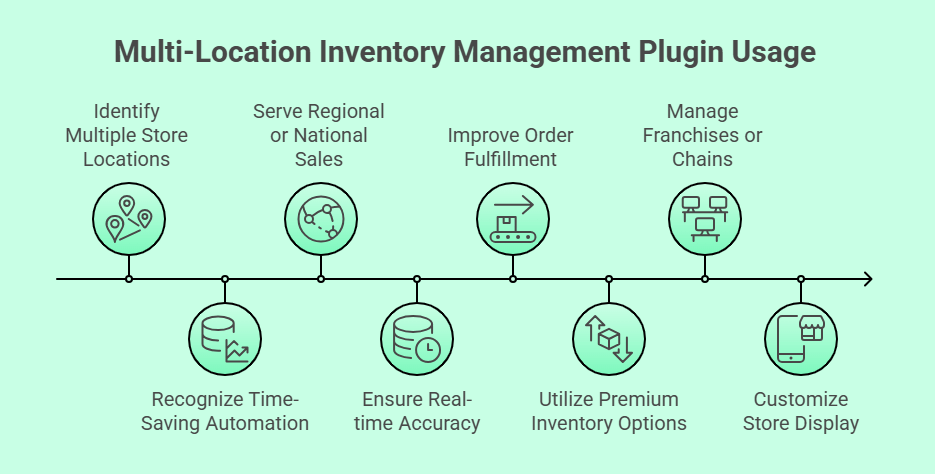
Multiple Store Locations
If your business runs in more than one location, this plugin is perfect. It helps you track stock for each store from a single dashboard. You can manage pricing, stock levels, and order routing easily. Everything updates in real time, keeping your stores and website in sync.
Time-Saving Automation
Handling inventory by hand takes too long and causes errors. This plugin updates your stock automatically across all locations. You can also bulk-edit items or assign products quickly. The smart system cuts down manual work and saves hours each week. It keeps your workflow clean and simple.
Regional or National Sales
Stores that serve many cities or regions need clear stock control. This plugin helps show which store has available stock for each area. You can set location-based prices, taxes, and delivery options. Customers see local inventory, helping them choose faster. It keeps your regional sales well-organized.
When You Want Real-time Accuracy
Stock data must always be right, especially during busy sales. The plugin syncs your inventory live across all stores. You’ll know the exact quantity in every warehouse. It also sends low-stock alerts to avoid selling out. This real-time update helps you plan and reorder on time.
Better Order Fulfillment
If your orders take too long to ship, this plugin helps. It sends orders to the nearest warehouse automatically. You can check which store fulfilled which order with ease. Customers get faster delivery, and your system stays organized. It’s one of the simplest ways to boost efficiency.
Premium Inventory Management Options
Some businesses need more control over their data and reports. This plugin’s pro version offers premium inventory management options like analytics, team roles, and location reports. You can study performance and stock flow clearly. It’s ideal for growing stores that want detailed control and tracking.
When You Run Franchises or Chains
If you handle franchises or chain stores, this plugin is a must. You can assign products and managers to each location separately. Orders, prices, and stock remain accurate for every branch. It gives you a clear picture of all stores from one system. Managing many outlets becomes stress-free.
Custom Store Display Options
Some stores want to show stock details on product pages. The plugin lets you display store names, locations, and stock levels easily. You can also add a store selector dropdown for buyers. These small changes improve user experience. Shoppers can choose their nearest store with just one click.
The Multi Location Product and Inventory Management plugin keeps your business simple and smart. It’s the right choice when you’re choosing best multi-location inventory management plugin for your store. With its features, your WooCommerce store can grow without confusion. Start using it to save time and give customers a smoother shopping experience.
Frequently Asked Questions
Managing inventory across several locations can raise a lot of questions. Whether you’re just starting or improving your setup, the answers below will help. These FAQs cover extra details not already shared in the main article above. Let’s dive in to clear up any confusion.
How Does Multi-Location Inventory Improve Customer Satisfaction?
When customers can see real-time stock in their nearby stores, it builds trust. It helps them know what’s available and where to buy it from. Fast local delivery also improves satisfaction. Having clear stock updates means fewer delays, smoother shopping, and happier customers.
Can Multi-Location Inventory Help Reduce Shipping Costs?
Yes, it can. By sending orders from the warehouse or store closest to the customer, shipping distances are shorter. This saves money and time. It also helps reduce handling costs and improves delivery speed, which keeps both customers and business owners happy.
Why Is Centralized Stock Tracking Important?
Centralized tracking helps you manage all store inventory from one place. You don’t have to switch between systems or guess which location has items. It gives you full visibility of your business. This makes planning, restocking, and sales tracking much easier and faster.
How Often Should You Check Your Inventory Reports?
It’s best to check reports at least once a week. Frequent checks help catch errors early and notice changes in sales patterns. This way, you can restock popular products on time and avoid slow-selling items piling up in storage.
What Are Some Common Mistakes In Multi-Location Inventory Management?
A common mistake is not syncing stock in real time. Others include ignoring low-stock alerts or not training staff properly. Many also forget to set reorder points per location. Fixing these small mistakes helps keep the whole system running smoothly.
How Can You Prevent Overselling Across Multiple Locations?
Use a plugin that updates stock automatically across all stores. Each sale should instantly reduce the correct stock count. This real-time sync ensures products aren’t oversold. Adding low-stock alerts also helps you refill items before they run out completely.
Why Should Small Businesses Care About Multi-Location Setup?
Even small stores can benefit from better organization. A multi-location setup helps track stock separately for each outlet. It improves restocking, reduces confusion, and keeps reports accurate. It’s a good step toward smoother business growth and customer satisfaction.
Conclusion
There are a lot of things to keep track of when running more than one WooCommerce store. You need a clear plan to keep all your stock, sales, and orders in order. That’s why learning and following the best practices for multi-location inventory management in WooCommerce helps you stay in control and avoid costly mistakes.
With the right tools and simple steps, you can keep every store synced and organized. These practices make stock tracking easy, help you restock on time, and improve how fast orders get out to customers. It’s about saving time and keeping your business smooth every day.
If you’re ready to make your WooCommerce setup work smarter, now’s the time. Use these best practices to organize your inventory, boost customer trust, and grow your business the easy way.
