

Selling electronics online is a smart way to reach tech-savvy buyers and grow a successful digital store fast. WooCommerce helps you launch and manage your shop easily. You can sell items like phones, laptops, and accessories with full control.
The setup is flexible, powerful, and perfect for electronics. If you’re wondering how to sell electronics online with WooCommerce, the steps are simple and highly effective.
You can sell electronics online with WooCommerce by setting up a fast store, adding detailed product specs, using smart filters, and optimizing checkout for high-value buyers. Choose a reliable theme, integrate secure payment gateways, and use tools like one-page checkout to boost conversions and simplify the buying experience.
Want to launch your electronics store the right way? Keep reading to learn each step with helpful examples. Discover tips to make your store fast, clear, and easy to use.
Essential Requirements Before You Start Your Electronics Store
Starting your own electronics store can be exciting, but there are some important steps to follow before jumping in. You need to plan well, think clearly, and understand a few key things. A good start can help avoid problems later on. Here are some simple tips that will make everything easier and help your store grow:
Market Research
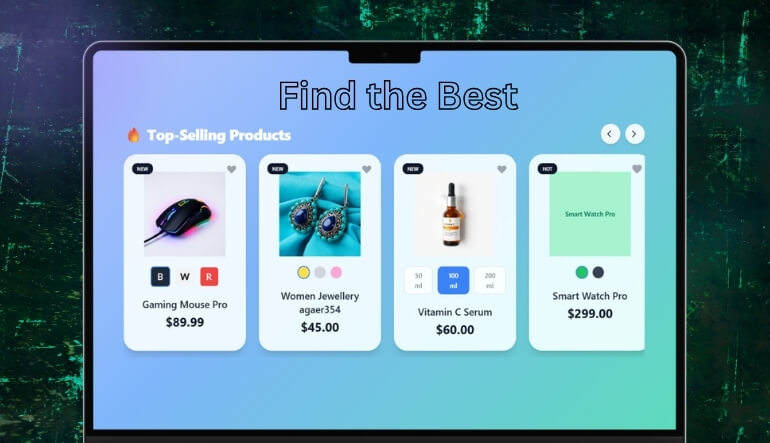
Before you begin selling, it’s a smart idea to learn about the electronics market. Check what products people buy most—like phones, laptops, or speakers—and who is already selling them. Look at what your competitors do well and where they fall short. This helps you find a gap you can fill. You can also visit online stores or use social media to spot popular trends. Try to understand what customers really need so your store can give them the right things.
Business Plan
Think of a business plan as your guide to making the store work well. It should include what products you’ll sell, who will buy them, and how much money you need to start. Try to write down how you’ll handle costs, where you’ll get the products from, and how you’ll promote your store. This plan will also help if you ever ask for a loan. Even if you start small, a plan keeps things clear and helps avoid confusion later.
Business Setup
You need to give your store a proper name and choose how you want to run it. You can run it alone or as a small company, depending on what suits you best. After that, you’ll need to register your store with your local authority and get an ID for tax purposes. Doing this keeps your personal money safe and separates your business money. It also makes your store legal and trustworthy.
Legal Licenses
To run your store without any trouble, you must follow the rules. This means getting the right licenses and permits to sell electronics, especially if they’re used or refurbished. You might need to collect sales tax too, so check with local offices. Also, having insurance is important in case things get damaged or something goes wrong. Ask a local expert or visit a government website to find the exact rules for your area.
Money and Budget
Before opening the store, count how much money you’ll need to spend. This includes things like buying products, building a website, or running ads. Try to set aside some money for emergencies as well. If you don’t have enough, you can look for small loans or ask for help from family. Also, it’s best to open a bank account just for your store so you can keep track of all the money in one place.
Suppliers and Inventory
Finding the right place to get your products is a big deal. You can buy them in bulk from sellers or use dropshipping so that items go directly from suppliers to your customers. Some sellers even give you tools to help list the products on your website. If you store the products yourself, you can send them faster, but dropshipping saves space and money. Just make sure your suppliers are honest and deliver on time.
Selling Location
You can open a physical store, an online store, or both, depending on your plan and budget. If you want a walk-in store, pick a spot where many people go, like near other shops. If you’re selling online, use platforms like WooCommerce or Shopify. These make it easy to build your website, collect payments, and track orders. No matter where you sell, make sure the store looks neat and works well on mobile phones too.
Store Branding
Your store needs a name and look that people remember. Think of a short, catchy name, make a nice logo, and pick a few colors to use everywhere. Keep the same style on your website, social pages, and product packaging. This helps people recognize your store easily. A strong brand makes your store feel more serious and helps build customer trust over time.
Skills and Help
Running a store means doing lots of different things like answering customers, updating the website, and keeping records. Think about what you’re good at and where you might need help. You can take free courses online or ask friends to help with tasks like designing or writing. If the store grows, you might want to hire someone for help. Learning while doing is okay too, as long as you keep improving slowly.
How to Sell Electronics Online with WooCommerce?
Selling electronics online using WooCommerce is a smart way to reach more customers and build a growing store. You can manage everything easily, from adding products to accepting payments, by using the right setup and tools. Follow this guide step by step to launch a reliable electronics store without confusion or stress.
Step 1: Pick a Reliable Hosting Plan
Choose a trusted hosting company that supports WordPress and WooCommerce for fast site performance. A good host should include features like backups, security, and a free SSL certificate to protect your online store. Sites that sell electronics often use many images, so speed and storage also matter a lot.
Step 2: Install WordPress and WooCommerce Plugin
Use your hosting panel to install WordPress with a one-click installer like Softaculous. After that, log in to your WordPress dashboard and add WooCommerce from the Plugins section. This plugin helps you build your store, manage payments, and track orders with simple tools already built into your site.
Step 3: Choose a Theme That Fits Electronics
Pick a WooCommerce-ready theme with clean layouts, large images, and strong mobile support. Electronics shoppers love zoomable images and product previews. Customize the theme from the Appearance settings by adding your store logo, changing colors, and adjusting layout sections like the header and product listing areas.
Step 4: Find Quality Products and Trusted Suppliers
Always check if your suppliers deliver on time and provide a warranty or certification for their products. Use dropshipping tools like Syncee to offer products without storing them yourself. You can also buy from wholesalers to get better profit margins and ensure you’re offering reliable electronics to your customers.
Step 5: Add Products With Full Details
Write complete product listings that include the name, features, and multiple images of the item. Use categories like “Smartphones,” “Accessories,” or “Laptops” to help customers search easily. You can also use plugins to add product tables and custom fields, making tech specs easy to compare and understand.
Step 6: Secure and Test Payment Gateways
Activate payment methods such as Stripe, PayPal, and Apple Pay through WooCommerce’s payment settings. These trusted gateways give your customers flexible and secure ways to pay. Always run a few test orders before launching your store to avoid losing sales due to failed or buggy checkout processes.
Step 7: Set Up Shipping and Tax Options
Use shipping plugins to connect with UPS or FedEx for fast delivery. Set rates based on product weight, location, or cart value. For taxes, WooCommerce can calculate them automatically if you enable the tax settings. This setup saves time and avoids errors in pricing or checkout totals.
Step 8: Install Key Plugins for Electronics Sales
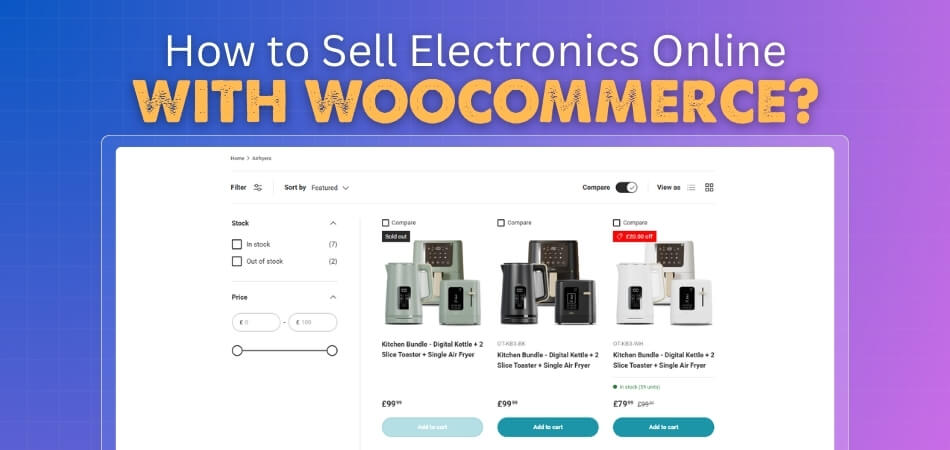
Use security plugins like Wordfence to protect your store and caching tools like WP Rocket to improve speed. To help buyers find what they need faster, install product comparison and filtering plugins. These tools allow users to search by brand, price, or feature quickly and easily.
Step 9: Use Smart Layout and Shortcodes
Create smooth shopping experiences by designing smart product pages and layout sections. You can place buttons, forms, and product lists anywhere using WooCommerce shortcode use, making your pages more dynamic. These shortcodes also help you add filtered lists, featured gadgets, or quick-buy buttons where needed.
Step 10: Launch Your Store and Track Performance
After testing checkout, product pages, and mobile views, go live with your store. Promote it through social media or ads. Track orders, site visits, and customer behavior using WooCommerce analytics. Keep improving your store by adding bundle offers, customer reviews, or loyalty points based on real feedback.
Why WooCommerce is Ideal for Selling Electronics Online?
WooCommerce is a strong choice for selling electronics because it offers flexible tools, simple product control, and a setup that fits both small and large online stores. It supports detailed tech listings, secure payments, and smooth checkout options that help customers purchase confidently and quickly. Let’s look at the key reasons why WooCommerce is ideal for selling electronics:
- Flexible Platform: It lets you build a custom electronics store that matches your brand without needing complex coding skills. You can adjust layouts, add features, and manage product details easily while keeping everything simple for everyday use.
- Detailed Product Control: It supports variations, specs, and attributes so you can list electronic items with clear and organized details. This helps shoppers compare models quickly and choose the right device without feeling confused or overloaded.
- Large Catalog Support: It handles big product lists smoothly, making it great for stores selling many electronics categories or brands. Customers can browse hundreds of items easily because WooCommerce works well with fast search and filter tools.
- Secure Payment Options: It connects with trusted gateways that give buyers confidence when purchasing high-value electronics online. This reduces the fear of fraud and makes customers more comfortable completing their orders smoothly.
- Strong Plugin Ecosystem: You can add filters, quick view, comparison tools, and one page checkout to improve the user experience. These tools help shoppers find the right electronics faster and move through checkout without extra steps.
- Mobile-Friendly Layouts: It delivers responsive designs so electronics buyers can explore items comfortably on any device, especially smartphones. This improves browsing speed and keeps shoppers engaged without slow or broken page layouts.
Using WordPress, you can create a store that converts well and grows with demand. By using tools like AJAX product filters for WooCommerce, you can improve speed, enhance product discovery, and create a smoother browsing experience that encourages customers to complete their purchases confidently.
How to Properly Set Up WooCommerce for an Electronics Store?
Setting up WooCommerce for an electronics store needs careful planning so your products are easy to manage and sell. You must focus on product details, payments, layout, and tools that help shoppers find what they need without confusion. These tips will help you start the right way:
- Select Product Type: Set product types as simple or variable depending on size, color, or storage options offered. This helps shoppers pick exactly what they want without scrolling through multiple listings that show repeated or duplicate items.
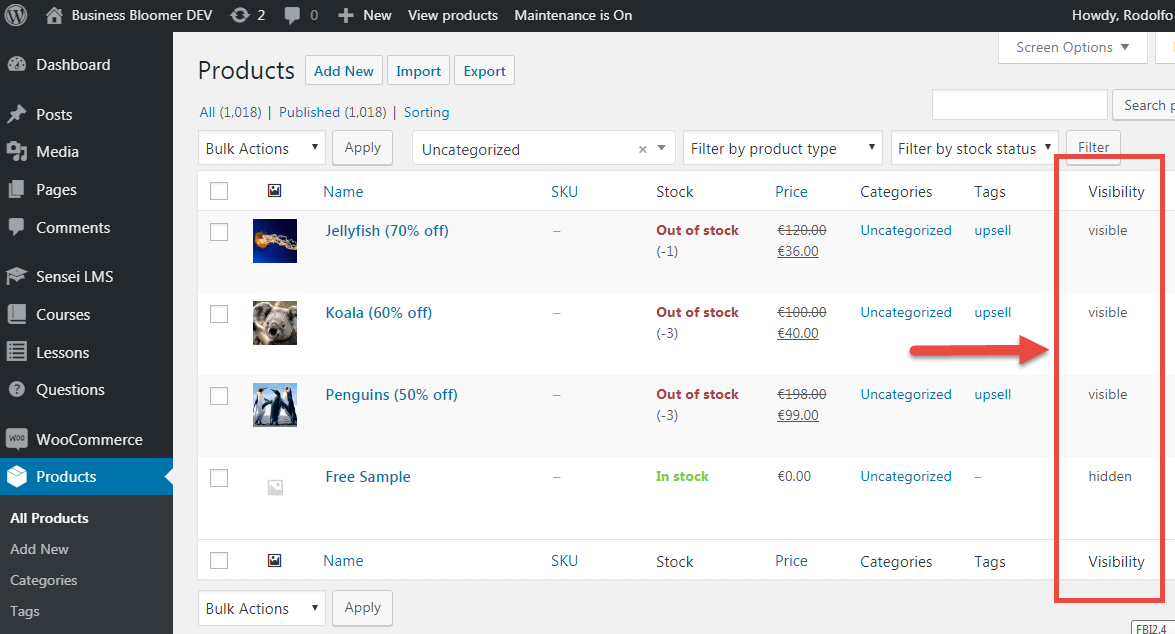
- Enable Inventory Tracking: Turn on stock management for each product to avoid selling items that are out of stock. WooCommerce lets you set limits and get alerts when product levels drop below a certain number.
- Set Accurate Categories: Use clear product categories like Phones, Accessories, or Laptops to make browsing faster. This helps customers find products quickly and allows you to organize your store more neatly and simply.
- Add Detailed Specs: Include product specs such as RAM, battery, and screen size in the description or use custom fields. This helps shoppers compare items easily, especially when they are looking at more than one model at once.
- Use Quality Images: Upload multiple high-quality images showing different angles and features of each electronic item. Good pictures help buyers trust your products and make better choices without needing more support or questions.
- Configure Secure Payments: Enable trusted payment options like PayPal, Stripe, or cards to make customers feel safe during checkout. This builds trust and reduces the chance of buyers leaving without completing their purchase.
- Optimize for Mobile: Make sure your store layout works well on phones since many shoppers browse from mobile devices. A clean mobile view improves loading speed and keeps visitors on your site longer while shopping.
- Install Key Plugins: Add helpful plugins like product filters, comparison tools, and quick view for a better shopping experience. These tools help shoppers find the exact electronics they need without going through many pages.
- Test Checkout Flow: Before going live, test your full checkout process, including shipping and payment, on both desktop and mobile. This ensures that customers won’t face errors or delays when trying to complete their orders.
Adding Electronics Products: Best Practices for High-Conversion Product Pages
Selling electronics online is fun, but you need to make your product pages look smart and easy to use. A good page helps people trust your store and buy without doubts. Small things like images, reviews, and simple words make a big difference. Let’s look at some simple tips that work well.
Use Clear Images
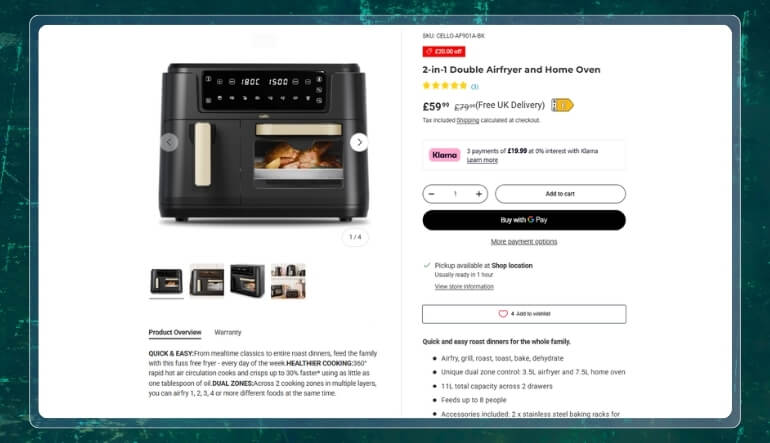
People want to see what they’re buying, especially with things like phones or laptops. Show your product from different angles and add close-up pictures of buttons, screens, or ports. If you can, include a short video showing how the product works. Use bright, clear images so the product looks real and easy to understand. Good pictures help customers feel sure about their choice.
Write Simple Descriptions
Don’t just list the features—explain why they matter. Instead of saying “5000mAh battery,” say “Lasts all day without charging.” Use short lines, easy words, and small paragraphs. You can also use bullet points to list important features clearly. This helps people quickly find what they care about without reading too much.
Add Real Reviews
When other people say the product works well, new buyers feel more confident. Show ratings, real photos from customers, and short reviews that talk about setup, battery, or sound. Try to answer reviews politely if someone has a problem. Honest reviews—both good and bad—build trust and show you care about your customers.
Make the Button Stand Out
Your “Add to Cart” button should be easy to see and press. Use bright colors and short action words like “Buy Now” or “Get It Today.” Add it near the product image and again at the bottom. On phones, make the button stick as people scroll, so they don’t need to search for it.
Help Compare Products
Electronics can be confusing because there are so many choices. Add a simple table that shows differences between models like size, price, or features. You can also link to buying guides or add a short FAQ under the product. This helps shoppers pick the right one faster and feel sure about their decision.
Show Shipping and Safety Info
Tell people when they’ll get the product and how it will arrive. If you offer free shipping or easy returns, show that clearly. Add trust symbols like “Secure Checkout” or “Money-Back Guarantee” near the buy button. This makes customers feel safe buying something that costs more.
Use Timers and Stock Alerts
If a deal ends soon or only a few pieces are left, say that on the page. You can add messages like “Only 2 Left!” or “Offer Ends in 2 Hours!” This makes people buy quicker. Also show things like “People also bought this” or “You may also like” to help them add more to their cart.
Make It Phone-Friendly
Lots of people shop on their phones, so make sure your page works well on small screens. Use big buttons, short text, and fast-loading images. Add filters so they can search by brand or price. A live chat button also helps if someone has a quick question while browsing.
Must-Have WooCommerce Plugins for Electronics Stores
Running a WooCommerce electronics store becomes much easier when you use the right tools. These plugins help shoppers find products faster, compare features, and check out quickly. A well-optimized store builds trust, reduces cart abandonment, and makes buying electronics smooth for everyone, especially first-time visitors or mobile users. Here are the must-have WooCommerce plugins for electronics stores:
AJAX Product Filters
Filters help people find what they need without looking through pages of items. You can use AJAX filters like Dynamic AJAX Product Filters For WooCommerce to let customers filter by brand, price, or features. These filters work without page reloads, keeping things fast and clean. They’re great for stores with large electronics catalogs and categories.

Quick View Plugin
Letting shoppers preview products without opening a new page saves them time. Quick view plugins show product details in a pop-up window. They can check price, specs, and add to cart from the same spot. It works well on mobile too, making product browsing much faster and simpler.
Product Comparison
Comparison tools are perfect when buyers want to choose between two or more similar gadgets. These plugins create tables that highlight the differences in features, prices, and ratings. It’s especially useful for tech items like phones or laptops. Shoppers feel more confident when they clearly see what suits them best.
Review and Rating Systems
Good reviews help new buyers trust the product. Plugins that support photos, star ratings, and helpful votes make reviews more honest. You can use review tools that let customers filter reviews by rating or keyword. Reviews covering battery life, setup, or quality help buyers decide quickly and with less worry.
One Page Checkout
Electronics cost more, so buyers want a smooth and fast payment process. Use a checkout filter, such as One Page Quick Checkout for WooCommerce, to keep everything on one page. This removes extra steps like cart pages and helps reduce cart abandonment. It’s clean, fast, and works great for mobile users as well.
Speed Optimization Tools
Your store needs to load quickly, especially with many images and big product pages. Use plugins like WP Rocket to help your pages load fast. They reduce file sizes, store content in cache, and improve mobile speed. Fast sites keep shoppers happy and reduce the chances of them leaving early.
Using these must-have plugins makes your WooCommerce electronics store work better and feel easier to shop in. From smart filters to faster checkout, every tool adds to a smoother experience. You can also include features like weight-based product pricing to improve accuracy for shipping costs and build customer trust.
How to Optimize the Checkout Experience for High-Value Electronics Buyers?
Improving the checkout experience is very important when you’re selling high-value electronics. Buyers want a simple, fast, and safe way to pay. If the checkout is too slow or confusing, they may leave without buying. These easy tips can help make the process better and smoother.
- Use One Page: Keep all checkout steps on one page to save time and avoid confusion. This reduces the chance of cart abandonment and helps customers complete their orders more quickly without second thoughts or distractions.
- Show Trust Badges: Add security logos, money-back guarantees, and warranty info near the payment section. These badges make buyers feel safe, especially when they are spending more money on big electronics items.
- Offer Multiple Payments: Let buyers choose from cards, PayPal, EMI, or other options they trust. The more choices you offer, the more likely they are to find one they’re comfortable with and finish the order.
- Use Sticky Buttons: Keep the “Place Order” or “Buy Now” button visible on the screen while users scroll. This saves time and keeps the action clear, especially on mobile devices where buttons can easily get lost.
- Simplify Form Fields: Ask only for necessary info like name, address, and payment—remove extra questions. Shorter forms speed up checkout and lower the chance that someone will quit before completing their purchase.
- Enable Guest Checkout: Let people check out without creating an account first. Many buyers prefer speed, especially if they’re in a hurry or making a one-time purchase from your store.
- Add Cart Summary: Show the product name, image, price, and quantity clearly at checkout. This helps people confirm their choices and avoid mistakes before they pay, giving them more confidence.
- Display Shipping Info: Tell buyers when the item will arrive and how it will be shipped. For expensive electronics, clear shipping details reduce worry and make customers feel more secure about buying.
FAQs About Selling Electronics Online With WooCommerce
Selling electronics online with WooCommerce is a great way to reach more customers and grow your business. However, beginners often have questions about tools, features, and store setup. These FAQs cover useful tips that can help you start with more confidence.
How Do I Handle Product Returns in a WooCommerce Electronics Store?
You can manage returns using plugins that support return requests and tracking. Clearly show your return policy on product pages. For electronics, include warranty info and offer easy communication options. This builds trust and avoids customer confusion after the purchase is complete.
Can I Sell Refurbished Electronics Using WooCommerce?
Yes, WooCommerce supports selling refurbished products. Just label them clearly with tags like “Certified Refurbished.” Add warranty details, condition notes, and high-quality images. This helps buyers understand what they’re getting and keeps your listings honest and buyer-friendly.
How Can I Manage Stock for Electronics With Multiple Variants?
Use variable products in WooCommerce to manage different models or colors. Enable inventory tracking for each variation separately. This helps avoid overselling and makes your product pages cleaner. Customers can select their preferred options without confusion or broken links.
Is It Safe to Accept Online Payments for Expensive Items?
Yes, WooCommerce supports secure gateways like Stripe, PayPal, and others with fraud protection. Always use SSL and trusted payment badges. These tools make shoppers feel secure when buying high-priced items like phones, tablets, or laptops from your store.
What Shipping Options Work Best for Electronics?
Offer reliable, trackable shipping services like UPS or FedEx, especially for fragile or high-value items. Add shipping plugins to show real-time rates and estimated delivery dates. Clear shipping info reduces customer worries and helps you provide better service from the start.
Closing remarks
Launching an online electronics store may seem hard at first, but with the right tools, it becomes much easier. By learning how to sell electronics online with WooCommerce, you can build a fast, secure, and user-friendly store that attracts loyal buyers.
WooCommerce gives you full control over products, design, and payments without needing complex skills. You just need to plan well, choose the right plugins, and focus on what your customers need.
Using smart layouts, mobile-ready themes, and smooth checkout helps people shop with ease. Once your store is set up the right way, you’ll have everything you need to grow and succeed in the electronics market confidently.
