

WooCommerce stores can be difficult to manage when stock is spread across multiple locations. Each location has its own stock, which can be frustrating to manage. Many store owners start to think about better tools to fix this. That’s when they begin to wonder, is using a premium plugin for managing inventory across multiple locations worth it?
Yes, using a premium plugin to manage inventory across multiple locations is worth it. It enables real-time tracking, reduces errors, and automates stock updates. It also optimizes fulfillment by choosing the nearest warehouse, cuts shipping costs, and supports scalable growth as your business expands.
Do you want to know what makes a premium plugin truly worth it? Or how it helps your business grow without stress? Keep reading because this article explains every key benefit in simple words. You’ll find everything you need to make the right choice below.
Is Using a Premium Plugin for Managing Inventory Across Multiple Locations Worth It?
Using a premium plugin for managing inventory across multiple locations is worth it. It helps you track stock in real-time, cut down on manual work, and make your business run smoothly. You also save money by avoiding stock mistakes and improving delivery times for your customers. Keep reading below to see what makes a premium plugin worth it and how it helps your business.
Centralized Real-Time Tracking
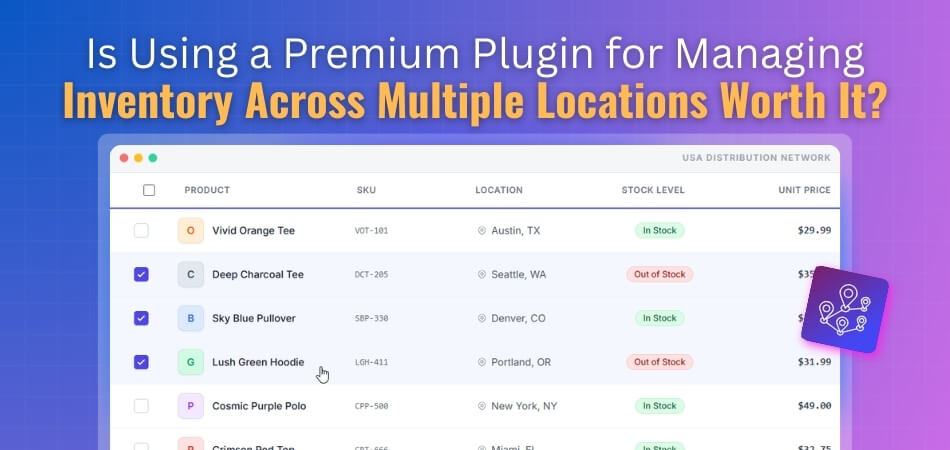
A premium plugin gives you one clear view of your stock across all stores. You do not need to handle messy spreadsheets anymore. You can see what is in stock and what is running low instantly. This helps avoid delays and mistakes in orders while keeping all data updated in real-time.
Automated Tasks
With a premium plugin, you can automate everyday stock tasks easily. It can send low-stock alerts, update stock levels, and even make purchase orders. This saves you time and helps your team focus on important work instead of manual updates. It also reduces errors that often come from doing everything by hand.
Optimized Fulfillment
The plugin helps you send orders from the best location every time. It checks which store or warehouse is closest to the buyer. This helps cut down on delivery time and saves shipping costs. It also makes customers happy because they get their orders faster and more reliably.
Better Accuracy And Cost Control
Manual stock tracking can cause big losses due to errors. The WooCommerce Multi Locations Inventory Management Plugin helps reduce these mistakes and keeps your records clean. It also helps you avoid buying too much or too little stock. This means you save money and make smarter buying choices using real and accurate data.
Scalable And Flexible System
As your business grows, your plugin grows with you. It can manage more products, more stores, and more data easily. You do not need to worry about the system slowing down or breaking. It gives you a stable, flexible platform that supports your growth smoothly.
What to Check Before Investing in a Premium Inventory Plugin?
Before paying for a premium inventory plugin, it’s good to look deeper first. You should make sure it fits your system, is easy to use, and offers good value. Taking time to review key points helps you avoid mistakes later. Keep reading below to learn what to check before investing in a premium inventory plugin.

Check Ease Of Use
The plugin should be simple to set up and use daily. If it looks too complex, your team may struggle to learn it. Try the demo or free trial first to see how it works. Easy tools help your team work faster without wasting time on long setup steps.
Review Customer Feedback
Before buying, check what real users say about it. Reviews can tell if the plugin is stable, reliable, and well-supported. Look at both good and bad comments to get a full view. Honest feedback helps you pick one that truly performs well over time.
Confirm Data Security
Your store data must stay safe and private at all times. The plugin should follow good security standards and protect your information. Avoid plugins that lack clear data protection rules. Always pick one that uses secure systems to stop leaks or data loss during updates or online access.
Check Compatibility With Theme
Some plugins can slow down your website or break designs. Before buying, test if it works well with your theme and layout. Compatibility helps your website run smoothly and look good. If it fits without issues, your store will perform faster and load without errors.
Look For Customization Options
Every business runs differently, so flexibility matters. A good plugin lets you adjust settings, reports, or layouts easily. You should be able to add or remove features as needed. This way, it fits your business style without forcing you into fixed rules or limits.
Evaluate Technical Support
Reliable support helps when problems show up. Check if the plugin team replies fast and gives clear answers. Good customer service can save time when updates or fixes are needed. Always pick a plugin backed by a strong team that stays active and helpful.
Compare Cost With Features
Price alone does not show real value. Check if the price of a premium WooCommerce multi location inventory management plugin matches the features it offers. A lower price with poor quality is not a good deal. Compare two or three options before deciding. This helps you find the right balance between cost, quality, and support.
Best WooCommerce Premium Plugins for Inventory Management in Multiple Locations
Managing inventory across many locations can be a real challenge. You need a system that keeps things easy and updated all the time. WooCommerce plugins can help you handle stock, prices, and orders better. Let’s take a look at the top options that make this job much easier.
Multi Location Product & Inventory Management for WooCommerce
This plugin is a complete solution for businesses with many stores or warehouses. It lets you track and control stock, prices, and orders for each location from one dashboard. Customers can choose their store, see nearby inventory, and get faster delivery. It also offers reports, geolocation, and smart tools to manage everything easily. Both free and pro versions include advanced options to match your business needs.
WooCommerce Multi Store Manager
This official WooCommerce extension lets you handle unlimited stores from one dashboard. You can manage products, prices, and stock for each store separately. It even allows assigning store managers to different locations for better control. It’s great for businesses that want full control of each store in one simple setup.
ATUM Inventory Management
ATUM is a powerful tool that gives a clear, easy view of all your stock. It has a “Stock Central” dashboard that shows data from all suppliers and locations. You can track inventory, purchase orders, and sales without confusion. ATUM also offers a free version, making it a smart starting choice.
WooCommerce Multi Locations Inventory Management
This plugin is made for stores that sell from many physical locations. It helps you track product stock at each store and keeps everything in sync. You can also show customers the nearest store with available products. It’s a great choice for growing businesses with more than one selling point.
Smart Manager
Smart Manager is another helpful option for big stores with lots of products. It makes it easy to edit and update many items at once. You can manage orders, customers, and prices quickly from a single dashboard. The plugin comes in both free and premium versions for flexible use.
Who Should Consider Investing in a Multi Location Product & Inventory Management Plugin?
Running many stores can be a big task. Each location may have its own stock, prices, and products. It gets confusing when all of this is managed by hand. A good plugin can make the job easier, faster, and more accurate. Let’s see who can truly benefit from using this tool.
Retail Businesses With Many Stores
If you run stores in different cities, you need full control. A multi location plugin helps track product stock and prices in real time. You can check which store needs restocking and which has extra. This saves time and reduces errors in manual tracking. It’s a must for multi-store retail owners.
Online Sellers With Physical Shops
Some sellers run both online and offline shops. It’s hard to manage stock for both at once. The plugin helps sync online and in-store stock details. You can easily see what’s available and avoid double-selling. It helps keep customers happy and your system up to date.
Franchises And Chain Stores
Franchise owners handle many branches with shared products. Managing each store’s stock separately can be messy. This plugin lets you manage all outlets from one place. You can set prices, track stock, and plan offers for all stores together. It gives full control with less effort.
Wholesalers And Distributors
Wholesalers need to manage large stock across warehouses. Without a good system, it’s easy to lose track of inventory. This plugin helps organize items, track movements, and avoid shortages. It improves speed and cuts down on mistakes. It’s a smart choice for anyone handling bulk goods.
Businesses With Regional Managers
When you have teams handling each region, you need visibility. The plugin allows managers to check their branch data directly. They can manage orders, stock, and pricing within limits you set. This avoids confusion and keeps things organized. Everyone stays updated with accurate information.
Growing E-Commerce Stores
A small online shop may grow into multiple warehouses quickly. When that happens, manual tracking no longer works well. A multi location plugin helps scale up smoothly. It keeps stock data clear and updated across all warehouses. It helps your business grow without chaos.
Common Mistakes to Avoid When Managing Multi-Store Inventory
Running more than one store can be a real challenge. Stock control often gets tricky when products move between locations. Simple mistakes can lead to loss or unhappy customers. Read below to learn what to avoid and how to manage inventory the right way.
Ignoring Real-Time Inventory Updates
When updates don’t happen in real time, confusion begins. You may sell items that are already out of stock. A good multi store inventory management system keeps numbers current. It tracks sales, returns, and transfers as they happen. Always keep your system synced to avoid this costly mistake.
Using Separate Systems For Each Store
Managing each store with different software causes problems fast. Data won’t match, and reports get messy. With a multi location plugin, all stores connect in one place. It gives clear, combined data that’s easy to understand. Use one strong system instead of many small ones.
Not Tracking Product Movement
Some owners forget to record product transfers between stores. This leads to missing items and wrong stock counts. A proper tracking feature helps record every move quickly. It shows what was left in one store and what arrived at another. Keeping these records saves time and prevents confusion.
Forgetting to Train the Staff
Many mistakes come from staff not knowing the system well. If they enter the wrong numbers, the stock details will be wrong. Training helps everyone use the system correctly. Spend time teaching how to update, check, and move items. Well-trained staff keep the inventory smooth and accurate.
Skipping Regular Stock Audits
Without regular checks, hidden issues grow bigger. Some stores skip audits, thinking software alone is enough. In truth, manual checks still matter a lot. A mix of digital tracking and effective inventory management methods for multi location stores works best. It helps catch errors early and keeps reports honest and reliable.
Not Using Data for Planning
Many store owners don’t look at past sales or reports. This mistake stops them from seeing which products sell fast. A good plugin offers reports to guide your planning. Use the data to stock smartly and avoid waste. It helps improve profit and reduce excess stock.
Commonly Asked Questions
Several minor questions can arise when managing inventory across multiple locations. Below, you’ll find clear and helpful answers to the most common ones. These FAQs will guide you in choosing, using, and getting the most out of a premium plugin.
Can A Premium Plugin Help Prevent Overstocking Or Shortages?
Yes, it helps maintain balanced stock levels in all locations. The system sends alerts when stock runs low or when too much is stored. This balance prevents wasted space and ensures products are always available where customers need them most.
How Secure Is The Data Stored In These Plugins?
Premium plugins usually have strong security systems to keep data safe. They use encryption and follow privacy rules to protect your store information. Always pick one that clearly explains its data safety policy and gets regular security updates from the developer.
What Are The Key Features Of A Good Inventory Plugin?
A good plugin offers real-time tracking, low-stock alerts, and easy reporting. It should connect smoothly with WooCommerce and support multi-store setups. Features like bulk updates, data syncing, and simple dashboards make daily inventory work much faster and more accurately.
Can I Integrate The Plugin With My Current WooCommerce Setup?
Yes, most premium inventory plugins work directly with WooCommerce. They connect easily without changing your whole setup. You can install them quickly, adjust a few settings, and start managing your stock across all stores from one clear and easy system.
Do Premium Plugins Offer Customer Support?
Premium versions always include customer support. You can reach the team through chat, email, or support tickets. They help solve setup issues, bugs, or confusion about features. Good support means your store runs smoothly without long delays or technical problems.
How Often Should I Update My Premium Plugin?
You should update your plugin whenever new versions are released. Updates fix bugs, improve speed, and add new features. Regular updates also ensure compatibility with WooCommerce changes. Staying updated keeps your store safe and your inventory system running smoothly.
Can I Move My Data From One Plugin to Another?
Yes, most plugins let you export or import data easily. You can move your inventory details, product info, and stock reports to a new plugin. Always back up your data first to ensure nothing gets lost during the transfer.
Bottom Lines
Stock management across multiple stores requires the proper tools, time, and focus. A premium plugin gives you the power to handle everything in one place. It saves time, cuts manual work, and helps your business run more smoothly. It also keeps customers happy with faster and more accurate orders.
When thinking about Is Using a Premium Plugin for Managing Inventory Across Multiple Locations Worth It?, the answer is clear. It brings better control, fewer mistakes, and more profit. With features like real-time tracking, automation, and cost control, it makes daily work simple and stress-free.
If you want to manage your stores smarter and grow without chaos, a premium plugin is a solid step forward. It’s not just a tool; it’s a long-term support system for your business success.
