
One Page Quick Checkout for WooCommerce
One Page Checkout for WooCommerce helps store owners remove unnecessary checkout steps and create a faster buying experience. Instead of forcing customers through multiple pages, this solution lets them add products, review order details, and complete purchases in one smooth flow.
Built as an all in one checkout for WooCommerce, the plugin supports popup checkout, direct checkout buttons, and single-page checkout layouts. Customers enjoy a clean, distraction-free experience on any device, while store owners benefit from fewer abandoned carts, higher conversions, and a quick checkout for WooCommerce that matches modern shopping behavior.
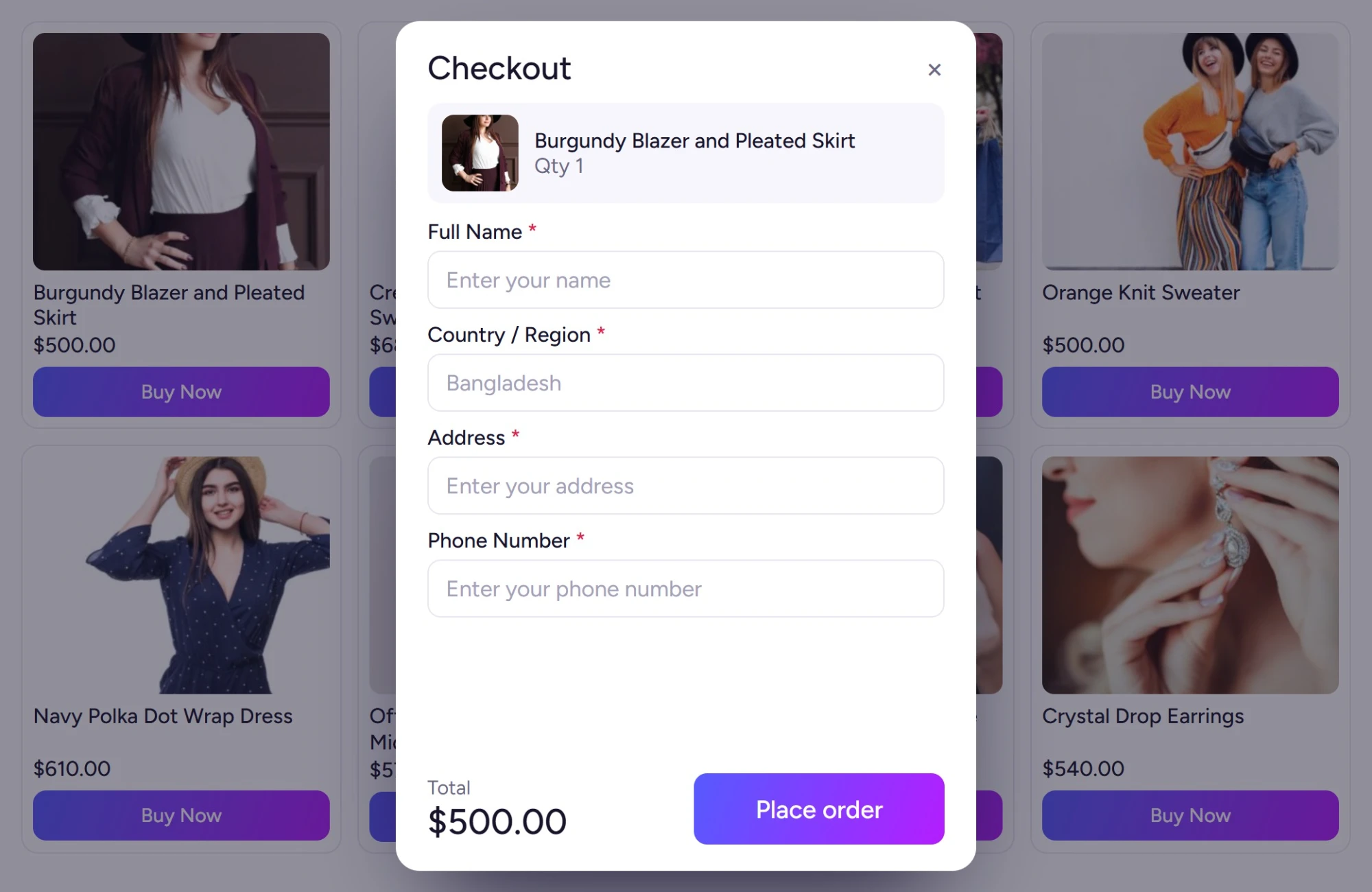












WooCommerce One Page Checkout with Multiple Buying Options
Shoppers do not all buy the same way, so the plugin gives you four roads to the order. Use one across the store or mix them, and try each one on the live demo.
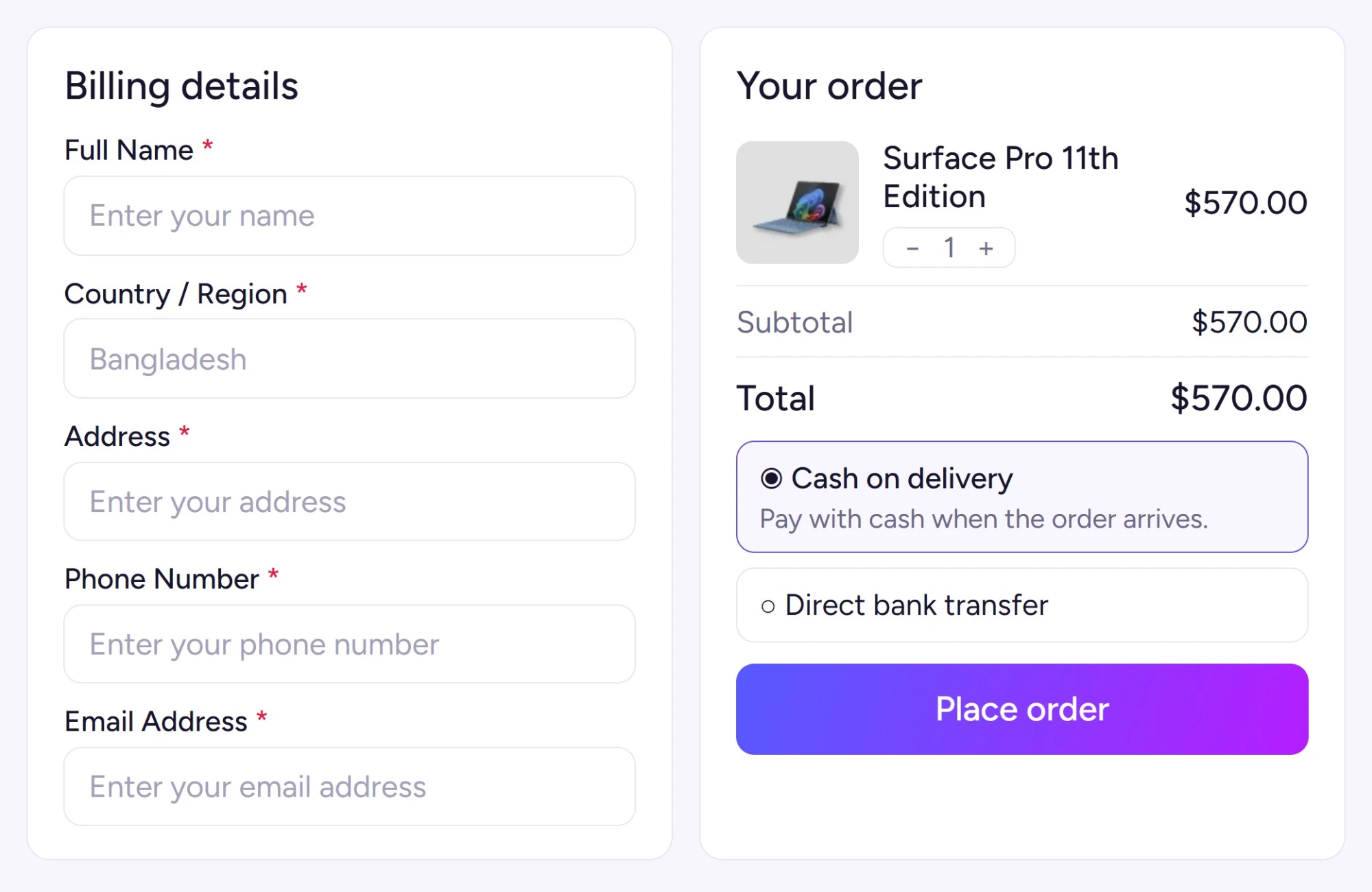
Popup Checkout
Allow your customers to complete their orders without leaving the current page.
View Demo →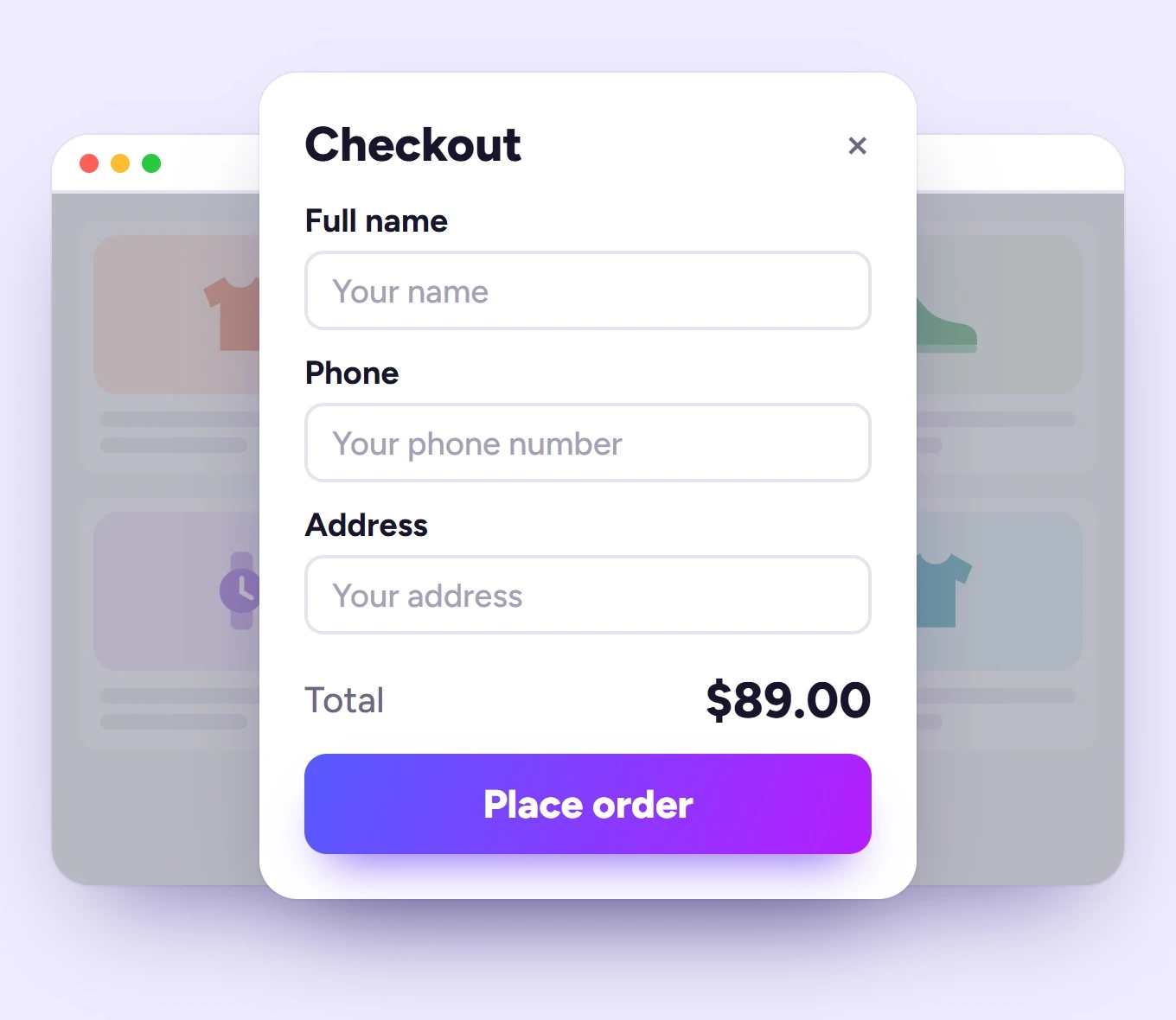
Direct Checkout
Send buyers straight to checkout from product page — faster, fewer drop-offs.
View Demo →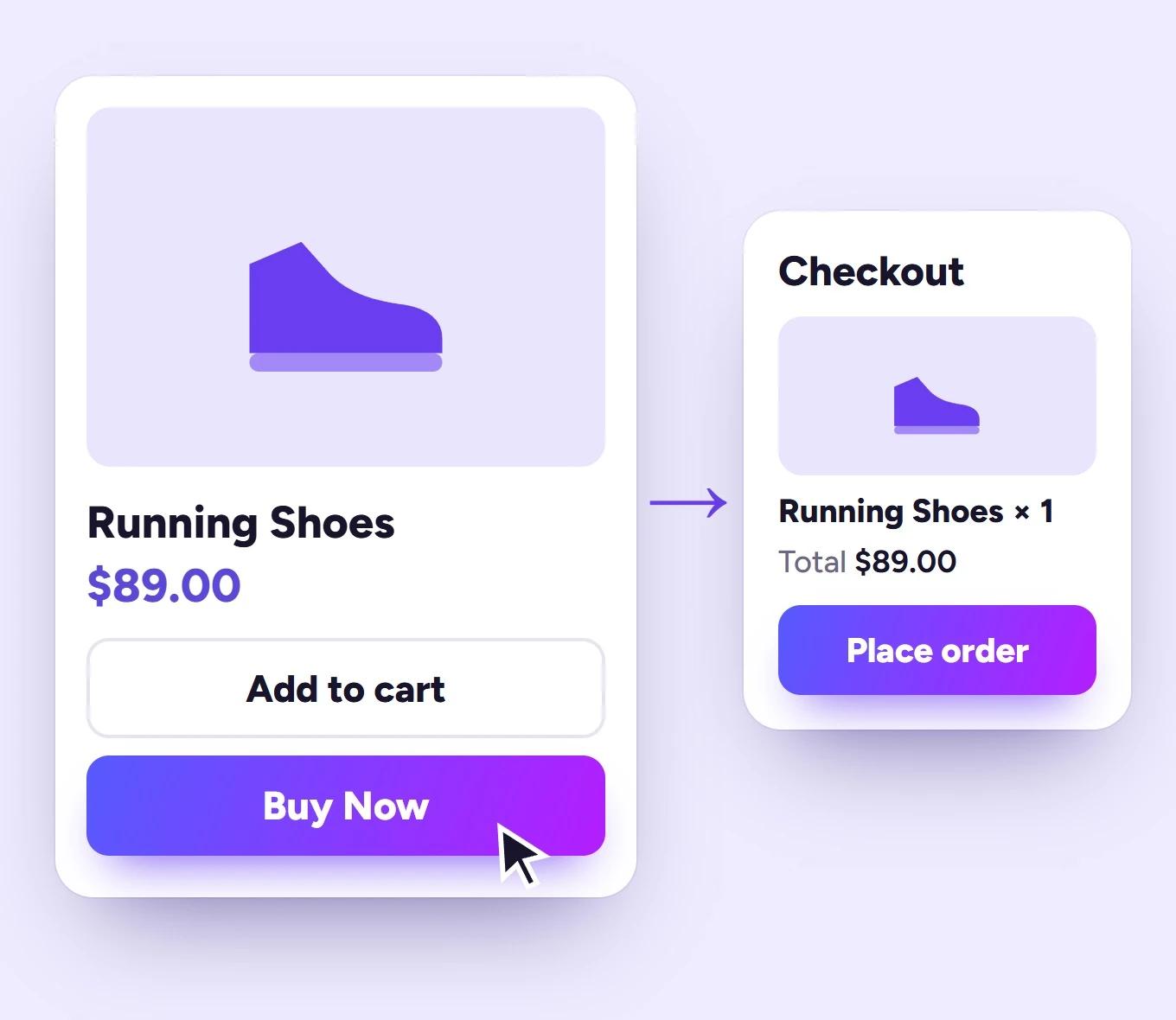
Single Page Checkout
All-in-one checkout page — edit, review, and place orders without leaving.
View Demo →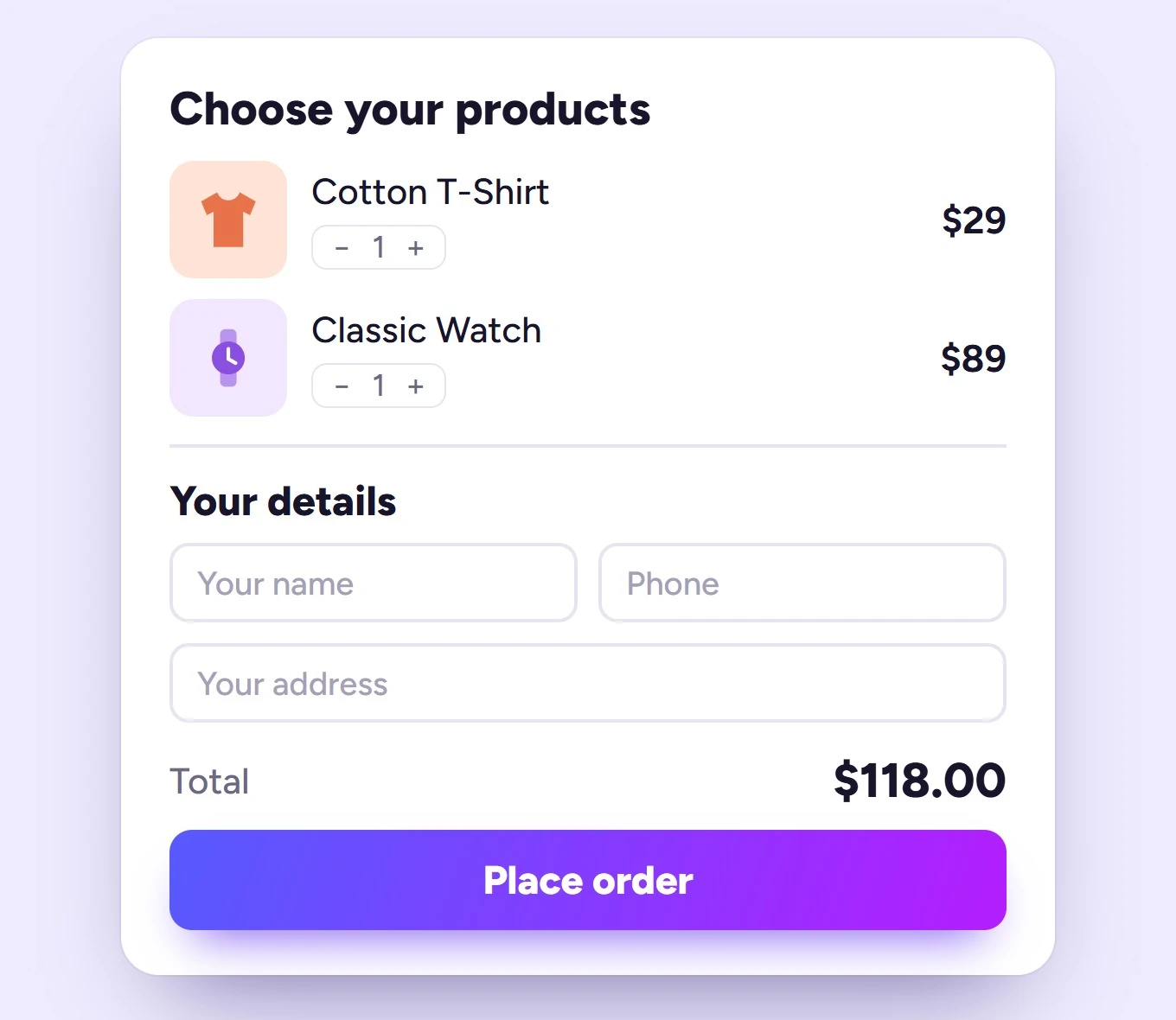
Slide-Out Side Cart
Show cart contents in a slide-out panel and guide customers toward checkout without leaving the current page.
View Demo →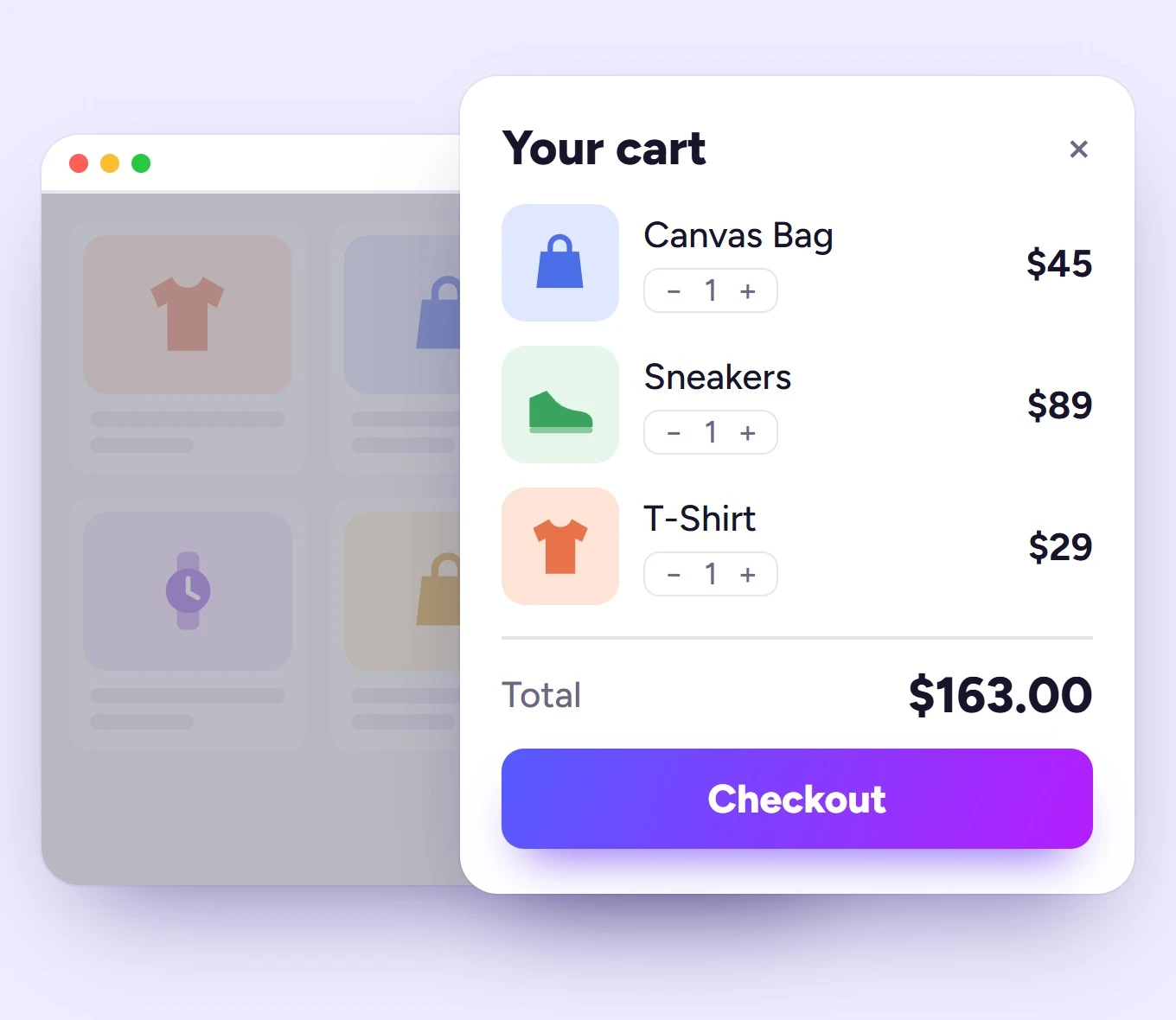
How One Page Checkout Reduces Cart Abandonment?
Cart abandonment in WooCommerce often happens because the checkout process takes too long or feels complicated. When customers are required to move from product pages to the cart and then to checkout, every additional step increases hesitation and drop-offs, especially on mobile devices where speed and simplicity matter most.
One Page Checkout for WooCommerce reduces cart abandonment by keeping the buying process short and focused. Customers can add products, review their order, and complete payment with fewer clicks and without page reloads. This faster flow builds confidence, reduces distractions, and helps more shoppers complete their purchases instead of leaving midway.
Fewer steps. Faster checkout. Higher conversions.
Key Features of One Page Checkout for WooCommerce Stores
These features work together to reduce checkout steps, improve buying speed, and create a smoother shopping experience across product, shop, and checkout pages.
Instant Popup Checkout for WooCommerce
Enable instant checkout for WooCommerce using a popup checkout flow that lets customers complete purchases without leaving the current page, reducing friction and drop-offs.
Direct Checkout from Product Pages
Allow shoppers to skip the cart and move straight to checkout using WooCommerce Direct Checkout, helping customers complete purchases faster with fewer clicks.
Single Page Checkout Flow
Create a smooth WooCommerce single page checkout where customers can review, edit, and place orders on one page without unnecessary navigation.
AJAX-Powered Fast Checkout
Deliver a WooCommerce fast checkout experience with AJAX-powered updates that remove page reloads and keep checkout interactions quick and responsive.
Product Quick View Popup
Use WooCommerce product quick view to let shoppers preview product details instantly, helping them make faster decisions without leaving the shop or category page.
Buy Now Button (Shortcode Support)
Add instant purchase buttons anywhere using WooCommerce buy now button shortcode, sending customers directly to checkout for quicker conversions.
Slide-Out Side Cart
Show cart contents in a slide-out panel that allows customers to view, update, and remove items without leaving the page, keeping the buying flow uninterrupted.
Popup Checkout Builder for WooCommerce
Create and manage flexible popup checkout layouts using Elementor, Gutenberg, widgets, or shortcodes for seamless WooCommerce integration.
Trust Badges on Checkout
Build confidence by displaying security and guarantee badges directly on the checkout page, helping reduce hesitation and improve completion rates.
Checkout Form Editor
Customize fields, labels, and layout using a visual editor to create a cleaner checkout experience that supports one page checkout for WooCommerce.
Quantity Controls on Checkout
Allow customers to adjust product quantities directly on the checkout page without returning to the cart, reducing unnecessary steps.
Remove Items During Checkout
Give shoppers the flexibility to remove products instantly during checkout, keeping the purchase process simple and frustration-free.
From product to paid, in fewer steps.
One Page Quick Checkout for WooCommerce gives shoppers a shorter road to the order: direct checkout for WooCommerce from product and shop pages, a popup checkout that keeps them on the page, quick view and a full checkout on one page.
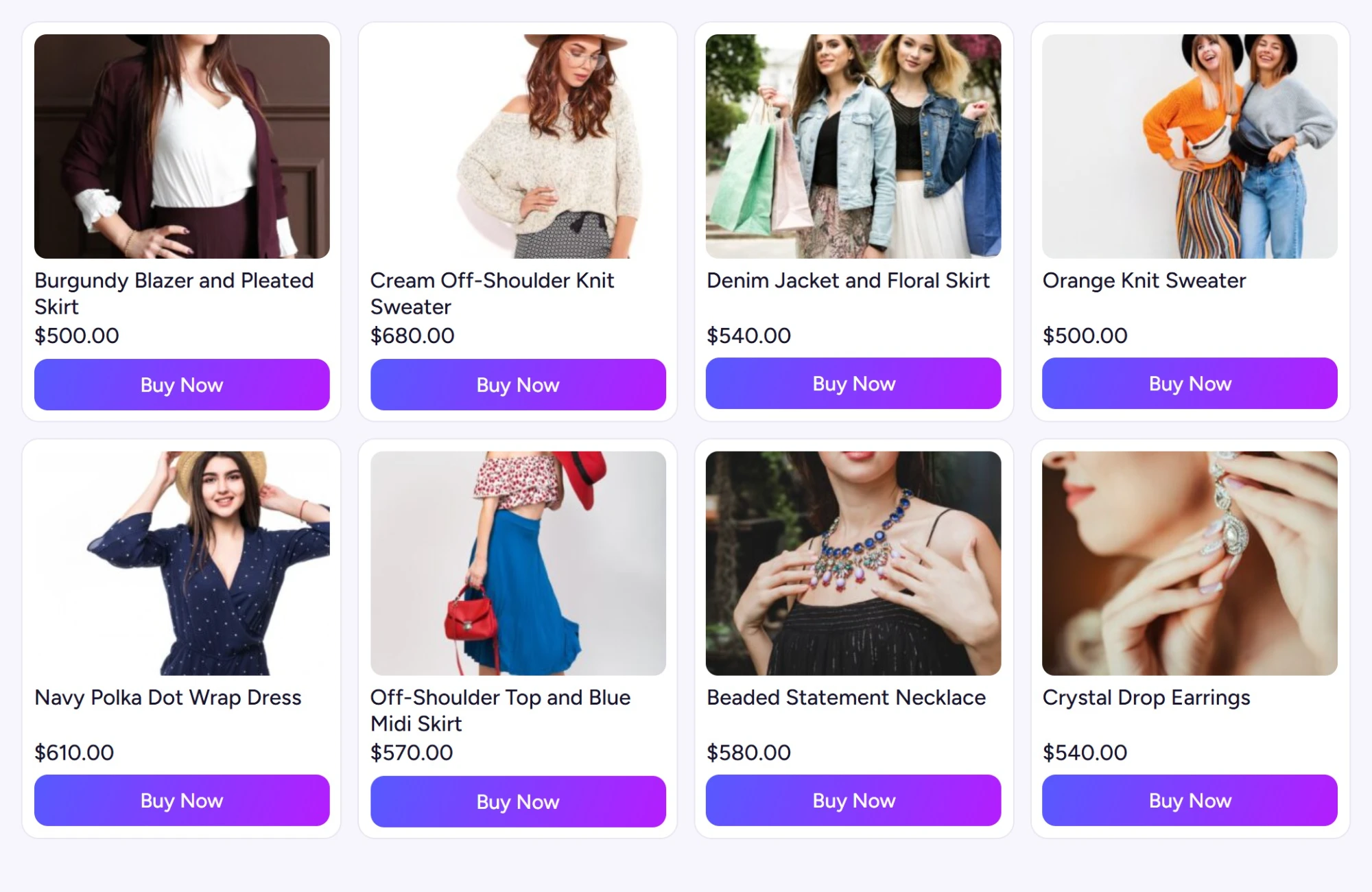
WooCommerce Checkout on Product Page, shop and Category Pages
Speed up purchases by allowing customers to complete checkout directly from product, shop, and category pages. Instead of forcing shoppers through a separate cart step, WooCommerce checkout on product page helps reduce friction and keeps buyers focused on completing their purchase. This approach saves time, lowers drop-offs, and supports a smoother buying experience across your store.
By combining direct checkout, popup checkout, and flexible button placement, this setup delivers a quick checkout for WooCommerce that works especially well for mobile shoppers and impulse purchases.
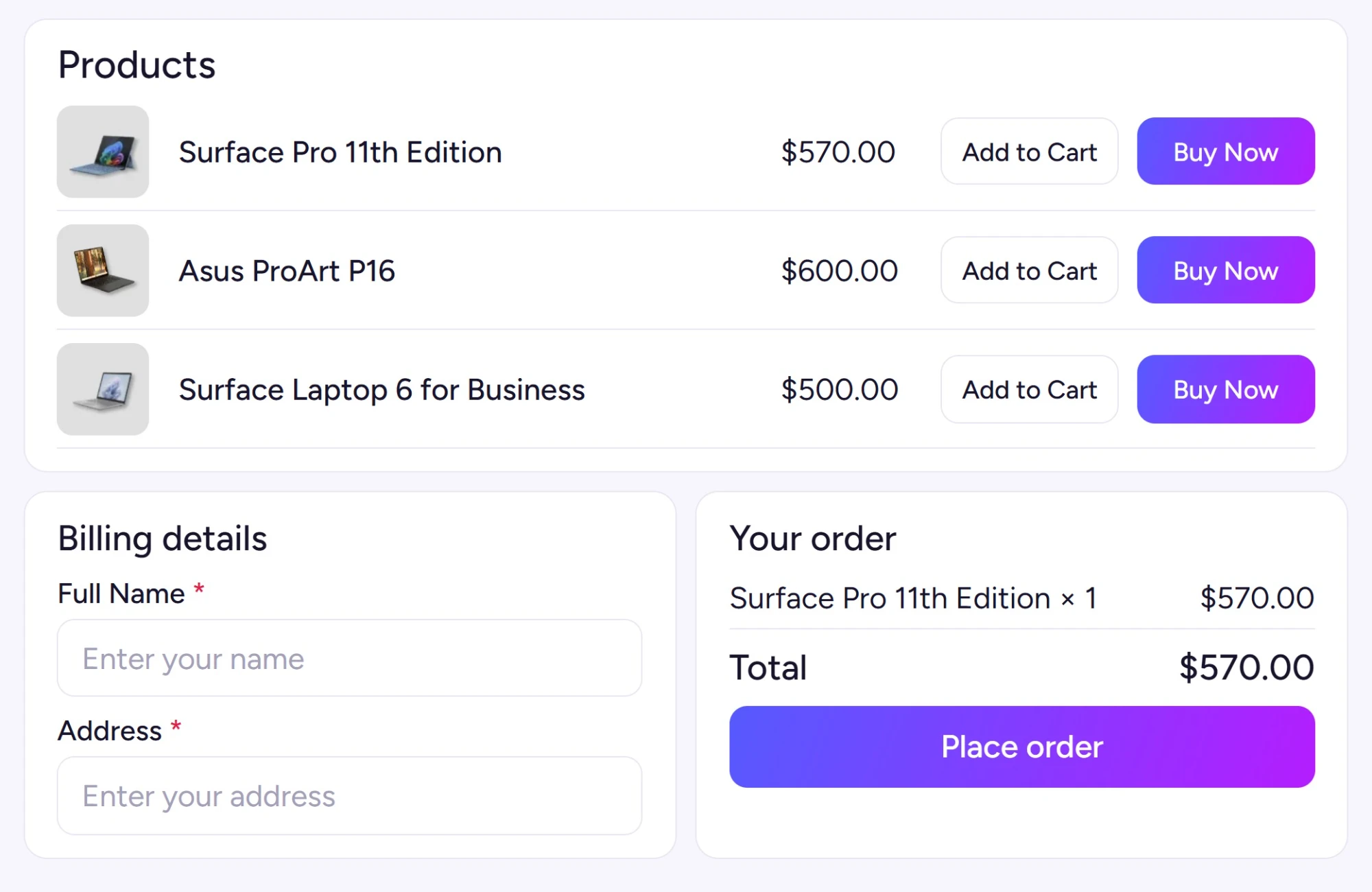
All in One Checkout for WooCommerce on a Single Page
Provide shoppers with a complete, all-in-one WooCommerce checkout page where they can review, edit, and confirm orders without leaving the page. This single-page checkout experience reduces cart abandonment, improves usability, and helps increase conversions.
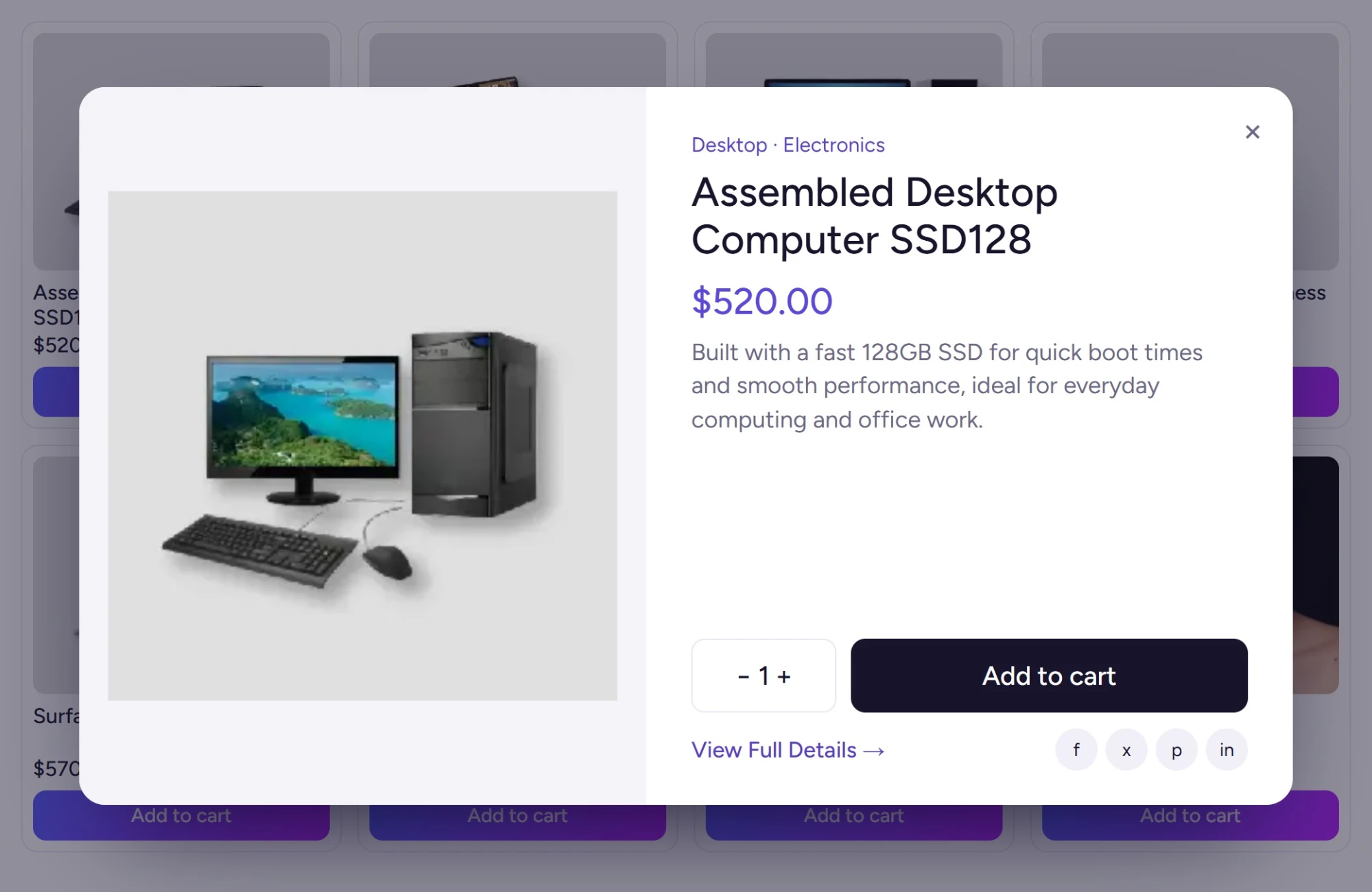
WooCommerce Product Quick View for Faster Decisions
Allow shoppers to preview product details instantly using a modern WooCommerce product quick view popup, without page reloads. This quick view experience keeps customers engaged, reduces browsing friction, and helps them make faster purchase decisions. By streamlining how product information is presented, your store benefits from smoother navigation, higher engagement, and a more efficient purchase flow.
Keep shopping, with the cart close by.
For shoppers who add more than one product before paying: a slide-out cart they can edit in place, an AJAX add to cart popup with no page reload, and phone-ready product cards with big buttons.
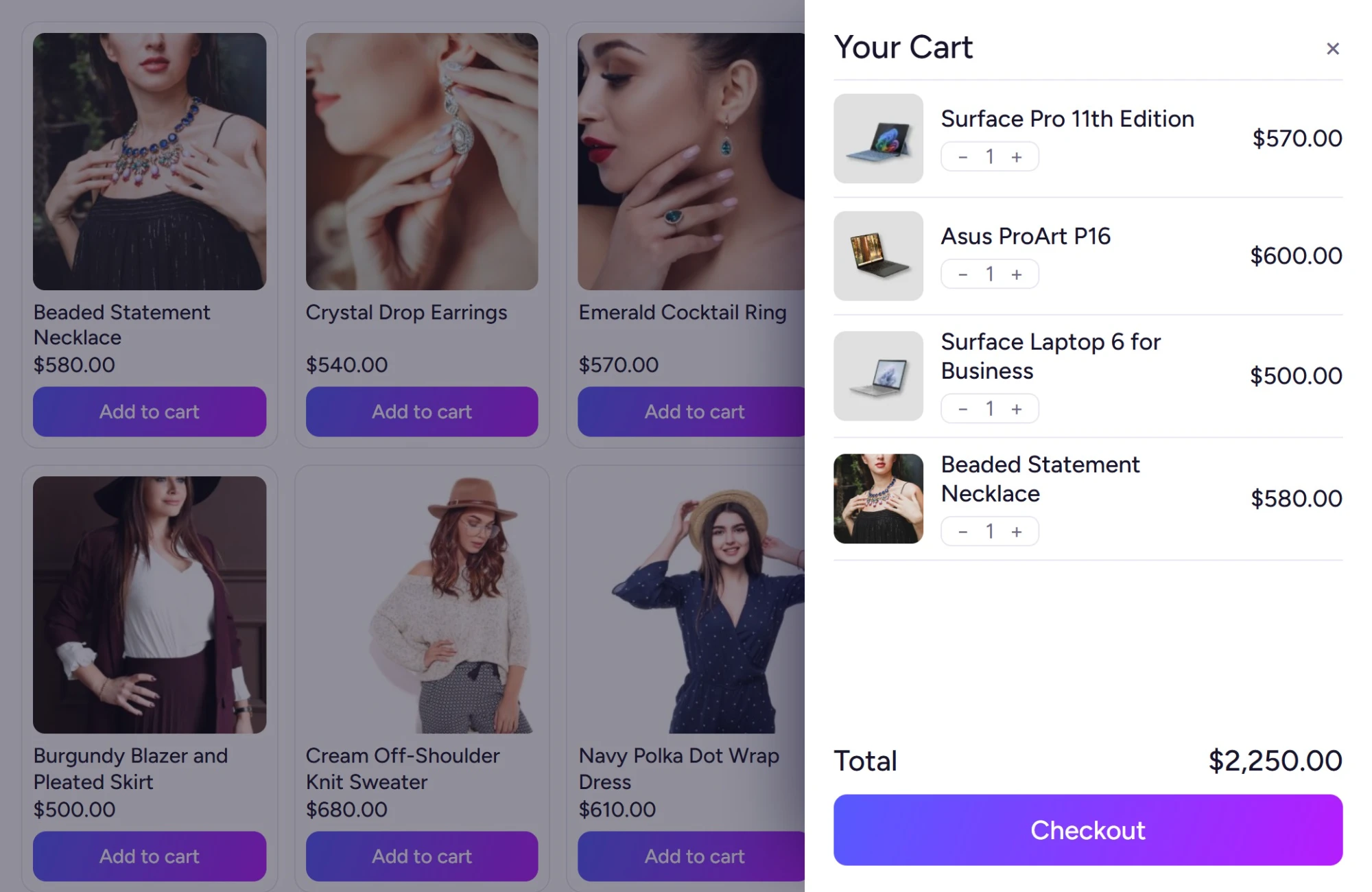
Slide-Out Cart with One Page Checkout for WooCommerce
Give your customers a faster and smoother buying experience with a modern slide-out cart combined with one page checkout for WooCommerce. Instead of interrupting shopping with full cart pages, customers can review items, make changes, and proceed to checkout without leaving the page. This streamlined flow reduces friction, minimizes cart abandonment, and helps increase conversions.
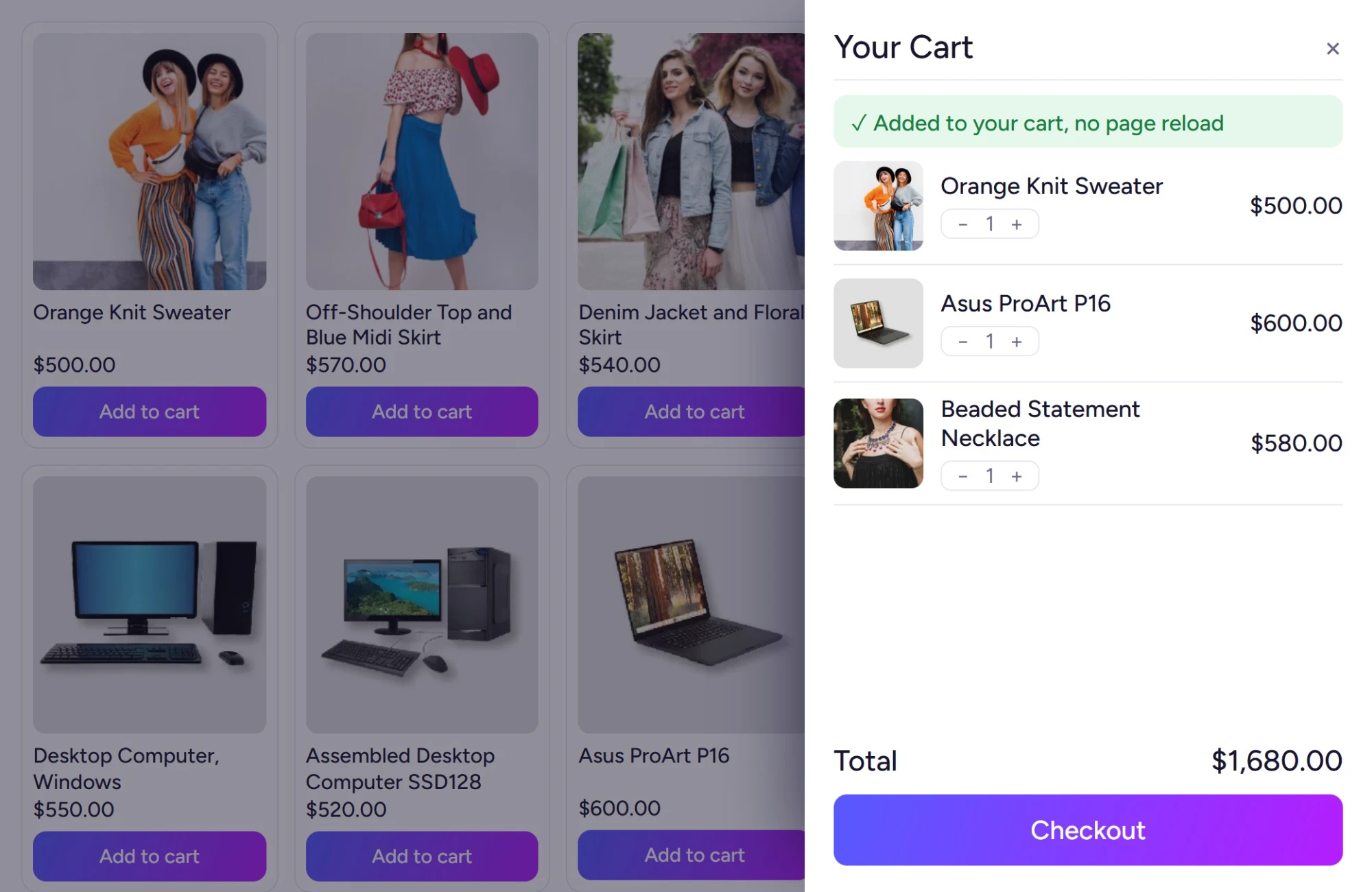
WooCommerce Add to Cart Popup with AJAX Checkout
Upgrade your WooCommerce store with a fast, AJAX-powered add to cart popup that removes page reloads and keeps shoppers focused. Customers can add single, grouped, or variable products instantly using a WooCommerce add to cart popup, creating a smoother path from browsing to checkout while reducing friction and drop-offs.
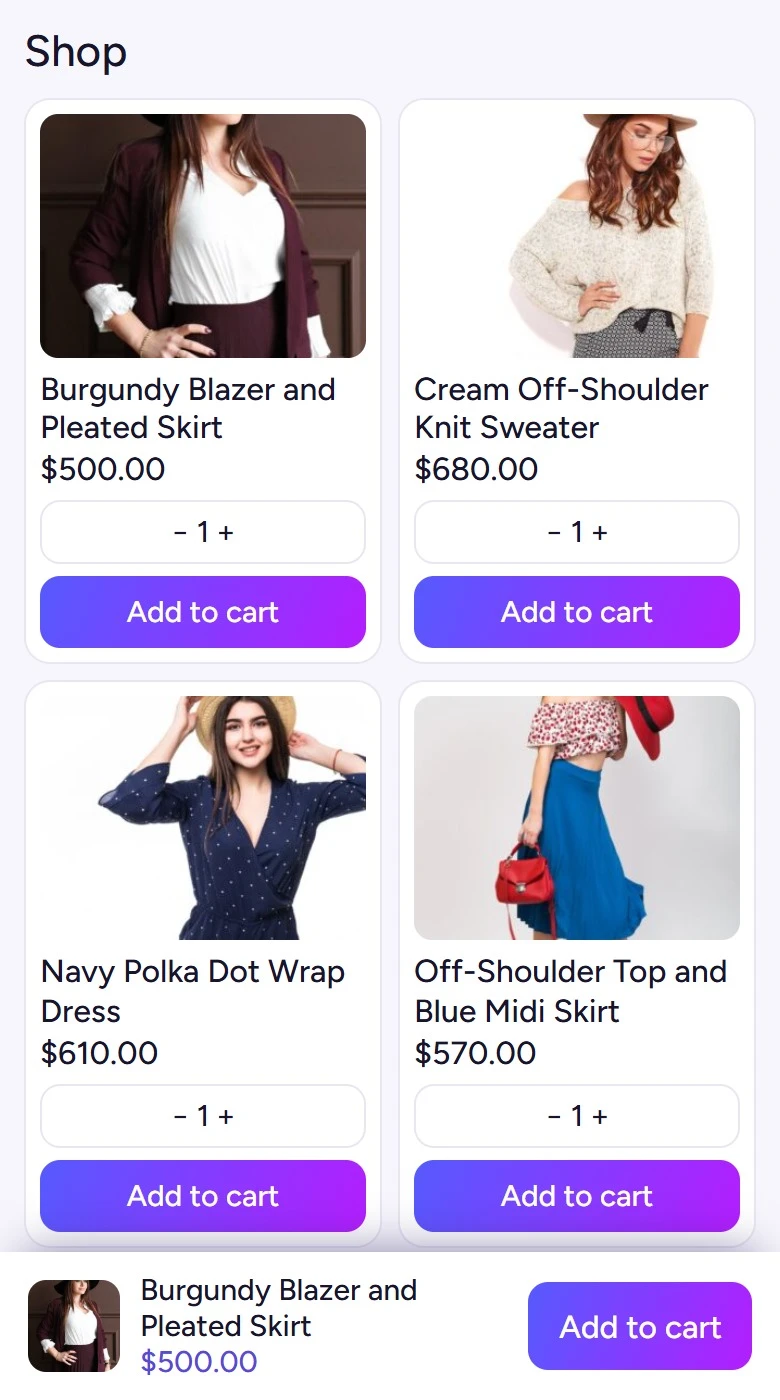
Mobile-Friendly One Page Checkout for WooCommerce
Deliver a fast and seamless shopping experience on every device with a fully responsive One Page Checkout for WooCommerce. Whether customers are shopping on desktops, tablets, or smartphones, the checkout layout adapts smoothly to different screen sizes while keeping the buying process simple and focused.
This mobile-friendly one page checkout ensures faster loading, easy navigation, and consistent performance across devices. By reducing friction on smaller screens, it helps shoppers complete purchases more easily and supports a quick checkout for WooCommerce that works reliably wherever customers choose to shop.
How to Set Up One Page Checkout in WooCommerce?
Getting started is simple. Just follow these three steps to transform your WooCommerce checkout experience.
Install the Plugin
Download and install the One Page Quick Checkout plugin directly from your WordPress dashboard within minutes.
Customize Your Checkout
Use intuitive settings to configure your checkout form, manage product displays, and tailor everything to your store needs.
Go Live
Activate the plugin and instantly deliver a streamlined, faster, and more engaging checkout experience to your customers.
Advanced Controls for WooCommerce One Page Checkout
Take full control of your checkout experience with advanced controls for One Page Checkout for WooCommerce. These powerful tools allow you to manage checkout flow, add to cart behavior, form layout, and trust signals from a single interface, without writing any code.
From simplifying checkout steps to adding visual trust elements, these advanced settings give store owners greater flexibility and precision. The result is a smoother WooCommerce one page checkout experience that reduces friction, improves usability, and helps customers complete purchases with confidence.
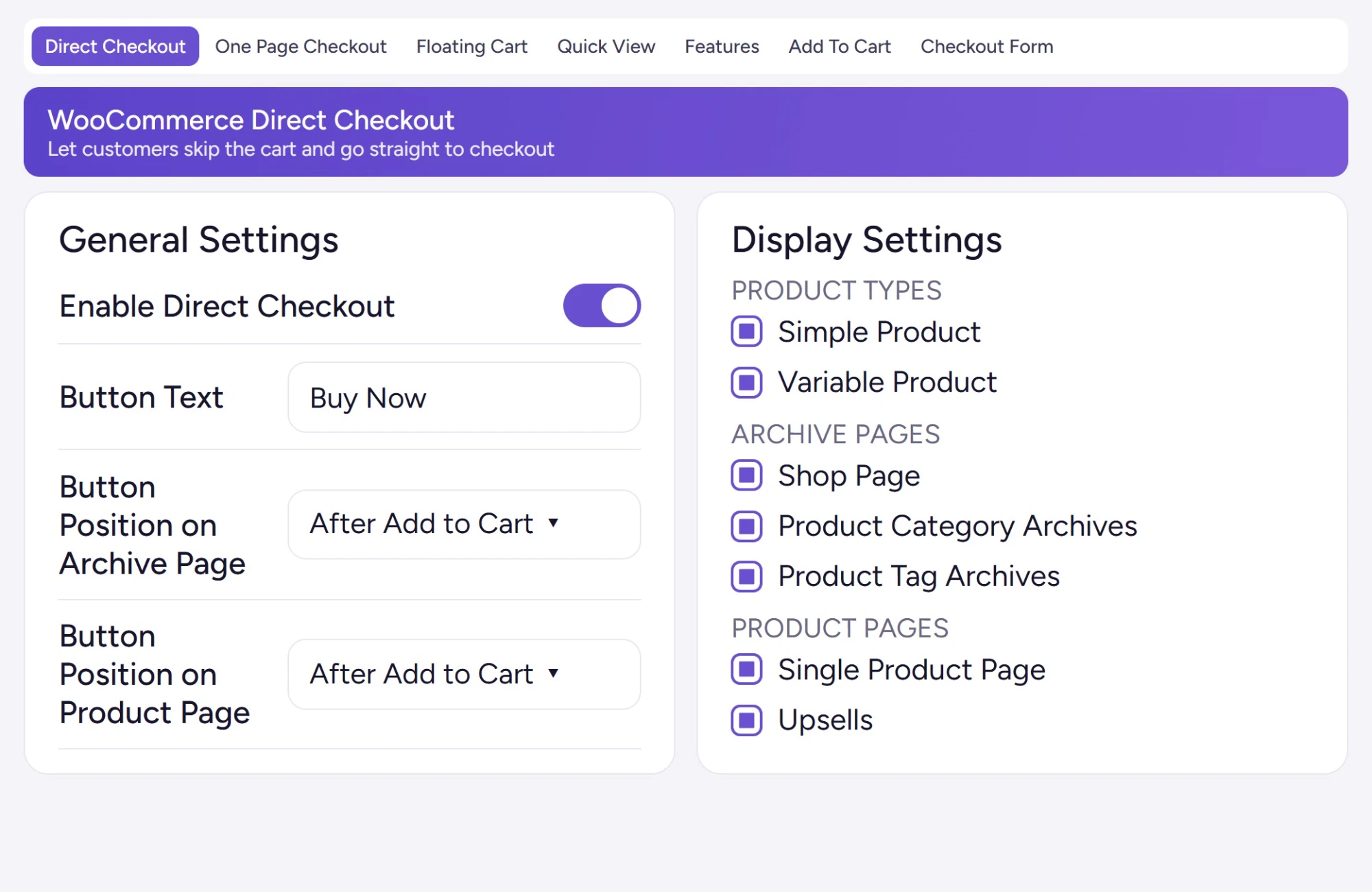
Easy to Manage Checkout Process for WooCommerce
Managing your WooCommerce checkout has never been simpler. With an intuitive control panel, you can customize checkout behavior without writing any code. Real-time settings and flexible options make it easy to manage One Page Checkout for WooCommerce while keeping your store fast and organized.
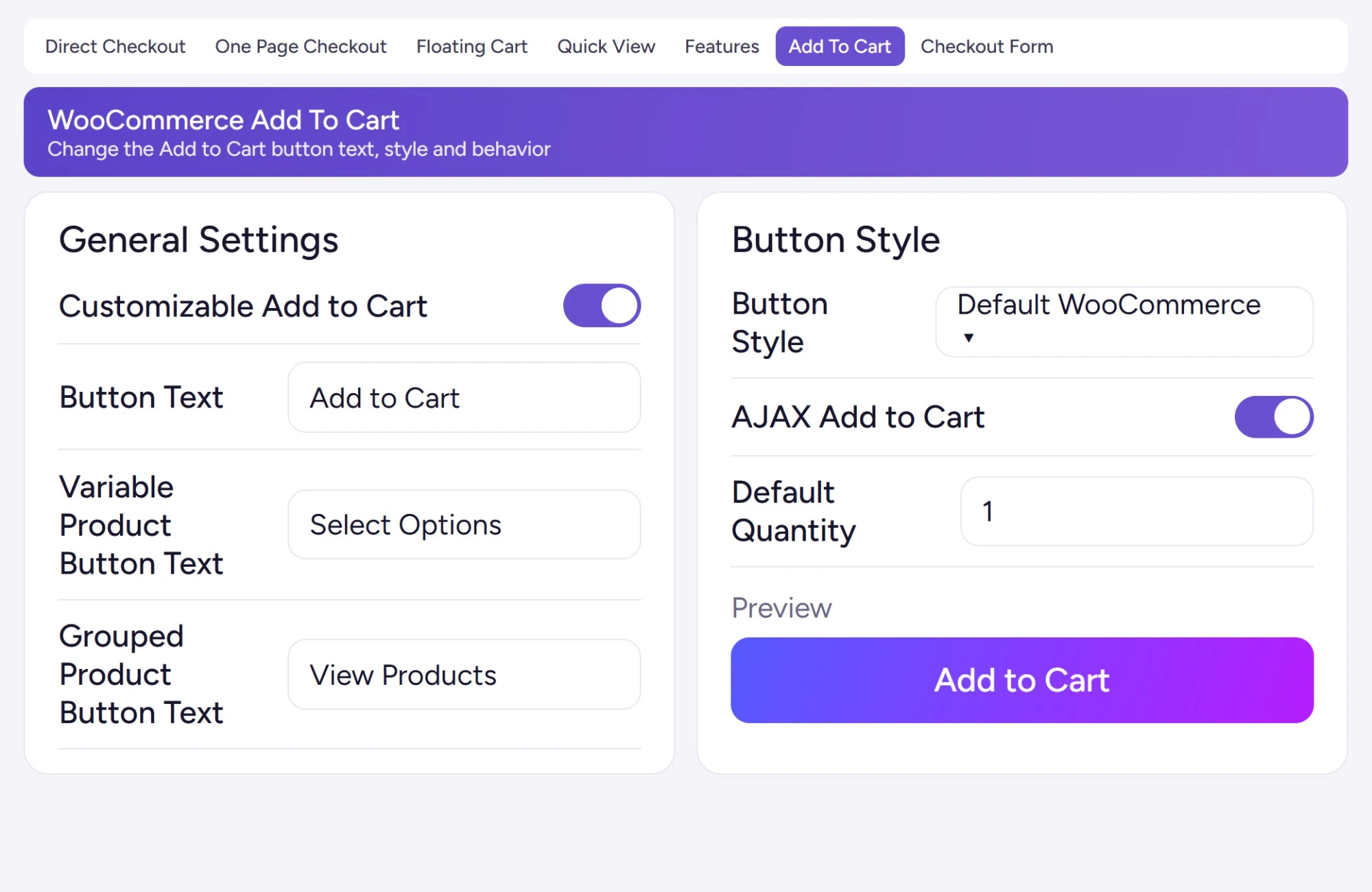
WooCommerce Add to Cart Behavior Management
Take full control of how customers interact with the Add to Cart button using advanced Add to Cart behavior management tools. This feature allows you to customize what happens when shoppers add products to their cart, creating a smoother, faster, and more predictable buying experience.
With centralized controls, you can manage One Page Checkout for WooCommerce flows and guide customers toward a quick checkout for WooCommerce without confusion or extra steps.
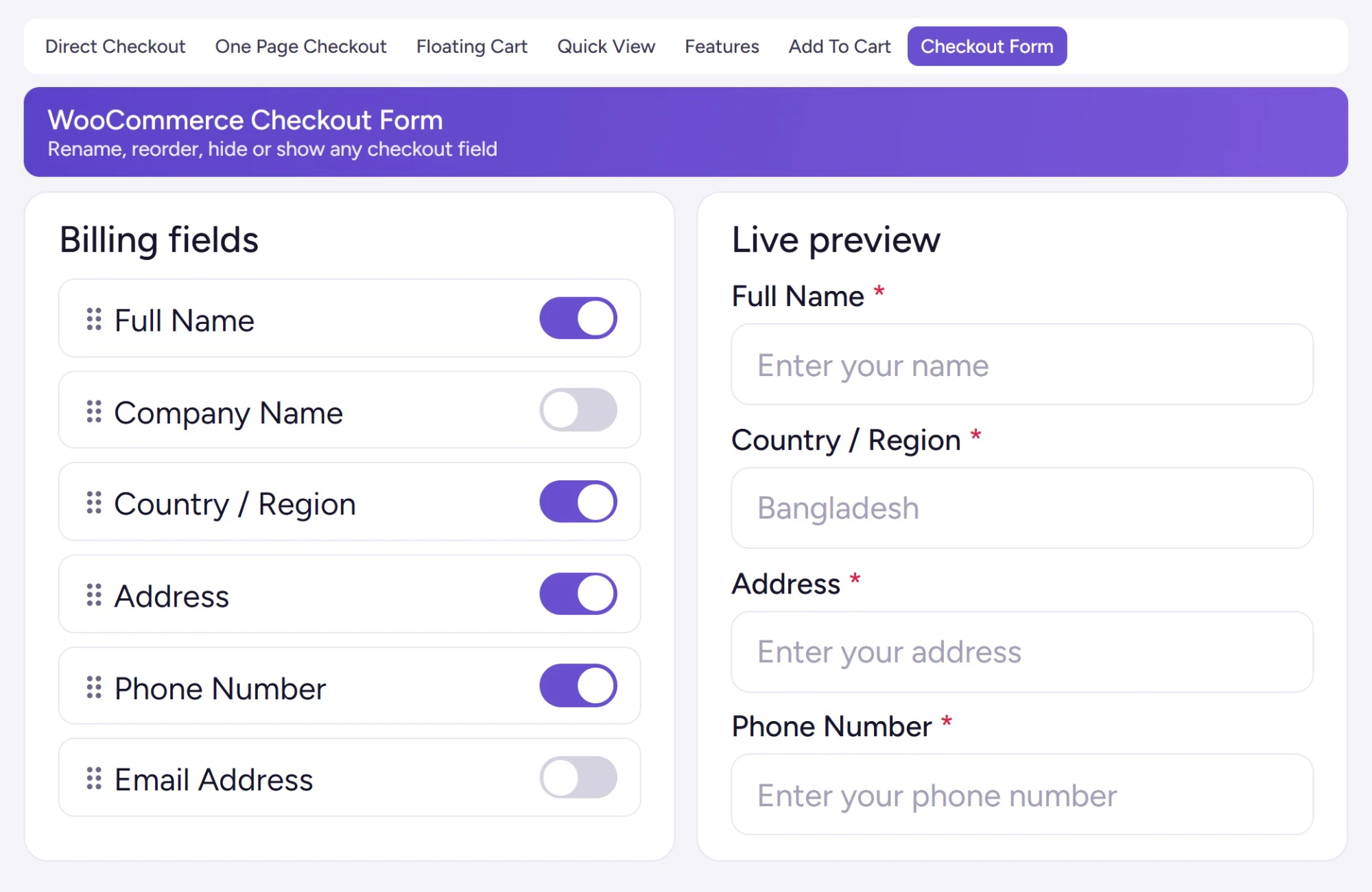
Customizable WooCommerce Checkout Form
Take full control of your WooCommerce checkout form using a flexible visual checkout form editor. Customize fields, labels, and layout to create a branded checkout experience that improves usability, reduces friction, and supports One Page Checkout for WooCommerce conversions.
This customization-focused setup helps store owners fine-tune the checkout experience without coding while keeping the checkout flow clean and efficient.
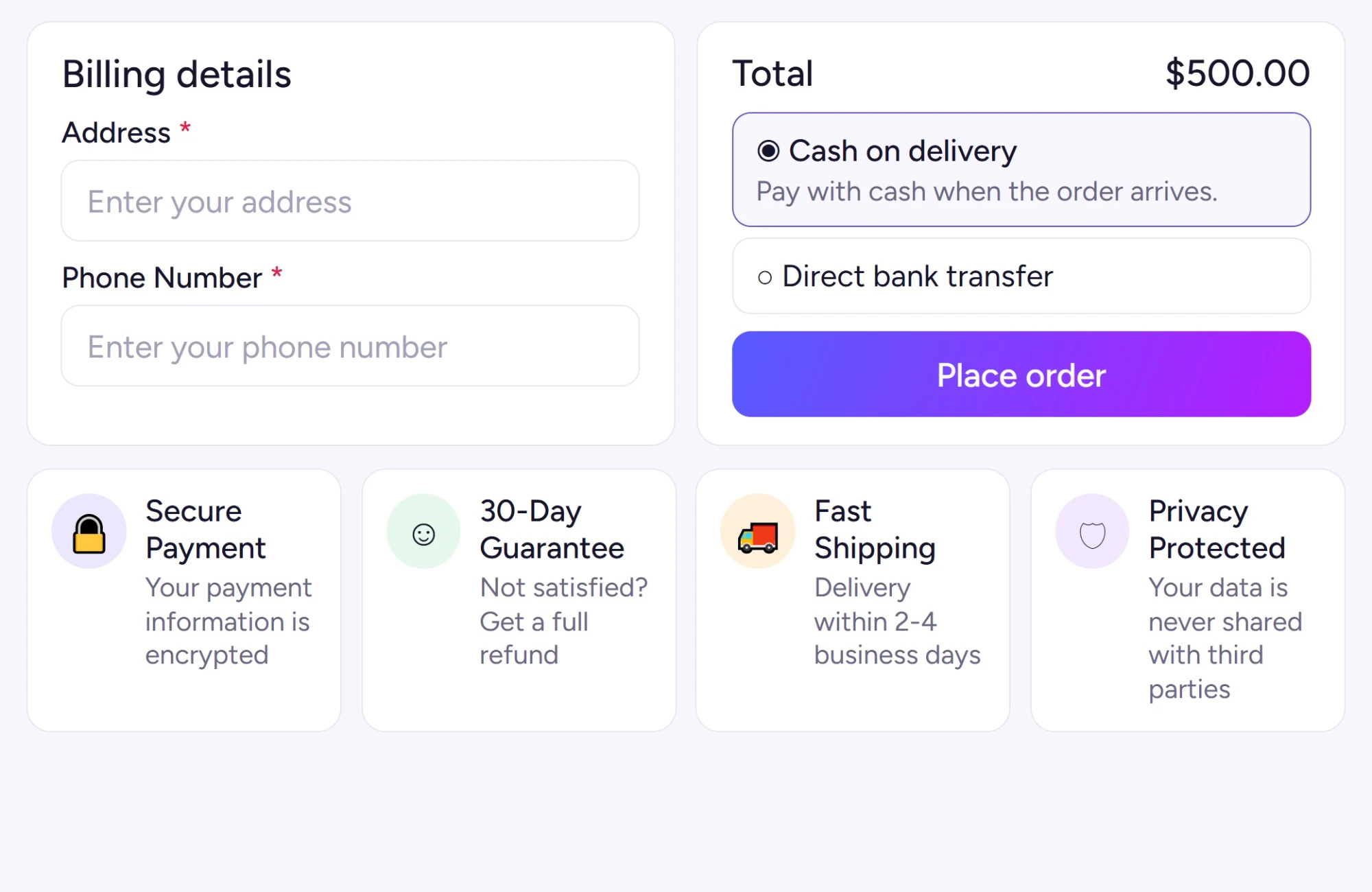
Trusted Badges Displayed on WooCommerce Checkout
Build customer confidence and increase conversions by displaying trusted badges on WooCommerce checkout pages. Visual trust signals reassure shoppers during the final step of purchase, helping reduce hesitation and cart abandonment while supporting a smoother One Page Checkout for WooCommerce experience.
Trusted WordPress Plugins for Growing Businesses
Thousands of store owners worldwide rely on Plugincy for reliable, lightweight, and sales-driven plugins that deliver real results.
15-Day Money-Back
Risk-free guarantee for your peace of mind
Secure Payment
SSL encrypted and PCI compliant processing
24/7 Customer Support
Expert help whenever you need it
Lifetime Free Updates
Always stay current with the latest features
WooCommerce Theme Compatibility for One Page Checkout
One Page Checkout for WooCommerce is built to work seamlessly with all major WooCommerce themes, ensuring a smooth and consistent checkout experience across your store. You can integrate the plugin easily without layout conflicts, styling issues, or performance problems.
Whether your store uses a lightweight performance-focused theme or a feature-rich design framework, this WooCommerce one page checkout solution adapts automatically. The checkout design remains visually consistent, responsive, and reliable across product pages, shop pages, and the checkout flow.
What Our Users Are Saying
Don’t just take our word for it! Here’s what satisfied users have to say about their experience with One Page Quick Checkout. Join the community of successful store owners who have improved their checkout process and boosted their sales.
Not gonna lie, I loved it. My customers finish orders without leaving product pages. Popup checkout plus trust badges feels professional, and great for a flash sale campaign. Fewer steps equal better conversions, and this plugin proves it.
Direct checkout buttons improved sales. Customers skip unnecessary steps, it integrates cleanly with themes, & support is quick.
Checkout is simpler now. The slide-out cart and one-page flow save clicks, and it remains stable across updates for long-term use.
I rely on the one-page layout for bulk purchases. Everything is visible, editable, and customers don’t get confused. Works well on mobile too, which is necessary. Default WooCommerce checkout feels outdated after using this solution.
Their support saved me hours. I had an issue with button styling, and they responded quickly with a CSS fix. Beyond that, the pop-up checkout reduces steps and really gives my site an app-like feel. Clients notice the difference instantly.
I sell digital downloads, and one-click checkout is vital. This plugin handles direct checkout smoothly, button customization fits my theme with smooth performance. A reliable tool that makes WooCommerce checkout easier for users & admins.
This plugin made checkout so simple for my customers. One-page checkout and popup options reduced cart abandonment, and sales have noticeably improved since I installed it.
Checkout flow was always my biggest bottleneck. After switching, customers complete orders faster. Popup checkout feels modern, multi-layout templates add flexibility, cart abandonment decreased, and setup was far easier than expected.
The multi-step option is excellent for first-time buyers. It feels structured, and the popup checkout is smooth and professional.
I’ve used many checkout plugins for WooCommerce clients, but most were either slow or too complex. One Page Quick Checkout by Plugincy was refreshingly simple. It’s fast, clean, and works right out of the box. Great for single-product pages or quick sales, and it looks perfect on mobile. If you want a smooth, no-hassle checkout, this one’s worth it.
Super fast checkout. After installing this plugin, my abandoned cart rate dropped, and customers now complete purchases quickly.
Flexible, reliable, and developer-friendly. Exactly what I needed for a modern WooCommerce checkout that works smoothly.
Switching to this checkout plugin reduced abandoned carts immediately. Customers can finish purchases in fewer clicks, with everything visible on one page. The popup option feels modern, and the trust badges build confidence.
The one-page checkout is clean and fast. Customers complete purchases without extra steps, and it works reliably with my theme.
The plugin simplified checkout for my store. Customers can adjust quantities, review products, and pay all on a single page without confusion. It’s mobile-friendly, and integrates with themes. The improvement in conversions was noticeable.
Direct checkout buttons speed up sales. Customers avoid unnecessary clicks, and the slide-out cart keeps the process smooth.
Free vs PRO Comparison
Explore the key differences between the Free and PRO versions of the One Page Quick Checkout For WooCommerce.
| Features100 features, side by side25 are in both versions. 75 are only in PRO. | PRO$49 – $349Get Started | FREE Get Started |
|---|---|---|
| Checkout form and fields13 features | ||
| Basic checkout form management | ✓ | ✓ |
| Popup checkout form | ✓ | ✓ |
| Product image in checkout | ✓ | ✓ |
| Product title link in checkout | ✓ | ✓ |
| Checkout text customization | ✓ | ✓ |
| Advanced checkout form management | ✓ | ✖ |
| Visual checkout form editor | ✓ | ✖ |
| Edit checkout field labels | ✓ | ✖ |
| Edit checkout field placeholders | ✓ | ✖ |
| Change required/optional field status | ✓ | ✖ |
| Hide or show checkout fields visually | ✓ | ✖ |
| Checkout layout customization | ✓ | ✖ |
| Force login before checkout | ✓ | ✖ |
Show More (87 more rows in 8 groups)
| One-page checkout templates12 features | ||
| One-page checkout for single product | ✓ | ✓ |
| Multi-product one-page checkout | ✓ | ✓ |
| Basic multi-product checkout templates | ✓ | ✓ |
| Multi-product checkout customization | ✓ | ✓ |
| 7 built-in multi-product checkout templates | ✓ | ✖ |
| Product table checkout template | ✓ | ✖ |
| Product list checkout template | ✓ | ✖ |
| Product single checkout template | ✓ | ✖ |
| Product slider checkout template | ✓ | ✖ |
| Product accordion checkout template | ✓ | ✖ |
| Product tabs checkout template | ✓ | ✖ |
| Pricing table checkout template | ✓ | ✖ |
| Direct checkout8 features | ||
| Basic direct checkout button | ✓ | ✓ |
| Archive page quick checkout | ✓ | ✓ |
| Variable product support | ✓ | ✓ |
| Archive variation selection | ✓ | ✖ |
| Advanced variation selection on shop/category pages | ✓ | ✖ |
| Hide default “Select options” button | ✓ | ✖ |
| One-click purchase option | ✓ | ✖ |
| Clear cart before checkout option | ✓ | ✖ |
| Side cart18 features | ||
| AJAX cart updates | ✓ | ✓ |
| Quantity update without page reload | ✓ | ✓ |
| Remove cart items without page reload | ✓ | ✓ |
| Slide-out cart / menu cart | ✓ | ✓ |
| Advanced floating cart controls | ✓ | ✖ |
| Show/hide floating cart elements | ✓ | ✖ |
| Floating cart product image control | ✓ | ✖ |
| Floating cart remove item control | ✓ | ✖ |
| Floating cart variation editor | ✓ | ✖ |
| Floating cart coupon controls | ✓ | ✖ |
| Floating cart summary controls | ✓ | ✖ |
| Floating cart subtotal, discount, shipping, tax and total controls | ✓ | ✖ |
| Floating cart checkout button control | ✓ | ✖ |
| Floating cart item meta display | ✓ | ✖ |
| Floating cart item grouping | ✓ | ✖ |
| Floating cart product recommendations | ✓ | ✖ |
| Floating cart text customization | ✓ | ✖ |
| Floating cart custom icons | ✓ | ✖ |
| Add to cart14 features | ||
| Basic WooCommerce add-to-cart customization | ✓ | ✓ |
| Add-to-cart behavior management | ✓ | ✓ |
| AJAX add to cart | ✓ | ✓ |
| Advanced add-to-cart button styling | ✓ | ✖ |
| Add-to-cart button custom colors | ✓ | ✖ |
| Add-to-cart button custom width | ✓ | ✖ |
| Add-to-cart button icons | ✓ | ✖ |
| Add-to-cart loading effects | ✓ | ✖ |
| Disable out-of-stock add-to-cart button | ✓ | ✖ |
| Mobile sticky add-to-cart button | ✓ | ✖ |
| Mobile add-to-cart button size controls | ✓ | ✖ |
| Mobile icon-only add-to-cart button | ✓ | ✖ |
| Add-to-cart notification customization | ✓ | ✖ |
| Redirect after add-to-cart option | ✓ | ✖ |
| Quick view8 features | ||
| Product quick view popup | ✓ | ✓ |
| Advanced quick view button positions | ✓ | ✖ |
| Quick view modal size controls | ✓ | ✖ |
| Quick view mobile optimization | ✓ | ✖ |
| Quick view AJAX add to cart | ✓ | ✖ |
| Quick view direct checkout | ✓ | ✖ |
| Quick view lightbox support | ✓ | ✖ |
| Quick view preload/cache/lazy-load controls | ✓ | ✖ |
| Cart recovery12 features | ||
| Cart recovery tools | ✓ | ✖ |
| Abandoned cart tracking | ✓ | ✖ |
| Recovered cart tracking | ✓ | ✖ |
| Recovered order tracking | ✓ | ✖ |
| Recovery email templates | ✓ | ✖ |
| Automated recovery emails | ✓ | ✖ |
| Email open tracking | ✓ | ✖ |
| Restore cart links | ✓ | ✖ |
| Unsubscribe links for recovery emails | ✓ | ✖ |
| Cart archive, ignore, reactivate and delete actions | ✓ | ✖ |
| Export cart recovery data | ✓ | ✖ |
| Email click tracking | ✓ | ✖ |
| Trust badges6 features | ||
| Trust badges in checkout | ✓ | ✖ |
| Custom trust badge icons | ✓ | ✖ |
| Custom trust badge text | ✓ | ✖ |
| Trust badge position controls | ✓ | ✖ |
| Trust badge layout styles | ✓ | ✖ |
| Custom HTML trust badge area | ✓ | ✖ |
| Integrations and support9 features | ||
| Shortcode support | ✓ | ✓ |
| Gutenberg block support | ✓ | ✓ |
| Elementor compatibility | ✓ | ✓ |
| Mobile-friendly checkout experience | ✓ | ✓ |
| Translation-ready text | ✓ | ✓ |
| WPML-ready option text handling | ✓ | ✖ |
| License activation and validation | ✓ | ✖ |
| Pro updates | ✓ | ✖ |
| Priority support | ✓ | ✖ |
Every plan and price, explained: see One Page Quick Checkout for WooCommerce pricing and the full Free vs Pro comparison
Choose the Right One Page Checkout Plan for WooCommerce
Find the right plan for your One Page Checkout for WooCommerce, whether you are running a single store or managing multiple sites. Each plan includes core checkout features like direct checkout, popup checkout, and single-page checkout, with flexible licensing as your store grows.
Upgrade anytime to unlock premium features and priority support without disrupting your checkout flow.
Single Site
Normally $69
$49/year
29% Savings
- 1 website activation
- All Pro checkout features included
- Popup checkout, direct checkout & one-page checkout
- Slide-out cart with AJAX cart and checkout updates
- Cart recovery tools & Quick view popup
- Archive page quick checkout & variation selection
- Visual checkout form editor, quantity control, item removal & more.
- 7 multi-product checkout templates
- Shortcodes, Gutenberg blocks & Elementor widgets
- Mobile-friendly checkout experience
- Trust badges in checkout & WPML-ready text
- 1 year updates & priority support
Up to Three Sites
Normally $207
$89/year
57% Savings
- 3 website activations
- All Pro checkout features included
- Popup checkout, direct checkout & one-page checkout
- Slide-out cart with AJAX cart and checkout updates
- Cart recovery tools & Quick view popup
- Archive page quick checkout & variation selection
- Visual checkout form editor, quantity control, item removal & more.
- 7 multi-product checkout templates
- Shortcodes, Gutenberg blocks & Elementor widgets
- Mobile-friendly checkout experience
- Trust badges in checkout & WPML-ready text
- 1 year updates & priority support
Up to Five Sites
Normally $345
$119/year
66% Savings
- 5 website activations
- All Pro checkout features included
- Popup checkout, direct checkout & one-page checkout
- Slide-out cart with AJAX cart and checkout updates
- Cart recovery tools & Quick view popup
- Archive page quick checkout & variation selection
- Visual checkout form editor, quantity control, item removal & more.
- 7 multi-product checkout templates
- Shortcodes, Gutenberg blocks & Elementor widgets
- Mobile-friendly checkout experience
- Trust badges in checkout & WPML-ready text
- 1 year updates & priority support
Single Site
Normally $249
$119(lifetime)
52% Savings
- 1 website activation
- All Pro checkout features included
- Popup checkout, direct checkout & one-page checkout
- Slide-out cart with AJAX cart and checkout updates
- Cart recovery tools & Quick view popup
- Archive page quick checkout & variation selection
- Visual checkout form editor, quantity control, item removal & more.
- 7 multi-product checkout templates
- Shortcodes, Gutenberg blocks & Elementor widgets
- Mobile-friendly checkout experience
- Trust badges in checkout & WPML-ready text
- Lifetime updates & priority support
Up to Three Sites
Normally $747
$249(lifetime)
67% Savings
- 3 website activations
- All Pro checkout features included
- Popup checkout, direct checkout & one-page checkout
- Slide-out cart with AJAX cart and checkout updates
- Cart recovery tools & Quick view popup
- Archive page quick checkout & variation selection
- Visual checkout form editor, quantity control, item removal & more.
- 7 multi-product checkout templates
- Shortcodes, Gutenberg blocks & Elementor widgets
- Mobile-friendly checkout experience
- Trust badges in checkout & WPML-ready text
- Lifetime updates & priority support
Up to Five Sites
Normally $1,245
$349(lifetime)
72% Savings
- 5 website activations
- All Pro checkout features included
- Popup checkout, direct checkout & one-page checkout
- Slide-out cart with AJAX cart and checkout updates
- Cart recovery tools & Quick view popup
- Archive page quick checkout & variation selection
- Visual checkout form editor, quantity control, item removal & more.
- 7 multi-product checkout templates
- Shortcodes, Gutenberg blocks & Elementor widgets
- Mobile-friendly checkout experience
- Trust badges in checkout & WPML-ready text
- Lifetime updates & priority support
Frequently Asked Questions
Get answers to your questions about our one-page checkout feature, designed to streamline the purchasing process. This feature improves user experience by reducing the number of steps to complete a transaction, supporting both single and multiple product purchases. With various customizable templates, you can create an efficient and visually appealing checkout that meets your brand’s needs.
What is a one-page checkout?
A one-page checkout combines the cart, billing, and payment steps into a single page. This makes the process faster, simpler, and more convenient for your customers.
How does it reduce cart abandonment?
By minimizing clicks and page loads, customers complete their orders quickly. This smooth experience reduces friction, improves satisfaction, and significantly lowers cart abandonment rates.
Can I customize the checkout templates?
Yes, you can fully customize layouts, fields, and styles. Choose from multiple templates to create a checkout flow that aligns with your brand.
Is the one-page checkout mobile-friendly?
Absolutely. It’s fully responsive and optimized for desktops, tablets, and smartphones, ensuring a seamless shopping experience across all devices.
What types of products can I sell with this checkout?
You can sell single products, grouped products, variations, or even multiple items at once—making it ideal for every type of WooCommerce store.
Does it work with my WooCommerce theme?
Yes, the plugin is built for smooth theme compatibility. It integrates seamlessly with all major WooCommerce themes without conflicts.
Can I use this with free WooCommerce?
Yes. One Page Quick Checkout works with both free and premium WooCommerce setups, making it accessible for all store owners.
Does it support multiple payment gateways?
Yes, it supports all WooCommerce-compatible payment gateways, including PayPal, Stripe, and other popular providers.
How difficult is it to set up?
Setup is quick and easy. Install the plugin, configure your settings, and go live—all within a few minutes.
Do I get updates and support?
Yes. With your license, you receive regular updates for compatibility and security, along with dedicated support for any issues.
Didn’t find your answer?
Our support team is here to help you with any questions you might have.
Contact Support