

A successful online store depends on how well it handles its products. One small mistake in inventory can lead to big customer issues. That’s why many store owners turn to multi location inventory management to stay on top of stock. Now you might be thinking about why multi location inventory management is important in WooCommerce?
Multi location inventory management in WooCommerce is important because it improves stock accuracy, speeds up order fulfillment, and reduces overselling. It allows real-time tracking across warehouses, helping you ship faster and keep customers happy. It also cuts manual errors and saves time through automation.
Curious to know how this system works or what tools you can use? Keep reading, because this article covers everything you need to manage stock the right way.
Why Multi Location Inventory Management Is Important in WooCommerce?
Managing inventory is one of the biggest challenges for online store owners. In WooCommerce, keeping track of products becomes even harder when a business has multiple warehouses or stores. That’s where multi location inventory management comes in. It keeps everything organized, reduces confusion, and ensures smooth order fulfillment for every customer.
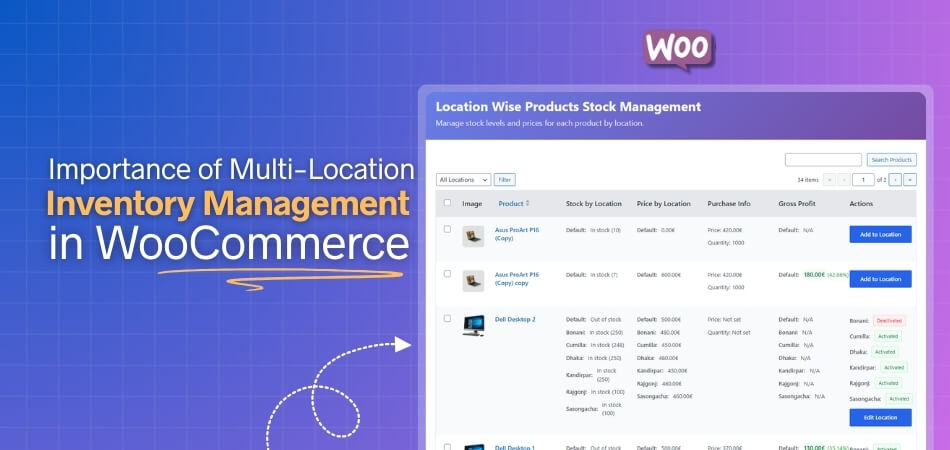
To understand why this system is so valuable, let’s look at a few key reasons below.
Better Control Over Stock Levels
With multi location inventory management, store owners can easily monitor stock at every warehouse. This means you’ll always know how many items are available and where they are stored. It prevents overstocking or running out of products, helping you plan smarter restocks and keep sales steady.
Faster and More Accurate Order Fulfillment
When your system knows exactly where each product is, it can assign orders to the nearest warehouse. This helps in shipping orders faster and avoiding mistakes. Customers get their products on time, and your store maintains a strong reputation for reliable service.
Reduced Overselling and Inventory Errors
Without a proper system, it’s easy to sell an item that’s already out of stock. Multi location management keeps your stock data synced across all sales channels, so what customers see online is always accurate. This reduces refund requests and saves time handling customer complaints.
Improved Customer Satisfaction
Customers love it when their orders arrive quickly and without issues. By managing stock efficiently from multiple locations, you can deliver faster and offer local pickup options. This boosts customer trust, encourages repeat purchases, and helps build a loyal audience for your WooCommerce store.
Tracking and Reporting in Real Time
A big advantage of using this system is real-time data tracking. You can instantly check product availability, stock movement, and order status across all locations. This level of visibility helps you make quick business decisions and avoid delays in restocking or deliveries.
Saves Time and Reduces Manual Work
Multi location inventory tools automate repetitive tasks like updating stock numbers or sending low-stock alerts. This saves your team time and reduces the risk of manual mistakes. With everything handled in one system, your staff can focus on sales and customer support instead.
Common Problems Without Multi Location Inventory Management
Running a WooCommerce store without multi location inventory can be tough. When stock is kept in different places, it’s hard to track it correctly. This leads to mistakes, slow shipping, and unhappy customers. Without a good system, your store can quickly become messy and hard to manage. Let’s look at some common problems store owners face without this setup.
- Stock Mismatches: Without real-time syncing, stock counts are often wrong. You may think a product is available when it’s actually sold out. This leads to overselling and frustrated customers who can’t get what they ordered.
- Overselling Issues: Manually updating stock numbers for each location can cause serious errors. Selling items that are already out of stock leads to refunds and customer complaints. This also damages your store’s reputation.
- Shipping Delays: When orders are sent from the wrong warehouse, shipping takes longer. Customers may have to wait extra days to receive their orders. It increases delivery costs and reduces customer satisfaction.
- Manual Tracking Confusion: Tracking stock manually across multiple stores is stressful and time-consuming. Store owners can easily lose track of which location has what. This confusion often leads to missed sales opportunities.
- Poor Restocking Decisions: Without a central system, you can’t see which products need restocking first. You may overstock some items while running out of others. This results in wasted money and missed profits.
- Customer Complaints: When customers face delays or receive incorrect orders, they complain or stop buying. Negative reviews can hurt your business badly, especially if these mistakes happen often.
- Inaccurate Sales Reports: Without a proper system, tracking sales per warehouse is difficult. Using the WooCommerce Multi Locations Inventory Management Plugin helps keep reports accurate for each location. This makes planning and stock decisions easier and more reliable.
- Increased Operational Costs: Handling inventory manually across different locations takes more time and effort. Extra labor, mistakes, and delays all cost money. A multi location system helps cut these unnecessary costs by automating basic tasks.
How Does Multi Location Inventory Work in WooCommerce?
Managing stock across different places can be hard for store owners. WooCommerce makes this simple with multi location inventory. It helps sellers handle stock from more than one warehouse or store in one place. Let’s look at how it all works and how it helps your business run better.
Separate Stock Tracking for Every Location
Each warehouse or store has its own inventory record within WooCommerce. This makes it easier to track product availability by location. When one branch runs low on stock, you’ll know exactly where to move items from. It gives you full control and avoids stock mix-ups between locations.
Smart Order Allocation Based on Location
When a customer places an order, WooCommerce can automatically select the warehouse closest to them. This smart order routing helps reduce shipping time and cost. It also minimizes the chance of shipping delays, helping customers receive their orders faster and improving overall satisfaction.
Real-Time Syncing Across All Channels
The system updates stock information instantly whenever a product is sold or restocked. This setup helps improve WooCommerce inventory accuracy, as every change is reflected across all sales points immediately. You always know what’s in stock and where it is, which reduces errors and keeps customers informed.
Centralized Dashboard for Complete Control
With everything displayed in one dashboard, managing multiple warehouses becomes simple. You can view stock levels, order history, and product performance from one place. This setup saves time and ensures you don’t need to switch between different tools or spreadsheets.
Easier Management with Automation Tools
WooCommerce supports plugins that automate most inventory tasks, such as restock alerts, sales tracking, and transfer updates. Automation reduces manual work and keeps your team focused on more important business activities like marketing and customer service.
Can Small Businesses Also Benefit From Multi Location Inventory?
Small businesses can benefit a lot from using multi location inventory management in WooCommerce. It helps them handle products easily across different storage places. Even a small store with two warehouses can save time, reduce errors, and keep stock updates accurate for customers.
This system makes it easier to manage orders from different areas without getting confused. Small stores can check stock levels quickly and restock before products run out. It also helps them offer faster deliveries and keep customers happy with smooth and timely service every time.
By using multi location inventory, small business owners gain better control and peace of mind. They don’t have to guess which location has products in stock. It helps them grow faster and run their WooCommerce store in a more organized and smart way.
Tools and Plugins That Support Multi Location Inventory in WooCommerce
Managing products across many locations is easy when you use the right tools. WooCommerce supports many helpful plugins for this purpose. These plugins track stock, update data automatically, and make warehouse work faster. Let’s go through some of the best tools that can help you handle inventory across different locations.
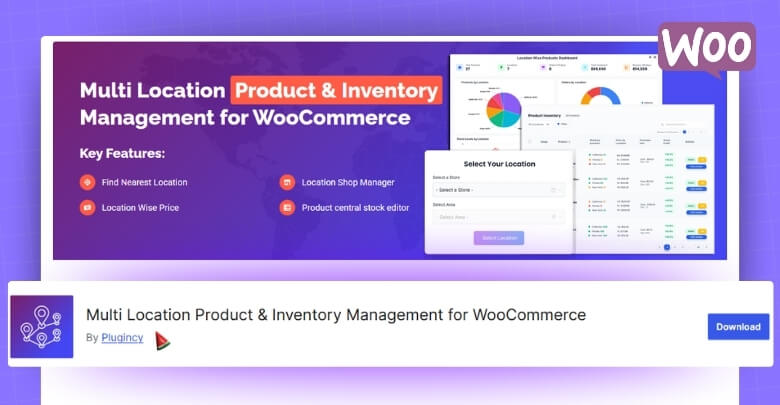
Multi Location Product & Inventory Management For WooCommerce
This tool is a great choice for businesses that manage multiple outlets because it connects all locations under one system. It supports unlimited warehouses, custom pricing, and real-time order tracking. Customers can also choose their nearest store for faster service and delivery.
ATUM Inventory Management
ATUM is a free and powerful plugin that gives you full control over your store’s stock. It helps manage inventory, suppliers, and product data all in one place. You can also check reports and track changes in real time. ATUM works well for small and medium online stores.
WooCommerce Multi Locations Inventory Management
This plugin is made for stores with several warehouses or shops. It lets you assign stock to each location and control orders based on where products are stored. The plugin helps improve order accuracy and shipping time. It’s great for both medium and large WooCommerce stores.
Stock Locations For WooCommerce
This plugin allows you to manage and display stock for each store location. Customers can see where products are available and choose faster delivery. It also helps store owners organize items by branch. It’s a good fit for medium-size stores that handle local deliveries.
Multi Warehouse Inventory For WooCommerce
This plugin supports stores that sell in bulk or handle large orders. It helps divide stock between warehouses and route orders from the nearest one. The system also provides easy product transfers between locations. It’s ideal for large stores with high sales volume.
Tips for Managing Multi Location Inventory in WooCommerce
Handling stock across different locations can be tricky without the right steps. Multi location inventory helps store owners stay organized and work faster. It keeps stock data correct and makes order delivery smooth. Let’s look at some easy tips below that will help you manage everything better.
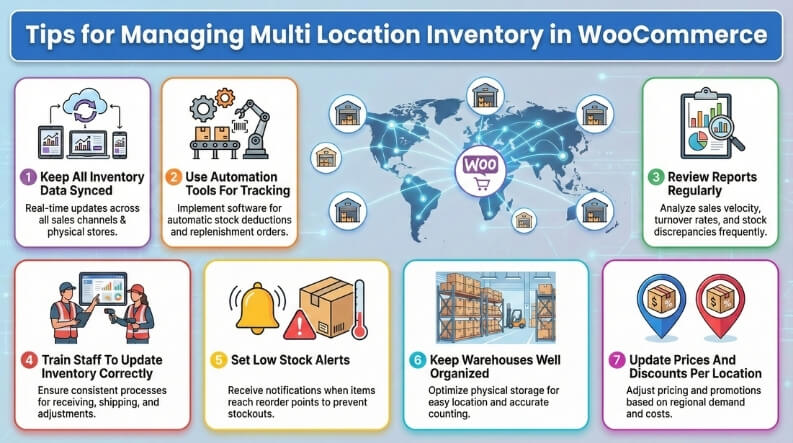
Keep All Inventory Data Synced
Always make sure every product update reflects across all store locations. Syncing helps avoid mistakes and keeps product counts correct. When you manage all stock from one centralized dashboard, every change updates instantly across locations. Using reliable tools for syncing can make this process automatic and stress-free.
Use Automation Tools For Tracking
Automation tools help you save time and reduce human mistakes. They keep track of product movement from one warehouse to another. Stock levels update automatically when sales happen. It makes your work faster, easier, and helps you spend more time on improving your business.
Review Reports Regularly
Check your inventory reports often to understand what’s selling best. Reports help you plan restocking and avoid overbuying. They also show which location needs attention. Reviewing your reports helps you make smart decisions and improve your WooCommerce store’s overall performance without extra guesswork.
Train Staff To Update Inventory Correctly
Teach your team how to manage inventory the right way. Everyone should know how to record sales, returns, and restocks. When your staff updates data correctly, your whole system stays accurate. It builds trust between teams and helps your business avoid inventory errors.
Set Low Stock Alerts
Set alerts that tell you when stock runs low. These alerts help you act quickly before products sell out. You can restock on time and keep your customers happy. Low stock alerts save you from delays and lost sales in the long run.
Keep Warehouses Well Organized
Organized storage helps you find items faster and reduces shipping mistakes. Label racks, boxes, and shelves clearly to save time. Regularly clean and check inventory spaces. A tidy warehouse keeps your workflow smooth and supports better delivery accuracy for customers.
Update Prices And Discounts Per Location
If your locations serve different regions, adjust prices and offers. Use WooCommerce tools to manage pricing by warehouse or store. It helps you stay fair and competitive in each market. Correct pricing also makes your customers trust your store more.
Frequently Asked Questions
Here are some simple and useful questions that people often ask after learning about WooCommerce multi location inventory. These answers will help you understand more about how it works and how it can make managing your store easier.
What Happens If Two Warehouses Sell The Same Product At Once?
When two warehouses sell the same item, the system updates stock instantly. This stops overselling and keeps data correct for both warehouses. Real-time syncing makes sure your customers always see the right stock count on your store.
Can I Set Different Prices For Each Store Location?
Yes, you can set different prices based on store location. This helps match local costs, taxes, or discounts easily. It gives you better control over pricing and helps reach more customers in different areas.
How Does Multi Location Inventory Affect Shipping Time?
It can make shipping much faster by choosing the nearest warehouse. Orders get sent from the location closest to the customer. This reduces delivery time and helps your store save on shipping costs.
Do I Need Technical Skills To Manage Multi Location Inventory?
No, you don’t need to be a tech expert to use it. Most WooCommerce plugins are easy to install and use. They have clear dashboards that guide you through every step of the process.
Can Multi Location Inventory Help Track Product Demand?
Yes, it can show which products sell faster in each area. This helps you plan stock levels better and restock only what’s needed. It saves money and makes business decisions smarter.
Is Multi Location Inventory Useful For Online And Offline Stores?
Yes, it works great for both online and physical stores. You can track products from warehouses, local shops, and your online store together. This helps you stay updated and manage all sales smoothly.
What Type Of Businesses Benefit Most From This System?
Any business that sells from more than one place can benefit. From small shops to large chains, it helps keep stock clear and orders fast. It’s a smart way to grow and stay organized.
Concluding Lines
Managing products across different locations may sound hard, but WooCommerce makes it simple with the right setup. Multi location inventory management keeps your stock balanced, improves delivery times, and prevents costly errors. It also gives store owners better control over their products and customer satisfaction.
When people ask, why multi location inventory management is important in WooCommerce?, the answer is clear. It helps businesses, big or small, handle stock from multiple locations easily. With accurate data and real-time updates, store owners can save time, cut costs, and deliver better results.
Using this system gives your business stability and room to grow. It keeps everything organized while helping you make smart decisions. With proper planning and the right tools, WooCommerce stores can achieve faster growth and happier customers.
