

WooCommerce cart issues in incognito mode usually happen when the cart depends too heavily on cookies, session continuity, browser storage, or dynamic page behavior that does not hold up in a clean private-browsing session.
The store may still look normal, but cart contents, mini cart updates, or checkout continuity can start failing when that browser state is more limited or isolated.
In this guide, we’ll explain why WooCommerce cart breaks in incognito mode, what private browsing usually exposes in the cart flow, and what store owners can do to make cart and checkout behavior more reliable for shoppers.
What Happens When the WooCommerce Cart Breaks in Incognito Mode?
When a WooCommerce cart breaks in incognito mode, the store often still looks fine on the surface, but the cart stops behaving reliably for guest-like browsing sessions. The problem usually appears through lost cart state, inconsistent updates, or a checkout flow that no longer holds together properly.
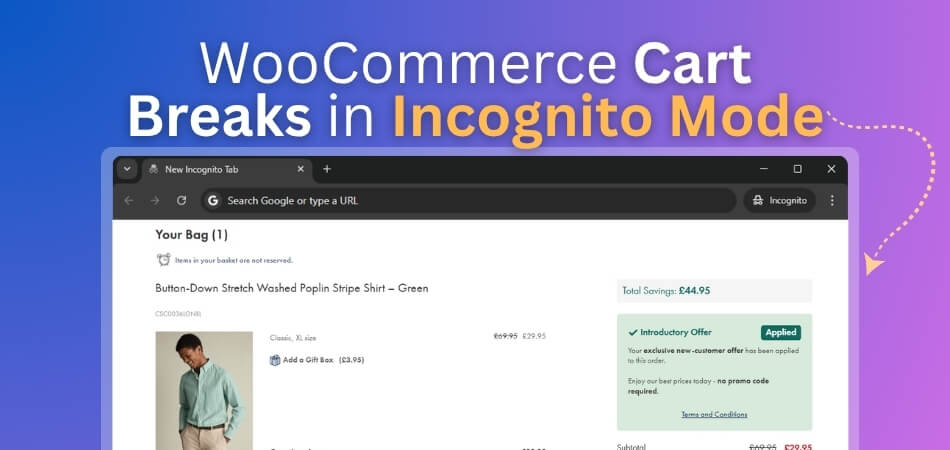
Common signs include:
- Products disappear after refresh
- Cart opens empty after adding items
- Mini cart stops reflecting changes
- Quantity updates do not hold
- Totals reset or fail to update
- Cart breaks between page visits
- Checkout loses the active cart session
- Guest browsing feels less reliable than normal browsing
- Cart works in regular mode but fails in incognito
What Store Owners Usually Notice First
Most store owners do not catch this through an obvious cart error. They notice that something feels off only in private browsing. A product disappears after being added, the cart suddenly opens empty, or checkout stops carrying items forward the way it should. That contrast between normal browsing and incognito mode is usually the first real clue.
Common early signs include:
- Cart Works In Normal Browsing: The cart behaves normally in a regular browser window, which makes the incognito-only failure harder to detect early.
- Products Disappear After Refresh: Items may appear in the cart briefly, then vanish after reload or after the shopper moves to another page.
- Cart Opens Empty In Private Mode: Shoppers may add products successfully, but the cart page still loads without saved items inside it.
- Mini Cart Stops Matching Changes: Mini cart updates may no longer reflect added products, removed items, or changed quantities during the session.
- Checkout Loses The Cart Session: Checkout may begin normally, then fail to carry products forward once the shopper moves deeper into the flow.
- Guest Shopping Feels Less Stable: Guest sessions often reveal the issue faster because they rely fully on clean session handling.
- Issue Appears In Some Browsers Only: Private browsing may fail in one browser while the same cart appears normal in another device or browser.
Why WooCommerce Cart Breaks In Incognito Mode?
WooCommerce cart issues in incognito mode usually happen because private browsing starts from a cleaner session and handles cookies, storage, and cached behavior more strictly than normal browsing. If the cart depends too heavily on saved browser state, weak session handling, or incorrectly cached cart pages, the store may still look normal while products disappear, cart updates fail, or checkout loses continuity.
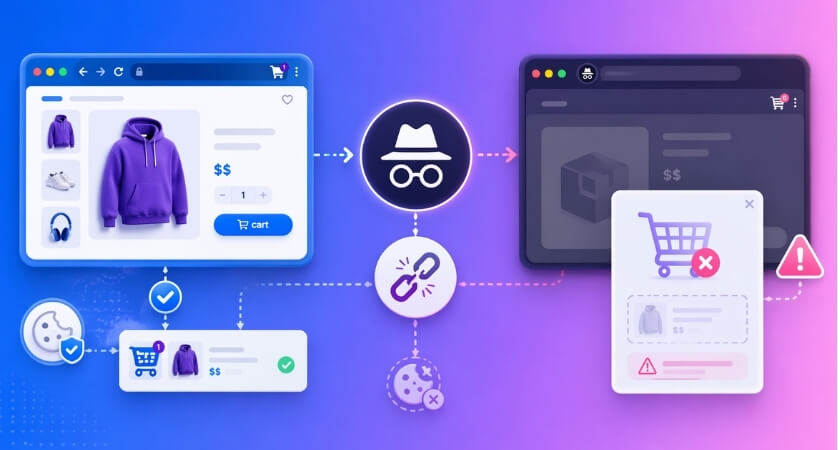
Several underlying storefront issues can make that private-browsing failure more likely.
Session Cookies Do Not Behave As Expected
WooCommerce carts rely on session-related cookies to keep products connected to the shopper across pages. In incognito mode, that session starts fresh, and any weakness in how the store creates, preserves, or reads those cookies becomes easier to expose.
That is why carts may appear to work briefly, then reset after a reload, page change, or move into checkout.
Cart State Depends Too Heavily On Browser Storage
Some storefront behavior works more smoothly in a regular browser session because existing browser data is already present. Incognito mode strips away that safety net. If the cart depends too much on remembered browser-side state instead of stable WooCommerce session handling, cart behavior can become unreliable.
In those cases, the store may look fine visually while the cart fails to keep products, quantities, or progress consistent.
Cached Or Dynamic Pages Do Not Handle Private Sessions Well
Cart and checkout pages need to stay dynamic. If server-side caching, CDN rules, or performance settings serve the wrong version of those pages, incognito mode often reveals it faster because the browser is not relying on previously stored page state.
This can lead to empty carts, broken page transitions, or checkout steps that no longer match the active cart session.
Third-Party Scripts Become More Fragile In Private Browsing
Private browsing can expose weaknesses in storefront features that rely on extra scripts, consent layers, embedded tools, or browser-side conditions that are more stable during normal browsing. The more the cart depends on those moving parts, the easier it becomes for incognito mode to uncover failure points.
That is one reason cart behavior may change only in private mode even though the storefront still appears fully loaded.
Security, CDN, Or Cookie Rules Add More Friction
Incognito mode does not always create the problem by itself. In many stores, it exposes the combined effect of stricter cookie behavior, cache rules, CDN handling, or security settings that already make guest sessions more fragile.
This is also why the issue can feel inconsistent. One browser may hold the cart together, while another private session exposes where continuity is already too weak.
How To Fix WooCommerce Cart Issues In Incognito Mode?
Private-browsing cart failures are usually fixed by making guest sessions more reliable, keeping dynamic pages out of cache, and removing storefront behavior that depends too much on saved browser state. A cart that works cleanly in incognito mode is usually easier to trust for first-time visitors in general.
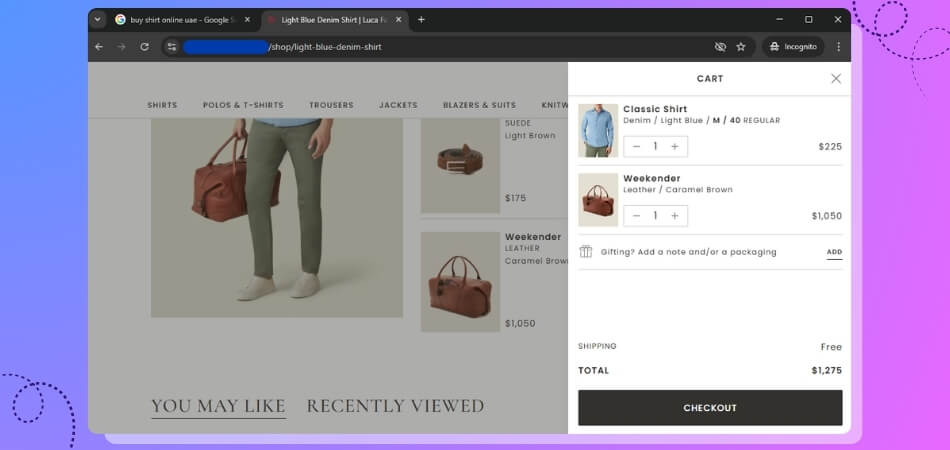
The most effective fixes usually follow the same weak points that private browsing tends to expose.
Check Whether Session Cookies Are Working Properly
A cart cannot stay consistent if session cookies are not being created, preserved, or read correctly. Incognito mode exposes that weakness faster because every visit starts fresh.
- Test whether cart items remain after moving between pages.
- Refresh the page and confirm the cart does not reset.
- Compare guest cart behavior with logged-in cart behavior.
- Check whether cookie or consent settings interrupt essential cart cookies.
Reduce Dependence On Browser-Side State
Some carts work in normal browsing only because existing browser data helps hold things together. Incognito mode removes that support and exposes where the cart relies too much on browser-side state.
- Review custom scripts that try to preserve cart state in the browser.
- Remove unnecessary front-end logic tied to cart continuity.
- Keep add-to-cart and cart flow closer to default WooCommerce behavior.
- Make sure cart continuity comes from stable WooCommerce session handling.
Keep Cart And Checkout Pages Truly Dynamic
Cart, checkout, and account pages should never behave like static cached pages. Incognito mode often reveals this problem faster because there is no stored page history helping the session appear stable.
- Exclude /cart/, /checkout/, and /my-account/ from full-page caching.
- Review CDN and server cache behavior on WooCommerce dynamic pages.
- Clear site cache and CDN cache after meaningful changes.
- Confirm totals, mini cart updates, and checkout steps reflect the live session.
Review Third-Party Scripts And Consent Layers Carefully
Private browsing can expose cart weaknesses created by consent tools, embedded scripts, tracking layers, or front-end enhancements. The more layers attached to the cart, the easier it is for private mode to uncover a failure point.
- Disable non-essential front-end scripts and test again.
- Review cookie or consent tools that affect session-related behavior.
- Check whether embedded tools interfere with guest cart continuity.
- Separate essential cart behavior from optional script layers.
Test For Plugin Or Theme Conflicts In A Clean Session
Some cart failures come from theme logic, cart extensions, optimization plugins, or custom code rather than WooCommerce itself. Incognito mode often makes those conflicts easier to spot because the cart is running without the support of an already-established browser session.
- Disable non-essential plugins one by one and retest.
- Check cart behavior with the default WooCommerce flow.
- Switch temporarily to a default WooCommerce-compatible theme if needed.
- Confirm your WooCommerce inventory management plugin stays well-aligned with cart and session behavior during private-browsing tests.

Review Security, CDN, And Cookie Rules Together
Private browsing often reveals the combined effect of stricter cookie handling, security filters, CDN behavior, and cache logic. Looking at only one layer can leave the real issue hidden.
- Check whether security rules interrupt cart-related requests.
- Confirm CDN settings are not serving stale cart pages.
- Review cookie rules that may be too restrictive for cart continuity.
- Compare guest-session behavior across browsers and devices.
Why The Problem Often Feels Harder To Diagnose In Incognito Mode?
Incognito-mode cart issues are harder to diagnose because the storefront may still look normal while the cart fails only under clean-session conditions. That makes the problem less obvious than a fully broken store and easier to misread as a random browser glitch. These reasons make diagnosis more difficult:
- Normal Browsing Can Hide The Issue: Existing cookies, saved sessions, or prior browser state can keep the cart working well enough in regular browsing.
- Private Mode Starts Cleaner: Incognito testing removes much of that saved browser support, so weak cart behavior becomes more visible.
- The Failure Is Not Always Consistent: Products may disappear after refresh in one session but appear normal in another.
- Different Browsers Behave Differently: Chrome, Safari, Firefox, and Edge do not all handle private browsing in the same way.
- Guest Sessions Expose More Weaknesses: Logged-in testing can look stable while guest-like browsing reveals session continuity problems much faster.
- Cache And Session Problems Can Look Similar: An empty cart in incognito can come from caching mistakes, cookie issues, or broken session handling.
- Plugins And Themes Add More Variables: Extra cart logic, custom scripts, or storefront enhancements can make the source of the issue harder to isolate.
How Cleaner Store Logic Helps Prevent Session-Related Cart Failures?
Session-related cart failures often point to a store that has become harder to manage behind the scenes. When cart behavior depends on too many plugins, front-end workarounds, or disconnected operational fixes, private-browsing issues become easier to trigger. A cleaner setup, like multi location inventory management for WooCommerce helps cart sessions hold together more reliably and makes checkout behavior easier to keep consistent.
- Cleaner Stock Control: Structured inventory handling reduces patchwork fixes that can create instability across product, cart, and checkout behavior.
- Less Operational Overlap: Managing stock, fulfillment, and location-based logic more clearly helps reduce conflicts between plugins and storefront workflows.
- More Predictable Product Handling: Better backend organization makes it easier to keep product availability, cart actions, and checkout flow working more consistently.
- Fewer Manual Adjustments: Stores that rely less on manual stock corrections or temporary workflow fixes usually avoid more session-related cart problems later.
- Better Storefront Stability: A cleaner operational setup supports more reliable guest sessions, especially when shoppers move between product, cart, and checkout pages.
- Easier Troubleshooting: When inventory and store logic are handled in a more structured way, it becomes easier to trace whether the issue comes from sessions, cache, plugins, or custom behavior.
- Stronger Long-Term Reliability: Stores with cleaner backend logic are usually easier to scale without creating extra friction in the customer buying flow.
Frequently Asked Questions
Incognito cart issues can be frustrating because the store may appear fine while the cart behaves differently only in private browsing. These common questions address the practical details store owners often still want to confirm after checking the main causes, fixes, and session-related risks.
Does Incognito Mode Break Every WooCommerce Cart?
No. Incognito mode does not break carts on its own. It usually exposes stores that already depend too heavily on fragile session handling, cached cart pages, or browser-side behavior that is less reliable for clean guest visits.
Why Does The Cart Work For Logged-In Users But Not For Guest Visitors?
Logged-in users often carry more stable session continuity through the store, while guest visitors depend fully on clean cookies and cart-session handling. That is why private browsing can reveal a problem that stays hidden during logged-in testing.
Can Cookie Consent Tools Affect Cart Behavior In Private Browsing?
Yes, they can. If consent settings interfere with essential cart-related cookies or delay important storefront behavior too aggressively, private browsing can make that weakness easier to notice during add-to-cart or checkout steps.
Should I Test Incognito Cart Issues On More Than One Browser?
Yes. Private browsing does not behave exactly the same across all browsers. Testing on Chrome, Firefox, Safari, and Edge can help reveal whether the issue is tied to one browser environment or to the store’s broader session handling.
What Is The Best Way To Confirm The Issue Is Fully Resolved?
The best confirmation is consistent guest-session behavior from product page to checkout. If items stay in the cart, updates hold correctly, and checkout carries the session forward in repeated private-browsing tests, the fix is usually on the right track.
Final Thoughts
Getting clear on why WooCommerce cart breaks in incognito mode usually means looking past the cart itself and paying closer attention to how the store handles sessions, dynamic pages, and clean guest visits. Private browsing does not create those weaknesses on its own. It simply removes the extra browser history and saved state that can hide them for a while.
That is why a lasting fix usually comes from making the store simpler underneath. When cart behavior is easier to manage, guest sessions are more dependable, and fewer moving parts are competing across the storefront, incognito-mode failures become much less likely to keep showing up in different forms.
