

WooCommerce multi-location inventory management plugins help store owners track and manage stock across multiple warehouses, stores, branches, or pickup points from one WooCommerce setup. They improve stock accuracy, support location-based fulfillment, reduce overselling, and make it easier to manage product availability by location.
This matters most for stores that sell from more than one stock source and need better control over inventory movement, order handling, and local pickup availability. In this guide, we compare the top 10 WooCommerce multi-location inventory management plugins based on features, flexibility, usability, and fit for different business needs.
Top 10 WooCommerce Multi-Location Inventory Management Plugins Comparison
The table below compares the top 10 WooCommerce multi-location inventory management plugins based on true stock per location, cart or checkout location switching, fallback support, store manager roles, and location-wise stock reporting.
| Plugin | True Stock per Location | Location Switch (Cart / Checkout) | Auto Fallback to Other Location | Store Manager Roles | Location-Wise Stock Reports | Notes |
| Multi-Location Product and Inventory Management for WooCommerce | Yes | Anywhere | Yes | Yes | Yes | Full multi-location workflow |
| ATUM Inventory Management for WooCommerce | Partial | No | No | No / not location-manager focused | Yes | Inventory-first, not routing-first |
| Multi Store Manager for WooCommerce | Yes | Yes — shop/cart | Limited | Yes | Limited | Store-based control |
| Stock Locations for WooCommerce | Yes | Limited | Limited / auto stock allocation available | No | Limited | Basic stock-by-location |
| Addify WooCommerce Multi Inventory Management | Yes | Yes | Yes / priority-based allocation | No / limited | Yes | Multi-inventory with customer selection |
| WooMultistore – WooCommerce Multisite Stock Sync | Yes, per store | No | No | Yes, site level | Yes | Multisite sync tool |
| Local Pickup Plus for WooCommerce | No | Yes | No | No | No | Pickup-focused only |
| MultiWare Engine Lite – Multi Location Inventory Management for WooCommerce | Yes | Customer warehouse/location selector available; verify by testing | Yes — automatic allocation/routing | Limited / verify | Yes | Warehouse operations focused |
| Multiloca Lite – Multi Location Inventory Management for WooCommerce | Yes | Yes | No in Lite | No in Lite | Limited | Per-location stock and selection |
| Smart Inventory Management for WooCommerce | Limited / stock-location tracking | No | No | No | Limited | Stock and restock focused |
Criteria Used To Select These WooCommerce Multi-Location Inventory Plugins
Managing inventory across multiple locations gets complicated fast, especially when stock needs to stay accurate across stores, warehouses, pickup points, or branch-based orders. For this list, the focus stayed on the features that actually make multi-location inventory easier to run day to day in WooCommerce.
- True Stock by Location: Separate stock quantities for each store, warehouse, branch, or pickup point, so inventory stays organized and product availability is easier to track.
- Location Selection Flow: The ability for customers to choose a preferred location on the product page, in the cart, or during checkout when needed.
- Fallback or Reassignment Logic: Support for shifting fulfillment to another location when the selected one runs low or cannot complete the order properly.
- Store or Staff Access Control: Tools that let managers or staff handle stock and orders only for the locations assigned to them.
- Location-Wise Reporting: Reporting that helps track stock levels, order activity, or inventory movement separately for each store, warehouse, or pickup location.
- Fulfillment Workflow Fit: Compatibility with shipping, local pickup, branch fulfillment, or warehouse-based operations, depending on how the business handles stock and orders.
- Ease of Inventory Control: A setup that stays practical to manage as product counts grow, locations expand, and daily stock updates become more frequent.
- Business Use Case Fit: How well the plugin matches retail branches, warehouse operations, pickup networks, multisite setups, or businesses running a mix of models.
Top 10 WooCommerce Multi-Location Inventory Management Plugins in Detail
Once the comparison points are clear, it becomes easier to see where each plugin fits. The details below look at each WooCommerce multi locations inventory management plugin in more detail, including its core features, strengths, limitations, and the kind of business it suits best.
Multi-Location Product and Inventory Management for WooCommerce
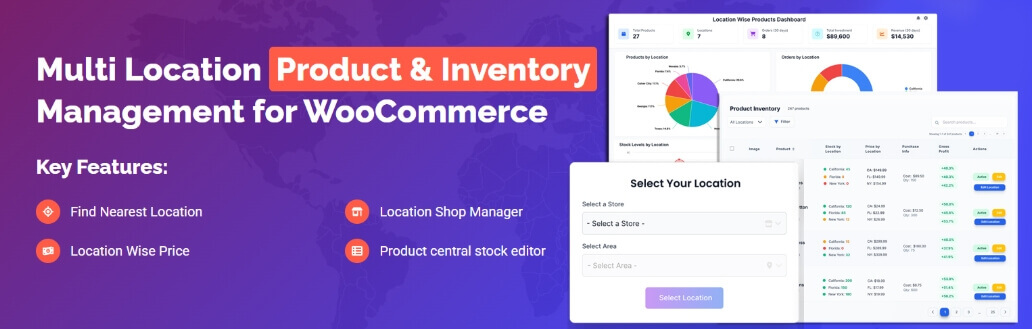
Multi-Location Product and Inventory Management for WooCommerce is built for stores that need stock control across multiple locations from one WooCommerce setup. This WooCommerce inventory management plugin supports location-specific inventory, pricing, customer location selection, split fulfillment, manager permissions, reporting, and location-aware checkout controls.
Key Features
- Unlimited store, warehouse, and pickup locations
- Per-location stock, pricing, sale pricing, backorders, and currency
- Customer location selector with customizable popup templates
- Location-based product visibility and cart location changes
- Mixed-location cart, cart grouping, and split orders by location
- Location manager roles with assigned locations and permissions
- Location-wise dashboard, low-stock, revenue, profitability, and export reports
- CSV import/export and REST API/webhook inventory sync
Pros & Cons
Pros
- Covers advanced stock control and fulfillment workflows
- Supports location-specific pricing, currency, and product availability
- Handles variation-level stock, pricing, and backorder rules
- Includes import/export plus REST API and webhook sync support
- Provides stronger location-wise reporting and manager permissions
Cons
- Broader setup than small stores may need
- More advanced workflows usually need more planning
- Some features may require careful configuration across locations
Who It’s Best For
Stores that need a full multi-location workflow with stock control, customer store selection, transfers, pricing rules, reporting, permissions, and location-aware order handling.
ATUM Inventory Management for WooCommerce
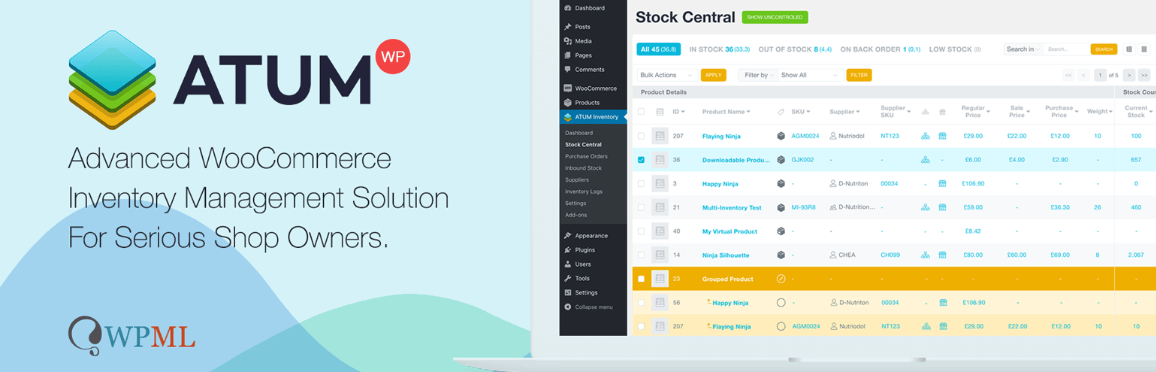
ATUM Inventory Management for WooCommerce is best understood as an inventory-control platform for WooCommerce rather than a full customer-facing multi-location fulfillment plugin. It gives store owners a centralized way to manage stock, suppliers, inventory logs, purchase orders, product locations, and reporting. Its Product Locations feature can help track where items are stored, but deeper multi-inventory workflows are tied more to ATUM’s premium add-ons than the core free plugin.
Key Features
Stock Central inventory dashboard
Product locations for storage tracking
Location hierarchy for storage organization
Inventory logs for stock adjustments
Supplier management
Purchase order support
Inventory statistics and reporting
Premium add-ons for deeper multi-inventory workflows
Pros & Cons
Pros
- Strong centralized inventory-control system
- Useful for stock monitoring, suppliers, and purchase workflows
- Product Locations feature helps organize storage information
- Inventory logs make stock changes easier to track
- Good fit for stores that want expandable inventory tools
Cons
- Not built mainly for customer-facing location selection
- Store-manager roles by location are not a core focus
Who It’s Best For
Stores that need stronger inventory control, stock monitoring, supplier management, purchase orders, product-location tracking, and reporting, especially when customer-facing multi-location selection and routing are not the main priority.
Multi Store Manager for WooCommerce
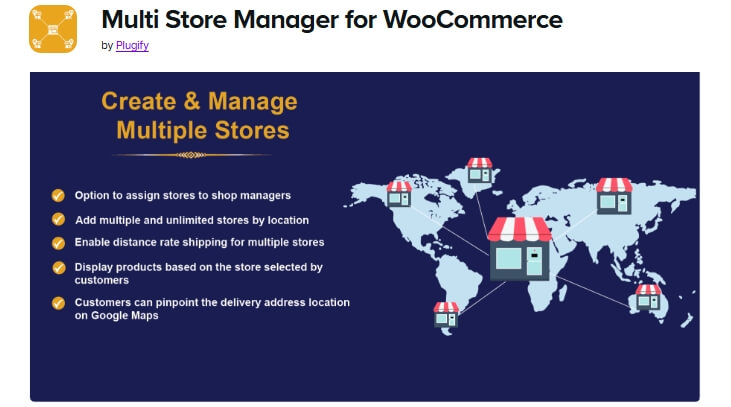
Multi Store Manager for WooCommerce is aimed at businesses running multiple stores from one WooCommerce environment. It focuses on store-level separation, including stock, products, prices, payment methods, orders, customer store selection, and store manager assignment. It also supports shop/cart store selection and nearest-store behavior, but fallback or reassignment after stock issues is not clearly documented as a core feature.
Key Features
- Unlimited stores by location
- Separate stock by store
- Separate products and prices by store
- Separate payment methods by store
- Separate order management by store
- Store-manager assignment
- Shop/cart store selection
- Nearest-store support
Pros & Cons
Pros
- Gives clear store-level separation
- Supports delegated management by store
- Useful for branch-based businesses
- Includes separate payment-method control
- Supports shop/cart store selection and nearest-store logic
Cons
- More store-management focused than warehouse-focused
- Fallback or order reassignment after stock issues is not clearly documented
- May not fit stores that need advanced warehouse routing
Who It’s Best For
Businesses with multiple retail or branch locations that want separate store-level control over products, stock, prices, orders, payment methods, customer store selection, and manager access.
Stock Locations for WooCommerce
Stock Locations for WooCommerce is a focused stock-by-location plugin for stores that need practical inventory separation without a heavier operations system. It supports stock locations, separate quantities by location, simple and variable products, configurable frontend/cart location selection, and automatic stock allocation behavior.

Key Features
- Stock locations taxonomy
- Separate stock by location
- Works with simple and variable products
- Configurable frontend and cart location selection
- Auto order allocation for stock reduction
- REST API support for stock locations
- Location-based email notifications
Pros & Cons
Pros
- Supports true stock locations, not just labels
- Works with both simple and variable products
- Allows configurable customer-facing location selection
- Includes auto order allocation for stock reduction
- Useful for stores that want lighter multi-location handling
Cons
- Official feature set is lighter than full all-in-one systems
- Broader reporting and role management are not major strengths
- Auto allocation is useful, but it should not be treated as advanced fallback routing
Who It’s Best For
Stores that need practical stock-by-location control with configurable location selection and basic allocation, without moving into a heavier multi-location operations platform.
Addify WooCommerce Multi Inventory Management
Addify WooCommerce Multi Inventory Management is built for merchants who need multiple inventories per product across locations, warehouses, stores, inventory types, or suppliers. It supports flexible inventory structures, location-based pricing, customer inventory selection, CSV import/export, and bulk inventory updates. It also offers automatic assignment rules, but fallback after customer selection should be verified before relying on it.
Key Features
- Multiple inventories per product
- Inventory by location, warehouse, store, inventory type, or supplier
- Location-based pricing
- Customer inventory or location selection
- Automatic assignment rules by priority or stock availability
- CSV import and export
- Catalog-wide stock updates from list view
- Inventory dashboard and stats
Pros & Cons
Pros
- Strong control over multiple inventories per product
- Supports customer location or inventory selection
- Includes bulk stock handling through CSV tools
- Useful for warehouse and supplier-based setups
- Supports location-based price differences
Cons
- Fallback after customer selection should be verified
- Store-manager role separation is not strongly surfaced as a core feature
- May need careful setup for complex fulfillment rules
Who It’s Best For
Stores that need flexible multi-inventory control with customer selection, location-based pricing, auto assignment rules, and bulk stock handling across warehouses, stores, or supplier-based inventory structures.
WooMultistore – WooCommerce Multisite Stock Sync
WooMultistore – WooCommerce Multisite Stock Sync is built for businesses that run multiple WooCommerce stores and need products, stock, and orders to stay synchronized across those stores. It is better treated as a multisite or multistore sync tool than a warehouse-routing plugin for one WooCommerce store.
Key Features
- Product sync across multiple WooCommerce stores
- Stock synchronization across connected stores
- Support for different domains, subdomains, or subdirectories
- Central product management from a main store
- Order management from one main order panel
- Order export to CSV or XLS
- Option to import orders into one single store
- Store-level flexibility for language, currency, and payment options
Pros & Cons
Pros
- Strong fit for multisite and multistore WooCommerce setups
- Helps keep stock consistent across connected stores
- Useful when the same products are sold through multiple storefronts
- Centralized order handling reduces store-switching
- Supports store-level differences such as language, currency, or payment setup
Cons
- Not designed as a single-store warehouse allocation tool
- No customer-facing location selector for cart or checkout
- Does not provide automatic fallback to another warehouse or store
Who It’s Best For
Businesses running multiple WooCommerce stores that need product, stock, and order synchronization across different storefronts, especially when each store operates as its own site, but inventory needs to stay aligned.
Local Pickup Plus for WooCommerce
Local Pickup Plus for WooCommerce is a pickup-location and scheduling plugin rather than a full stock-per-location inventory system. It is useful for stores that need customers to choose pickup locations, dates, times, and pickup instructions, but it should not be treated as a true multi-location inventory management plugin.
Key Features
- Multiple pickup locations
- Pickup date selection
- Pickup time-slot selection
- Pickup hours configuration
- Holiday and non-working day controls
- Product-level pickup rules
- Pickup instructions and notifications
Pros & Cons
Pros
- Strong fit for click-and-collect workflows
- Gives customers better pickup scheduling options
- Supports multiple pickup stores
- Easy to understand for local retail use
- Improves WooCommerce’s default pickup flow
Cons
- Not a true multi-location inventory plugin
- Does not manage separate stock quantities by location
- Better for pickup management than warehouse-style stock control
- Cart and Checkout Blocks compatibility should be checked before choosing it
Who It’s Best For
Stores that mainly need better local pickup management with multiple pickup points and scheduling, rather than full location-based inventory control.
MultiWare Engine Lite – Multi Location Inventory Management for WooCommerce
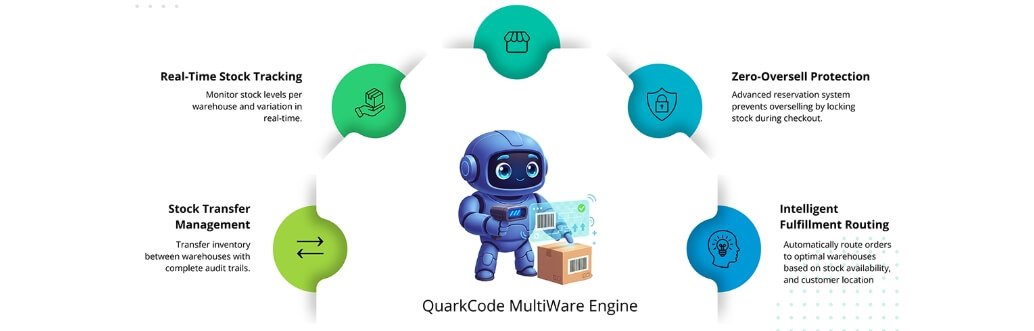
MultiWare Engine Lite is positioned as a warehouse-oriented multi-location inventory tool. It focuses on multi-warehouse stock control, stock allocation, synchronization, customer-facing warehouse selection, geolocation-based fulfillment, and oversell prevention. It also includes operational controls, while location-manager role depth should still be verified before choosing it for a live workflow.
Key Features
- Multi-warehouse inventory management
- Customer-facing warehouse selector
- Dropdown, radio, or modal selector display modes
- Stock allocation and routing
- Real-time synchronization
- Geolocation-based fulfillment
- Zero-oversell protection
- Barcode scanning and batch tracking
Pros & Cons
Pros
- More operations-focused than many lightweight location plugins
- Includes customer-facing warehouse selector features
- Supports automatic allocation and routing logic
- Real-time sync helps reduce inventory drift
- Adds scanning and batch-oriented workflow support
Cons
- Location-manager workflow should be verified before use
- May be more warehouse-focused than simple retail stores need
- Hands-on testing is important for theme, cart, and checkout compatibility
Who It’s Best For
Stores that want a warehouse-oriented multi-location inventory tool with customer warehouse selection, sync, allocation, routing, and operational controls beyond simple stock display by location.
Multiloca Lite – Multi Location Inventory Management for WooCommerce
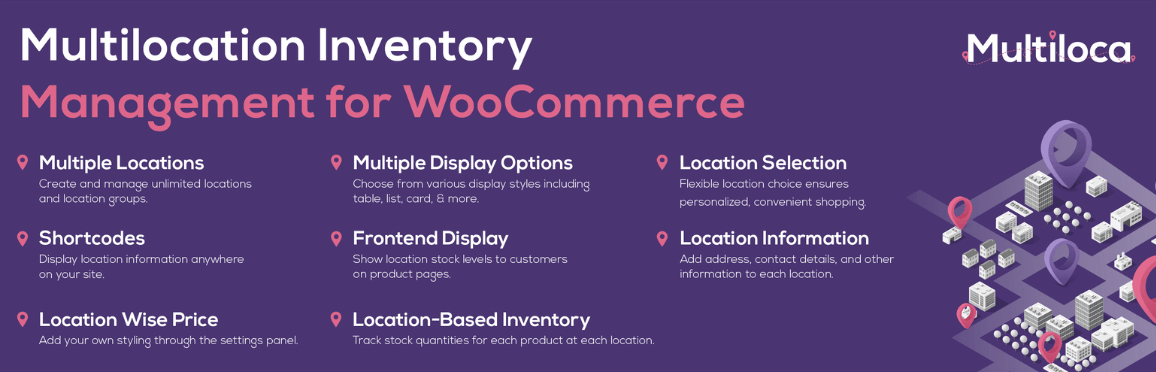
Multiloca Lite is a practical entry point for stores that want per-location stock and customer-facing availability without starting with a heavier system. The Lite version focuses on location-based stock, customer-selected location, location-tagged orders, and stock reduction from the selected location. Smart routing, manager roles, and detailed reporting are better treated as Pro or Premium features.
Key Features
- Unlimited store, warehouse, and pickup locations
- Separate stock quantities by location
- Real-time stock status by location
- Location-based stock display on product pages
- Customer location selection
- Cart and order summary location display
- Business hours for each location
Pros & Cons
Pros
- Easy starting point for simple multi-location setups
- Useful frontend stock visibility for customers
- Supports unlimited locations
- Fits stores that mainly need location-based availability
- Lower setup barrier than more feature-heavy systems
Cons
- Smart routing is not part of the Lite workflow
- Store manager roles are mainly a Pro feature
- Detailed per-location reports are mainly a Pro/Premium feature
- Better suited to simpler workflows than advanced fulfillment operations
Who It’s Best For
Small WooCommerce stores, local retail setups, and businesses testing multi-location inventory for the first time, especially when the main need is per-location stock plus customer-facing availability.
Smart Inventory Management for WooCommerce
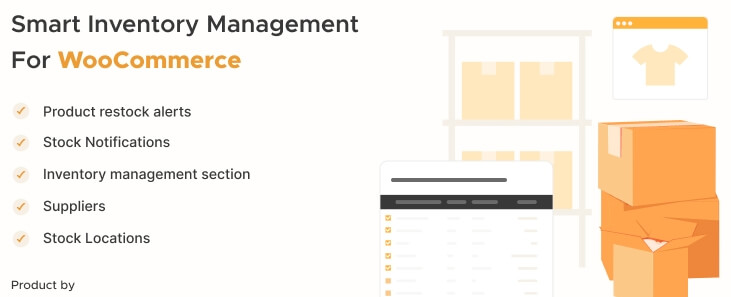
Smart Inventory Management for WooCommerce is better framed as a stock monitoring and restock tool than as a full multi-location storefront workflow. It can support stock-location tracking and restock visibility, but its main strength is centralized inventory control, supplier coordination, alerts, and replenishment workflows rather than customer-facing multi-location fulfillment.
Key Features
- Central inventory management page
- Stock monitoring
- Stock-location tracking
- Supplier coordination
- Stock alerts
- Restock alerts for suppliers
- Customer restock notifications
- Product management from one screen
Pros & Cons
Pros
- Useful for stock monitoring and replenishment
- Adds supplier-oriented workflow support
- Includes customer restock alerts
- Keeps inventory tasks centralized
- Stronger than manual stock tracking
Cons
- Not a full customer-facing multi-location fulfillment plugin
- More restock-focused than fulfillment-routing focused
- Store-manager role separation by location is not clearly documented
- Limited fit for advanced stock-per-location workflows
Who It’s Best For
Stores that want better inventory monitoring, supplier coordination, stock-location tracking, and restock handling, especially when the main need is operational stock control rather than full multi-location fulfillment.
Best WooCommerce Multi-Location Inventory Management Plugins By Business Type
Choosing the right WooCommerce multi locations inventory management plugin often comes down to business model. Retail branches, warehouse-based operations, pickup-focused stores, and multisite setups all need different kinds of inventory control.
This table groups the plugins by business type to make it easier to spot which option fits your workflow best.
| Business Type | Best Plugin Options | Why They Fit |
| Multi-Store Retail Businesses | Multi Store Manager for WooCommerce, Multi-Location Product and Inventory Management for WooCommerce | Better for branch-level stock, pricing, order control, store selection, and manager access |
| Warehouse-Based Operations | Multi-Location Product and Inventory Management for WooCommerce, MultiWare Engine Lite – Multi Location Inventory Management for WooCommerce | Stronger fit for stock movement, allocation, routing, warehouse selection, and fulfillment workflows |
| Local Pickup Setups | Multi-Location Product and Inventory Management for WooCommerce, Local Pickup Plus for WooCommerce, Multiloca Lite – Multi Location Inventory Management for WooCommerce | Better for pickup location choice, scheduling, and customer-facing location availability |
| Multisite Businesses | WooMultistore – WooCommerce Multisite Stock Sync | Built for syncing stock, products, and orders across multiple WooCommerce stores |
| Small Stores Starting Out | Multiloca Lite – Multi Location Inventory Management for WooCommerce, Stock Locations for WooCommerce | Easier entry point for simpler multi-location stock handling and customer-facing location selection |
| Inventory Control and Restock Focus | Multi-Location Product and Inventory Management for WooCommerce, ATUM Inventory Management for WooCommerce, Smart Inventory Management for WooCommerce | Better for stock monitoring, reporting, supplier coordination, and replenishment workflows |
| Flexible Multi-Inventory Setups | Addify WooCommerce Multi Inventory Management | Strong fit for multiple inventories by location, warehouse, store, inventory type, or supplier |
Which WooCommerce Multi-Location Inventory Management Plugin Should You Choose?
The right plugin depends on how your inventory works across locations and how much control your store needs day to day. Some businesses need full stock management across warehouses or branches, while others only need pickup-based availability, multisite sync, or a simpler way to separate stock by location.
- Multi-Location Product and Inventory Management for WooCommerce: Best fit for stores that need full multi-location stock control, customer location selection, transfers, and more advanced fulfillment handling.
- Multi Store Manager for WooCommerce: Strong choice for businesses running multiple retail branches that need separate stock, pricing, orders, and manager control by store.
- MultiWare Engine Lite – Multi Location Inventory Management for WooCommerce: Better suited to warehouse-based setups that need stock allocation, synchronization, and more operations-focused inventory handling.
- Multiloca Lite – Multi Location Inventory Management for WooCommerce: Good starting point for smaller stores that want customer-facing location selection and simple stock separation without a heavier setup.
For most stores that need a full multi-location workflow, Multi-Location Product and Inventory Management for WooCommerce is the strongest place to start. Businesses with branch-based selling may lean more toward Multi Store Manager, while MultiWare Engine Lite fits warehouse-driven operations better. For simpler setups, Multiloca Lite is often the easier entry point.
Tips For Keeping WooCommerce Stock Updates Consistent Across Locations
Keeping stock accurate across multiple locations gets harder as products, orders, and fulfillment points increase. These simple habits can make day-to-day updates more reliable and help reduce stock confusion between stores, warehouses, or pickup points.
- Use Clear Location Names: Keep naming consistent across all stores, warehouses, and pickup points so stock updates stay organized and staff can identify locations quickly.
- Update Stock In One Workflow: Use a consistent process for receiving, selling, transferring, and adjusting stock so location-based quantities do not fall out of sync.
- Separate Pickup And Shipping Stock: Keep pickup inventory separate from shipping stock when needed to avoid confusion between customer collection availability and fulfillment inventory.
- Review Low-Stock Levels By Location: Set and monitor low-stock thresholds for each location so replenishment decisions happen earlier and stock gaps are easier to prevent.
- Check Transfers Carefully: Confirm stock transfers between locations are recorded properly so quantities do not appear duplicated, delayed, or missing after movement.
- Limit Access By Role: Give staff access only to the locations they manage so stock changes stay controlled and accidental updates are less likely.
- Audit Fast-Moving Products Regularly: Review high-demand items more often because stock mismatches usually show up first on products that sell quickly across locations.
- Test Order Flow After Changes: Check how orders affect stock after setup changes to make sure the right location is reduced at the right stage.
- Keep Product-Location Assignments Clean: Make sure products are assigned only to the locations that actually carry them so availability stays accurate on the storefront.
- Use Reports To Spot Problems Early: Review stock and order activity by location to catch unusual patterns before they turn into larger inventory issues.
FAQs About WooCommerce Multi-Location Inventory Management Plugins
Before wrapping up, it helps to answer a few questions that often come up when store owners compare multi-location inventory plugins for WooCommerce. The FAQs below focus on practical concerns that matter when choosing a plugin for real inventory operations.
Can WooCommerce Manage Inventory Across Multiple Locations By Default?
WooCommerce does not handle true multi-location inventory by default. To manage stock separately across stores, warehouses, or pickup points, you usually need a dedicated plugin.
Can Customers See Product Availability For A Specific Location?
Yes, some multi-location inventory plugins let customers view stock availability by store, warehouse, or pickup point before placing an order.
Are Multi-Location Inventory Plugins Only Useful For Large Stores?
No, smaller stores can also benefit from them, especially when inventory is split between a shop, a small warehouse, or local pickup locations.
Can Multi-Location Inventory Plugins Work With Local Pickup?
Yes, many of them can support local pickup workflows, either directly or alongside plugins built specifically for pickup location management.
What Should I Check Before Choosing A Multi-Location Inventory Plugin?
Look at how the plugin handles stock by location, customer location selection, reporting, day-to-day updates, and the type of inventory workflow your business actually uses.
Final Note
These top 10 WooCommerce multi-location inventory management plugins in this guide fit different business needs, from branch-based stock control and warehouse operations to pickup-based availability and multisite inventory sync. The right choice depends on how your store manages stock across locations and how much control you need over daily inventory updates.
A well-matched plugin can make stock handling more accurate, location-based availability easier to manage, and multi-location WooCommerce operations much easier to scale.
