

Product filtering starts to matter a lot more once a WooCommerce catalog is no longer easy to browse at a glance. More products, more attributes, and more variation options usually mean shoppers need a quicker way to narrow results without turning the browsing experience into extra work.
That is what makes Dynamic AJAX Product Filters vs. WCAPF for WooCommerce a useful comparison. Both plugins are built to improve how products are filtered, but they differ in how they approach control, usability, and the kind of store they make the most sense for.
When This Comparison Becomes Useful
Not every WooCommerce store needs to compare filter plugins this closely. This kind of comparison matters more when filtering starts shaping how people browse the catalog and how much control the store needs behind the scenes.
It is more useful for:
- Stores with crowded category pages
- Catalogs with lots of filterable product data
- Shop owners reviewing plugin fit before rebuilding filters
- Teams weighing ease of use against deeper control
- Stores expect product selection to expand over time
- WooCommerce setups where filtering is becoming a bigger part of navigation
Quick Summary
Dynamic AJAX Product Filters for WooCommerce is the better fit for stores that need more control over filter behavior, wider filtering options, and a setup that can handle more detailed catalog needs over time.
WCAPF for WooCommerce is more suitable for stores that want product filtering with a simpler setup and a more familiar filtering structure.
In most cases, Dynamic AJAX Product Filters vs. WCAPF comes down to flexibility versus simplicity. Dynamic AJAX Product Filters is the stronger option for stores with broader filtering needs, while WCAPF fits stores that want a lighter approach.
Dynamic AJAX Product Filters vs WCAPF: Core Features Comparison
Feature lists do not tell the whole story, but they do show where each plugin starts. In this comparison, one plugin stays closer to the filtering basics most WooCommerce stores expect, while the other gives more room once filter setups become more involved.
| Core Feature Area | Dynamic AJAX Product Filters for WooCommerce | WCAPF for WooCommerce |
| AJAX product filtering | Yes | Yes |
| Category filtering | Yes | Yes |
| Attribute filtering | Yes | Yes |
| Price filtering | Yes | Yes |
| Rating filtering | Yes | Yes |
| Tag filtering | Yes | Yes |
| Stock status filtering | Yes | Yes |
| Search filtering | Yes | Yes |
| Custom field filtering | Yes | Yes |
| Custom taxonomy filtering | Yes | More limited |
| Multi-select filtering | Yes | Yes |
| Filter display styles | Yes | Yes |
| Filter placement options | Yes | Available |
| Page-specific filter setup | Yes | Less emphasized |
| Filter URL control | Yes | More limited |
What Problem Do These Two Product Filter Plugins Solve?
Catalog browsing stops working well when shoppers have to dig through too many product options just to get close to what they want. That usually happens when categories expand, attributes pile up, and variation-heavy products start filling the shop page.
Both plugins are meant to fix that gap in product discovery. They give shoppers a faster way to narrow listings and help stores turn broad product archives into something easier to explore.
Problems they help reduce:
- Product Lists That Feel Too Broad: Shoppers see too many items before reaching anything relevant.
- Too Much Friction In Product Search: Narrowing results takes more effort than it should.
- Limited Control In Default WooCommerce Filtering: Built-in filtering often feels too basic once the catalog becomes more detailed.
- Messy Navigation Across Larger Catalogs: More attributes and product options can make browsing feel scattered.
Pricing Comparison of these Two Product Filter Plugins
Pricing is not equally transparent between these two plugins. Dynamic AJAX Product Filters for WooCommerce publishes a clear plan structure, while WCAPF for WooCommerce clearly offers a free plugin plus a Pro upgrade path, but its public WordPress listing does not show the same kind of detailed pricing breakdown.
| Pricing Area | Dynamic AJAX Product Filters for WooCommerce | WCAPF for WooCommerce |
| Free Version | Yes | Yes |
| Paid Upgrade Path | Yes | Yes |
| Entry Plan Visibility | Clearly published | Not clearly shown on the public plugin listing |
| Multi-Site Plan Visibility | Clearly published | Not clearly shown on the public plugin listing |
| Lifetime Option | Yes | Not publicly confirmed by the sources I checked |
| Best Pricing Fit | Stores comparing license value upfront | Stores that want to begin with a free version first |
Plugin Overview – What Each Plugin Is Built For
Some filter plugins are made for stores that need more control behind the scenes, while others are aimed at shops that want filtering to stay simpler and easier to manage. That difference helps clarify where each plugin fits more naturally.
Dynamic AJAX Product Filters for WooCommerce
Some WooCommerce stores outgrow basic filtering quickly. Dynamic AJAX Product Filters for WooCommerce is built for that kind of setup, where product discovery depends on more than a few standard attributes and where filtering needs to stay adaptable as the catalog gets more layered. As a WooCommerce Ajax product filter, it leans toward broader filter coverage, live AJAX updates, and more control over how filtered states work across the store.

Here are the technical details about this plugin:
| Plugin Type | WooCommerce filter plugin |
| Version | 1.5.9 |
| Active Installations | 700+ |
| WordPress Version | 4.7 or higher |
| Tested Up To | 6.9.4 |
| PHP Version | 7.0 or higher |
| Developed By | Plugincy |
| Free/Paid Availability | Free with basic features, Pro with advanced features |
Core Features
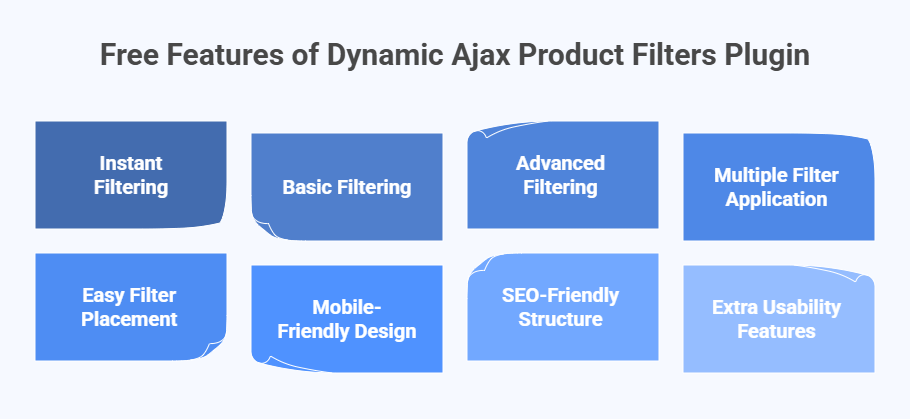
- Live AJAX filtering with instant product updates
- Filtering by category, attributes, tags, price, and rating
- Support for stock status, sale status, SKU, product ID, dimensions, and date ranges
- Custom field and meta-based filtering
- Search filtering for quicker product lookup
- Multiple filter input styles for different storefront needs
- URL handling through query strings, permalinks, or AJAX-only mode
- Shortcode support for flexible placement
- Styling controls for filter appearance
- Compatibility with product variations and standard WooCommerce themes
Strengths
- Handles a wider mix of product data than standard filter setups
- Gives more freedom in how filtered pages behave
- Suits catalogs where shoppers combine several filters before reaching the right products
- Leaves more room for stores that expect filtering needs to become more detailed over time
Limitations
- Can take more setup thought when the store uses many filter paths
- Simpler catalogs may not need everything it offers
- Admin settings can feel fuller than necessary for very lightweight stores
Real WooCommerce Use Case
Picture a store selling technical products, replacement parts, or large fashion inventories where shoppers rarely browse with just one filter in mind. They may need to narrow by stock, size, brand, price, compatibility, or other product details in the same session. That is where Dynamic AJAX Product Filters for WooCommerce feels more at home.
WCAPF for WooCommerce
WCAPF for WooCommerce is built for stores that want AJAX filtering to stay practical and familiar. Its public plugin positioning focuses on helping shoppers filter products by the common data points most WooCommerce stores already use, such as category, tag, attribute, price, rating, author, meta fields, and keyword search.
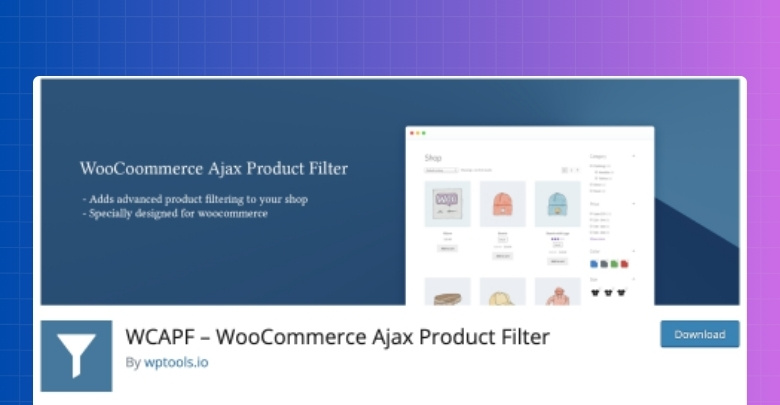
Here are the technical details about the plugin:
| Plugin Type | WooCommerce Product Filter Plugin |
| Version | 4.4.0 |
| Active Installations | 9,000+ |
| WordPress Version | 6.0 or higher |
| Tested Up To | 6.9.4 |
| PHP Version | 7.2 or higher |
| Developed By | Mainul Islam |
| Free/Paid Availability | Free with basic features, Paid with advanced features |
Core Features
- AJAX product filtering with instant result updates
- Filtering by category, tag, attribute, price, and rating
- Keyword search filtering
- Author-based filtering
- Meta field filtering
- Multi-select product narrowing
- Filter placement for shop and archive pages
- Multiple filter input styles
- Product sorting during AJAX filtering
- Pro upgrade path for expanded functionality
Strengths
- Covers the main filter types that many WooCommerce stores use first
- Easier to understand for stores working with standard product data
- Gives shoppers a faster way to narrow results without full page reloads
- Free version makes it easier to test before moving further
Limitations
- Public documentation places less emphasis on wider URL-mode control
- Page-specific filter planning is not as strongly highlighted in its public positioning
- Better suited to standard filtering needs than more layered filter setups
Real WooCommerce Use Case
Clothing, accessories, books, or general retail stores can get good use from WCAPF when shoppers mostly filter by price, category, tags, ratings, and a few product attributes. In that kind of setup, the plugin fits stores that want AJAX filtering without turning the filter system into something too involved.
Available Filter Types Comparison
Supported filter types shape how much product discovery can actually improve once shoppers start narrowing results. This is where the difference becomes easier to see, especially when the Dynamic AJAX Product Filters for WooCommerce is being compared with a more standard AJAX filter setup that covers fewer filtering conditions.
| Filtering Type Area | Dynamic AJAX Product Filters for WooCommerce | WCAPF for WooCommerce |
| Price Filtering | Yes | Yes |
| Category Filtering | Yes | Yes |
| Attribute Filtering | Yes | Yes |
| Tag Filtering | Yes | Yes |
| Rating Filtering | Yes | Yes |
| Stock Status Filtering | Yes | Yes |
| Keyword Search Filtering | Yes | Yes |
| Meta Field Filtering | Yes | Yes |
| Custom Taxonomy Filtering | Yes | Less clearly highlighted |
| SKU Filtering | Yes | Not clearly highlighted |
| Multi-Select Filtering | Yes | Yes |
Store Performance, Usability, and Scalability
Filtering quality is not only about what a plugin can filter. It also shows up in how quickly results change, how easy the catalog feels to browse, and how well the setup holds up once product data becomes harder to manage.
| Area | Dynamic AJAX Product Filters for WooCommerce | WCAPF for WooCommerce |
| AJAX Filtering Flow | Live filtering with instant product updates | AJAX filtering with instant result updates |
| Catalog Complexity Fit | Better suited to stores with more layered product data | Better suited to stores using more standard filter structures |
| Filter Depth Under Load | More comfortable when filtering needs expand across more data points | More comfortable when filtering stays closer to the common WooCommerce use |
| Shopper Experience | Better for stores where shoppers combine several filters in one session | Better for stores that want a familiar, narrowing flow without much complexity |
| Growth Readiness | Leaves more room as catalog logic becomes more detailed | Works better when filter needs remain relatively straightforward |
| Practical Fit | Stronger for broader filtering demands | Stronger for lighter filtering demands |

Indexable Filter URLs and SEO Management
Filtered pages can either stay as a browsing aid or become part of a store’s search strategy. What separates these two plugins here is how much control they give over the URL itself once filters are applied.
| SEO Area | Dynamic AJAX Product Filters for WooCommerce | WCAPF for WooCommerce |
| Filter URL Modes | Query strings, permalinks, or AJAX-only mode | Standard AJAX filter flow |
| Custom Permalink Support | Yes | Not clearly highlighted |
| Choice Over URL Behavior | More explicit | Less clearly documented |
| Index / Noindex Control | More clearly supported through its SEO settings | Less clearly documented publicly |
| Duplicate URL Risk | Lower when URL mode and indexing are configured carefully | Higher risk of less-controlled filtered URL variations based on public documentation |
| Filtered URL SEO Positioning | SEO-friendly positioning is stated publicly | Less emphasized publicly |
Configuration Complexity and Ease of Learning
Ease of setup influences how quickly filters can be deployed and maintained. Plugins that require fewer tweaks reduce the chances of misconfiguration and ongoing maintenance.
Dynamic AJAX Product Filters offers a streamlined setup with sensible defaults. WCAPF provides a rich customization interface, but more options may mean a longer learning curve for average store owners.
| Setup Aspect | Dynamic AJAX Product Filters | WCAPF |
| Initial Setup Time | Short | Short |
| Configuration Complexity | Low | Medium |
| Technical Knowledge Needed | Minimal | Moderate |
| Misconfiguration Risk | Low | Medium |
Theme and Plugin Compatibility
Store compatibility usually becomes a real concern after the feature list looks good on paper. What matters then is whether the plugin fits the theme, layout structure, and builder setup already shaping the WooCommerce storefront.
| Compatibility Area | Dynamic AJAX Product Filters for WooCommerce | WCAPF for WooCommerce |
| WooCommerce Theme Support | Publicly positioned to work with most WordPress themes, including custom and premium themes | Works with WooCommerce, but public compatibility details are less specific |
| Elementor Support | Clearly highlighted | Less clearly highlighted on the public plugin page |
| Gutenberg Support | Clearly highlighted | Less clearly highlighted on the public plugin page |
| Widget Support | Yes | Placement support available |
| Shortcode Support | Yes | Placement support available |
| Placement Flexibility | Widgets, shortcodes, dedicated block, and builder-friendly setup | Shop and archive placement with standard filter display options |
| Variation Compatibility | Publicly states compatibility with product variations | Not as clearly emphasized publicly |
Support and Documentation Comparison
Support usually matters most when a plugin stops being a simple install-and-go tool. That is when store owners start looking for setup guides, styling help, troubleshooting steps, and answers that go beyond the plugin description page.
| Area | Dynamic AJAX Product Filters for WooCommerce | WCAPF for WooCommerce |
| Documentation Hub | Dedicated documentation library on the plugin site | Documentation link is available from the WordPress plugin page |
| Setup Guides | More clearly broken into separate topics | Public setup guidance is present, but less visibly structured |
| Styling Help | Documented with separate guides for filter styles | Less prominently surfaced from the main public listing |
| SEO Help | Dedicated guides for filter URL and indexing settings | Less clearly emphasized publicly |
| Advanced Settings Help | Includes guides for import/export and other admin settings | Less clearly surfaced from the public plugin page |
| Self-Serve Learning | Stronger | More limited from public-facing resources |
| Support Path | Documentation-led support experience | Plugin-page-and-doc-link support experience |
Admin Control and Filter Management Comparison
Store owners usually feel the difference between filter plugins in the admin area before they feel it on the storefront. This part of the comparison is less about what shoppers see and more about how much control the plugin gives once filters need to be created, adjusted, reused, or expanded over time.
| Admin Area | Dynamic AJAX Product Filters for WooCommerce | WCAPF for WooCommerce |
| Filter management depth | Broader admin-side control | More straightforward filter setup |
| Settings import/export | Clearly documented | Not clearly surfaced in the sources reviewed |
| Placement control | Shortcodes plus multiple documented display methods | Shortcodes and supported display placement |
| Styling control from admin | Clearly highlighted with form style controls | Public docs emphasize settings and CSS variable customization |
| Developer extensibility | Less emphasized publicly | Hooks, filters, and template overrides are explicitly highlighted |
| Day-to-day management fit | Better for stores that expect frequent filter adjustments | Better for stores that want a lighter admin workflow |
Which Product Filter Plugin Is Better for Which Type of Store?
Best fit starts to look clearer once the comparison is tied to the kind of store you are running, not just the feature list. Store size, product structure, and how heavily filtering shapes navigation all make a difference here.
| Store Type | Better Choice | Reason |
| Small WooCommerce store | WCAPF for WooCommerce | Easier to start with when filtering needs stay fairly standard |
| Medium-sized store | Depends | Choice depends on whether the store values a simpler setup or broader control |
| Large catalog store | Dynamic AJAX Product Filters for WooCommerce | Better suited to stores with more layered filtering needs |
| SEO-focused store | Dynamic AJAX Product Filters for WooCommerce | Gives clearer control over filtered URL behavior |
| Store using custom product data | Dynamic AJAX Product Filters for WooCommerce | Handles wider filter sources more comfortably |
| Store with standard product filters | WCAPF for WooCommerce | Covers the common filtering paths many stores use most |
| Store expecting filter needs to grow | Dynamic AJAX Product Filters for WooCommerce | Leaves more room as the catalog becomes more detailed |
| Store owner wanting a lighter setup | WCAPF for WooCommerce | Feels easier to approach from the start |
Mistakes That Make Product Filters Less Useful
Product filters only help when they make browsing easier, not more crowded or confusing. In many WooCommerce stores, filtering becomes less effective because of setup choices that add friction instead of improving product discovery.
Common mistakes include:
- Adding Too Many Filters At Once: A long filter list can make the sidebar feel harder to use instead of more helpful.
- Using Filters That Do Not Match How People Shop: Shoppers care about useful buying criteria, not every data point stored in the catalog.
- Making Mobile Filtering Hard To Use: Filters that work on desktops can still feel clumsy on smaller screens.
- Showing The Same Filters Everywhere: Not every category or shop page needs the exact same filter setup.
- Ignoring Filter Order And Priority: Important filters should appear first, or shoppers may miss the ones that matter most.
- Leaving Filter Labels Too Vague: Unclear wording makes filtering slower and less intuitive.
- Treating Filtering As A One-Time Setup: Product filters often need updates as categories, attributes, and buyer behavior change.
- Adding Filters Without Thinking About SEO Or Crawlability: Filtered pages can create search clutter when URL behavior is left unmanaged.
Which Ajax Product Filter Plugin Should I Choose?
WCAPF for WooCommerce fits better when the goal is to add solid AJAX filtering without turning the setup into something more involved than it needs to be. For stores working with a more typical WooCommerce catalog, that can be enough.
Dynamic AJAX Product Filters for WooCommerce makes more sense when product discovery needs more range, more control, and more room to adapt as the catalog grows. It is the stronger fit when filtering is expected to do more than cover the basics.
Between the two, Dynamic AJAX Product Filters vs WCAPF for WooCommerce leans in favor of Dynamic AJAX Product Filters for stores thinking beyond the immediate setup and looking at long-term flexibility.
Frequently Asked Questions
Many people have questions when choosing between Dynamic AJAX Product Filters and WCAPF. This FAQ section answers some common queries to help you make a better decision. These questions cover useful details not already discussed, so you get a fuller picture of both plugins.
How Easy Is It to Install and Set Up Each Plugin?
Both plugins are designed for easy installation through WordPress. You can activate them from the plugin directory and follow simple setup steps. They offer clear instructions and support to help store owners get started quickly. Even beginners can use them without much hassle.
Do These Plugins Affect Website Loading Speed?
Using AJAX filtering, both are designed to keep your website loading quickly without requiring full page reloads. However, adding many filters or using extra features may slightly affect speed. Using caching plugins and good hosting helps keep performance smooth. Overall, they are optimized to reduce any slowdown.
What Kind of Support Can I Expect From Developers?
Dynamic AJAX Product Filters and WCAPF both offer support, but the level may differ between free and paid versions. Paid plans often include faster, more detailed help and updates. Community forums and documentation are available for free users. It’s best to check the developer’s support policies before buying.
Can I Use Multiple Filter Sets on Different Pages?
Dynamic AJAX Product Filters support showing different filters on specific pages, which helps customize browsing. WCAPF allows unlimited filter forms but may not specify page-based filters clearly. Both offer ways to tailor filters to fit different product categories or sections.
Is It Possible to Export and Import Filter Settings?
Dynamic AJAX Product Filters provide import and export features in the paid version, making it easier to reuse setups across sites. This helps save time for store owners with multiple stores. WCAPF does not highlight this feature clearly. Exporting filters is useful for backing up or moving settings.
Final Verdict: Dynamic AJAX Product Filters vs WCAPF
Between Dynamic AJAX Product Filters vs. WCAPF, the better fit depends on how much work the product filtering needs to do in the store.
WCAPF for WooCommerce works well for shops that want AJAX filtering to stay simple, familiar, and close to the standard WooCommerce filtering structure. It covers the essentials without pushing the store toward a more involved filter setup.
Dynamic AJAX Product Filters for WooCommerce is the stronger choice when filtering needs more room to grow. It supports a wider range of filter data, gives store owners more control, and fits better when product discovery carries more weight across the catalog.
For stores looking at long-term flexibility, Dynamic AJAX Product Filters for WooCommerce comes out ahead.
