

Products become harder to browse when store search and filtering are not working the way shoppers expect. Some plugins try to solve that with a broader search-and-filter system that can stretch across different content types, while others stay focused on WooCommerce product filtering and faster product discovery inside the shop itself.
In this Search & Filter vs Dynamic AJAX Product Filters for WooCommerce comparison, focus is on where each plugin fits best, how their filtering approach differs, and what that means for usability, SEO, scalability, and day-to-day store management. Rather than treating them as interchangeable, this guide looks at which one makes more sense for the kind of WooCommerce setup you actually run.
Who This Product Filter Plugin Comparison Is For
Search and filtering can look similar from one plugin to another, but store needs rarely are. Some WooCommerce setups need broader filtering flexibility across different content types. Others need a more direct product-filtering workflow built around the shop experience.
This comparison is useful for:
- Store Owners Comparing Two Different Filtering Approaches
- WooCommerce Shops With Growing Catalogs
- Stores Using Custom Content or Advanced Site Structure
- Teams That Care About SEO and Filtered URLs
- Users Choosing Between Flexibility and a WooCommerce-First Setup
- Store Owners Thinking About Long-Term Usability
Quick Summary
One plugin comes from a broader WordPress search-and-filter direction. The other stays much closer to the WooCommerce shop itself. Search & Filter is built around instant search and real-time filtering for custom fields, taxonomies, post meta, and other content types, while Dynamic AJAX Product Filters for WooCommerce focuses on AJAX-based product filtering and filtered shop pages.
- Search & Filter: Makes more sense when filtering needs to extend across products, custom fields, taxonomies, and wider site content.
- Dynamic AJAX Product Filters for WooCommerce: Fits better when the priority is smoother WooCommerce product discovery with instant filtering inside the shop flow.
Search & Filter vs Dynamic AJAX Product Filters for WooCommerce: Core Features Comparison
Differences start showing up pretty quickly once you look past the feature checklist. Dynamic AJAX Product Filters for WooCommerce stays more focused on product filtering inside the shop experience, while Search & Filter takes a broader route with search-driven filtering across products and other WordPress content.
| Core Feature | Dynamic AJAX Product Filters for WooCommerce | Search & Filter |
| AJAX Filtering | Yes | Yes |
| Indexable Filter URLs | Yes | Not a main focus |
| Attribute Filtering | Yes | Yes |
| Price Filtering | Yes | Yes |
| Category and Taxonomy Filtering | Yes | Yes |
| Custom Field Filtering | Yes | Yes |
| Post Meta Filtering | Yes | Yes |
| WooCommerce Product Filtering | Yes | Yes |
| Instant Search | Limited / not a core focus | Yes |
| Product-Focused SEO Control | Stronger | Limited |
| Mobile Filtering UX | Mobile-optimized | Responsive |
| Scalability for Large Catalogs | Stronger WooCommerce-focused fit | Good, depends more on the setup |
What Problem Do These Plugins Solve?
Shoppers leave faster when products are hard to narrow down. Both plugins are built to make product discovery easier, but they approach that problem from different directions.
Dynamic AJAX Product Filters for WooCommerce is closer to a dedicated WooCommerce Ajax product filter plugin. It is built for stores that want faster product filtering inside the shop page, along with better control over filtered URLs.
Search & Filter solves a broader filtering problem. It is better suited to setups where search and filtering need to work across products, taxonomies, custom fields, and other site content.
Plugin Overview – Where Each Plugin Fits Best
Shared category, different direction. Dynamic AJAX Product Filters for WooCommerce is built more for stores that want filtering to improve the shopping flow inside WooCommerce itself. Search & Filter is better matched with setups where filtering is part of a wider WordPress content experience, not just the product catalog.
Dynamic AJAX Product Filters for WooCommerce
Dynamic AJAX Product Filters for WooCommerce is aimed at stores that need product filtering to feel fast, practical, and closely tied to the way WooCommerce already works. It suits merchants who want shoppers to narrow results quickly on shop and category pages without turning filtering into a more complex content-layer setup.

Key Features:
- Instant AJAX filtering on shop and archive pages
- Product attributes, tags, categories, and taxonomy filters
- Live price filtering with immediate result updates
- Filters for stock status, ratings, and sale products
- Support for custom fields and product metadata
- Combined filtering across multiple product conditions
- Placement through shortcode, widget, and block options
- Filter URL support with permalink control
Strengths:
- Feels more native to the WooCommerce shop flow
- Handles product-focused filtering cleanly
- Gives stronger control over filtered page behavior
- Works well for stores with deeper catalogs
- Easier to align with product discovery goals
Considerations:
- Best suited to stores centered on product archive filtering
- More tailored to WooCommerce than broader site-wide filtering
- Makes the most sense when catalog navigation is the main priority
Real WooCommerce Use Case
Apparel stores, electronics shops, furniture catalogs, and auto-parts setups often need customers to narrow products by price, variation, availability, or attributes without extra friction. Dynamic AJAX Product Filters for WooCommerce fit naturally in that kind of store because the filtering experience stays closely tied to the buying journey rather than feeling detached from the shop flow.
Search & Filter
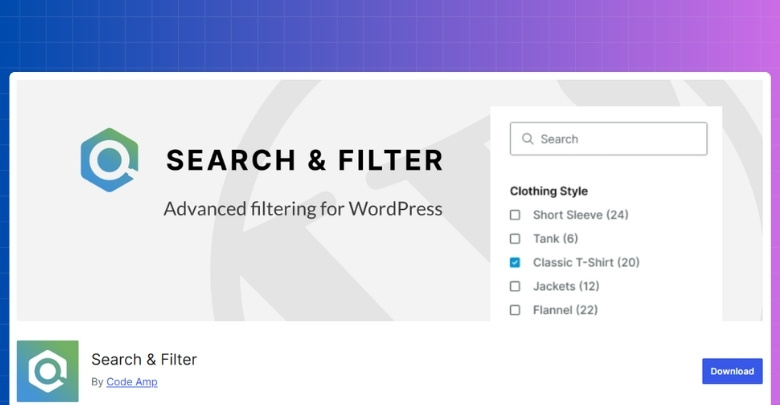
Search & Filter takes a wider view. Rather than focusing only on the WooCommerce catalog, it is geared toward sites where search and filtering need to work across products, custom post types, taxonomies, post meta, and other structured content. That makes it more useful when a store is only one part of a larger content setup.
Key Features:
- AJAX-based search and filtering
- Search field and filter form support together
- Category, taxonomy, and custom taxonomy filtering
- Custom field and post meta filtering
- WooCommerce product filtering support
- Multi-input filtering combinations
- Works with posts, pages, products, and custom post types
- Broader filtering across structured WordPress content
Strengths:
- Covers more than just product archives
- Strong fit for search-led browsing paths
- Useful in stores mixed with editorial or custom content
- Works well with field-heavy WordPress setups
- Offers more range across different content structures
Considerations:
- Best suited to stores with broader content-filtering needs
- More useful when products are part of a larger site structure
- Makes more sense when search plays a central role alongside filters
Real WooCommerce Use Case
Stores that combine product pages with buying guides, resource sections, landing pages, brand content, or custom taxonomies can get more value from Search & Filter. In that kind of setup, visitors are often moving through content and products together, not just browsing a standard shop archive.
Pricing and Value Comparison
Pricing should be evaluated in terms of long-term value, not simply upfront cost. Store owners should consider how much functionality is available before upgrading, how licensing impacts future scalability, and whether free features match their needs.
| Pricing Aspect | Dynamic AJAX Product Filters | Search & Filter |
|---|---|---|
| Free Version | Yes | Yes |
| Feature Availability (Free) | Most core features | Limited / setup-based |
| Premium License | Paid | Paid |
| Renewal Required | Yes | Yes |
| Value for Large Stores | High | Medium |
Filter Types Comparison
Filter variety starts to matter once store structure gets more specific. Some shops only need solid product filters that help customers narrow items faster. Others need something wider, where filters work alongside search, custom fields, taxonomies, and different types of site content.
| Filter Type Area | Dynamic AJAX Product Filters for WooCommerce | Search & Filter |
| Category Filters | Yes | Yes |
| Tag Filters | Yes | Yes |
| Attribute Filters | Yes | Yes |
| Price Filters | Yes | Yes |
| Rating Filters | Yes | Limited / not a main focus |
| Stock Status Filters | Yes | Limited / setup-based |
| Sale Status Filters | Yes | Limited / setup-based |
| Taxonomy Filters | Yes | Yes |
| Custom Taxonomy Filters | Yes | Yes |
| Custom Field Filters | Yes | Yes |
| Post Meta Filters | Yes | Yes |
| Search Field Integration | Basic / secondary | Stronger |
| Multi-Filter Combinations | Yes | Yes |
| Product-Focused Filter Depth | Stronger | Moderate |
| Broader Content Filtering | Limited | Stronger |

Performance, User Experience, and Scalability
Filters do more than narrow products. They shape how fast the store feels, how smoothly shoppers move through results, and how well the setup holds up once the catalog gets bigger. Dynamic AJAX Product Filters for WooCommerce leans more into that shop-side experience, while Search & Filter puts more weight on search-led filtering across a wider content setup.
| Comparison Area | Dynamic AJAX Product Filters for WooCommerce | Search & Filter |
| AJAX Response Flow | Instant product updates | Instant search and real-time filtering |
| WooCommerce Shop Focus | Stronger | Moderate |
| Search-Led Experience | Secondary | Stronger |
| Large Catalog Fit | Better aligned | More setup-dependent |
| Mobile Browsing Flow | More shop-focused | More search-and-filter focused |
| Multi-Filter Handling | Product-centered | Broader content-centered |
| Scalability Fit | Better for growing product catalogs | Better for wider filtering use cases |
| UX Consistency | More predictable in standard stores | More dependent on integration and setup |
SEO and Indexable Filter URL Capabilities
Filters can improve navigation, but URL behavior decides whether they also support SEO or quietly create extra mess. Once filtered pages start generating their own URLs, things like crawl control, indexation, and duplicate-page risk become much more important.
| SEO Area | Dynamic AJAX Product Filters for WooCommerce | Search & Filter |
| Clean Filter URL Handling | Stronger focus on cleaner filtered URLs | More search-style and setup-dependent |
| Index / Noindex Control | Clearer control | More dependent on surrounding SEO setup |
| Faceted Search Safety | Better aligned with controlled filter indexing | Needs more careful handling in faceted setups |
| Crawl Budget Optimization | Stronger fit for managed filtered pages | Less centered on crawl-efficient filter archives |
| Duplicate URL Risk | Lower when filter indexing is planned properly | Higher if filtered search pages are left unmanaged |
| Filtered Page Shareability | Better suited for shareable filtered product pages | Works for filtering, but less SEO-oriented |
| SEO Control Flexibility | More direct for WooCommerce filter SEO | More limited as an indexable filter SEO tool |
Setup, Configuration, and Ease of Use
Some plugins feel manageable from the start. Others only start making sense after the store structure is already mapped out. That is the real difference here. One keeps the setup closer to the usual WooCommerce flow, while the other gives more room to shape filters around search, custom fields, and broader site content.
| Setup Area | Dynamic AJAX Product Filters for WooCommerce | Search & Filter |
| Initial Setup Flow | More direct for WooCommerce stores | Broader and more setup-dependent |
| Admin Configuration | More product-focused | More search-and-filter oriented |
| WooCommerce Setup Fit | More natural | Works, but less shop-centered |
| Search Integration | Secondary | Stronger |
| Custom Field Handling | Included | More central to the workflow |
| Day-to-Day Management | Easier for standard stores | Better suited to broader filtering setups |
| Learning Curve | Lower | Moderate |
| Best Fit | Stores wanting a simpler WooCommerce flow | Stores needing wider filtering flexibility |
Theme and Plugin Compatibility
Filters rarely live on their own. They have to work inside the theme, alongside other plugins, and sometimes across builders or multilingual setups. That is usually where the smoother fit becomes easier to spot.
| Compatibility Area | Dynamic AJAX Product Filters for WooCommerce | Search & Filter |
| WooCommerce Theme Fit | Broader standard-theme fit | Works with WooCommerce, but more setup-aware |
| Elementor Support | Yes | Yes |
| Gutenberg Support | Yes | Yes |
| Widget / Shortcode Placement | Yes | Yes |
| Multilingual Compatibility | WPML highlighted | WPML and Polylang highlighted |
| Mixed Content Setups | More shop-centered | Stronger fit |
| Search-Driven Integrations | Secondary | More central |
Support and Documentation Comparison
Everything looks simple until a filter does not behave the way you expected. That is usually when support quality starts to matter, especially if the store setup is already layered with custom content, extra plugins, or more than one moving part.
| Support Area | Dynamic AJAX Product Filters for WooCommerce | Search & Filter |
| Documentation Style | More focused and direct | Broader and more layered |
| Setup Guidance | Easier to follow for product filtering | More useful for mixed filtering setups |
| Feature-Specific Help | More centered on WooCommerce filtering | Wider coverage across search and filtering |
| Troubleshooting Depth | Better for straightforward store setups | Better for more varied use cases |
| Learning Resources | Simpler path | More detailed path |
| Best Fit | Stores wanting cleaner guidance | Stores needing wider documentation coverage |
Advanced SEO & Plugin Compatibility Comparison
Basic compatibility only tells part of the story. Real differences usually show up later, when filtered URLs start interacting with search engines, analytics tools, caching layers, and the rest of the store setup.
| Technical Area | Dynamic AJAX Product Filters for WooCommerce | Search & Filter |
| URL Parameter Handling | More controlled for product filtering | More search-style and setup-dependent |
| Clean Filter URL Structure | Stronger fit | Less central |
| Index / Noindex Flexibility | More direct | More dependent on surrounding SEO setup |
| Faceted Search Safety | Better aligned with controlled filter indexing | Needs more planning |
| Crawl Budget Optimization | Stronger for managed filter pages | Less focused on indexable filter archives |
| Duplicate URL Risk | Lower when filter pages are planned properly | Higher if filtered search pages stay open |
| Cache Plugin Compatibility | Better fit for standard WooCommerce setups | More dependent on query structure and integration |
| CDN Compatibility | More predictable in product-focused stores | More variable in broader search setups |
| Analytics Tracking Stability | Easier to keep cleaner in shop-focused filtering | Can need more tracking checks in search-driven setups |
| Theme / Plugin Dependency | Lower | Higher |
| Mixed Content Compatibility | More limited | Stronger |
| SEO Risk Level | Lower for stores targeting filtered product pages | Moderate to higher if filtering is left unmanaged |
Which Product Filter Plugin Is Better for Which Type of Store?
Store owners usually get a clearer answer here once they stop asking which plugin is better in general. Better for what kind of store is the more useful question, because these two plugins make more sense in very different WooCommerce setups.
| Store Type | Better Choice | Reason |
|---|---|---|
| Small store | Search & Filter | Multi-post flexibility |
| Medium store | Depends | Priority mix |
| Large store | Dynamic AJAX Product Filters | Stable performance |
| SEO-driven store | Dynamic AJAX Product Filters | Clean URLs |
| Content-heavy site | Search & Filter | Cross-type filtering |
| Non-technical owner | Dynamic AJAX Product Filters | Easier scaling |
What Can Go Wrong With Filter URLs and SEO?
Filter URLs can be useful, but they also create problems faster than many store owners expect. Trouble usually starts when filtered pages are allowed to grow without a clear plan for indexing, crawl control, and URL structure.
- Too Many Low-Value URLs: Every extra filter combination can generate another page, even when that page adds little real search value.
- Near-Duplicate Filtered Pages: Different URL combinations often lead to pages that look almost the same, which can weaken uniqueness and make indexing less efficient.
- Unclear Indexation Decisions: Some filtered pages may deserve visibility, but many do not. Without a plan, stores can end up exposing pages that were never meant to rank.
- Messy URL Structures: Long and inconsistent filter URLs can become harder to manage for both users and search engines.
- Crawl Budget Waste: Search engines may spend time crawling endless filter combinations instead of focusing on stronger category and product pages.
- Diluted Ranking Signals: Authority can spread across too many similar filtered pages instead of staying concentrated on the pages that matter most.
- Weak Canonical Handling: Poor canonical setup can make it harder for search engines to understand which version of a filtered page should be treated as primary.
- Tracking and Reporting Confusion: Filter URLs can clutter analytics and make it harder to read landing-page data cleanly.
How Should I Choose the Right Product Filter Plugin?
A better choice usually becomes obvious once you look at how people move through your store. One is a stronger match for product-first browsing inside WooCommerce, while the other feels more at home in setups where search and filtering stretch across more of the site.
- Dynamic AJAX Product Filters for WooCommerce: Makes more sense when the main job is helping shoppers narrow products quickly on shop and category pages without adding much extra complexity around the store.
- Search & Filter: Comes into its own when filtering is tied to search, custom fields, taxonomies, and a wider content structure beyond the product catalog.
Frequently Asked Questions
Every store owner wants clarity before choosing a plugin. Here are some common questions that go beyond features and pricing, giving you insights that really matter when deciding between these two filters.
Can These Plugins Work Alongside Other WooCommerce Extensions?
Yes, both plugins are designed to work well with most WooCommerce extensions. Conflicts are rare but can happen with heavily customized setups. In those cases, developer support or adjustments usually resolve the issue quickly.
Do These Plugins Affect Website Loading Speed?
Dynamic Ajax Product Filters is highly optimized and keeps loading times short even with big catalogs. Search & Filter uses indexing, which helps but can still add load on heavy queries. Proper hosting and caching make performance stable in both.
Which Plugin Is Easier For Beginners To Configure?
Dynamic Ajax Product Filters is simpler to set up, especially for WooCommerce-only stores. Its options are straightforward and focus on product filters. Search & Filter takes more time to configure due to its wider scope and flexibility.
Can I Use These Plugins On Multilingual Websites?
Yes, both plugins can be used on multilingual websites. Search & Filter integrates well with WPML and Polylang. Dynamic Ajax Product Filters also works, but multilingual setups may require extra care to ensure proper translation of filter labels.
Do These Plugins Require Ongoing Maintenance?
Like any WordPress plugin, updates and occasional tweaks are needed. Dynamic Ajax Product Filters usually run smoothly with fewer adjustments. Search & Filter may require more maintenance due to its complex integrations with custom fields and multiple builders.
Final Verdict: Search & Filter vs Dynamic AJAX Product Filters
Search & Filter vs Dynamic AJAX Product Filters is not really a question of which plugin wins overall. It is more about which one fits the way your store is built and how visitors are expected to find products.
Dynamic AJAX Product Filters for WooCommerce is the better fit when filtering needs to stay closely tied to the WooCommerce shop experience. Search & Filter makes more sense when search, custom fields, taxonomies, and broader site content play a bigger role in how people browse the site.
