

Finding the right filter plugin is really about making product discovery easier as your WooCommerce catalog grows. Shoppers need faster ways to narrow products without clunky page reloads or confusing filter behavior.
That is where FiboFilters vs Dynamic AJAX Product Filters for WooCommerce becomes a useful comparison. Both plugins are built to improve filtering, but they do not solve the same problems in exactly the same way.
In this comparison, we will look at how both plugins differ in practical terms, from core features and pricing to the kinds of WooCommerce stores they are best suited for.
Who This Comparison Is For
This article is intended for:
- WooCommerce store owners planning catalog expansion
- SEO-driven eCommerce websites
- High-traffic stores prioritizing performance
- Non-technical merchants seeking dependable solutions
- Developers and agencies building or optimizing WooCommerce stores
Each section below goes beyond surface-level features to examine real behavior, tradeoffs, and performance implications.
Quick Summary
Dynamic AJAX Product Filters for WooCommerce is better for stores that need flexible filter behavior, faster AJAX updates, and more control as catalog complexity grows.
FiboFilters is better for stores that want a cleaner filtering experience with a simpler setup and a more polished front-end look.
Both plugins improve product discovery, but Dynamic AJAX Product Filters for WooCommerce suits stores that need deeper filtering control, while FiboFilters fits stores that prefer simplicity and ease of use.
FiboFilters vs Dynamic AJAX Product Filters: Core Features Comparison
Core filtering features set the baseline for how useful a WooCommerce filter plugin will be in day-to-day store use. Reviewing them first makes it easier to see which plugin covers the essential filtering functions before moving into a more direct feature-by-feature comparison.
| Feature Area | Dynamic AJAX Product Filters | FiboFilters |
| AJAX Reload-Free Filtering | Yes (full) | Yes |
| Indexable Filter URLs | Yes | Limited |
| Large Catalog Performance | Strong | Variable |
| Price Filtering | Yes | Yes |
| Attribute Filtering | Yes | Yes |
| Stock Status Filtering | Yes | Yes |
| Custom Taxonomy Support | Yes | Yes |
| Visual Layout Flexibility | Moderate | High |
| Mobile Filtering UX | Optimized | Theme dependent |
| SEO Control | Advanced | Basic |
Product Filter Plugins Pricing Comparison
Pricing creates a clear difference between these two plugins. Dynamic AJAX Product Filters for WooCommerce starts at a lower price, while FiboFilters starts higher on the single-site plan. That pricing gap matters more when store owners are comparing long-term value alongside features, site limits, and support coverage.
| Pricing Aspect | Dynamic AJAX Product Filters | FiboFilters |
| Free Version | Yes (with most core features) | No |
| Feature Availability (Free) | High | Medium |
| Premium License | Paid | Paid |
| Renewal Required | Yes | Yes |
| Value for Large Stores | High | Medium |
Key Takeaway: A strong free version with advanced control helps stores scale at low cost.

What Problem These Two Product Filter Plugins Solve
Browsing a WooCommerce store gets harder once the catalog starts growing. More products, more attributes, and more variation options usually mean shoppers need a faster way to narrow results without feeling lost.
That is the problem FiboFilters and Dynamic AJAX Product Filters for WooCommerce are meant to solve. They help shoppers refine product listings faster and make large catalogs easier to browse.
Common problems these plugins address:
- Too many products to sort through
- Slow or frustrating product discovery
- Difficulty narrowing results by attributes, price, or categories
- A weaker shopping experience with larger catalogs
Overview and Positioning of These Two Product Filter Plugins in the Market
Positioning helps explain how each plugin approaches WooCommerce filtering at a broader level. Before comparing deeper functionality, it is useful to understand what kind of filtering solution each one is trying to be.
Dynamic AJAX Product Filters for WooCommerce
Dynamic AJAX Product Filters for WooCommerce is built for stores that need broader control over how product filters work across different catalog pages. As a WooCommerce ajax product filter plugin, it is better suited to setups where filtering logic, layout flexibility, and SEO handling matter more as the store grows.

Technical Details
Here’s the technical information about the Dynamic Ajax Product Filters for WooCommerce Plugin:
| Plugin Type | WooCommerce product filter |
| Version | 1.5.9 |
| Active Installations | 700+ |
| WordPress Version | 4.7 or higher |
| Tested Up To | 6.9.4 |
| PHP Version | 7.0 or higher |
| Free/Paid Availability | Free for basic and paid for advanced features |
| Developed By | Plugincy |
Core Features
- Real-time AJAX filtering without full page reloads
- Category, tag, attribute, and rating-based filtering
- Price and stock status filtering for faster product sorting
- Custom taxonomy and custom field-based filtering support
- Multi-select filtering for narrowing products more precisely
- Keyword search filters for faster product discovery
- Multiple filter input types, including checkboxes, sliders, buttons, and swatches
- Widgets, shortcodes, and block-based filter placement
- Page-specific filter visibility for different shop areas
- SEO controls for managing filtered URLs and indexation behavior
Strengths
- Covers more filter data sources beyond standard WooCommerce attributes
- Gives store owners more control over filter placement and behavior
- Supports more visual filter formats for different catalog needs
- Better suited to stores with more layered filtering requirements
- Offers stronger control over filtered URL handling for SEO-focused stores
Limitations
- Setup can feel heavier for stores with simple filtering needs
- Feature depth may be unnecessary for smaller WooCommerce shops
- More advanced flexibility usually means more configuration work
Real WooCommerce Use Case
Large electronics, fashion, or auto parts stores can benefit more from Dynamic AJAX Product Filters for WooCommerce when shoppers need to combine multiple filters like category, price, stock status, and product attributes in the same browsing session.
FiboFilters
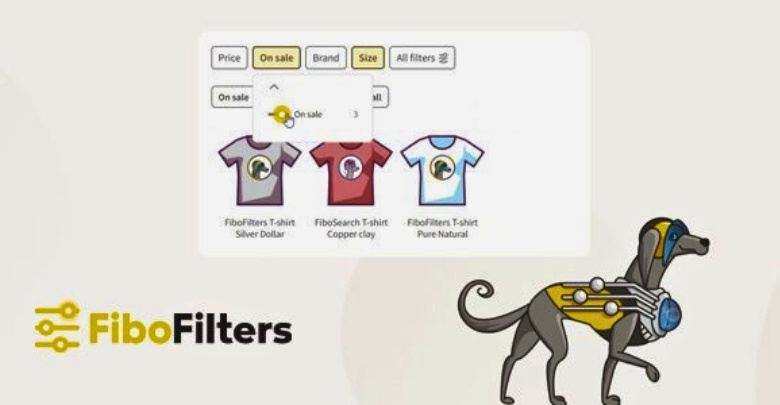
FiboFilters is positioned as a speed- and UX-focused WooCommerce filtering plugin. It is designed for stores that want faster filtering, stronger mobile usability, and a more refined shopper experience across larger product catalogs.
Technical Details
Here’s the technical information about the FiboFilters plugin:
| Plugin Type | WooCommerce product filter interface |
| Version | 1.9.0 |
| Active Installations | Not Mentioned |
| WordPress Version | Not specified |
| Tested Up To | Not specified |
| PHP Version | Not specified |
| Free/Paid Availability | Paid only (no free version) |
| Developed By | FiboTeam (also behind FiboSearch) |
Core Features
- Fast indexed filtering built for larger WooCommerce catalogs
- In-browser filtering for quicker shopper interactions
- Mobile-first filtering experience for smaller screens
- Checkbox, radio, toggle, and number range filter types
- Color swatches for visual product filtering
- Category link filters for easier category-based navigation
- Brand filtering through supported WooCommerce integrations
- ACF field support for more custom filtering options
- Variable product updates based on selected attributes
- Flexible placement options for sidebars, top areas, and custom locations
- Infinite scroll, show more, and standard pagination support
- Filter value grouping and in-filter search for longer option lists
Strengths
- Built with stronger emphasis on filtering speed and shopper experience
- Offers a more polished filtering flow on mobile devices
- Includes cleaner front-end filtering touches for visual catalogs
- Better aligned with stores that prioritize UX along with filtering
- Useful for stores that want faster filtering without a heavy admin feel
Limitations
- Less centered on deep admin-side filter control
- Some advanced filtering use cases rely on added integrations
- May offer less direct flexibility for SEO-specific filter handling
Real WooCommerce Use Case
Fashion, furniture, or lifestyle stores can benefit more from FiboFilters when fast filtering, mobile browsing, and a polished front-end experience play a major role in how shoppers explore the catalog.
Comparison of Supported Filter Types
Filter variety shapes how useful a WooCommerce filter plugin feels in real store use. Dynamic AJAX Product Filters for WooCommerce supports a broader mix of standard, advanced, and store-specific filter sources, while FiboFilters puts more emphasis on shopper-friendly filter types and front-end usability.
| Filtering Type Area | Dynamic AJAX Product Filters for WooCommerce | FiboFilters |
| Price filtering | Yes | Yes |
| Category filtering | Yes | Yes |
| Tag filtering | Yes | Not a highlighted core filter type |
| Attribute filtering | Yes | Yes |
| Rating filtering | Yes | Not a highlighted core filter type |
| Stock status filtering | Yes | Not a highlighted core filter type |
| Custom taxonomy filtering | Yes | Supported through its filtering system |
| Custom field filtering | Yes | Supported, including ACF-based setups |
Speed, User Experience, and Scalability
Performance consistency is a key consideration for store owners, especially when traffic grows, and filters are combined in multiple ways. Filters that perform smoothly on small sets may struggle as product counts increase.
Dynamic AJAX Product Filters maintains fast AJAX responses and consistent behavior even with complex filter conditions and high traffic. FiboFilters performs well in many standard environments, but performance can vary depending on hosting, theme, and how filters are configured.
| Area | Dynamic AJAX Product Filters for WooCommerce | FiboFilters |
| Filtering speed | Real-time AJAX filtering without full page reloads | In-browser filtering designed for instant response |
| Server dependency | Standard AJAX requests during filtering | Reduces client-server communication during filtering |
| Shopper experience | Smooth live product updates during filter selection | Very fast, fluid filtering with strong UX focus |
| Mobile usability | Mobile-responsive layouts and multiple mobile styles | Mobile-first filtering experience |
| Large catalog handling | Positioned for growing and more complex catalogs | Uses indexing and its own tables for faster filtering on larger catalogs |
| Filter counter updates | Available during AJAX filtering flow | Calculated in the browser during filtering |
| Admin flexibility | Stronger control over filter placement and setup | More focused on shopper-facing speed and filtering flow |
| Best fit | Stores needing flexible filter control and scalability | Stores prioritizing speed and front-end filter experience |
Key Takeaway: Stable performance optimizes conversions.
SEO and Indexable Filter URL Capabilities
Filtered URLs can influence how searchable and crawl-friendly a WooCommerce store becomes. This section looks at whether FiboFilters and Dynamic AJAX Product Filters for WooCommerce support cleaner filter URLs, indexable filtered pages, and better control over SEO-related filter behavior.
| SEO Area | Dynamic AJAX Product Filters for WooCommerce | FiboFilters |
| SEO-friendly filter URLs | Yes | Limited |
| Clean permalink-style filtered URLs | Yes | Not positioned as a core feature |
| Query parameter URL support | Yes | Standard filtered behavior |
| Indexable filtered pages | Yes, with SEO settings | Dedicated indexable pages are listed as coming soon |
| Control over indexing behavior | Yes | More limited |
| Shareable filtered URLs | Yes | Basic sharing possible through filtered states |
| Custom URL handling for filters | Yes | Less emphasized |
| SEO-focused filter URL setup | Stronger | More limited at present |
Initial Setup and Ongoing Ease of Use
Ease of use is not only about installation. It also shapes how quickly a store owner can build filters, adjust settings, and manage changes as the catalog grows. For WooCommerce stores comparing these two plugins, the real difference is whether they want a simpler setup flow or more control, which may take a bit more time to configure.
| Area | Dynamic AJAX Product Filters for WooCommerce | FiboFilters |
| Initial setup style | More control-oriented | More streamlined |
| First-time configuration | May take more setup decisions | Easier to get started with |
| Filter setup flexibility | Broader control over filter behavior | Simpler overall setup flow |
| Admin experience | Better for stores wanting customization | Better for stores wanting straightforward use |
| Learning curve | Slightly higher | More beginner-friendly |
| Ongoing adjustments | More flexible for changing catalog needs | Easier for routine management |
| Best fit | Stores with more complex filtering goals | Stores wanting faster adoption |
Theme and Plugin Compatibility
Compatibility ensures filters behave reliably across different themes, page builders, and WooCommerce extensions. Poor compatibility can lead to broken filter layouts or inconsistent product loading experiences.
Dynamic AJAX Product Filters shows wide compatibility with many popular themes and extensions. FiboFilters also works well across themes, though advanced layouts may require custom styling or theme tweaks.
| Compatibility Area | Dynamic AJAX Product Filters | FiboFilters |
| Popular WooCommerce Themes | Yes | Yes |
| Custom Themes | High | Medium |
| Page Builders | High | Good |
| WooCommerce Extensions | High | Medium |
Support and Documentation Comparison
Good documentation makes a filter plugin easier to set up, troubleshoot, and keep using as the store evolves. Here, the difference is less about whether support exists and more about how structured, detailed, and practical the learning resources feel.
| Area | Dynamic AJAX Product Filters for WooCommerce | FiboFilters |
| Documentation coverage | Solid documentation across setup, SEO, styling, and settings | Broader documentation library with more structured categories |
| Setup guides | Available | Available |
| SEO documentation | Available | Available |
| Troubleshooting docs | Available | Available |
| Theme integration docs | Less emphasized | More extensive |
| Plugin integration docs | Available | More clearly organized |
| FAQ/help resources | Available | Available |
| Learning structure | Practical but more feature-based | Segmented and easier to navigate |
Advanced SEO and Filter Handling Comparison
Advanced SEO with filter plugins is less about having filters and more about controlling how filtered states behave for crawlers, canonicals, and internal search visibility. That is where the gap between these two plugins becomes clearer.
| Technical SEO Area | Dynamic AJAX Product Filters for WooCommerce | FiboFilters |
| URL mode options | Query strings, permalinks, or AJAX without URL changes | Standard filtered states, with dedicated SEO pages still in development |
| Indexation control | Explicit choice to index or not index filter URLs | Dedicated indexable filter pages not fully available yet |
| Crawl-path control | Stronger, because URL behavior can be chosen per SEO need | More limited, since advanced indexable landing-page control is not yet mature |
| Duplicate-content risk management | Better suited to selective indexing strategies | Safer when kept mostly non-indexable, but less flexible for SEO landing pages |
| Filter landing page potential | More practical for targeting search demand through filtered URLs | Limited for now because predefined indexable filter pages are still a planned feature |
| Canonical handling considerations | Requires careful setup if indexable filter URLs are enabled | Changelog shows canonical behavior adjustments when Yoast SEO or Rank Math is active |
| Shareable SEO-focused filtered states | Stronger support | More basic support |
Which Filter Plugin Is Better for What?
Store fit becomes clearer when the comparison shifts from features to practical priorities. Rather than repeating the same technical differences, this section focuses on where each plugin makes more sense in real WooCommerce use.
| Store Need or Priority | Better Fit |
| Cleaner mobile filtering flow | FiboFilters |
| More flexible filter logic | Dynamic AJAX Product Filters for WooCommerce |
| Faster onboarding for store owners | FiboFilters |
| Better handling of custom fields and taxonomies | Dynamic AJAX Product Filters for WooCommerce |
| More polished shopper-facing experience | FiboFilters |
| More control over filtered URL strategy | Dynamic AJAX Product Filters for WooCommerce |
| Stores built around specific theme integrations | FiboFilters |
| Different filters for different pages or catalog areas | Dynamic AJAX Product Filters for WooCommerce |
| More advanced filter source coverage | Dynamic AJAX Product Filters for WooCommerce |
| UX-first storefronts | FiboFilters |
| SEO-focused filter setups | Dynamic AJAX Product Filters for WooCommerce |
| Stores planning around long-term catalog complexity | Dynamic AJAX Product Filters for WooCommerce |
Hidden SEO Risks With Ajax Product Filter Plugins
Filter plugins can improve product discovery, but they can also create SEO issues when filtered pages are not handled carefully. Risk usually comes from how filters generate URLs, duplicate page versions, and low-value indexable combinations across the catalog.
Common SEO risks that often come with filter plugins:
- Too many indexable URL combinations: Filters can generate hundreds or thousands of URL variations from categories, attributes, prices, brands, and tags.
- Duplicate or near-duplicate pages: Different filter combinations can lead to pages with almost the same products and very little unique value.
- Crawl budget waste: Search engines may spend time crawling filtered URLs instead of more important category or product pages.
- Thin filtered pages in the index: Some filtered pages add no real content value beyond a narrowed product list.
- Messy parameter handling: Poorly managed query strings can create inconsistent URLs for the same filtered result.
- Weak canonical signals: Unclear or conflicting canonical rules can make it harder for search engines to understand which page version should rank.
- Internal linking dilution: Too many crawlable filtered links can spread ranking signals across low-priority pages.
- Index bloat on large catalogs: Bigger stores face more risk because each extra filter layer can multiply the number of accessible URLs.
Which Product Filter Plugin Should I Choose?
The decision usually gets easier once you look past feature lists and focus on how the store actually works.
Dynamic AJAX Product Filters for WooCommerce make more sense when filtering needs are likely to grow with the catalog. It is the stronger fit for stores that need more flexibility in filter setup, broader filtering depth, and more room for SEO-focused filter handling.
FiboFilters makes more sense when the main goal is a smoother front-end filtering experience with less friction for shoppers. It fits better when mobile usability, speed, and a cleaner browsing flow matter more than having deeper filter control.
For most stores, comparing long-term flexibility against simplicity, Dynamic AJAX Product Filters for WooCommerce comes out ahead. FiboFilters still works well for stores that want filtering to feel fast, polished, and easy to live with day to day.
Frequently Asked Questions About FiboFilters Vs Dynamic Ajax Product Filters
Choosing the right product filter plugin is easier when you know the answers to common questions. Here are extra details that have not been covered before. These will help you compare both plugins from new angles.
Do These Plugins Work Well With WooCommerce Subscriptions?
Yes, both plugins can be used on stores that sell subscription products. You can create filters for subscription duration, price tiers, or categories. Customers will be able to quickly sort through different subscription plans. This makes browsing easier for long-term product offerings.
Can I Use These Plugins for Wholesale or B2B Stores?
Both plugins can work well for wholesale or B2B stores by setting up filters for bulk pricing, minimum order quantities, or special categories. They can help large buyers find items faster. This setup can improve ordering efficiency for business clients.
How Do They Perform on Slow Internet Connections?
While both plugins are designed for speed, results may vary on slower networks. One plugin loads data as needed, while the other may require a full initial load. Testing on slower connections is helpful to ensure customer satisfaction.
Can They Show Filter Results Without Clicking Apply?
Yes, both plugins support real-time filtering without needing an “Apply” button. Results can update instantly when customers select or change a filter. This saves clicks and keeps browsing smooth. Instant updates work best with well-optimized product data.
Do They Work With WooCommerce Product Bundles?
Both plugins can filter bundled products as long as they are set up correctly in WooCommerce. You can create filters for bundle categories, included items, or price ranges. This helps customers locate specific bundles that match their needs.
Final Verdict: FiboFilters vs Dynamic AJAX Product Filters
For stores that need more than basic product filtering, Dynamic AJAX Product Filters for WooCommerce is the stronger overall choice. It gives more control over filter behavior, supports a wider range of filter sources, and offers more flexibility for stores thinking about SEO, catalog growth, and long-term filtering needs.
FiboFilters still has clear strengths, especially for stores that care most about filtering speed, mobile usability, and a smoother front-end experience. But in a direct FiboFilters vs Dynamic AJAX Product Filters for WooCommerce comparison, Dynamic AJAX Product Filters for WooCommerce offers the more complete fit for stores that want filtering to stay flexible as the catalog becomes more complex.
