

Picture this: your flash sale goes live, a product has 5 units left in stock, and 1,000 users hit the buy button within seconds. Every single checkout request reads the stock count, sees “in stock,” and proceeds. Orders confirm. Then the dust settles — and 47 people have successfully purchased those 5 items. No error was thrown. No alarm fired. WooCommerce just sold inventory it didn’t have, 42 times over. Now you’re issuing refunds, fielding angry emails, and explaining to customers why their confirmed order is suddenly cancelled. This is a race condition, and it doesn’t announce itself until the damage is already done.
The reason this happens is deceptively simple. Under concurrent checkout, there’s a gap between when WooCommerce checks the stock count and when it actually deducts it. Two requests can read the same stock value at nearly the same time, both conclude the item is available, and both write a successful order — neither aware the other exists. The fix lives in closing that gap at the database level. Pessimistic locking via SELECT FOR UPDATE holds a row lock so only one transaction can read-then-write at a time. Optimistic locking uses a version check to detect that the stock changed between your read and your write, then aborts and retries. Atomic operations — like a SQL atomic decrement or a Redis DECR command — collapse the check and the deduction into a single indivisible step, so there’s no window for a second request to slip through. Any one of these approaches, properly implemented, stops overselling at the source.
Most WooCommerce stores run fine for months, then a single high-traffic event — a flash sale, a viral product, a holiday push — exposes the race condition that was always there. The stock count anomaly shows up in your orders dashboard, not in your error logs. That’s what makes it particularly brutal: standard WordPress hooks and WooCommerce’s default stock management weren’t built with true concurrency control in mind, and the gap between a stock check and a stock deduction is wide enough for serious inventory bleed the moment request volume spikes. The rest of this guide walks through exactly how to seal it.
How Race Conditions Cause Overselling — and Why It Is Inevitable Under High Traffic
Race conditions aren’t a bug in your code. They’re a structural problem that appears the moment two people try to buy the same item at exactly the same time. You can have perfectly written checkout logic and still oversell. That’s the uncomfortable truth.
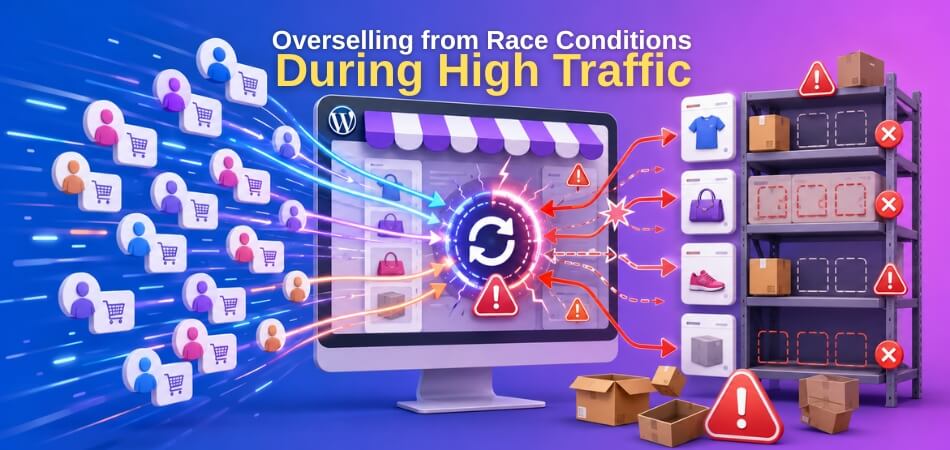
The Mechanics of a Race Condition — The Gap Between Stock Check and Stock Deduction
Every WooCommerce stock check follows roughly the same sequence. When a customer hits “Place Order,” WordPress runs a stock validation, confirms there’s enough inventory, then deducts it. Those two operations — check and deduct — are not atomic by default. There’s a gap between them.
That gap is where the race condition lives.
In SQL terms, WooCommerce reads the current stock value from _stock in wp_postmeta, validates it against the requested quantity, then writes the updated value back. On a quiet store with one order per minute, this is fine. But read and write are two separate database operations, and without explicit locking, nothing stops another request from reading the same stock value during that window.
WooCommerce does use wc_reduce_stock_levels() and hooks like woocommerce_reduce_order_stock to handle deduction, but neither of those functions enforces any database transaction isolation at the stock-check stage. The validation happens earlier, inside WC_Stock_Manager and woocommerce_checkout_process, well before any locking occurs.
The result is a classic time-of-check to time-of-use (TOCTOU) problem. You checked the stock. It looked fine. By the time you deducted it, someone else had already taken the last unit.
What Happens Under Concurrent Requests — Step-by-Step Breakdown
Here’s what actually happens with two simultaneous checkout requests for a product with 1 unit in stock.
Thread A reads _stock = 1. Valid. Proceeds to payment.
Thread B reads _stock = 1. Valid. Proceeds to payment. This happens in the same millisecond window — before Thread A has written anything back.
Thread A completes payment. Calls wc_reduce_stock_levels(). Writes _stock = 0.
Thread B completes payment. Also calls wc_reduce_stock_levels(). Reads the now-updated value — but only if it re-queries. If the value was cached in memory or in a PHP object earlier in the request lifecycle, it writes _stock = 0 again. Stock shows zero. Two orders exist. One unit available. Classic oversell.
The situation gets worse with object caching. If you’re running Redis or Memcached as a persistent object cache, WC_Product::get_stock_quantity() may return a value that was cached 30 seconds ago. Thread B doesn’t even query the database — it trusts the cache. The gap isn’t just milliseconds now. It’s seconds.
PHP’s shared-nothing architecture makes this worse. Every request is a fresh process. There’s no global application state to coordinate between them. Unless you explicitly implement pessimistic locking (like SELECT FOR UPDATE in a database transaction) or an atomic operation at the storage layer, concurrent requests will always have a window where they operate on the same stale data.
This is why overselling from race conditions isn’t a configuration mistake. It’s a concurrency problem that requires a specific architectural fix.
Flash Sale and High-Traffic Scenarios — Real-World Case Study
Consider a flash sale. You announce a limited-run product — 50 units, 60% off, live at noon. You have 8,000 email subscribers and your campaign performed well.
At 12:00:00, roughly 400 concurrent checkout attempts hit the server. Your hosting can handle the PHP throughput. Your database handles the connections. But every one of those 400 requests reads _stock = 50 within the first two seconds, because the deduction hasn’t propagated yet. Forty, fifty, sixty orders clear payment processing. You now have 60 confirmed paid orders for 50 units.
This isn’t hypothetical. Flash sale oversells are one of the most reported WooCommerce incidents in high-traffic stores. The stock count anomaly only becomes visible after the event, when you’re reconciling orders against actual inventory.
A similar pattern appears during Black Friday traffic spikes — not from one product but across dozens simultaneously. The concurrency problem multiplies. And it compounds further with multi-location inventory, where each warehouse location has its own stock figure. If two orders route to the same location’s last unit, you get the same race condition, just buried one layer deeper in your data model.
Load testing with k6 or Apache JMeter can reproduce this before it happens in production. A simple k6 script firing 200 virtual users through the checkout endpoint simultaneously will expose the stock count anomaly within minutes on most default WooCommerce installations. You’ll see order count exceed available stock. That’s the test telling you your current setup has no race condition protection.
The hard part isn’t identifying the problem. It’s that the fix requires changing how stock deduction works at a fundamental level — moving from a read-then-write pattern to something atomic, locked, or queue-serialized. That’s what the rest of this article covers.
The Business Impact of Overselling — This Is More Than Just a Bug
Overselling feels like a technical problem until the first angry customer email lands in your inbox. Then it becomes very real, very fast.
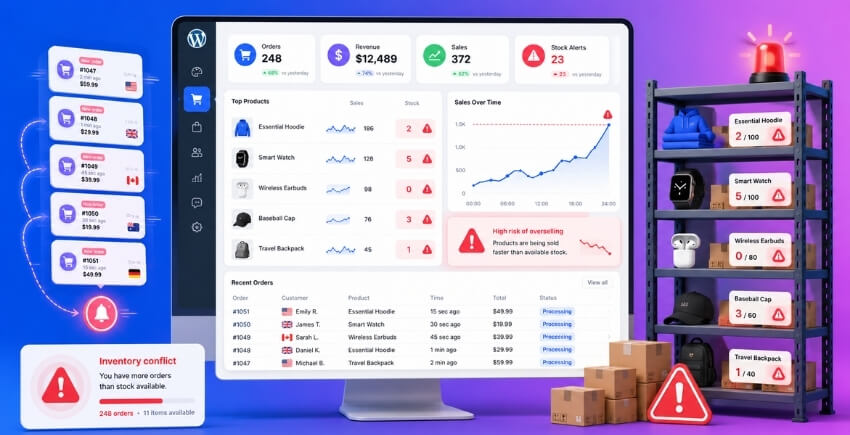
When a race condition lets two customers buy the last unit simultaneously, you don’t just have a stock count anomaly. You have a broken promise. Someone paid, got a confirmation, and is now waiting for something you can’t ship. That’s the moment overselling stops being a database problem and becomes a customer relationship problem — and those are much harder to fix than a SQL query.
The Costs Come From Multiple Directions at Once
The obvious cost is the refund. Processing it takes staff time, payment processors often keep their fees anyway, and if you’re running thin margins on a flash sale, that one oversold order might wipe out the profit from several legitimate ones.
But the cascade doesn’t stop there.
Fulfillment teams waste time picking orders that can’t be completed. Customer service handles the complaint. If you’re selling on multiple channels — your WooCommerce store plus a marketplace — overselling on one platform can cause you to cancel orders on another, triggering marketplace seller penalties or account flags.
Then there’s the reputational hit. A customer who gets an oversold-item cancellation doesn’t usually think “the database had a race condition under concurrent checkout pressure.” They think you oversold deliberately, ran out of stock carelessly, or are just unreliable. One-star reviews about cancelled orders are a permanent SEO liability. That review lives on Google longer than the flash sale does.
High Traffic Events Amplify Everything
A slow Tuesday afternoon? Maybe you process 3 orders per minute. A race condition is theoretically possible but unlikely in practice.
A flash sale with 400 concurrent visitors all hitting checkout at once? That’s exactly the scenario where race conditions become statistically certain rather than merely possible. Under load testing with tools like k6 or Apache JMeter — simulating, say, 200 concurrent checkout completions against a product with 50 units of stock — you’ll routinely see 55 to 65 orders confirmed before WooCommerce’s stock deduction logic catches up. That’s not a worst case. That’s a realistic result on shared hosting without proper database transaction isolation.
The damage scales with traffic. The better your marketing, the worse this problem gets without a fix in place.
Multi-Location Inventory Adds Another Layer of Risk
If you’re managing stock across multiple warehouses or retail locations, overselling is more than a single-store headache. Each location has its own stock count. An order might route to the nearest location, only to find that location’s inventory already went negative because two orders arrived within milliseconds of each other and both read the same pre-deduction stock figure.
Without location-specific stock deduction at the point of order, you end up with one location oversold while another has plenty of units sitting idle — and no clean way to reconcile it after the fact. Multi-location inventory management doesn’t just distribute your stock; it multiplies the number of race condition vectors unless each location’s inventory is protected independently.
The Real Cost Is Losing Trust You Spent Money to Build
Customer acquisition is expensive. Paid ads, email sequences, influencer campaigns — all of it funnels a customer to checkout. The race condition that oversells their order cancels all of that investment in a single automated cancellation email.
Some customers come back. Most don’t.
The stores that treat this as a pure infrastructure problem — something to patch after it causes a visible incident — are the ones writing refund emails during their highest-traffic events. Getting the locking and inventory management architecture right beforehand is just cheaper, in every way that matters.
Fix #1 — Stop Race Conditions with Database-Level Locking
The fastest path to fixing overselling under high traffic is also the most direct one: make the database itself enforce the rules. When two checkout requests hit simultaneously, your application code can’t reliably coordinate between them — but the database can. This is where locking and transactions earn their keep.
Pessimistic Locking (SELECT FOR UPDATE) — When and How to Use It
Pessimistic locking assumes conflict will happen and blocks other transactions from touching a row until you’re done with it. In SQL terms, that means SELECT FOR UPDATE.
Here’s what the query looks like when applied to WooCommerce stock:
START TRANSACTION;

SELECT stock_quantity
FROM wp_postmeta
WHERE post_id = 42
  AND meta_key = '_stock'
FOR UPDATE;

-- your application checks the value, then:
UPDATE wp_postmeta
SET meta_value = meta_value - 1
WHERE post_id = 42
  AND meta_key = '_stock';

COMMIT;
The FOR UPDATE clause tells MySQL: hold an exclusive lock on that row. Any other transaction trying to read or write the same row has to wait. No second checkout process can sneak in and read a stale stock count while you’re mid-deduction. The lock releases on COMMIT or ROLLBACK.
WooCommerce doesn’t do this natively. Core uses get_post_meta() and update_post_meta() with no locking between them — which is exactly the window where race conditions live.
To implement SELECT FOR UPDATE in WordPress, you go through $wpdb:
global $wpdb;

$wpdb->query('START TRANSACTION');

$stock = $wpdb->get_var($wpdb->prepare(
    "SELECT meta_value FROM {$wpdb->postmeta}
     WHERE post_id = %d AND meta_key = '_stock'
     FOR UPDATE",
    $product_id
));

if ((int) $stock >= $qty_requested) {
    $wpdb->update(
        $wpdb->postmeta,
        ['meta_value' => (int) $stock - $qty_requested],
        ['post_id' => $product_id, 'meta_key' => '_stock']
    );
    $wpdb->query('COMMIT');
} else {
    $wpdb->query('ROLLBACK');
    // handle out-of-stock
}
Hook this into woocommerce_checkout_order_created or, better, earlier at woocommerce_checkout_process so you catch it before the order writes.
One caveat: SELECT FOR UPDATE is serializing. During a flash sale with hundreds of concurrent checkouts for the same product, every transaction queues behind the one holding the lock. That kills throughput fast. You’ll see database wait times spike and checkout timeouts follow. This approach is solid for moderate traffic — say, a few dozen concurrent sessions. For a Black Friday-scale event, you need something more scalable.
Optimistic Locking (Version / Timestamp Check) — Better for Low-Contention Scenarios
Optimistic locking takes the opposite bet: conflicts are rare, so don’t block at all. Read the data, do your work, then at write time confirm nobody changed it underneath you. If they did, retry.
The mechanism is a version number (or timestamp) stored alongside stock. Before writing, you assert the version you read is still current:
UPDATE wp_postmeta
SET meta_value = meta_value - 1
WHERE post_id = 42
  AND meta_key = '_stock'
  AND meta_value = 5;  -- the value we read

SELECT ROW_COUNT();
If ROW_COUNT() returns 0, someone else already changed the stock. Your update didn’t apply. You retry — re-read the stock and attempt again — or abort the checkout.
In PHP via $wpdb, that looks like:
$rows_affected = $wpdb->query($wpdb->prepare(
    "UPDATE {$wpdb->postmeta}
     SET meta_value = meta_value - %d
     WHERE post_id = %d
       AND meta_key = '_stock'
       AND CAST(meta_value AS SIGNED) >= %d
       AND CAST(meta_value AS SIGNED) = %d",
    $qty_requested,
    $product_id,
    $qty_requested,
    $current_stock  // value you read a moment ago
));

if ($rows_affected === 0) {
    // conflict — retry or fail gracefully
}
No lock is held waiting. Concurrent requests proceed in parallel. The loser just retries. Under genuine low contention — a store selling 50 SKUs with occasional traffic spikes — this performs well and adds minimal overhead.
Where it breaks down: if you have genuine high contention on a single SKU (one product in a flash sale), retry loops multiply. In the worst case, most sessions spend their time retrying rather than converting. That’s when you need pessimistic locking, a queue, or Redis in front of the database entirely.
Choosing between them isn’t complicated. Low-traffic store, diverse SKUs? Optimistic. High-traffic event, single hot product? Pessimistic or a queue-based approach.
Guaranteeing Atomicity with Database Transactions
Locking alone isn’t enough. You also need atomicity — the guarantee that either all the operations in your stock deduction succeed, or none of them do. Without a proper database transaction wrapping the check-and-decrement, a PHP error halfway through leaves your stock count in an inconsistent state.
WooCommerce itself uses wc_transaction_query() internally for some operations, but not consistently across the checkout flow. For custom stock deduction logic, wrap everything explicitly:
global $wpdb;

try {
    $wpdb->query('START TRANSACTION');

    // your locked read + update here

    $wpdb->query('COMMIT');
} catch (Exception $e) {
    $wpdb->query('ROLLBACK');
    wc_add_notice(__('Stock could not be reserved. Please try again.', 'woocommerce'), 'error');
}
A few things that matter here. First, make sure your MySQL tables use InnoDB — SELECT FOR UPDATE and proper transaction isolation don’t work on MyISAM. Most WordPress installs since MySQL 5.5 default to InnoDB, but it’s worth confirming with SHOW TABLE STATUS LIKE 'wp_postmeta'. Second, set the transaction isolation level to REPEATABLE READ (MySQL’s default) or SERIALIZABLE if you’re seeing phantom reads. Third, keep transactions short. Long-running transactions hold locks longer and increase contention. Do your stock check and update — nothing else — inside the transaction boundary.
This combination — a locked read, an atomic update, wrapped in a transaction — is the baseline that makes stock deduction safe under concurrent load. It won’t scale to tens of thousands of simultaneous checkouts on a single SKU without architectural changes, but it will eliminate the vast majority of race conditions that cause overselling on typical WooCommerce stores.
Fix #2 — Eliminate Overselling with Atomic Stock Deduction
Database locks from Fix #1 stop concurrent reads from grabbing the same stock value, but they still require two round-trips: one to read, one to write. Under a genuine flash sale with hundreds of concurrent checkouts, even that window creates risk — and lock wait timeouts start piling up. Atomic operations collapse the read and the write into a single, indivisible step. There’s nothing to race.
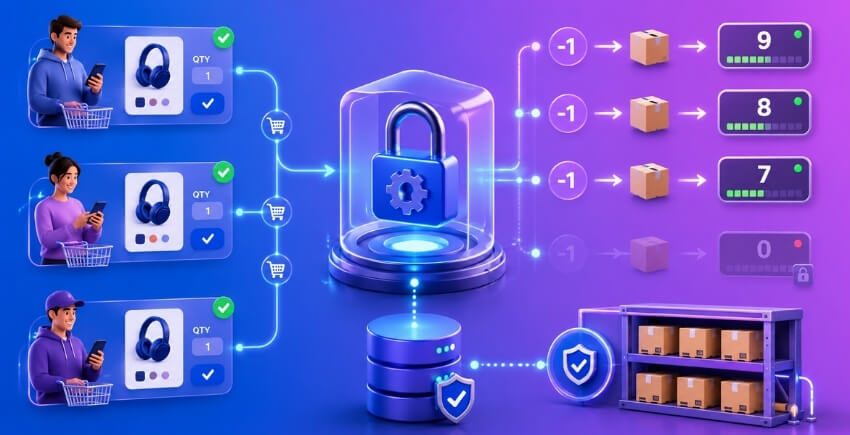
SQL-Level Atomic Decrement — Combining CHECK and UPDATE in a Single Statement
The classic overselling sequence looks like this: read stock → check if enough → decrement → save. Four steps. Four opportunities for another thread to slip in.
You can collapse all of that into one SQL statement:
UPDATE wp_postmeta
SET meta_value = meta_value - 1
WHERE post_id = %d
  AND meta_key = '_stock'
  AND CAST(meta_value AS SIGNED) >= 1;
One query. Either it updates exactly one row — stock was available and is now decremented — or it updates zero rows, meaning stock was already gone. No separate SELECT. No gap between checking and writing.
The affected_rows return value tells you the outcome. Zero rows affected means the decrement was rejected; you surface that as an out-of-stock error and bail. This is atomicity at the SQL level: the CHECK and the UPDATE happen together inside a single database transaction.
In PHP hooked into WooCommerce, you’d wire this into woocommerce_checkout_order_processed or, better, earlier in the stock deduction flow via woocommerce_reduce_order_stock. Something like:
add_action( 'woocommerce_reduce_order_stock', function( $order ) {
    global $wpdb;

    foreach ( $order->get_items() as $item ) {
        $product    = $item->get_product();
        $product_id = $product->get_stock_managed_by_id();
        $qty        = $item->get_quantity();

        $rows_affected = $wpdb->query( $wpdb->prepare(
            "UPDATE {$wpdb->postmeta}
             SET meta_value = meta_value - %d
             WHERE post_id = %d
               AND meta_key = '_stock'
               AND CAST(meta_value AS SIGNED) >= %d",
            $qty, $product_id, $qty
        ) );

        if ( 0 === $rows_affected ) {
            // Stock wasn't available — cancel order or flag for review
            $order->update_status( 'on-hold', 'Stock unavailable during atomic decrement.' );
        }
    }
}, 5 ); // priority 5 to fire before WooCommerce's default
A few things to keep in mind. First, WooCommerce caches stock values in object cache — after a raw $wpdb->query(), you need to clean those up or the next page load will show stale numbers. Call clean_post_cache( $product_id ) and wc_delete_product_transients( $product_id ) immediately after. Second, this approach bypasses WooCommerce’s own stock management methods (wc_update_product_stock()), so you take on responsibility for keeping meta and the object cache in sync. It’s worth doing for high-traffic products, but don’t apply it store-wide without testing.
Load test this with k6 or Apache JMeter before pushing to production. Simulate 200 concurrent checkout requests against a product with stock_quantity = 10. Without atomic decrement, you’ll regularly see 15–20 orders go through. With it, the number should stay at exactly 10. That’s your proof.
The WHERE clause doing the inequality check (meta_value >= qty) is the key piece. It’s not just a decrement — it’s a conditional decrement. The database engine evaluates the condition and performs the update atomically. No other connection can see an intermediate state.
This pattern also pairs naturally with SELECT FOR UPDATE from pessimistic locking. Use the lock to read the current value for display purposes, then use the atomic UPDATE for the actual deduction. Belt and suspenders.
Redis Atomic Counter (DECR / Lua Script) — For High-Throughput Inventory
MySQL handles atomic decrements well, but it’s still a disk-backed relational database. At very high concurrency — think a flash sale with 5,000 simultaneous checkout attempts — database lock contention becomes the bottleneck. Connection pools saturate. Query queues grow. Response times spike.
Redis is purpose-built for exactly this. It’s single-threaded, operates entirely in memory, and processes commands sequentially. That single-threaded model is the whole point: there are no concurrent writes fighting each other.
The simplest approach uses Redis DECR:
SET product:42:stock 100
DECR product:42:stock   → returns 99
DECR product:42:stock   → returns 98
Each DECR is atomic. The returned value tells you the stock level after decrement. If it drops below zero, you know you’ve oversold and you decrement back with INCR while rejecting the order.
But “check if it went negative then roll back” is still two operations — and in theory (though unlikely with Redis) another client could see the negative value before you roll back. The cleaner approach is a Lua script, which Redis executes atomically as a single unit:
local current = tonumber(redis.call('GET', KEYS[1]))
if current == nil or current < tonumber(ARGV[1]) then
  return -1
end
return redis.call('DECRBY', KEYS[1], ARGV[1])
Call it with EVALSHA from PHP. If it returns -1, stock wasn’t available and you reject the order before it’s even written to the database. If it returns a positive number, stock was available and is now decremented — still in a single atomic operation.
In PHP (assuming you’re using the PhpRedis extension or a client like Predis):
$lua = <<<LUA
local current = tonumber(redis.call('GET', KEYS[1]))
if current == nil or current < tonumber(ARGV[1]) then
  return -1
end
return redis.call('DECRBY', KEYS[1], ARGV[1])
LUA;

$result = $redis->eval( $lua, [ "product:{$product_id}:stock", $qty ], 1 );

if ( $result < 0 ) {
    // Reject — not enough stock
}
The result is either the new stock level (zero or positive — proceed) or -1 (reject).
One important operational detail: Redis is your fast inventory layer, but MySQL remains the source of truth. You need a sync strategy. The typical pattern is to seed the Redis counter when a product goes on sale (SET product:42:stock 100), let Redis handle all decrement decisions during the high-traffic window, and then reconcile back to MySQL either periodically or at the end of the sale. Some teams also write the Redis decrement and a MySQL decrement in parallel — Redis for gate-keeping, MySQL for persistence.
This connects to the broader concept of soft reservation. Rather than immediately writing a permanent stock deduction to MySQL, you decrement the Redis counter as a reserved stock signal the moment someone hits “place order.” You then have a reservation lifecycle — typically 10–15 minutes — to complete payment. If payment fails or the network times out, you increment the Redis counter back and release the reservation. MySQL only sees the final committed deduction after payment confirmation.
Idempotency matters here too. Payment retries — someone hitting “pay” twice because of a network timeout — should not trigger two Redis decrements. Assign an idempotency key per checkout session and check it before executing the Lua script. If that key has already decremented stock, return the previous result rather than decrementing again. This is your duplicate order prevention layer.
For multi-location inventory, the same pattern applies per location: product:42:stock:location:7 as the Redis key. Each location gets its own counter. Decrement only the fulfilling location’s counter, not global stock.
Run your load tests — k6 works well for this with its built-in virtual user model — and watch for stock count anomalies in the results. Set an alert threshold: if orders placed exceeds the starting stock value by even one, that’s your incident response trigger. With atomic Redis decrements
Fix #3 — The Soft Reservation / Reserved Stock Pattern
Database locking (Fix #1) and atomic decrements (Fix #2) solve the problem at the point of purchase. But there’s an earlier moment that causes just as much trouble: the gap between a customer clicking “Add to Cart” and actually completing payment. During a flash sale, dozens of customers might all be sitting at checkout with the same item. Only one can succeed — but without a reservation layer, WooCommerce doesn’t know that yet.
Soft reservations fix this by holding stock before payment is confirmed.
What Reserved Stock Is and Why You Need It
A soft reservation is a temporary hold on inventory. When a customer starts checkout, you subtract from available stock immediately — before any payment is processed. The actual stock quantity in the database doesn’t change yet; instead, you track a separate reserved_stock count alongside it.
Available stock = total stock − reserved stock − sold stock
This means two customers can’t both see “1 item left” and race to buy the same last unit. The first one to reach checkout gets the reservation. The second sees it as unavailable — or gets queued.
WooCommerce doesn’t do this natively. Out of the box, stock only decrements when an order is created (which happens post-payment). That window between checkout start and order creation is exactly where concurrent checkout collisions happen during high traffic.
You have a few implementation options:
Option 1: WooCommerce pending order as a soft hold. Enable Hold Stock in WooCommerce → Settings → Products → Inventory. Set a hold duration (e.g. 15 minutes). When a customer reaches the payment page, WooCommerce creates a wc-pending order and reduces the available quantity. This is the simplest approach and requires zero custom code. The limitation: it only kicks in at the payment step, not at cart add.
Option 2: Custom reserved stock meta. Add a _reserved_stock meta field to product posts. When a customer starts checkout (hook into woocommerce_checkout_order_created or even earlier at cart-to-checkout transition), increment that meta. Filter woocommerce_product_get_stock_quantity to subtract reserved stock from the returned value. This gives you control at any stage of the funnel.
Option 3: Redis-based reservations. For high-concurrency scenarios, store reservations in Redis with a TTL. A key like reservation:{product_id}:{session_id} with a 10-minute expiry handles both the hold and the automatic cleanup without any cron job. The DECR command on an available-stock key is atomic — no locking required.
For multi-location stores, the reservation needs to be location-specific. If you’re managing per-location inventory, the hold should deduct from the specific warehouse or pickup point the customer selected — not just the global total. The free version of [Multi-Location Product & Inventory Management for WooCommerce](https://wordpress.org/plugins/multi-location-product-and-inventory-management/) by Plugincy maintains separate stock quantities per location, which means a cart validation at checkout can check location-level availability rather than a pooled number.
The Reservation → Confirm → Release Lifecycle
Every soft reservation needs to go through exactly three states. Skip any one and you’ll either oversell or permanently lose sellable inventory.
1. Reserve — triggered when the customer enters checkout. Increment _reserved_stock, or set a Redis TTL key, or create a pending WooCommerce order. The customer now holds the unit.
2. Confirm — triggered when payment succeeds. At this point, convert the reservation into an actual stock deduction. Decrement _stock by the purchased quantity and clear the reservation. Hook into woocommerce_payment_complete or woocommerce_order_status_processing.
3. Release — triggered when the reservation expires, the customer abandons cart, or the order is cancelled. Increment available stock back. This is the step most developers forget.
Here’s a minimal version of the confirm + release pattern in PHP:
// Confirm: on payment complete, clear the reservation
add_action( 'woocommerce_payment_complete', function( $order_id ) {
    $order = wc_get_order( $order_id );
    foreach ( $order->get_items() as $item ) {
        $product_id = $item->get_product_id();
        $reserved   = (int) get_post_meta( $product_id, '_reserved_stock', true );
        $qty        = (int) $item->get_quantity();
        update_post_meta( $product_id, '_reserved_stock', max( 0, $reserved - $qty ) );
    }
} );

// Release: on order cancelled or failed, release the reservation
add_action( 'woocommerce_order_status_cancelled', 'release_reserved_stock' );
add_action( 'woocommerce_order_status_failed',    'release_reserved_stock' );

function release_reserved_stock( $order_id ) {
    $order = wc_get_order( $order_id );
    foreach ( $order->get_items() as $item ) {
        $product_id = $item->get_product_id();
        $reserved   = (int) get_post_meta( $product_id, '_reserved_stock', true );
        $qty        = (int) $item->get_quantity();
        update_post_meta( $product_id, '_reserved_stock', max( 0, $reserved - $qty ) );
    }
}
This is deliberately simple. Production code should wrap updates in a database transaction with SELECT FOR UPDATE on the meta row to prevent its own race condition on the reservation counter itself.
One thing to watch: payment retries. A customer’s card declines, they retry, and your system fires a second reservation. Use an idempotency key — typically the WooCommerce session ID or a UUID stored in session — to check whether a reservation already exists for this customer/product pair before creating another. Without this, a single customer can accidentally hold two units of a one-item stock.
Same logic applies to network timeouts. If the payment request times out and the customer hits submit again, you need duplicate order prevention at the reservation layer. Check for an existing pending order for that session before creating a new one.
Handling Timeouts and Abandoned Reservations
This is where most DIY reservation implementations fall apart. Reservations that never get confirmed or released become phantom holds — stock that looks unavailable but will never actually sell.
You need an expiry mechanism. Three approaches:
WooCommerce’s built-in hold timer. If you’re using pending orders as your reservation mechanism, WooCommerce already runs a cron job (woocommerce_cancel_unpaid_orders) that cancels stale pending orders based on the hold stock duration you set. That cancellation fires woocommerce_order_status_cancelled, which triggers WooCommerce’s native stock restore. Zero custom code needed.
Scheduled cleanup via wp_schedule_event. If you’re using custom _reserved_stock meta, register a cron job that runs every few minutes and queries for reservations older than your TTL (store the reservation timestamp alongside the count). Clear anything expired.
Redis TTL. If you went the Redis route, the expiry is automatic. Set EXPIRE reservation:{product_id}:{session_id} 600 (600 seconds = 10 minutes). When the key expires, Redis drops it. Your available-stock read just ignores keys that no longer exist. Nothing to clean up.
The reservation lifecycle matters a lot during flash sales specifically. Set the window too long (30+ minutes) and legitimate buyers get locked out by people who abandoned at the payment page. Set it too short (under 5 minutes) and real buyers time out mid-checkout on slow connections. Ten to fifteen minutes is a reasonable default for most stores.
Run your load tests — k6 and Apache JMeter both support concurrent session simulation — against your reservation flow specifically, not just the order endpoint. Simulate 50 concurrent users hitting checkout on a product with 5 units. Watch for stock count anomalies: if your reserved count goes negative, or if available stock shows differently across two simultaneous reads, your reservation isn’t atomic. That’s the signal to add SELECT FOR UPDATE or move to Redis DECR.
Also set an alert threshold on your _reserved_stock meta. If reservations spike to more than 3× your actual stock quantity, something is double-counting — fire an incident response alert
Fix #4 — Sequential Order Processing with a Message Queue
Database locks and atomic operations work well — until your traffic gets extreme enough that the lock contention itself becomes a performance problem. At that point, you’re fighting a different beast. Instead of multiple threads racing to grab the same row at the same moment, you want to stop the race from starting. That’s what a message queue does.
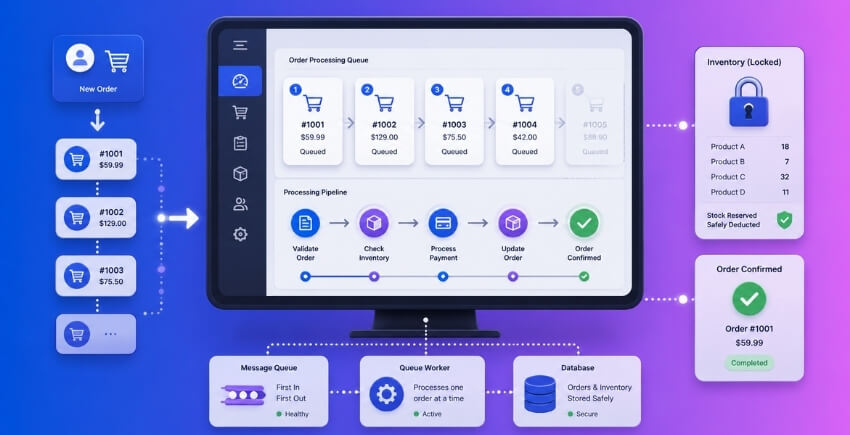
Queue-Based Inventory System Architecture
The core idea is simple: every checkout request goes into a queue instead of hitting the database directly. A worker process pulls jobs off the queue one at a time, checks stock, deducts, and confirms. Sequential by design. No two orders are ever processing the same product simultaneously.
The architecture has three parts:
- The queue — a fast, reliable storage layer that holds incoming order jobs. Redis is the most common choice here. It’s already popular in WooCommerce stacks for object caching, so there’s a good chance you have it running.
- The producer — your WooCommerce checkout pushes a job onto the queue instead of writing to the database immediately.
- The worker — a background process that consumes jobs in order, performs the stock deduction, and updates the order status.
Redis lists work well as a basic queue. You LPUSH a job on one end, the worker BRPOPs it off the other. Strictly ordered. If you need durability guarantees — jobs that survive a Redis restart — look at Redis Streams or a dedicated message broker like RabbitMQ or AWS SQS.
One critical thing to build in from the start: idempotency keys. Each order attempt gets a unique key. If a customer’s browser fires the checkout twice (network timeout, accidental double-click, payment retry), the worker recognizes the duplicate key and doesn’t create a second order. Without this, a queue can still produce duplicate orders. It just does it more slowly.
Every Order Request Goes Through the Queue — Eliminating the Race Condition
Here’s why this eliminates the race condition rather than just managing it.
With direct database writes, ten concurrent requests arrive simultaneously. Even with SELECT FOR UPDATE, nine of them are blocked and waiting. When the lock releases, the next one grabs it. There’s still contention.
With a queue, those ten requests are serialized before they ever touch inventory. Request one gets processed. Done. Request two starts. Done. By the time request three runs, it already sees the correct stock count because requests one and two have fully committed. There’s no stale read problem because there’s no concurrent read.
This also handles flash sales cleanly. You can open a sale, watch 5,000 checkout requests pile into the queue, and know the first 100 (or whatever your stock level is) will be fulfilled and the rest will get a polite “sold out” response — because the worker processes them in the order they arrived. Fair queuing. No overselling.
The tradeoff is latency. Users don’t get an instant confirmation. They get a “your order is being processed” message and then a confirmation email once the worker completes the job. For most ecommerce contexts this is perfectly acceptable. For businesses selling appointment slots or event tickets where the user expects an immediate “you’re in,” you need to build a real-time status check on top of the queue — polling or a WebSocket connection back to the queue worker.
Implementing a Queue in a WooCommerce Context
WordPress doesn’t ship with a native queue system, so you’re building one or adopting an existing solution.
Option 1: ActionScheduler (already in WooCommerce)
You already have this. WooCommerce ships ActionScheduler as a built-in async job runner. It’s backed by custom database tables and handles retries, failures, and concurrency controls.
// Hook into checkout submission — push the stock deduction to a scheduled action
add_action( 'woocommerce_checkout_order_created', function( $order ) {
    as_enqueue_async_action(
        'my_process_inventory_deduction',
        [ 'order_id' => $order->get_id() ],
        'inventory-queue'
    );
} );

// The worker callback
add_action( 'my_process_inventory_deduction', function( $order_id ) {
    $order = wc_get_order( $order_id );
    if ( ! $order ) return;

    foreach ( $order->get_items() as $item ) {
        $product = $item->get_product();
        if ( $product && $product->managing_stock() ) {
            wc_reduce_stock_levels( $order_id );
            break; // wc_reduce_stock_levels handles all items
        }
    }
} );
The catch: ActionScheduler runs via WP-Cron by default, which means it fires on page loads. Under high traffic that’s fine, but for true flash-sale conditions you want a real cron job hitting wp cron event run on a tight interval — every 30 seconds or faster. Set that up via server cron, not WP-Cron.
ActionScheduler also has a concurrency setting. Check Settings → Status → Scheduled Actions in WooCommerce and ensure concurrent batch size isn’t set so high that multiple workers are processing the same product queue simultaneously. For inventory queues, keep the concurrency for your custom group low — two or three workers maximum.
Option 2: Redis-backed queue with a custom worker
If you’re running Redis already and want sub-second processing, implement a proper queue directly.
// Producer — add to queue on checkout
add_action( 'woocommerce_checkout_order_created', function( $order ) {
    $redis = new Redis();
    $redis->connect( '127.0.0.1', 6379 );

    $job = json_encode( [
        'order_id'        => $order->get_id(),
        'idempotency_key' => 'order_' . $order->get_id() . '_' . $order->get_order_key(),
    ] );

    $redis->lPush( 'wc_inventory_queue', $job );
} );
The worker runs as a separate PHP process or WP-CLI command that does BRPOP wc_inventory_queue 0 in a loop, processes each job, and marks it done. Before processing, check if the idempotency key has already been handled — store completed keys in a Redis set with a TTL of 24 hours.
Option 3: Hosted queue services
AWS SQS, Google Cloud Tasks, and similar services are worth considering if you’re on managed hosting and can’t run persistent background processes. The integration pattern is the same — push on checkout, consume in a webhook endpoint — but durability and retry behavior are handled for you.
What about soft reservations + queue together?
These aren’t mutually exclusive. You can run a soft reservation (from Fix #3) to give the user instant feedback — “your item is held” — and then use the queue to process the actual payment and final stock deduction. The reservation prevents overselling during the checkout window, the queue serializes the final commits. Combined, you get the best of both: fast UX and clean inventory.
Load test before go-live. Use k6 or Apache JMeter to simulate concurrent checkout against your queue setup before any flash sale. A k6 script spinning up 200 virtual users all hitting the checkout endpoint simultaneously will expose bottlenecks in your worker throughput fast. You want to know if your queue worker can process 50 jobs per minute before you go live with a promotion — not after.
One honest note on complexity: queue-based inventory is the most architecturally involved solution in this article. It makes sense for high-volume stores running regular flash sales or dealing with stock count anomalies that simpler locking didn’t fix. For a store doing a few hundred orders a day, SELECT FOR UPDATE plus atomic decrements (Fixes #1 and #2) will handle it fine. Match the solution to the actual scale of your problem.
Fix #5 — Preventing Duplicate Orders with an Idempotency Key
What an Idempotency Key Is and How It Works
A payment retry is not the same as a new order. But without the right safeguards, WooCommerce treats it like one — and that means stock gets deducted twice.
Here’s the scenario. A customer hits “Place Order.” Their connection drops mid-request. Their browser retries. Or their payment gateway fires a webhook a second time because it didn’t get a 200 response fast enough. Now you’ve got two order creation attempts for the same purchase, and if both clear, you’ve sold two units when you only had one.
An idempotency key solves this by giving each checkout attempt a unique, stable identifier. If a second request comes in with the same key, the server recognizes it as a duplicate and returns the result of the first request — without processing anything again. No second database write. No second stock deduction.
The concept comes from distributed systems, but it maps cleanly onto WooCommerce checkout. The key is typically generated client-side when the checkout form loads, stored in a transient or a dedicated table server-side, and checked before any order is inserted. A UUID works fine. So does a hash of the user ID, cart hash, and timestamp rounded to the nearest 30 seconds — enough uniqueness to catch duplicates without blocking legitimate re-orders.
A minimal implementation uses a hidden field in the checkout form and a woocommerce_checkout_process hook:
// Generate key when checkout page loads
add_action( 'woocommerce_before_checkout_form', function() {
    if ( ! WC()->session->get( 'idempotency_key' ) ) {
        WC()->session->set( 'idempotency_key', wp_generate_uuid4() );
    }
});

// Embed it in the form
add_action( 'woocommerce_review_order_before_submit', function() {
    $key = WC()->session->get( 'idempotency_key' );
    echo '<input type="hidden" name="idempotency_key" value="' . esc_attr( $key ) . '">';
});

// Block duplicate submissions before order is created
add_action( 'woocommerce_checkout_process', function() {
    $key = sanitize_text_field( $_POST['idempotency_key'] ?? '' );
    if ( ! $key ) return;

    $lock_key = 'idem_' . md5( $key );
    if ( get_transient( $lock_key ) ) {
        wc_add_notice( 'Your order is already being processed.', 'error' );
    } else {
        set_transient( $lock_key, 1, 60 ); // 60-second window
    }
});

// Clear the key after successful order placement
add_action( 'woocommerce_checkout_order_created', function() {
    WC()->session->set( 'idempotency_key', null );
});
The transient acts as the gate. First request through sets it. Any duplicate arriving within that 60-second window gets stopped before woocommerce_create_order fires — which means before any stock deduction happens.
Blocking Duplicate Stock Deductions During Payment Retries and Network Timeouts
The checkout form isn’t the only entry point. Payment retries are trickier.
When a payment gateway can’t confirm whether an order went through — because of a network timeout, a slow server response, or an IPN delivery failure — it often retries. Stripe, PayPal, and most other gateways have configurable retry logic. That retry can arrive milliseconds after the first attempt or several minutes later. Either way, if the original order was created but its status just hasn’t been updated yet, a naive gateway handler will try to create a second order.
The idempotency key needs to live at the gateway level too, not just in the checkout form. Most payment gateways let you pass a unique reference in the charge request. Stripe calls it idempotency_key directly in its API header. If you send the same key twice, Stripe returns the original charge response instead of creating a new one — the duplicate never reaches your WooCommerce installation at all.
For custom gateway integrations, the pattern is: store the gateway-level charge ID against the WooCommerce order ID immediately after the first successful charge. Before processing any payment confirmation webhook, query for an existing order with that charge ID:
add_action( 'woocommerce_payment_complete', function( $order_id ) {
    $order = wc_get_order( $order_id );
    $charge_id = $order->get_transaction_id();
    if ( $charge_id ) {
        update_post_meta( $order_id, '_payment_charge_id', sanitize_text_field( $charge_id ) );
    }
});
Then in your IPN/webhook handler, before doing anything:
$existing = wc_get_orders([
    'meta_key'   => '_payment_charge_id',
    'meta_value' => $incoming_charge_id,
    'limit'      => 1,
]);

if ( ! empty( $existing ) ) {
    // Already processed — return 200 so the gateway stops retrying, do nothing else
    http_response_code( 200 );
    exit;
}
Return 200 even when you’re discarding the duplicate. If you return 4xx or 5xx, the gateway will keep retrying. That makes the problem worse.
Network timeouts deserve special attention during flash sales. Under high traffic, your server might accept the request but take longer than the gateway’s timeout window to respond. The gateway marks it as failed. But the order was actually created. Now stock has been deducted once and the gateway is about to retry. Without the charge ID check above, that retry creates a second order and deducts stock again.
Load testing this is the only way to catch it before it hits production. Tools like k6 let you simulate concurrent checkouts with artificial delays and dropped connections. Run 50 virtual users through checkout simultaneously, kill some connections mid-request, and watch your order table. If you see more orders than users, or more stock deducted than orders placed, you’ve found a gap. Apache JMeter can do the same thing with slightly more setup but better reporting for sustained traffic scenarios.
One more edge case: logged-in customers using “retry payment” links. WooCommerce generates these for failed orders via wc_get_endpoint_url( 'order-pay' ). If a customer clicks retry twice quickly — or their browser auto-submits — the same order can have its payment attempted twice. Wrap the payment endpoint handler with a short transient lock keyed to the order ID:
add_action( 'woocommerce_before_pay_action', function( $order ) {
    $lock = 'pay_lock_' . $order->get_id();
    if ( get_transient( $lock ) ) {
        wc_add_notice( 'Payment is already being processed for this order.', 'notice' );
        wp_safe_redirect( $order->get_checkout_payment_url() );
        exit;
    }
    set_transient( $lock, 1, 30 );
});
Thirty seconds is enough. Payment processing rarely takes longer, and if it does, that’s a separate problem.
The broader point: idempotency isn’t just a nice-to-have during a flash sale. Network timeouts happen on ordinary days too. A duplicate order prevention strategy should be in place before high traffic arrives, not patched in after you’ve already oversold and issued refunds.
Reproduce and Validate Race Conditions with Load Testing
You can’t fix what you can’t reliably reproduce. Before you ship any of the locking or reservation patterns covered earlier, you need a test that actually hammers concurrent checkouts and surfaces the race condition on demand. And after you apply the fix, you need the same test to confirm the overselling is gone — not just reduced, gone.
Simulating Concurrent Checkouts with k6 / Apache JMeter
Both k6 and Apache JMeter can simulate dozens or hundreds of users hitting your checkout simultaneously. They serve slightly different use cases.
k6 is the better choice for most WooCommerce teams right now. It’s scriptable in JavaScript, runs from the command line, and produces clean output without a heavy GUI. Install it locally or run it from a CI pipeline. For a flash sale scenario, you’d spin up 50–100 virtual users (VUs) and have them all attempt to purchase the same product within a 2–3 second window.
Apache JMeter is more verbose to configure but gives you a GUI and a built-in thread group that maps well to concurrent users. It’s worth using if your team already has JMeter test plans, or if you need detailed latency breakdowns per request step.
For WooCommerce specifically, both tools need to replay the full checkout sequence:
- Add to cart (POST to
/?wc-ajax=add_to_cart) - Set billing/shipping fields
- Place the order (POST to
/checkout/) - Optionally, simulate a payment confirmation callback
The tricky part is session handling. Each virtual user needs its own cookie jar, otherwise they’ll all share a single cart. In k6, set cookieJar per VU. In JMeter, use the HTTP Cookie Manager scoped to the thread group, not globally.
Set your test product stock to a known quantity — say, 10 units. Then fire 50 concurrent users at it. If your store is unprotected, you’ll routinely end up with 15–20 orders placed, all confirmed, against those 10 units. That’s your baseline.
Script Patterns for Reproducing a Race Condition
Here’s a minimal k6 script that reproduces the problem:
import http from 'k6/http';
import { sleep } from 'k6';

export let options = {
  vus: 50,
  duration: '5s',
};

export default function () {
  const jar = http.cookieJar();

  // Add to cart
  const addToCart = http.post(
    'https://yourstore.com/?wc-ajax=add_to_cart',
    { product_id: '123', quantity: '1' },
    { jar: jar }
  );

  // Place order — billing fields stripped for brevity
  const order = http.post(
    'https://yourstore.com/checkout/',
    {
      billing_first_name: 'Test',
      billing_last_name: 'User',
      billing_email: '[email protected]',
      billing_country: 'US',
      billing_address_1: '123 Main St',
      billing_city: 'Anytown',
      billing_state: 'CA',
      billing_postcode: '90001',
      payment_method: 'cod',
      woocommerce-process-checkout-nonce: 'YOUR_NONCE',
    },
    { jar: jar }
  );
}
The nonce is the awkward part. You’ll need to either fetch it dynamically per VU (add a setup step that loads the checkout page and parses the nonce from the HTML) or temporarily disable nonce verification in a staging environment for testing purposes only. Never do the latter on production.
For JMeter, the equivalent is a Thread Group → HTTP Request sampler chain with a Regular Expression Extractor to capture the nonce from the checkout page response and feed it into the POST.
One important detail: use a Ramp-Up Period of 0 in JMeter (or set all VUs to start simultaneously in k6 with startTime: 0) to create genuine simultaneity. A gradual ramp-up spreads requests over time and won’t trigger the race condition reliably.
Verifying Your Fix — Before and After Test Comparison
The comparison is straightforward, but you need to be methodical about it.
Before the fix:
- Set product stock to 10
- Run 50 concurrent VUs for 5 seconds
- Count orders in WooCommerce with status
processingoron-hold - Record the final stock count
You’ll typically see the order count exceed the stock quantity. The _stock meta value in wp_postmeta might even go negative, which is a clear sign of concurrent writes without any locking.
After the fix:
- Reset stock to 10 (update
_stockdirectly in the database or via the product editor — just make sure it’s clean) - Apply your fix — whether that’s
SELECT FOR UPDATEin a database transaction, an atomic RedisDECR, or the soft reservation pattern - Run the identical k6 or JMeter script
- Count orders and final stock
The expected result: no more than 10 orders placed, stock lands at 0 (not negative), and any requests beyond the 10th return an “out of stock” response at checkout rather than a confirmed order.
A few things to watch during the after-test run. Check for stock count anomalies — if stock ends at 1 or 2 instead of 0, you may have a partial fix where some code paths still bypass the lock. Check HTTP response codes too; you want to see 200s for the first 10 successful orders and then consistent failure responses (WooCommerce typically returns a checkout error JSON with a notice about stock) for the rest.
If you’re using the soft reservation pattern, also verify that reservations are being released correctly after a failed or timed-out payment. Simulate this by running the load test, letting some sessions expire without completing payment, and checking that reserved stock returns to available after your reservation TTL.
For multi-location inventory setups, run the same load test against a product assigned to a specific location and confirm that stock deduction is happening only at the correct location. A stock count anomaly at the location level — even if the global count looks right — is still a problem in a distributed warehouse setup.
Set an alert threshold on your staging environment. If a test run produces more confirmed orders than the available stock quantity, the test should fail automatically. You can do this in k6 with thresholds:
export let options = {
  thresholds: {
    'checks{scenario:checkout}': ['rate>0.95'],
  },
};
Then add a check that validates the response doesn’t contain an order confirmation when stock is already exhausted. This turns your load test into a regression test — run it after every deploy that touches order processing, stock deduction, or payment handling code.
One last thing: test with network timeouts and payment retries in the mix. A real flash sale will have customers whose payment gateway call times out, then they hit the back button and try again. Without an idempotency key in place, that retry is a second order attempt. Your load test should include a scenario where 10–15% of VUs simulate a retry after a failed first attempt, and verify that duplicate order prevention is holding under that load too.
Production Monitoring and Alerting — Detect Overselling Before It Causes Damage
You’ve implemented database locking, atomic decrements, soft reservations, and idempotency keys. Good. But none of that matters if you find out you’ve oversold 200 units because a customer emailed to complain. Monitoring closes the loop. It’s the difference between catching a problem at order #5 versus order #500.
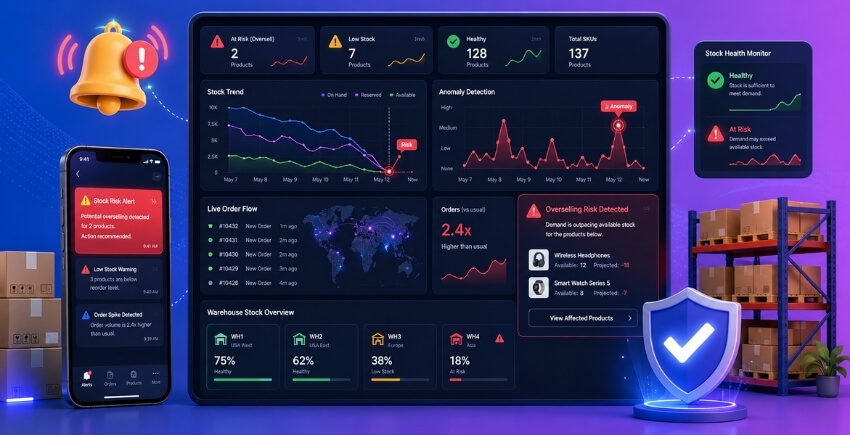
Metrics for Detecting Stock Count Anomalies
The core signal you’re watching for is simple: stock quantity going negative, or dropping below zero faster than orders justify it. WooCommerce stores the stock count in _stock post meta (or the HPOS equivalent). A stock value of -3 on a product with no backorders enabled is a red flag. It means your locking logic failed somewhere, or a race condition slipped through during a traffic spike.
Four metrics worth tracking in production:
1. Negative stock counts. Run this query periodically — every 5 minutes during a flash sale, hourly otherwise:
SELECT post_id, meta_value
FROM wp_postmeta
WHERE meta_key = '_stock'
  AND CAST(meta_value AS SIGNED) < 0;
Any result here is an active oversell. No exceptions.
2. Stock deduction rate vs. order rate. If your store processes 50 orders per minute but stock drops by 80 units per minute, something’s deducting inventory outside normal order flow — maybe a double-trigger on woocommerce_reduce_order_stock, a failed rollback leaving a partial deduction, or a rogue cron job.
3. Reserved stock leakage. If you’re using a soft reservation pattern, reservations that never convert to confirmed orders inflate your “unavailable” stock count. Track the ratio of reservations created vs. reservations fulfilled. A high abandonment rate is normal; a growing pile of expired but uncleaned reservations is a bug.
4. Order-to-stock mismatch count. Total units sold (sum of order line item quantities for completed/processing orders) should equal total stock deducted. Even a small consistent gap — say, 2–3 units per 1,000 orders — points to an atomicity problem in your deduction logic.
For the data layer, you have a few options. New Relic and Datadog both support custom metrics via their PHP agents — you can push a woocommerce.stock.negative_count gauge directly from a WordPress cron or a custom WP-CLI command. If you’re not on a managed stack, a simple approach is logging anomalies to a dedicated database table and querying it from your monitoring dashboard (Grafana works well here, connected directly to your MySQL instance via the MySQL data source plugin).
If you’re running multi-location inventory — multiple warehouses or pickup points each with their own stock — anomalies get harder to spot because a negative count at one location might be masked by healthy counts at others. The free version of [Multi-Location Product & Inventory Management for WooCommerce by Plugincy](https://wordpress.org/plugins/multi-location-product-and-inventory-management/) includes per-location stock quantities and low-stock thresholds, which gives you visibility into individual location stock levels rather than just a rolled-up total. That per-location granularity matters during incident response — you need to know which warehouse oversold, not just that overselling happened.
For concurrent checkout monitoring specifically, instrument your SELECT FOR UPDATE paths. Log when a lock wait exceeds 500ms. A sudden spike in lock wait times during a flash sale is an early warning that your queue depth is growing and your sequential processing can’t keep up.
Alert Thresholds and Incident Response
Knowing what to measure is half the job. The other half is deciding when to wake someone up.
Threshold 1: Any negative stock. Zero tolerance. This alert should fire immediately, page your on-call developer, and ideally trigger an automatic status change on the affected product (set it to out-of-stock or draft) to stop further purchases while you investigate. You can hook into this with a scheduled action or a real-time check inside woocommerce_payment_complete.
Threshold 2: Stock drops more than X% in Y minutes. During a flash sale, fast stock movement is expected. But if a product with 500 units drops by 200 units in 90 seconds and you’re not running a sale, that’s anomalous. Set this dynamically — 20% of initial stock in under 2 minutes is a reasonable starting threshold. Tune it after your first load test with k6 or Apache JMeter to understand your normal depletion velocity.
Threshold 3: Reservation-to-order conversion drops below 60%. If soft reservations are converting at 90% normally and that number drops to 30% during high traffic, your reservation expiry logic may be misconfigured, or customers are hitting payment errors and timing out without releasing reservations. This ties directly into your payment retry and network timeout handling — expired reservations that don’t release stock are a slow-motion oversell.
Threshold 4: Duplicate idempotency key collisions spike. A few collisions per hour is normal (customers double-clicking, payment retries). If you see a sudden spike — say, 50+ collisions in a 10-minute window — it often means a frontend issue is causing mass form resubmission, or a payment gateway is retrying aggressively on network timeouts. Either way, investigate before it causes duplicate order creation.
For the incident response workflow itself, keep it simple:
- Alert fires → automated product status change to prevent more purchases.
- On-call developer checks the negative-stock query and the order log for the affected product.
- Identify the root cause: failed lock, reservation leak, duplicate deduction, or external stock sync overwriting the count.
- Manually reconcile stock: set the correct count, re-enable the product.
- Post-incident, replay your load test against the fix to confirm it holds.
Don’t try to build a fully automated rollback on the first pass. Manual reconciliation with good logging beats a complex automated system that itself has bugs. Once you’ve seen three or four incident patterns, then automate the most common one.
One practical thing most teams skip: a stock count anomaly runbook. A one-page internal doc that says “if you see a negative stock alert at 2am, do these five steps in this order.” The person who responds at 2am may not be the person who built the system. Write it down.
Multi-Location Inventory Race Conditions in WooCommerce — A Special Challenge
Everything covered so far — SELECT FOR UPDATE, atomic decrements, soft reservations, message queues — assumes a single stock pool. One product, one number, one place to decrement. Clean problem, clean solution.
Multi-location changes all of that.
When you’re running inventory across multiple warehouses, storefronts, or pickup points, a race condition doesn’t just threaten one stock count. It can hit several simultaneously. Customer A checks out and WooCommerce needs to decide which location fulfills the order, then decrement stock at that specific location, all while Customer B is doing the exact same thing against the same location at the same millisecond during a flash sale.
That’s a harder problem.
Why Multi-Location Multiplies Race Condition Risk
With a single inventory pool, your SELECT FOR UPDATE lock targets one row. You know exactly what you’re locking. With multi-location inventory, order fulfillment typically involves at least two decisions happening in sequence:
- Location selection — which warehouse or store has stock and should fulfill this order
- Stock deduction — decrement the stock at that chosen location
If those two steps aren’t wrapped in the same database transaction with proper locking, you’ve got a gap. Two concurrent checkouts can both read Location A as having 1 unit available, both decide Location A fulfills the order, and both attempt to decrement. You’ve oversold by one unit, and neither request saw it coming.
This isn’t a theoretical edge case. It happens on any reasonably busy flash sale if your multi-location setup processes location selection and stock deduction as separate operations.
The Location Selection + Deduction Gap
Here’s what the unsafe flow looks like in plain terms:
Request 1: SELECT stock FROM location_A WHERE product = 99  → returns 1
Request 2: SELECT stock FROM location_A WHERE product = 99  → returns 1
Request 1: Location A selected, decrement stock
Request 2: Location A selected, decrement stock
Result: Location A stock = -1. Oversold.
The fix is wrapping both steps inside one atomic database transaction with a row-level lock. In SQL terms, that means your location selection query needs SELECT FOR UPDATE before you commit the deduction — not a separate read, then a separate write.
global $wpdb;

$wpdb->query('START TRANSACTION');

$row = $wpdb->get_row( $wpdb->prepare(
    "SELECT stock_qty FROM {$wpdb->prefix}location_stock
     WHERE product_id = %d AND location_id = %d
     FOR UPDATE",
    $product_id,
    $location_id
) );

if ( $row && $row->stock_qty > 0 ) {
    $wpdb->query( $wpdb->prepare(
        "UPDATE {$wpdb->prefix}location_stock
         SET stock_qty = stock_qty - 1
         WHERE product_id = %d AND location_id = %d",
        $product_id,
        $location_id
    ) );
    $wpdb->query('COMMIT');
} else {
    $wpdb->query('ROLLBACK');
    // handle out-of-stock at this location
}
The key thing here is that FOR UPDATE holds the lock on that specific location-product row for the entire transaction. No other request can read or modify it until your transaction commits or rolls back. Location A’s stock goes to zero, and the next request hits the lock, waits, then reads zero and either falls back to another location or rejects the order.
This is developer territory — if you’re using a multi-location plugin, check whether it implements this internally. Many don’t. They use WooCommerce’s standard stock deduction hooks, which weren’t designed with multi-location atomicity in mind.
Fallback Location Logic Is a Race Condition Waiting to Happen
Most multi-location setups have fallback rules. If Location A is out of stock, try Location B. If Location B is out of stock, try Location C. Logical enough.
The problem is timing. Under high traffic, ten requests might simultaneously read Location A as depleted, all fall through to Location B, all read Location B as having 3 units, and all try to claim from Location B at once. Now Location B is negative two.
You need the fallback logic inside the same locked transaction — not as a cascading series of separate reads. The entire “find an eligible location and decrement it” sequence has to be atomic. That’s a meaningfully more complex query to write, but the correctness requirement doesn’t change.
A Redis-based approach (using DECR per location key with a Lua script) handles this cleaner than MySQL for read-heavy flash sale scenarios. Your Lua script checks the primary location, decrements if stock is positive, and only falls through to the secondary location if the decrement would cross zero — all in one atomic server-side operation. No round trips, no gap between the check and the write.
Soft Reservations Across Locations
The soft reservation pattern from earlier sections works well here too, but the reserved stock table needs a location_id column. That sounds obvious but a lot of homegrown implementations miss it, especially when a store starts with single-location inventory and adds multi-location later.
Your reservation lifecycle then becomes:
- Reserve: insert a row with
product_id,location_id,order_id,qty,expires_at - On payment confirmation: convert reservation to permanent deduction at that specific location
- On expiry or cancellation: release back to that location’s stock, not a global pool
If you release stock back to a global count rather than back to the originating location, your per-location numbers drift. Over time, you’ll see stock count anomalies that look like bugs but are actually just missing location context in the reservation lifecycle.
Using a Plugin vs. Rolling Your Own
For most store owners, writing and maintaining multi-location transaction logic from scratch is the wrong call. It’s a significant amount of PHP and SQL to get right, and the edge cases (payment retries, network timeouts, partial fulfillment) multiply quickly.
Multi-Location Product & Inventory Management for WooCommerce by Plugincy handles per-location stock as a core feature — separate stock quantities per product-location combination, location-specific stock status, and cart validation against the selected location’s inventory. The free version covers the fundamental per-location stock setup, including low-stock thresholds per location and cart-level location validation.
[SCREENSHOT: Multi-Location Product & Inventory Management — per-location stock quantity fields on the product edit screen]
If your fulfillment needs include order splitting across locations or location-specific stock deduction at the point of order placement, those are in the pro version — specifically the location-specific stock deduction feature that ensures only the fulfilling location’s inventory decreases, not a shared pool.
The honest caveat: no plugin completely eliminates the need to understand how stock deduction is happening under the hood during high traffic. Whether you use a plugin or custom code, you should still load test with a tool like k6 or Apache JMeter, confirm that concurrent checkouts against the same location don’t produce negative stock, and set alert thresholds per location so you catch anomalies before they become customer-facing problems.
That per-location alerting matters more than most people realize. A stock count anomaly at one warehouse can hide completely in a global stock report — it looks fine in total but Location B has been negative for two hours.
WooCommerce Hooks and Where Multi-Location Code Lives
If you’re building custom integration, the relevant hooks are woocommerce_reduce_order_stock (fires when WooCommerce decrements stock after payment) and woocommerce_product_get_stock_quantity (filters the stock quantity returned for a product). You can hook into the latter to return location-specific quantities based on the customer’s selected location, and into the former to redirect the deduction to the correct location row.
The order of operations matters. woocommerce_reduce_order_stock passes the order object, not individual items in isolation — you’ll need to loop $order->get_items(), pull each item’s assigned location from order meta, and run your locked transaction per location. Don’t try to decrement all locations in one query unless you’re certain every item maps to the same location.
Multi-location inventory is solvable. It just requires treating each location as its own stock pool with its own locking, its own reservation lifecycle, and its own monitoring — not as a label on a shared number.
FAQ
Can a race condition really cause overselling even if I have WooCommerce stock management enabled?
Yes. Standard WooCommerce stock management does a stock check before completing an order, but that check and the subsequent deduction are two separate database operations. Under high traffic — especially during a flash sale — two or more transactions can pass that check simultaneously before either one has written the deduction. Both orders go through. Both decrement from the same starting number. You end up with negative stock.
Enabling stock management is necessary. It’s just not sufficient on its own.
What’s the simplest fix that doesn’t require custom code?
Reduce the window for concurrent checkouts by using WooCommerce’s built-in hold stock timer (WooCommerce → Settings → Products → Inventory → Hold Stock). Set it to something short, like 10 or 15 minutes. This doesn’t eliminate race conditions, but it reduces abandoned holds piling up.
Beyond that, the most practical no-code improvement is enabling PHP-level checkout rate limiting via your hosting stack (Nginx or a WAF rule) so you’re not hammering the checkout endpoint with hundreds of simultaneous requests. Most managed WooCommerce hosts support this with a config change or a support ticket.
What is SELECT FOR UPDATE and when should I actually use it?
SELECT FOR UPDATE is a SQL instruction that locks a database row for the duration of a transaction. When one process grabs the lock, every other process trying to read and modify the same row has to wait until the first one commits or rolls back.
Use it when you need hard guarantees — zero tolerance for overselling. The tradeoff is throughput. At very high concurrency (think thousands of simultaneous checkouts), lock queuing can slow your checkout page enough to hurt conversions. For most stores, even during a moderately busy flash sale, it’s the right call.
What’s the difference between pessimistic and optimistic locking?
Pessimistic locking says “something will go wrong, so I’ll lock the row before I even start.” That’s SELECT FOR UPDATE. Safe. Slower under contention.
Optimistic locking says “conflicts are rare, so I’ll just check at write time whether anything changed.” You read a version number or a timestamp before you start, then at update time you verify it hasn’t changed. If it has, you abort and retry.
For WooCommerce inventory, pessimistic locking is usually the right default. Optimistic locking makes more sense when conflicts genuinely are rare — which isn’t true during a flash sale where 300 people are buying the same product in the same 90-second window.
What does “atomic” mean in the context of stock deduction?
Atomic means the operation either completes fully or doesn’t happen at all — there’s no in-between state visible to another process. A single SQL UPDATE like SET stock = stock - 1 WHERE stock > 0 is atomic at the database level. Nothing else can read a half-updated value.
Contrast that with read-then-write in PHP: read stock quantity, subtract in PHP, write the new value back. Another process can read the original value between your read and your write. That gap is where race conditions live.
Should I use Redis for inventory, and is it overkill for my store?
Redis makes sense if you’re handling genuinely high concurrency — hundreds of simultaneous add-to-cart or checkout events — and your bottleneck is database write throughput. Redis DECR is atomic and operates entirely in memory, so it’s much faster than a locked SQL row under contention.
For most WooCommerce stores, even busy ones, it’s overkill. A properly implemented database transaction with SELECT FOR UPDATE handles the load. Redis becomes relevant when you’re at the scale of a major retailer doing a national flash sale. If you’re not sure whether you need it, you probably don’t — yet.
What is a soft reservation and how is it different from just decrementing stock?
A hard decrement immediately removes stock the moment someone adds to cart or begins checkout. A soft reservation marks that stock as “held” without reducing the actual stock count — it creates a reserved stock record with a timestamp and a lifecycle.
The practical difference: with a hard decrement, abandoned carts eat into your real available stock and you need cleanup jobs. With a soft reservation, you track available = total stock − confirmed orders − active reservations, and you release reservations automatically when they expire.
Soft reservations are more accurate but also more complex to implement. They work very well for flash sales where cart abandonment is high and you need a tight picture of what’s genuinely available right now.
What is an idempotency key and why does it matter for payment retries?
An idempotency key is a unique token tied to a specific checkout attempt. If a customer’s browser retries a payment request — because of a network timeout, a browser reload, or a double-click — the server recognizes the same key and returns the existing result instead of processing a second order.
Without this, a payment retry after a timeout can produce two orders for one purchase. That’s a duplicate order, a double stock deduction, and a customer service problem. The idempotency key is what makes retry logic safe.
How do I know if my store is actually experiencing race conditions right now?
Check your WooCommerce reports for negative stock quantities — that’s the clearest signal. Also look for orders marked completed where the product stock count is lower than expected, especially in post-event data after a busy period.
If you want to reproduce it deliberately, run a load test with k6 or Apache JMeter simulating 50–100 concurrent checkout requests against the same product with a stock of 10. If the final stock count ends up below zero, or more than 10 orders complete, you have a confirmed race condition.
My store uses multiple warehouses. Does the race condition problem get worse?
Yes, noticeably. With multi-location inventory, you’re not just protecting one stock number — you’re protecting per-location stock figures, routing logic, and potentially split order assignments. A race condition can drain one location to zero while another still shows available stock, resulting in a misrouted order that can’t be fulfilled.
The fix follows the same principles — atomic operations, proper locking, reservation logic — but applied at the per-location level rather than just the global stock count. If you’re managing multi-location inventory in WooCommerce, the free version of Multi-Location Product & Inventory Management for WooCommerce by Plugincy handles separate stock quantities per location, which gives you the right data structure to lock and decrement correctly at the location level rather than against a single global number.
Is there any race condition risk with WooCommerce HPOS (High-Performance Order Storage)?
HPOS changes how order data is stored (from post meta to custom tables), but it doesn’t inherently solve stock-level race conditions. The stock quantity for a product still lives in wp_postmeta (or via the wc_product_meta_lookup table), and the read-check-write problem exists regardless of which order storage engine you’re using.
HPOS can actually improve overall checkout throughput because order writes are faster and don’t contend as much on the posts table. That’s a good thing. But it doesn’t replace the need for proper locking on the inventory side.
Can a caching plugin cause or worsen overselling?
Indirectly, yes. If a page caching plugin serves a cached product page showing “In Stock” after the product has sold out, customers continue adding to cart and attempting checkout against real stock that no longer exists. The cache isn’t causing the race condition — it’s causing stale stock display, which increases the volume of concurrent checkout attempts on an already-exhausted product.
The fix is to exclude dynamic pages (cart, checkout, account, single product pages with live stock display) from full-page caching. Stock quantity and availability should always be fetched fresh.
Conclusion — Fix the Race Condition, Protect Your Production Store
Race conditions aren’t a theoretical problem. They happen the moment two customers hit checkout at the same time on a product with one unit left. WooCommerce’s default stock check doesn’t prevent it. The result is two confirmed orders, one item, and a very angry customer — or two.
The good news is that every layer of this problem has a real fix.
Database locking (SELECT FOR UPDATE inside a proper transaction) is the foundational fix. It’s the closest thing to a guaranteed solution at the SQL level — nothing else processes the same row until the lock releases. If you do nothing else, do this.
Atomic operations make stock deduction a single SQL statement instead of a read-modify-write cycle. No gap for a race to sneak through.
Soft reservations let you hold stock the moment someone enters checkout, before payment confirms. Combined with a reservation lifecycle that expires and releases abandoned holds, this covers the gap that locking alone can’t close.
Queue-based processing is for when traffic is genuinely extreme — flash sales, product drops, anything where hundreds of concurrent checkouts happen in seconds. Serializing order processing through a message queue trades a bit of latency for correctness. That’s a trade worth making.
Idempotency keys stop duplicate orders from payment retries and network timeouts. This one is easy to overlook until it burns you. Don’t wait for that.
Then there’s the validation layer. Load test with k6 or Apache JMeter before you need it, not after. Monitor stock count anomalies in production. Set alert thresholds so you know about a stock deduction problem at 2 AM before it becomes 200 oversold orders by morning.
A few practical points before you walk away from this:
You don’t need to implement all five fixes simultaneously. Start with database-level locking — it solves 80% of the problem with a targeted code change. Add soft reservations if you have products that sell out fast or run flash sales. Layer in queue processing only if your traffic genuinely demands it.
If you run multi-location inventory, the complexity compounds. Each location has its own stock count, and a race condition at one warehouse doesn’t automatically surface across others. The same locking and atomic principles apply, but the implementation has to be location-aware. If you’re managing inventory across multiple stores or warehouses from WooCommerce, the free version of [Multi-Location Product & Inventory Management for WooCommerce by Plugincy](https://wordpress.org/plugins/multi-location-product-and-inventory-management/) handles per-location stock quantities and deductions natively — which at least keeps your location-level inventory accurate as a baseline before you add locking on top.
One thing to keep in mind: none of these fixes compensate for a poorly configured WooCommerce stock management setup. Make sure stock management is actually enabled per-product, that woocommerce_manage_stock is set correctly, and that your hosting environment isn’t doing anything aggressive with query caching that interferes with row-level locks. These seem obvious but they’re regularly the reason a fix that works in staging silently fails in production.
Race conditions are a concurrency problem. Concurrency problems don’t go away by hoping traffic stays low. They get worse as your store grows. The architecture choices you make now — locking, atomicity, reservations, monitoring — are what determine whether a busy day stays profitable or turns into an incident response session.
Build it right once. Then go run your flash sale.
