

Shoppers do not want to work hard just to find the right product. Once a store starts offering more sizes, colors, brands, prices, or product variations, filters stop being a nice extra and start becoming part of what makes the store easy to shop.
That is exactly why YITH Product Filter vs Dynamic AJAX Product Filters for WooCommerce is worth looking at closely. Both plugins are designed to help customers narrow products faster, but they do not feel the same in actual store use. Read through the full comparison to see which one fits your catalog, filter needs, and store setup more naturally.
Who This Comparison Is For
Some plugin comparisons are easy to skim and move on from. This one matters more when filtering can directly affect how people browse, how quickly they find products, and how manageable the store feels as the catalog grows.
- Store owners comparing YITH Product Filter and Dynamic AJAX Product Filters
- WooCommerce stores with growing or crowded catalogs
- Shops where filters play a big role in product discovery
- Teams weighing SEO, usability, and long-term flexibility
- Freelancers or developers choosing the better fit for client stores
Quick Summary
Dynamic AJAX Product Filters for WooCommerce feels like the stronger fit for stores that need more flexibility in how filters work and more room to handle broader filtering needs as the catalog grows. It makes more sense when filtering plays a bigger part in product discovery and store structure.
YITH Product Filter fits better for stores that want a more familiar filtering setup from a well-known WooCommerce plugin brand. It can be a comfortable option for shops that want solid filtering support without leaning too heavily into a more feature-stretched setup.
YITH Product Filter vs Dynamic AJAX Product Filters for WooCommerce: Core Features Comparison
Difference starts to feel more real once you stop looking at plugin names and start looking at what each one actually lets you filter. Some stores only need the usual basics. Others need more ways to narrow products without forcing shoppers through a longer, clumsier search.
Head-to-Head Core Feature Comparison
| Feature Area | Dynamic AJAX Product Filters | YITH Product Filter |
| AJAX Filtering | Fully reload-free | AJAX with reload elements |
| Indexable Filter URLs | Yes | Limited |
| Performance on Large Catalogs | Stable | Setup-dependent |
| Attribute Filtering | Yes | Yes |
| Price Filtering | Yes | Yes |
| Stock Status Filtering | Yes | Yes |
| Custom Taxonomies | Yes | Yes |
| Mobile UX | Optimized | Theme-dependent |
| SEO Control | Advanced | Basic |
| Scalability | High | Medium |
What Problem Do These Two Product Filter Plugins Solve?
Both plugins are meant to make that part easier. YITH Product Filter and Dynamic AJAX Product Filters for WooCommerce help shoppers cut through a crowded product grid and get closer to the right products without turning the process into extra work.
From the store owner’s side, that matters too. Better filters can make the catalog feel easier to shop, reduce unnecessary friction, and help customers reach useful product results faster instead of getting stuck in a messy browsing flow.
Dynamic AJAX Product Filters for WooCommerce vs YITH Product Filter: Pricing Comparison
Pricing should be viewed as a long-term operational factor rather than a one-time purchase decision. Store owners need to understand what functionality is available before upgrading and how licensing affects future growth.
Dynamic AJAX Product Filters allows most core functionality to be used without immediate upgrades, while YITH Product Filter reserves more advanced behavior for paid tiers. This difference becomes important for stores that want to test filtering behavior before committing to ongoing costs.
| Pricing Aspect | Dynamic AJAX Product Filters | YITH Product Filter |
| Free Version | Yes | Yes |
| Feature Availability (Free) | Most core features | Limited |
| Premium License | Paid | Paid |
| Renewal Required | Yes | Yes |
| Value for Large Stores | High | Medium |
Plugin Overview – High-Level Positioning
Choosing between these two comes down to what kind of shopping experience you want to build. One feels more comfortable in a straightforward store setup, while the other gives you more to work with when filtering needs grow.
Dynamic AJAX Product Filters for WooCommerce
Dynamic AJAX Product Filters for WooCommerce is aimed at stores that want filtering to cover more than the standard basics. As an Ajax Product Filter for WooCommerce, it puts more emphasis on real-time filtering, a broader mix of filter types, custom fields, shortcode placement, and custom permalink support for filtered views.

Core Features
- Real-time AJAX filtering
- Multi-filter support
- Category, attribute, and tag filters
- Price range filtering
- Rating, stock status, and sale status filters
- SKU and dimensions filters
- Date range filtering
- Custom field support
- Shortcode support
- Custom permalink support
Strengths
- Broader built-in filter range
- Covers more detailed product data
- Supports custom permalink structures
- Works with most themes, including custom and premium themes
- Compatible with variable products
Limitations
- Broader feature range may feel like more than a simple store needs
- Setup can take more thought when you want to use the wider filter mix
Real WooCommerce Use Case
Makes more sense for stores where shoppers may need to filter by more than attributes and price, especially when SKU, stock, sale status, dimensions, date-based filtering, or custom fields are part of the buying path.
YITH Product Filter
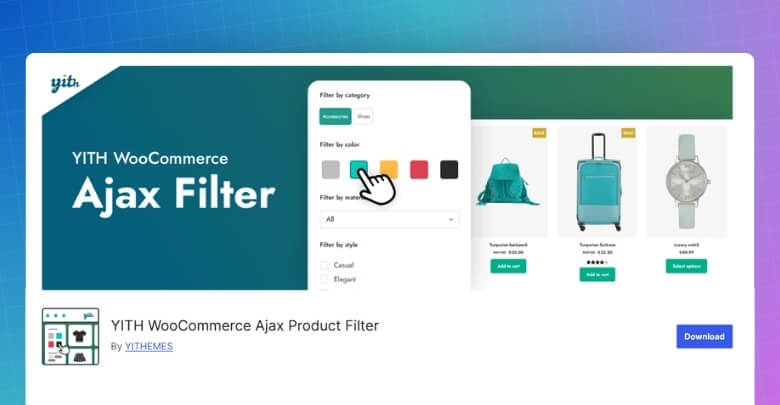
YITH Product Filter feels more centered on the filter types that many WooCommerce stores already expect to use. It focuses on helping shoppers filter products by categories, tags, taxonomies, and attributes like size, color, material, and brand.
Core Features
- AJAX-based filtering
- Category filtering
- Tag filtering
- Taxonomy filtering
- Attribute-based filtering
- Filtering by common product traits such as size, color, material, and brand
Strengths
- Familiar WooCommerce filter structure
- Clear focus on standard catalog filtering
- Comfortable fit for everyday product refinement
Limitations
- Main plugin page highlights a narrower filter range than Dynamic
- Advanced filter types are less clearly emphasized on the public listing page
Real WooCommerce Use Case
Fits stores that mainly want shoppers to narrow products through common catalog filters like categories, tags, taxonomies, and product attributes without needing a broader set of filtering conditions.
Filtering Types of These Two Plugins Comparison
Filter variety matters more in some stores than others. In one shop, basic options may be enough to help people narrow down products quickly. On the other hand, shoppers may need extra ways to sort through a crowded catalog before the right products even start to show up.
| Filter Type | Dynamic AJAX Product Filters for WooCommerce | YITH Product Filter |
| Category Filter | Yes | Yes |
| Attribute Filter | Yes | Yes |
| Tag Filter | Yes | Yes |
| Price Range | Yes | Yes |
| Custom Taxonomy Filter | Yes | Yes |
| Custom Field Filter | Yes | Not clearly highlighted |
Performance, User Experience, and Scalability
Some differences do not show up while you are testing filters for five minutes in the backend. They show up when real customers start using them over and over, clicking through combinations, switching between devices, and trying to narrow down a larger catalog without getting slowed down.
| Area | Dynamic AJAX Product Filters for WooCommerce | YITH Product Filter |
| AJAX Response Feel | More fluid | Good |
| Browsing Flow | More controlled | Familiar |
| Multi-Filter Use | Better suited | Standard |
| Catalog Handling | More comfortable | More moderate |
| Mobile Filtering Feel | Cleaner | More layout-dependent |
| Active Filter Experience | Easier to follow | More typical |
| Day-to-Day Shop Feel | Smoother | Straightforward |
| Growth Readiness | Stronger | Moderate |
| Scalability for Heavier Filter Use | Better suited | More limited |

SEO and Indexable Filter URL Capabilities
Filter URLs usually do not get much attention at the beginning. They become a bigger deal later, when filtered pages start multiplying, strange URL versions begin showing up, or store owners realize the plugin is shaping more of the site’s SEO behavior than they expected.
| SEO Area | Dynamic AJAX Product Filters for WooCommerce | YITH Product Filter |
| Filter URL Direction | Clearer | Less highlighted |
| Custom Permalink Support | Yes | Present |
| Crawlable Filter Pages | Yes | Less emphasized |
| SEO Settings Focus | Stronger | More limited |
| Filter URL Control | More defined | More basic |
| Indexable Filter Potential | Better supported | Less clearly positioned |
| AJAX-Only Option | Yes | Not highlighted |
Setup Complexity and Learning Curve
Installing a filter plugin is usually straightforward. The difference starts showing up later, when you begin building real filter sets, placing them across the store, and seeing how much work it takes to make everything feel right. That is where Dynamic AJAX Product Filters for WooCommerce starts to stand apart.
| Area | Dynamic AJAX Product Filters for WooCommerce | YITH Product Filter |
| Initial Installation | Straightforward | Straightforward |
| First-Time Setup | More involved | More familiar |
| Filter Configuration Depth | Broader | Simpler |
| Ease of Basic Use | Good | Easier |
| Learning Curve | Moderate | Lighter |
| Control Over Filter Setup | Higher | More standard |
| Everyday Management | More flexible | More direct |
| Beginner Friendliness | Good, with some learning | Better suited |
| Long-Term Store Fit | Stronger for advanced needs | Stronger for standard needs |
Theme and Plugin Compatibility
Compatibility is one of those things that feels invisible when it works and annoying the moment it does not. Filters may look fine in a test setup, then behave differently once they meet a custom theme, product variations, shortcode placement, or a store that already runs a few other WooCommerce tools.
| Area | Dynamic AJAX Product Filters for WooCommerce | YITH Product Filter |
| WooCommerce Compatibility | Yes | Yes |
| Theme Compatibility | Most themes, including custom and premium | WooCommerce-focused, less specifically detailed |
| Custom Theme Support | Clearly stated | Not clearly highlighted |
| Variable Product Support | Clearly stated | Not clearly highlighted |
| Shortcode Support | Yes | Not highlighted on main listing |
| Plugin Ecosystem Fit | General WooCommerce fit | Strong YITH ecosystem familiarity |
| Setup Flexibility | More placement-oriented | More standard |
| Compatibility Detail on Public Listing | More explicit | More limited |
Support and Documentation Comparison
Most store owners do not think much about support while everything is going smoothly. It starts to matter when a filter behaves oddly, a layout shifts, or a simple change takes longer to figure out than it should. That is usually the point where documentation stops feeling like a bonus and starts feeling like part of the product.
| Area | Dynamic AJAX Product Filters for WooCommerce | YITH Product Filter |
| Setup Guidance | Clear basic steps | Present, but lighter on setup detail in the public listing |
| FAQ Availability | Yes | Not prominently shown in the main listing snippet |
| Theme Compatibility Notes | Clearly stated | Less clearly stated |
| Usage Instructions | More explicit | More general |
| Public Support Presence | Yes | Yes |
| Documentation Feel | More direct and practical | More product-overview focused |
| Compatibility Clarity | Stronger | More limited on the public page |
| Overall Support Readiness | Easier to gauge | Less clearly mapped out |
SEO, Performance, and Plugin Compatibility Comparison
Some differences only start to matter after a store has been running for a while. Filters may look fine on the surface, but URL behavior, browsing smoothness, and how well the plugin fits into the rest of the WooCommerce setup usually decide whether it still feels like a good choice later on.
| Area | Dynamic AJAX Product Filters for WooCommerce | YITH Product Filter |
| Filter URL Handling | More defined | Less emphasized |
| SEO-Focused URL Options | Stronger | More limited |
| Indexable Filter Page Direction | Better supported | Less clearly positioned |
| AJAX Filtering Feel | Smoother | Familiar |
| Broader Filter Load | Better suited | More standard |
| Catalog Growth Readiness | Stronger | Moderate |
| Theme Compatibility Detail | More clearly stated | Less detailed |
| Variable Product Support | Better highlighted | Less clearly highlighted |
| Shortcode Placement | Yes | Less emphasized |
| Overall Technical Fit | Broader | Simpler |
Technical Store Compatibility Comparison
This part usually matters more than people expect. Not because store owners sit around comparing technical details for fun, but because filters have to fit into the site you already have a theme, product setup, extra plugins, layout choices, and all.
| Area | Dynamic AJAX Product Filters for WooCommerce | YITH Product Filter |
| WooCommerce Integration | Strong | Strong |
| Theme Compatibility Signals | Clearer | More general |
| Custom Theme Readiness | Better supported | Less clearly stated |
| Premium Theme Fit | Better highlighted | Less emphasized |
| Variable Product Support | Clearly mentioned | Not clearly highlighted |
| Shortcode-Based Use | Yes | Less visible |
| Placement Flexibility | Wider | More standard |
| Product Data Range | Broader | More typical |
| Technical Breathing Room | More | Moderate |
| Best Fit for Custom Setups | Better suited | Simpler environments |
Which Product Filter Plugin Is Better for Which Type of Store?
Store size alone does not decide this. What matters more is how customers actually shop, how much product detail they need to narrow things down, and whether filters are just helping a little or doing a big part of the selling work.
| Store Type | Dynamic AJAX Product Filters for WooCommerce | YITH Product Filter |
| Small Simple Catalog | Good | Better fit |
| Mid-Size General Store | Strong | Strong |
| Large Product Catalog | Better fit | Moderate |
| Attribute-Heavy Store | Better fit | Good |
| Store With Detailed Product Data | Better fit | Limited |
| Fashion or Lifestyle Store | Good | Strong |
| Parts, Tools, or Spec-Heavy Store | Strong | More limited |
| Store Needing Broader Filter Logic | Better fit | Standard |
| SEO-Conscious Filter Setup | Stronger | More basic |
| Straightforward WooCommerce Store | Good | Better fit |
Mistakes That Make WooCommerce Filters Feel Confusing
Filters are supposed to make shopping easier, but they can do the opposite when the setup feels messy or unclear. Shoppers usually do not stop and think about why the experience feels off; they just leave, click around less, or miss products that were actually a good fit.
- Showing Too Many Filters at Once: Crowded filter panels can make shoppers feel like they have more work to do before they can even start browsing properly.
- Using Labels That Are Too Technical: Filter names taken straight from backend attributes or internal product data can feel confusing to regular customers.
- Mixing Similar Filter Types: Using overlapping filters for things like category, type, and collection can make the filtering system feel repetitive and harder to understand.
- Hiding Important Filters Too Deep: When useful filters are buried in accordions, side panels, or mobile drawers, shoppers may never use them.
- Keeping Irrelevant Filters Visible: Showing filter options that do not match the current category or product set adds clutter and makes the page feel less helpful.
- Poor Mobile Filter Experience: Filters that are awkward to open, hard to close, or difficult to apply on mobile can quickly turn browsing into frustration.
- Weak Active Filter Visibility: When shoppers cannot clearly see what filters are already applied, the results can feel confusing or unpredictable.
- No Easy Reset Option: Without a simple way to clear filters, people can get stuck in narrow product results and lose track of how they got there.
- Overcomplicating the Filter Logic: Multi-step filtering can be useful, but when the setup becomes too layered, it starts to feel like work instead of help.
- Treating Every Store the Same: Filter setup should match the way people shop that specific catalog, not just copy a generic WooCommerce layout.
Which Ajax Product Filter Plugin Should I Choose?
The best choice here depends on how much work you need filters to do across the store.
Dynamic AJAX Product Filters for WooCommerce is the stronger option for stores where filtering needs to go beyond the usual basics. It fits better when shoppers need more ways to narrow products, product data is more detailed, or filtering plays a bigger role in helping customers reach the right items faster.
YITH Product Filter makes more sense when the goal is to keep filtering familiar, manageable, and centered around the filter types most WooCommerce stores already use. It works well for shops that want a more straightforward setup without stretching into broader filter depth than the catalog really needs.
FAQs About YITH Product Filter Vs. Dynamic Ajax Product Filters
If you are trying to decide between YITH Product Filter and Dynamic Ajax Product Filters, knowing these extra details can make the choice easier. These questions cover points that might not be obvious at first glance. They are meant to help you understand both tools better before you decide.
Can Both Plugins Work on a Multilingual Website?
Yes, both plugins can work with popular multilingual plugins like WPML or Polylang. This means you can offer filters in different languages for your store visitors. It helps customers from various regions browse your products more comfortably. Having multilingual filters can also improve accessibility and customer satisfaction.
Do These Plugins Work Well With Custom WooCommerce Themes?
Both plugins are designed to be compatible with most WooCommerce themes. If your theme follows standard WooCommerce coding practices, they should work without issues. However, in rare cases, custom themes might need small adjustments. Testing on a staging site first can help avoid problems after installation.
Can I Show Filters Only On Specific Pages?
Yes, both plugins allow you to display filters only where you need them. You can place them on category pages, search results pages, or even custom landing pages. This helps keep your store design clean and uncluttered. Showing filters only where they’re useful also improves the user experience.
Do These Plugins Support Infinite Scroll With Filters?
Yes, they can work with infinite scroll features for product listings. This means customers can keep loading more products without page reloads while keeping their chosen filters active. It provides a smoother shopping experience for users who prefer scrolling. This feature is especially helpful for mobile shoppers.
Will Using Filters Slow Down My Website?
When set up correctly, these plugins should not slow down your website. They use optimized code and AJAX technology to load results without refreshing pages. However, performance can depend on hosting quality and the size of your product catalog. A good hosting plan helps ensure smooth and fast filtering.
Final Verdict: YITH Product Filter vs Dynamic AJAX Product Filters for WooCommerce
After putting both side by side, the gap feels fairly clear. YITH Product Filter vs Dynamic AJAX Product Filters for WooCommerce is really a choice between keeping filtering more familiar or giving your store more room to handle broader filter needs.
Dynamic AJAX Product Filters for WooCommerce stands out more on stores where shoppers need extra ways to narrow products and where filtering does a bigger share of the work. It feels like the more natural fit for catalogs with more detailed product data or a heavier dependence on filtered browsing.
YITH Product Filter feels easier to picture in stores that want a simpler path. It covers the kind of filtering many WooCommerce shops already rely on and suits setups where the goal is to make browsing smoother without building around a wider filter structure.
