

Product filtering can shape how a WooCommerce store feels long before a shopper reaches checkout. Some plugins focus on giving store owners more control over filter design and customization, while others put more emphasis on speed, layout flexibility, and a smoother browsing flow. That is exactly where Product Filter by WBW vs Dynamic AJAX Product Filters for WooCommerce becomes a useful comparison.
Both plugins aim to improve product discovery, but they do not approach that goal in quite the same way. This comparison looks at where each one stands in terms of filtering depth, usability, SEO value, compatibility, and overall fit for different kinds of WooCommerce stores.
Who Should Read This Comparison?
Choosing a WooCommerce filter plugin usually becomes more important when product discovery starts affecting usability, conversions, or store management. This comparison is meant for store owners who want to understand which plugin brings the right balance of filtering control, shopper experience, SEO value, and setup flexibility.
- Stores with growing product catalogs and more filtering needs
- Merchants comparing customization depth and ease of use
- WooCommerce sites that rely on AJAX filtering for smoother browsing
- Stores looking for better filter design and layout flexibility
- Teams deciding between broader control and a simpler workflow
- Shops that want cleaner filter URLs and stronger search visibility
- Businesses trying to match the right filter plugin to their store type
Quick Summary
These two plugins solve a similar problem, but they approach it from different angles. Product Filter by WBW, also known as WooBeWoo, comes across as the more customization-heavy option, with more room to shape how filters look and behave. Dynamic AJAX Product Filters for WooCommerce is more centered on speed, cleaner interaction, and a filtering experience that stays straightforward for both store owners and shoppers.
- Product Filter by WBW: Makes more sense when filter styling, display control, and broader customization matter more in the overall setup.
- Dynamic AJAX Product Filters for WooCommerce: Feels like the stronger pick when faster AJAX interaction, simpler management, and a smoother storefront experience are the bigger priorities.
What Makes These Two Ajax Filter Plugins Worth Comparing?
Some WooCommerce filter plugins overlap only on the surface, but these two often come up in the same conversation because both are built to make product discovery faster and more useful than the default WooCommerce experience. They aim to solve the same store-level challenge, yet they do it with different strengths, which makes the comparison more meaningful than a simple feature checklist.
Product Filter by WBW tends to stand out more for filter customization, display flexibility, and control over how filters are presented, while Dynamic AJAX Product Filters for WooCommerce is more centered on speed, layout flexibility, and a smoother AJAX-driven browsing flow. That difference is what makes them worth comparing side by side.
Product Filter by WBW vs Dynamic AJAX Product Filters for WooCommerce: Core Features Comparison
At a surface level, both plugins help WooCommerce stores improve product filtering, but the difference starts to show in what each one seems to prioritize most. Dynamic AJAX Product Filters for WooCommerce is more oriented toward faster interaction, cleaner layouts, and a more streamlined filtering flow, while Product Filter by WBW puts more weight on customization, filter styling, and display control.
| Feature Area | Product Filter by WBW | Dynamic AJAX Product Filters |
| AJAX Reload-Free Filtering | Yes (AJAX) | Fully reload-free |
| Indexable Filter URLs | Limited | Yes |
| Performance on Large Catalogs | Medium | High |
| Price Filtering | Yes | Yes |
| Attribute Filtering | Yes | Yes |
| Stock Status Filtering | Yes | Yes |
| Custom Taxonomy Support | Yes | Yes |
| Mobile Filtering UX | Theme dependent | Optimized |
| SEO Control | Basic | Advanced |
| Visual Customization | High | Moderate |
Plugin Overview and Use Cases
Two filter plugins can solve the same WooCommerce problem without feeling similar in actual use. One may lean more into storefront polish and visual customization, while the other may feel more built around speed, cleaner interaction, and a more functional filtering flow. That is the more useful way to look at Product Filter by WBW and Dynamic AJAX Product Filters for WooCommerce before comparing them in more detail.
Product Filter by WBW
Product Filter by WBW comes across as a more presentation-aware filter plugin, with stronger emphasis on how filters look, how they are arranged, and how much visual control merchants have during setup. It feels more at home in stores where filter appearance, layout styling, and builder-friendly customization are part of the buying experience, not just a supporting feature.
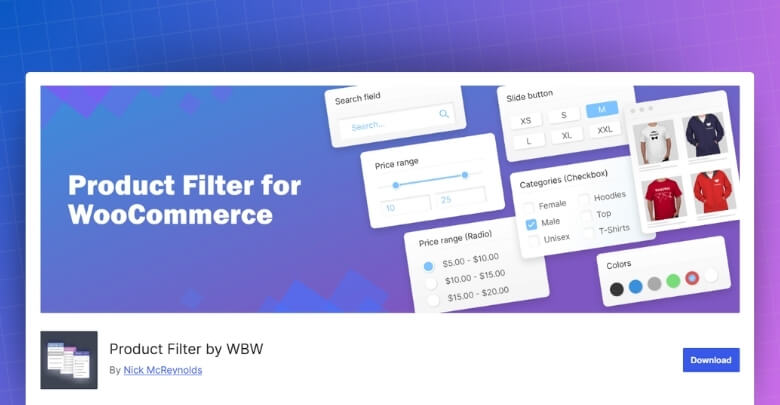
Core Features
- AJAX-based product filtering
- Category, attribute, tag, and price filters
- Search by text support
- Rating and stock filters
- Attribute icon display
- Flexible display formats
- Elementor integration
- Live preview support
- Filter statistics
- Multi-select options
Strengths
- Gives merchants more visual control over filter design
- Stronger in style-focused storefronts
- Works well with Elementor-based layouts
- Makes filter setup more visual through live preview
- Supports a wide range of display preferences
- Useful when filter presentation matters more
Limitations
- More visual settings can slow down setup decisions
- Layout flexibility may require more trial and adjustment
- Store performance still depends on the overall environment
- Larger filter groups may need more careful structuring
- Design-heavy setups may need extra compatibility checks
Real WooCommerce Use Case
Product Filter by WBW makes more sense in stores where filter design plays a visible role in the storefront, such as fashion boutiques, decor shops, or Elementor-built stores with a stronger visual identity. It is a better match when filtering needs to look more tailored, not just function well.
Dynamic AJAX Product Filters for WooCommerce
Dynamic AJAX Product Filters for WooCommerce is built for stores that want filtering to stay quick, smooth, and easy to work with as shoppers move through the catalog. As a WooCommerce AJAX product filter plugin, its overall direction is more experience-driven than design-heavy, with more attention on responsive AJAX behavior, flexible placement, and a product browsing flow that is efficient rather than overloaded.
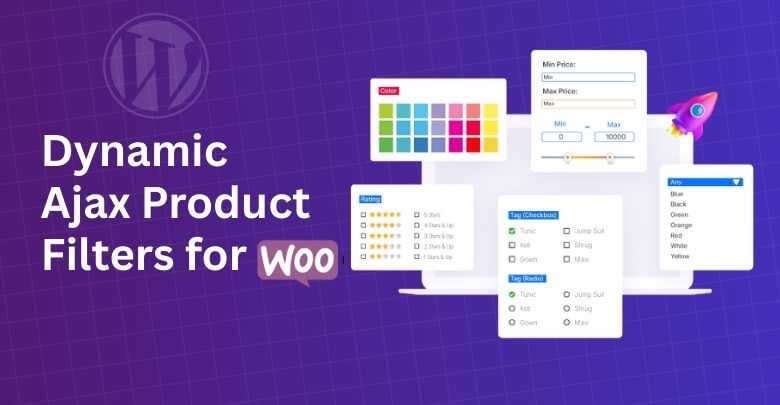
Core Features
- AJAX-based product filtering
- Category, attribute, tag, and price filters
- Custom field support
- SEO-friendly filter URLs
- Clean permalink support
- Shortcode and block support
- Mobile-ready layouts
- Page-specific filter display
- Dimensions and weight-based filtering
- Date published filtering
- SKU-based search support
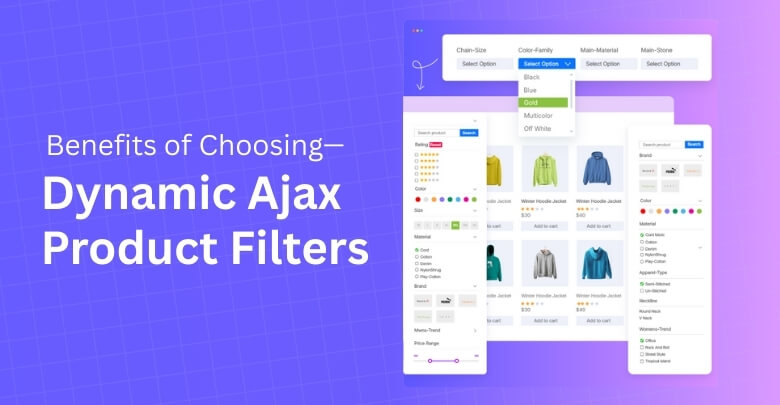
Strengths
- Makes product filtering fast on the storefront
- Keeps the browsing journey more fluid
- Adapts well to different page layouts
- Offers a balanced feature set for most stores
- Practical for ongoing store management
- Suits conversion-focused storefronts well
Limitations
- Hosting quality still affects performance
- Deeper SEO control may be limited in some cases
- Bigger catalogs can need extra optimization
- Setup may take longer when using more advanced options
- Theme-specific styling tweaks may still be needed
Real WooCommerce Use Case
This plugin works especially well in stores where shoppers tend to refine products quickly before deciding, such as apparel, beauty, gadgets, or accessory shops. It fits best when the goal is to keep product discovery feeling quick and low-friction without turning filter management into a more technical task.
Product Filter Plugin Pricing Comparison
Pricing should be evaluated in terms of long-term value, not just upfront cost. Store owners should consider how much functionality is available before upgrading, and how well the plugin supports growth without forcing costly add-ons.
| Pricing Aspect | Product Filter by WBW | Dynamic AJAX Product Filters |
| Free Version | Yes | Yes (most core features) |
| Feature Availability (Free) | Medium | High |
| Premium License | Paid | Paid |
| Renewal Required | Yes | Yes |
| Value for Large Stores | Medium | High |

Supported Filter Types and Flexibility
Filter depth can change how useful a WooCommerce filter plugin is once a catalog starts growing. Some stores only need the basics, while others rely on more varied filter types to help shoppers narrow products down in faster and more natural ways. Comparing supported filter types helps show where each plugin is more practical and where one may offer more room for store-specific needs.
| Filter Type | Product Filter by WBW | Dynamic AJAX Product Filters for WooCommerce |
| Category Filters | Yes | Yes |
| Attribute Filters | Yes | Yes |
| Price Filters | Yes | Yes |
| Tag Filters | Yes | Yes |
| Custom Taxonomy Filters | Yes | Yes |
| Custom Field Filters | Yes | Yes |
| Search Filters | Yes | Limited |
| Rating Filters | Yes | Yes |
| Stock Status Filters | Yes | Yes |
| Visual Swatch Filters | Yes | Yes |
Store Performance, User Experience, and Scalability
Store filters need to do more than work on paper. They need to respond quickly and smoothly while shoppers refine products, and stay manageable as product counts, attributes, and catalog depth increase. This is where the difference between these two plugins becomes more visible in day-to-day store use.
| Comparison Area | Product Filter by WBW | Dynamic AJAX Product Filters for WooCommerce |
| AJAX Response Feel | Smooth, but can feel more settings-driven | Faster and more streamlined |
| Shopper Experience | More customizable, but visually heavier in some setups | Cleaner and more fluid |
| Catalog Navigation | Better for stores wanting more visual filter interaction | Better for quick product narrowing |
| Storefront Simplicity | Can become more complex depending on filter design | Easier to keep light and focused |
| Large Catalog Handling | Works well, but may need more careful setup as filters grow | Better suited to practical, fast filtering flow |
| Admin Overhead | More configuration attention may be needed | Lighter day-to-day management |
| Scalability | Better for stores that want more presentation control as they expand | Strong fit for growing stores that want efficiency |
| Overall Feel | Customization-leaning | Performance-leaning |
SEO and Indexable Filter URL Capabilities
Filtered URLs can help or hurt SEO depending on how the plugin handles them. Clean URL structures, controlled indexability, and better handling of filtered pages can make a real difference for stores that want filtering to support search visibility instead of creating clutter. This is one of the areas where the gap between these two plugins becomes more practical than technical.
| SEO Aspect | Product Filter by WBW | Dynamic AJAX Product Filters |
| Clean Filter URLs | Limited | Yes |
| Index / Noindex Control | Basic | Yes |
| Crawl Budget Control | Medium | High |
| Faceted Search Safety | Basic | Strong |
| Duplicate URL Risk | Medium | Low |
Initial Setup and User Learning Curve
Not every filter plugin asks for the same amount of effort after installation. Some are easier to get running with minimal decisions, while others open up more control but ask for more time during setup. That difference becomes fairly noticeable when comparing these two plugins in a real WooCommerce workflow.
| Setup Area | Product Filter by WBW | Dynamic AJAX Product Filters for WooCommerce |
| First-Time Setup | More option-heavy from the beginning | More guided and quicker to sort out |
| Ease of Learning | Requires more familiarity over time | Simpler for most users to pick up |
| Filter Building | More customization-oriented | More streamlined |
| Layout Handling | More room to adjust, but more to manage | Easier to keep tidy across pages |
| Design Changes | Broader styling freedom with extra effort | More limited but easier to apply |
| Launch Readiness | Slower when refining display details | Faster to put into use |
| Ongoing Maintenance | Needs more attention as settings expand | Less demanding in routine use |
Theme and Plugin Compatibility
Compatibility can have a bigger impact than features in day-to-day WooCommerce use. A filter plugin may look strong on paper, but it still needs to work smoothly with the active theme, product archive structure, page builder setup, and other plugins already shaping the storefront. This is where the practical differences between these two plugins start to matter more.
| Compatibility Area | Product Filter by WBW | Dynamic AJAX Product Filters |
| Popular WooCommerce Themes | Yes | Yes |
| Custom Themes | Medium | High |
| Page Builders | Good | High |
| WooCommerce Extensions | Medium | High |
Support and Documentation Comparison
Support matters more once a filter plugin becomes part of everyday store management. Clear documentation can shorten setup time, while reliable help becomes more important when filters interact with themes, builders, or larger product catalogs. Here is how these two plugins compare in that area.
| Support Area | Product Filter by WBW | Dynamic AJAX Product Filters for WooCommerce |
| Official Plugin Page Guidance | Plugin page explains core filtering scope and customization focus | Covers setup steps, key features, shortcode usage, FAQs, and compatibility notes |
| Documentation Depth | More limited from the WordPress.org listing itself | More lightweight and plugin-page-led |
| Getting Started Clarity | More dependent on exploring settings inside the plugin | Easier to follow for basic setup |
| Theme and Setup Help | Stronger emphasis on customization, but support needs may rise with more tailored setups | Includes FAQ-style compatibility guidance |
| Public Support Footprint | More visible recent support activity on WordPress.org |
Advanced SEO & Plugin Compatibility Comparison
Advanced SEO and compatibility features can make a bigger difference than basic filtering once a WooCommerce store grows. Clean filtered URLs, better theme support, page builder flexibility, and smoother integration across different store setups all affect how well a filter plugin performs beyond the basics.
| Advanced Area | Product Filter by WBW | Dynamic AJAX Product Filters for WooCommerce |
| URL Handling | More functional than SEO-led in how filtering is presented | Supports cleaner filter URLs and permalink-based filtering |
| Indexable Filter Strategy | Less clearly positioned around indexable filter page strategy | Better aligned with stores that want filtered URLs to support SEO planning |
| AJAX Filtering Mode | Supports AJAX filtering with stronger emphasis on display-side control | Supports AJAX updates with URL-based and AJAX-oriented flexibility |
| Theme Compatibility | Works with WooCommerce setups, but more customized layouts may need closer testing | Presented as compatible with most WordPress themes, including custom and premium themes |
| Page Builder Support | Stronger appeal for stores using Elementor-style visual building workflows | Supports shortcode, block, and flexible layout placement |
| Filter Placement Flexibility | More geared toward merchants who want more control over how filters appear visually | Better suited to varied storefront placements across shop and archive layouts |
| SEO Metadata Direction | Better suited to navigation-first use than SEO-first filter page planning | More naturally aligned with stores treating filtered URLs as part of search visibility planning |
| Best Advanced Fit | Stores wanting more visual filter control in builder-friendly layouts | Stores wanting cleaner SEO handling with broad compatibility |
Which Plugin Is Better for Which Type of Store?
Best fit becomes clearer when you look at how filtering supports the store as a whole. Some WooCommerce shops need a faster, more utility-driven setup, which is where Dynamic AJAX Product Filters for WooCommerce starts to make more sense. Others put more weight on how filters blend into the storefront design and how much visual control the team has during setup.
| Store Type | Better Choice | Reason |
|---|---|---|
| Small store | Product Filter by WBW | UI flexibility |
| Medium store | Depends | Visual vs performance |
| Large store | Dynamic AJAX Product Filters | Scalable performance |
| SEO-driven store | Dynamic AJAX Product Filters | Clean URLs |
| Design-centric store | Product Filter by WBW | Visual layouts |
| Non-technical owner | Dynamic AJAX Product Filters | Easier setup |
Common Problems Caused by Filter Plugins
Filter plugins can improve product discovery, but they can also create practical issues when the setup is not handled carefully. Some problems affect store performance, some affect SEO, and others show up in the shopper experience. Knowing these risks early makes it easier to choose the right plugin and avoid mistakes during setup.
- Slow Filtering Performance: Heavy filter queries, weak hosting, or poorly optimized product data can make filtering feel slower than expected, especially on larger catalogs.
- Messy Filter URLs: Some plugins can create long or inconsistent filtered URLs, which makes them harder to manage, less user-friendly, and less helpful from an SEO perspective.
- Duplicate or Thin Pages: Filter combinations can generate many low-value pages with nearly identical product listings, which may create SEO clutter if they are left indexable.
- Theme Layout Conflicts: Filters do not always blend perfectly with every WooCommerce theme, so styling issues or layout adjustments may still be needed.
- Plugin Compatibility Issues: Conflicts can appear when filter plugins interact with page builders, caching tools, custom product setups, or other WooCommerce extensions.
- Overcomplicated Filter Setup: More settings and display options can make the backend feel harder to manage, especially when stores try to configure too many filters at once.
- Poor Mobile Filter Experience: Filters that look fine on desktop may feel crowded or awkward on smaller screens if mobile behavior is not configured well.
- Weak Storefront Clarity: Adding too many filter choices can make navigation feel heavier instead of helping shoppers find products faster.
- Higher Maintenance Over Time: As catalogs grow, filters often need more cleanup, testing, and adjustments to stay useful and organized.
- Limited SEO Control: Some plugins work well for shopper navigation but offer less control over how filtered pages behave in search.
Which Product FilterPlugin Should I Choose?
The best choice depends on what kind of filtering experience you want your store to deliver. If the main goal is to keep product discovery quick, smooth, and easy to manage without adding too much complexity behind the scenes, Dynamic AJAX Product Filters for WooCommerce feels like the more practical direction. It fits stores that want filtering to work efficiently across the storefront while keeping setup and ongoing management more manageable.
Product Filter by WBW makes more sense when filtering is expected to do more on the visual side of the storefront. It stands out more in stores where filter layout, styling flexibility, and builder-friendly customization are part of the overall shopping experience rather than just a utility feature.
In simple terms, Dynamic AJAX Product Filters for WooCommerce works better when functionality, speed, and cleaner usability come first. Product Filter by WBW is the stronger fit when presentation, design control, and visual customization matter just as much as filtering itself.
Frequently Asked Questions
Before making a decision, many store owners still have a few doubts about how these plugins work in real-world use. Here are some common questions that often come up after exploring both options.
Can I Use These Plugins With a Multi-Vendor Marketplace?
Yes, both plugins work with most multi-vendor setups built on WooCommerce. You might need to adjust filter placement depending on your theme. It’s always best to test on a staging site first.
Do These Filters Work With Custom Product Types?
They can handle custom product types if those products use standard WooCommerce taxonomies or attributes. If you have highly unique product data, some extra setup or mapping may be required. Testing is recommended.
Will Adding Filters Slow Down My Website?
Filters add database queries, but both plugins use AJAX to keep pages responsive. Performance mainly depends on your hosting and catalog size. Using caching and optimized queries helps maintain speed.
Can I Track Which Filters My Customers Use Most?
Product Filter by WBW has built-in statistics to monitor filter usage. Dynamic Ajax Product Filters requires external analytics for similar insights. Tracking can help you refine your filter design over time.
Are These Plugins Suitable for Non-Technical Store Owners?
Yes, both come with clear settings and drag-and-drop options. WBW may feel more beginner-friendly, while Dynamic Ajax offers more styling flexibility. Watching setup videos can make the learning curve smoother.
Final Verdict: Product Filter by WBW vs Dynamic AJAX Product Filters
Dynamic AJAX Product Filters for WooCommerce makes more sense for stores that want filtering to stay fast, clean, and easy to manage as the catalog grows. It is a better fit when the main goal is helping shoppers find products quickly without turning filter setup into something heavier than it needs to be.
Product Filter by WBW leans in a different direction. It suits stores that want filters to play a bigger role in the storefront itself, not just in product sorting. That makes it easier to prefer when visual presentation, styling choices, and layout flexibility matter more.
In the end, Product Filter by WBW vs Dynamic AJAX Product Filters for WooCommerce comes down to what role filtering should play on your store. If you want it to stay practical, quick, and easy to live with, Dynamic is the stronger match. If you want filters to contribute more to the visual side of the shopping experience, WBW will likely feel like the better fit.
