
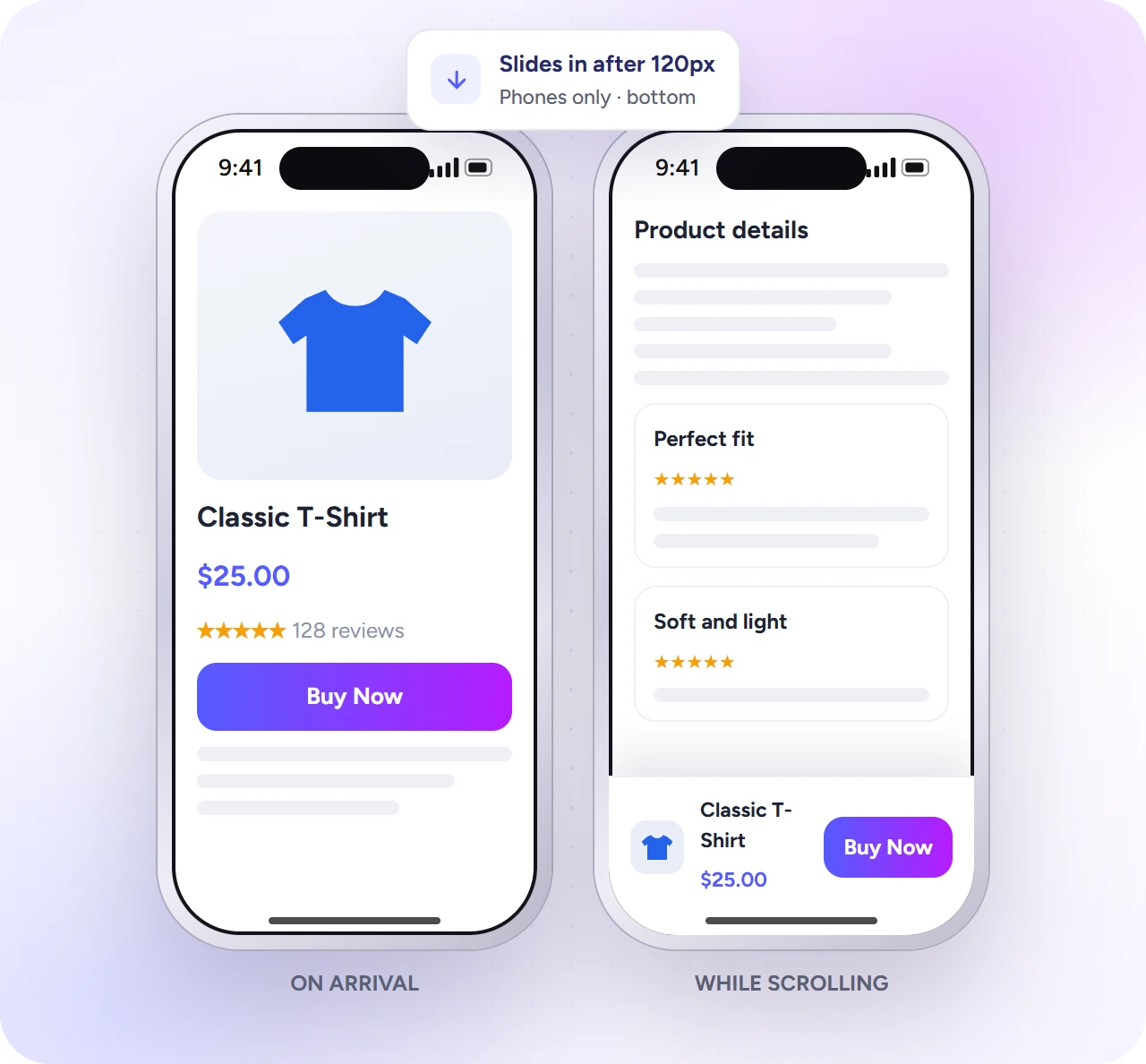
On a phone, Add to Cart scrolls out of view on a long product page. The sticky bar keeps a Buy Now button fixed on screen after the shopper scrolls. It is free.
| Setting | What it does |
|---|---|
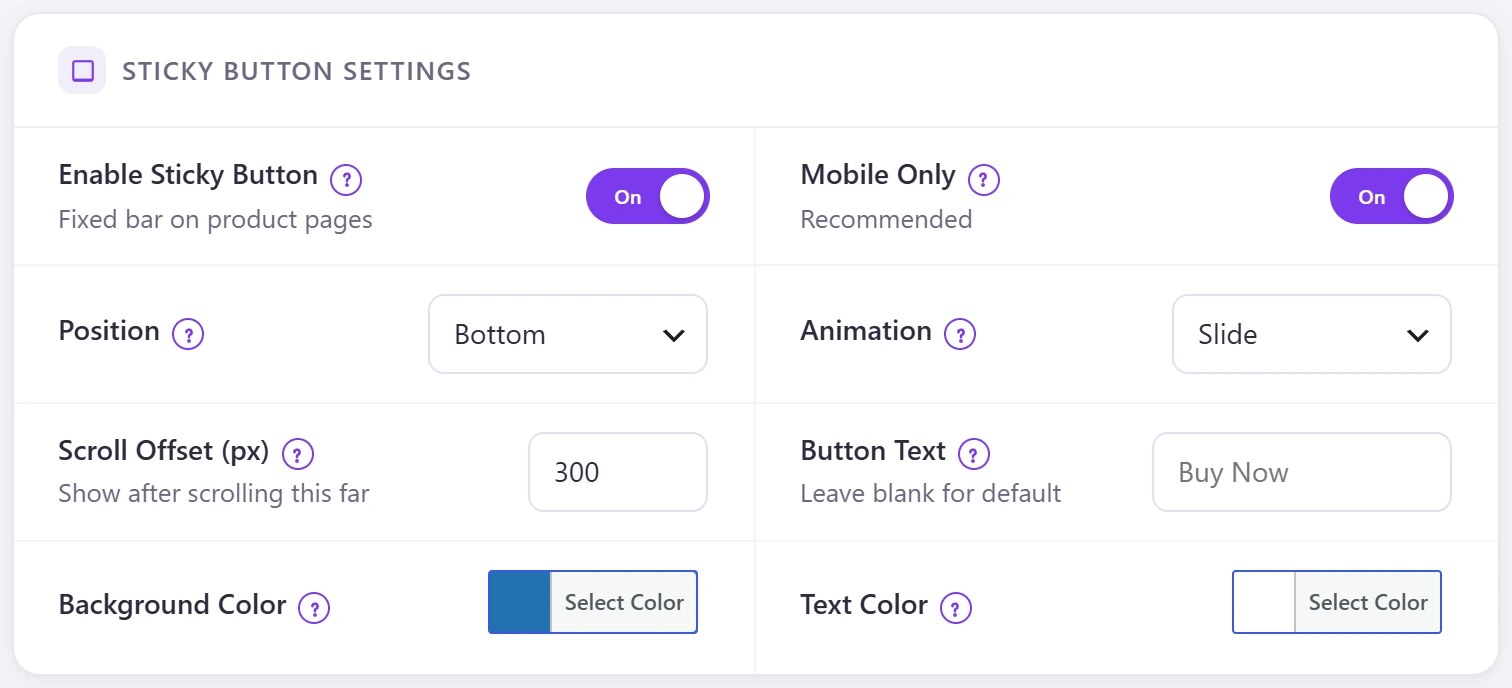
| Enable Sticky Button | Fixed bar on product pages. |
| Mobile Only | Recommended: phones only. Off shows it on every device. |
| Position | Bottom or top of the screen. |
| Animation | Slide, fade or none. |
| Scroll Offset (px) | Appears after scrolling this far (default 300). |
| Button Text | Blank for “Buy Now”. |
| Background / Text Color | Bar colours. |
The bar moves up when a cookie or GDPR notice shows, and once a shopper closes it, it stays closed while they browse. Turn it off for one product in its settings.
If your theme has its own sticky add-to-cart bar, turn one of them off so shoppers do not see two.