
Any Slidario slider can be scheduled to show only between a start and an end date, for example a Black Friday product slider. Outside those dates the slider is not shown. Scheduling is free.
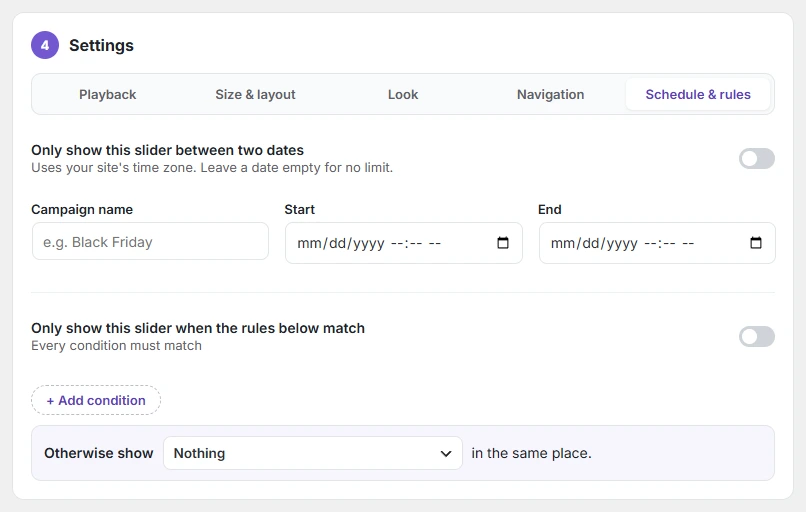
- Open the slider and go to 4 Settings → Schedule (Schedule & rules in Pro).
- Turn on Only show this slider between two dates.
- Optional: enter a Campaign name such as Black Friday.
- Set Start and End. Leave one empty for no limit on that side.
- Click Update.
Dates use your site’s time zone from Settings → General. The dashboard’s Needs attention card reminds you when a schedule starts within 7 days or ends within 3 days.