
All sections
On this page
Each Slidario product card can show the image, title, price, rating, badges, an Add to cart button and a Quick View button. Quick view opens the product in a popup, so shoppers can add it to the cart without leaving the page. All card options are free.
Choose what each card shows
In the slider’s 3 Products → Product card shows, turn Image, Title, Price, Rating, Badges, Add to cart and Quick view on or off.
The quick view popup
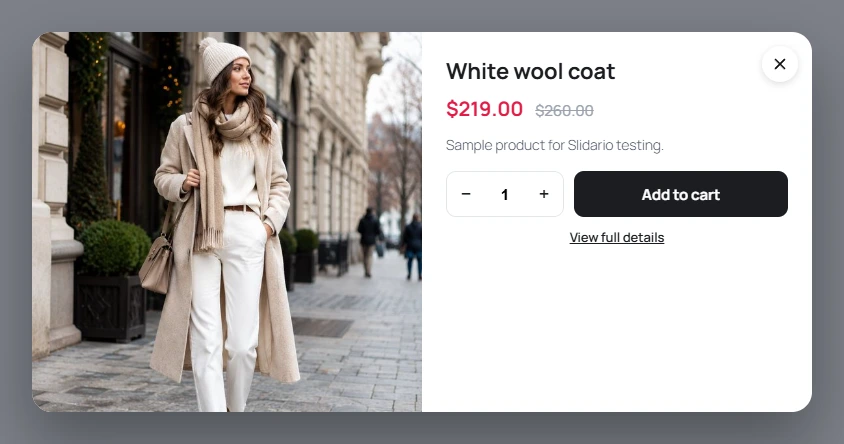
- Shows the image, title, rating and review count, price, a short description (40 words), a quantity stepper and Add to cart.
- View full details opens the product page.
- Close it with the ✕ button, the Escape key or a click outside.
- It works on cached pages too.