
All sections
On this page
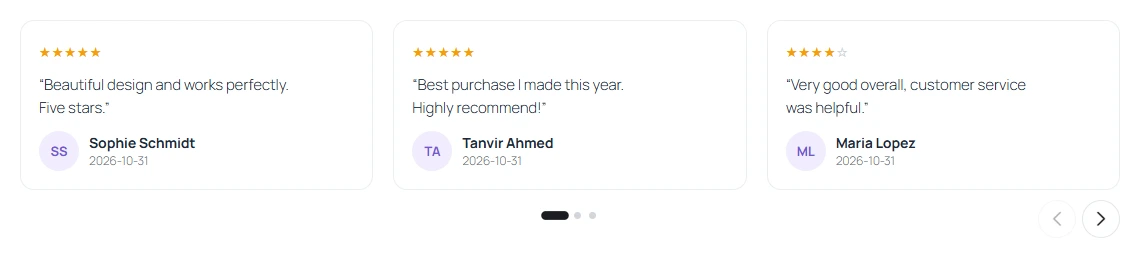
A Slidario review slider shows customer reviews with stars, photo or initials, name and date. It can use reviews you add yourself (copied from Google, Facebook or an email) or your WooCommerce product reviews, and adds review schema for search engines. Card and Minimal are free; Testimonial is Pro.

Add your own reviews
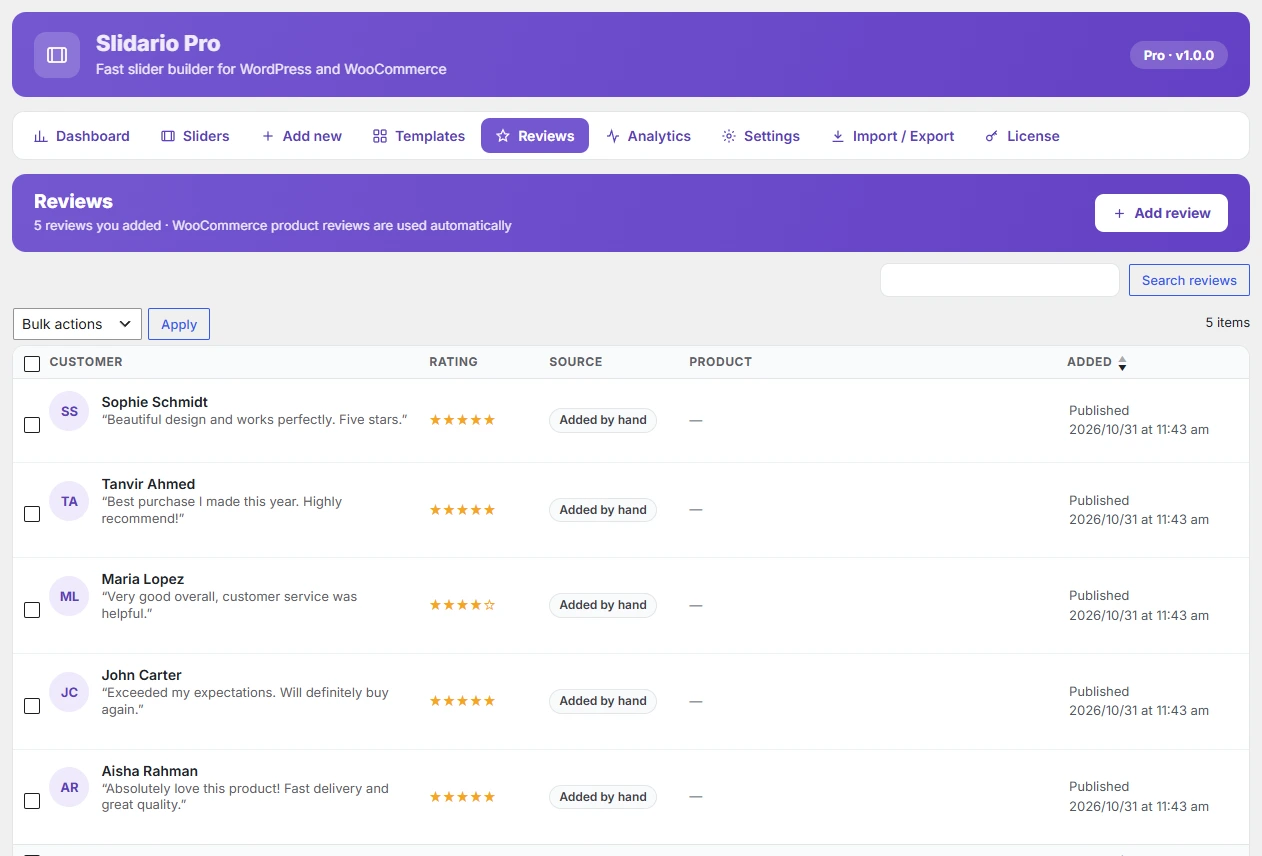
- Go to Slidario → Reviews and click Add review.
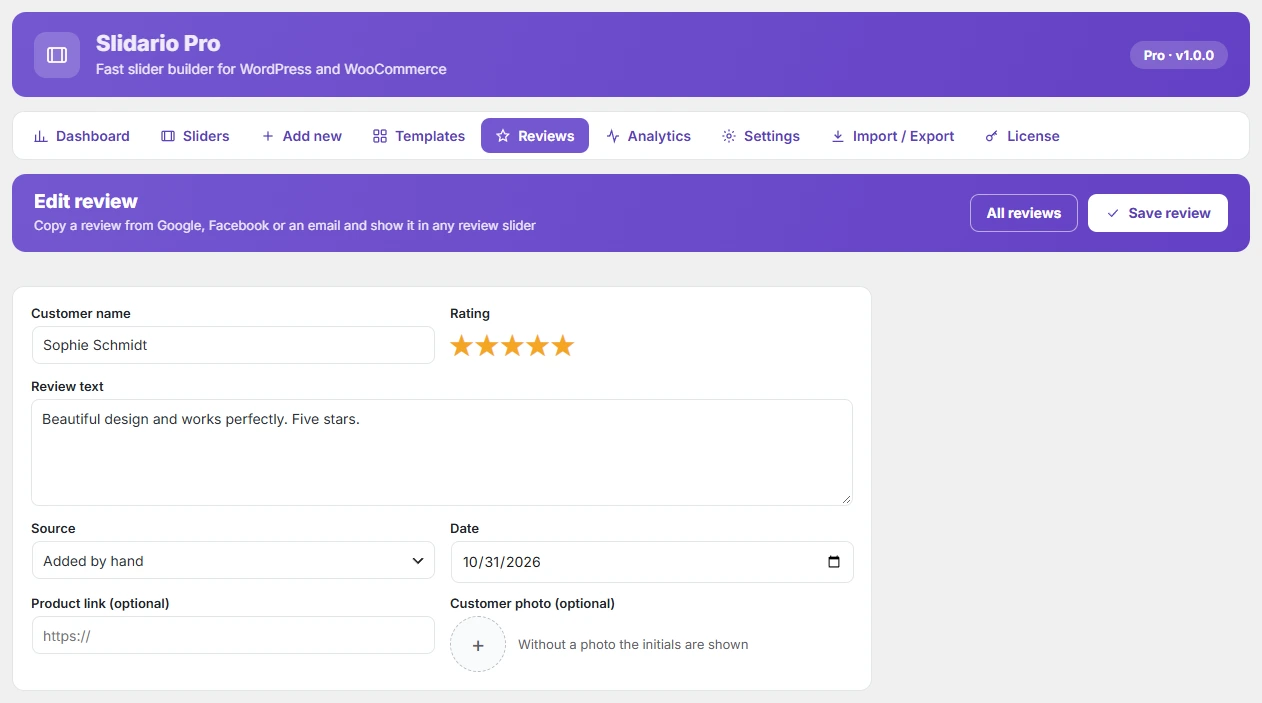
- Fill in Customer name, Rating (1–5 stars), Review text, Source (Added by hand, Google or Facebook) and Date.
- Optional: a Product link and a Customer photo. Without a photo the initials are shown.
- Click Save review.
Make the slider
- Create a slider and choose Reviews.
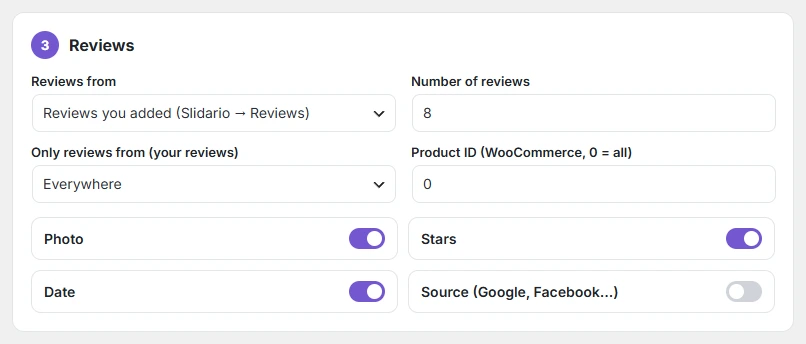
- Under Reviews from, choose Reviews you added (Slidario → Reviews) or WooCommerce product reviews.
- Set the number of reviews. For your reviews you can show only one source; for WooCommerce reviews you can enter a product ID (0 = all products).
- Turn Photo, Stars, Date and Source on or off, then publish.
WooCommerce reviews from verified owners show “✓ Verified buyer”.