
All sections
On this page
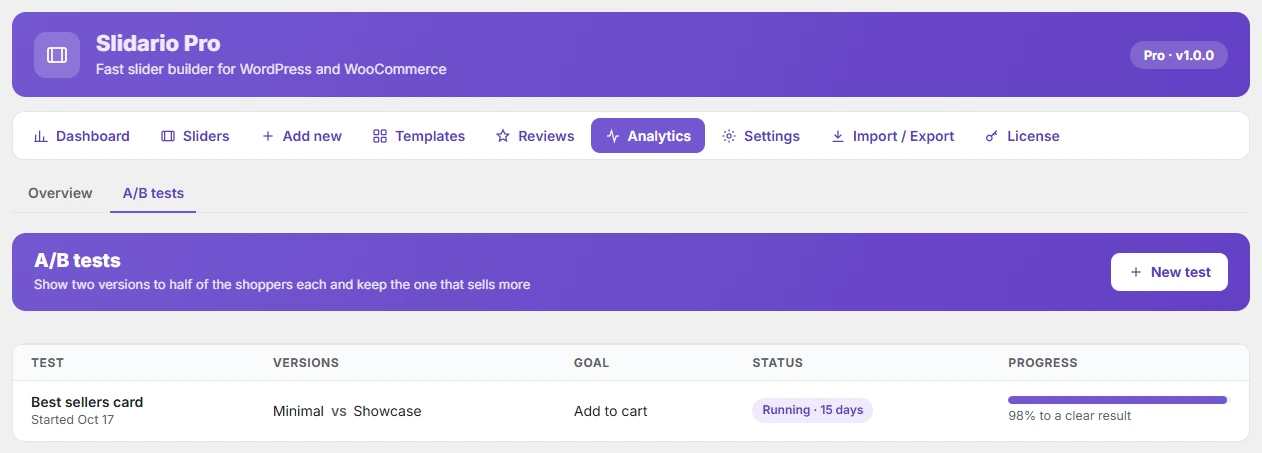
A/B tests in Slidario Pro show two versions of a slider to half of your shoppers each and tell you which one gets more clicks, add-to-carts or revenue. When the result is clear, use the winner for everyone with one click.
This feature is part of Slidario Pro and works while your Pro license is active. In the free plugin it shows with a PRO badge.
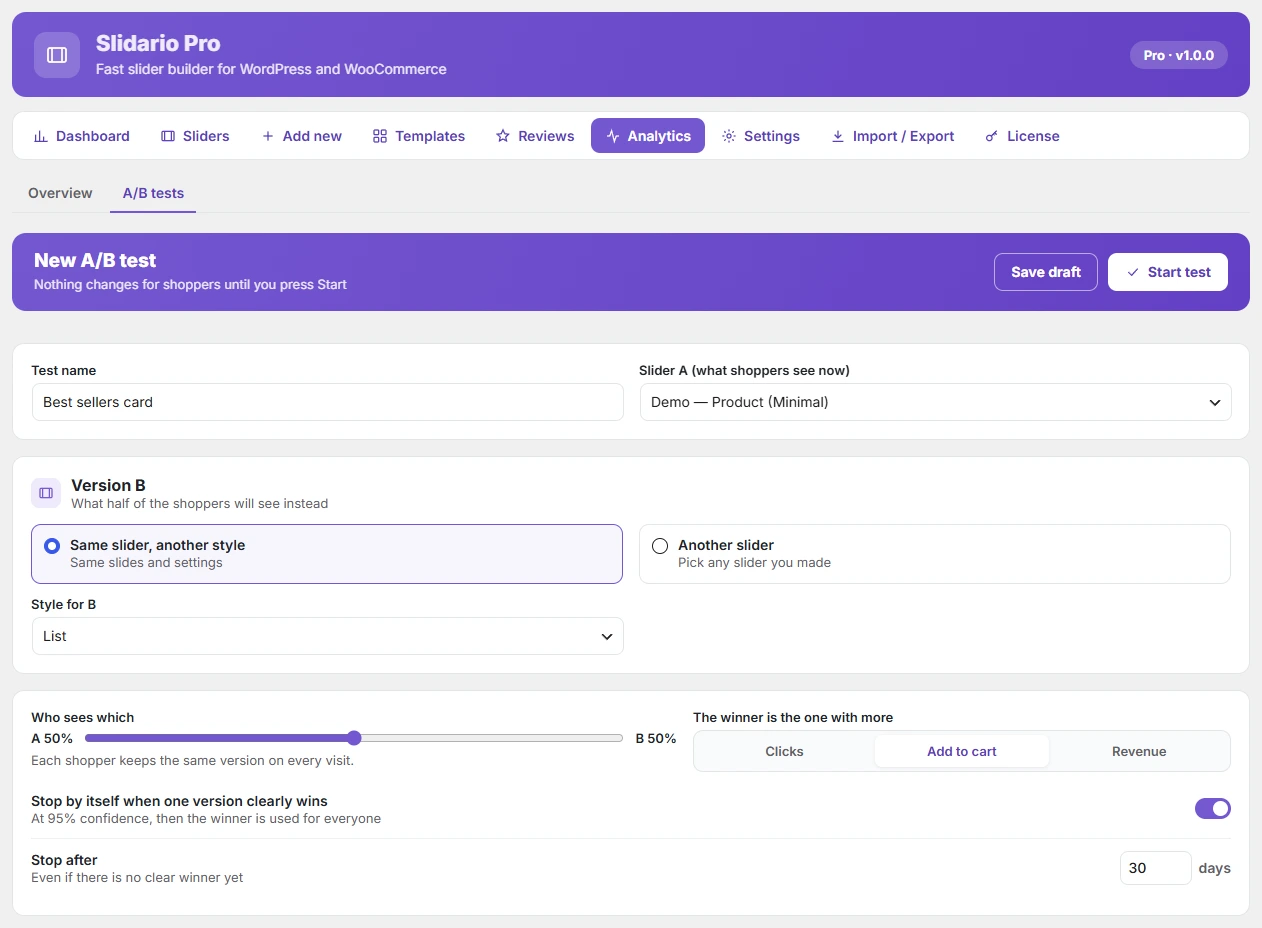
Start a test
- Go to Slidario → Analytics → A/B tests and click New test.
- Name the test and pick Slider A, the one shoppers see now.
- Choose Version B: Same slider, another style (pick the style) or Another slider.
- Set Who sees which (10–90% for B, default 50/50). Each shopper keeps the same version on every visit.
- Choose the goal: Clicks, Add to cart or Revenue.
- Keep Stop by itself when one version clearly wins on, and set Stop after (default 30 days).
- Click Start test, or Save draft.
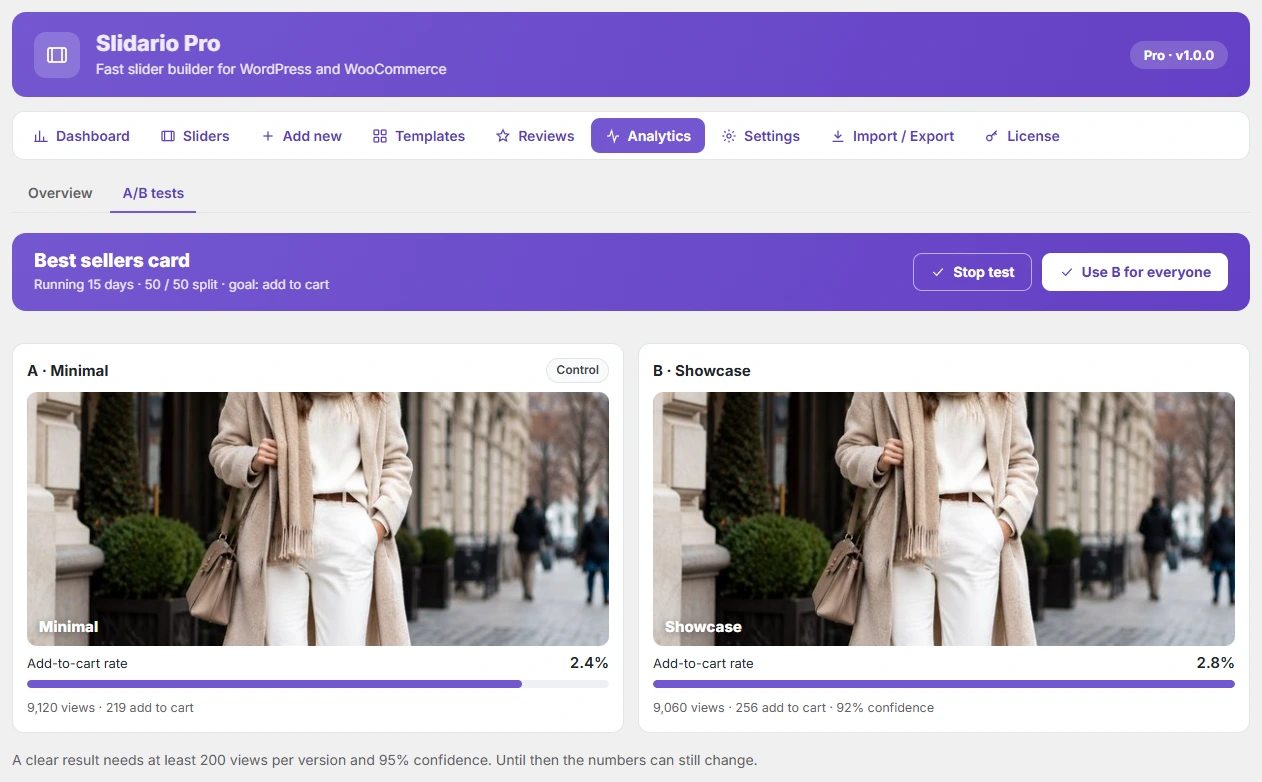
When is a result clear?
A result is clear at 95% confidence with at least 200 views per version. Slidario checks every hour. With Stop by itself on, the winner is then used for everyone. When the time limit ends, the leader wins only if the result is clear.
Finish a test
- Use B for everyone copies version B into slider A. The old settings are kept as a backup.
- Stop test keeps version A.
Only one test can run per slider, and your own admin visits are not counted.