
All sections
Slidario can export your sliders and reviews to a file and import them on another site, for example to move from a staging site to the live one or to keep a backup. Import and export are free.
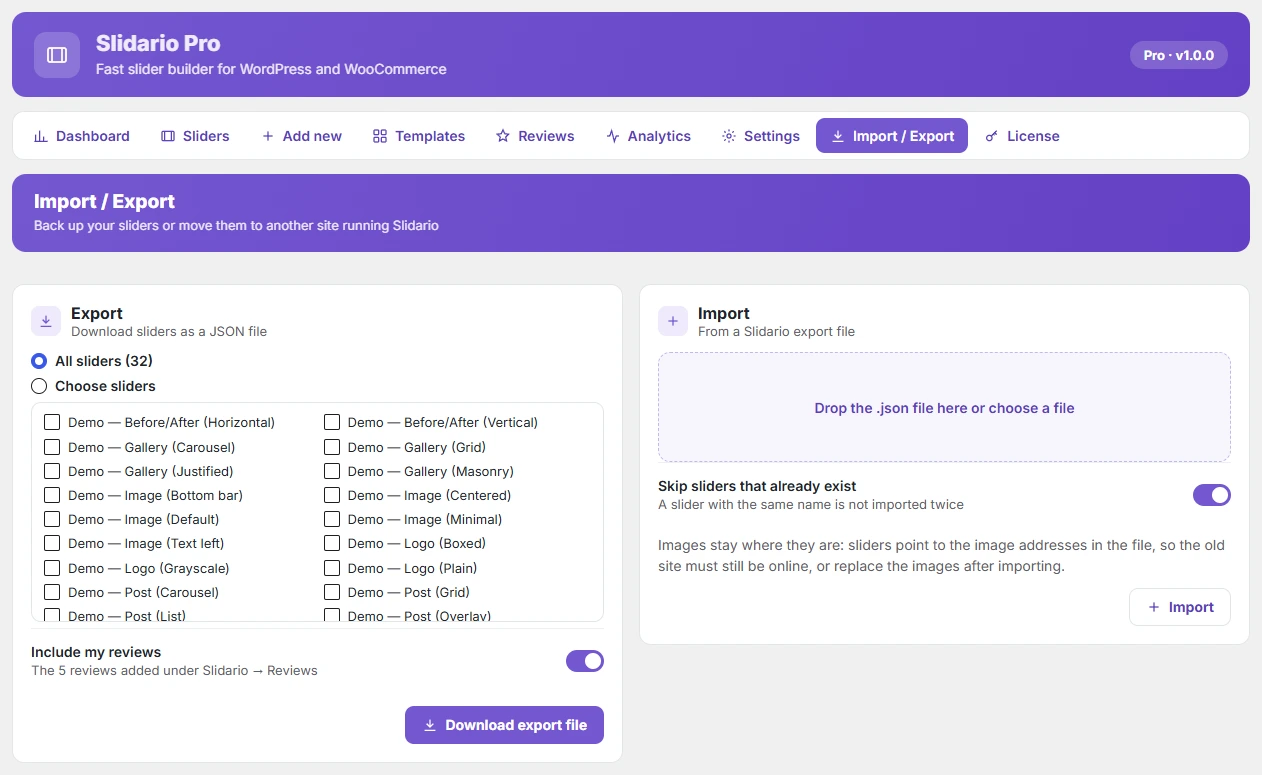
Export
- Go to Slidario → Import / Export.
- Choose All sliders (published sliders) or Choose sliders and tick the ones you want.
- Keep Include my reviews on to add the reviews from Slidario → Reviews.
- Click Download export file. You get a
.jsonfile.
Import
- On the other site, drop the
.jsonfile on the import box or choose it. - Keep Skip sliders that already exist on so a slider with the same name is not imported twice.
- Click Import. The message shows how many sliders and reviews were imported or skipped.
Images stay where they are: imported sliders point to the image addresses in the file. Keep the old site online, or replace the images after importing. The file can be up to 2 MB with up to 200 sliders and 500 reviews.