

Looking for the best WooCommerce price filter plugins to improve your store’s user experience and conversions? A powerful price filter helps shoppers quickly find products within their budget, especially in stores with large catalogs. This simple feature can directly impact engagement, reduce bounce rate, and increase sales.
WooCommerce’s default price filter is limited and often lacks AJAX functionality, which slows down the browsing experience. That’s why store owners rely on advanced solutions like WooCommerce AJAX price filter plugins and dynamic product filters for WooCommerce. In this guide, we’ll explore the top WooCommerce price filter plugins that offer better performance, SEO control, and flexible filtering options for modern eCommerce stores.
Quick Answer
WooCommerce price filter plugins allow customers to filter products by price using sliders or range inputs, often with AJAX-based instant results. The best WooCommerce price filter plugins improve user experience, speed up product discovery, and increase conversions. Popular options include Dynamic AJAX Product Filters, Barn2 Product Filters, and Premmerce, which offer advanced filtering, SEO-friendly URLs, and high performance for large product catalogs.
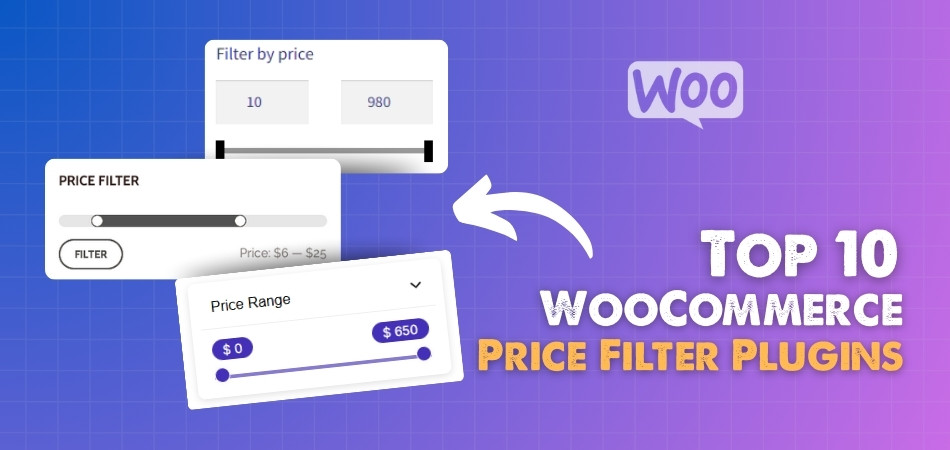
What Are WooCommerce Price Filter Plugins?
Before choosing the right tool, it’s important to understand what these plugins actually do and why they matter for your store performance. Below are the key aspects that define WooCommerce price filter plugins and how they improve product discovery.
Price Filtering Functionality
WooCommerce price filter plugins allow customers to narrow down products based on a specific price range using sliders, input fields, or predefined ranges. Instead of scrolling through hundreds of products, users can instantly focus on items that match their budget, making the shopping experience faster and more efficient.
AJAX-Based Instant Filtering
Most modern plugins include WooCommerce AJAX price filter functionality, which updates product results instantly without reloading the page. This creates a smoother browsing experience, reduces friction, and keeps users engaged longer, especially on stores with large inventories or multiple categories.
Advanced Filtering Integration
These plugins are not limited to price filtering alone. They usually work alongside other filters like categories, attributes, tags, ratings, and stock status. This creates a dynamic product filtering system in WooCommerce, allowing users to combine multiple conditions and find exactly what they need in seconds.
SEO-Friendly Filtering Capabilities
High-quality plugins generate SEO-friendly URLs for filtered results and allow control over indexing. This helps prevent duplicate content issues while still enabling search engines to crawl valuable filter combinations, improving your store’s visibility for long-tail search queries.
Mobile and UX Optimization
Modern WooCommerce price filter plugins are built with responsive design in mind. They ensure that sliders, buttons, and filter layouts work smoothly on mobile devices, which is critical since a large portion of eCommerce traffic comes from smartphones.
WooCommerce price filter plugins transform product browsing into a faster, more user-friendly experience, helping both customers and search engines navigate your store more effectively.
Why Default WooCommerce Price Filter Fails
Before jumping into the best WooCommerce price filter plugins, it’s important to understand why the default system often creates problems. This will help you position your plugin recommendations stronger and capture problem-based search intent.
No AJAX Filtering (Slow User Experience)
The default WooCommerce price filter reloads the entire page every time a user selects a price range. This breaks the browsing flow and makes the experience feel slow, especially on stores with large product catalogs. Modern users expect instant results, and without AJAX-based filtering, many visitors leave before finding what they need.
Limited Customization Options
WooCommerce’s built-in price filter offers very basic functionality. You cannot fully customize the design, layout, or behavior of the filter. For example, adding advanced sliders, styling options, or multi-range filters is not possible without using a dedicated WooCommerce AJAX price filter plugin.
Poor Mobile Optimization
The default filter is not optimized for mobile-first browsing. On smaller screens, it can feel clunky and difficult to use, which directly affects conversions. Since a large portion of traffic comes from mobile users, this limitation can significantly reduce engagement and sales.
Weak SEO Control
Another major drawback is the lack of SEO-friendly filtering. The default system does not generate optimized URLs or give you control over indexing. This can create crawl inefficiencies and missed opportunities for ranking long-tail keywords related to filtered product searches.
Not Built for Large Stores
For stores with hundreds or thousands of products, the default filter struggles with performance. It lacks advanced query optimization and efficient data handling, which can slow down your site and impact both user experience and search rankings.
The default WooCommerce price filter is too limited for modern eCommerce needs, making advanced WooCommerce price filter plugins essential for speed, SEO, and better user experience.
Key Features to Look for in a Price Filter Plugin
Now that you understand the limitations of the default system, the next step is knowing what actually makes a WooCommerce price filter plugin powerful and worth using. The features below will help you evaluate plugins based on performance, SEO, and user experience.
AJAX-Based Filtering (Must-Have)
A good WooCommerce AJAX price filter should update results instantly without reloading the page. This improves browsing speed and keeps users engaged. It also reduces friction during product discovery, which directly impacts conversion rates and overall user satisfaction on your store.

Advanced Price Slider UI
The plugin should offer a smooth and responsive price slider with options like min-max input, step control, and currency formatting. A well-designed slider makes it easier for users to adjust their budget range quickly, especially on mobile devices where precision matters more.
SEO-Friendly URL & Index Control
Top plugins allow you to control how filtered pages behave in search engines. Features like clean URLs, index or noindex settings, and compatibility with SEO plugins help prevent duplicate content issues while still capturing valuable long-tail traffic from filtered searches.
Multi-Filter Support (AND/OR Logic)
A powerful plugin should allow combining price filters with categories, attributes, tags, and ratings. Advanced logic like AND or OR filtering ensures users can refine results more precisely, which is essential for stores with diverse product variations.
Performance Optimization for Large Catalogs
If your store has hundreds or thousands of products, the plugin must be optimized for speed. Look for features like query optimization, caching compatibility, and lightweight scripts. This ensures smooth filtering even with 40k+ products.
Mobile-Friendly and Responsive Design
Since most users browse on mobile, the filter must work seamlessly across devices. Features like collapsible filters, off-canvas panels, and touch-friendly sliders improve usability and make navigation easier on smaller screens.
Page Builder & Theme Compatibility
The plugin should integrate smoothly with Elementor, Gutenberg, and popular WooCommerce themes. This allows you to place filters anywhere on your site, such as sidebars, product grids, or custom landing pages without breaking layout or design.
Choosing a WooCommerce price filter plugin with the right features ensures faster browsing, better SEO control, and a smoother shopping experience across all devices.
Top 10 WooCommerce Price Filter Plugins (Comparison Table)
Price filtering helps customers narrow down products within a specific budget range, improving product discovery and increasing conversion rates.
The table below compares the best WooCommerce price filter plugins based on performance, flexibility, and pricing features.
| Plugin Name | Price Filter Type | AJAX Support | Range Slider | Large Catalog Performance | UI Flexibility |
| Dynamic AJAX Product Filters for WooCommerce | Advanced (min/max + dynamic) | Yes | Yes | Excellent | High |
| Barn2 WooCommerce Product Filters | Advanced + indexed filtering | Yes | Yes | Excellent | Medium |
| Premmerce Product Filter | Advanced + cached filtering | Yes | Yes | Excellent | Medium |
| Advanced AJAX Product Filters | Basic to advanced | Yes | Yes | Good | Medium |
| JetSmartFilters | Dynamic range filters | Yes | Yes | Good | Very High |
| HUSKY (WOOF) | Flexible price filtering | Yes | Yes | Depends on setup | High |
| Filter Everything | Advanced + SEO pages | Yes | Yes | Good | High |
| YITH WooCommerce AJAX Product Filter | Standard + premium controls | Yes | Yes | Good | Medium |
| WBW Product Filter | Basic to advanced | Yes | Yes | Medium | Medium |
| WPC Smart Price Filter | Basic slider filtering | Yes | Yes | Small stores | Low |
| WooCommerce Product Filters (Official) | Standard price filtering | Yes | Yes | Good | Medium |
Key Insights
- Best overall price filtering – Dynamic AJAX Product Filters and Barn2 provide fast, accurate filtering with strong performance
- Best for large stores – Barn2 and Premmerce use indexing and caching for handling large product catalogs
- Best UI flexibility – JetSmartFilters offers the most design control
- Best lightweight option – Advanced AJAX Product Filters and WPC Smart Filter work well for smaller stores
A strong price filter improves user experience by helping customers quickly find products within their budget, increasing engagement and conversions.
Top 10 WooCommerce Price Filter Plugins (Detailed Review)
Now that you know what features matter, let’s break down the best WooCommerce price filter plugins based on performance, SEO capability, flexibility, and real-world usability. Each plugin below is evaluated using an EEAT-focused structure so you can choose with confidence.
Dynamic AJAX Product Filters for WooCommerce (Best Overall)
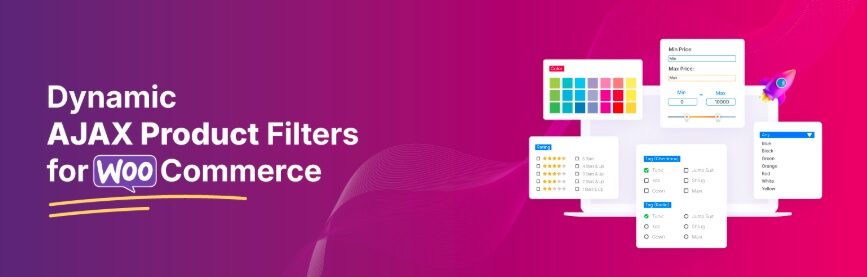
Dynamic AJAX Product Filters for WooCommerce is developed by Plugincy, a specialized WooCommerce plugin provider focused on performance-driven solutions. The plugin is widely used for advanced filtering and is designed specifically for modern eCommerce stores that require speed, flexibility, and SEO control.
Key Features (Bullets)
- AJAX-based instant filtering without page reload
- Advanced price slider with min-max range control
- Filter by price, category, attributes, tags, ratings, and stock
- SEO-friendly URLs with index/noindex control
- AND/OR filter logic for advanced product discovery
- Multiple layout options (sidebar, top bar, mobile panel)
- Works with Elementor, Gutenberg, and shortcode integration
- Optimized for large product catalogs (40k+ products)
These features align with modern filter expectations where plugins use dynamic queries and AJAX to instantly update product listings for better UX
Best For (Use Case)
This plugin is best for growing and large WooCommerce stores that need high-speed filtering, advanced customization, and strong SEO control. It is especially useful for stores with multiple categories, attributes, and complex product variations.
Pros
- Very fast filtering performance with AJAX
- Strong SEO optimization (clean URLs, indexing control)
- Handles large product catalogs smoothly
- Highly flexible filter placement and design
- Works well with page builders and custom layouts
Cons
- Advanced settings may require initial configuration
- Some features are only available in the Pro version
- Beginners may need time to understand full capabilities
Pricing
- Free version available with core features
- Pro version unlocks advanced filters, SEO controls, and UI flexibility
- Starts at $49/year for one site. Free version available
Performance Note
This plugin is built with optimized queries and efficient data handling, allowing it to deliver instant filtering even for large WooCommerce stores. Modern filter systems rely on indexing and AJAX to maintain speed across thousands of products, which significantly improves user experience and conversion rates
Dynamic AJAX Product Filters stands out as an all-in-one WooCommerce price filter plugin, combining speed, SEO control, and scalability for serious eCommerce growth.
Barn2 WooCommerce Product Filters (Best for Large Stores)
Barn2 WooCommerce Product Filters is developed by Barn2 Plugins, a well-known WooCommerce-focused company recognized for building high-quality, performance-driven plugins. Barn2 has a strong reputation in the WordPress ecosystem, with widely used products like Product Table and Wholesale Pro. This plugin is designed for stores that need reliable, scalable filtering with clean code and long-term support.
Key Features (Bullets)
- AJAX-based filtering with instant product updates
- Advanced price slider with dynamic range selection
- Filter by categories, attributes, tags, ratings, and custom taxonomies
- Flexible display options including sidebar, dropdown, and horizontal filters
- Seamless integration with WooCommerce themes and layouts
- Pre-built filter templates for quick setup
- Works with large product databases efficiently
- Compatible with most page builders and WooCommerce extensions
Best For (Use Case)
This plugin is best for high-traffic WooCommerce stores and enterprise-level businesses that require stable performance and reliable filtering. It works particularly well for stores with large inventories, multiple product variations, and customers who need fast, structured navigation to find products quickly.
Pros
- High-quality code ensures stable and consistent performance
- Smooth AJAX filtering improves user experience
- Easy to set up with pre-configured filter layouts
- Strong compatibility with WooCommerce ecosystem
- Excellent customer support and documentation
Cons
- No free version available for testing
- Less advanced SEO control compared to some competitors
- Customization options are slightly limited compared to developer-focused plugins
Pricing
- Premium-only plugin with annual subscription
- Pricing depends on the number of sites and support level included
- Starts at $79/year for one site. No free version
Performance Note
Barn2 WooCommerce Product Filters is optimized for performance and handles large product catalogs without slowing down the store. Its lightweight architecture and efficient AJAX queries ensure fast filtering even under heavy traffic conditions, making it suitable for enterprise WooCommerce setups where speed and reliability are critical.
Barn2 WooCommerce Product Filters is a reliable choice for large-scale stores, offering stable performance, clean filtering, and strong usability for high-volume eCommerce environments.
Premmerce Product Filter for WooCommerce (Best for SEO)
Premmerce Product Filter is developed by Premmerce, a company known for building WooCommerce-focused solutions with a strong emphasis on SEO and structured data handling. Their ecosystem includes multiple WooCommerce plugins designed to improve search visibility, performance, and catalog management. This plugin is widely used by stores that prioritize organic traffic and long-tail keyword targeting.

Key Features
- AJAX-based filtering with instant product updates
- Advanced price slider with flexible range control
- SEO-friendly URLs for filtered pages
- Index and noindex control for filter combinations
- Filter by categories, attributes, tags, and custom taxonomies
- Smart caching system for faster filter loading
- Clean and structured URL parameters for better crawlability
- Integration with popular SEO plugins and WooCommerce themes
Best For (Use Case)
This plugin is best for SEO-focused WooCommerce stores that want to rank for filtered product searches and long-tail keywords. It is especially useful for stores with large inventories where search engine visibility and structured filtering pages play a major role in traffic growth.
Pros
- Strong SEO optimization with clean URL structures
- Helps capture long-tail search traffic from filtered pages
- Lightweight and efficient filtering performance
- Flexible filter combinations for better product discovery
- Works well with SEO plugins and indexing strategies
Cons
- User interface is less modern compared to premium competitors
- Advanced customization may require technical understanding
- Some features are limited in the free version
Pricing
- Free version available with basic filtering features
- Premium version includes advanced SEO controls and extended functionality
- Starts at $69.99/year. Free version available.
Performance Note
Premmerce Product Filter is built with a focus on both speed and crawl efficiency. Its structured URL system and caching mechanism help maintain fast loading times while ensuring search engines can properly understand and index filtered pages, which improves visibility in AI-driven search results and long-tail queries.
Premmerce Product Filter is a strong choice for WooCommerce stores aiming to combine price filtering with SEO growth, making it ideal for long-term organic traffic strategies.
Advanced AJAX Product Filters (Best Lightweight AJAX Solution)
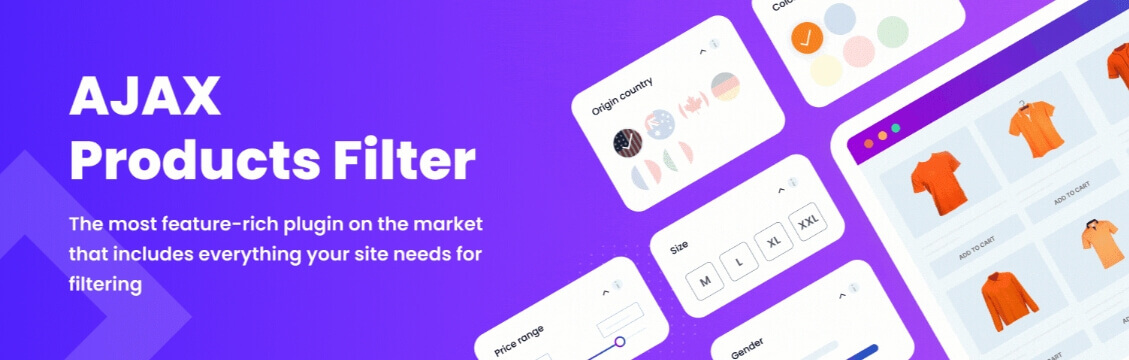
Advanced AJAX Product Filters is developed by BeRocket, a well-established WooCommerce plugin developer known for creating performance-focused extensions. BeRocket has been active in the WooCommerce ecosystem for years, offering multiple plugins related to filtering, pricing, and UI enhancements. This plugin is widely adopted by store owners who want fast AJAX filtering without heavy system load.
Key Features
- AJAX-based instant filtering without page reload
- Advanced price slider with customizable range settings
- Filter by categories, attributes, tags, and custom taxonomies
- Multiple filter layouts including vertical, horizontal, and dropdown
- Drag-and-drop filter builder for easy setup
- Built-in caching support for improved speed
- Compatible with most WooCommerce themes and builders
- Lightweight architecture for faster page performance
Best For (Use Case)
This plugin is best for small to medium WooCommerce stores that need fast AJAX filtering without complex setup. It is ideal for store owners who want a balance between performance and ease of use without investing in heavy enterprise-level solutions.
Pros
- Fast and lightweight filtering performance
- Easy to configure with a simple interface
- Flexible filter placement and layout options
- Good compatibility with themes and plugins
- Free version available with useful core features
Cons
- Limited advanced SEO features compared to competitors
- UI design is functional but not highly modern
- Advanced customization options may feel restricted
Pricing
- Free version available with basic features
- Premium version unlocks advanced filters, layouts, and customization
- Starts at $44 lifetime per site. Free version available.
Performance Note
Advanced AJAX Product Filters is optimized for speed with a lightweight codebase and efficient AJAX queries. It performs well on stores with moderate product counts and maintains fast response times, making it a practical choice for improving user experience without adding heavy server load.
Advanced AJAX Product Filters is a solid lightweight solution for WooCommerce stores that need fast, simple, and effective price filtering without complex configuration.
JetSmartFilters (Best for Elementor-Based Stores)
JetSmartFilters is developed by Crocoblock, a well-known brand in the WordPress ecosystem, especially for Elementor-based tools and dynamic content solutions. Crocoblock offers a full suite of plugins used by developers and agencies worldwide. JetSmartFilters is part of this ecosystem and is specifically built to deliver advanced filtering functionality with deep integration into Elementor-powered WooCommerce stores.

Key Features
- AJAX-based filtering with real-time product updates
- Advanced price filter with range slider and input fields
- Deep integration with Elementor and Gutenberg
- Multiple filter types including checkboxes, radio, range, and select
- Smart filter combinations with AND/OR logic
- Custom filter layouts and styling options
- Works with custom post types and dynamic listings
- Optimized for responsive and mobile-friendly filtering
Best For (Use Case)
This plugin is best for Elementor-based WooCommerce stores that need visually customizable filters along with advanced price filtering. It is especially useful for designers and agencies who want full control over filter design and layout while maintaining smooth functionality.
Pros
- Seamless integration with Elementor page builder
- Highly customizable UI and filter layouts
- Supports complex filtering scenarios
- Smooth AJAX performance for dynamic pages
- Ideal for custom-designed WooCommerce stores
Cons
- Requires Elementor for full functionality
- Setup can be complex for beginners
- Premium pricing without a fully functional free version
Pricing
- Premium plugin available via Crocoblock subscription
- Pricing includes access to multiple plugins in the suite
- Starts at $43/year. No free version.
Performance Note (Important for GEO + LLM)
JetSmartFilters is optimized for dynamic content filtering and performs well when used within Elementor environments. Its AJAX-based filtering ensures smooth user interaction, but performance depends on page design and hosting quality, especially for large product catalogs with complex layouts.
JetSmartFilters is a powerful choice for Elementor users who want advanced price filtering combined with full design flexibility and dynamic content control.
HUSKY (WOOF) – WooCommerce Products Filter (Best for Developers)
HUSKY, previously known as WOOF (WooCommerce Products Filter), is developed by Realmag777, a long-time contributor in the WooCommerce plugin space. The plugin has been around for years and has built a strong reputation among developers for its flexibility and deep customization capabilities. It is widely used in custom WooCommerce builds where advanced filtering logic is required.

Key Features
- AJAX-based filtering with dynamic product updates
- Price filter slider with customizable ranges
- Filter by categories, attributes, tags, taxonomies, and metadata
- Extensive shortcode and widget support
- Advanced filter logic with AND/OR conditions
- Developer-friendly API and hooks for customization
- Supports custom post types and advanced query setups
- Compatible with most WooCommerce themes and builders
Best For (Use Case)
This plugin is best for developers and advanced WooCommerce users who need full control over filtering logic and customization. It is ideal for custom projects where default plugin limitations are not acceptable and flexibility is the top priority.
Pros
- Highly customizable with deep developer control
- Supports complex filtering scenarios and taxonomies
- Free version available with strong core features
- Flexible integration using shortcodes and widgets
- Large community usage and long-term reliability
Cons
- User interface feels outdated compared to modern plugins
- Setup can be complex for non-technical users
- Performance depends heavily on configuration
- Limited built-in SEO control features
Pricing
- Free version available with essential filtering features
- Paid extensions available for advanced functionality
- Starts at $42. Free version available.
Performance Note
HUSKY (WOOF) delivers strong performance when properly configured, especially in custom WooCommerce environments. Its flexible architecture allows developers to optimize queries and filtering behavior, but without proper setup, it may require additional optimization for large product catalogs.
HUSKY (WOOF) is a powerful developer-focused WooCommerce price filter plugin, offering unmatched flexibility for custom filtering setups and advanced product discovery systems.
Filter Everything (Best for Advanced Filtering Flexibility)
Filter Everything is developed by Andriy Stepasiuk, a recognized developer focused on advanced WordPress and WooCommerce filtering solutions. The plugin has gained strong traction among users who need precise control over filtering across products, posts, and custom post types. It is known for its flexibility, modern architecture, and continuous updates.
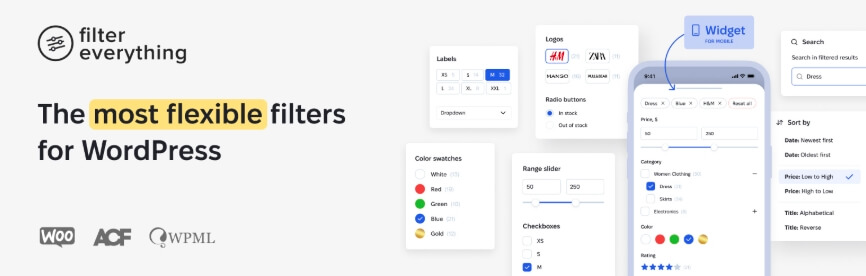
Key Features
- AJAX-based filtering with instant product updates
- Advanced price slider with dynamic range and step control
- Filter by categories, attributes, tags, custom taxonomies, and meta fields
- Supports filtering for products, posts, and custom post types
- SEO-friendly filtering with clean URL structures
- Index and noindex control for filtered pages
- Advanced query system for complex filtering scenarios
- Responsive design with mobile-friendly filter layouts
Best For (Use Case)
This plugin is best for complex WooCommerce stores and advanced filtering needs where products require multiple filtering layers. It is especially useful for stores with custom taxonomies, large datasets, or non-standard product structures that need flexible filtering logic.
Pros
- Extremely flexible filtering system
- Strong SEO control for filtered URLs
- Works beyond WooCommerce products (posts and CPTs)
- Modern UI with good customization options
- Regular updates and active development
Cons
- Setup can be complex for beginners
- Requires careful configuration for best performance
- Some advanced features are only available in the Pro version
Pricing
- Free version available with basic filtering
- Pro version unlocks advanced filtering logic and SEO controls
- Starts at $40 PRO. Free version available.
Performance Note
Filter Everything uses an advanced query system optimized for handling complex filtering conditions. When configured correctly, it delivers fast AJAX filtering even for large datasets, while maintaining SEO-friendly structures that help search engines understand filtered content effectively.
Filter Everything is a powerful WooCommerce price filter plugin for advanced users, offering deep flexibility, strong SEO control, and support for complex filtering environments.
YITH WooCommerce AJAX Product Filter (Best UI/UX Experience)
YITH WooCommerce AJAX Product Filter is developed by YITH, one of the most trusted and established WooCommerce plugin companies. YITH has a large portfolio of WooCommerce extensions used by thousands of stores worldwide. Their plugins are known for user-friendly design, consistent updates, and strong compatibility across themes and WooCommerce environments.

Key Features
- AJAX-based filtering with instant product updates
- Advanced price slider with customizable range options
- Filter by categories, attributes, tags, ratings, and stock status
- Multiple layout styles including checkbox, dropdown, and color swatches
- Drag-and-drop filter builder for easy configuration
- Mobile-friendly and responsive filter interface
- Compatibility with most WooCommerce themes and plugins
- Pre-designed templates for faster setup
Best For (Use Case)
This plugin is best for store owners who prioritize design and user experience. It is ideal for WooCommerce stores that want visually appealing filters with easy setup, especially for small to medium-sized catalogs where usability and clean interface matter most.
Pros
- Clean and modern user interface
- Easy setup with beginner-friendly options
- Strong compatibility with WooCommerce ecosystem
- Flexible design options for filters
- Reliable brand with regular updates and support
Cons
- Limited advanced filtering logic compared to developer-focused plugins
- SEO control features are not as strong as some competitors
- Performance may vary on very large product catalogs
Pricing
- Free version available with basic filtering features
- Premium version includes advanced layouts and customization options
- Starts at $104/year. Free version available.
Performance Note
YITH WooCommerce AJAX Product Filter delivers smooth filtering performance for small to medium stores. Its AJAX system ensures quick updates without page reload, while its optimized UI keeps the browsing experience fast and engaging, though it may require optimization for very large inventories.
YITH WooCommerce AJAX Product Filter is a strong choice for stores focused on clean design and smooth user experience, offering reliable performance with easy-to-use filtering options.
WooCommerce Product Filter by WBW (Best Beginner-Friendly Option)
WooCommerce Product Filter by WBW is developed by WooBeWoo, a plugin development company focused on creating simple yet functional WooCommerce tools. The plugin is widely used by beginners and small store owners who need an easy way to implement product filtering without dealing with complex configurations. It has gained popularity for its balance between usability and essential features.
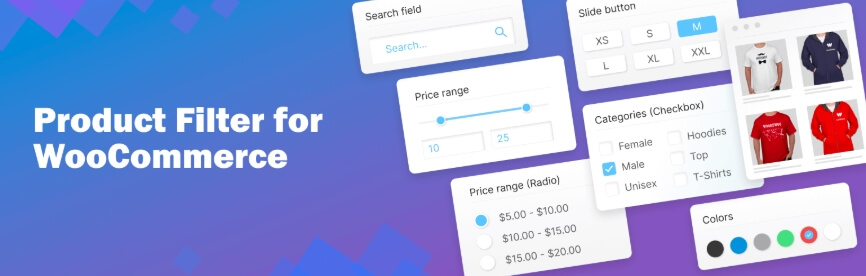
Key Features
- AJAX-based filtering with real-time product updates
- Price filter slider with adjustable range
- Filter by categories, attributes, tags, and custom fields
- Drag-and-drop filter builder for quick setup
- Multiple layout options including vertical and horizontal filters
- Shortcode and widget support for flexible placement
- Basic caching support for improved speed
- Compatible with most WooCommerce themes
Best For (Use Case)
This plugin is best for beginners and small WooCommerce stores that need a simple and quick solution for price filtering. It is ideal for users who want essential filtering features without spending time on complex setup or advanced configurations.
Pros
- Easy to install and configure
- Beginner-friendly interface with drag-and-drop builder
- Free version includes useful core features
- Flexible placement using widgets and shortcodes
- Lightweight compared to advanced plugins
Cons
- Limited advanced filtering logic
- SEO control features are minimal
- UI customization is basic compared to premium plugins
- Not ideal for very large product catalogs
Pricing
- Free version available with core filtering features
- Pro version unlocks additional layouts and advanced settings
Performance Note
WooCommerce Product Filter by WBW performs well for small to medium stores with moderate product counts. Its lightweight structure ensures fast filtering, but for large catalogs or complex filtering needs, more advanced plugins may provide better scalability and performance optimization.
WooCommerce Product Filter by WBW is a great entry-level WooCommerce price filter plugin, offering simple setup and reliable performance for beginners and growing stores.
WPC Smart Price Filter (Best Simple Price Filter)
WPC Smart Price Filter is developed by WPClever, a trusted WooCommerce plugin developer known for creating lightweight and performance-focused tools. WPClever has a strong portfolio of WooCommerce plugins used by thousands of stores worldwide. This plugin is specifically designed for users who need a fast and simple price filtering solution without adding unnecessary complexity.

Key Features
- AJAX-based price filtering with instant updates
- Simple and responsive price range slider
- Lightweight design for fast loading speed
- Easy integration with WooCommerce shop and category pages
- Minimal configuration required for setup
- Compatible with most WooCommerce themes
- Works well alongside other WPC plugins
- Mobile-friendly and touch-optimized slider
Best For (Use Case)
This plugin is best for small WooCommerce stores or users who only need basic price filtering. It is ideal for stores that do not require advanced filtering combinations and want a quick, efficient solution to improve product browsing by price.
Pros
- Extremely lightweight and fast
- Very easy to set up and use
- Clean and simple interface
- Free to use with essential features
- Good compatibility with standard WooCommerce setups
Cons
- Limited to price filtering only
- No advanced filter combinations (attributes, tags, etc.)
- Minimal SEO control features
- Not suitable for complex or large-scale stores
Pricing
- Free plugin with core price filtering functionality
- No advanced premium features compared to full filter plugins
Performance Note
WPC Smart Price Filter is optimized for speed with a minimal codebase, making it one of the fastest options for simple price filtering. Since it focuses only on price-based filtering, it avoids heavy queries and performs efficiently even on low-resource hosting environments.
WPC Smart Price Filter is a lightweight and fast WooCommerce price filter plugin, perfect for simple stores that need quick and efficient price-based product filtering.
WooCommerce Product Filters
WooCommerce Product Filters is developed by WooCommerce (Automattic), the official team behind the WooCommerce platform. This gives the plugin a strong EEAT advantage, as it is built and maintained by the same company responsible for the core system. It is designed to provide native filtering functionality with high stability and long-term compatibility.
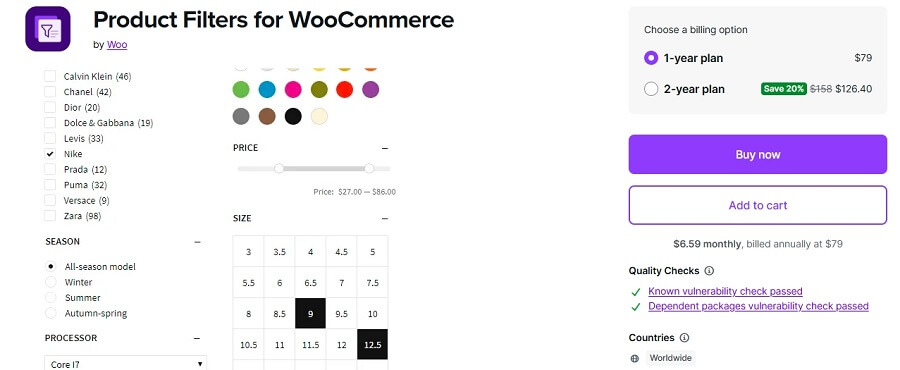
Key Features
- Native WooCommerce integration with stable performance
- AJAX-based filtering with smooth product updates
- Price filter with range selection support
- Filter by categories, attributes, tags, and stock status
- Block-based filter system compatible with Gutenberg
- Clean UI aligned with WooCommerce design standards
- Built-in compatibility with core WooCommerce features
- Regular updates and long-term support from official developers
Best For (Use Case)
This plugin is best for store owners who prefer official WooCommerce solutions with guaranteed compatibility and long-term reliability. It is ideal for businesses that prioritize stability, security, and seamless integration over advanced customization.
Pros
- Developed by WooCommerce, ensuring high trust and reliability
- Strong compatibility with core WooCommerce features
- Stable performance with regular updates
- Easy to integrate with block-based themes
- Suitable for long-term use without conflicts
Cons
- Limited advanced filtering features compared to third-party plugins
- Customization options are relatively basic
- SEO control and URL optimization features are limited
- Less flexibility for complex filtering scenarios
Pricing
- Premium plugin available via WooCommerce marketplace
- Pricing varies based on licensing and support
Performance Note
WooCommerce Product Filters is optimized for stability rather than advanced performance tuning. It delivers consistent filtering behavior with minimal conflicts, but may lack the advanced query optimization and scalability features required for very large product catalogs or complex filtering systems.
WooCommerce Product Filters is a trusted, official solution that offers stable and reliable price filtering, making it ideal for stores that prioritize compatibility and long-term support.
Performance Comparison (Speed, Scalability, Real Store Impact)
Now that you’ve seen all the WooCommerce price filter plugins, the next step is understanding how they perform in real-world scenarios. Performance is not just about speed; it also includes how well a plugin handles large catalogs, server load, and user interactions. The comparison below helps you quickly evaluate which plugin is best for your store size and performance needs.
Performance Comparison Table
| Plugin Name | AJAX Speed | Large Catalog Support | Server Load | SEO Friendly | UI Flexibility |
| Dynamic AJAX Product Filters | Very Fast | Excellent (40k+ products) | Optimized | Strong | High |
| Barn2 Product Filters | Very Fast | Excellent | Low | Moderate | Medium |
| Premmerce Product Filter | Fast | Good | Optimized | Strong | Medium |
| Advanced AJAX Product Filters | Fast | Medium | Moderate | Basic | Medium |
| JetSmartFilters | Fast | Good | Moderate | Basic | Very High |
| HUSKY (WOOF) | Medium | Depends on setup | Variable | Basic | High |
| Filter Everything | Fast | Good | Optimized | Strong | High |
| YITH AJAX Product Filter | Medium | Medium | Moderate | Basic | High |
| WBW Product Filter | Medium | Medium | Low | Basic | Medium |
| WPC Smart Price Filter | Very Fast | Small stores only | Very Low | Limited | Low |
| WooCommerce Product Filters (Official) | Medium | Good | Stable | Limited | Medium |
Key Performance Insights
Speed vs Complexity
Plugins like Dynamic AJAX Product Filters and Barn2 are built for speed and maintain fast response times even with complex filtering conditions. Lightweight plugins like WPC Smart Price Filter are faster but limited in functionality.
Large Store Handling
If your store has thousands of products, you need a plugin optimized for scalability. Plugins like Dynamic AJAX Product Filters and Barn2 handle large datasets efficiently, while others may slow down without optimization.
Server Load Impact
Heavy filtering queries can increase server load. Optimized plugins reduce database queries using caching and efficient indexing, which helps maintain site speed even under high traffic.
SEO Performance
Plugins like Premmerce and Filter Everything provide better SEO control with optimized URLs and indexing options. This is important for ranking filtered product pages.
UI and Flexibility
If design flexibility is important, plugins like JetSmartFilters and Dynamic AJAX Product Filters offer more control over layout and user experience.
Choosing the right WooCommerce price filter plugin depends on your store size, performance needs, and SEO goals, not just features alone.
Pricing Comparison (Free vs Paid Value Breakdown)
After evaluating performance, the next important factor is pricing and overall value. Not all WooCommerce price filter plugins offer the same features at the same cost, so understanding what you get in free vs paid versions helps you make a smarter decision based on your store’s needs.
Pricing Comparison Table
| Plugin Name | Free Version | Starting Price | Value Level | Best For |
| Dynamic AJAX Product Filters | Yes | Freemium | High Value | All store sizes |
| Barn2 Product Filters | No | Premium | High Value | Large stores |
| Premmerce Product Filter | Yes | Freemium | High Value | SEO-focused stores |
| Advanced AJAX Product Filters | Yes | Freemium | Medium Value | Small to medium stores |
| JetSmartFilters | No | Premium (bundle) | High Value | Elementor users |
| HUSKY (WOOF) | Yes | Freemium | Medium Value | Developers |
| Filter Everything | Yes | Freemium | High Value | Advanced filtering needs |
| YITH AJAX Product Filter | Yes | Freemium | Medium Value | UX-focused stores |
| WBW Product Filter | Yes | Freemium | Medium Value | Beginners |
| WPC Smart Price Filter | Yes | Free | Basic Value | Simple stores |
| WooCommerce Product Filters (Official) | No | Premium | Medium Value | Trust-focused users |
Key Pricing Insights
Free vs Paid Trade-Off
Most plugins offer a free version, but advanced features like AJAX optimization, SEO control, and multiple filter combinations are usually locked behind premium plans. Free versions are suitable for basic filtering, while serious stores benefit from upgrading.
Best Value for Money
Plugins like Dynamic AJAX Product Filters, Premmerce, and Filter Everything provide strong value because they combine performance, SEO features, and flexibility in their pricing model. These are ideal for stores aiming for long-term growth.
Premium-Only Plugins
Plugins like Barn2 and JetSmartFilters are premium-only but justify their pricing with stability, support, and advanced capabilities. They are better suited for businesses that rely heavily on performance and design control.
Budget-Friendly Options
If you are just starting, plugins like WBW Product Filter or WPC Smart Price Filter offer a low-cost entry point. However, they may require upgrading later as your store grows.
Pricing should be evaluated based on long-term value, not just cost, especially if filtering performance directly impacts your store’s conversions and SEO growth.
SEO & Indexing Comparison
After pricing, the next critical factor is how these WooCommerce price filter plugins handle SEO and indexing. This is where most store owners make mistakes. Poor filtering can create duplicate URLs, waste crawl budget, and block your chances of ranking in Google and AI-driven search systems.
SEO & Indexing Comparison Table
| Plugin Name | SEO-Friendly URLs | Index/Noindex Control | Canonical Support | SEO Plugin Compatibility |
| Dynamic AJAX Product Filters | Clean URLs | Yes | Yes | Strong |
| Barn2 Product Filters | Basic URLs | Limited | Limited | Good |
| Premmerce Product Filter | Advanced URLs | Yes | Yes | Strong |
| Advanced AJAX Product Filters | Basic URLs | Limited | No | Medium |
| JetSmartFilters | Limited | No | No | Medium |
| HUSKY (WOOF) | Basic | Limited | No | Medium |
| Filter Everything | Advanced URLs | Yes | Yes | Strong |
| YITH AJAX Product Filter | Basic | Limited | No | Medium |
| WBW Product Filter | Basic | No | No | Medium |
| WPC Smart Price Filter | Limited | No | No | Low |
| WooCommerce Product Filters (Official) | Basic | Limited | Limited | Good |
Key SEO Insights
SEO-Friendly URL Structure
Top plugins like Dynamic AJAX Product Filters, Premmerce, and Filter Everything generate clean and structured URLs for filtered pages. This helps search engines understand the content and rank filtered product combinations for long-tail keywords.
Index Control (Very Important)
Without proper index and noindex control, your store can create thousands of duplicate filter pages. Advanced plugins allow you to decide which filtered pages should be indexed and which should be ignored, protecting your SEO performance.
Canonical & Duplicate Control
Plugins with canonical support prevent duplicate content issues by signaling the correct version of a page to search engines. This is essential for large WooCommerce stores with multiple filter combinations.
Compatibility with SEO Plugins
Integration with tools like Rank Math or Yoast SEO ensures better control over metadata, schema, and indexing behavior. Plugins that support this integration provide a significant advantage in SEO optimization.
Common SEO Mistake
Many store owners enable filtering without controlling indexing. This creates thousands of low-quality pages that confuse search engines and reduce overall ranking performance.
Choosing a WooCommerce price filter plugin with strong SEO and indexing control is essential to avoid duplicate content issues and unlock long-tail ranking opportunities.
Use Case–Based Recommendations (Choose the Right Plugin for Your Store)
Now that you’ve seen features, performance, pricing, and SEO differences, the next step is choosing the right WooCommerce price filter plugin based on your specific store needs. Instead of a one-size-fits-all approach, this section helps you match plugins with real-world use cases for better results.
For Large WooCommerce Stores (10k–40k+ Products)
If your store has a large inventory, performance and scalability should be your top priority. You need a plugin that can handle complex queries without slowing down your site.
Recommended: Dynamic AJAX Product Filters, Barn2 Product Filters
These plugins are optimized for heavy data handling, fast AJAX filtering, and stable performance under high traffic.
For SEO-Focused Stores (Organic Traffic Growth)
If your goal is ranking in Google and capturing long-tail keywords from filtered pages, you need strong SEO control and clean URL structures.
Recommended: Premmerce Product Filter, Filter Everything
These plugins provide index control, SEO-friendly URLs, and better crawl management for search engines.
For Elementor-Based Stores (Design Flexibility)
If your store is built with Elementor and design customization is important, you need a plugin that integrates deeply with the page builder.
Recommended: JetSmartFilters
It allows full control over filter layout, styling, and placement without breaking your design.
For Beginner & Small Stores
If you’re just starting and need a simple price filter without complex setup, ease of use should be your focus.
Recommended: WBW Product Filter, WPC Smart Price Filter
These plugins are lightweight, easy to configure, and ideal for small product catalogs.
For Developer & Custom WooCommerce Projects
If you’re building a custom WooCommerce solution and need full control over filtering logic, flexibility is key.
Recommended: HUSKY (WOOF)
It provides advanced customization, hooks, and filtering logic for complex use cases.
For Balanced All-in-One Solution
If you want a single plugin that covers performance, SEO, UX, and scalability, you need a well-rounded option.
Recommended: Dynamic AJAX Product Filters
It combines speed, flexibility, and SEO features, making it suitable for most WooCommerce stores.
The best WooCommerce price filter plugin depends on your store size, goals, and technical needs, so choose based on your use case rather than features alone.
Best Recommended Plugin
After comparing all WooCommerce price filter plugins across performance, SEO, pricing, and usability, one plugin stands out as the most balanced and conversion-focused solution. This section highlights the best overall choice based on real-world store needs and growth potential.
Dynamic AJAX Product Filters for WooCommerce (Best Overall Choice)
If you want a plugin that combines speed, SEO control, flexibility, and scalability, this is the strongest option. It is designed to handle both small and large WooCommerce stores while maintaining fast filtering performance and a smooth user experience.
Why This Plugin Wins (Key Reasons)
Performance & Speed
This plugin uses AJAX-based filtering with optimized queries, ensuring instant product updates without page reload. It performs efficiently even with large catalogs, making it ideal for stores with thousands of products.
SEO & Indexing Control
Unlike many competitors, it provides advanced SEO-friendly URL structures along with index and noindex control. This allows you to rank filtered product pages while avoiding duplicate content issues, which is critical for long-term SEO success.
Advanced Filtering Flexibility
It supports price filtering along with categories, attributes, tags, ratings, and stock status. The AND/OR logic allows users to refine results precisely, improving product discovery and increasing conversion rates.
UI & User Experience
The plugin offers multiple layout options such as sidebar, horizontal filters, and mobile panels. This ensures a smooth and responsive experience across devices, especially for mobile users.
Scalability for Growing Stores
Whether you run a small store or a large WooCommerce setup with 40k+ products, this plugin scales well without performance issues. It is built to grow with your business.
When You Should Choose This Plugin
- You want an all-in-one WooCommerce price filter solution
- Your store has a medium to large product catalog
- SEO and long-tail ranking matter to your business
- You need fast AJAX filtering for better UX
- You want a future-proof solution that scales
Quick Comparison Against Others
- Faster than most lightweight plugins while offering more features
- More SEO control than UI-focused plugins like YITH
- More flexible than official WooCommerce filtering solution
- Better scalability than beginner-level plugins
Dynamic AJAX Product Filters is the best WooCommerce price filter plugin for most stores, delivering speed, SEO advantage, and scalability in one complete solution.
How to Set Up Price Filter Plugins for your WooCommerce Store?
Price filters can be added to a WooCommerce store without much hassle when you use the right plugin. To make the process clear, we will walk through how to set up a WooCommerce price filter plugin step by step using Dynamic AJAX Product Filters for WooCommerce as an example. The setup mainly includes installing the plugin and configuring the price filter so customers can quickly find products within their budget.
Install a Price Filter Plugin
We use Dynamic AJAX Product Filters for WooCommerce because it is easy to install and requires minimal setup. Whether you start with the free version or upgrade to Pro, the installation process is simple and can be completed directly from your WordPress dashboard.
For Free Version
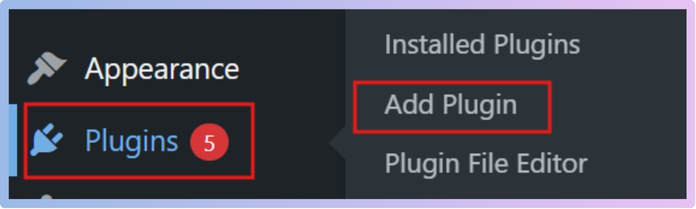
Step 1: Open Your WordPress Plugin Section
Log in to your WordPress dashboard and go to Plugins → Add New. This is the section where you can search and install plugins like Dynamic AJAX Product Filters for WooCommerce directly from the WordPress repository.
Step 2: Search and Install the Plugin
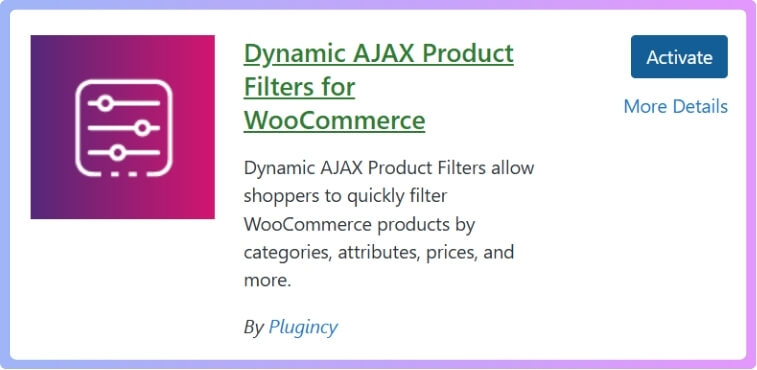
Type Dynamic AJAX Product Filters for WooCommerce into the search bar. Once the plugin appears in the list, click Install Now to begin the installation process.
Step 3: Activate the Plugin
After installation, the button will change to Activate. Click it, and you will see a new Product Filters option added to your WordPress dashboard menu.
For Pro Version
Step 1: Get the Plugin File
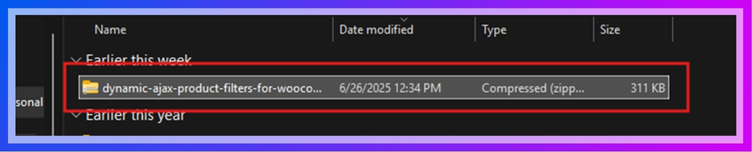
If you have purchased the Pro version from Plugincy, log in to your account and download the ZIP file, then save it to your computer.
Step 2: Upload the File to WordPress
In your WordPress dashboard, go to Plugins → Add New, then click Upload Plugin at the top. Select the ZIP file you downloaded and click Install Now.

Step 3: Activate and Access Settings
Once the plugin is installed, click Activate Plugin. The Product Filters menu will now appear in your dashboard, where you can start customizing the settings.
Set up the Price Filter
Once the plugin is installed, the next step is to create a price filter that users can easily use. With Dynamic AJAX Product Filters, the setup process is simple. Follow the steps below to make sure everything works properly.
Step 1: Add Products and Set Prices
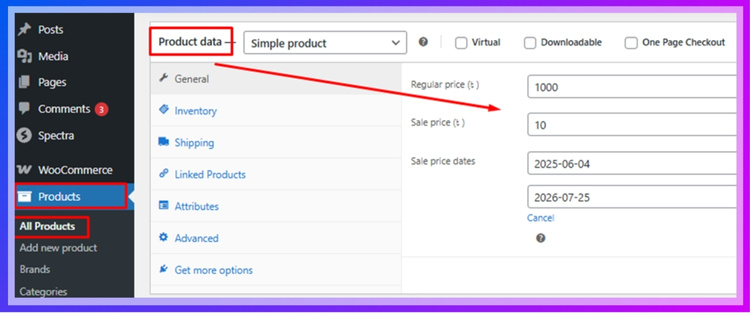
Go to Products → All Products in your WordPress dashboard. Edit an existing product or add a new one. Inside the Product data section, enter the Regular price and, if needed, the Sale price, then save the product. Repeat this for all products so the price filter can work correctly.
Step 2: Show the Price Control in Your Filter Form
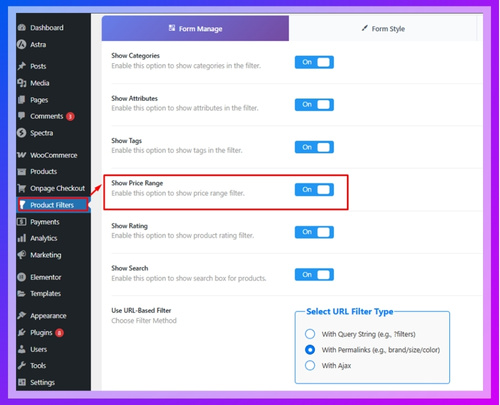
Go to Product Filters → Form Manage. Create a new filter form or edit an existing one. Enable the Price option to add the price control to your form. Save the form to apply your changes.
Step 3: Style and Configure the Price Widget
Go to Product Filters → Form Style and select Price from the dropdown. Choose a style such as a Range Slider or an Input Price Range. You can also set minimum and maximum values, adjust increments, display product counts, and choose whether the filter updates instantly or after clicking an Apply button. Save the settings once finished.
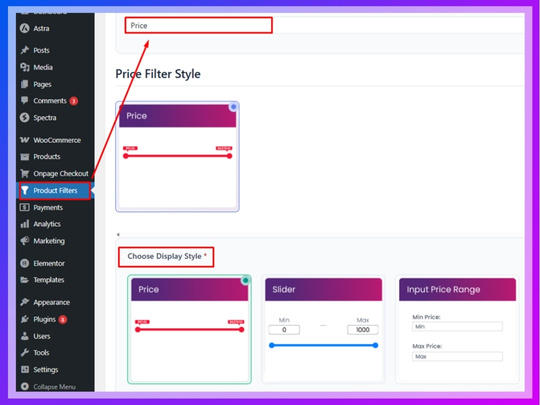
Step 4: Display the Filter on a Page
Insert the filter shortcode
To show the filter on your shop page or any other page, edit the page in WordPress. Add the shortcode [plugincy_filters] in the content area. This shortcode loads your filter form on the front end.
(Optional) Add a product list next to it
If you want to display products alongside the filter instead of showing only the filter form, add the shortcode [products]. This allows products to update when users adjust the filter.
Choose where it lives
Based on your store layout, you can place the shortcode in the page content, inside a sidebar widget, or within a template area if you are using a page builder. This helps position the filter where users expect it.
Common Problems with WooCommerce Price Filters (and How to Fix Them)
Even with the best WooCommerce price filter plugins, issues can still occur if the setup or configuration is not done correctly. Understanding these problems helps you troubleshoot quickly and maintain smooth filtering performance.
Price Filter Not Working Properly
One of the most common issues is when the price filter does not update product results correctly. This usually happens due to theme conflicts, outdated plugins, or incorrect product pricing setup.
Fix: Ensure all products have valid prices, update WooCommerce and plugins, and test with a default theme to identify conflicts.
Incorrect Price Range Display
Sometimes the price slider shows wrong minimum or maximum values, especially if products have variable pricing or missing data.
Fix: Recalculate product prices, clear cache, and ensure variations have properly defined price ranges.
Slow Filtering Performance
If filtering takes too long or causes page lag, it often means the plugin is not optimized for large catalogs or caching is not configured properly.
Fix: Enable AJAX filtering, use caching plugins, and choose a performance-optimized filter plugin designed for large stores.
Filter Not Showing on Shop Page
This issue usually occurs when the filter widget or shortcode is not placed correctly, or theme compatibility issues exist.
Fix: Check widget placement, shortcode usage, and ensure the plugin supports your theme or page builder.
AJAX Filtering Not Working
If the page reloads instead of updating instantly, AJAX may not be enabled or JavaScript conflicts may exist.
Fix: Enable AJAX in plugin settings and check for JavaScript errors using browser developer tools.
SEO Issues with Filter Pages
Improper configuration can create multiple duplicate URLs from filter combinations, affecting SEO performance.
Fix: Use plugins that support index/noindex control and configure canonical URLs to avoid duplicate content issues.
Mobile Usability Problems
Filters may not work properly on mobile devices if they are not responsive or optimized for touch interaction.
Fix: Use mobile-friendly layouts like collapsible filters or slide-out panels and test across devices.
Most WooCommerce price filter issues can be resolved with proper configuration, plugin selection, and performance optimization, ensuring a smooth shopping experience.
Mistakes to Avoid When Using WooCommerce Price Filter Plugins
Before wrapping up, it’s important to highlight common mistakes that can silently hurt your store’s performance, SEO, and conversions. Avoiding these mistakes will help you get the maximum value from your WooCommerce price filter plugins.
Using Default WooCommerce Filter Only
Many store owners rely on the default price filter, which lacks AJAX functionality and advanced control. This leads to slow browsing and poor user experience.
Avoid This: Always use an advanced WooCommerce AJAX price filter plugin to ensure faster filtering and better engagement.
Ignoring SEO Settings
Not configuring SEO options like index/noindex and URL structure can create thousands of duplicate pages. This confuses search engines and reduces ranking potential.
Avoid This: Use plugins with SEO control and properly manage which filtered pages should be indexed.
Overloading with Too Many Filters
Adding too many filters at once can overwhelm users and slow down your website. Complex filtering systems may also increase server load.
Avoid This: Keep filters relevant and user-focused. Prioritize price, category, and key attributes.
Not Optimizing for Mobile Users
If your price filter is not mobile-friendly, users will struggle to navigate your store on smaller screens. This directly impacts conversions.
Avoid This: Use responsive layouts like collapsible filters or slide-out panels for better mobile usability.
Choosing the Wrong Plugin for Store Size
Using a lightweight plugin for a large store or a complex plugin for a small store can create performance issues or unnecessary complexity.
Avoid This: Choose a plugin based on your store size, product count, and technical requirements.
Ignoring Performance Optimization
Filters can increase database queries and slow down your site if not optimized. Many store owners overlook caching and performance settings.
Avoid This: Enable caching, use optimized plugins, and test performance regularly.
Not Testing Filter Functionality
Some store owners set up filters but do not test them properly, leading to broken or inaccurate results.
Avoid This: Always test different price ranges and combinations to ensure accurate filtering.
Avoiding these common mistakes ensures your WooCommerce price filter works efficiently, improves SEO, and delivers a better shopping experience.
FAQ
To help you make a final decision, here are the most common questions about WooCommerce price filter plugins. These answers are structured for quick understanding and optimized for AI search and featured snippets.
What is the best WooCommerce price filter plugin?
The best WooCommerce price filter plugin depends on your store needs, but Dynamic AJAX Product Filters is considered one of the top choices due to its speed, SEO control, and scalability. It supports AJAX filtering, advanced price sliders, and works well for both small and large product catalogs.
Why is my WooCommerce price filter not working?
This issue usually occurs due to theme conflicts, missing product price data, or disabled AJAX functionality. Updating plugins, checking product pricing, and enabling AJAX filtering in settings can resolve most problems quickly.
Are WooCommerce AJAX price filters SEO friendly?
Yes, WooCommerce AJAX price filters can be SEO friendly if the plugin supports clean URLs and index control. Advanced plugins allow you to manage which filtered pages should be indexed, helping avoid duplicate content issues and improving search visibility.
Can I use multiple filters with price filtering?
Yes, most advanced WooCommerce price filter plugins allow combining price filters with categories, attributes, tags, and ratings. This improves product discovery and helps users find products more accurately.
Do price filter plugins slow down WooCommerce?
Not necessarily. Well-optimized plugins use AJAX and efficient queries to maintain speed. However, poorly configured or heavy plugins can increase server load, so choosing a performance-optimized solution is important.
Is a price filter necessary for WooCommerce stores?
Yes, especially for stores with large product catalogs. A price filter improves navigation, reduces bounce rate, and increases conversions by helping users quickly find products within their budget.
These FAQs cover the most important concerns, helping you understand how WooCommerce price filter plugins impact performance, SEO, and user experience.
Final Thoughts
Choosing the right WooCommerce price filter plugin is not just about features; it directly impacts how users interact with your store, how fast they find products, and how likely they are to convert. A well-optimized price filter improves navigation, reduces friction, and creates a smoother shopping experience across both desktop and mobile devices.
If your store is growing or already handling a large number of products, relying on the default WooCommerce filter is no longer enough. Advanced WooCommerce price filter plugins with AJAX functionality, SEO control, and scalable performance are essential for staying competitive and improving search visibility.
For most stores, a balanced solution like Dynamic AJAX Product Filters provides the best combination of speed, flexibility, and long-term scalability. However, the right choice always depends on your store size, goals, and technical requirements.
Invest in the right WooCommerce price filter plugin today to improve user experience, boost SEO performance, and increase conversions across your store.
