

Choosing the right plugin matters because not all WooCommerce filter plugins offer the same level of AJAX support, customization, SEO handling, mobile usability, or compatibility with themes and page builders. Some are better for simple stores, while others are built for advanced filtering logic, custom fields, and large product catalogs.
In this guide, we compare the top 10 WooCommerce product filter plugins based on features, ease of use, flexibility, performance, and overall fit for different store types, so you can choose the best option for your needs.
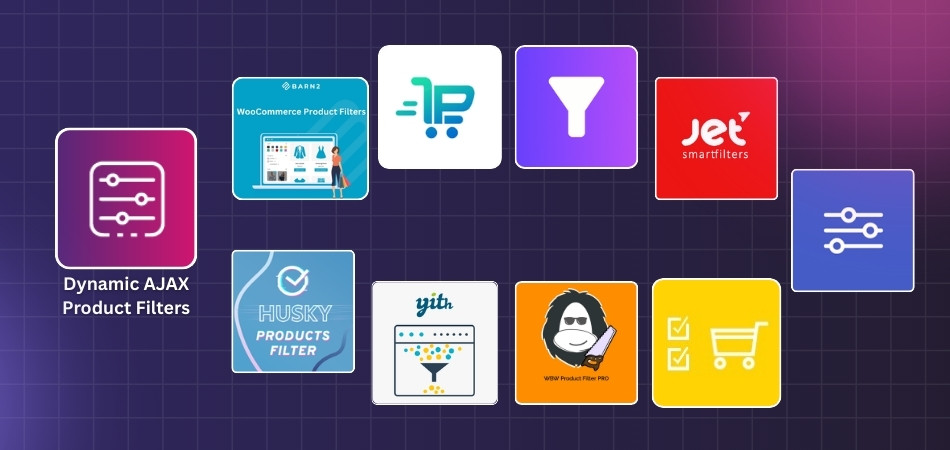
Top 10 WooCommerce Product Filter Plugins at a Glance
If you only read one section, read this table. It compares what matters most for buying: AJAX speed, SEO URL control, builder support, and pricing direction. Prices change, so consider these as starting points and check the vendor page before checkout. When “from” is shown, it means the entry plan.
| Plugin | AJAX filtering | SEO-friendly filter URLs | Page builder fit | Pricing starting point | Best for |
| Dynamic AJAX Product Filters for WooCommerce | Yes | Yes | Elementor, blocks, shortcodes | $39/year | Balanced all-rounder for most stores |
| YITH WooCommerce Ajax Product Filter | Yes | Yes | Gutenberg, Elementor, widget, shortcode | Pricing available on official product page | Easy setup + polished UI |
| HUSKY (formerly WOOF) | Yes | Yes | Shortcodes, widgets, front builder | Marketplace pricing varies | Flexible filtering + developer-friendly control |
| FacetWP | Yes | Strong | Works with most themes, blocks, shortcodes, PHP | $99/year | Very large catalogs and fast faceted filtering |
| JetSmartFilters (Crocoblock) | Yes | Moderate | Elementor, Gutenberg, Bricks, Divi | $26/year | Elementor-heavy stores |
| Premmerce Product Filter | Yes | Strong | Works with popular themes, widget/block support | Pricing available on official product page | SEO landing pages + caching focus |
| BeRocket AJAX Products Filter | Yes | Yes | Theme-friendly | $44/year | Strong filter UX + flexible plan range |
| Filter Everything | Yes | Strong | Works with any theme and builder | $49 lifetime | Filtering beyond products; large catalogs |
| WooBeWoo Product Filter (WBW) | Yes | Moderate | Elementor-friendly | $59.90/year | Visual builder + filter stats |
| Advanced Woo Search | Live AJAX search | No | Theme-friendly | $79/year | When search matters as much as filtering |
How We Selected The Top 10 WooCommerce Product Filter Plugins?
Not every WooCommerce product filter plugin solves the same problem in the same way. Some are better for large catalogs, some focus more on SEO and filtered landing pages, and others stand out for builder support or easier setup. This WooCommerce product filter plugins comparison focuses on the areas that have the biggest impact on filtering quality, store usability, and long-term value.
- Filtering Options: Support for common filters such as categories, attributes, tags, price, rating, stock status, and custom data.
- AJAX Experience: Smooth product updates without full page reloads, especially on category and shop pages.
- SEO Support: Handling of filter URLs, index control, and search-friendly filtering behavior.
- Builder Compatibility: Fit with Elementor, Gutenberg, widgets, shortcodes, blocks, and other common layout setups.
- Ease of Use: How simple the plugin feels during setup, filter creation, and day-to-day management.
- Catalog Fit: Suitability for small stores, large inventories, niche product structures, and advanced filtering needs.
- Performance: Ability to keep filtering responsive without adding unnecessary weight to archive pages.
- Pricing Value: Whether the starting price makes sense for the features and flexibility offered.
- Use Case Strength: How well each plugin serves a clear purpose, such as SEO-focused filtering, visual builder control, or large catalog navigation.
- Overall Balance: A practical mix of filtering depth, usability, compatibility, and value for real WooCommerce stores.

Top 10 WooCommerce Product Filter Plugins in Details
Now that the WooCommerce product filter plugin criteria are clear, it is easier to look at each plugin in more detail. The best WooCommerce product filter plugin depends on your catalog size, filtering needs, store layout, and preferred setup style.
The reviews below break down the top WooCommerce product filter plugins by core features, pros, cons, and best-fit use case so you can compare them more easily.
Dynamic AJAX Product Filters for WooCommerce
Dynamic AJAX Product Filters for WooCommerce is a strong fit for stores that want product filtering to feel fast, flexible, and easy to use without turning setup into a hassle. This WooCommerce Ajax product filter plugin works well for shops that need more than basic filters, especially when layout flexibility, smoother product discovery, SEO-friendly filtering, and broad builder compatibility all matter at the same time.
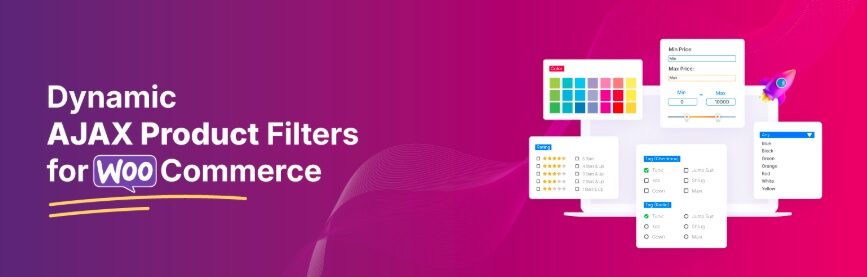
Key Features
- Real-time AJAX product filtering
- Advanced multi-filter system
- SEO-friendly filter URLs
- Modern filter UI controls
- Mobile-optimized filter layouts
- Full page builder compatibility
- Advanced product metadata filters
Pros
- Updates product results instantly without full page reloads
- Supports broad filtering across price, rating, stock, SKU, custom fields, dimensions, date, and attributes
- Gives flexible placement through widgets, blocks, builders, and shortcodes
- Includes mobile-friendly layouts for smaller screens
- Supports builder ecosystems like Elementor, Gutenberg, Divi, Bricks, Oxygen, and more
Cons
- Some advanced SEO and premium workflow options are tied to the Pro version
- Broad feature depth may be more than very simple stores need
Who It’s Best For
Stores that want a well-rounded WooCommerce AJAX product filters plugin with strong AJAX filtering, flexible placement, and SEO-friendly filtering support.
YITH WooCommerce Ajax Product Filter
YITH WooCommerce Ajax Product Filter is built for store owners who want product filtering with practical placement options and a familiar WooCommerce-friendly workflow. Its official product page highlights support for widgets, shortcodes, Gutenberg blocks, and an Elementor widget, along with SEO settings and active filter controls.

Key Features
- AJAX product filtering
- Widget placement
- Shortcode support
- Gutenberg block support
- Elementor widget support
- SEO settings
- Active filters and reset options
Pros
- Gives several placement options for different shop layouts
- Fits stores already using Gutenberg or Elementor
- Includes SEO-related settings for filtered pages
- Supports common WooCommerce filtering workflows
- Keeps the setup focused on core store filtering needs
Cons
- Public page details are less feature-specific than some competitors’ listings
- Advanced filtering depth is not as explicitly documented on the main sales page
Who It’s Best For
Store owners who want a practical WooCommerce filter plugin with AJAX behavior and easy placement through widgets, shortcodes, blocks, or Elementor.
HUSKY (formerly WOOF)
HUSKY is designed for merchants who want more control over WooCommerce filtering behavior. Its official WordPress.org page describes filtering by categories, attributes, tags, taxonomies, meta fields, and price, while also highlighting SEO-friendly links and a front-end filter builder.

Key Features
- AJAX product filtering
- Filtering by categories and attributes
- Filtering by tags and taxonomies
- Meta field filtering
- Price filtering
- SEO-friendly links
- Front-end filter builder
Pros
- Supports a wide range of WooCommerce filtering data sources
- Includes SEO-friendly links for filtered pages
- Gives more control for custom filtering structures
- Includes front-end filter form building
- Works well for stores using taxonomy- and meta-based filtering
Cons
- Can feel more technical than simpler filter plugins
- Interface and workflow may not be as streamlined for beginners
Who It’s Best For
Stores that want flexible, more configurable WooCommerce filtering with support for taxonomies, meta fields, and SEO-friendly filter links.
FacetWP
FacetWP is built for sites that need faceted filtering across larger catalogs and more advanced data structures. Its official documentation highlights many built-in facet types, indexing, WooCommerce data sources, stock-status support, variation support, sorting, and pager or load-more facets.

Key Features
- Wide range of built-in facet types
- Search, slider, rating, and date-range facets
- Sort and pager/load-more facets
- WooCommerce data source support
- Stock-status facet support
- Product variation support
- Indexing system
Pros
- Supports more advanced faceted filtering than typical basic filter plugins
- Offers many facet types for complex catalogs
- Works with stock status and product variation setups
- Includes sorting and pager controls within the filtering system
- Well suited to stores that need scalable filtering logic
Cons
- Requires more setup planning than simpler WooCommerce filter plugins
- Better suited to advanced use cases than quick out-of-the-box filtering
Who It’s Best For
Large or more complex WooCommerce catalogs that need deeper faceted navigation, broader facet types, and more advanced filtering control.
JetSmartFilters (Crocoblock)
JetSmartFilters is designed for builder-first WooCommerce stores. Its official product page positions it as an advanced filters plugin for Elementor, Gutenberg, and Bricks, with WooCommerce compatibility and filtering widgets or blocks. It also notes compatibility with Divi.

Key Features
- AJAX filtering
- Elementor support
- Gutenberg support
- Bricks support
- Divi support
- Filtering widgets and blocks
- WooCommerce compatibility
Pros
- Strong fit for builder-heavy storefronts
- Works across several major page-builder ecosystems
- Makes filter placement easier in custom layouts
- Useful for visually customized WooCommerce shops
- Built specifically around filter widgets and blocks
Cons
- Best value is usually for stores already committed to builder-based design
- Less compelling for stores using simple default WooCommerce layouts
Who It’s Best For
Elementor-, Gutenberg-, Bricks-, or Divi-based WooCommerce stores that want filtering tightly integrated with visual page-building workflows.
Premmerce Product Filter
Premmerce Product Filter is aimed at stores that want a simpler filtering structure with performance and SEO-oriented features. Its official feature page highlights a single widget for all filters, flexible filter settings, price filtering, an active filters widget, caching improvements, category-aware attribute display, filtering search results, deferred loading, and AJAX filtering.

Key Features
- Single widget for all filters
- Flexible filter settings in one place
- Price filter
- Active filters widget
- Improved caching system
- Filter search results
- AJAX filtering
Pros
- Keeps filter management centralized through one main widget
- Includes caching-oriented performance improvements
- Supports filtering search results as well as archives
- Shows only relevant attributes by category
- Uses AJAX filtering without full page reloads
Cons
- Public positioning is narrower than some broader all-in-one competitors
- Best fit is clearer for structured WooCommerce catalogs than highly customized filter UX setups
Who It’s Best For
Stores that want a more focused WooCommerce product filter with centralized filter management, AJAX updates, and caching-aware performance.
BeRocket AJAX Products Filter
BeRocket AJAX Products Filter is designed for stores that want flexible filter presentation and expandable feature tiers. Its official product page highlights include or exclude values, canonical links, adding filters to page titles or descriptions, variation-aware display behavior, filter statistics, intelligent grouped filters, advanced styling, and advanced SEO permalinks on higher plans.
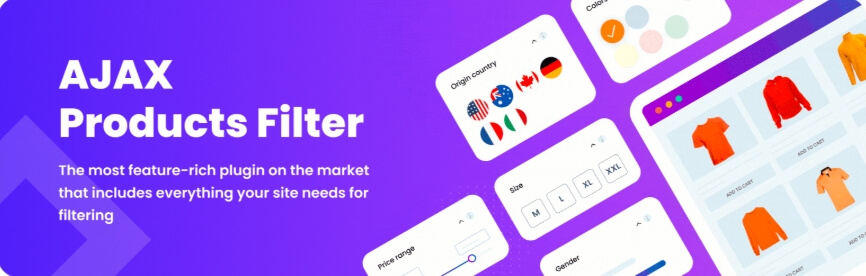
Key Features
- AJAX product filtering
- Include or exclude filter values
- Canonical links
- Variation-aware filtering behavior
- Filter statistics
- Intelligent grouped filters
- Advanced SEO permalinks
Pros
- Offers broader presentation and control options than many simpler plugins
- Supports more advanced SEO-oriented features on higher tiers
- Includes statistics and grouped filtering options
- Helps connect selected filters with matching product variations
- Gives stores room to scale feature depth by plan
Cons
- Some of the stronger SEO features are plan-dependent
- Stores need to compare tier differences carefully before choosing
Who It’s Best For
Stores that want AJAX filtering with flexible display control, upgradeable SEO features, and broader plan-based feature expansion.
Filter Everything
Filter Everything is positioned as a complete WordPress and WooCommerce filtering solution. Its official WordPress.org listing says it can filter virtually any content by almost any criteria and supports sorting, keyword search, mobile-friendly filters, multiple layouts, different submission modes, widgets, AJAX, shortcodes, and color swatches.
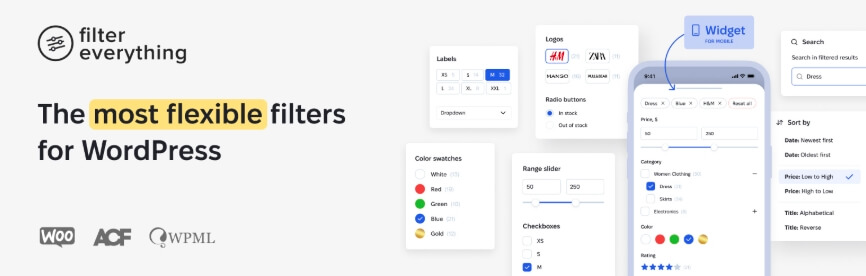
Key Features
- Filtering for products and other content
- Sorting support
- Keyword search
- Mobile-friendly filters
- Multiple filter layouts
- AJAX and shortcode support
- Color swatches
Pros
- Goes beyond product-only filtering
- Supports a complete filtering system across broader site content
- Includes mobile-friendly layouts and multiple submission modes
- Works with widgets, shortcodes, and AJAX
- Useful for stores that want filtering plus sorting and search support
Cons
- Broader scope may be unnecessary for simple product-only stores
- More complete filtering systems usually take more planning to configure well
Who It’s Best For
Stores or WordPress sites that want broader filtering beyond products while still supporting WooCommerce catalogs, search, sorting, and mobile-friendly filter layouts.
WooBeWoo Product Filter (WBW)
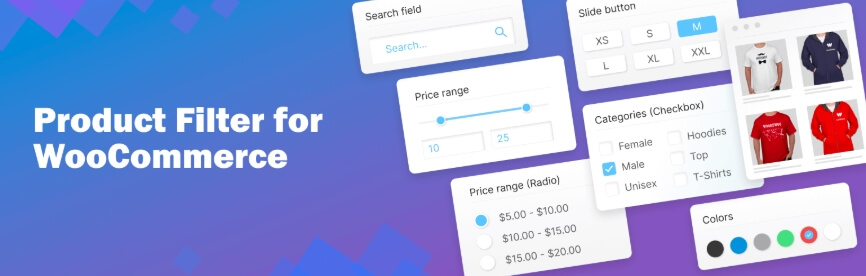
WooBeWoo Product Filter is built for stores that want a visually customizable filter setup with Elementor compatibility. Its official WordPress.org listing highlights filtering by price, categories, tags, taxonomy, attributes, author, featured, on sale, in stock, rating, and text search, plus flexible display options and Elementor integration.
Key Features
- Filtering by price and price range
- Category and tag filtering
- Attribute and taxonomy filtering
- Rating and stock-status filtering
- Text search filtering
- Flexible display options
- Elementor integration
Pros
- Covers many common WooCommerce filter types
- Gives flexible display formats for storefront design needs
- Integrates directly with Elementor
- Supports both single-select and multi-select style displays
- Works well for stores that want a more visual filter setup
Cons
- Public feature emphasis is stronger on practical filtering than on advanced SEO control
- Stores with very complex logic needs may still compare it with more advanced alternatives
Who It’s Best For
Stores that want a visually flexible WooCommerce filter plugin with Elementor compatibility and broad support for common product filter types.
Advanced Woo Search
Advanced Woo Search is different from the rest because it is primarily a search plugin with filtering logic rather than a traditional layered navigation tool. Its official site highlights shortcodes and widgets, a separate search results page, unlimited products, stop words, multilingual support, multi-currency support, filter buttons, and AND/OR logic for search rules.

Key Features
- Live AJAX product search
- Shortcode and widget support
- Separate search results page
- Filter buttons
- AND/OR rule logic
- Multilingual support
- Multi-currency support
Pros
- Strong fit for search-led product discovery
- Lets search boxes be placed anywhere through widgets and shortcodes
- Supports more advanced search rule logic
- Works well in multilingual and multi-currency contexts
- Can complement browsing-focused WooCommerce navigation
Cons
- Not a direct replacement for full layered navigation plugins
- Better for search-focused discovery than for deep archive-based filtering
Who It’s Best For
Stores where live product search is just as important as traditional filtering and where shoppers rely heavily on search-driven product discovery.
Best WooCommerce Product Filter Plugins By Store Size
Store size affects which WooCommerce product filter plugin makes the most sense. Smaller stores usually need a simpler setup, while larger catalogs often need deeper filtering and better scalability.
The table below gives a quick match between store size and the plugins that fit best.
| Store Size | Best Plugin Options | Why They Fit |
| Small Stores | YITH, WooBeWoo, Dynamic AJAX Product Filters | Easier setup and practical filtering |
| Small to Medium Stores | Dynamic AJAX Product Filters, BeRocket, Premmerce | More flexibility with room to grow |
| Medium Stores | Dynamic AJAX Product Filters, JetSmartFilters, Filter Everything | Better fit for broader catalogs and custom layouts |
| Medium to Large Stores | FacetWP, Filter Everything, HUSKY | Stronger filtering depth and scalability |
| Large Stores | FacetWP, Filter Everything, HUSKY | Better for complex, high-volume catalogs |
| Search-Heavy Stores | Advanced Woo Search, Dynamic AJAX Product Filters | Stronger product discovery support |
Best WooCommerce Product Filter Plugins By Performance
Performance matters because product filters can affect how quickly shop and category pages respond, especially on larger catalogs. Some plugins are better suited to lightweight filtering, while others are built for deeper logic and heavier product data.
The table below helps find the best product filter plugin for WooCommerce based on performance needs.
| Performance Need | Best Plugin Options | Why They Fit |
| Lightweight Setup | YITH, WooBeWoo, Premmerce | Simpler filtering for lighter store setups |
| Balanced Performance | Dynamic AJAX Product Filters, BeRocket | Good mix of speed and filtering flexibility |
| Builder-Based Performance | JetSmartFilters | Better fit for builder-heavy store layouts |
| Large Catalog Performance | FacetWP, Filter Everything | Better for heavier catalogs and deeper filtering |
| Flexible Performance Control | HUSKY, Dynamic AJAX Product Filters | More control over filtering structure |
| Search-Led Performance | Advanced Woo Search | Better when fast product search matters most |
Which WooCommerce Product Filter Plugins Should I Choose?
The best plugin depends on how your store is built, how advanced your filters need to be, and how much flexibility you want from the setup. For most stores, it makes sense to start with a plugin that balances filtering depth, layout freedom, and everyday usability.
- Dynamic AJAX Product Filters for WooCommerce: Best starting point for stores that want flexible filters, real-time AJAX updates, SEO-friendly filtering, and broad builder support.
- FacetWP: Better suited to larger catalogs that need deeper faceted filtering and more advanced filter control.
- JetSmartFilters: Works well for stores built heavily with Elementor, Gutenberg, Bricks, or other visual builders.
- YITH WooCommerce Ajax Product Filter: Good option for stores that want straightforward filtering with a familiar WooCommerce-friendly setup.
For an all-round choice, keep Dynamic AJAX Product Filters for WooCommerce at the top of the list. For larger catalogs, FacetWP usually makes more sense. For builder-based stores, JetSmartFilters is often the better fit.
Tips For Getting Better Results From WooCommerce Product Filters
Even the best WooCommerce product filter plugin works better when the filter setup matches how shoppers actually browse your store. Small improvements in filter choice, placement, and structure can make product discovery smoother and help visitors reach the right products faster. Use these tips for getting better results from the Aja product filters.
- Keep Filters Relevant: Show filters that match your catalog, so shoppers do not have to sort through options that add no real value.
- Start With Core Filters: Price, category, attributes, rating, and stock status usually matter more than trying to show every possible filter.
- Avoid Overloading The Sidebar: Too many filter groups can make shop pages feel crowded and harder to use, especially on smaller screens.
- Use Clear Filter Labels: Simple, familiar wording helps shoppers understand filter choices faster and reduces hesitation while browsing.
- Place Important Filters First: Put the filters shoppers use most near the top so product discovery feels quicker and more natural.
- Check Mobile Usability: Filters should stay easy to open, use, and reset on mobile devices where space is more limited.
- Review Filter Logic: Make sure combinations return useful results and do not create confusing dead ends with empty product listings.
- Keep Performance In Mind: A good filter setup should feel responsive without adding unnecessary weight to shop and archive pages.
- Use SEO-Friendly Filtering Carefully: SEO friendly WooCommerce filters and controlled indexing can help filtered pages stay more useful for search visibility.
- Test Filters On Real Product Pages: Running checks on actual category and shop pages makes it easier to catch usability or layout issues early.
FAQs About WooCommerce Product Filter Plugins
Before wrapping up, it helps to answer a few common questions that often come up when comparing WooCommerce product filter plugins. The FAQs below focus on practical concerns store owners usually have before making a final choice.
Do WooCommerce Product Filter Plugins Work With Variable Products?
Many do, but support can vary depending on how the plugin handles attributes, variations, and stock data. This matters most for stores selling products with size, color, material, or other option-based combinations.
Can I Use Product Filters On Mobile Shop Pages?
Yes, most modern WooCommerce product filter plugins support mobile-friendly filter layouts. What matters more is how easy the filters are to open, use, and reset on smaller screens.
Will Product Filters Work Only On Shop Pages?
Not always. Depending on the plugin, filters can also work on category pages, tag archives, search results, and other product listing pages within WooCommerce.
Can Product Filter Plugins Help Shoppers Find Out-Of-Stock Or On-Sale Products Faster?
Yes, some plugins support stock-status and sale-based filtering, which can make it easier for shoppers to narrow results based on availability or promotions.
Do I Need Coding Knowledge To Set Up A WooCommerce Product Filter Plugin?
In many cases, no. Most plugins are built for regular WooCommerce users, though more advanced stores may still need extra setup when working with custom layouts, fields, or filtering logic.
Bottom Line
These top 10 WooCommerce product filter plugins in this list each solve a different kind of store need, from simple AJAX filtering to builder-heavy layouts, deeper faceted navigation, and search-led product discovery. The right choice depends on how your catalog is structured, how shoppers browse your store, and how much control you want over filtering behavior.
For most stores, the best results come from choosing a plugin that balances speed, usability, filter depth, and layout flexibility. A well-matched filtering setup can make product discovery easier, improve the shopping experience, and help customers reach the right products faster without adding unnecessary complexity to your store.
