
AI insights in Direct Checkout Pro use your own API key from OpenAI, Anthropic Claude, Google Gemini or any OpenAI-compatible service. The key is not included with Pro and you pay the provider for what you use. Without a key, the rest of Pro still works.
This feature is part of Direct Checkout & Buy Now Button Pro. The free plugin shows it as a demo with sample data, marked PRO and DEMO.
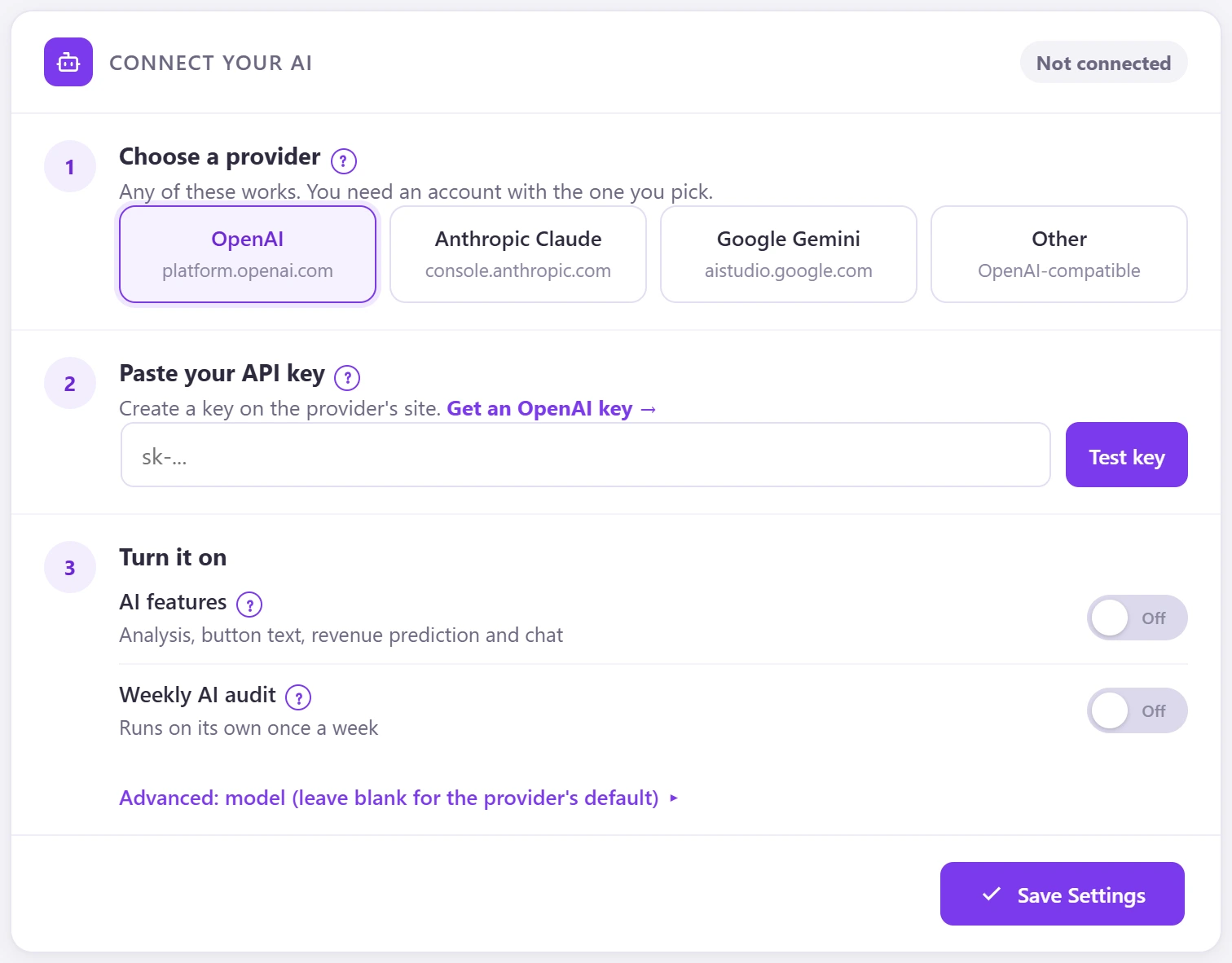
- Go to Direct Checkout → AI Insights.
- Choose a provider: OpenAI, Anthropic Claude, Google Gemini or Other (OpenAI-compatible).
- Paste your API key and click Test key. “Get an OpenAI key” opens the provider’s page.
- Switch on AI features, and Weekly AI audit if you want one.
- Optional: set a model under Advanced; blank uses the provider’s default.
- Click Save Settings.
The key is stored encrypted. Only totals and settings are sent to the AI, never shoppers’ names, phones, emails or addresses.