
The Slidario template library has 31 ready-made slider designs: 16 free and 15 Pro. Pick one, add your own images or products, and publish. To see every style working at once, create the demo sliders with one click.
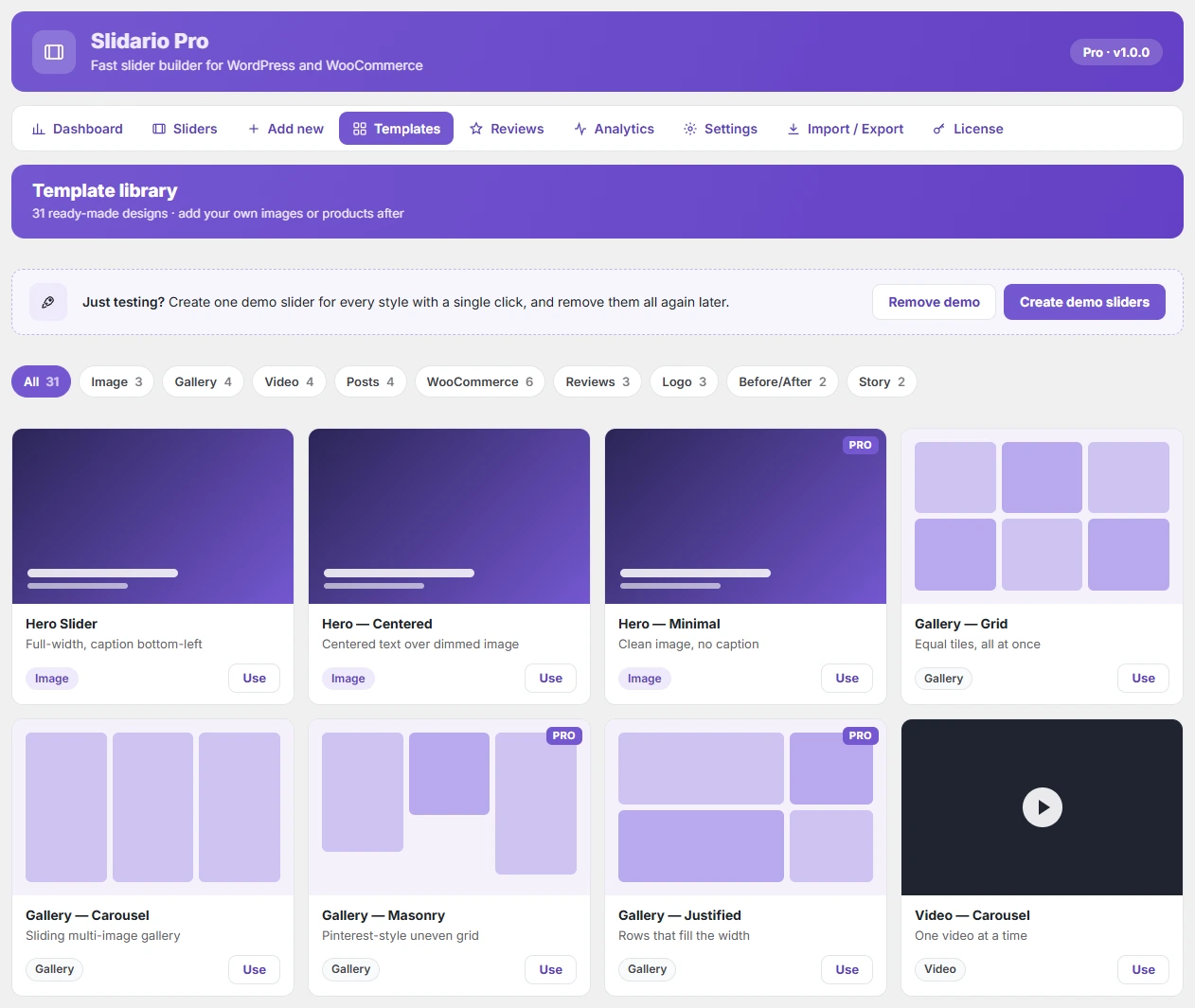
Use a template
- Go to Slidario → Templates.
- Filter by type (Image, Gallery, Video, Posts, WooCommerce, Reviews, Logo, Before/After, Story) or scroll through All.
- Click Use. The builder opens with the design filled in.
- Replace the sample content with yours and click Publish.
In the free plugin, a Pro design shows See Pro instead of Use.
| Group | Templates |
|---|---|
| Image (3) | Hero Slider, Hero — Centered, Hero — Minimal PRO |
| Gallery (4) | Grid, Carousel, Masonry PRO, Justified PRO |
| Video (4) | Carousel, Grid, Playlist PRO, Lightbox PRO |
| Posts (4) | Carousel, Grid, List PRO, Overlay PRO |
| WooCommerce (6) | Product Showcase, Product — Minimal, Flash Sale, Product — Overlay PRO, Product — List PRO, Flash Sale — Overlay PRO |
| Reviews (3) | Review Slider, Review — Minimal, Testimonial Slider PRO |
| Logo (3) | Logo Carousel, Logo — Boxed, Logo — Grayscale PRO |
| Before/After (2) | Horizontal, Vertical PRO |
| Story (2) | Story — Images PRO, Story — Products PRO |
Demo sliders
Create demo sliders makes one demo slider for every style, a few sample reviews and posts, and a Slidario Showcase page that shows them grouped by type. It uses photos and logos that come with the plugin, so nothing is downloaded. The free plugin skips Pro designs. Remove demo deletes every demo item again; your own sliders are not touched.
