
Hand-picking lets you choose exactly which WooCommerce products a Slidario product carousel shows, in the order you want, for example for a campaign or a gift guide.
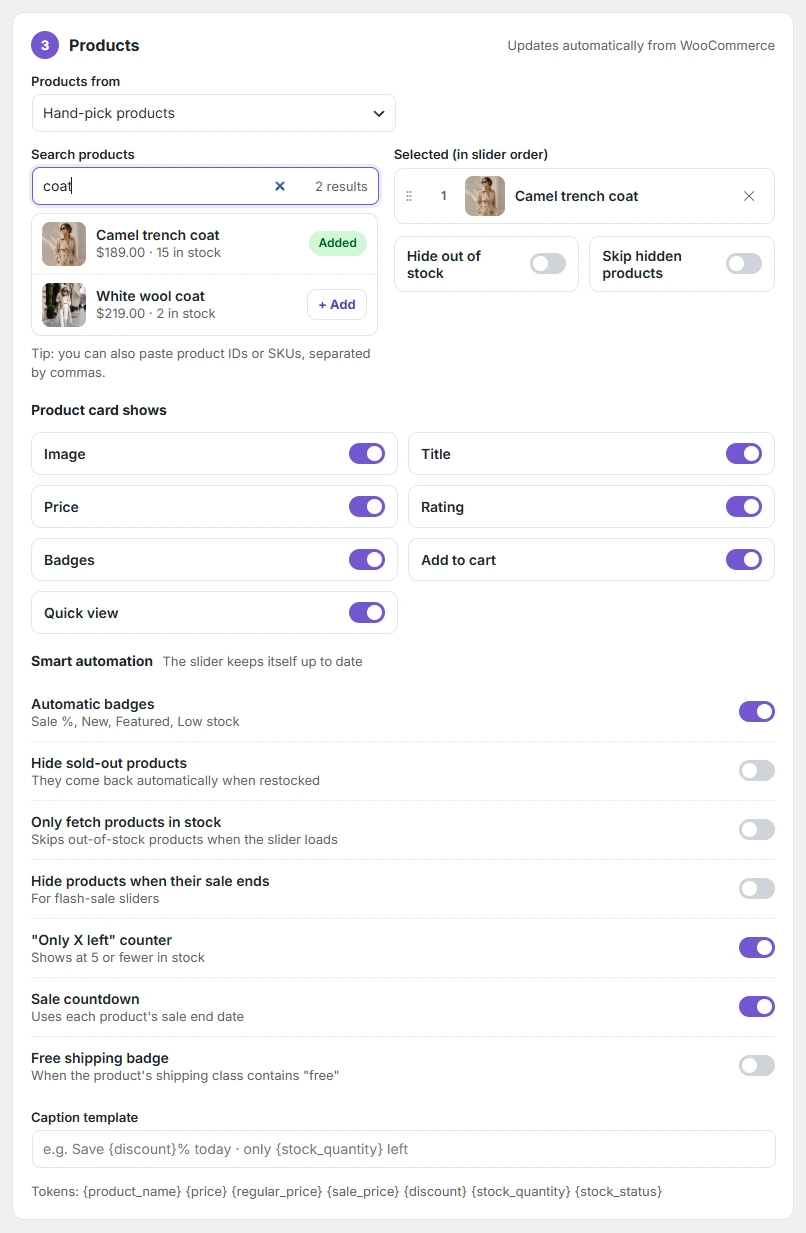
- Open a Products slider. Under Products from, choose Hand-pick products.
- Type a product name or SKU in Search products. You can also paste product IDs or SKUs separated by commas.
- Click + Add next to each product. Added products show Added.
- Under Selected (in slider order), drag products to reorder them, or click ✕ to remove one.
- Click Update.
Two switches keep the slider clean: Hide out of stock and Skip hidden products (products hidden from the catalog).