
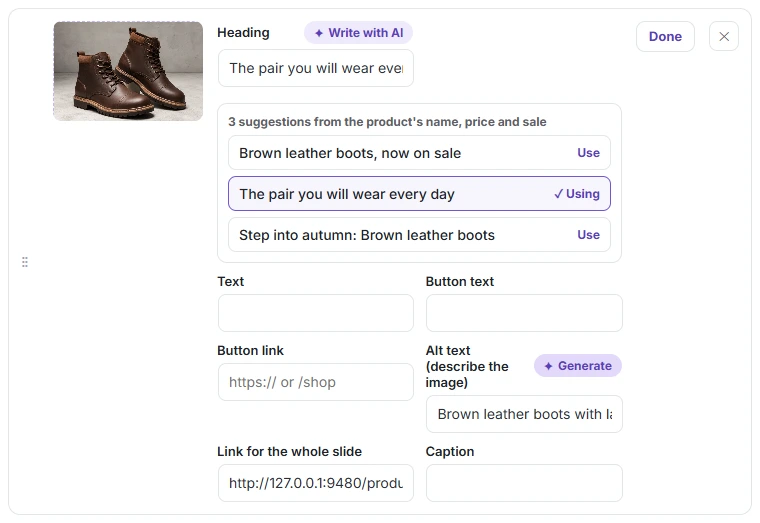
Slidario can write slide headlines and image alt text with AI, for free. Write with AI gives three headline ideas from the product’s name, price and sale; Generate writes alt text by looking at the image, which helps image SEO and screen readers.
Headlines
- Open a slide (click Edit).
- Click Write with AI next to Heading.
- Click Use on the idea you like; it shows ✓ Using.
Alt text
- Make sure the slide has an image.
- Click Generate next to Alt text. The AI looks at the image and writes up to 125 characters.
What you need
WordPress 7.0 or later with an AI provider connected in Settings → Connectors. Without it, the buttons are hidden and Slidario → Settings shows a hint. Alt text needs a model that can see images; if the model cannot, Slidario says so. Slidario sends nothing to an AI service until you click one of the buttons.