
The Dashboard sums up your latest check in one screen: how often AI names you, how you compare, and the three things to do next. Open it once a week and you know where you stand in ChatGPT, Claude, Gemini and Perplexity.
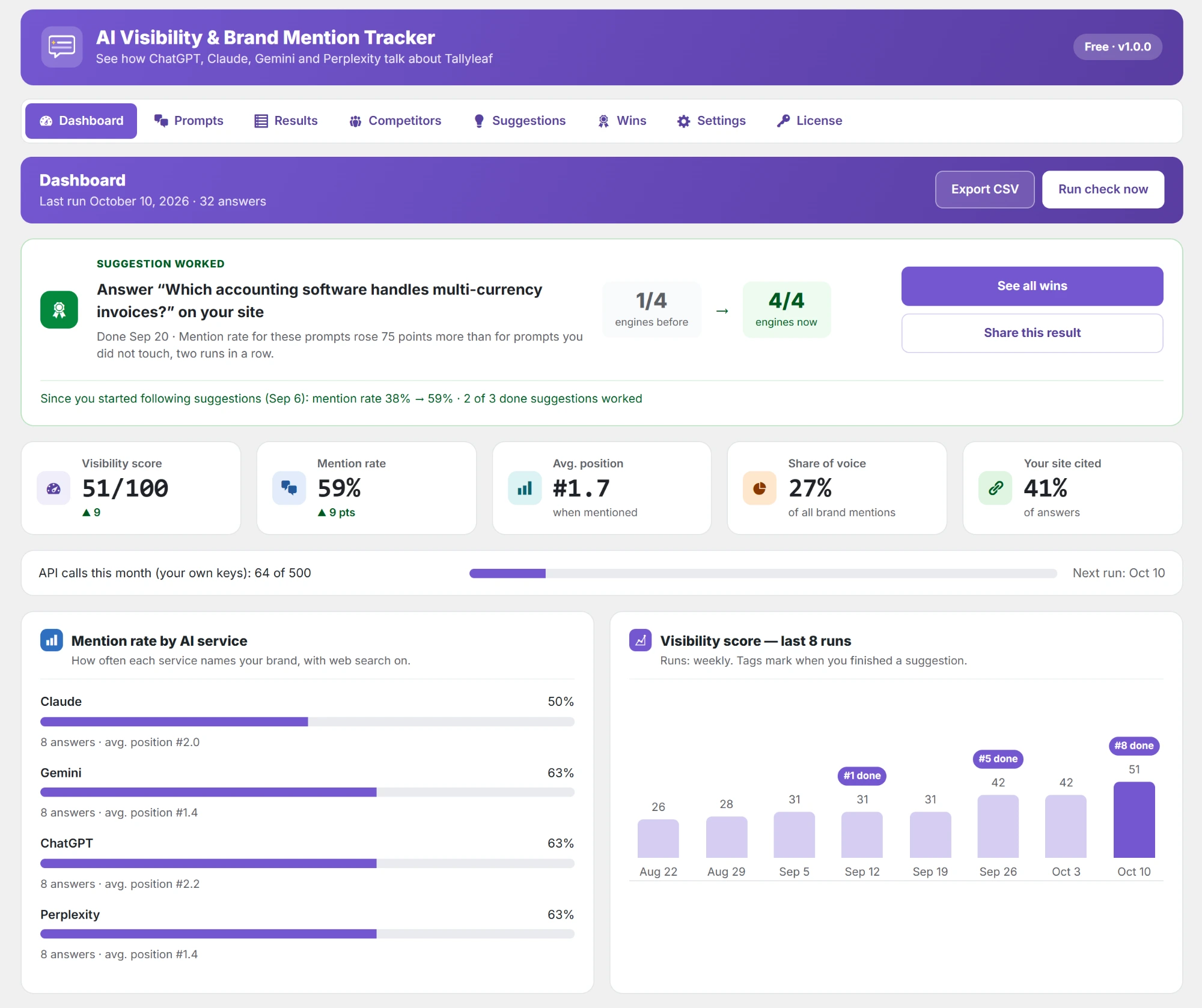
Before your first check, the Dashboard shows the Get started list instead, the three steps in setting up the plugin and running your first check.
The five numbers

| Number | What it means |
|---|---|
| Visibility score | One score out of 100 for the run, from how often you are mentioned, how high, and how often your site is cited. The arrow shows the change since the previous run. |
| Mention rate | The share of answers that name your brand. |
| Avg. position | Your average place in the list of brands, counted only in answers that mention you. #1 is best. |
| Share of voice | Your share of all brand mentions (you and your competitors) in the run. |
| Your site cited | The share of answers that link to your own website as a source. |
Charts
- Mention rate by AI service: how often ChatGPT, Claude, Gemini and Perplexity each name you, and your average position on each.
- Visibility score — last 8 runs: the trend. Tags mark the runs where you finished a suggestion, so you can see what moved the line.
Share of voice and this week’s 3 actions
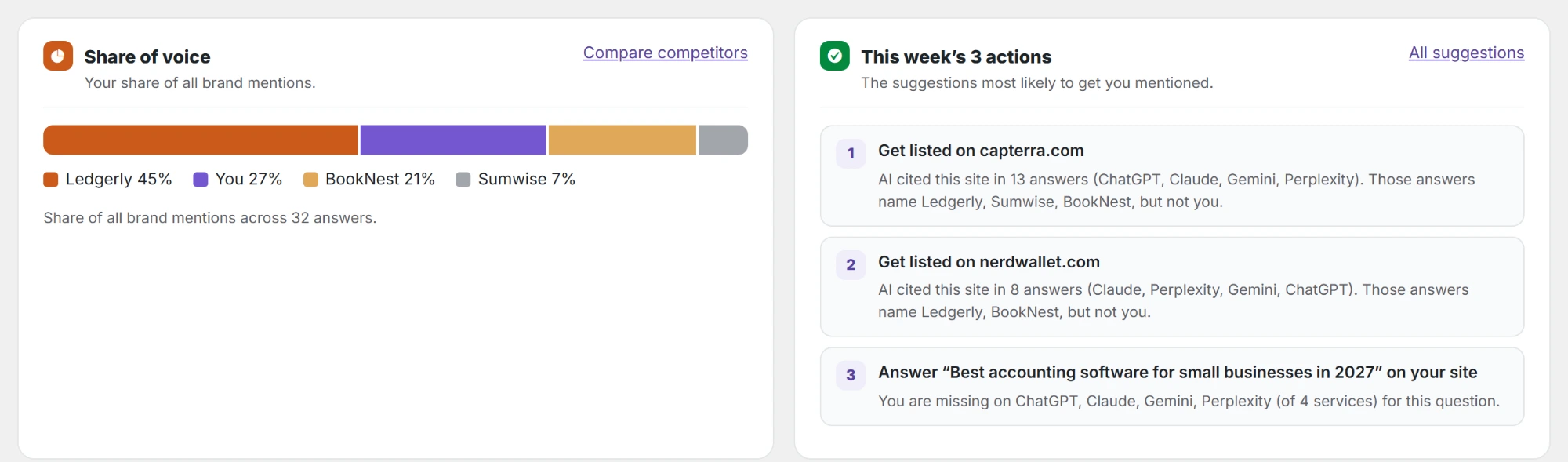
- Share of voice: a bar with your share of all brand mentions next to each competitor. Compare competitors opens the full comparison.
- This week’s 3 actions: the three open suggestions most likely to get you mentioned, each with its reason. All suggestions opens the rest.
Sources AI cites most
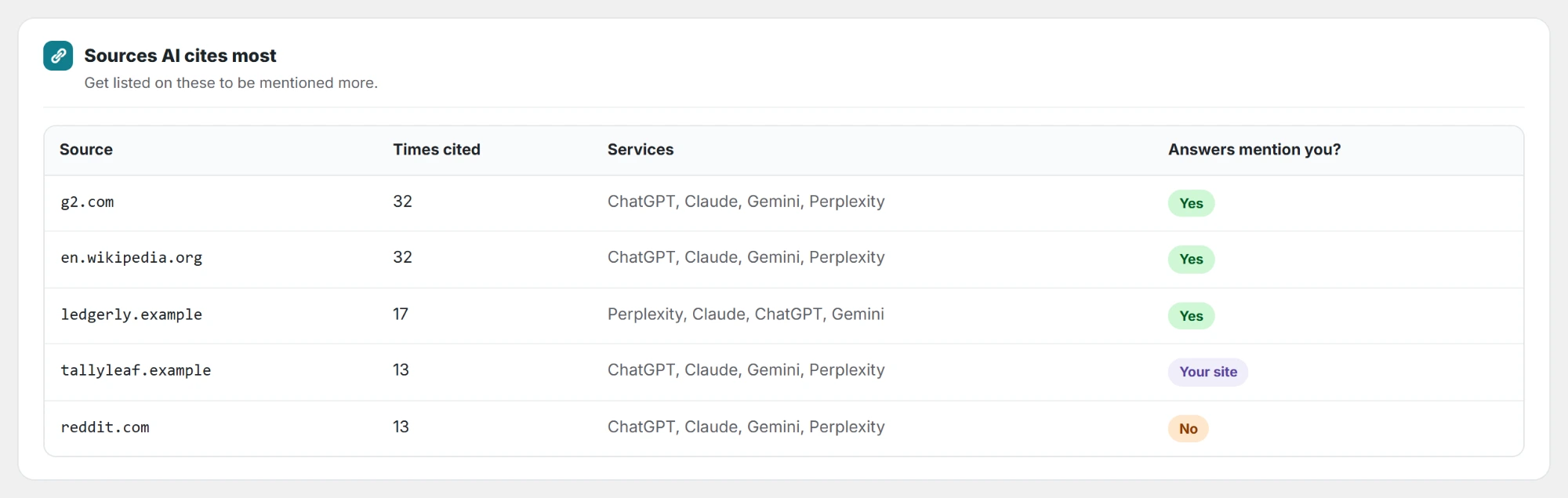
The sites AI used most in the last run, with how many times each was cited, by which services, and whether those answers already mention you. A site that is cited often in answers that do not name you is the best place to get listed.
Other parts of the Dashboard
- Suggestion worked: appears when a suggestion you marked done has improved your results.
- API calls this month: how many calls your keys used, against your monthly limit, and when the next run is.
- Export CSV and Run check now: at the top of the page.
- A review request: after one of your suggestions works, a short note asks whether you would leave a review on WordPress.org. Maybe later hides it for a while; Don’t ask again hides it for good.
- On a phone: swipe the tab bar sideways to reach the other pages.
AI answers change from run to run. Look at the trend over several runs rather than one result.